
Create a Sub Charge Code Request
Prerequisites
Before submitting a Sub Charge Code request:- You must have an active employee account.
- You must be the Program Manager of the program, or have access to it in Program Management.
- The program’s Period of Performance (POP) must already exist.
1
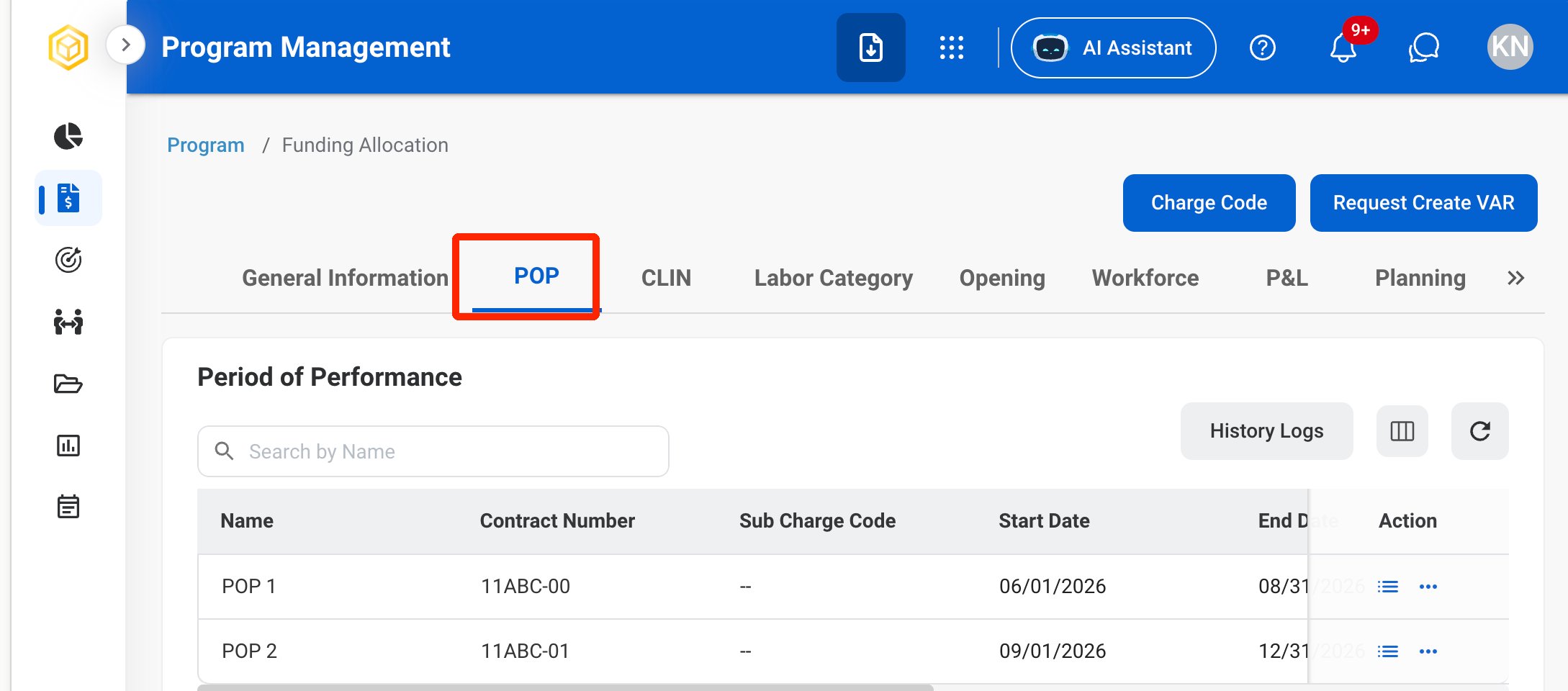
In Program Management, open the program and select the POP tab.
2
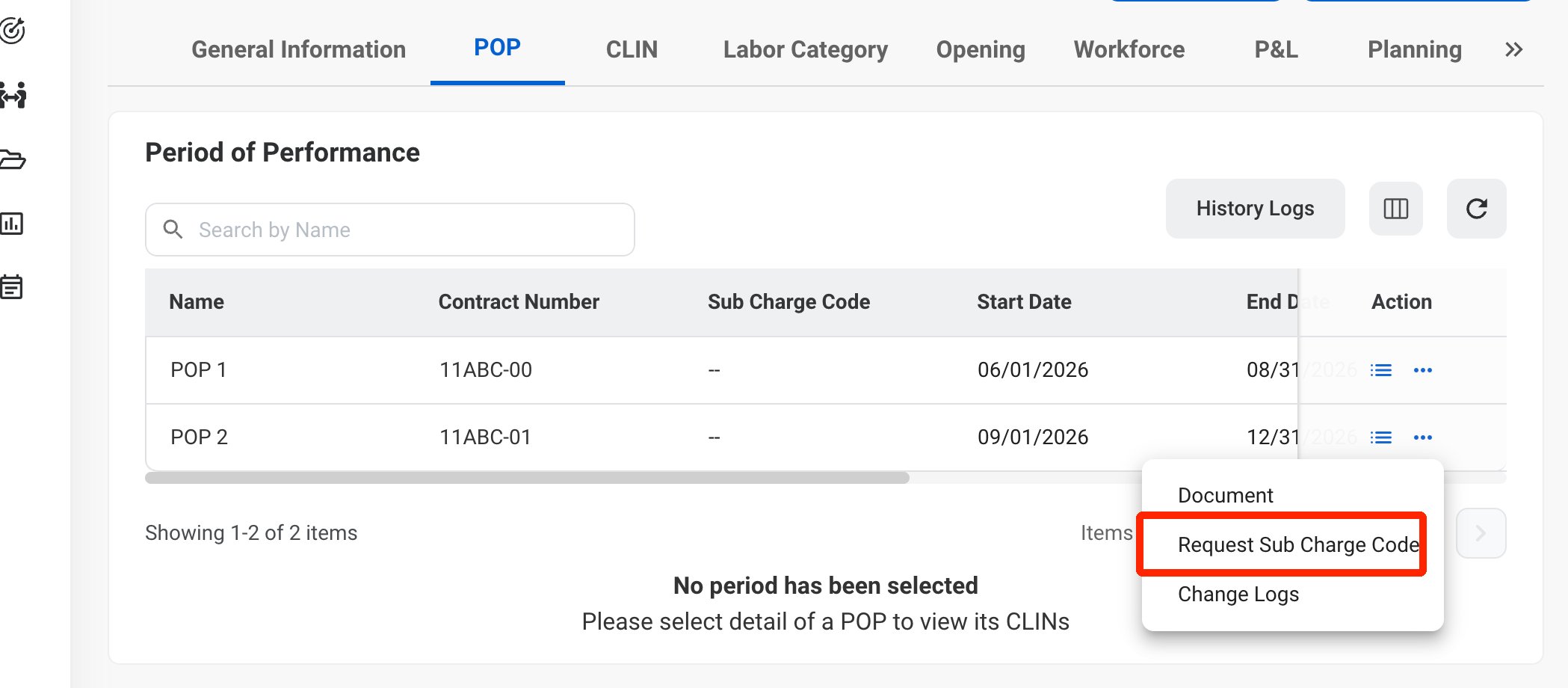
Select the ellipsis icon for the POP, then select Request Sub Charge Code.
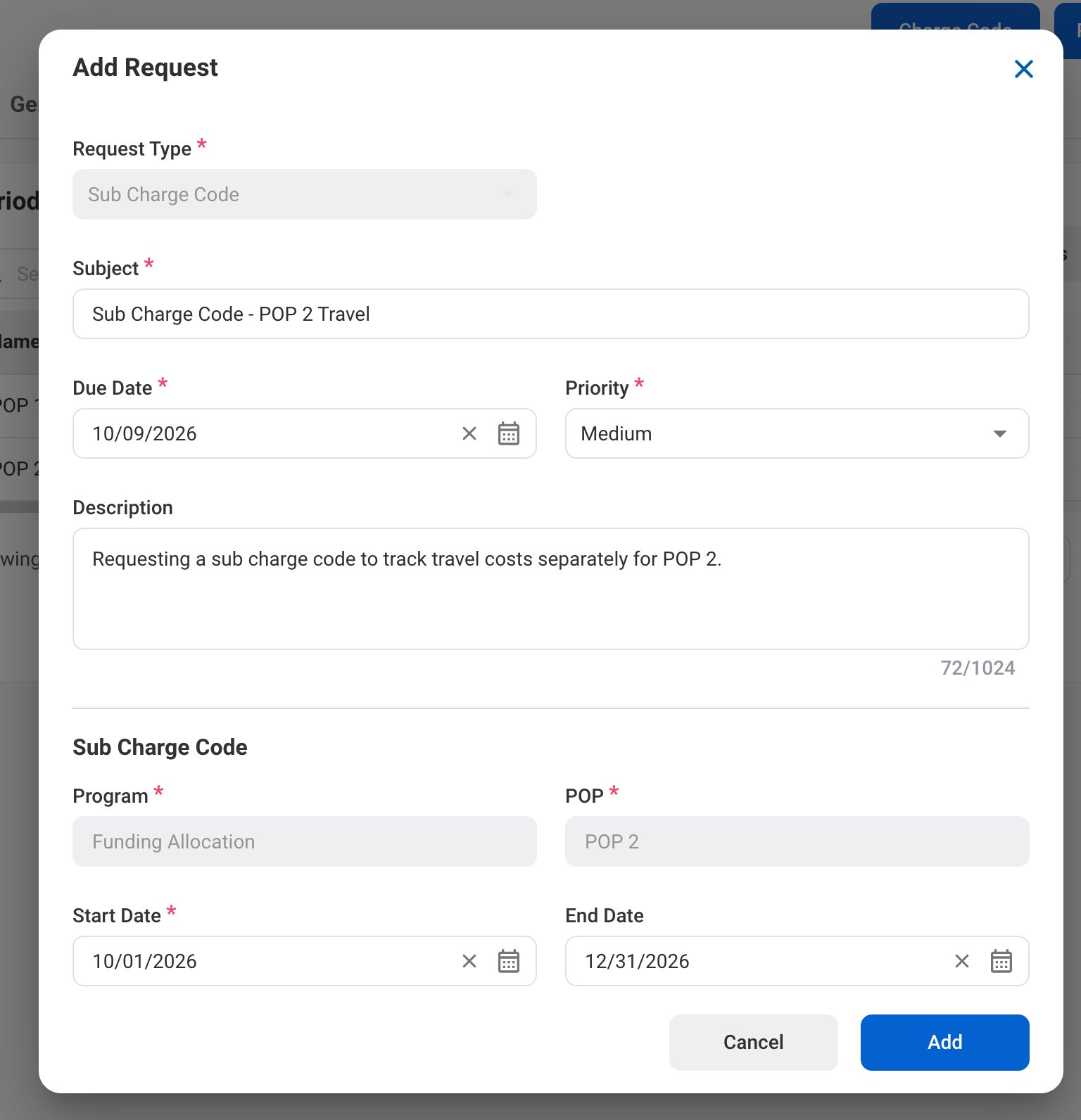
3
4
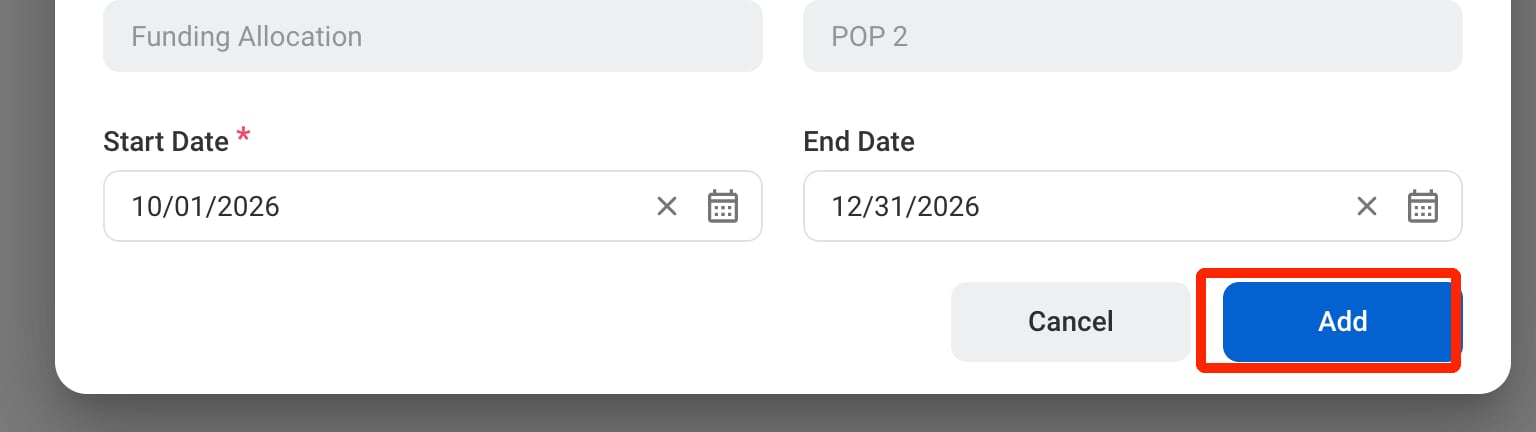
Click Add to send the request for approval.
The request can be viewed in the Program Management, Request, and Accounting modules. After it is processed, the sub charge code is displayed on the POP and in Accounting > Charge Code under the program.