A Consultant Agreement for Internal Department request asks to set up an agreement with a consultant who will work for one of your internal departments rather than on a program. After you submit it, the request follows the configured approval workflow before being approved, rejected, or returned for revision.
Create a Consultant Agreement for Internal Department Request
Prerequisites
Before submitting a Consultant Agreement for Internal Department request:
- You must have an active employee account.
- You must have access to Self Service > Internal Consultant.
- The consultant must be set up as a business partner.
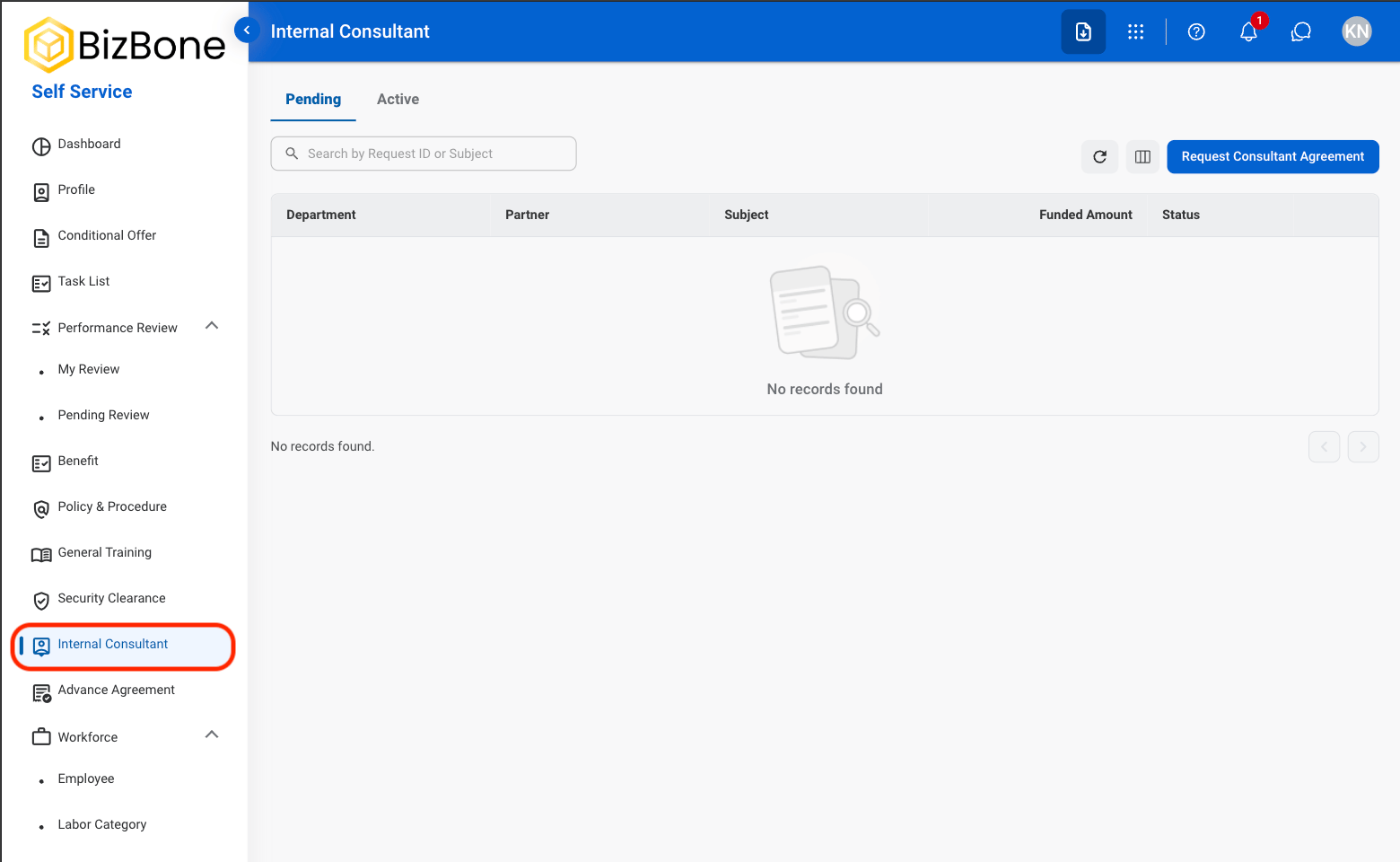
Consultant Agreement for Internal Department requests are created from Self Service > Internal Consultant.
In Self Service, navigate to Internal Consultant.
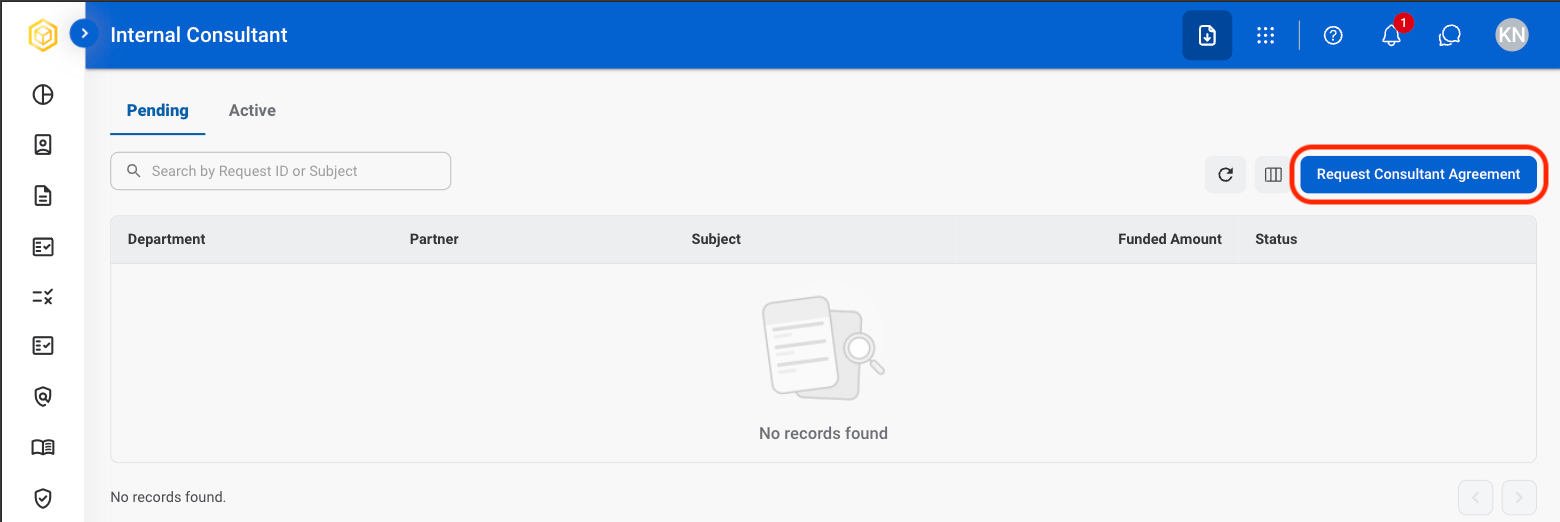
Select Request Consultant Agreement.
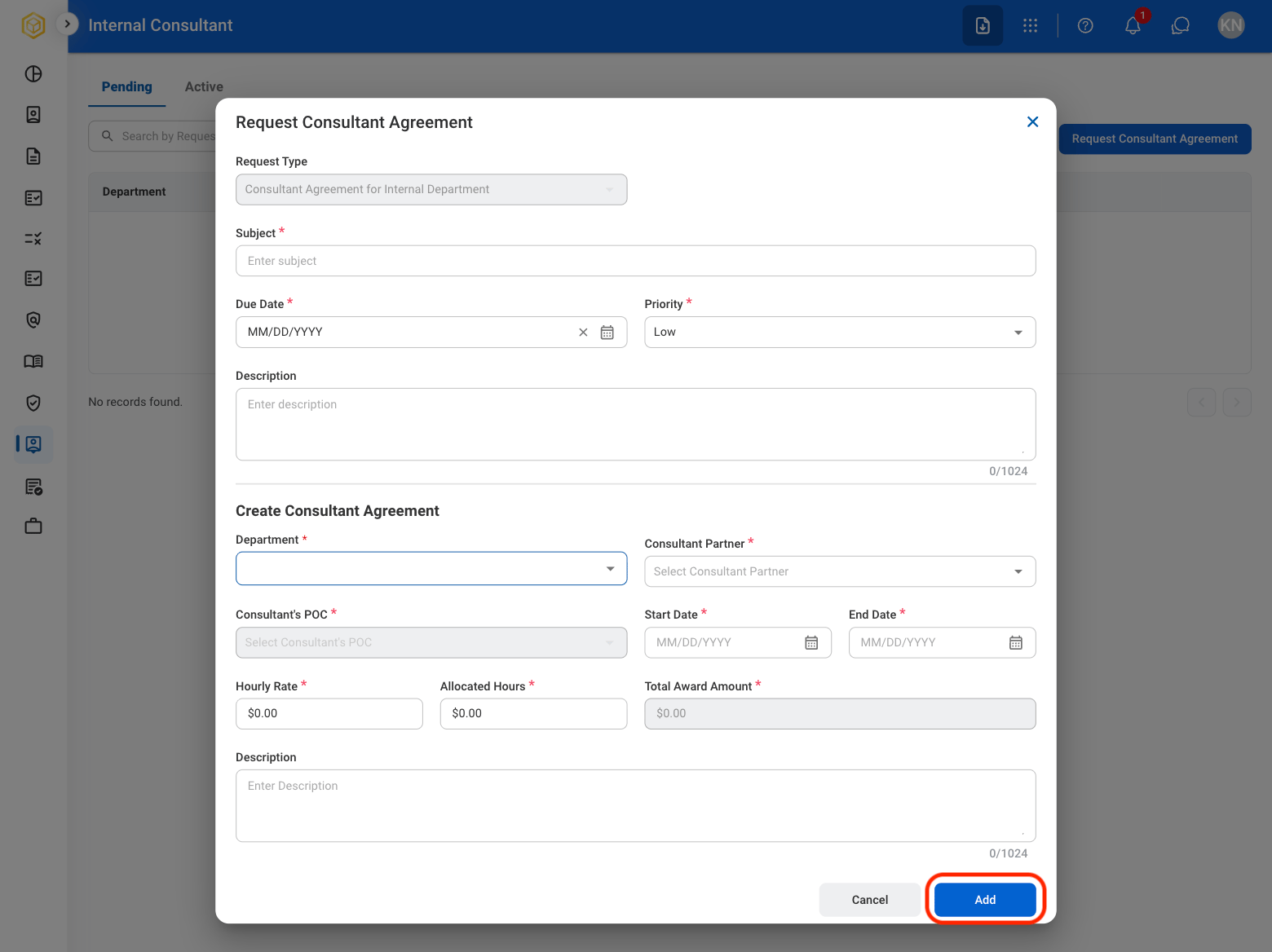
Complete the required information.
Create Consultant Agreement
Click Add to send the request for approval.
The request is displayed in the Request module and under Self Service > Internal Consultant > Pending.
Review a Consultant Agreement for Internal Department Request
To review a submitted Consultant Agreement for Internal Department request and approve, reject, or discard it, see Contracts > Requests.
Manage the Consultant Agreement for Internal Department Business Process
To manage the workflow for Consultant Agreement for Internal Department requests, see Admin > Business Processes > Business Processes Overview.