An Edit Charge Code request asks Accounting to change an existing charge code, for example to extend its dates or change who can charge to it. After you submit it, the request follows the configured approval workflow before being approved, rejected, or returned for revision.
Create an Edit Charge Code Request
Prerequisites
Before submitting an Edit Charge Code request:
- You must have an active employee account.
- The charge code must already exist on the business opportunity or program.
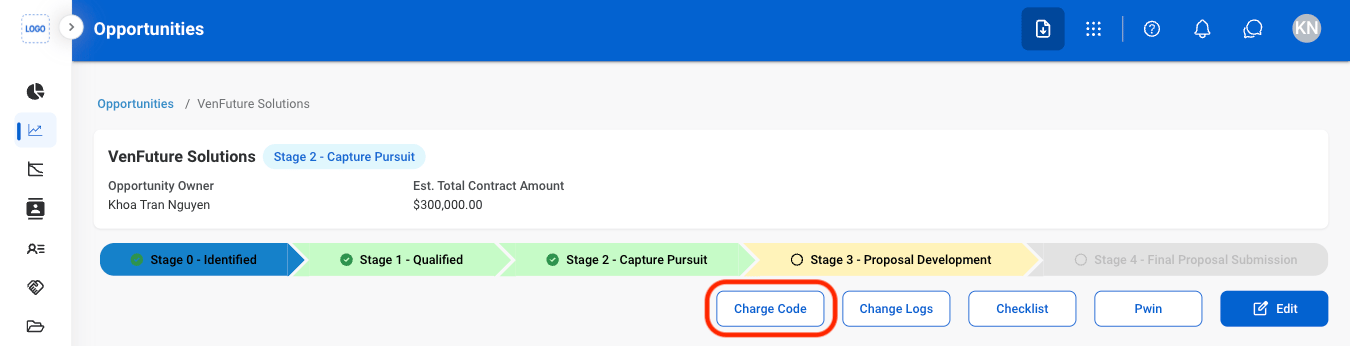
Edit Charge Code requests are created from the business opportunity in Business Development, or from the program’s Charge Code in Program Management. The steps below start from a business opportunity. See Opportunities.
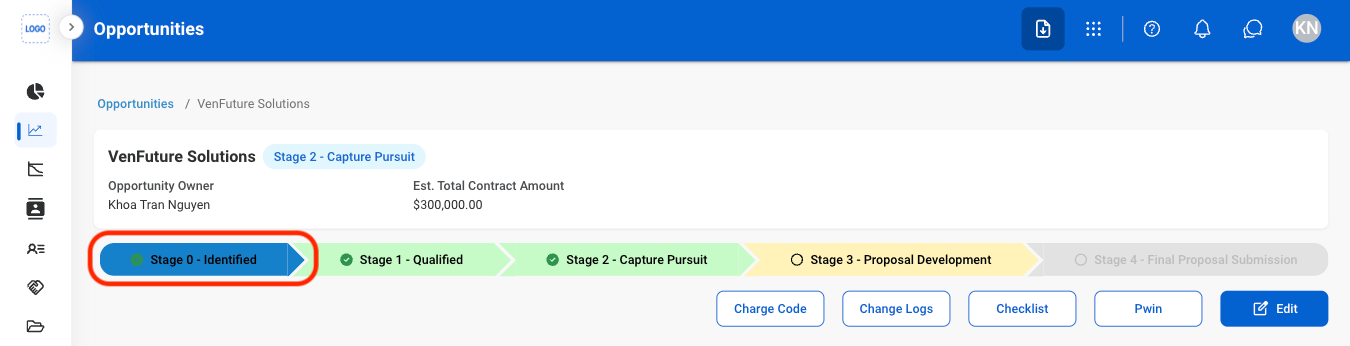
In Business Development, open the opportunity and select Stage 0.
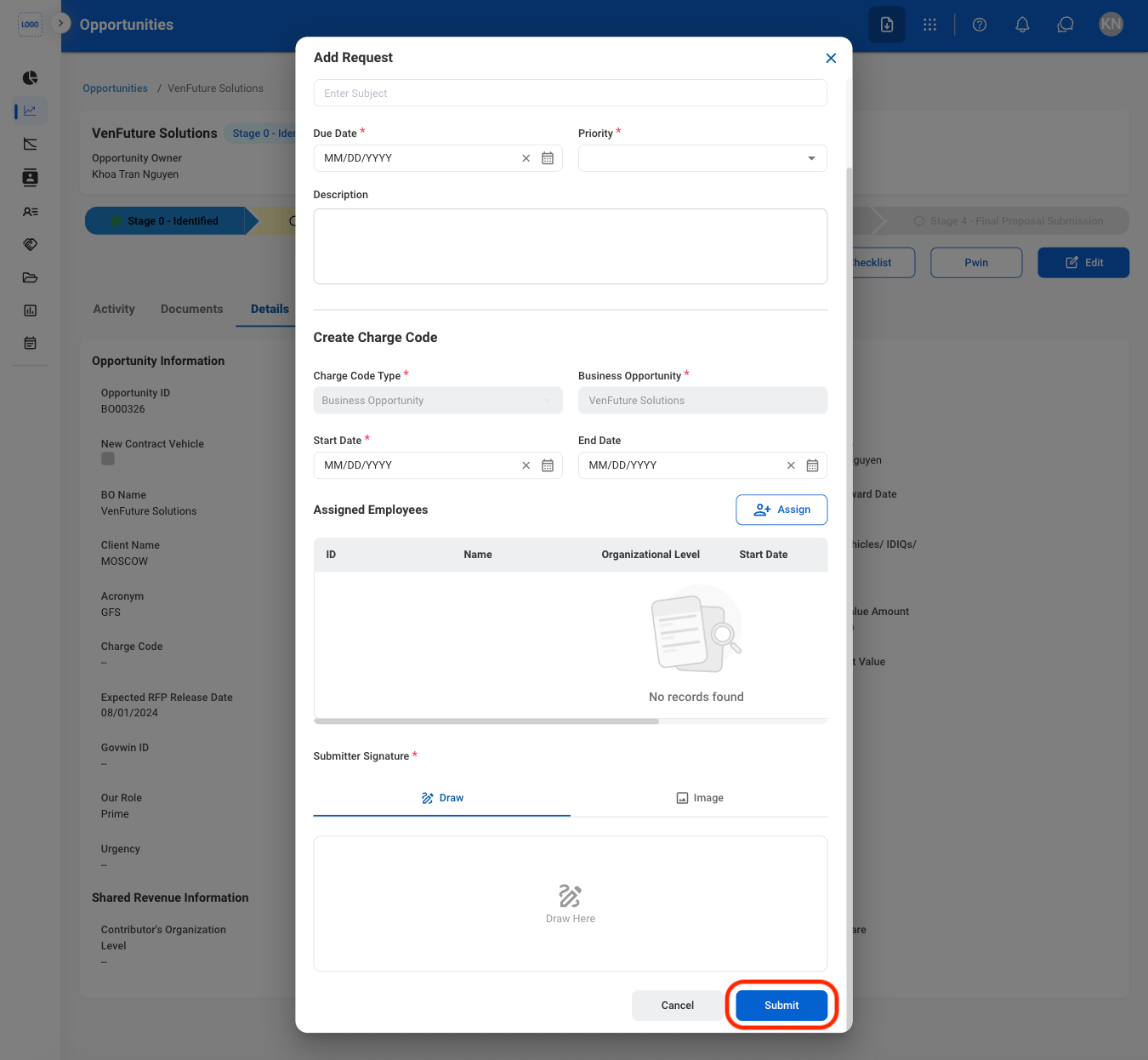
Complete the required information.
Click Submit to send the request.
The request can be viewed in the Business Development or Program Management module, the Request module, and the Accounting module, where the Accountant processes it.
Review an Edit Charge Code Request
To review a submitted Edit Charge Code request and approve, reject, or discard it, see Accounting > Request.
Manage the Edit Charge Code Business Process
To manage the workflow for Edit Charge Code requests, see Admin > Business Processes > Business Processes Overview.