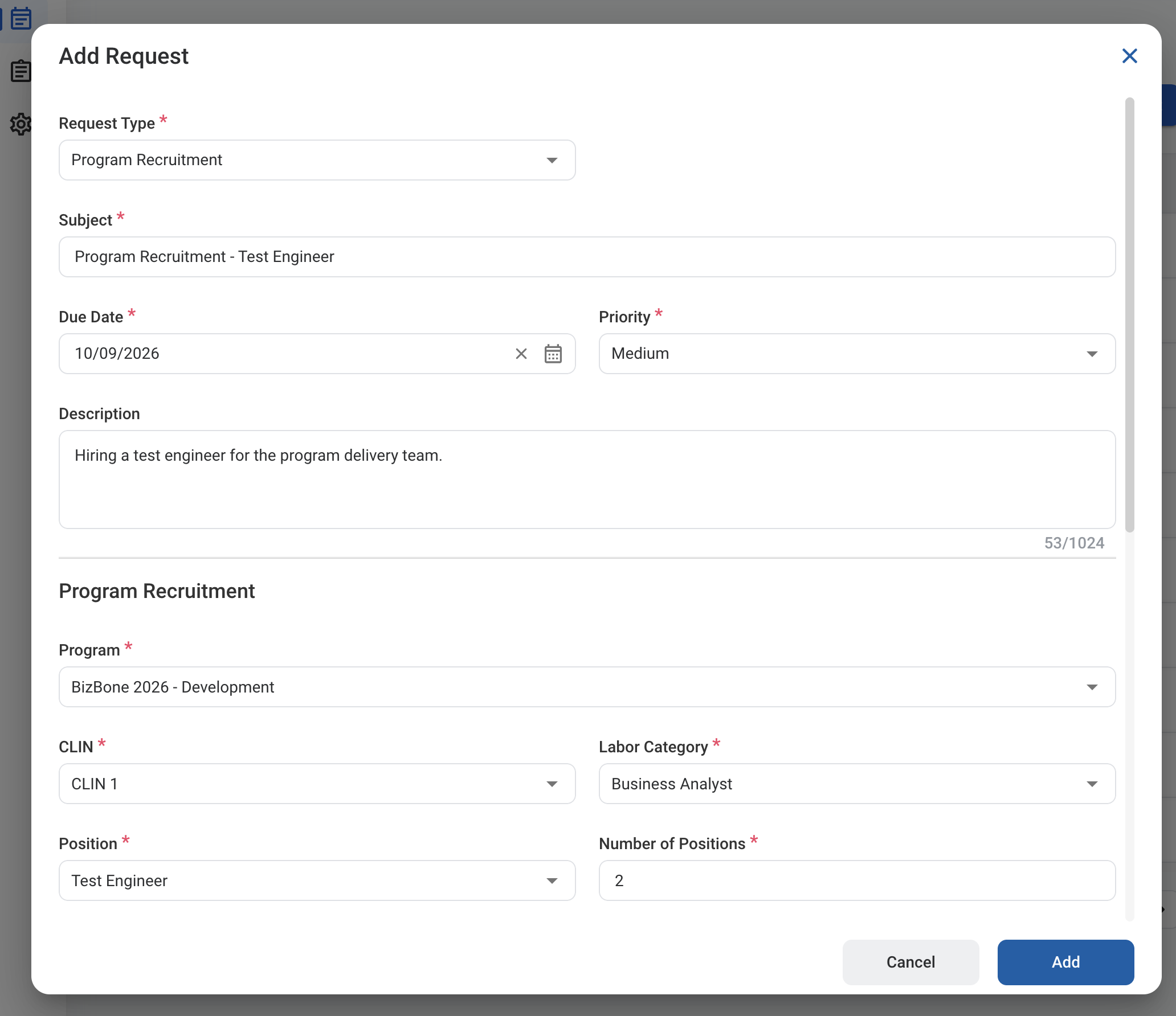
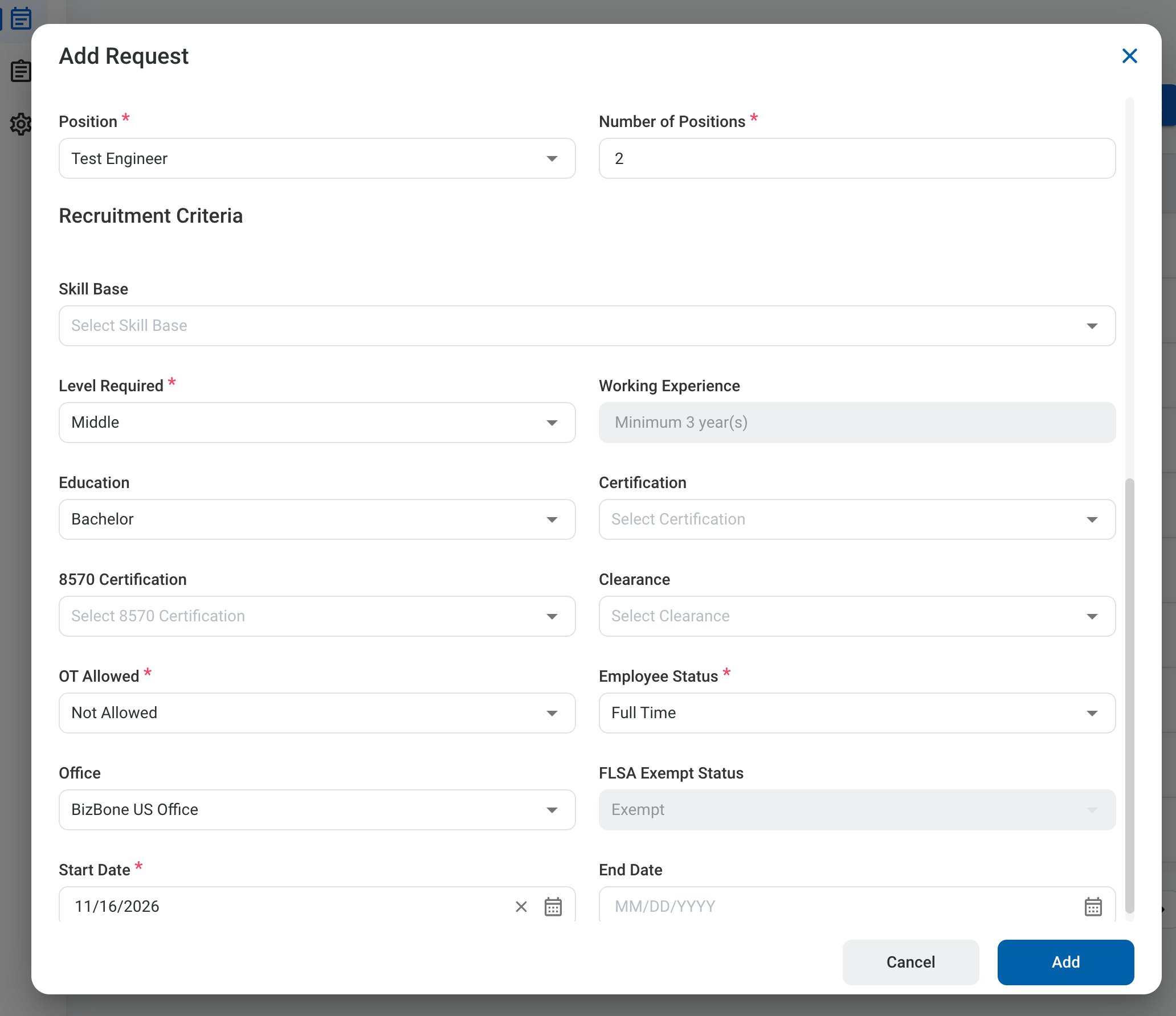
A Program Recruitment request asks Recruitment to open a position on a program. It ties the position to a contract line item (CLIN) and labor category, and captures what the role needs. After you submit it, the request follows the configured approval workflow before being approved, rejected, or returned for revision.

Create a Program Recruitment Request

Prerequisites

Before submitting a Program Recruitment request:
  • You must have an active employee account.
  • The program must have the CLIN and labor category the position is billed to.
1

Navigate to Requests Module.

RQ Nav
2

Click Add Request.

RQ Add
3

Select Program Recruitment as the request type.
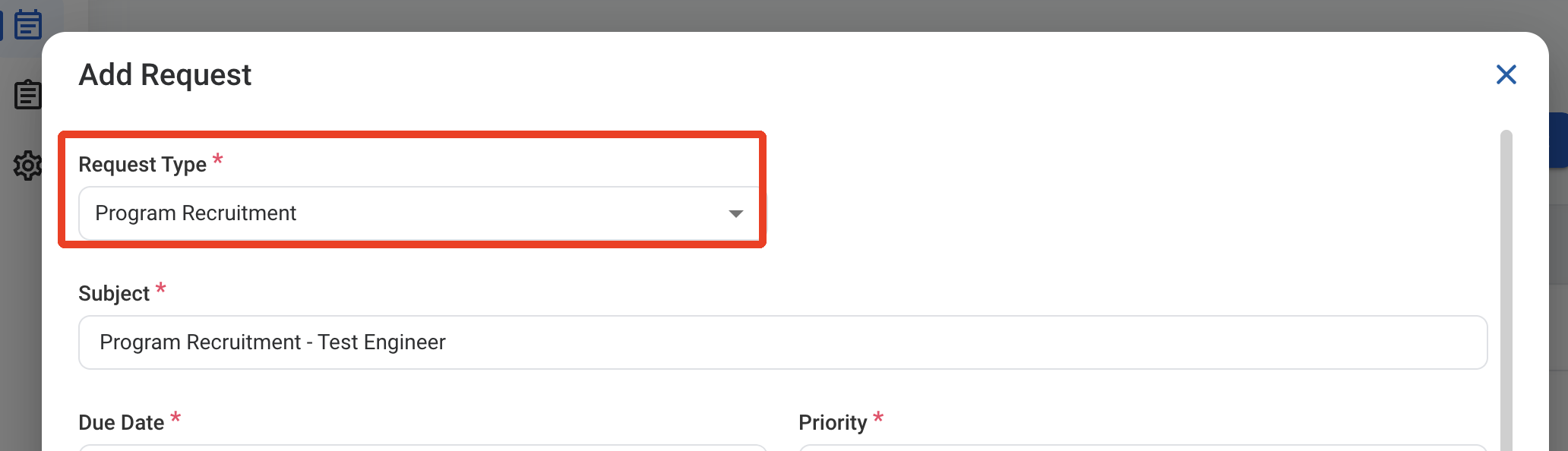
RQ PR Type
4

Complete the required information.

RQ PR Form 1

Request Information

RQ PR Form 2

Program Recruitment

Recruitment Criteria

5

Click Add to send the request for approval.
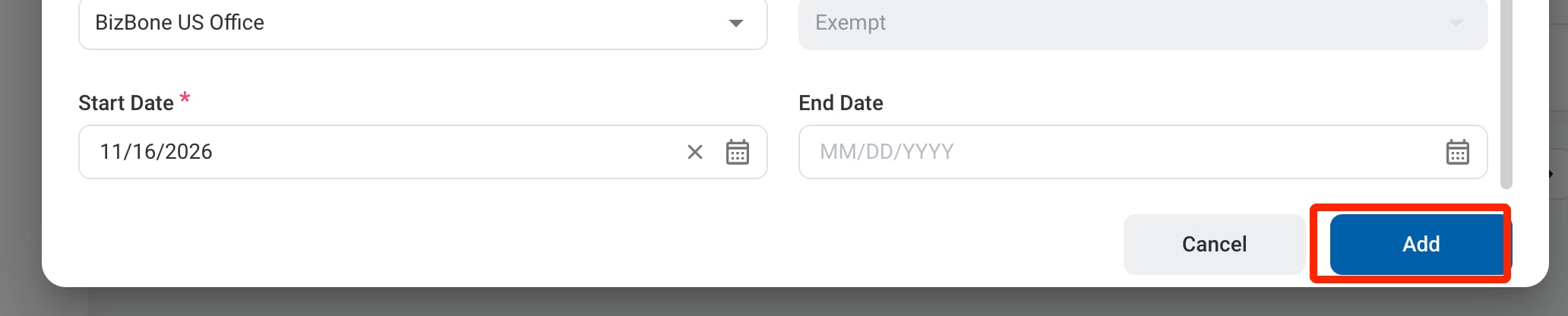
RQ PR Add

Approval Workflow

After approval, the request is assigned to Recruitment, who creates the job. The request is completed when the job is created.

Review a Program Recruitment Request

To review a submitted Program Recruitment request and approve, reject, or discard it, see Recruitment > Request.

Manage the Program Recruitment Business Process

To manage the workflow for Program Recruitment requests, see Admin > Business Processes > Business Processes Overview.