Manage business process workflows used throughout the system. Supports viewing workflow definitions in BPMN format, reviewing version history, and maintaining process configurations.

Edit a Business Process

1

Navigate to Business Process
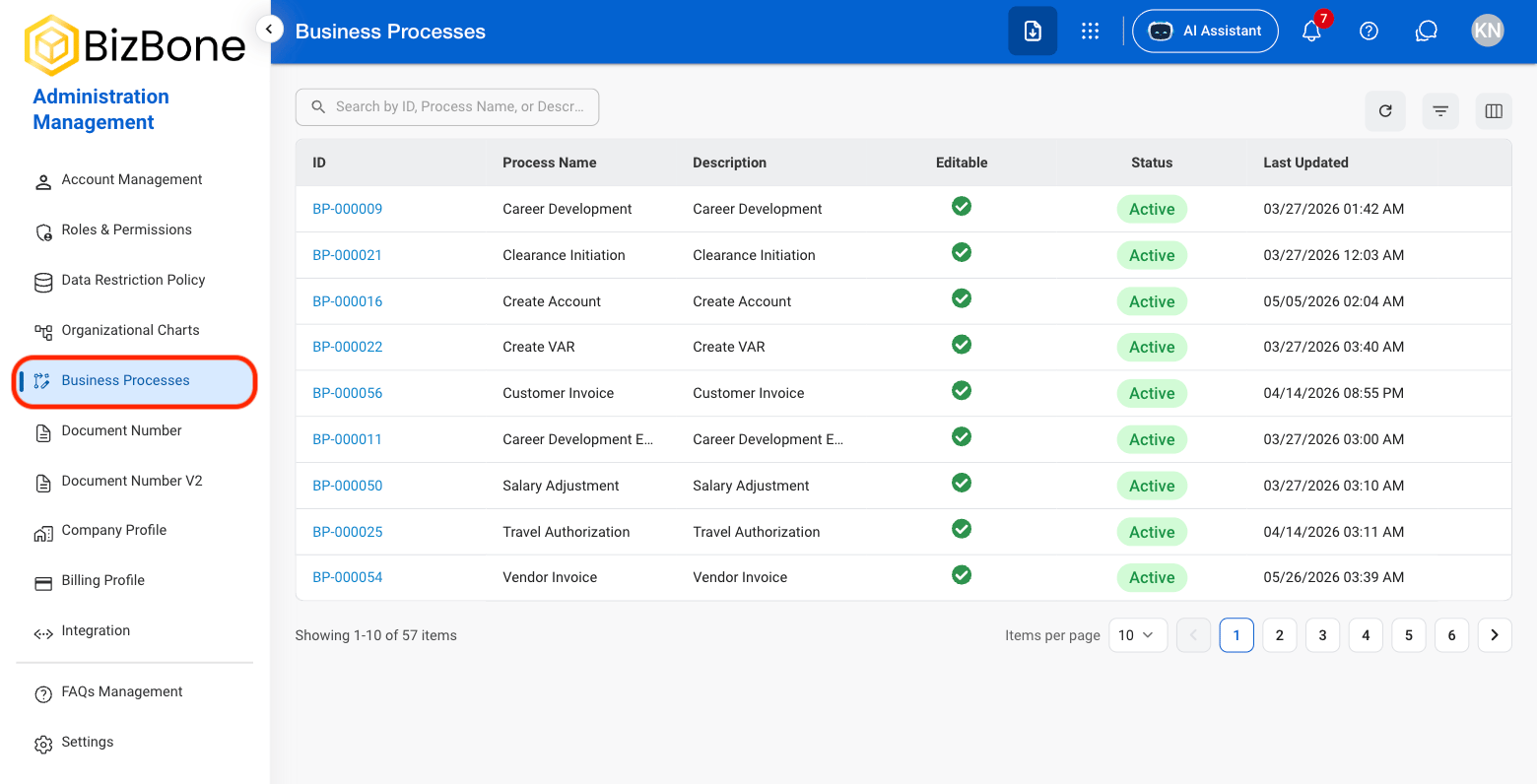
AM BP Nav
2

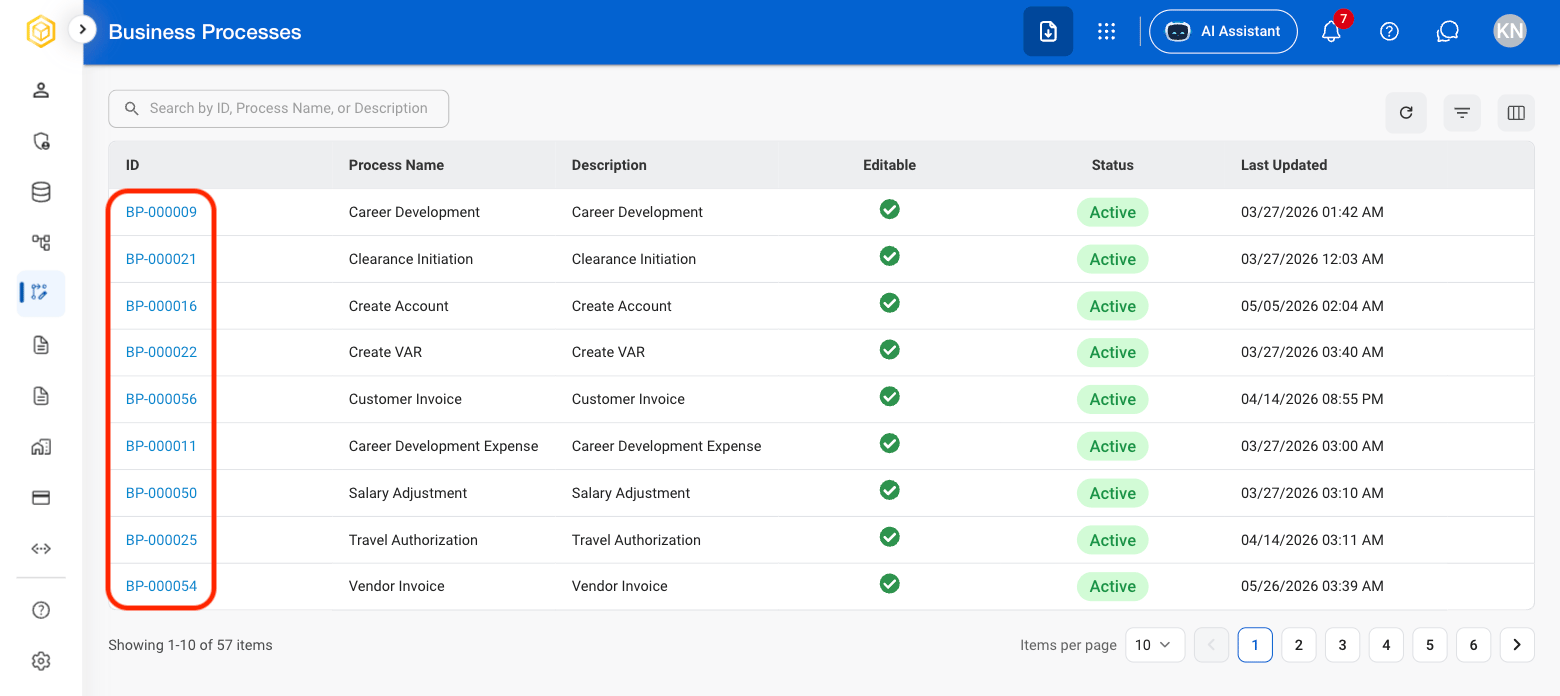
Select a Business Process ID

AM BP Select
3

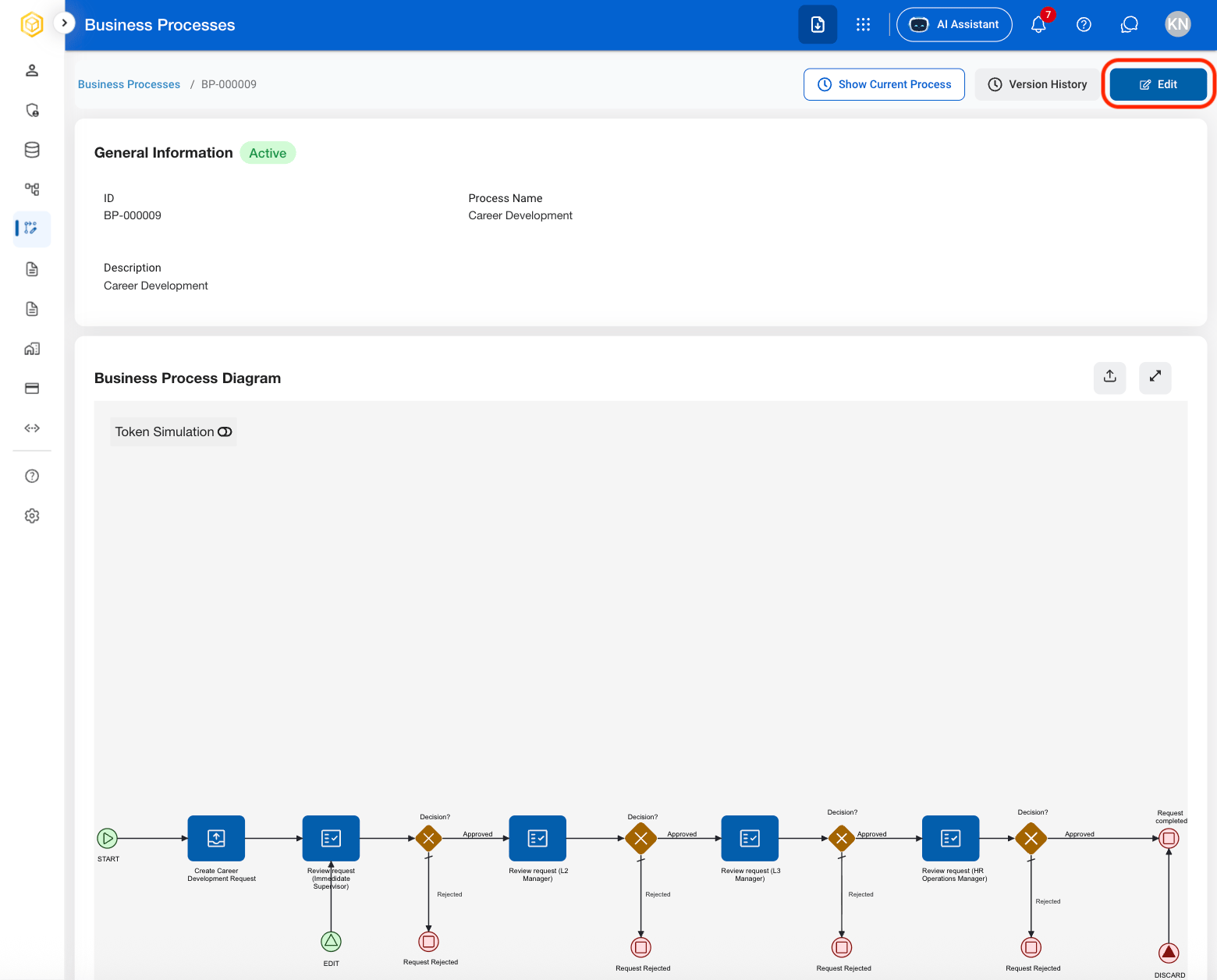
Select Edit

AM BP Edit
4

Fill in the required information

AM BP Edit C
Select Publish to complete or Cancel to exit without saving changes. 

View Version History

1

Select a Business Process ID

AM BP Select
2

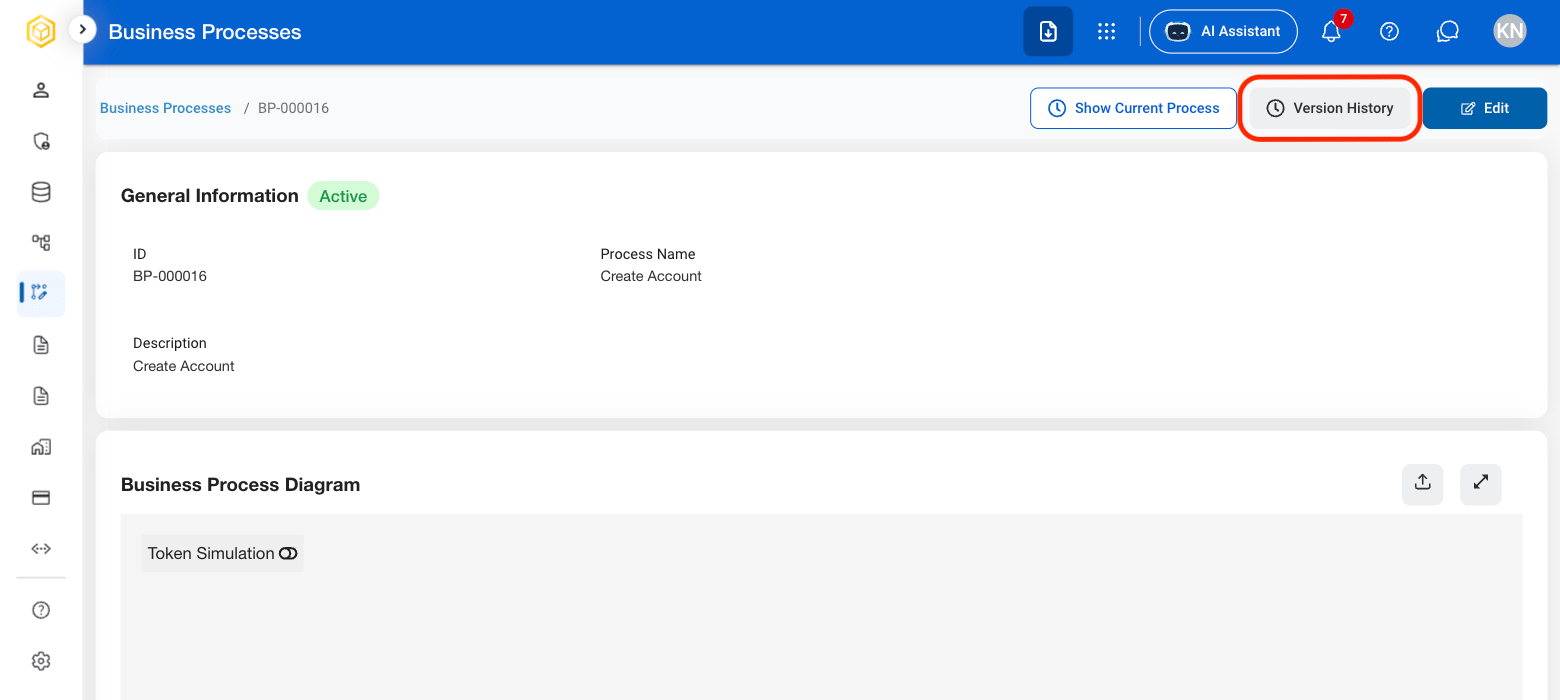
Select Version History

AM BP Version History
3

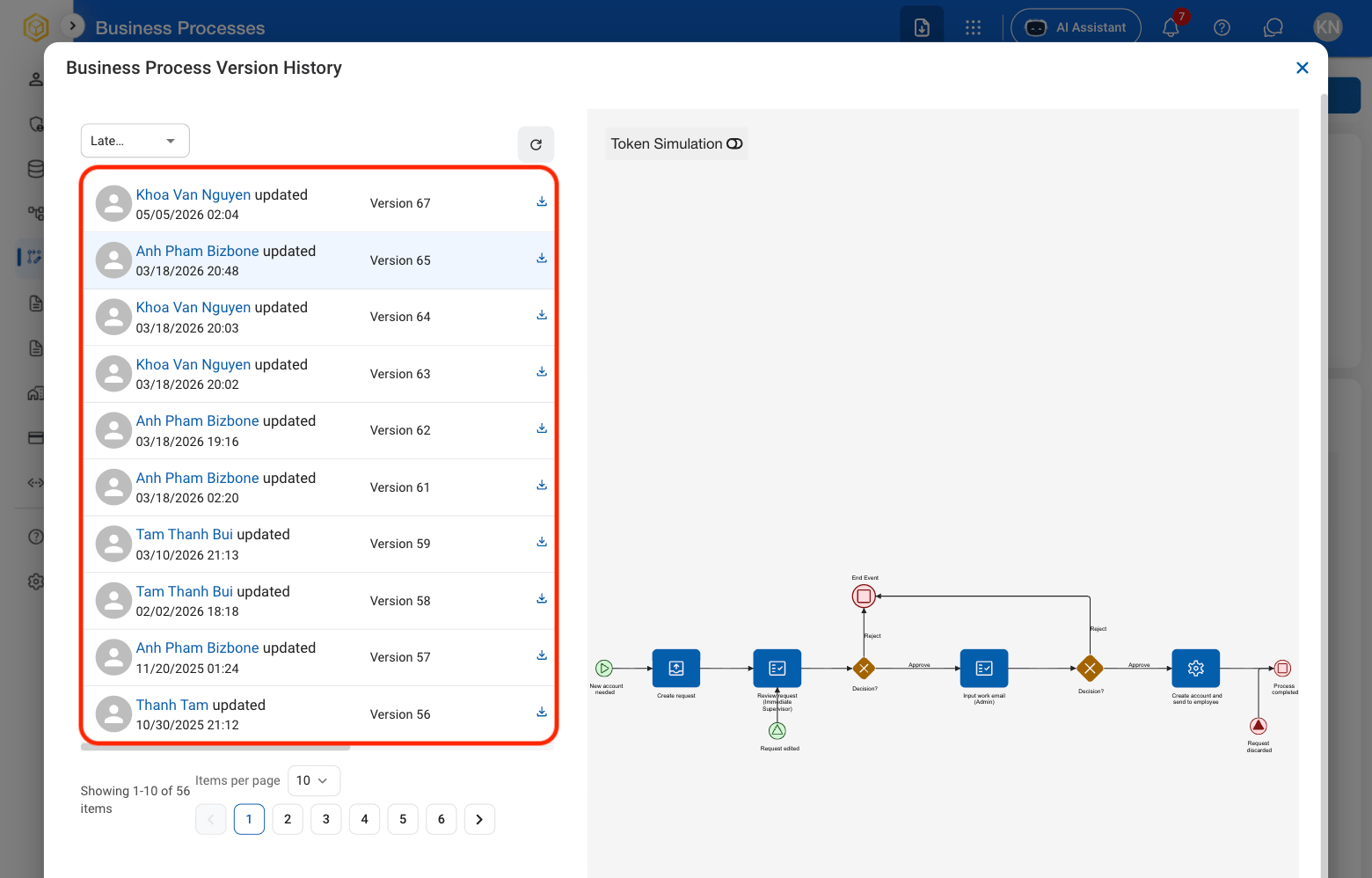
Select a version

AM BP Select Version
4

Select the Download icon to download the business process as a png
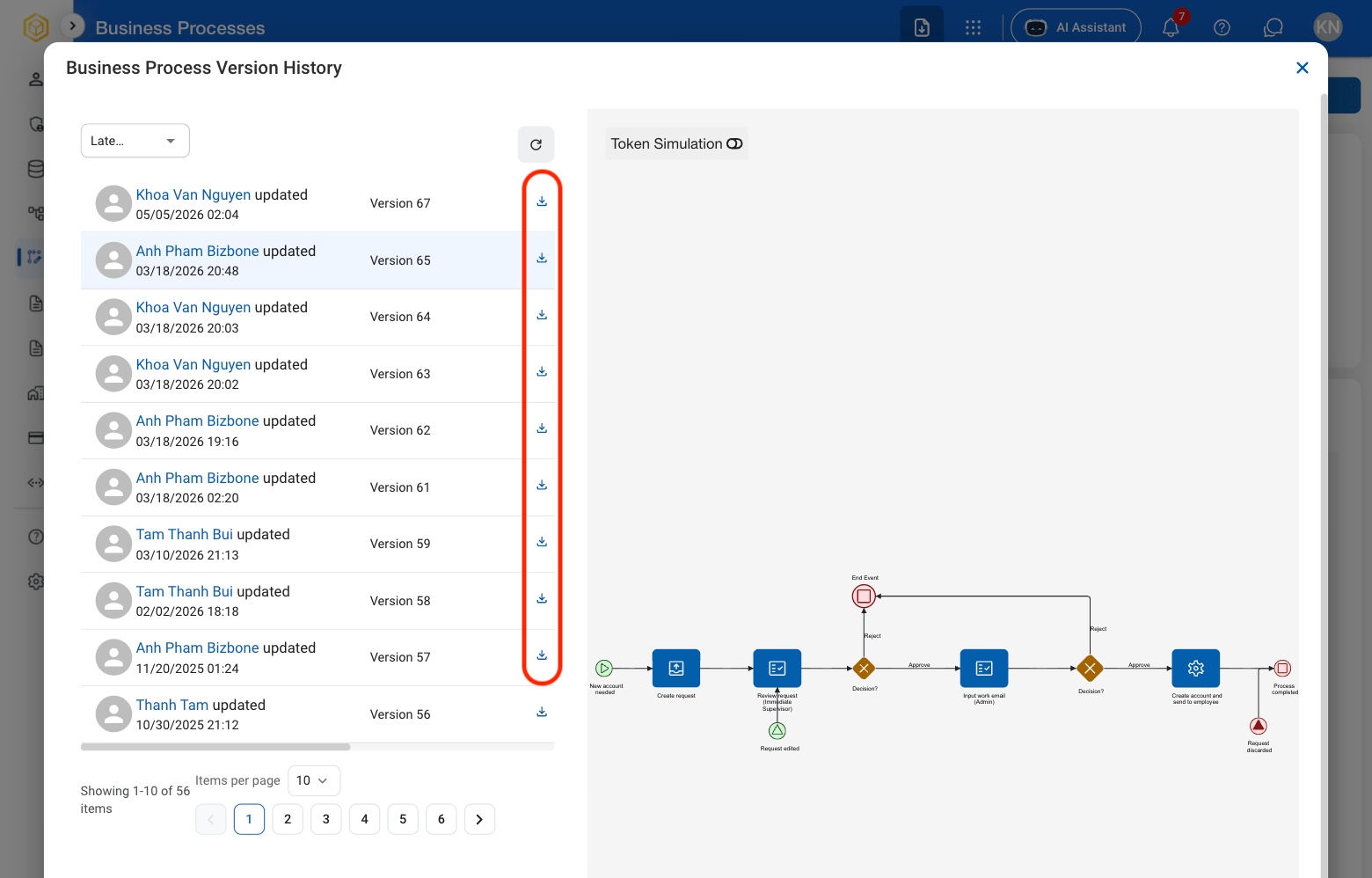
AM BP Download