
Add a Policy
Create a data restriction policy that aligns with your company’s requirements.1
Navigate to Data Restriction Policy
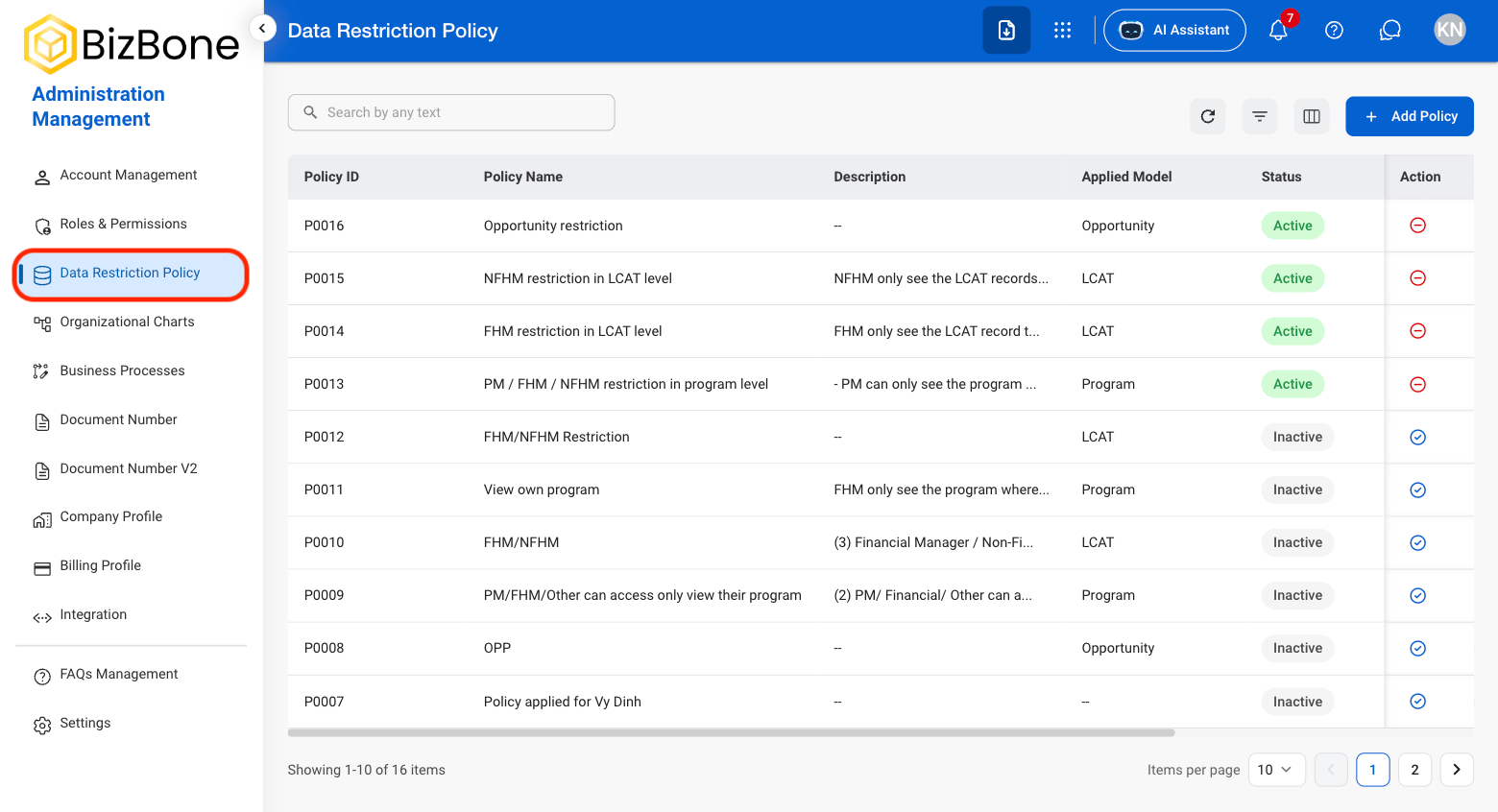
2
Select Add Policy

3
Fill in the required information.
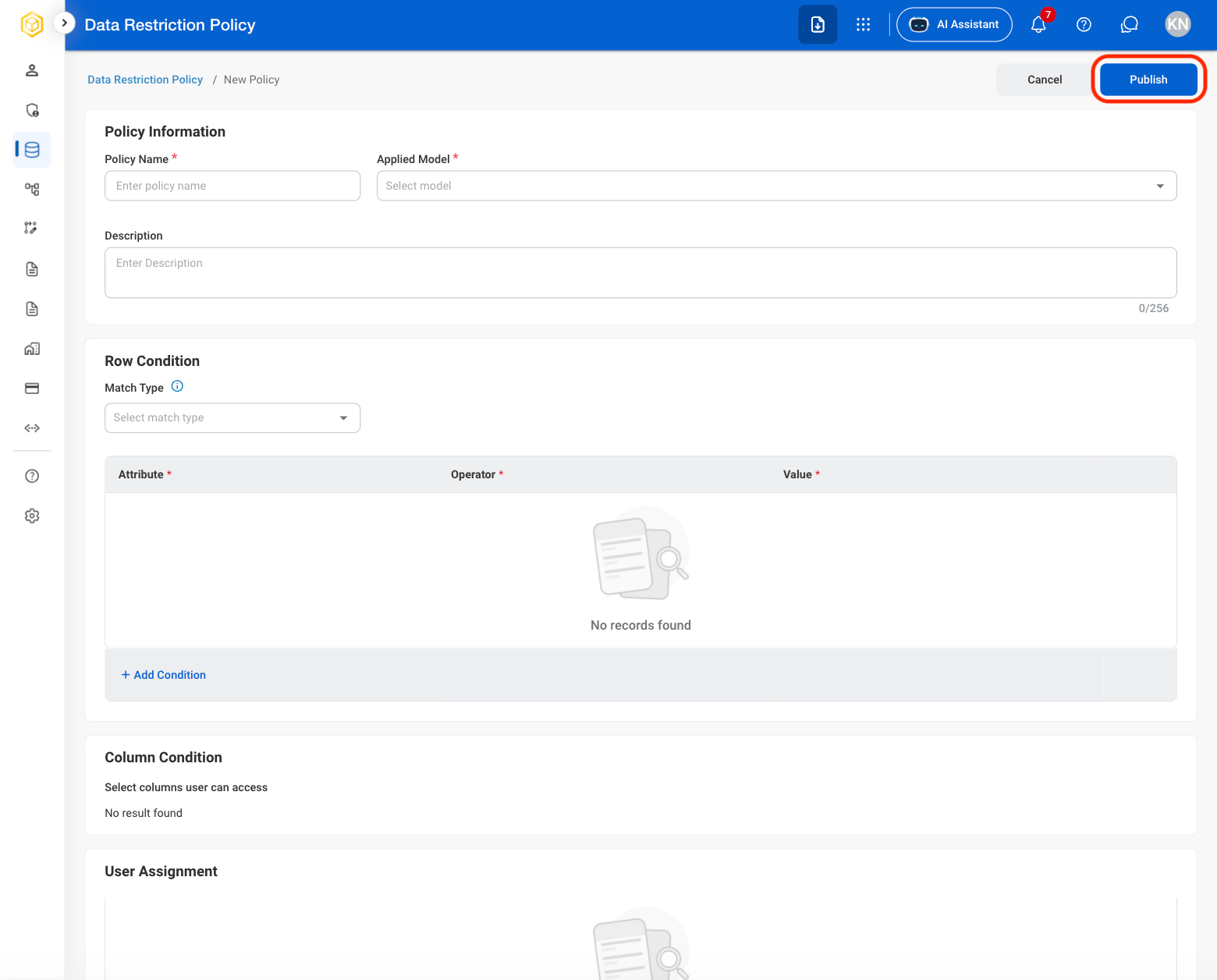
Deactivate or Reactivate a Policy
1
Select an action
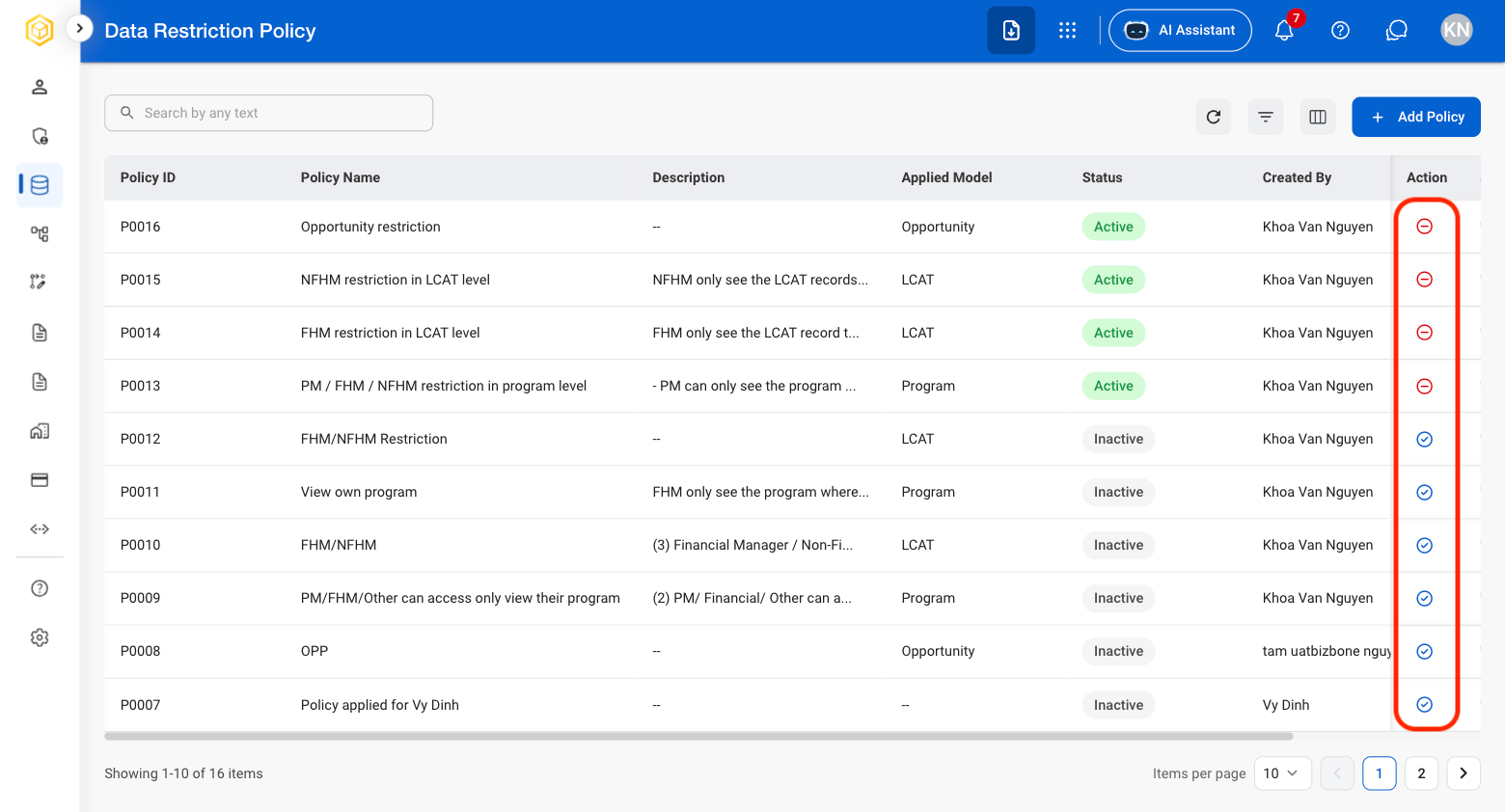
- Deactivate Policy: Deactivate the policy to stop it from being applied while retaining the policy record and its existing configuration.
- Reactivate Policy: Reactivate a previously deactivated policy to resume applying its existing configuration.
2
Confirm the action
Reactivate: Select Reactivate to complete or Cancel to exit without saving changes. Dectivate: Select Deactivate to complete or Cancel to exit without saving changes.