Edit Company Profile
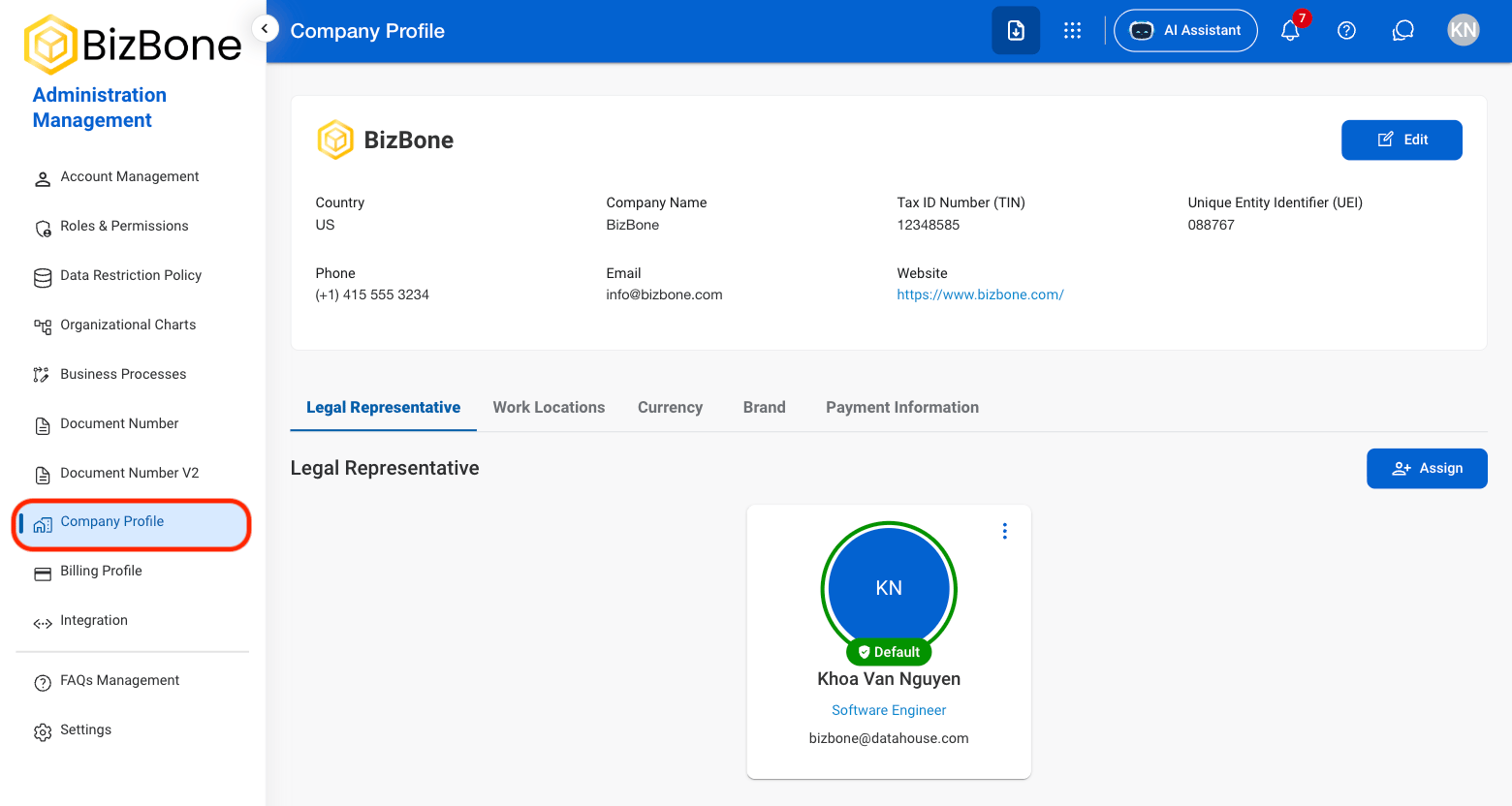
1
Navigate to Company Profile
2
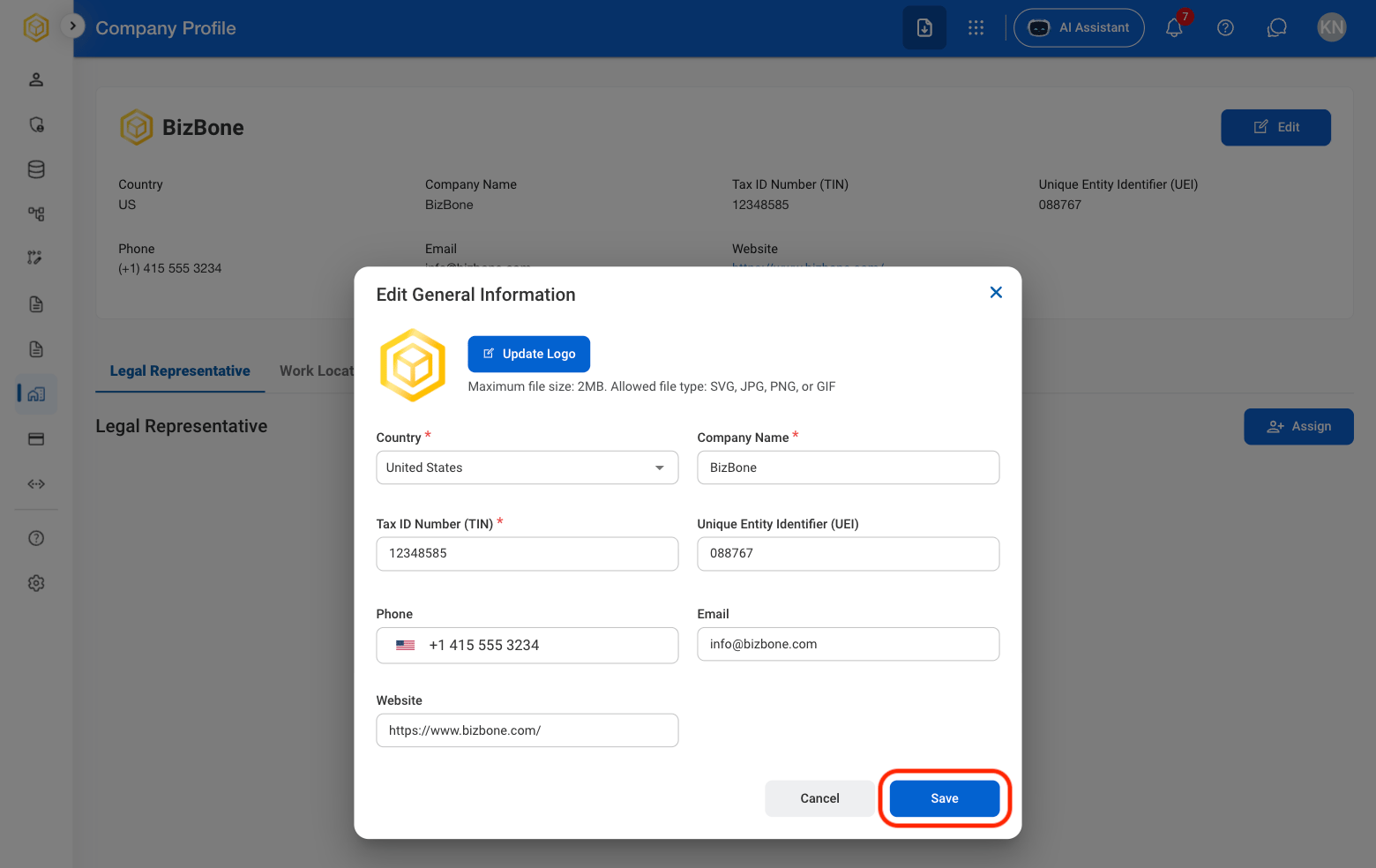
Select Edit

3
Fill in the required information
Legal Representative
Assign a Legal Representative
1
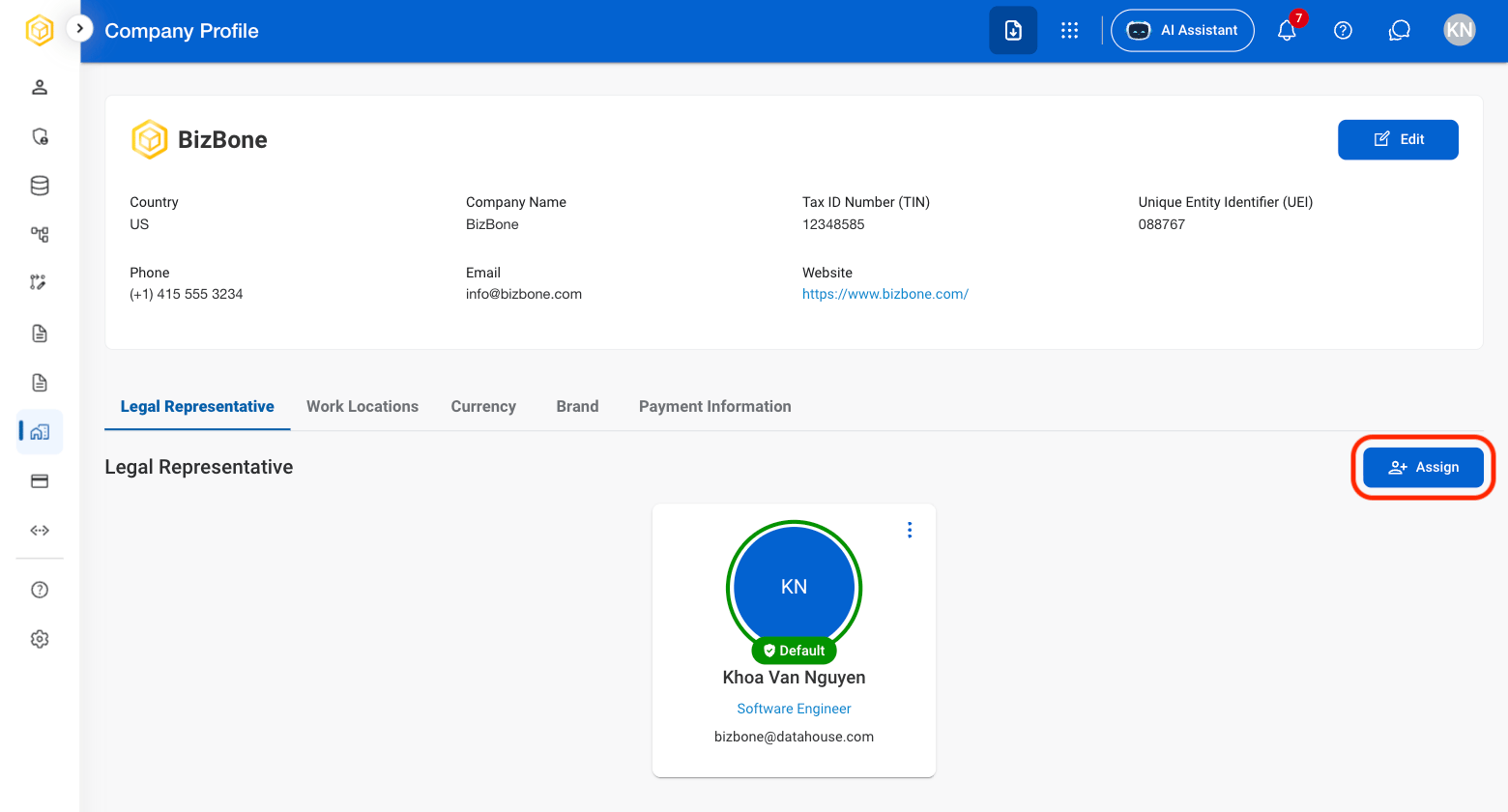
Navigate to Legal Representative
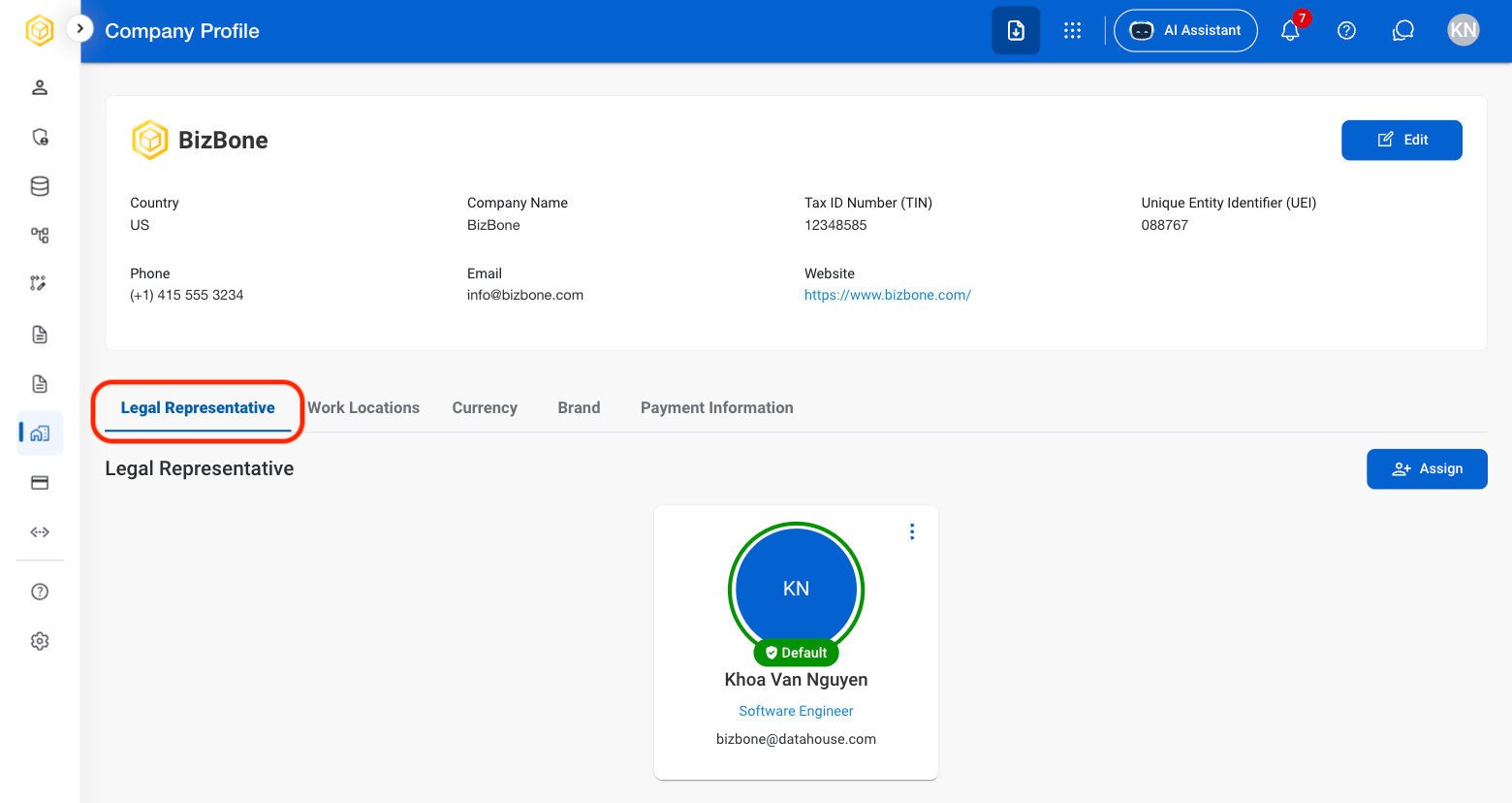
2
Select Assign
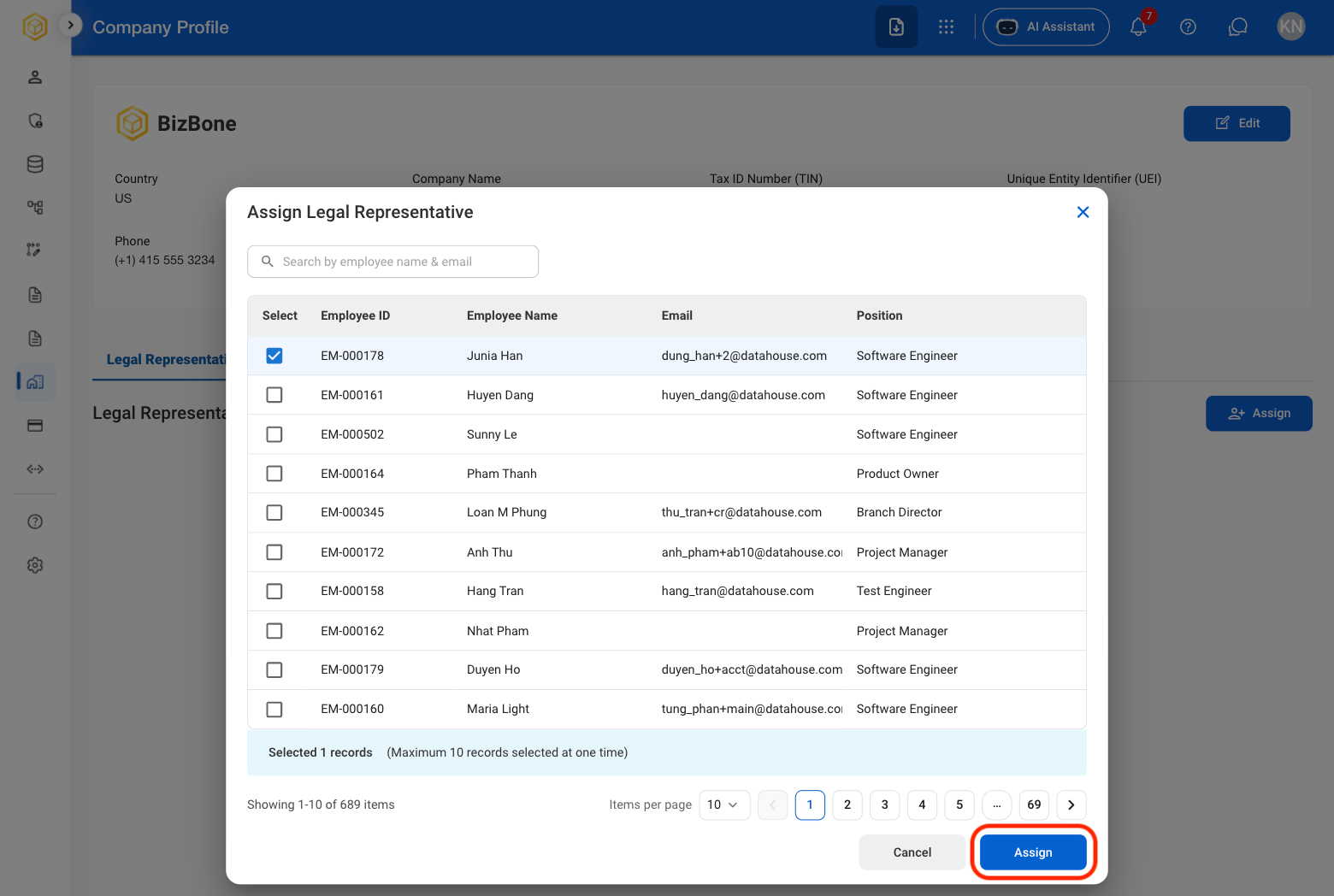
3
Select an employee
Work Locations
Add a Work Location
1
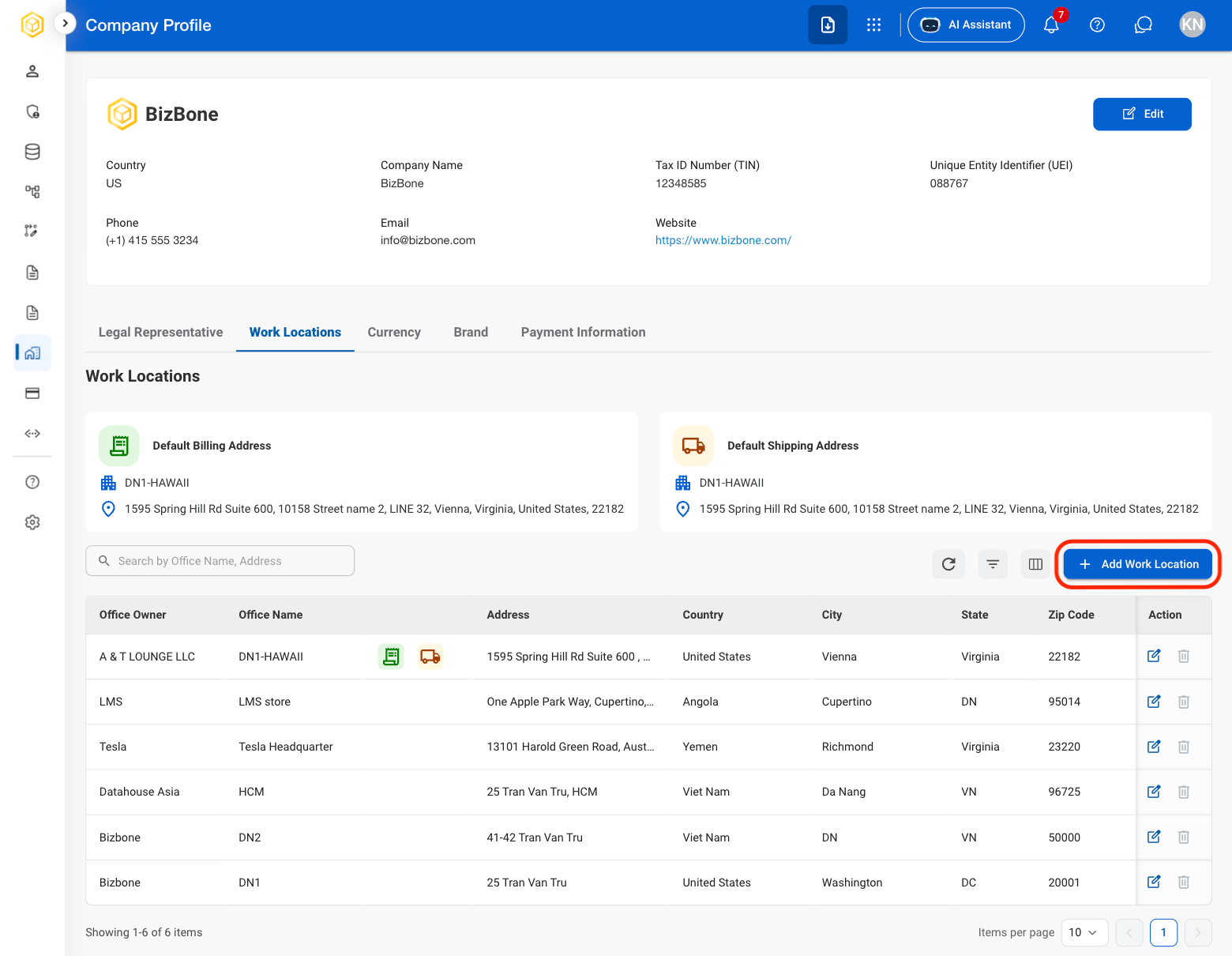
Navigate to Work Locations

2
Select Add Work Location
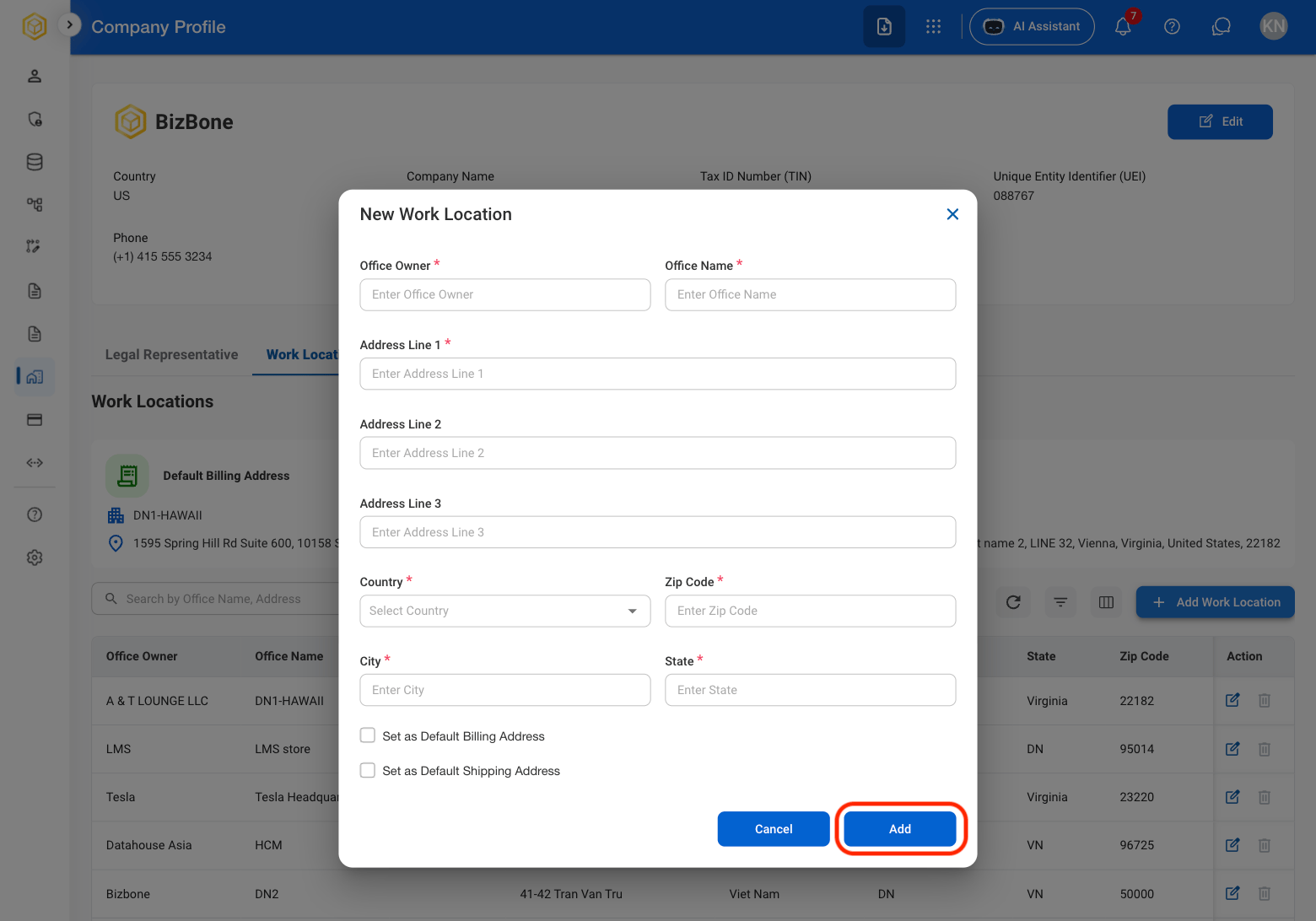
3
Fill in the required information
Modify a Work Location
1
Select an action
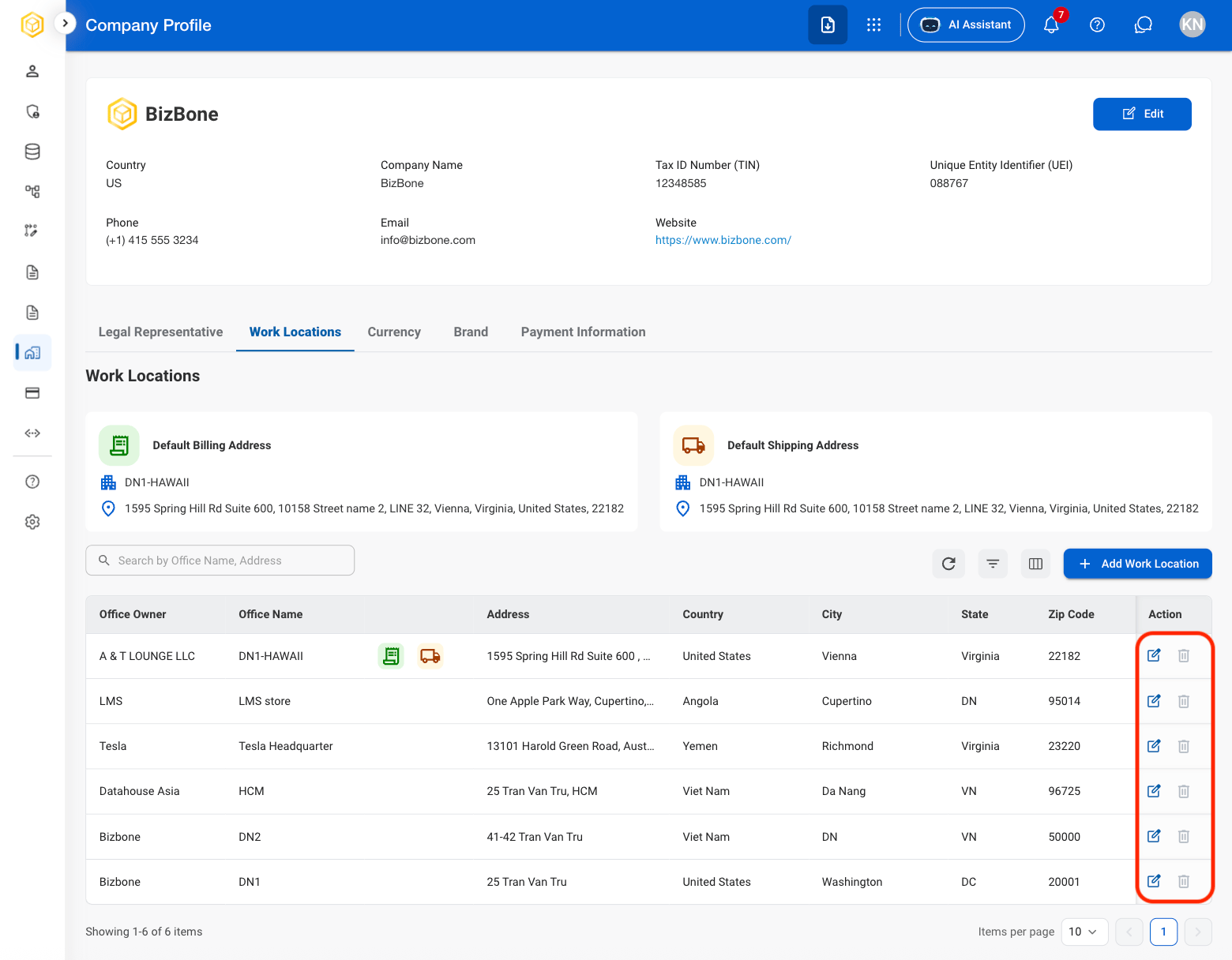
2
Confirm the action
- Edit: Select Save to complete or Cancel to exit without saving changes.
- Delete: Select Delete to complete or Cancel to exit without saving changes.
Currency
View Currency Settings
1
Select Currency

Brand
Add a Company Logo
1
Select Brand
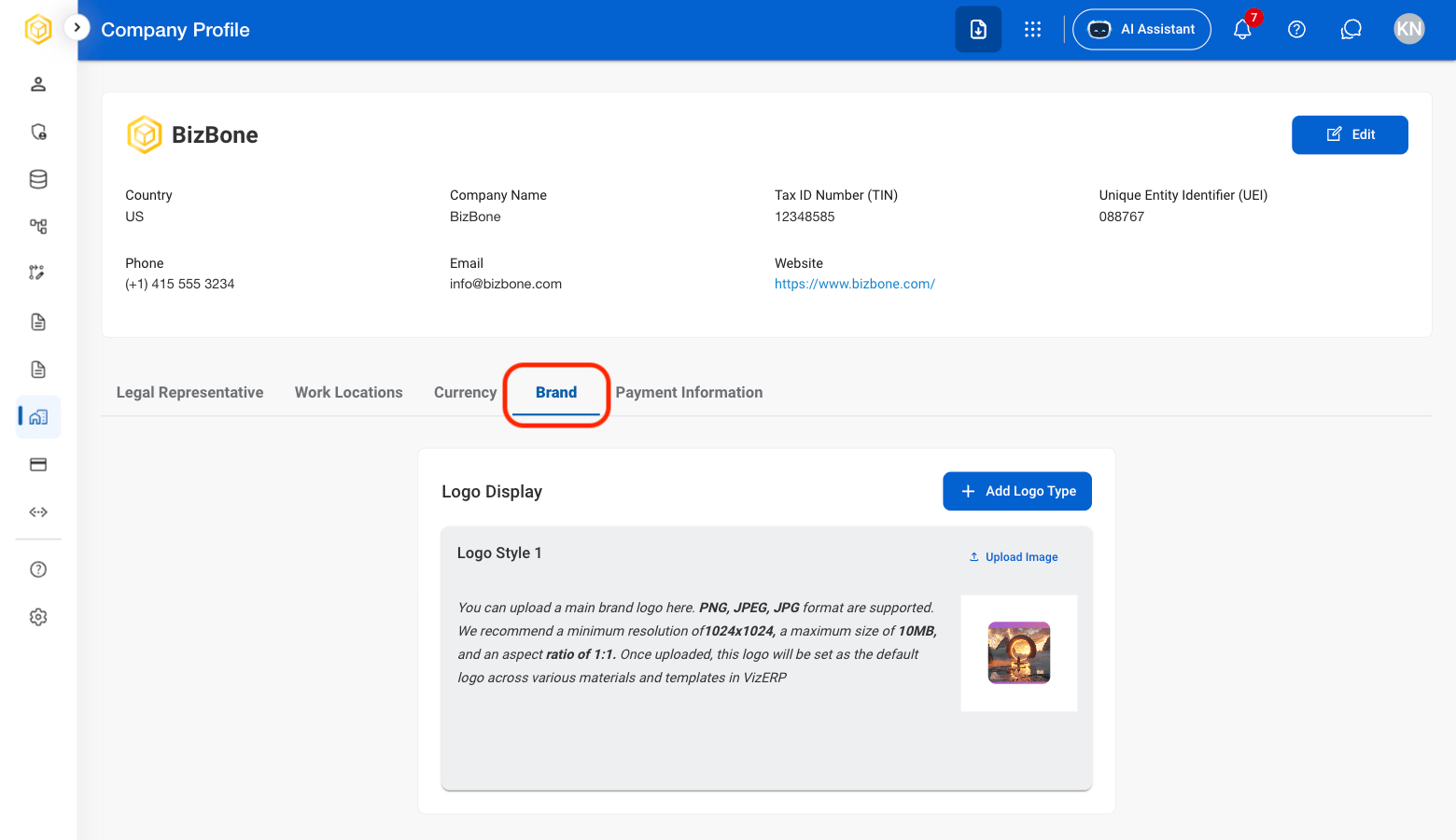
2
Select Add Logo Type

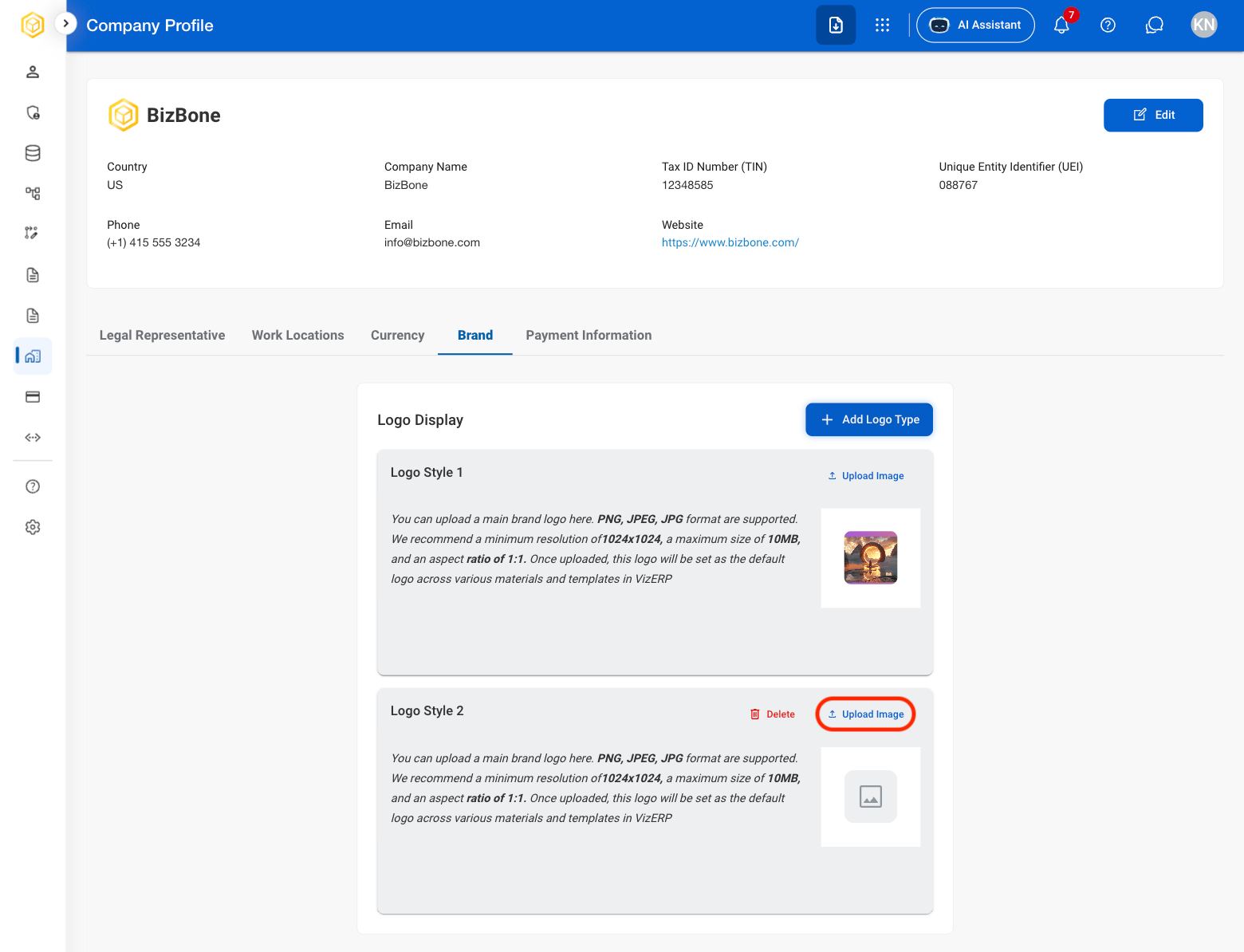
3
Select Upload Image
Payment Information
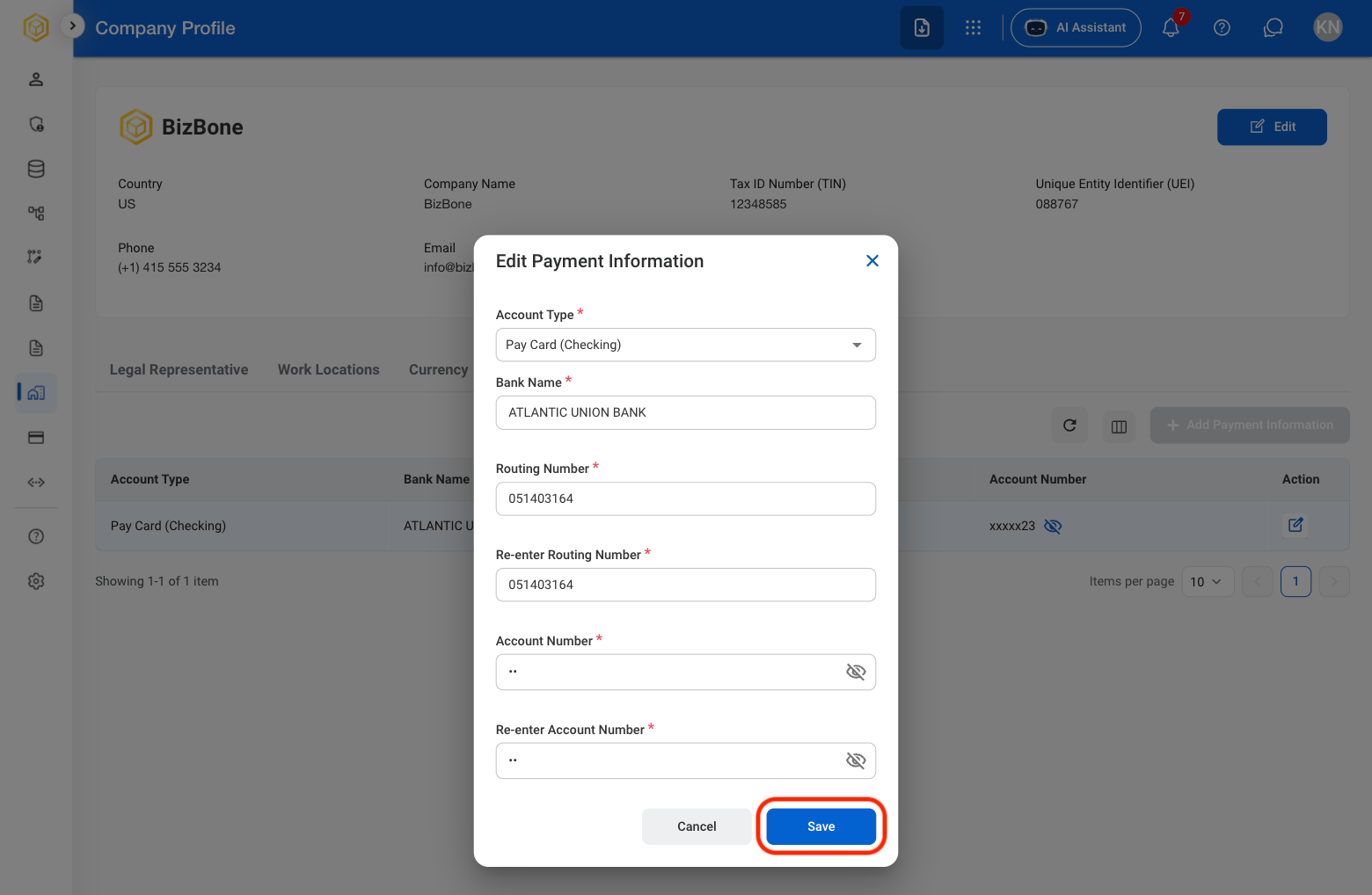
Add Payment Information
1
Select Payment Information
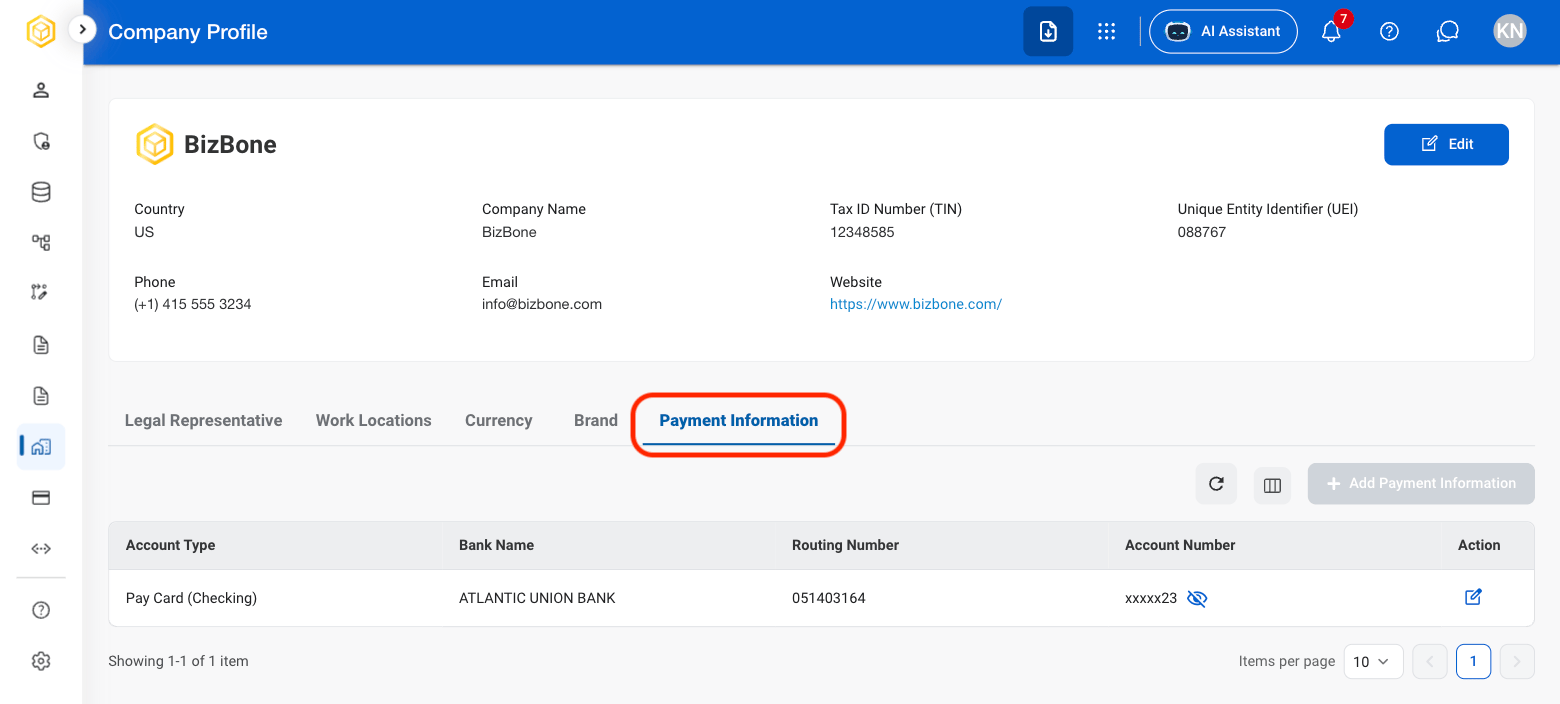
2
Select the edit icon

3
Fill in the required information