Create an Account
1
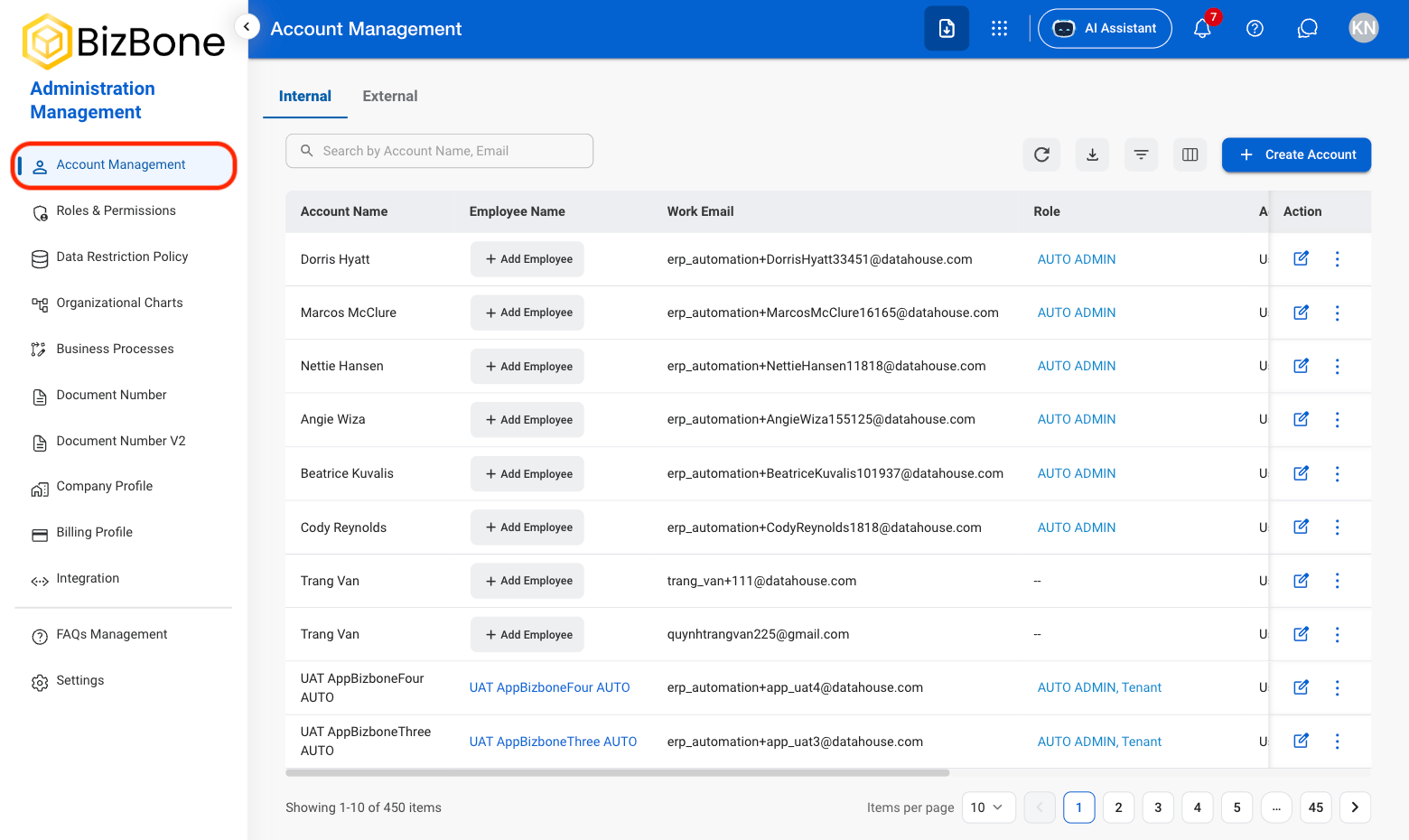
Navigate to Account Management
2
Select a tab
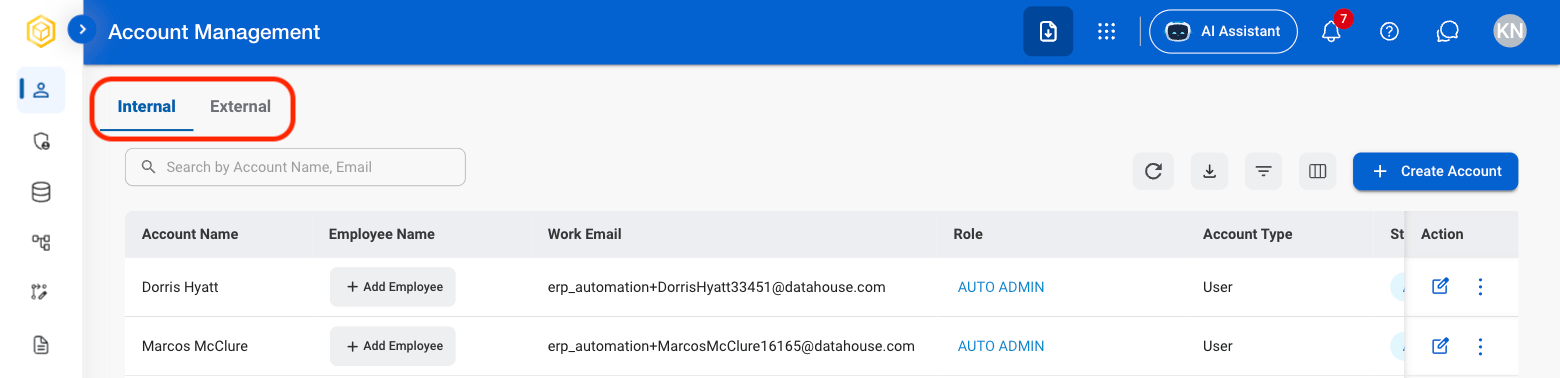
- Internal: Roles for organizational employees and internal users.
- External: Roles for contractors, clients, vendors, and other external users.
3
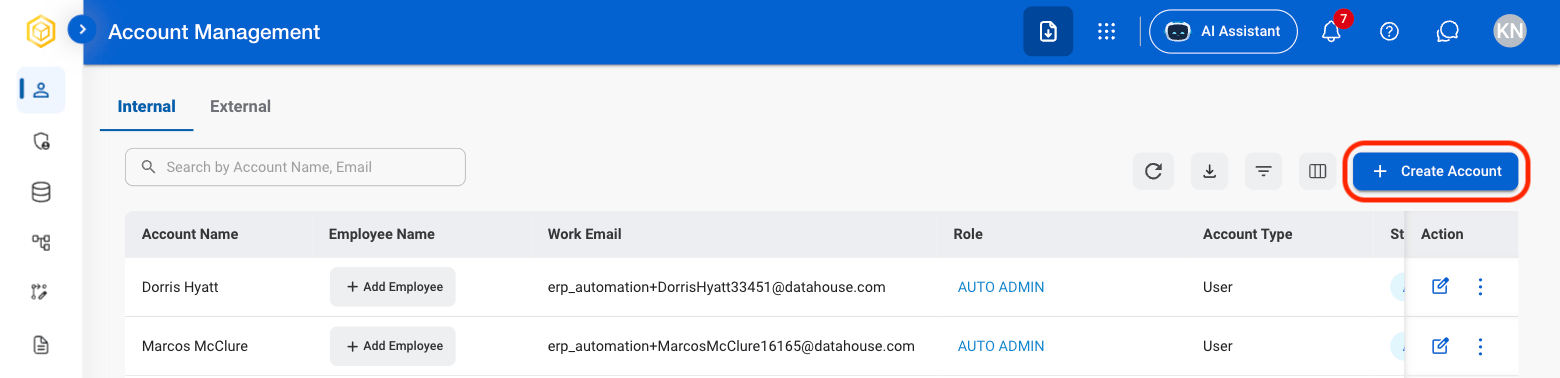
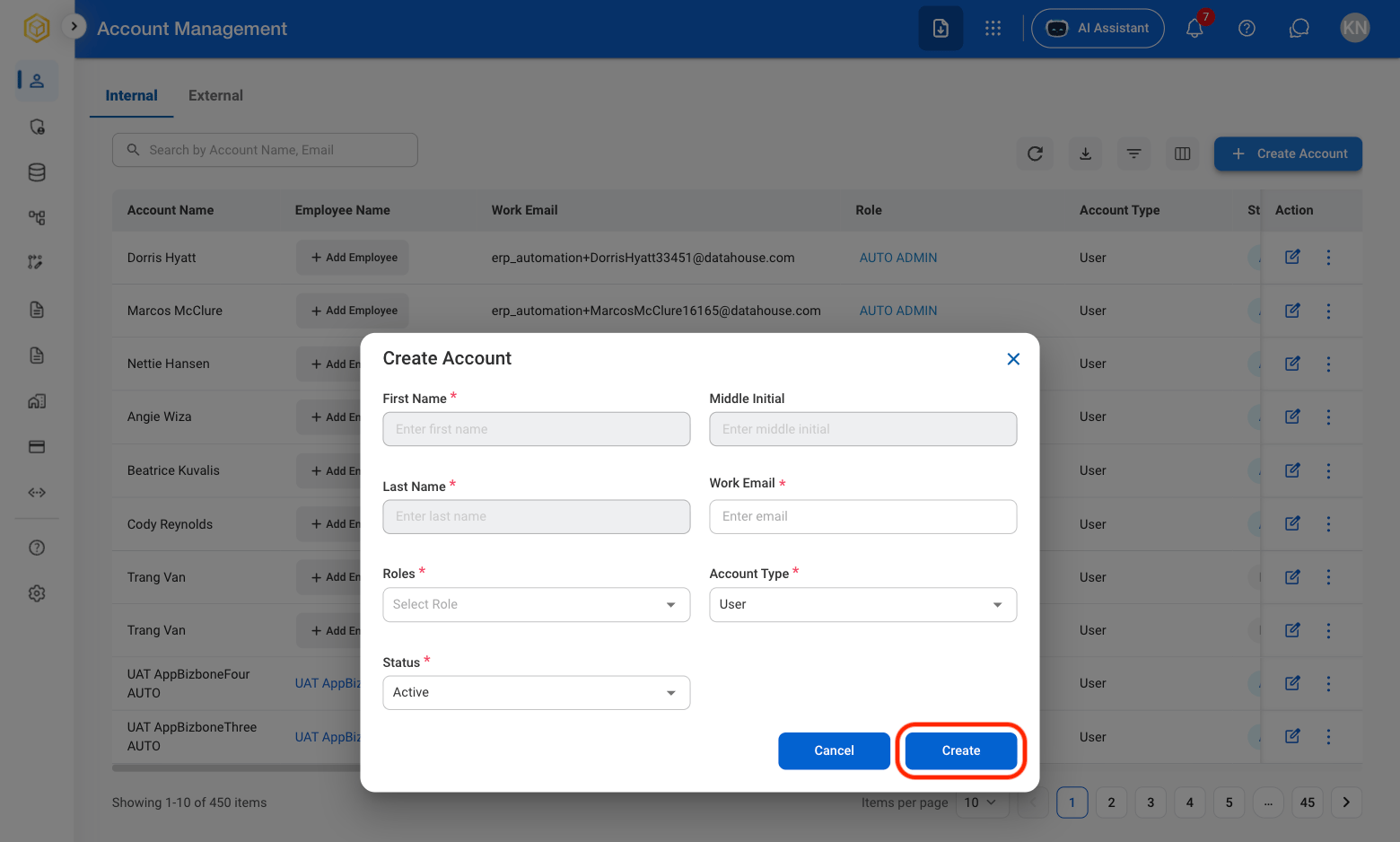
Select Create Account
4
Fill in the required information
Edit an Account
1
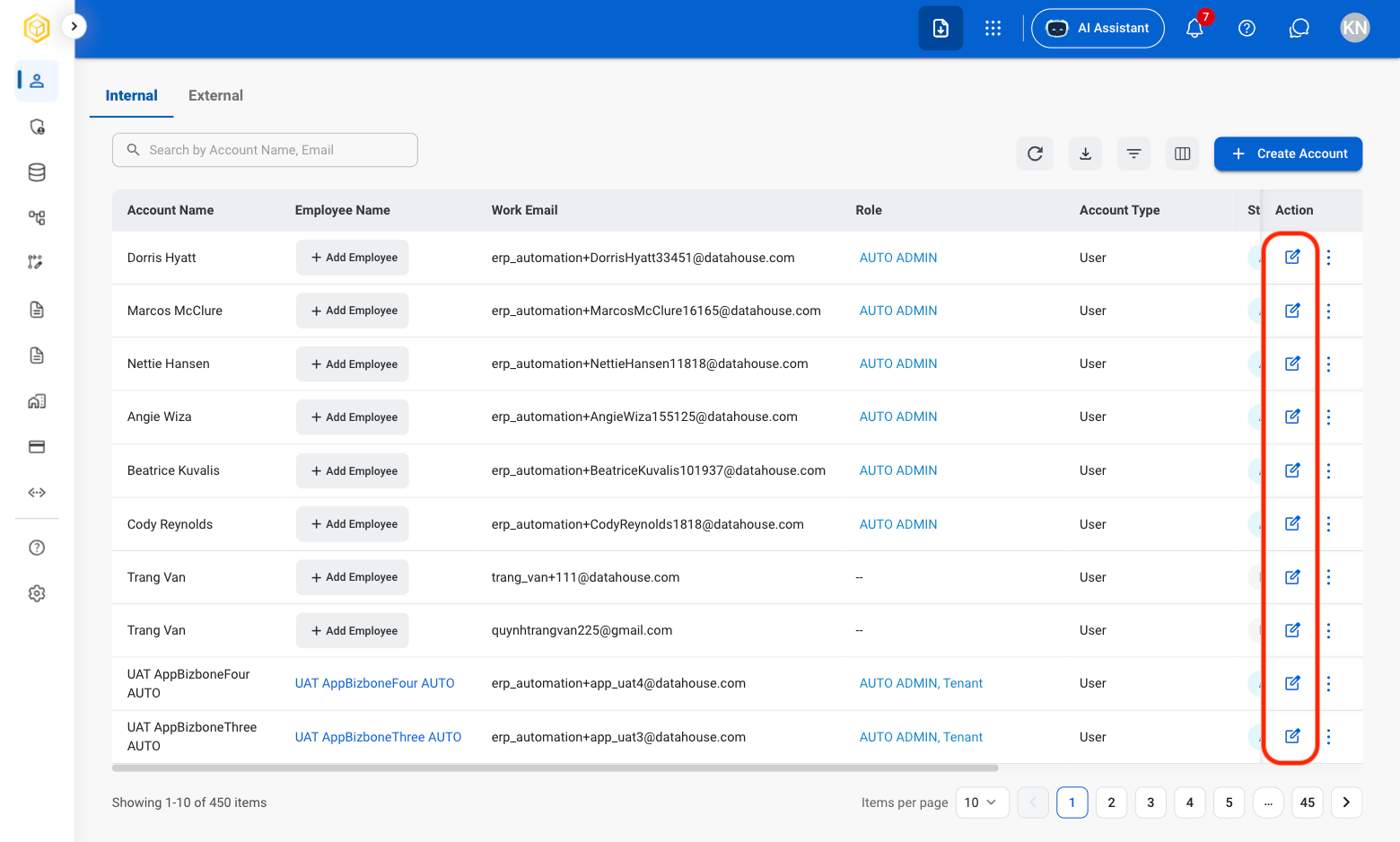
Select the Edit icon
2
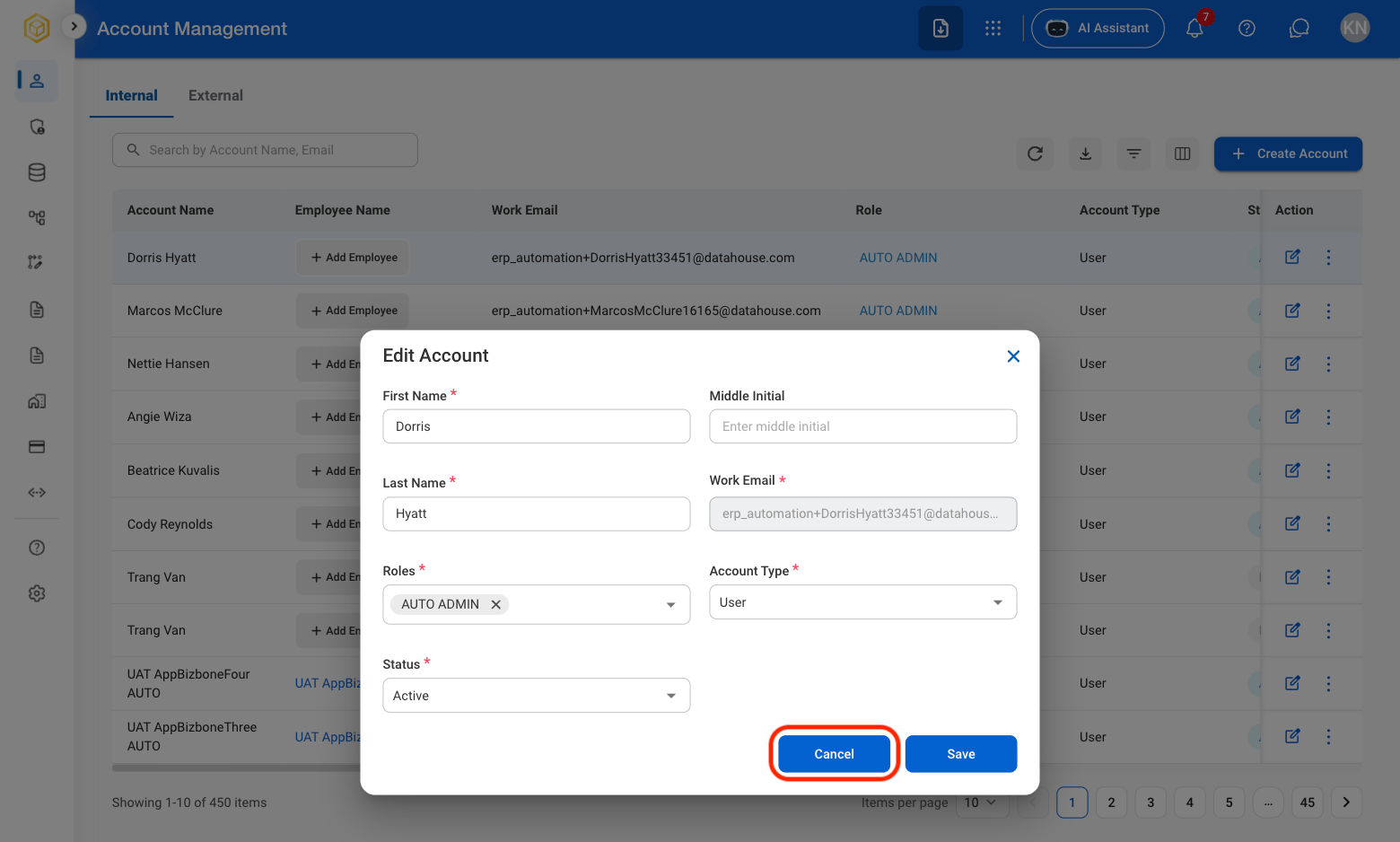
Fill in the required information
Deactivate an Account
1
Select the ellipsis icon

2
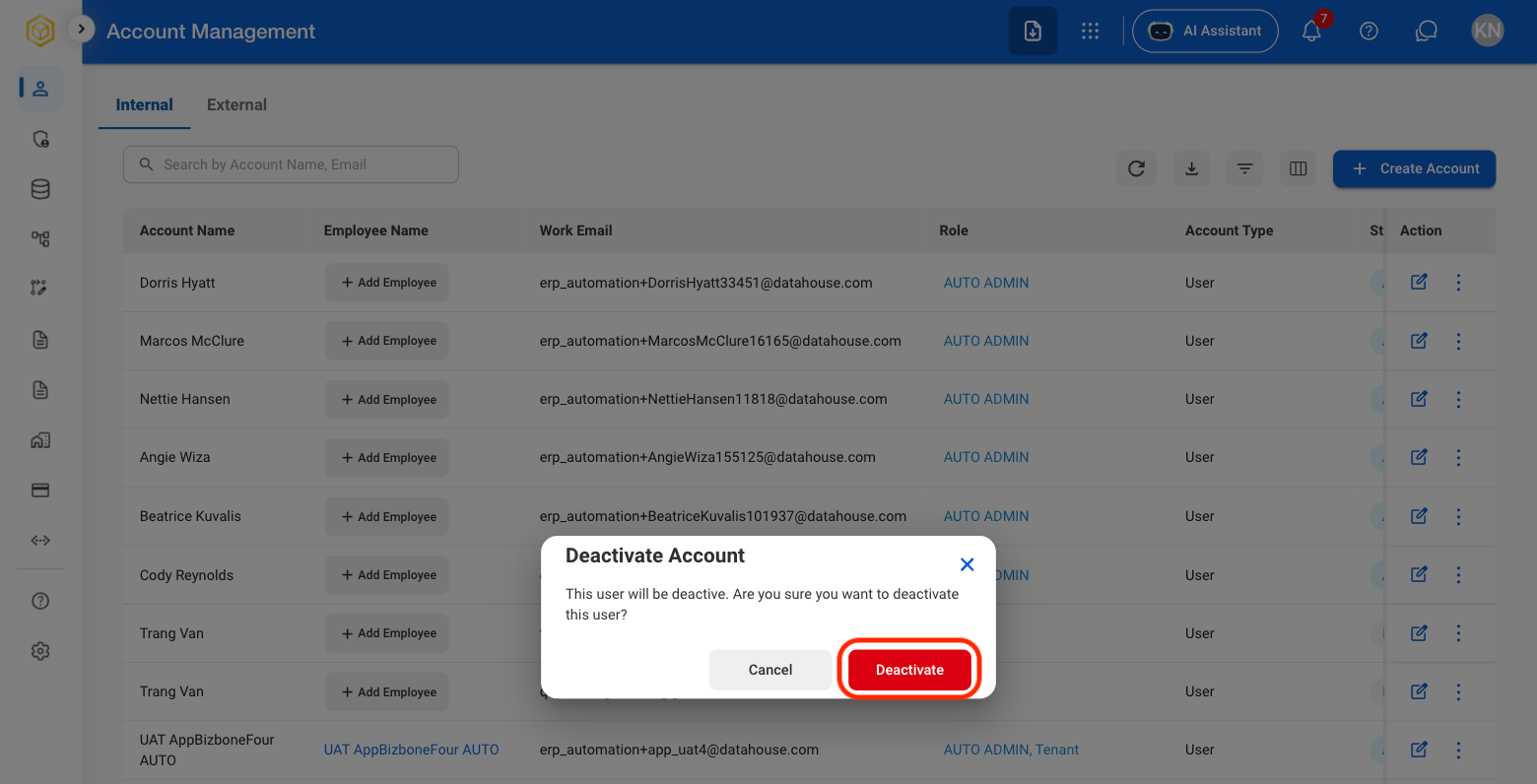
Select Deactivate

3
Confirm action
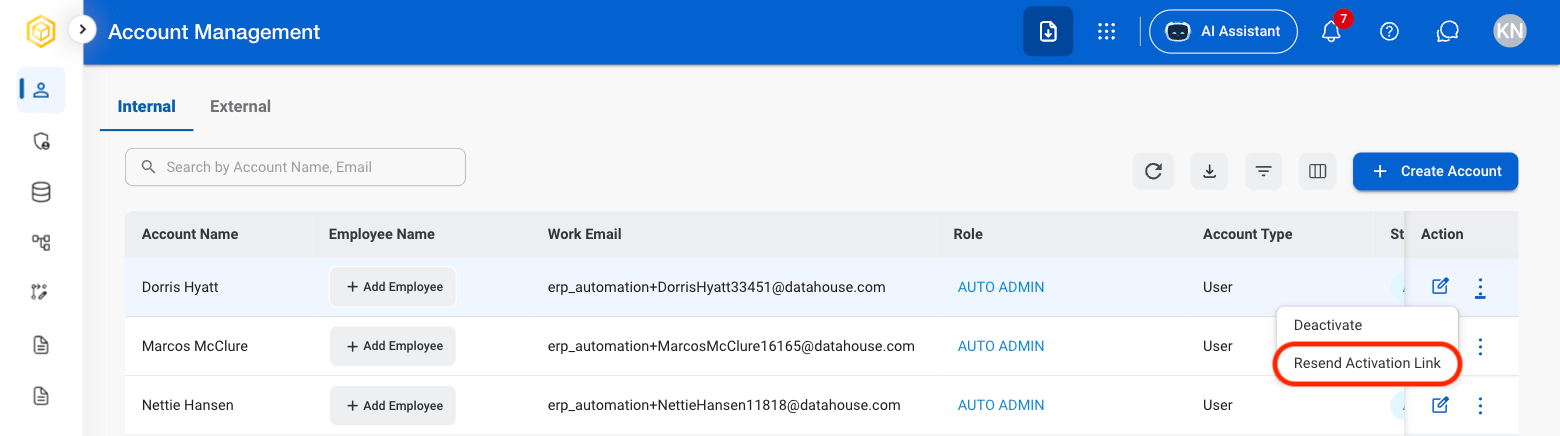
Resend Activation Link
1
Select the ellipsis icon
2
Select Resend Activation Link
3
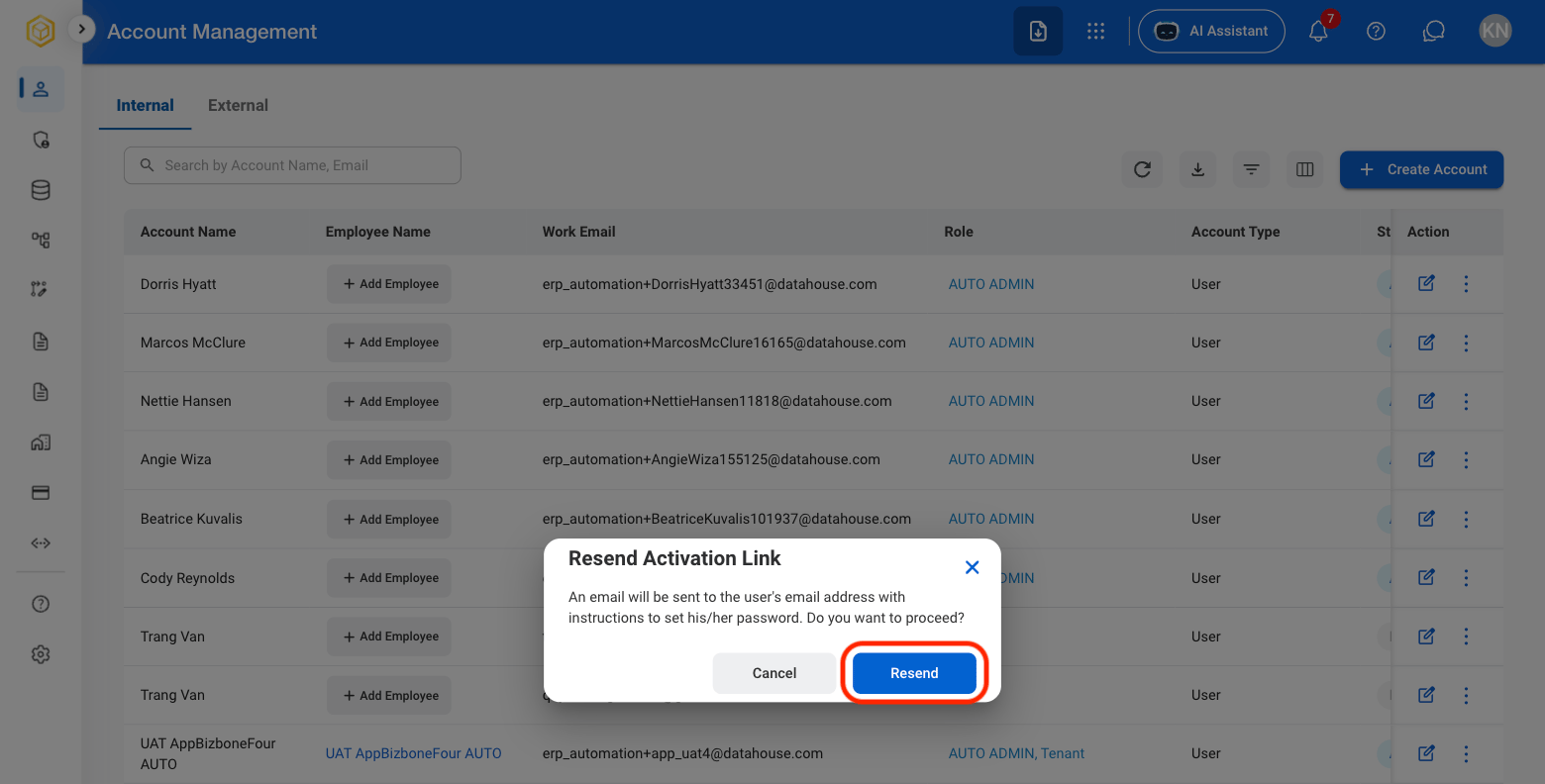
Confirm action