Manage roles and permissions to control user access throughout the system. Supports role creation, user assignment, permission configuration, and access management based on organizational requirements.

Create a Role

1

Navigate to Roles & Permissions
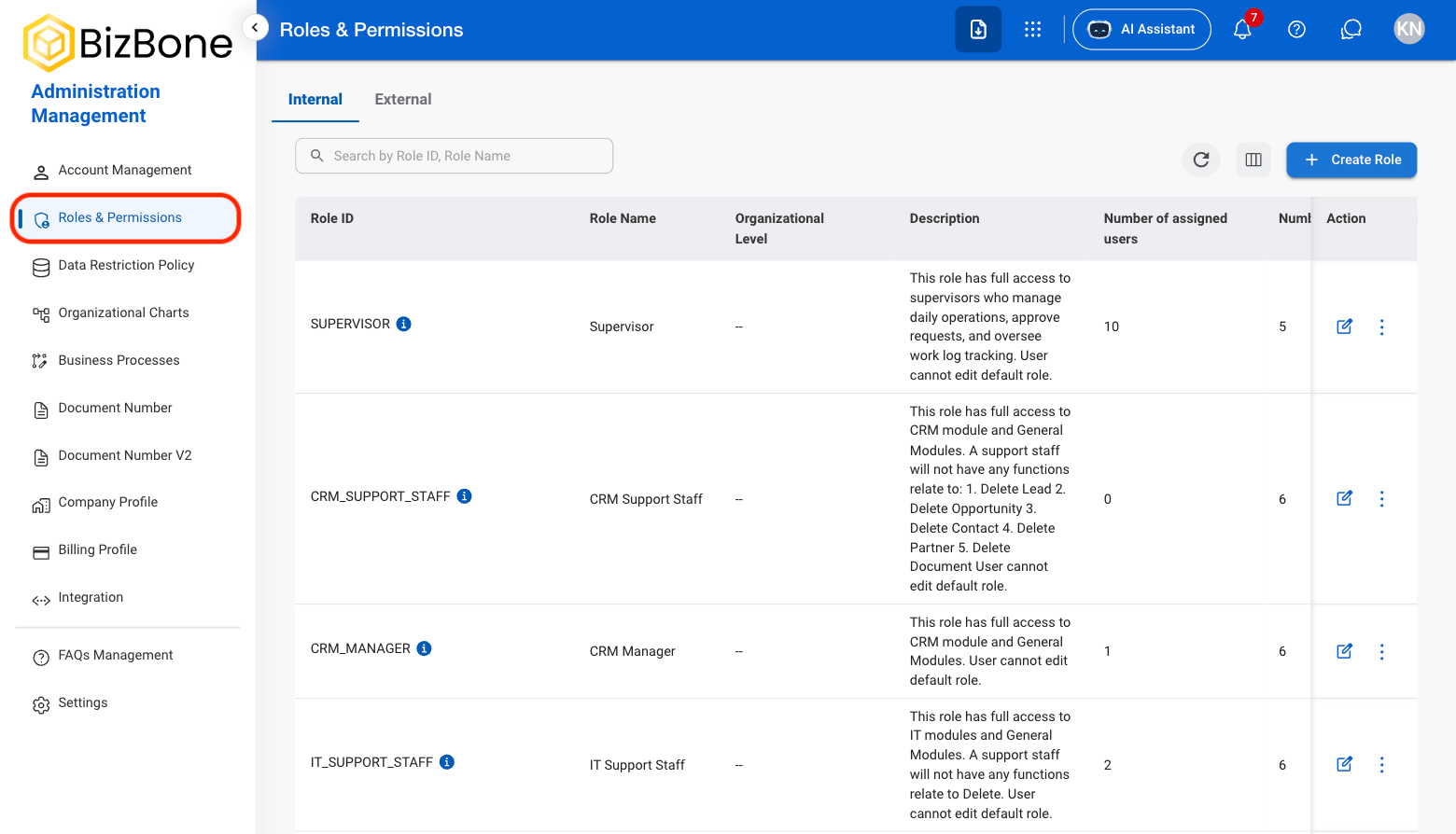
AM RP Nav
2

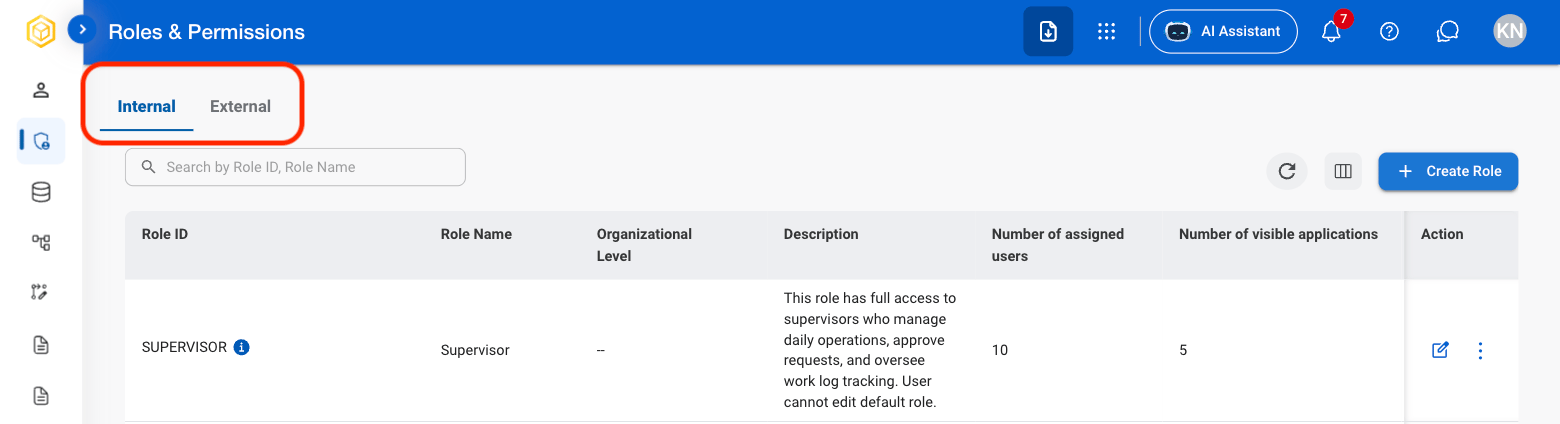
Select a view

AM RP View
  • Internal: Roles for organizational employees and internal users.
  • External: Roles for contractors, clients, vendors, and other external users.
3

Select Create Role
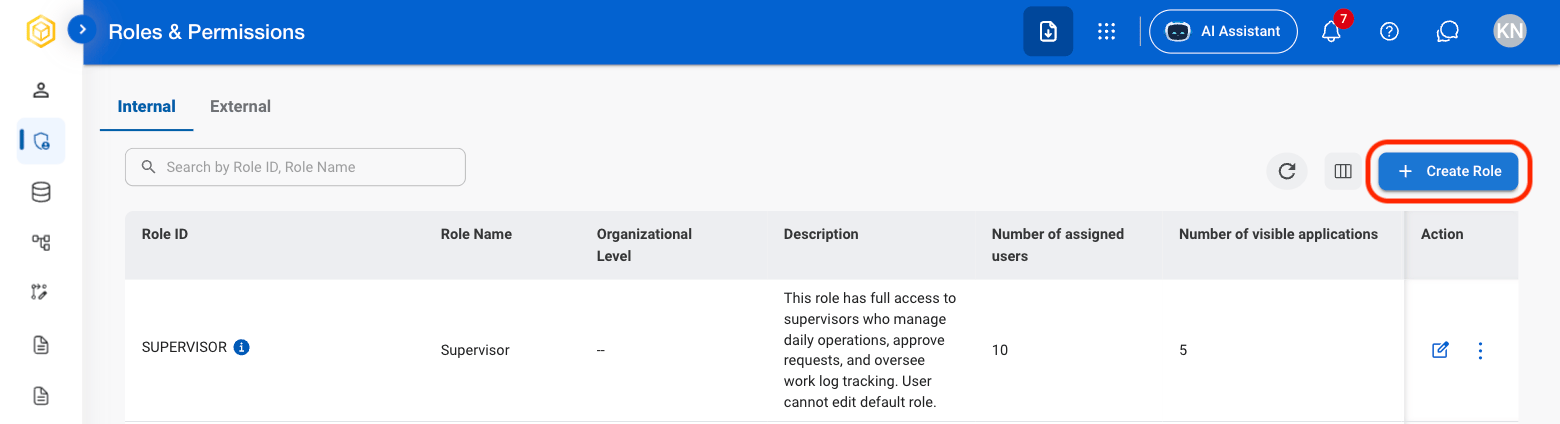
AM RP Create Role
4

Fill in the required information
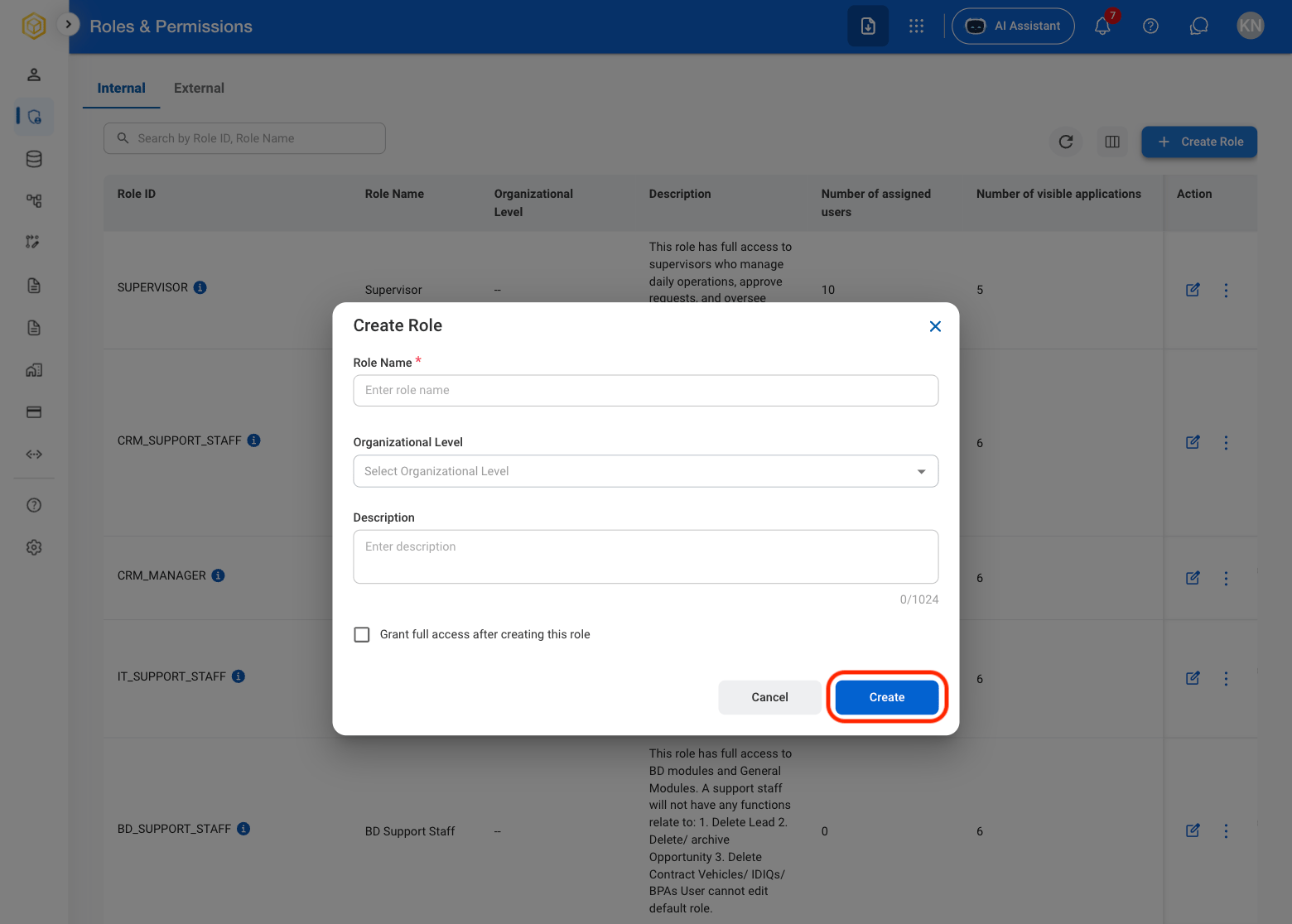
AM RP Create Conf
Select Create to complete or Cancel to exit without saving changes. 

Edit a Role

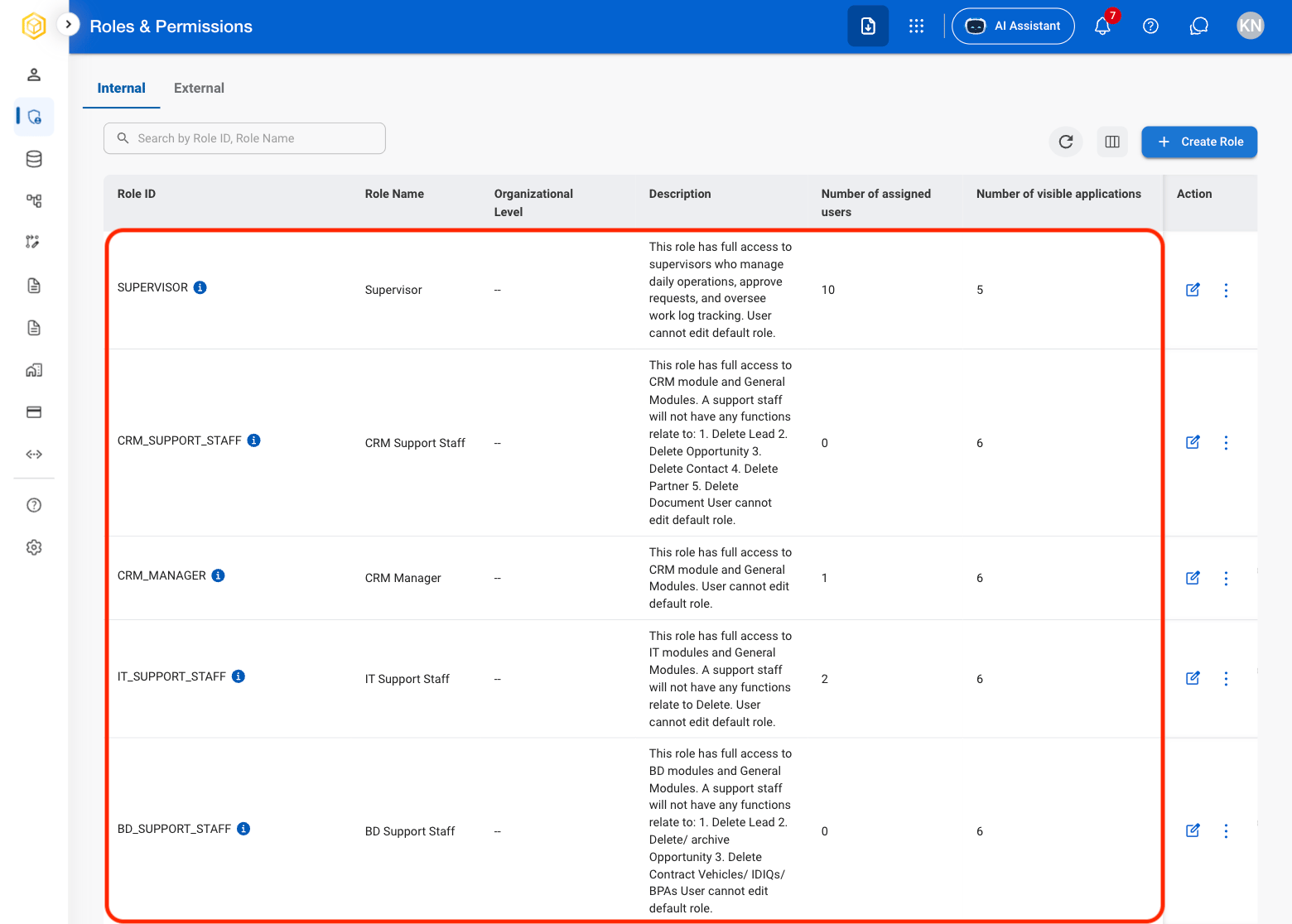
1

Select a role

AM RP Select Role
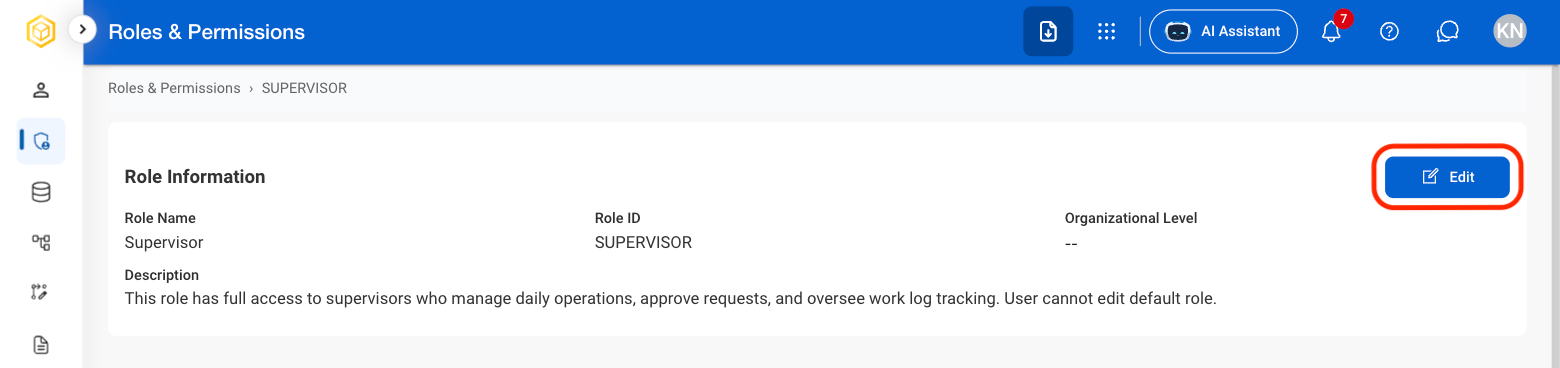
2

Select Edit

AM RP Edit Role
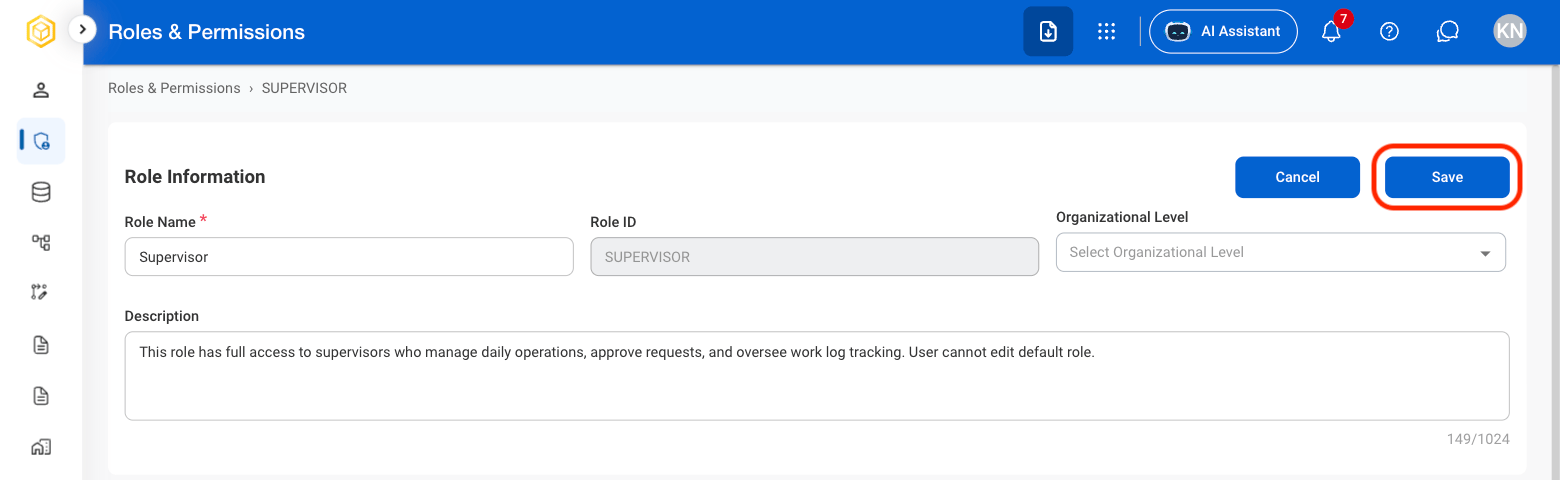
3

Fill in the required information

AM RP Edit R Conf
Select Save to complete or Cancel to exit without saving changes. 

Duplicate a Role

1

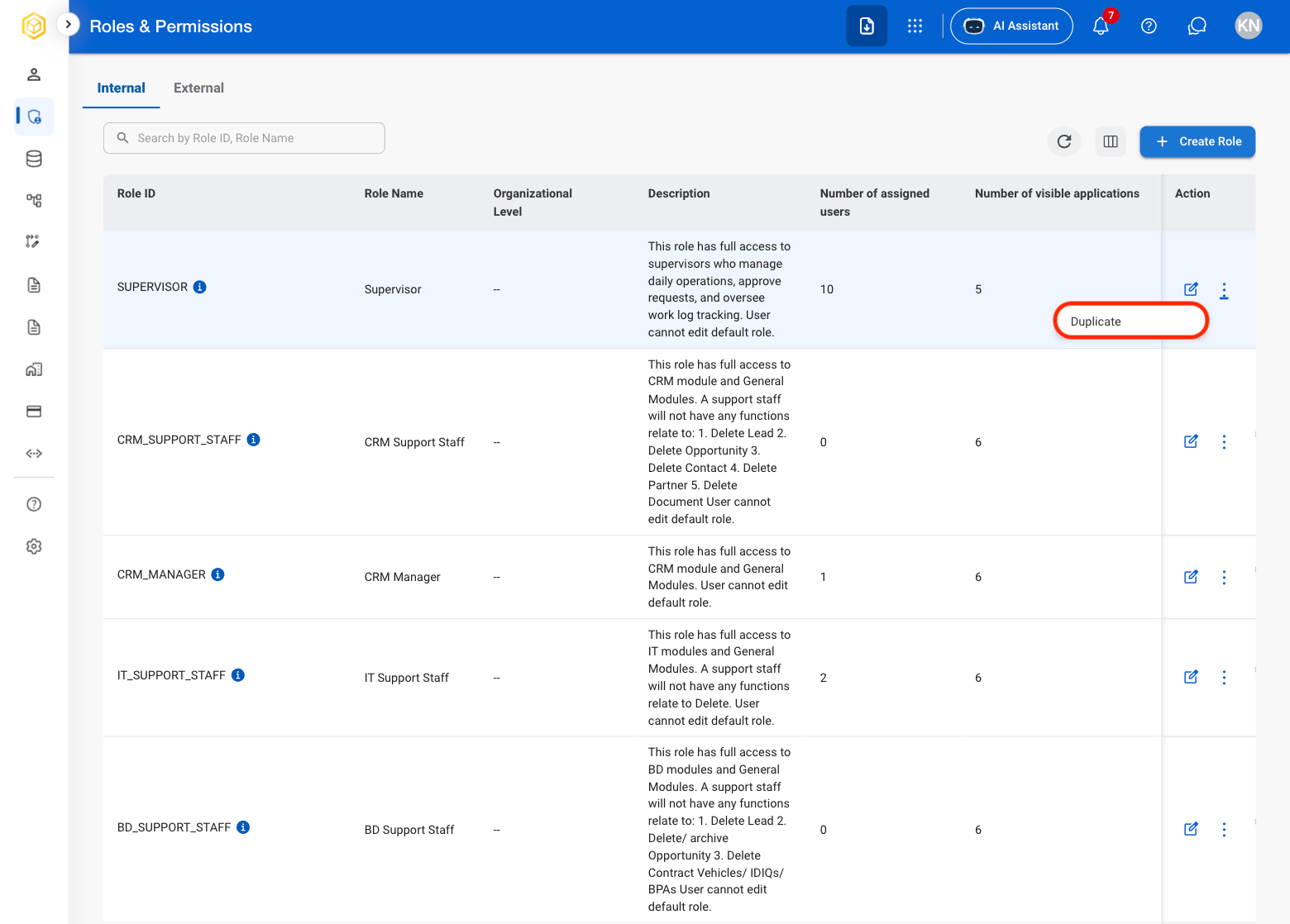
Select the ellipsis icon in the Action column
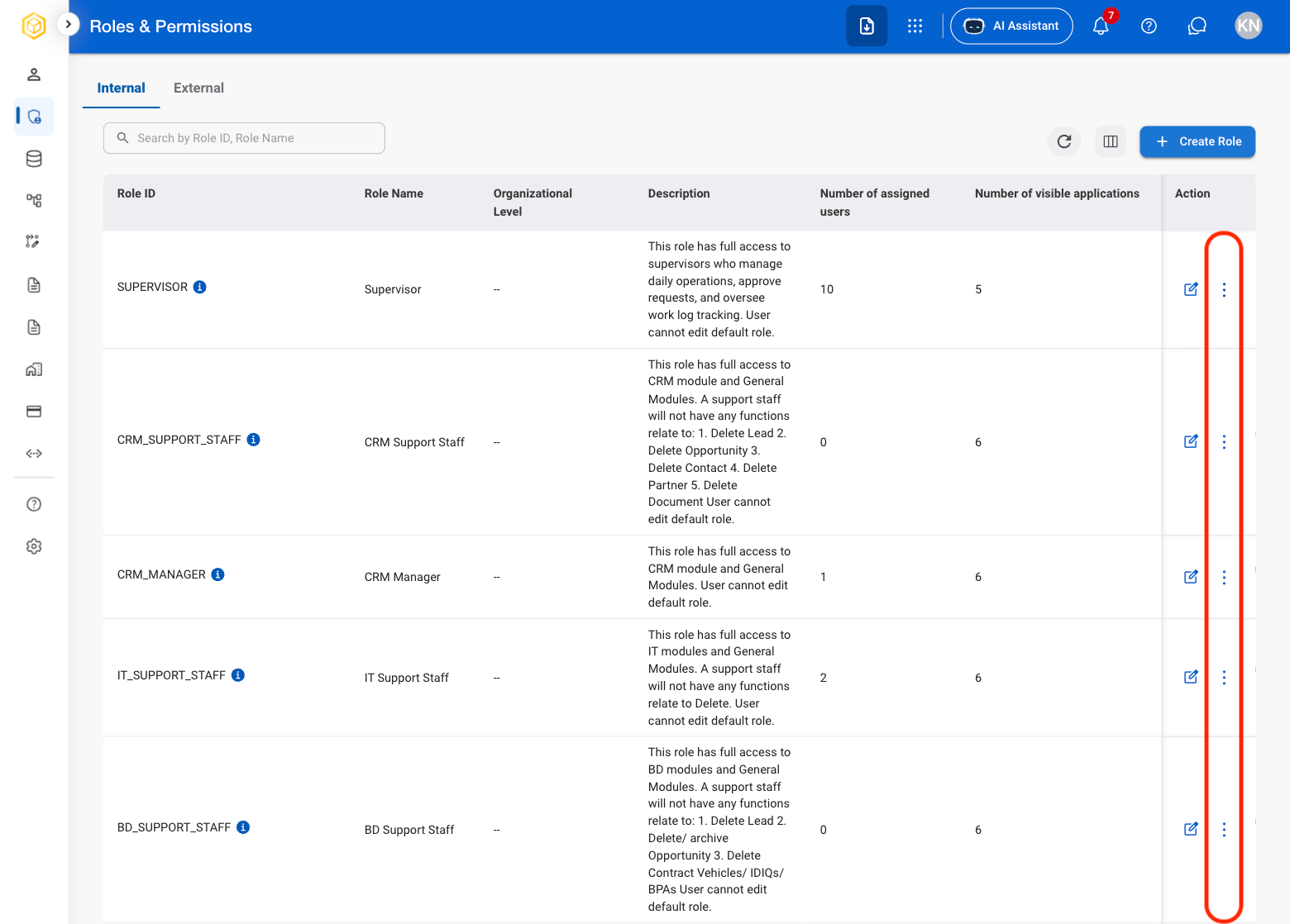
AM RP Ellipsis
2

Select Duplicate

AM RP Dupl
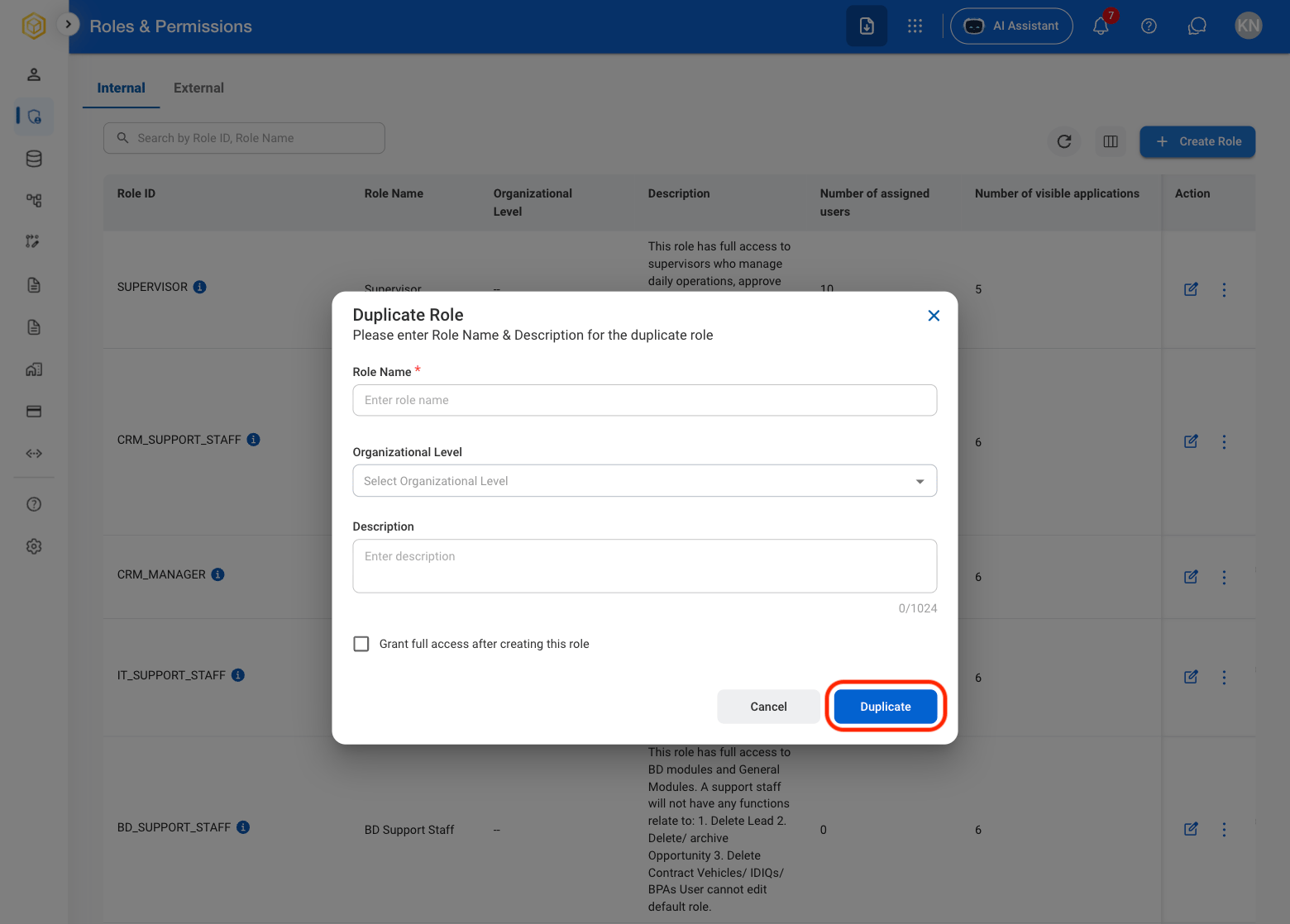
3

Fill in the required information

AM RP Duplicate C
Select Duplicate to complete or Cancel to exit without saving changes. 

Assign a User to a Role

1

Select a role
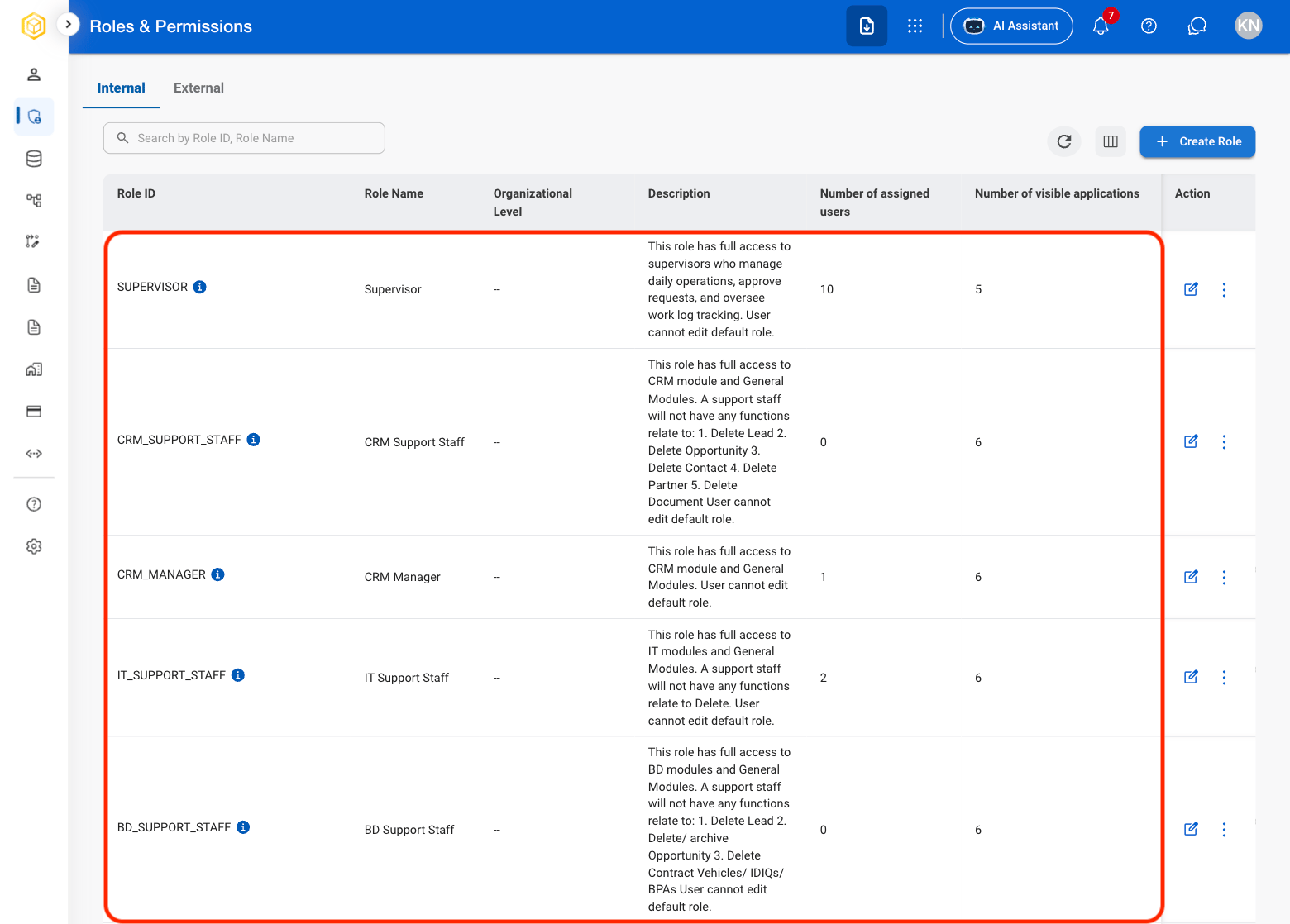
AM RP Role Select
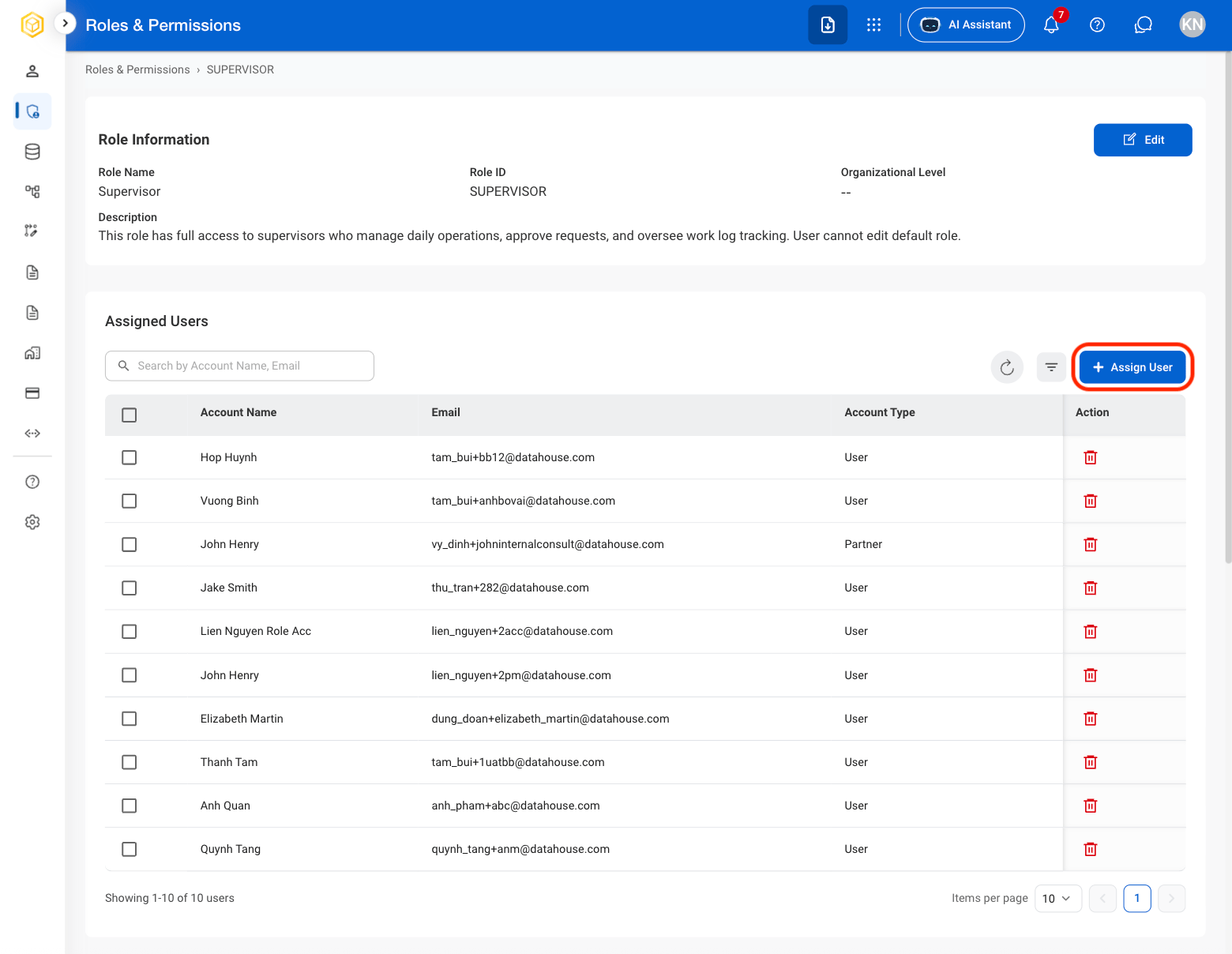
2

Select Assign User

AM RP Assign User
3

Select user(s) to assign
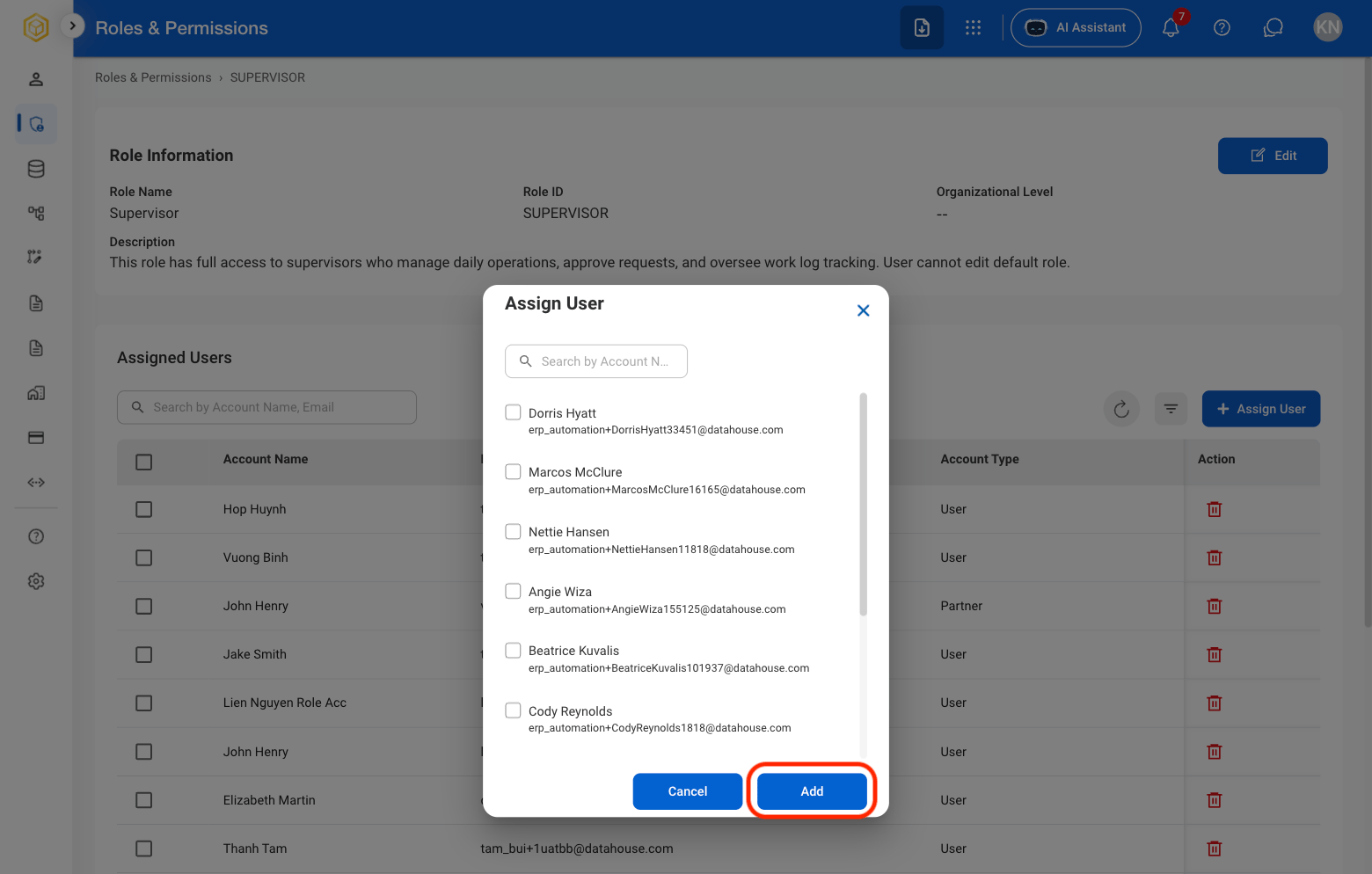
AM RP Select A User
Select Add to complete or Cancel to exit without saving changes. 

Remove a User From a Role

1

Select a role

AM RP Role Select
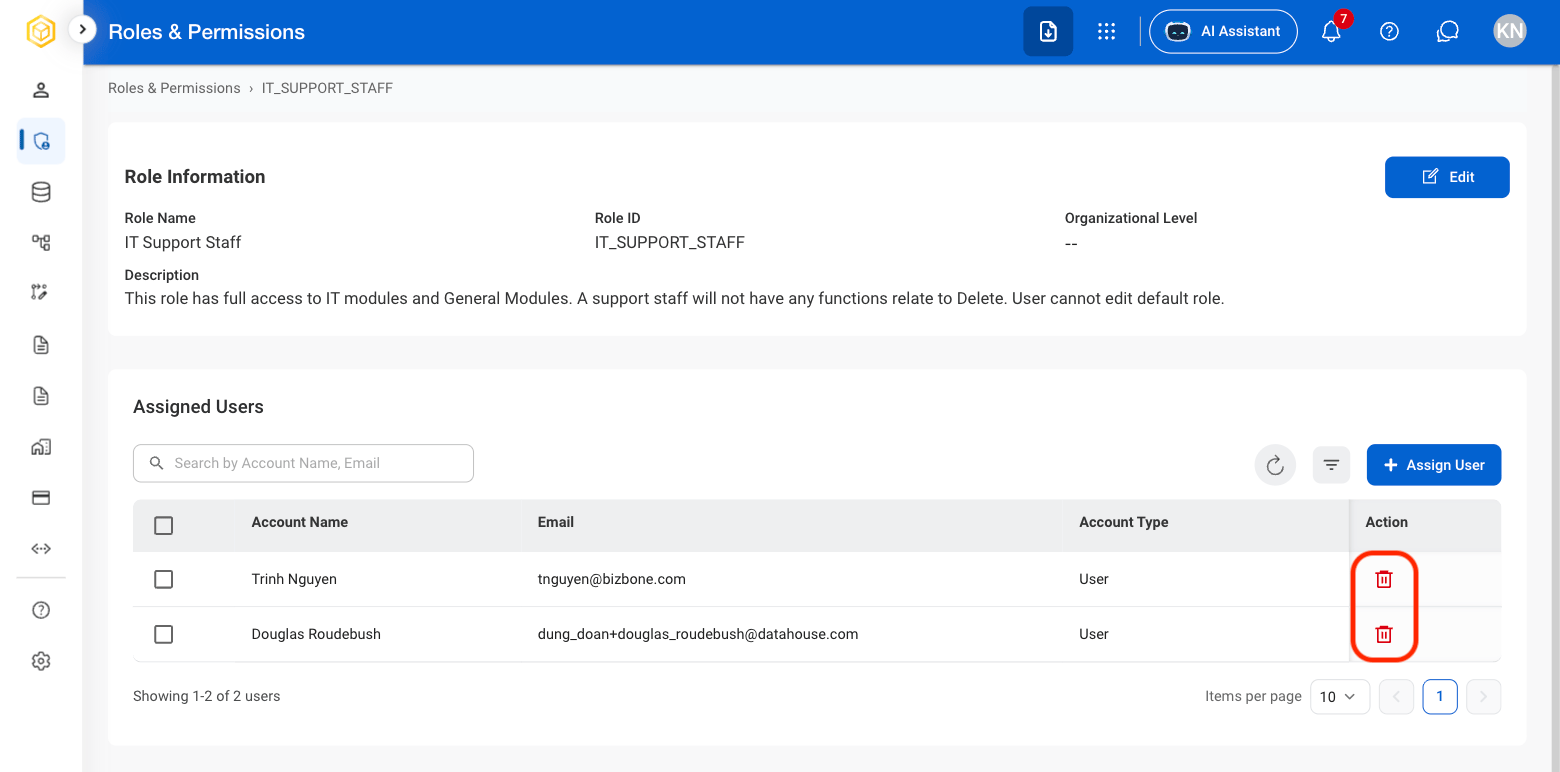
2

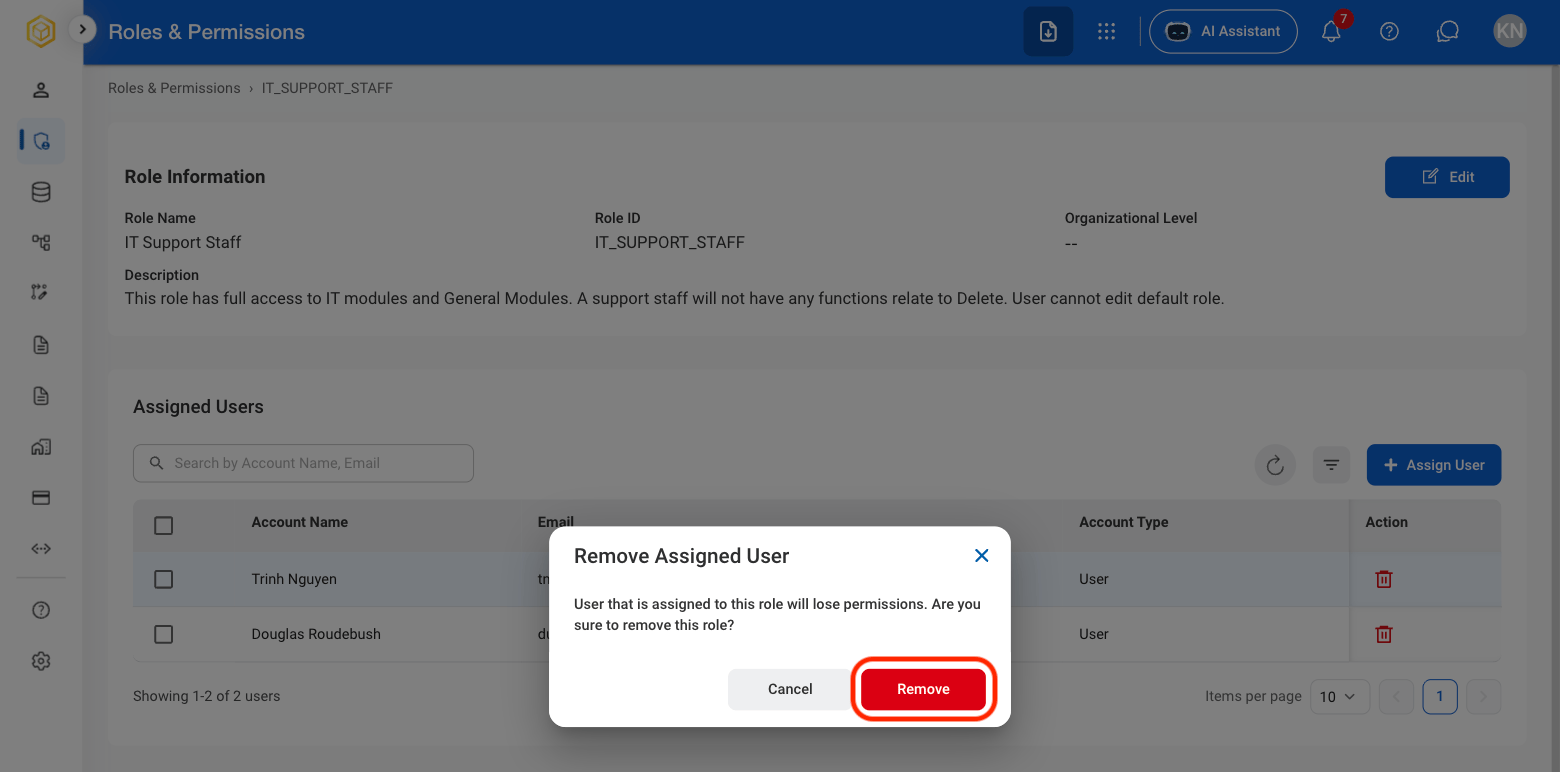
Select the Delete icon

AM RP Delete Icon
3

Confirm the action

AM RP Delete Conf

View / Edit Module Permissions

Provide context on who can edit Module access
1

Select a role

AM RP Role Select
2

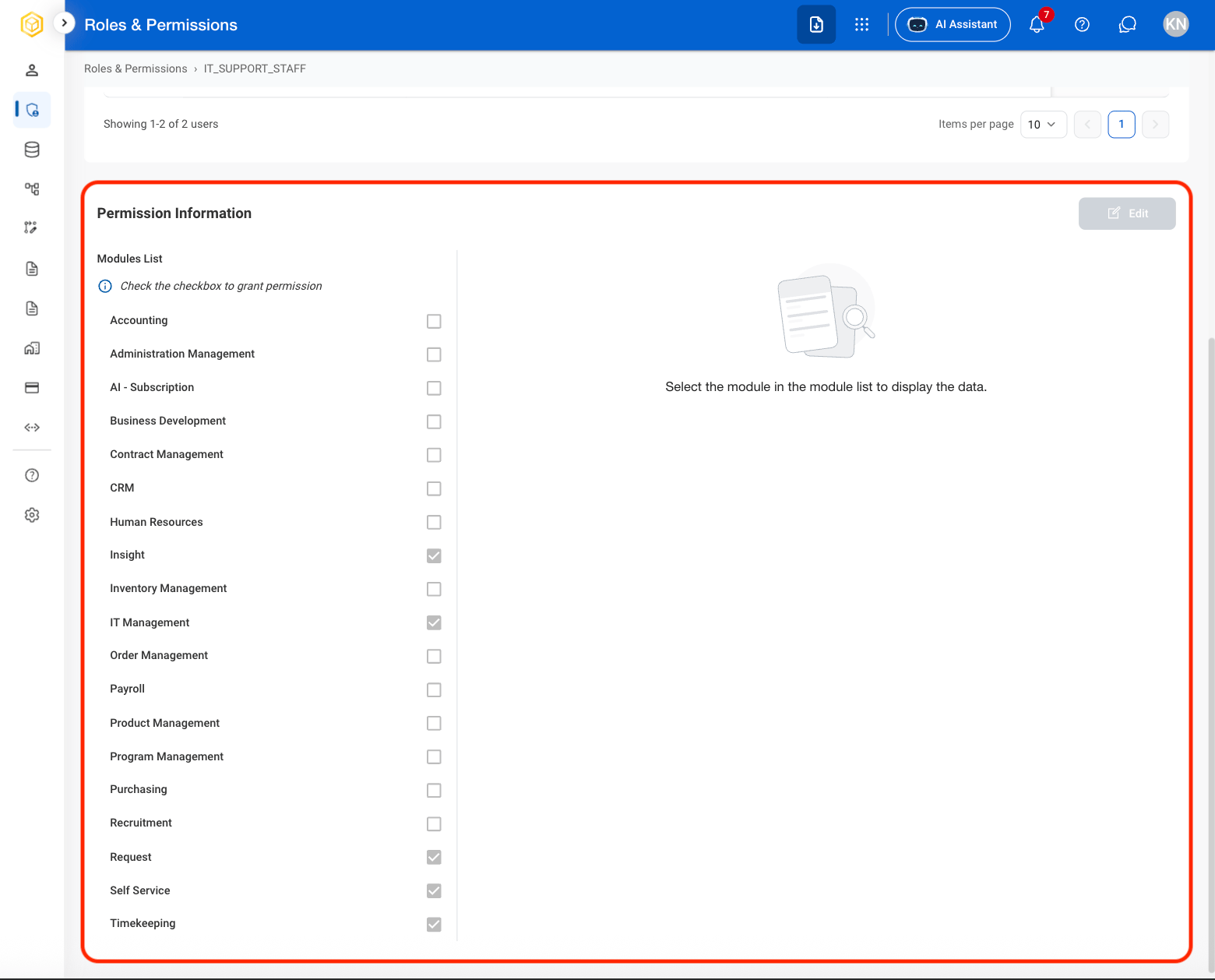
Scroll to Permission Information

AM RP Permission
3

Select a module to show the role's access details
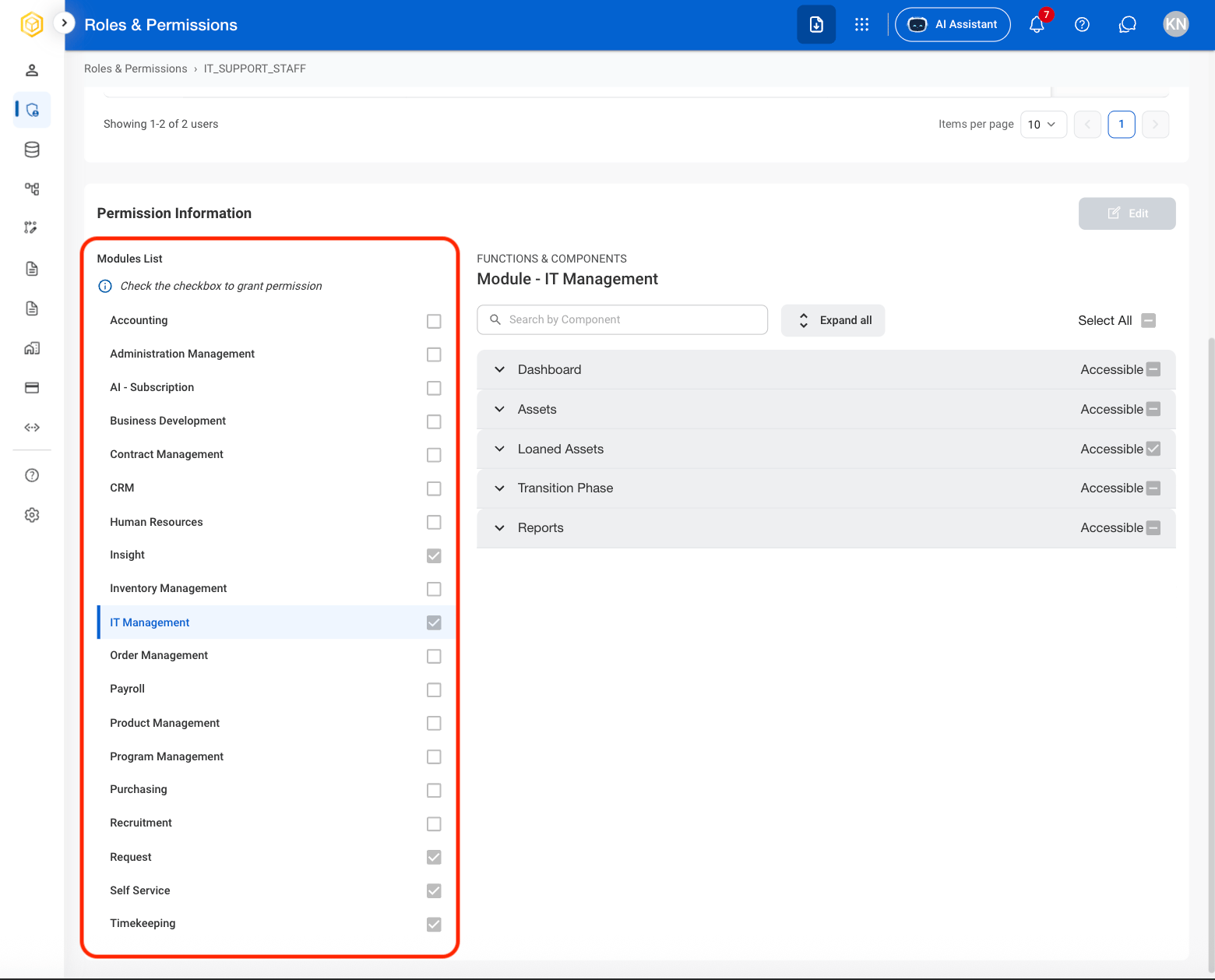
AM RP Modules
4

Select a section to show the role's accessible actions
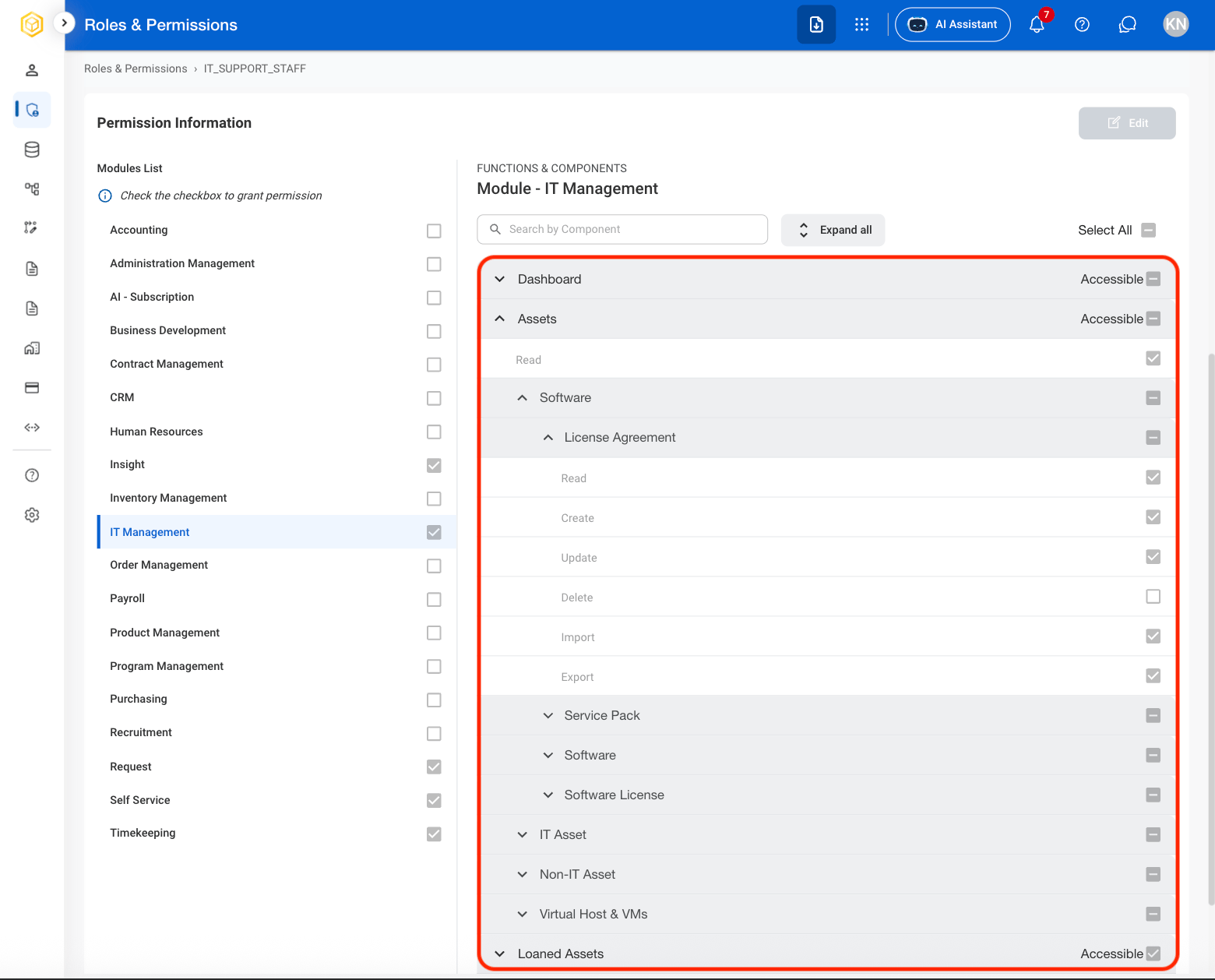
AM RP Sections
Some sections contain multiple actions nested under carats. 
5

Select a checkbox to grant the role access to the module
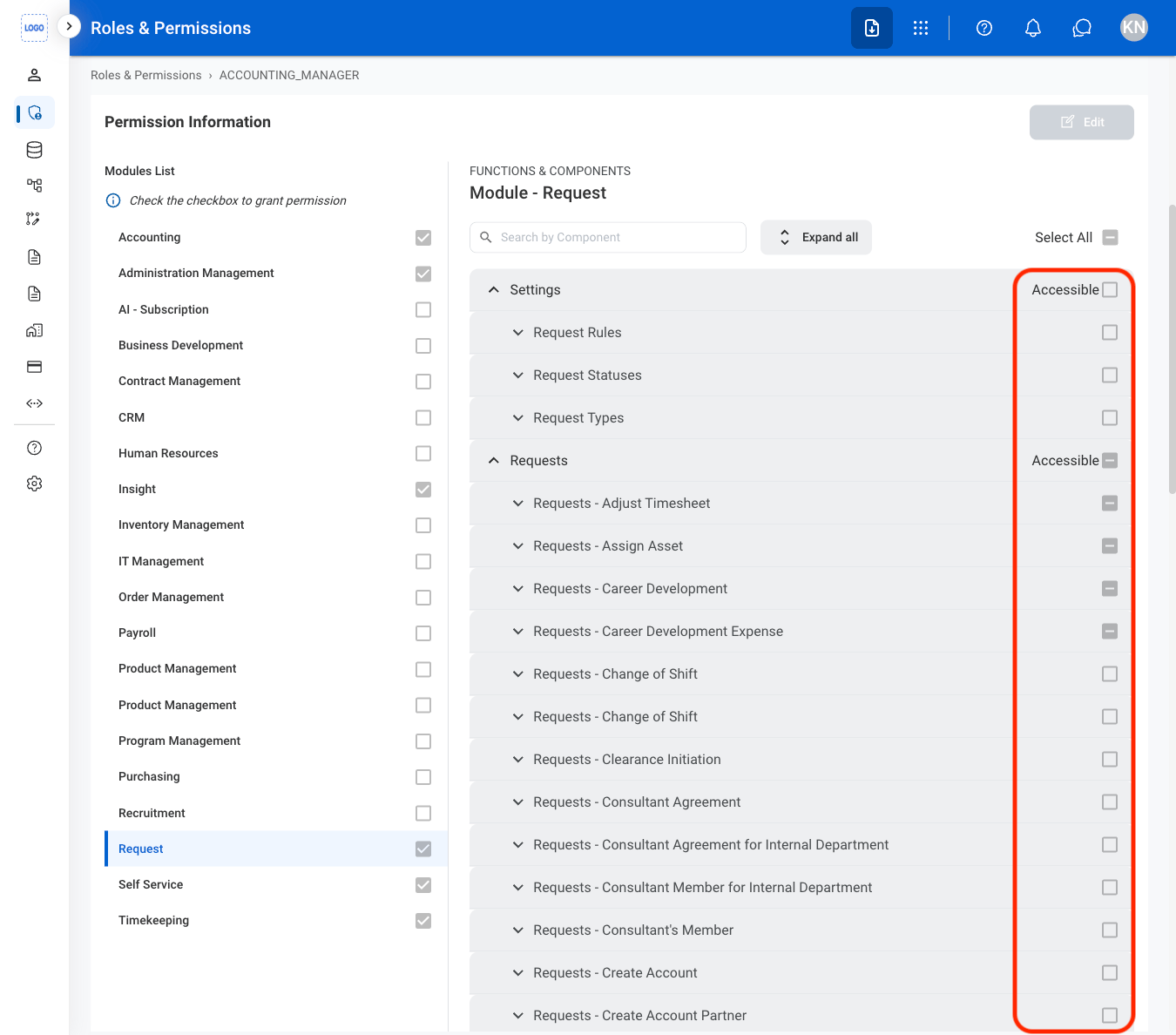
Grant a Role Full System Access

1

Select a role

AM RP Role Select
2

Select Grant Full Access

3

Confirm the action