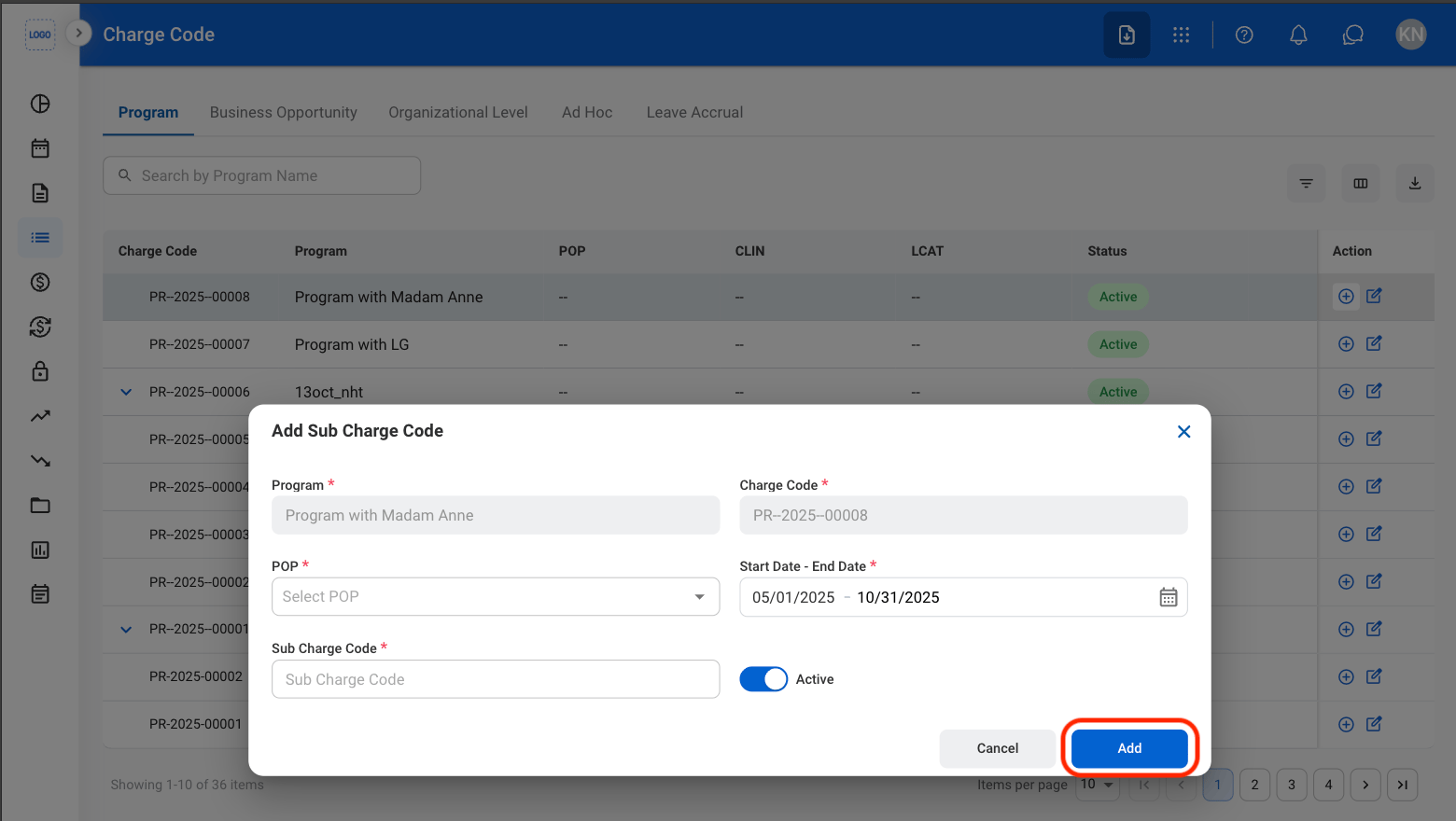
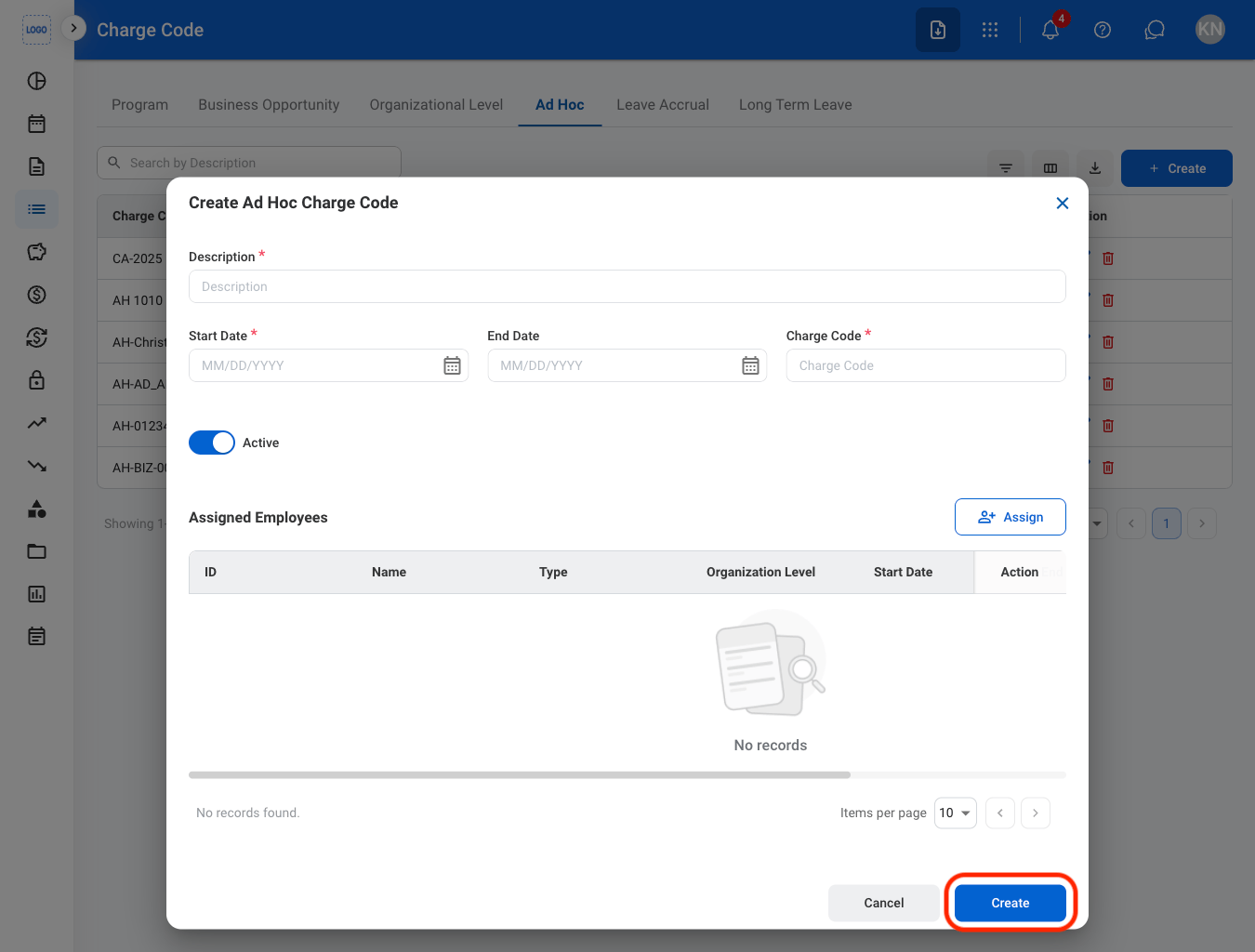
Create a Charge Code
Charge Codes can only be created from the Business Opportunity and Ad Hoc tabs.
1
Navigate to Charge Code
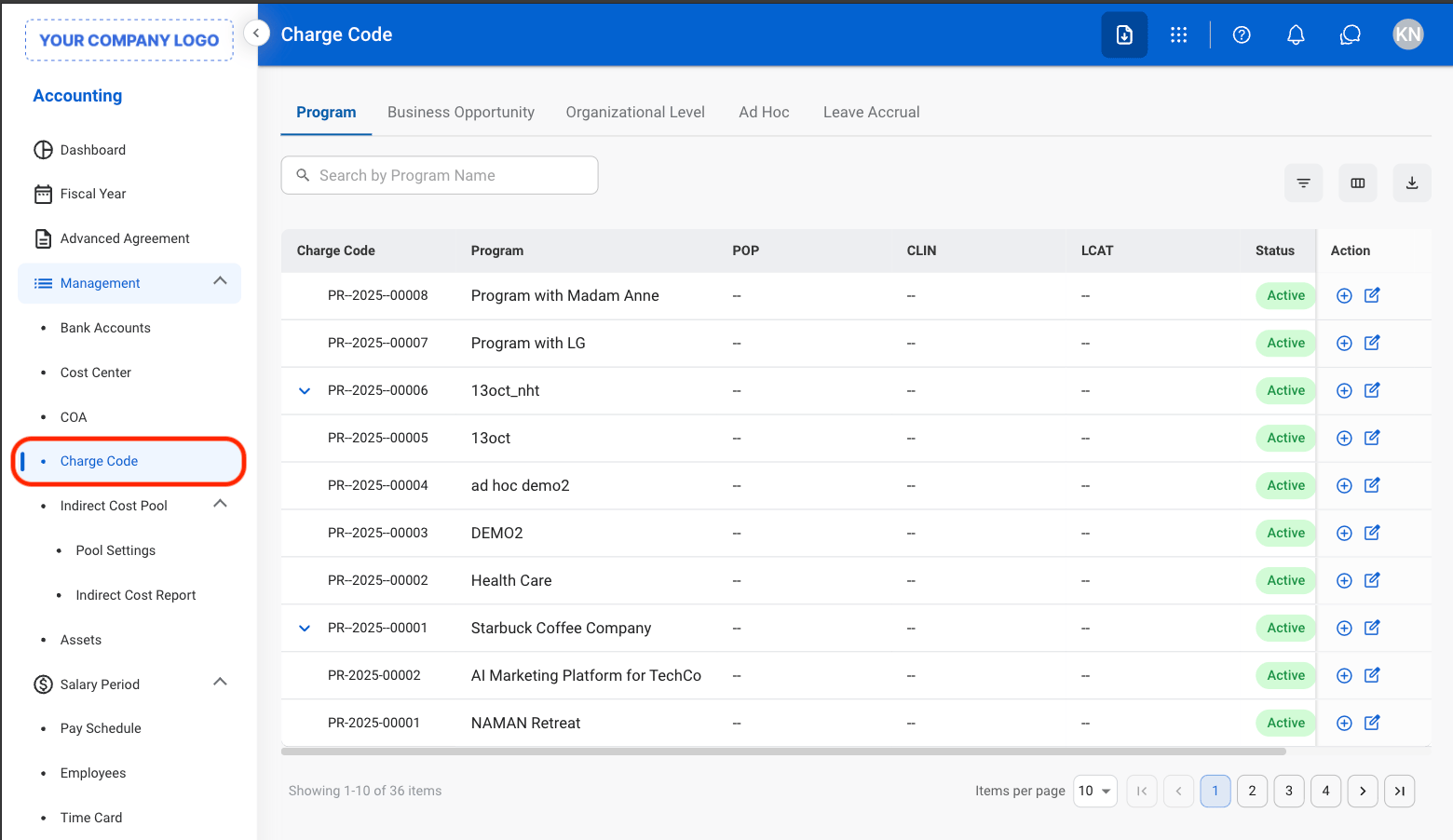
2
Select a tab
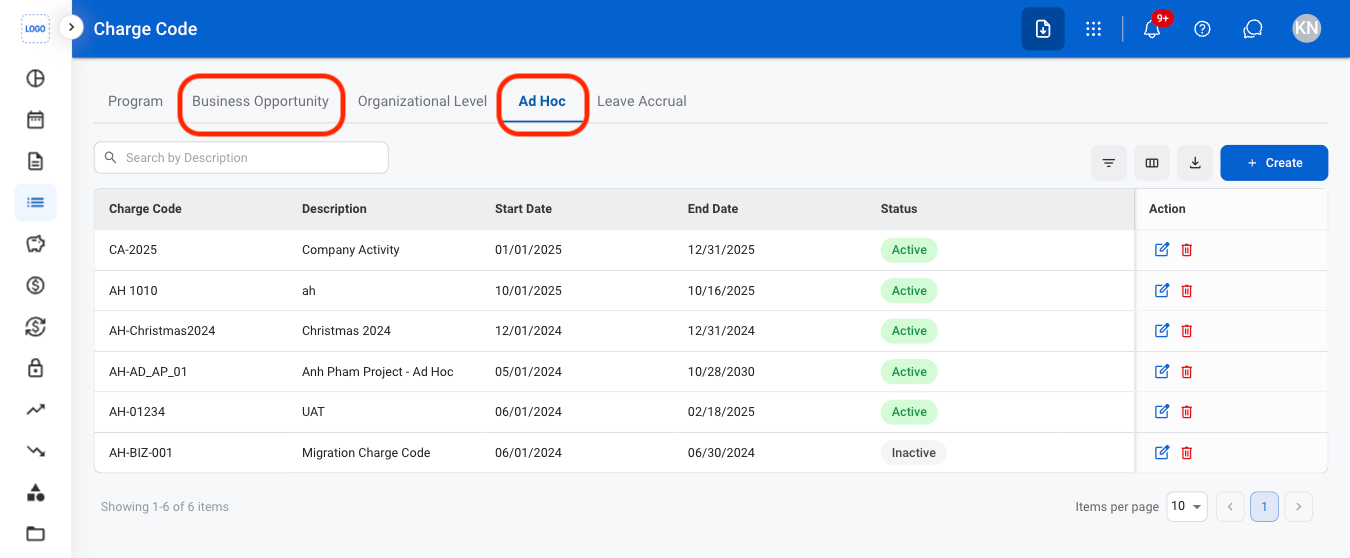
3
Select Create
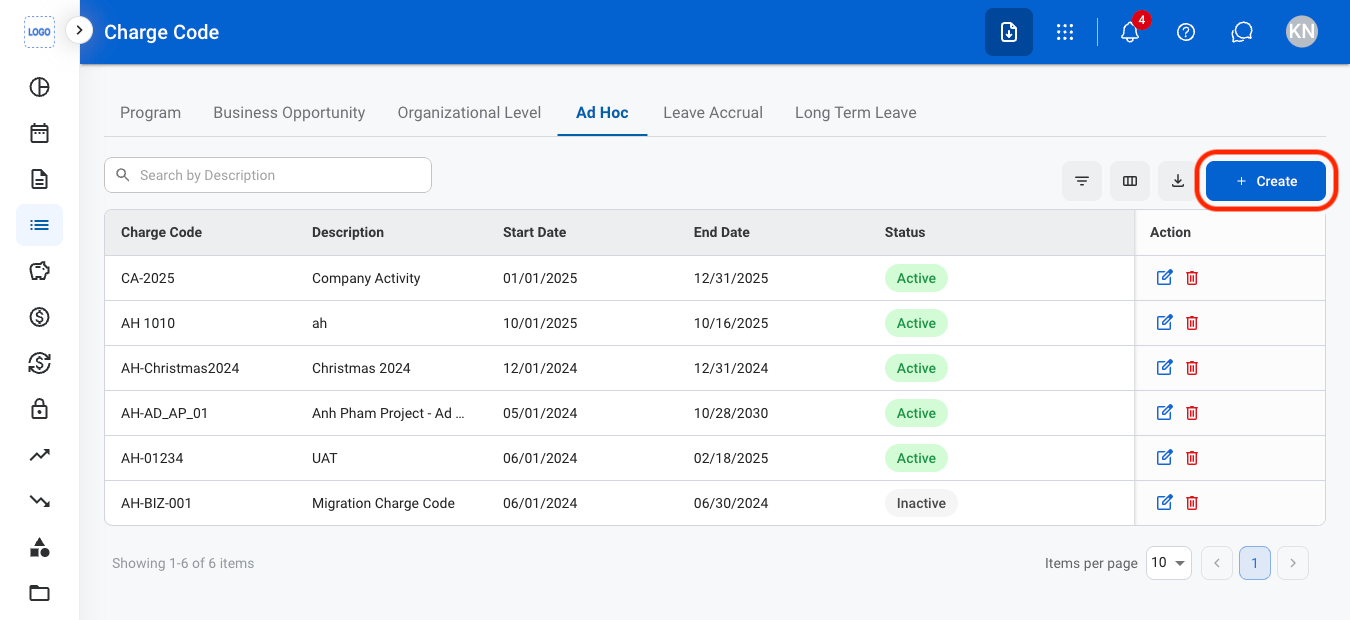
4
Fill in the required information
Edit a Charge Code
1
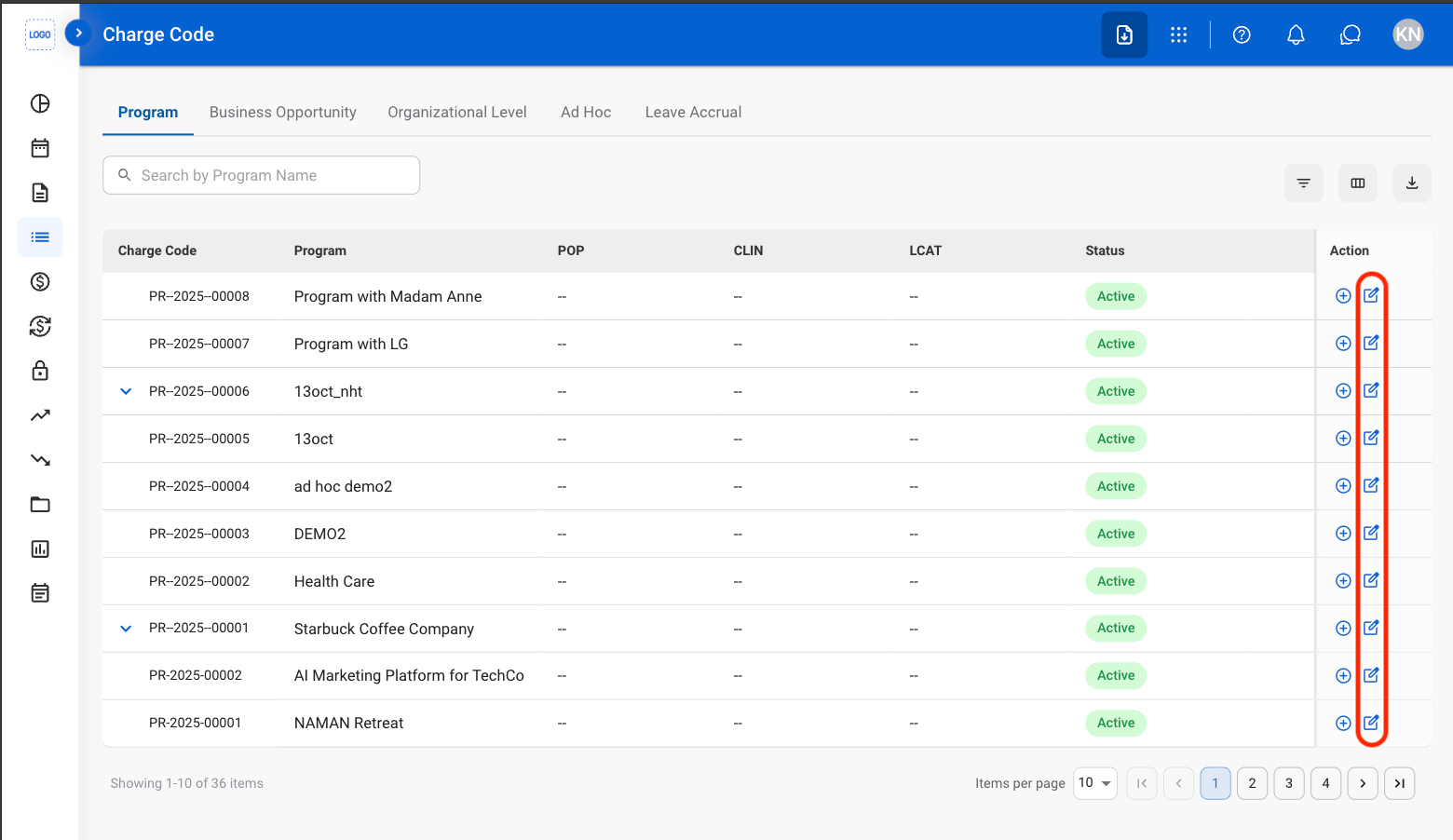
Select a tab

2
Select the Edit icon
3
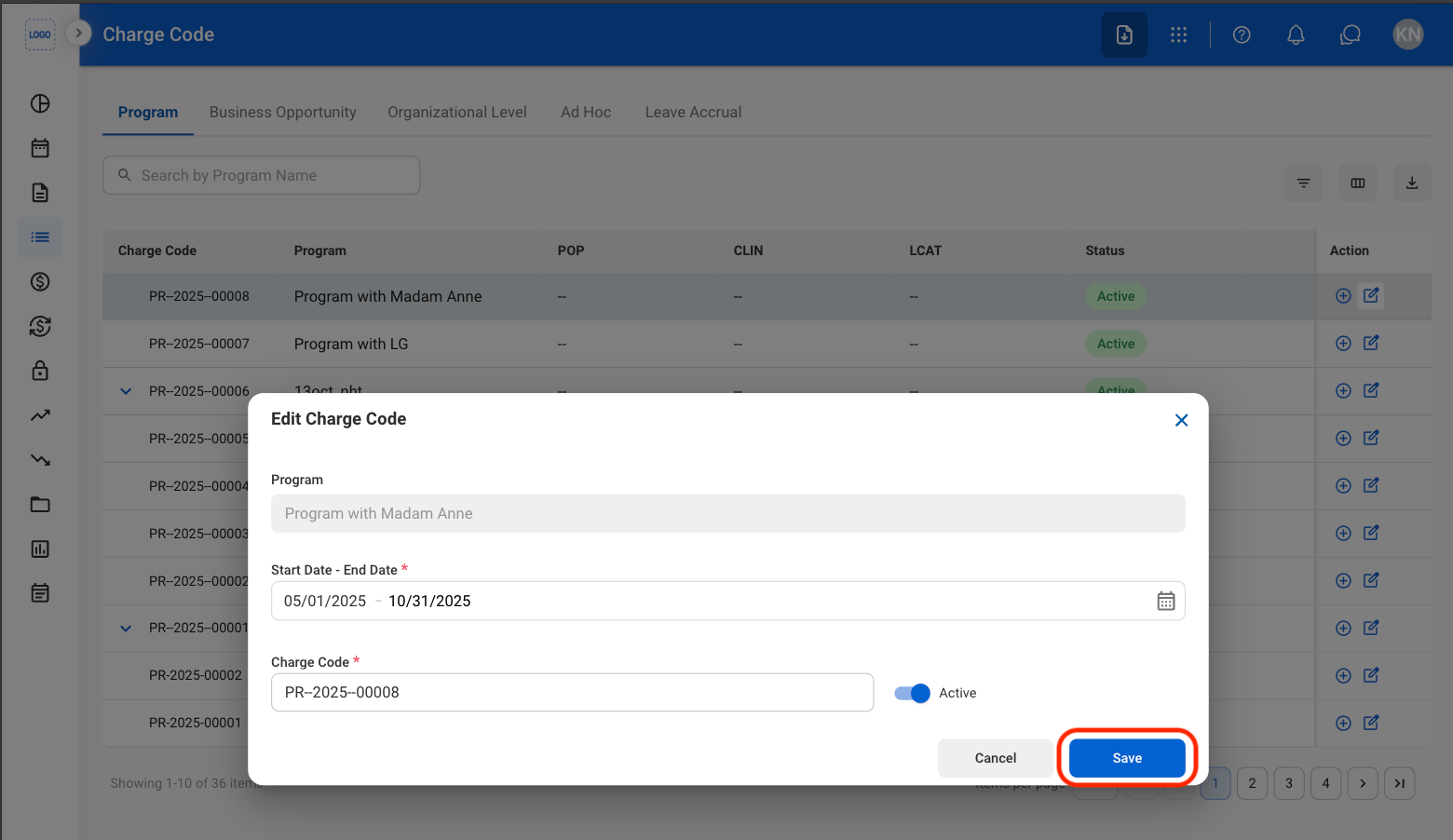
Fill in the required information
Create a Sub Charge Code
Sub Charge Codes can only be created from the Program tab.
1
Select the Program tab

2
Select the Add icon

3
Fill in the required information