
View an Appropriation
1
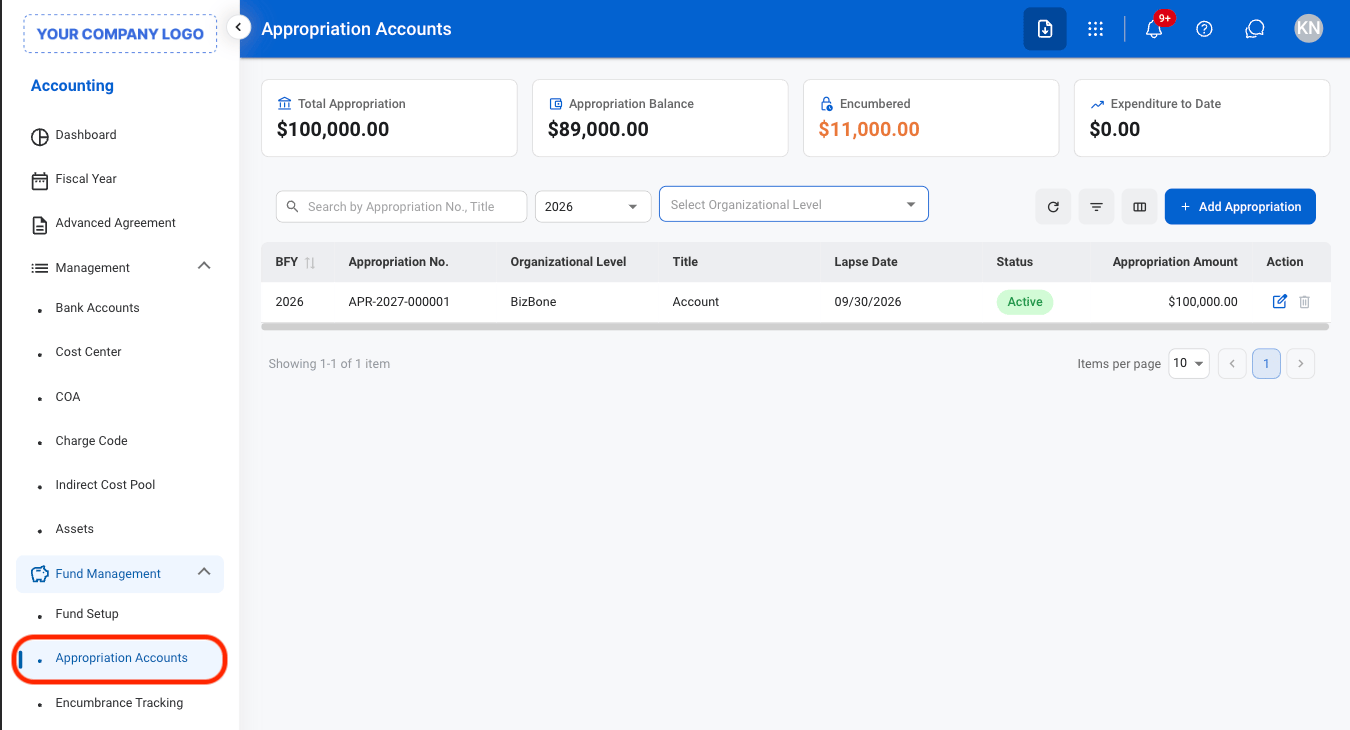
Navigate to Appropriation Accounts
2
Select an Appropriation
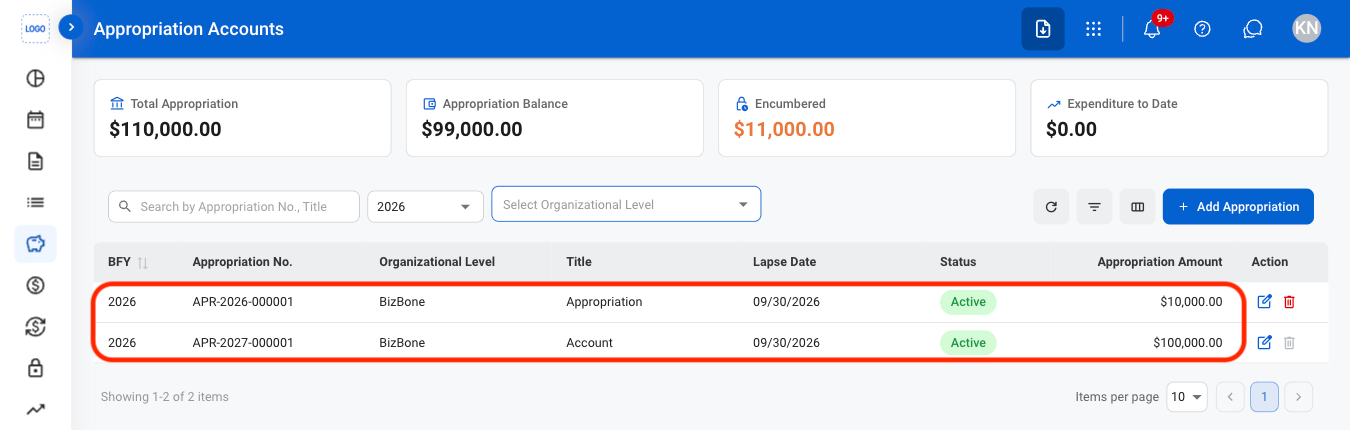
Total Appropriated Amount
Total Appropriated Amount
The total amount approved for the appropriation account.
Encumbered Amount
Encumbered Amount
The portion of the appropriated amount committed to outstanding obligations.
Expended Amount
Expended Amount
The portion of the appropriated amount that has been spent.
Available Balance
Available Balance
The remaining amount available after accounting for encumbered and expended amounts.
Add an Appropriation
1
Select Add Appropriation

2
Fill in the required information
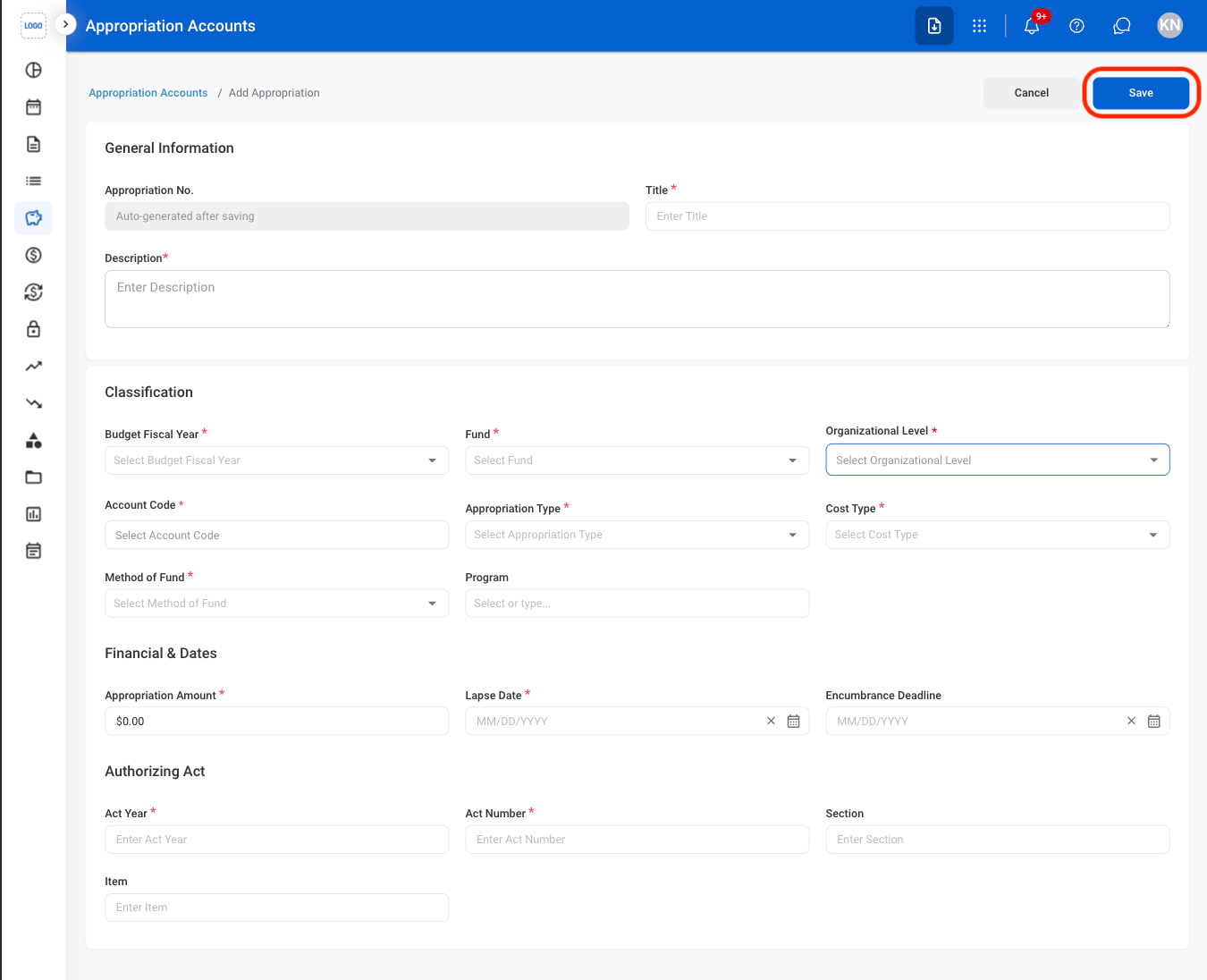
The system prevents encumbrances from exceeding the remaining appropriated balance. Changes to appropriation accounts are recorded with the date, time, and associated user information for audit purposes.
Modify an Appropriation
1
Select an action
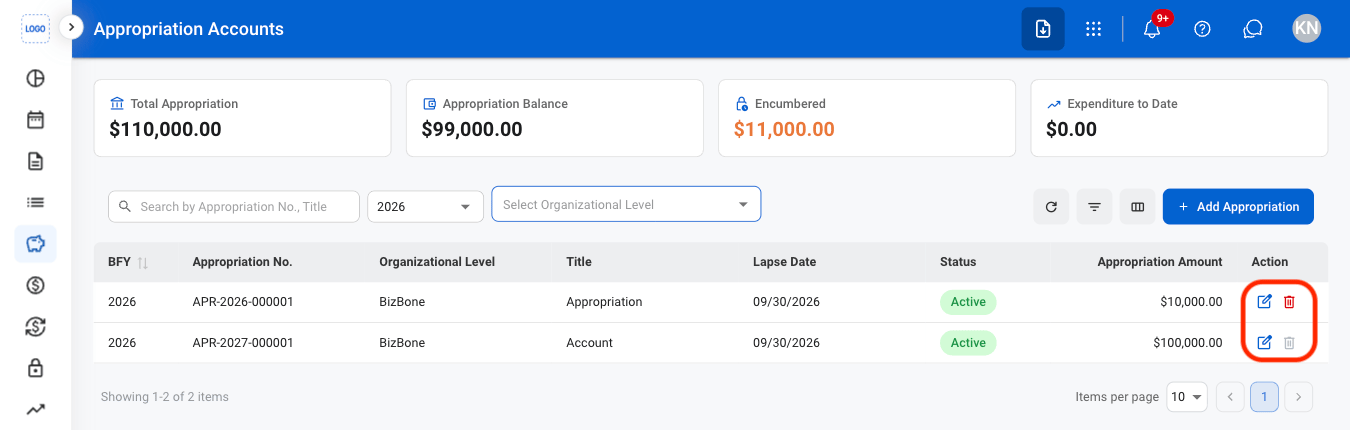
- Edit: Select the edit icon to update an existing entry
- Delete: Select the trash icon to delete an existing entry.
2
Confirm the action
- Edit: Fill in the required information. Select Update to complete or Cancel to exit without saving changes.
- Delete: Select Delete to complete or Cancel to exit without saving changes.
Changes to appropriation accounts are recorded with the date, time, and associated user information for audit purposes.