
Export an AP Aging Report
1
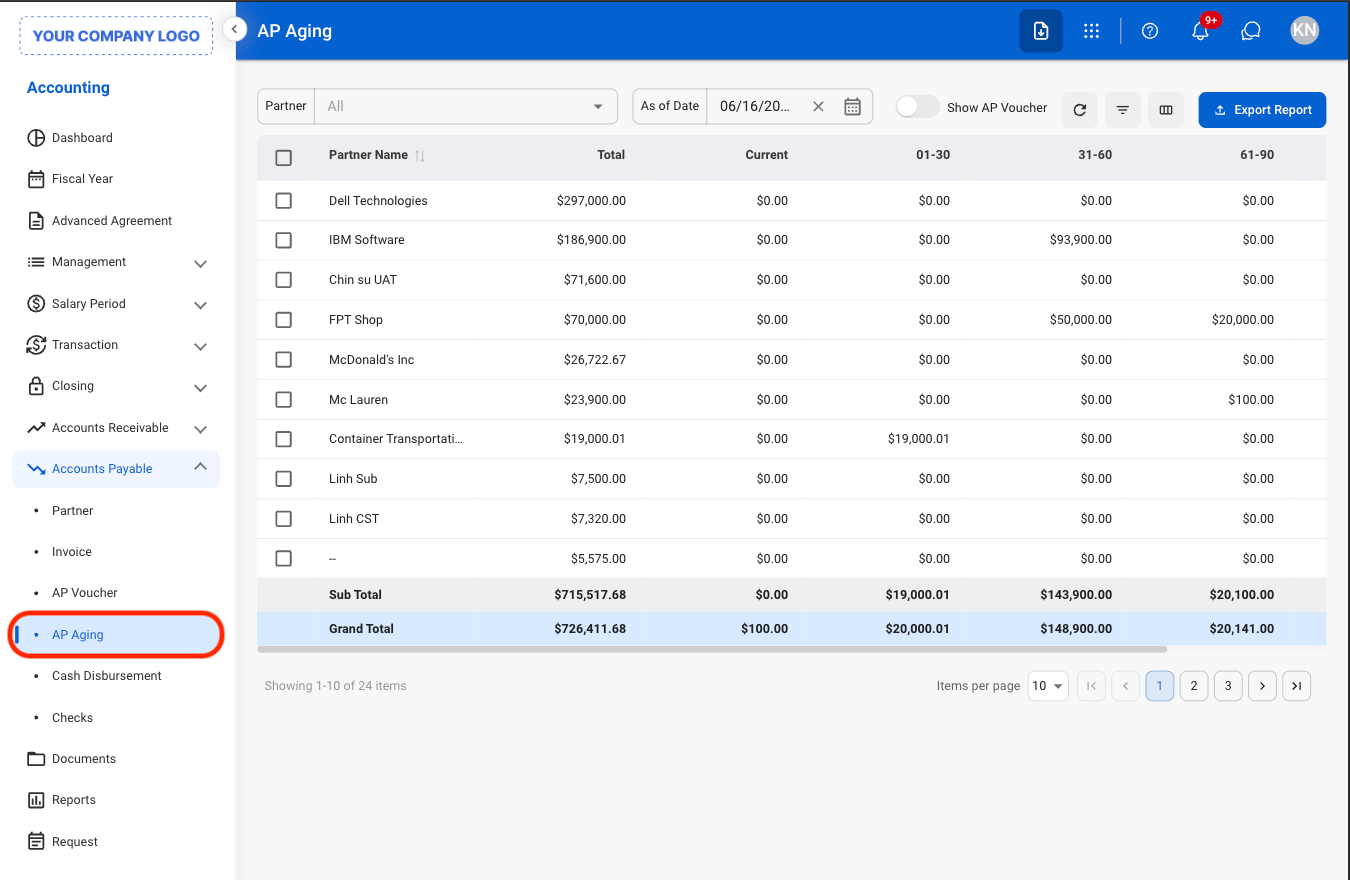
Navigate to AP Aging
2
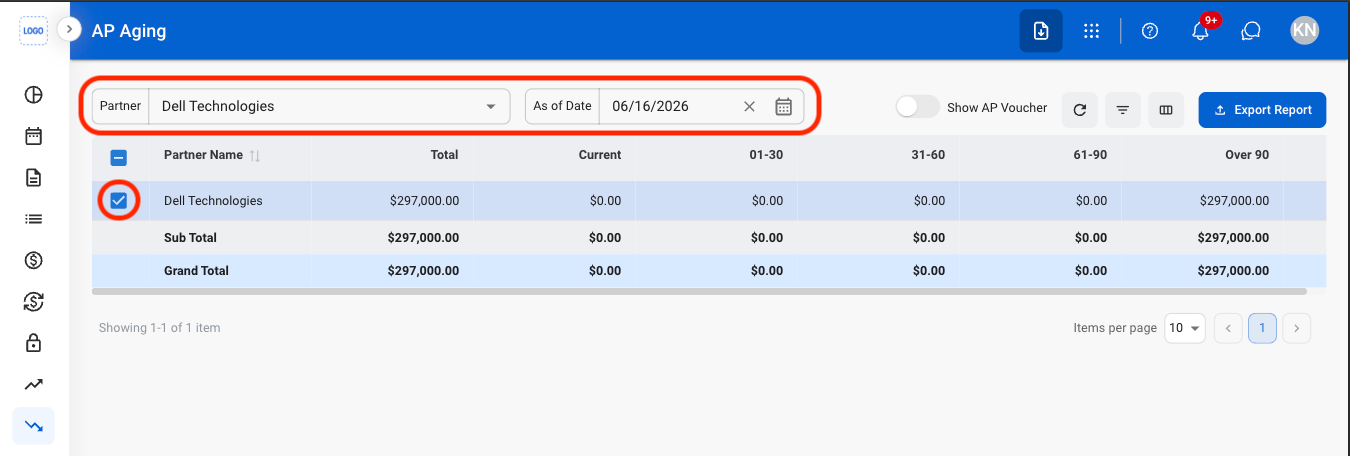
Apply filters and select entries
3
Select Export Report

4
Enter a report name

5
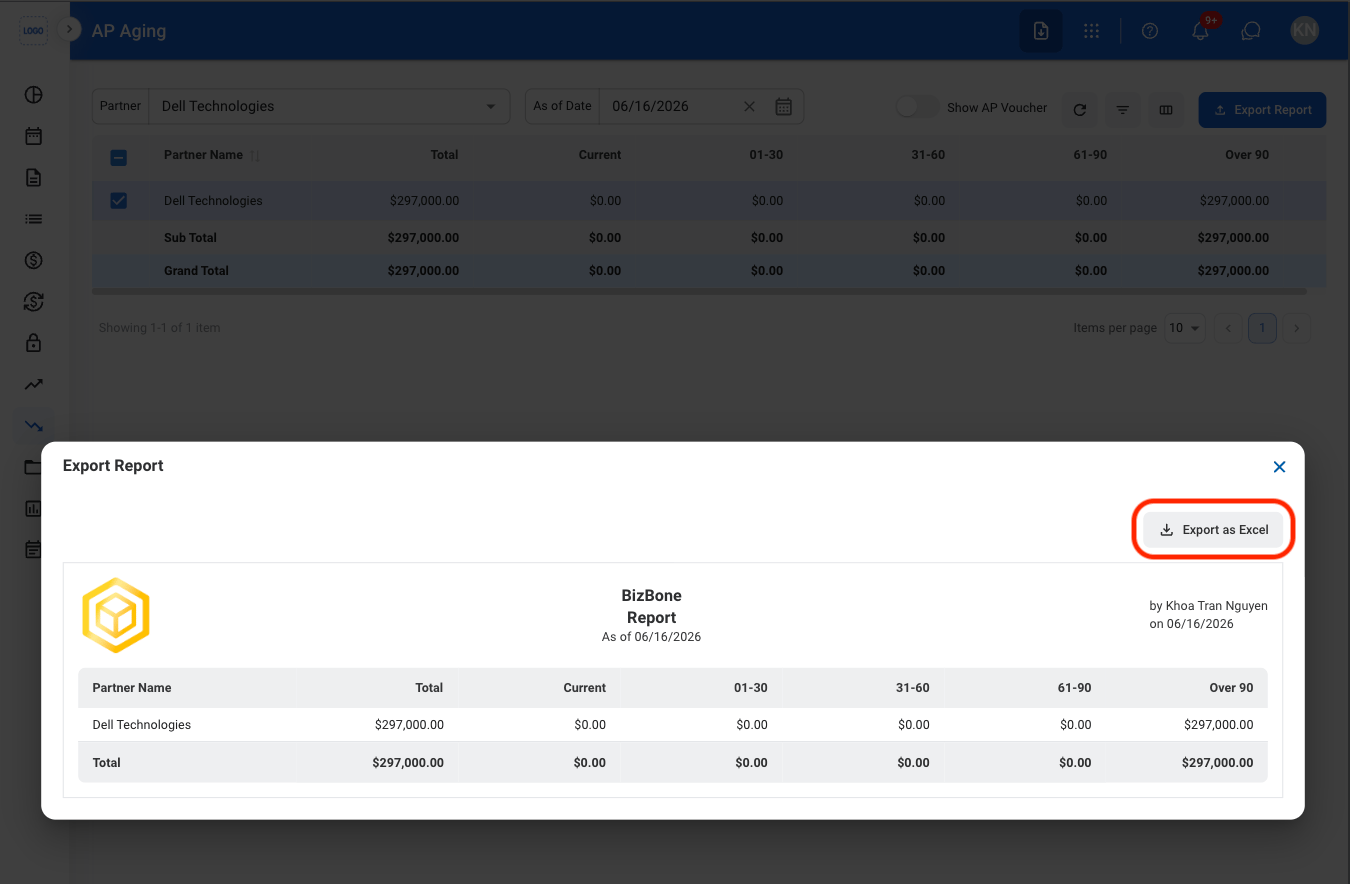
Select Export as Excel
View outstanding payable balances grouped by aging period. Supports monitoring of overdue obligations and planning of upcoming payments.
Navigate to AP Aging
Apply filters and select entries
Select Export Report
Enter a report name
Select Export as Excel