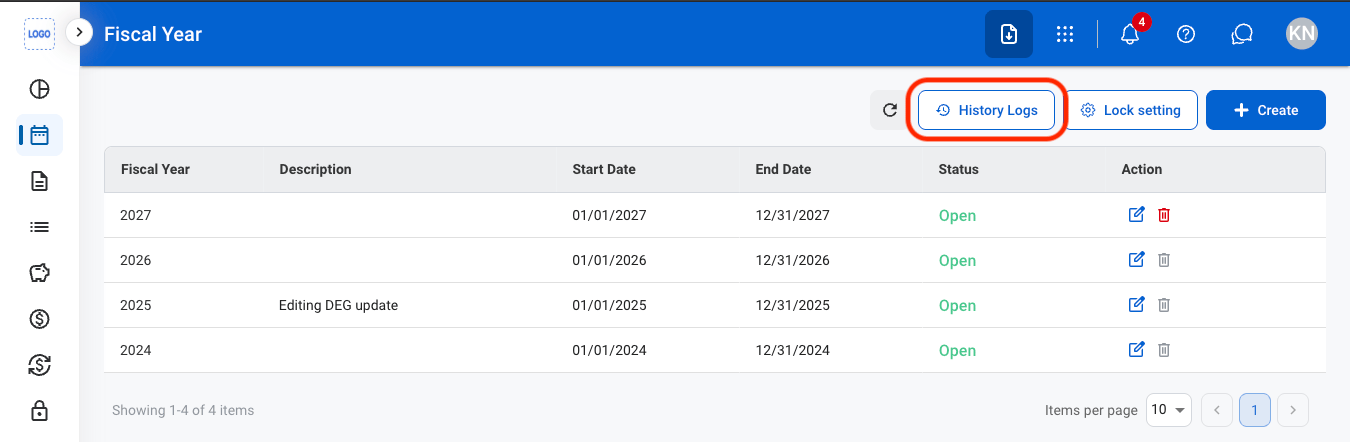
Accounting periods control when financial transactions can be recorded. Closing a period prevents additional transactions from being entered until the period is reopened.
Add a Fiscal Year
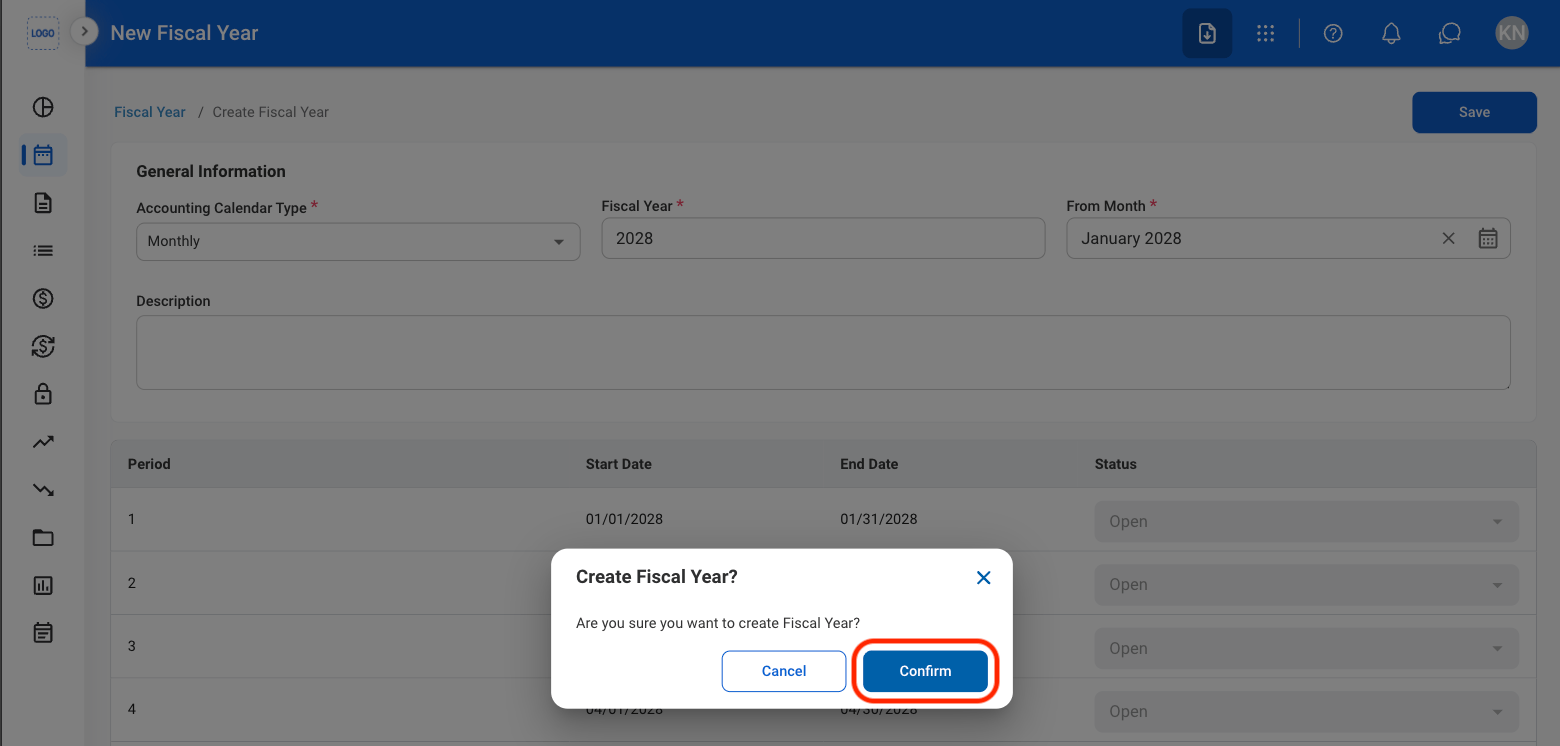
Add a fiscal year to define the organization’s accounting calendar. The system automatically generates accounting periods based on the selected calendar type and start month.1
Navigate to Fiscal Year Management
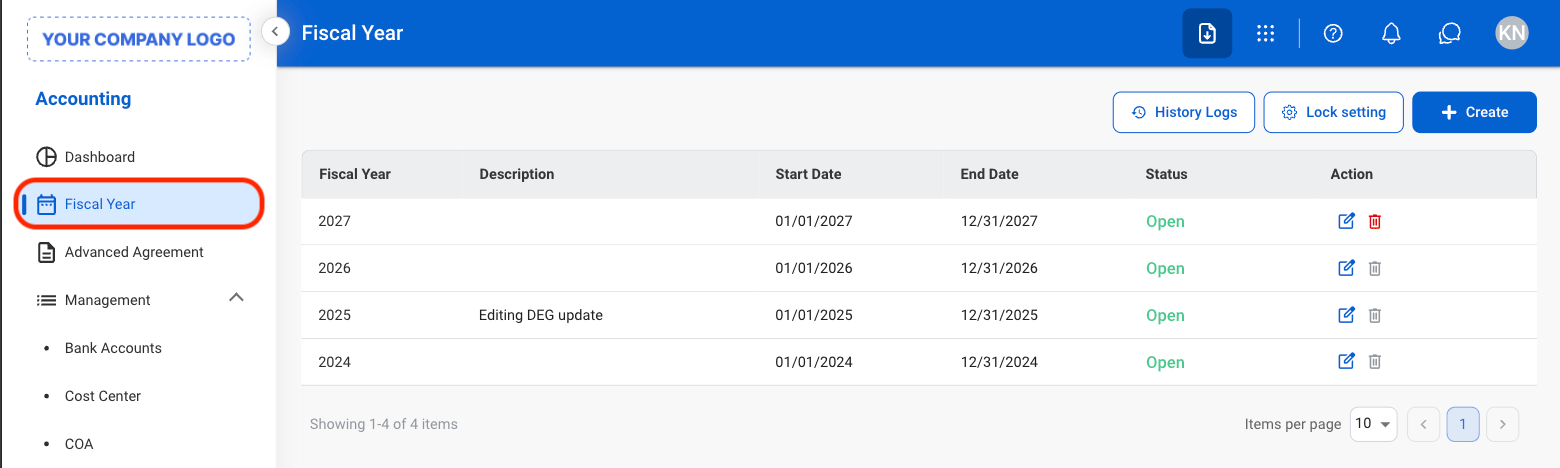
2
Select Create
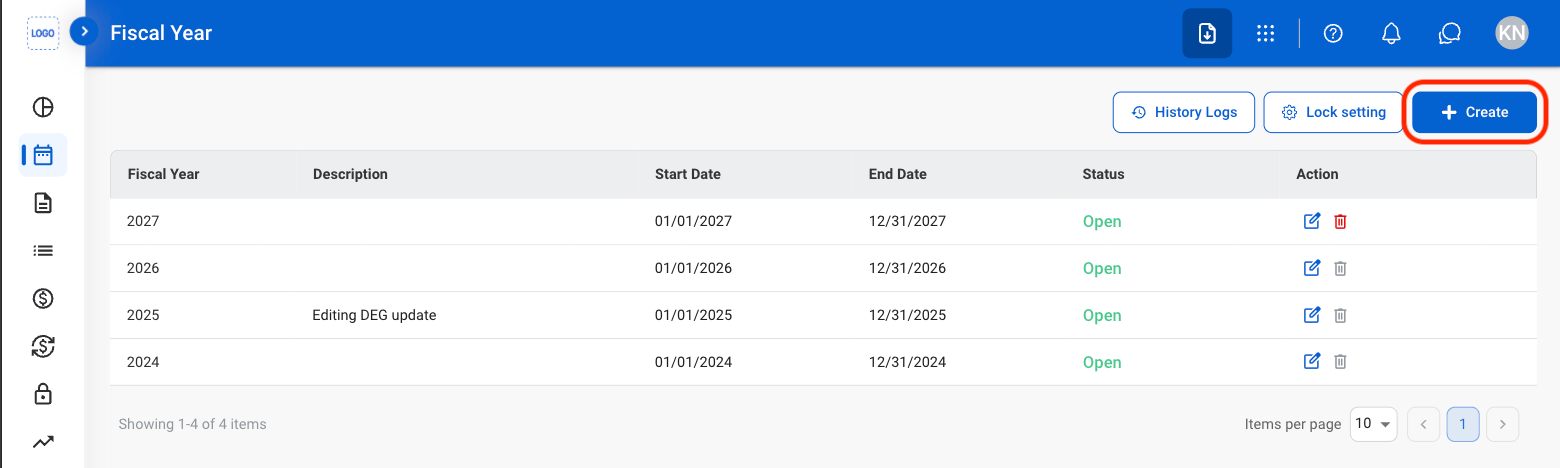
3
Fill in the required information
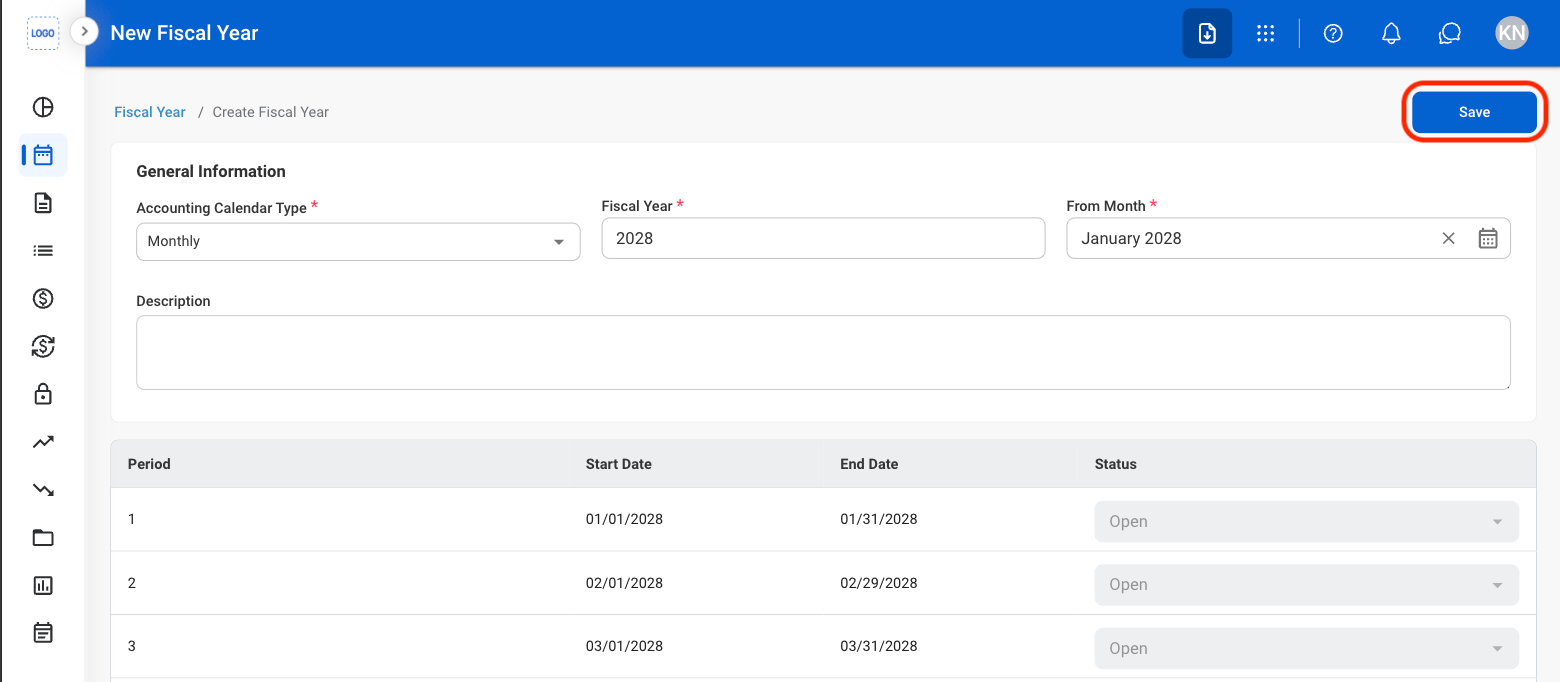
- Fiscal Year Name must be unique.
- Start Month cannot be changed after the fiscal year is created.
- Start Month must occur after the end of the most recent fiscal year.
- Accounting periods are automatically generated and default to Open status.
4
Confirm the action
Modify a Fiscal Year
- Fiscal years that have already begun may only be edited.
- Closed fiscal years cannot be edited or deleted.
1
Select an action
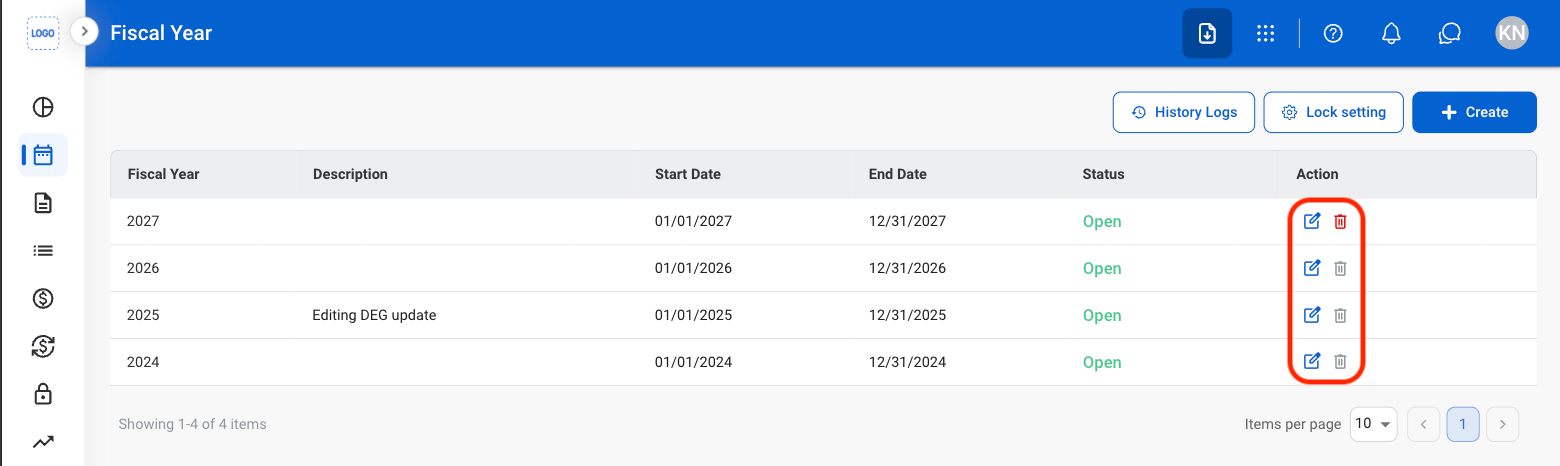
- Edit: Select the edit icon to update an existing entry
- Delete: Select the trash icon to delete an existing entry.
2
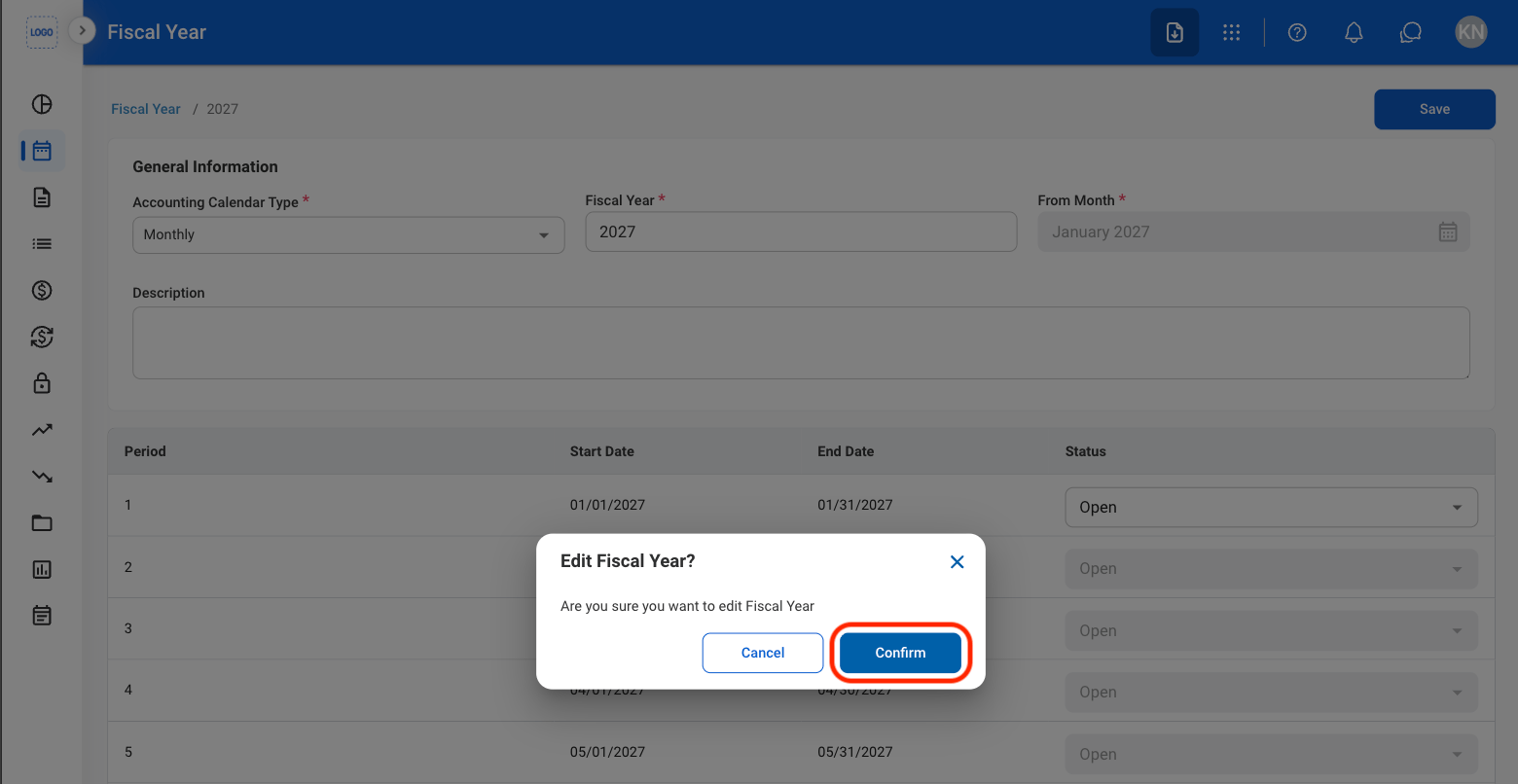
Confirm the action
- Edit: Fill in the required information and select Save to complete or Cancel to exit without saving changes.
- Delete: Select Delete to complete or Cancel to exit without saving changes.
Close a Fiscal Year
Closing a fiscal year will prevent further edits from being made.
1
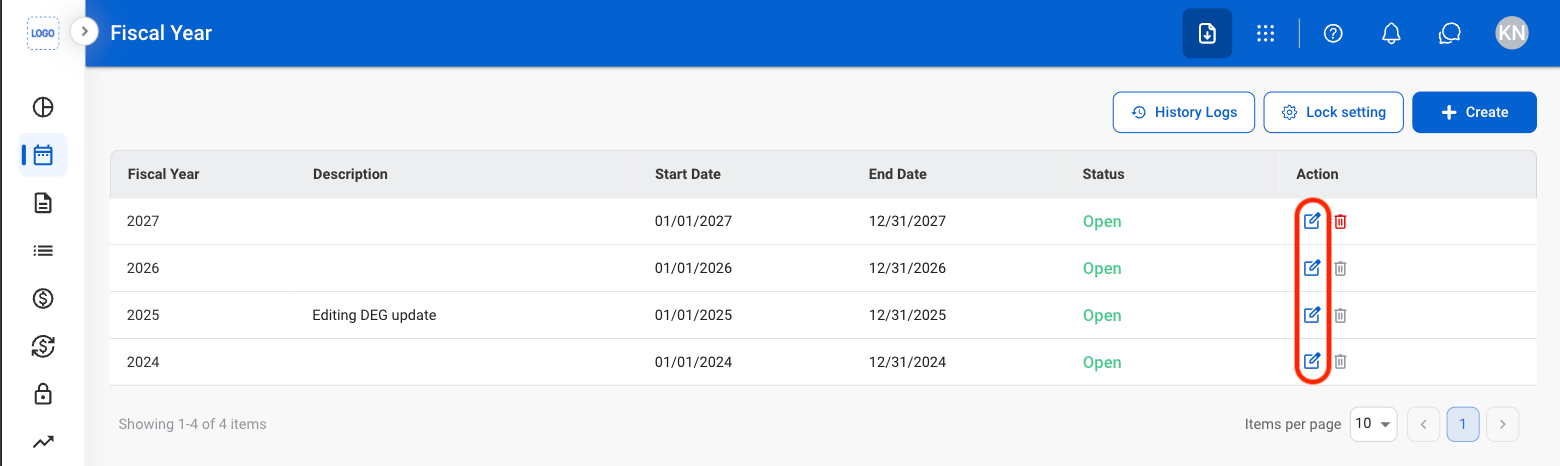
Select the Edit icon
2
Set each period's status to Close
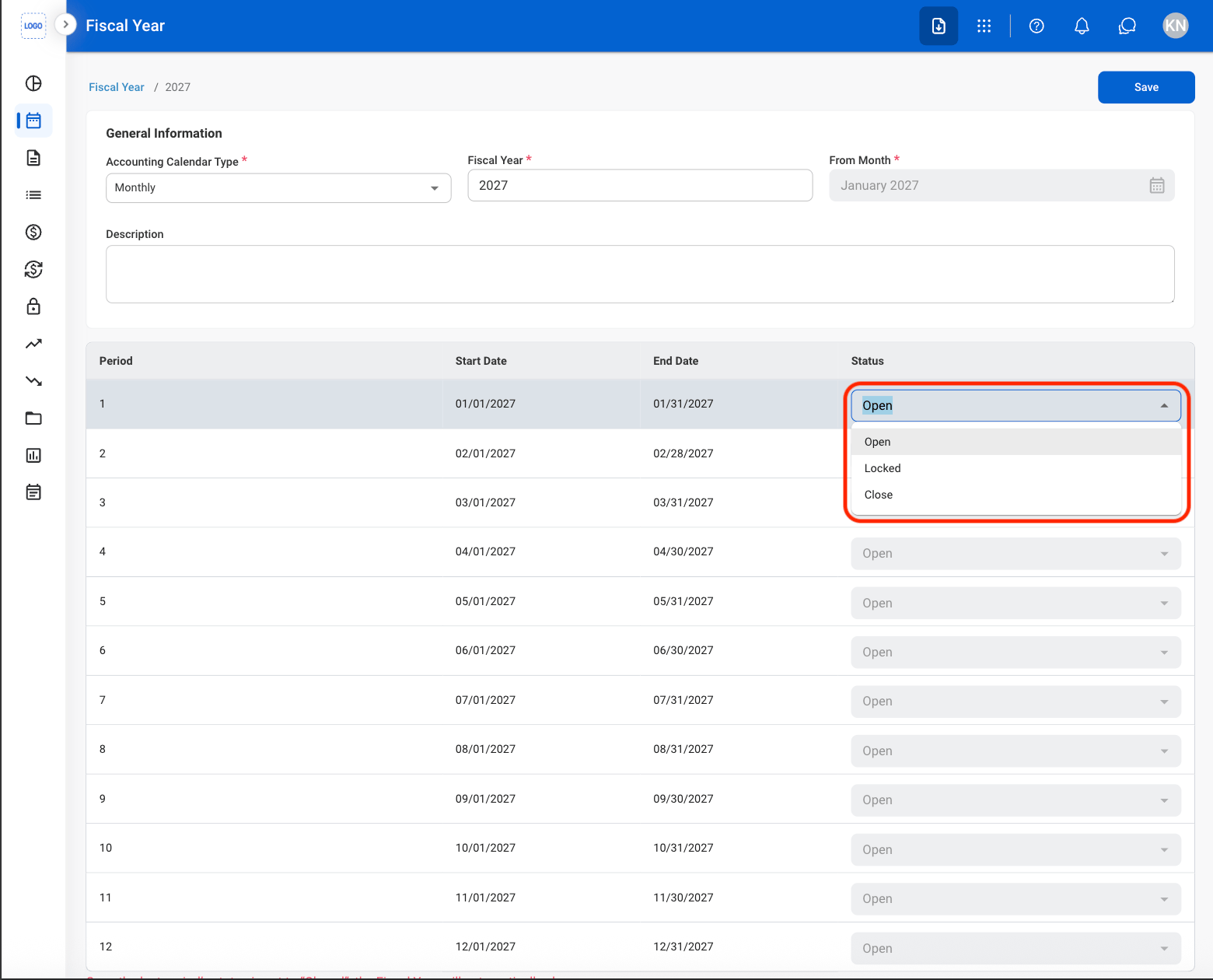
If unposted transactions exist within the selected period, a confirmation message is displayed before the period can be closed. Review any pending transactions before proceeding.
3
Confirm the action
View History Log
1
Select History Logs