Add an Invoice
1
Navigate to Invoice
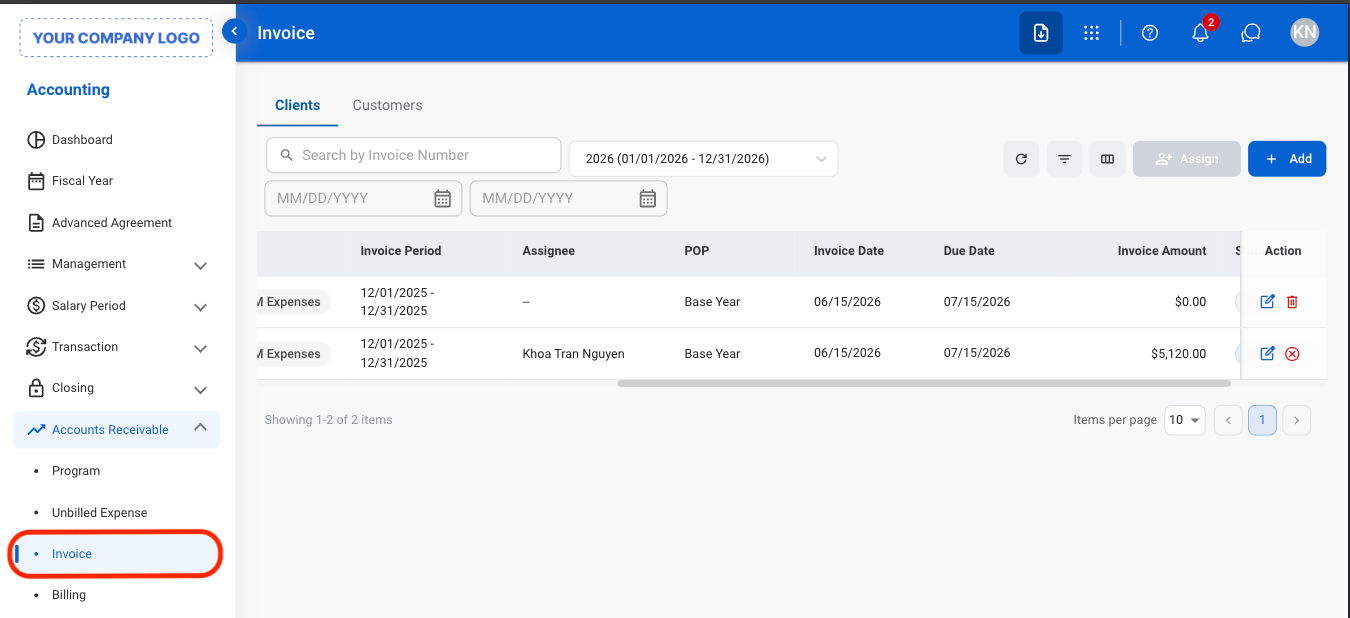
2
Select a tab
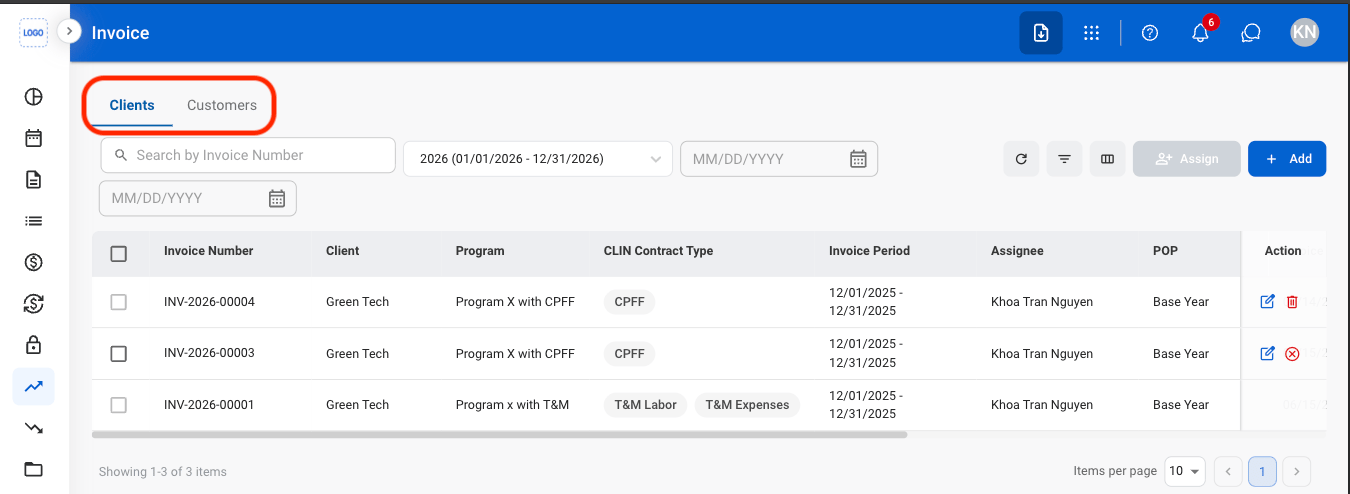
- Clients: Invoices linked to contract-based or program-based billing arrangements.
- Customers: Invoices linked to standard customer transactions and non-contractual billing.
3
Select Add
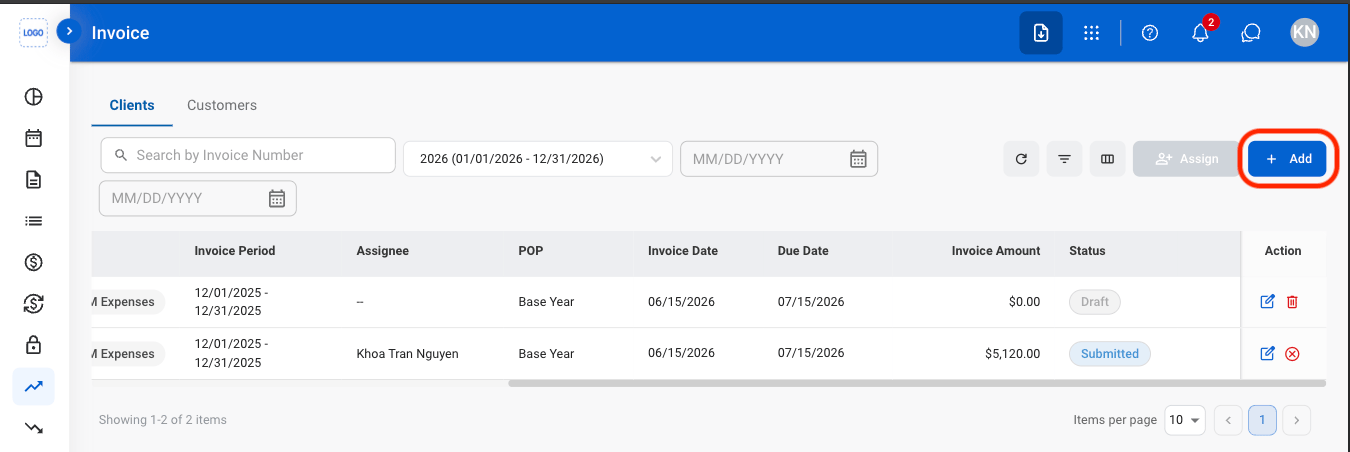
4
Fill in the required information
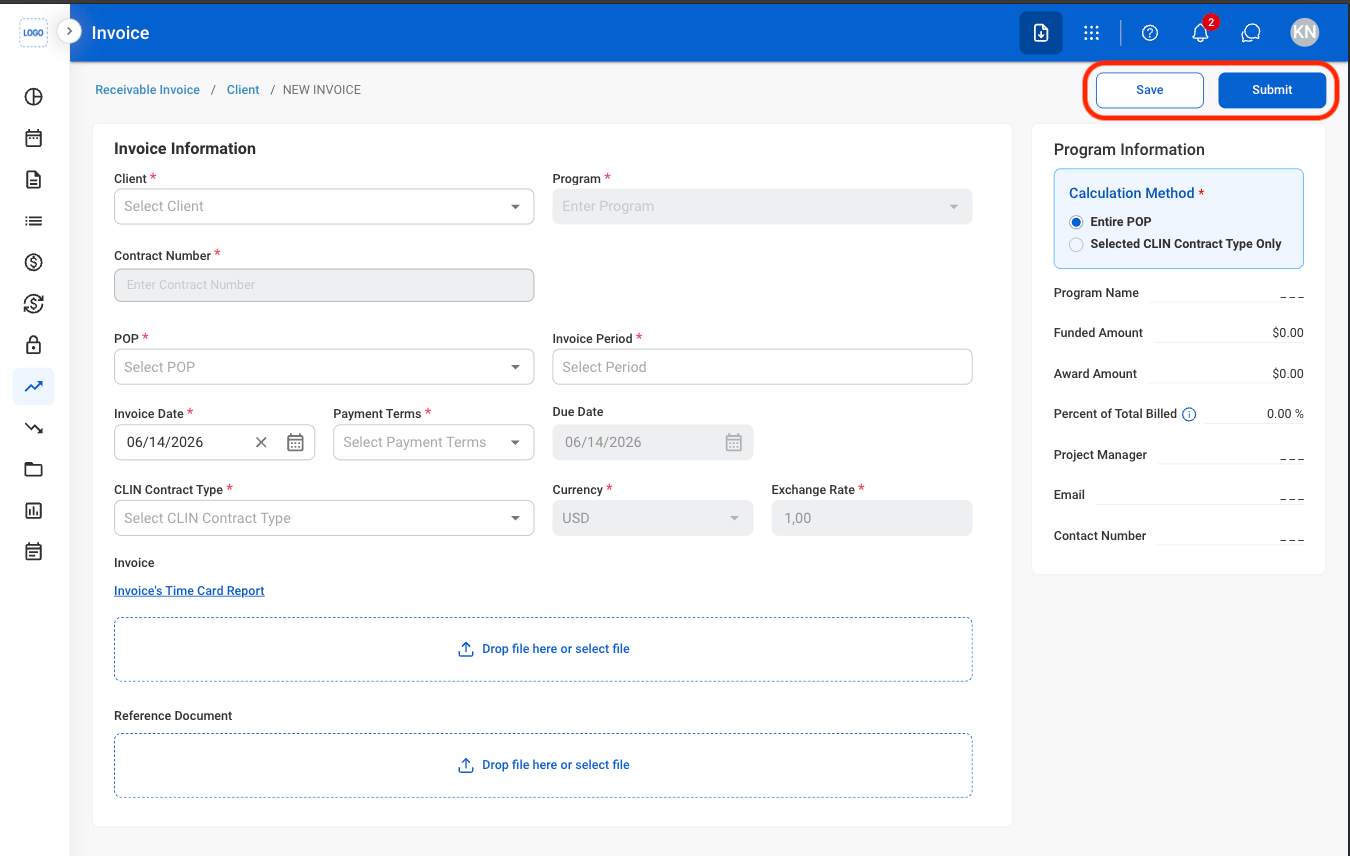
- Submit: Submit the invoice for processing and move it into the invoice workflow.
- Save: Save the invoice as a draft so it can be reviewed or updated before submission.
Modify an Invoice
1
Select a tab
- Clients: Invoices linked to contract-based or program-based billing arrangements.
- Customers: Invoices linked to standard customer transactions and non-contractual billing.
2
Select an action
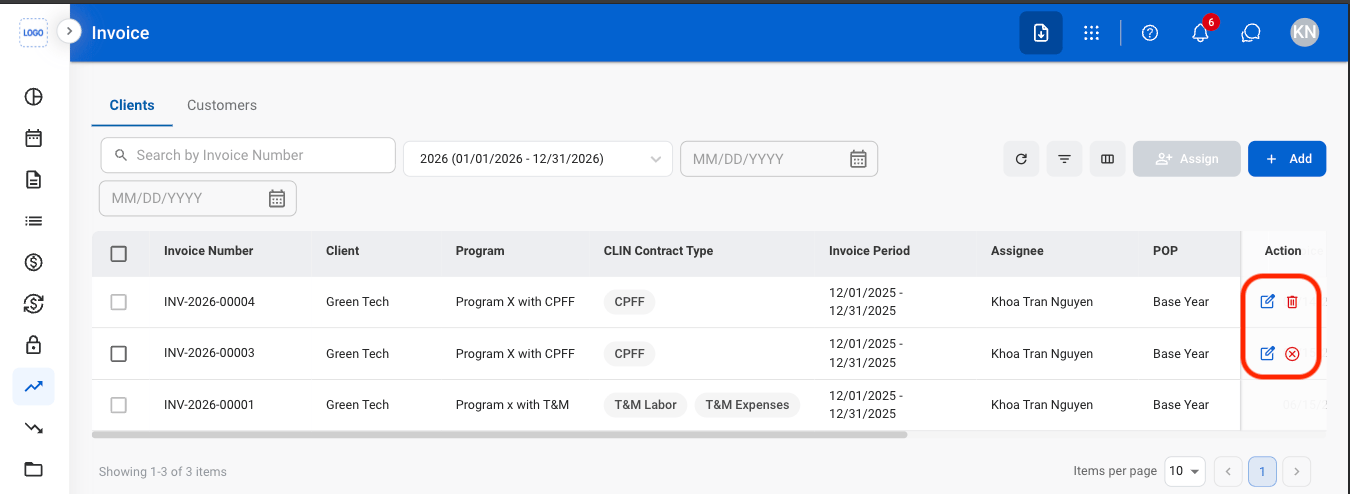
- Edit: Update invoice details before it is finalized or processed in the billing workflow.
- Delete: Permanently remove a draft invoice that has not been submitted for processing.
- Cancel: Cancel a submitted invoice and remove it from the billing workflow while preserving its record for audit purposes.
3
Confirm the action
- Edit: Fill in the required information. Select Submit to complete or Save to exit and save as draft.
- Delete: Select Delete to complete or Cancel to exit without saving changes.
- Cancel: Select Confirm to complete or Cancel to exit without saving changes.
Invoice Information
Upload Document
1
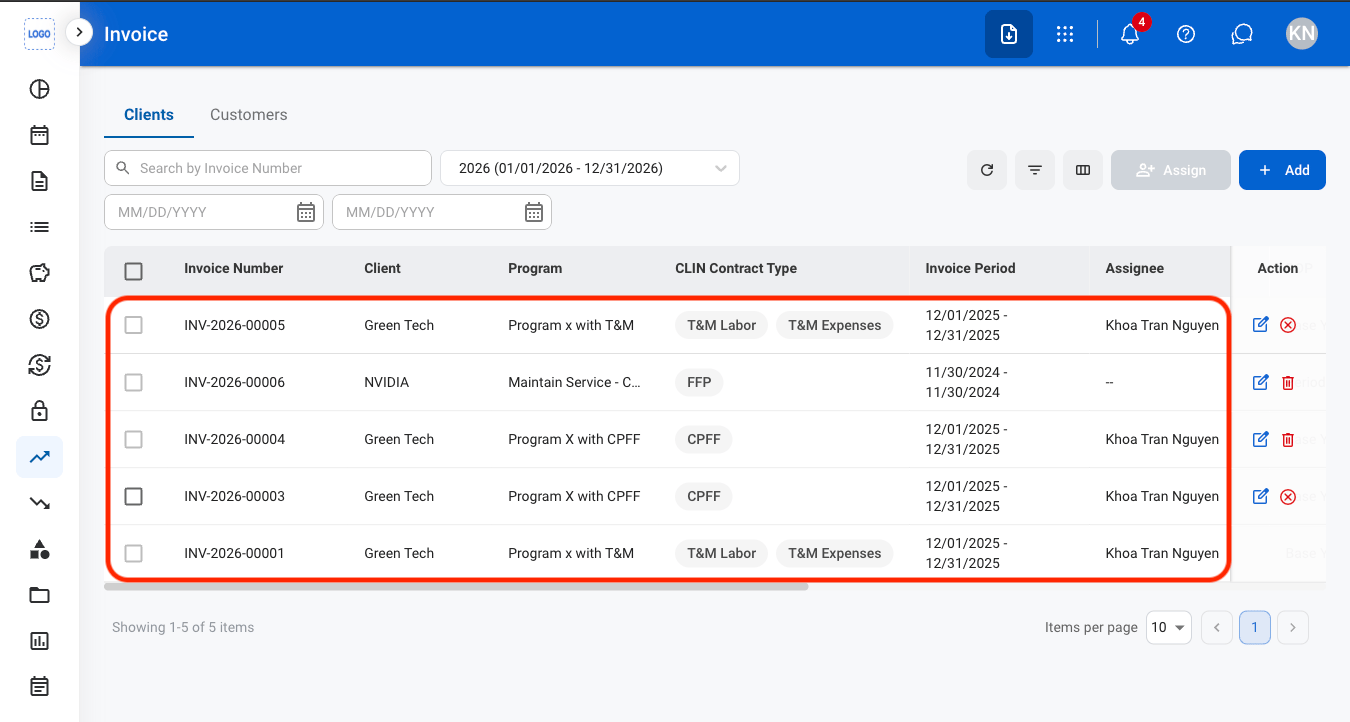
Select an invoice
2
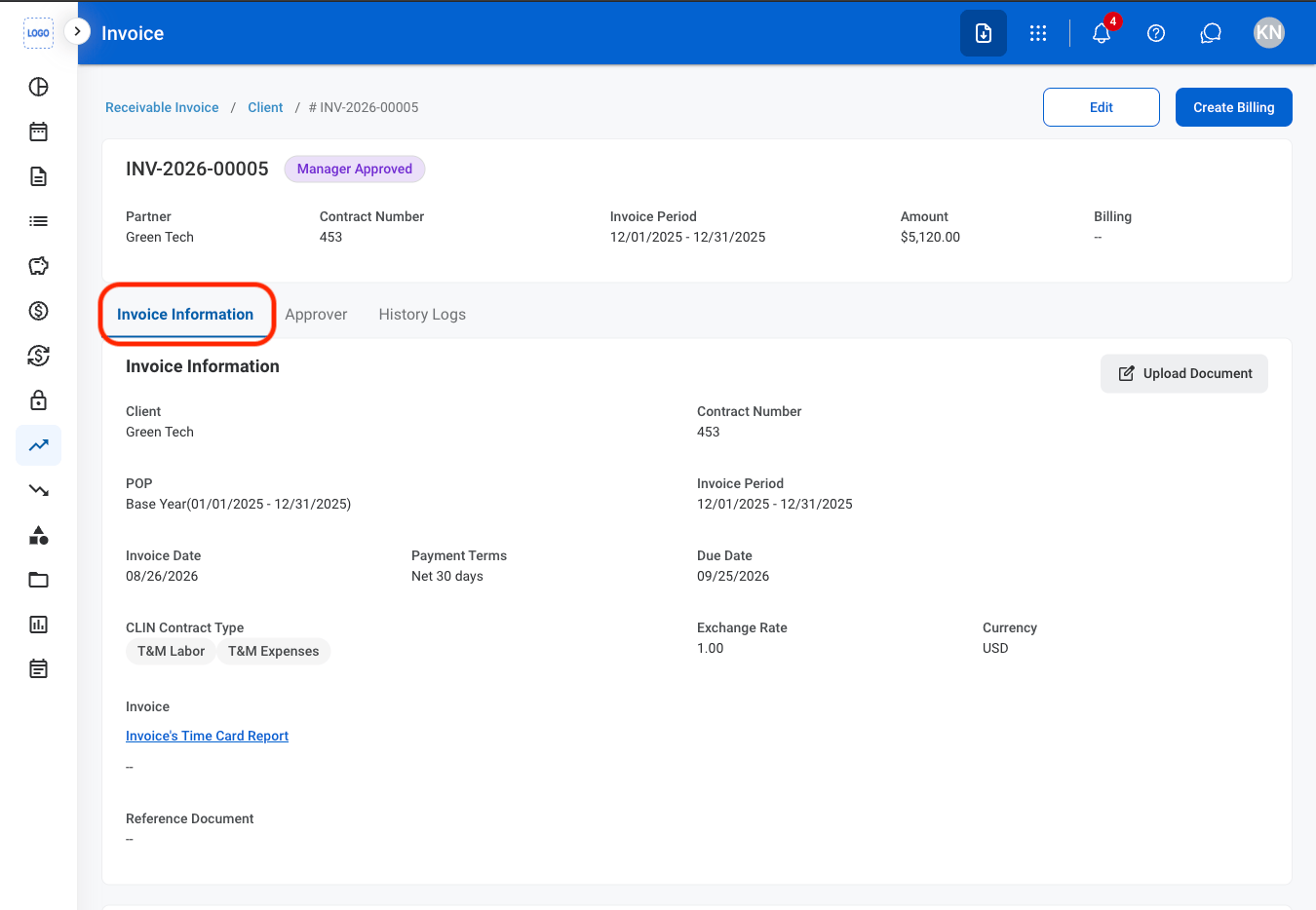
Navigate to Invoice Information
3
Select Upload Document
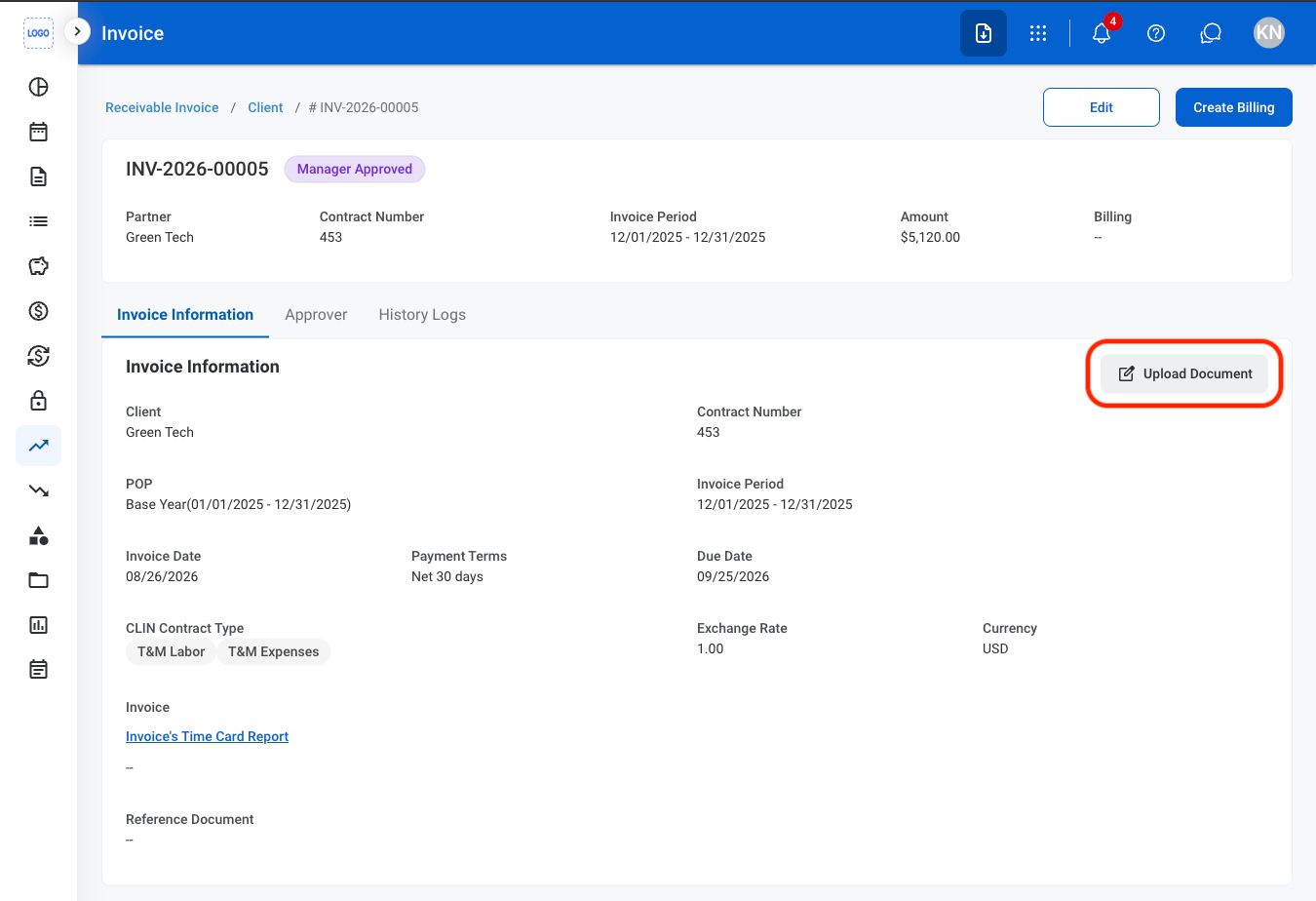
4
Fill in the required information
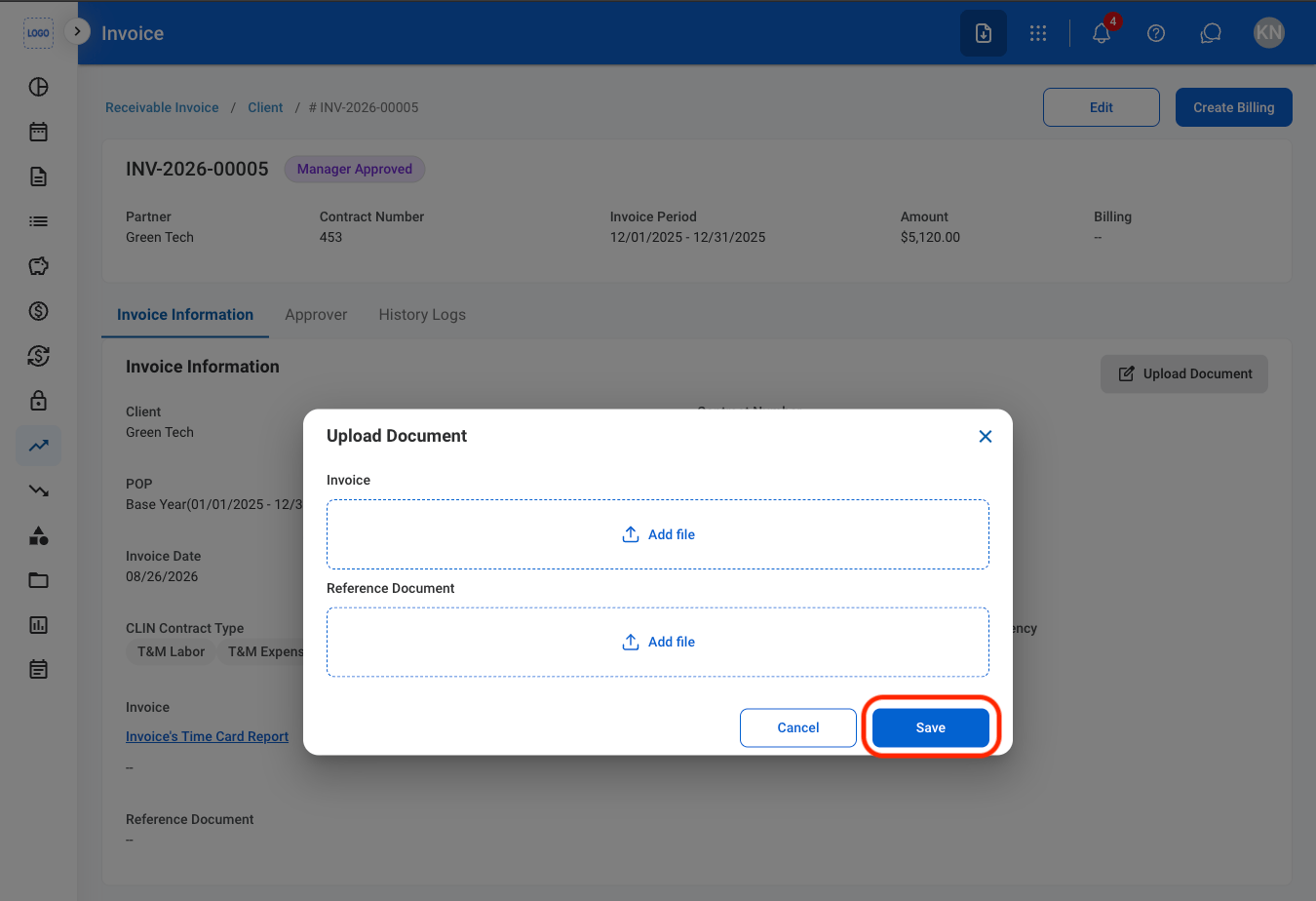
Print an Invoice
1
Select the invoice hyperlink
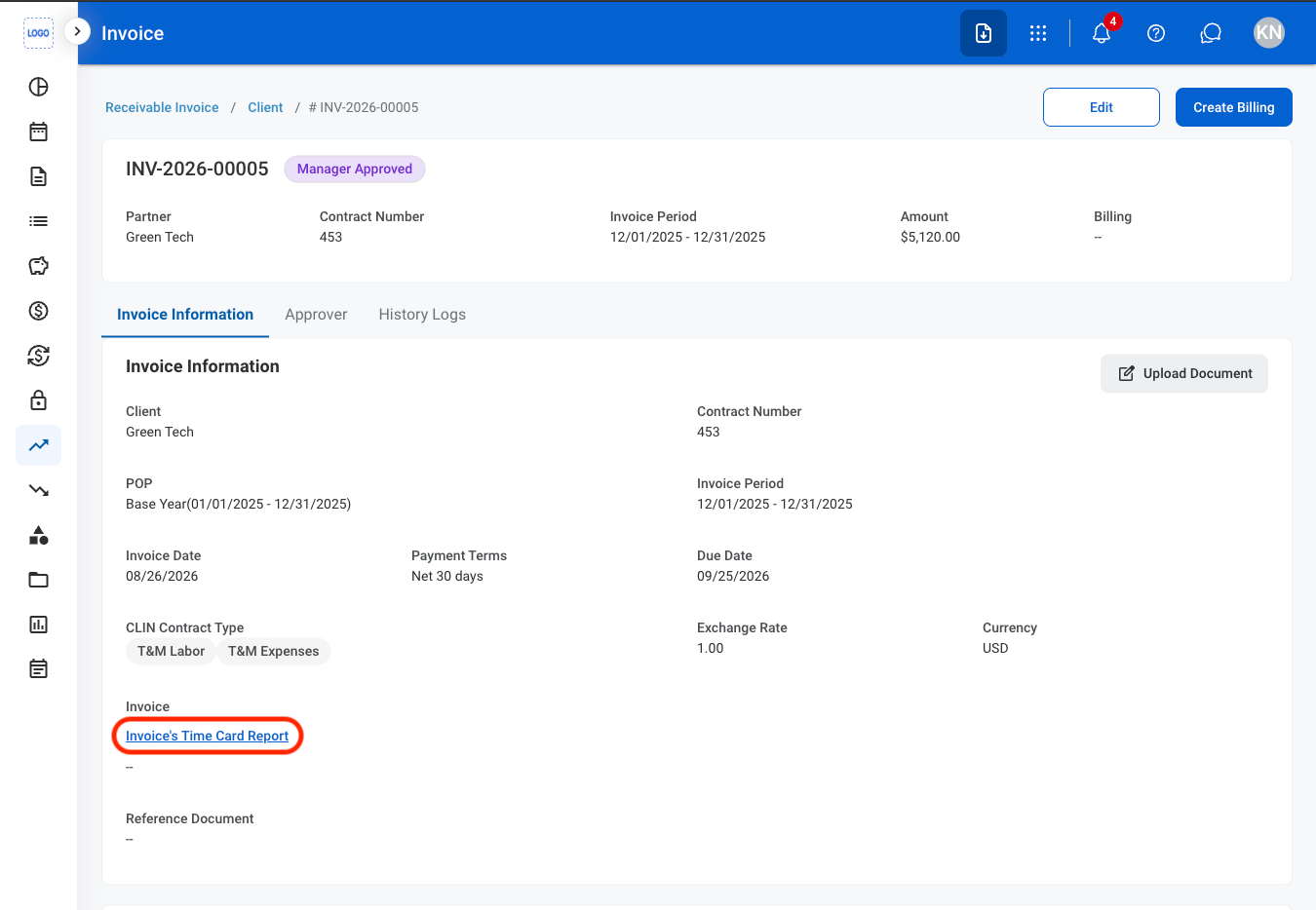
2
Select Print PDF
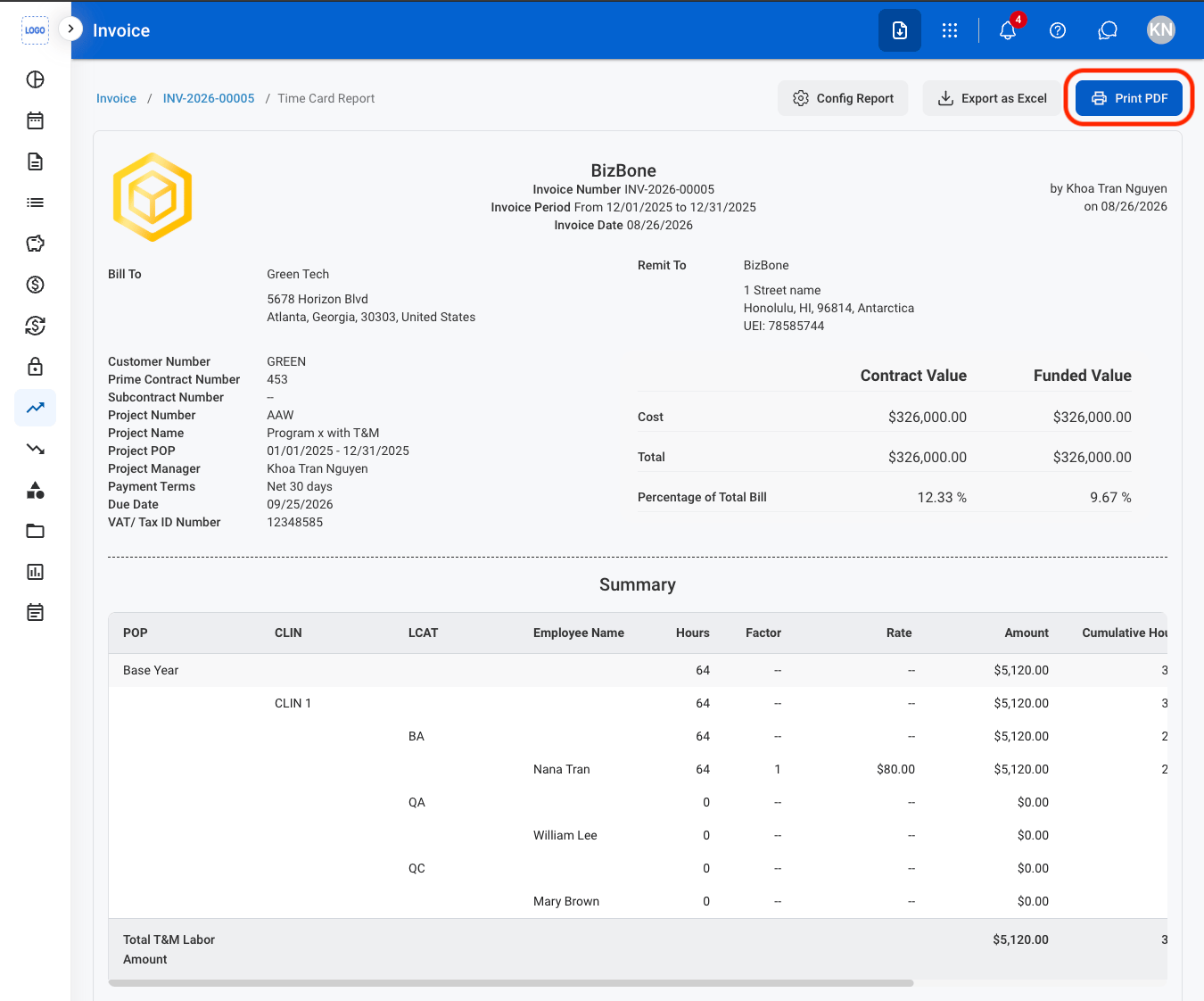
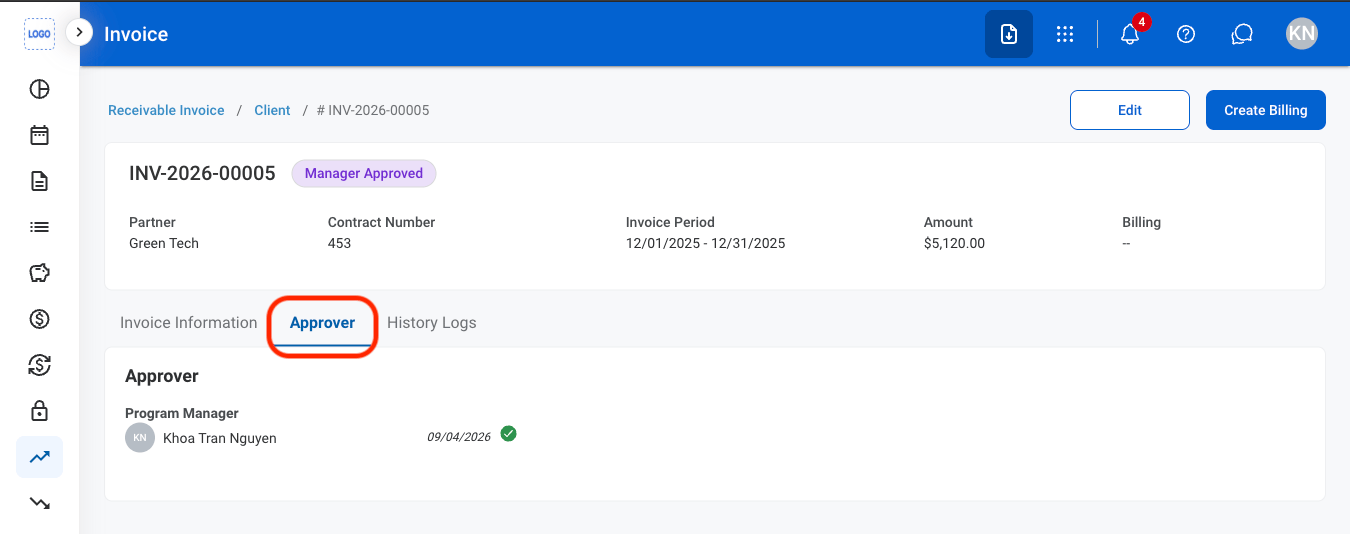
Approver
View Approver
1
Navigate to Approver
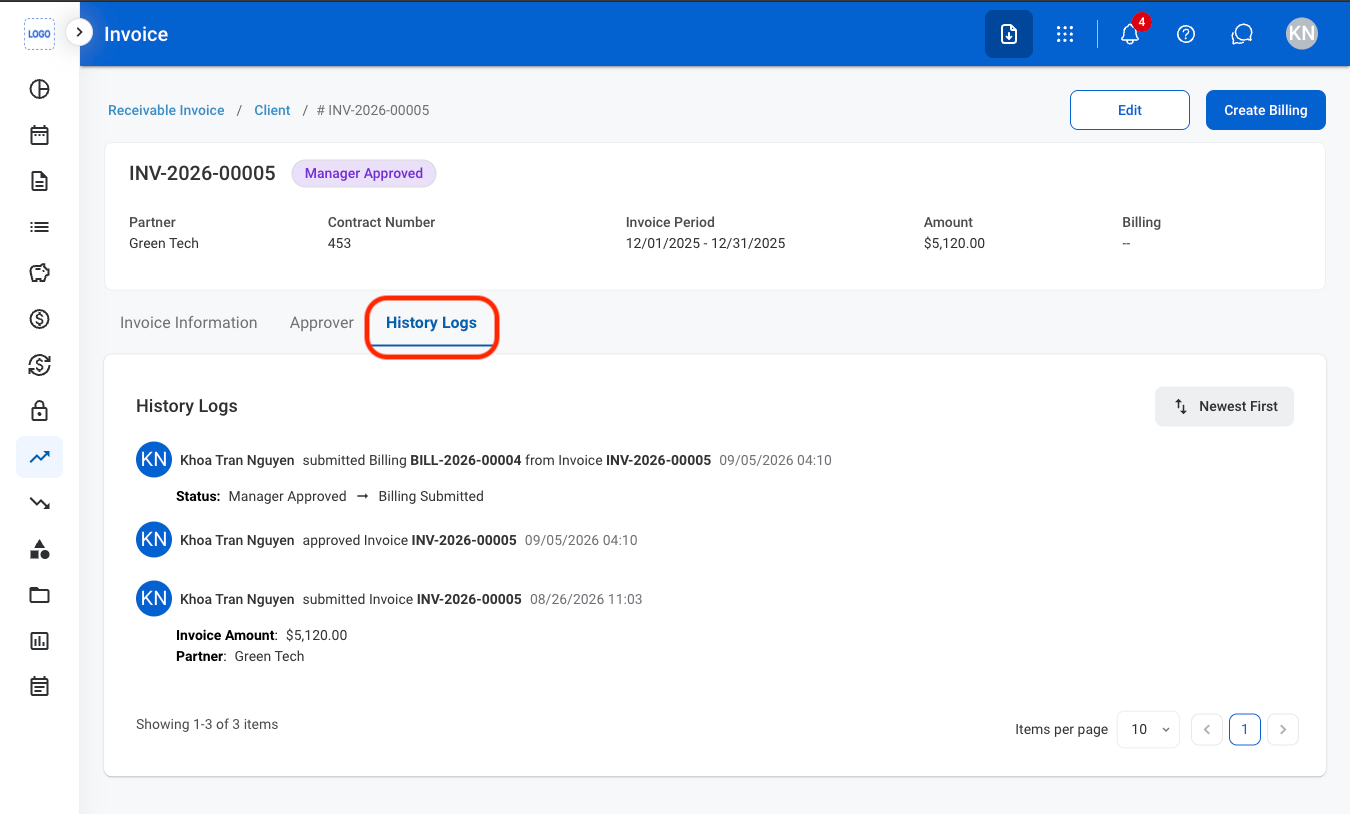
History Logs
View History Logs
1
Navigate to History Logs