
Manage an Unbilled Expense
1
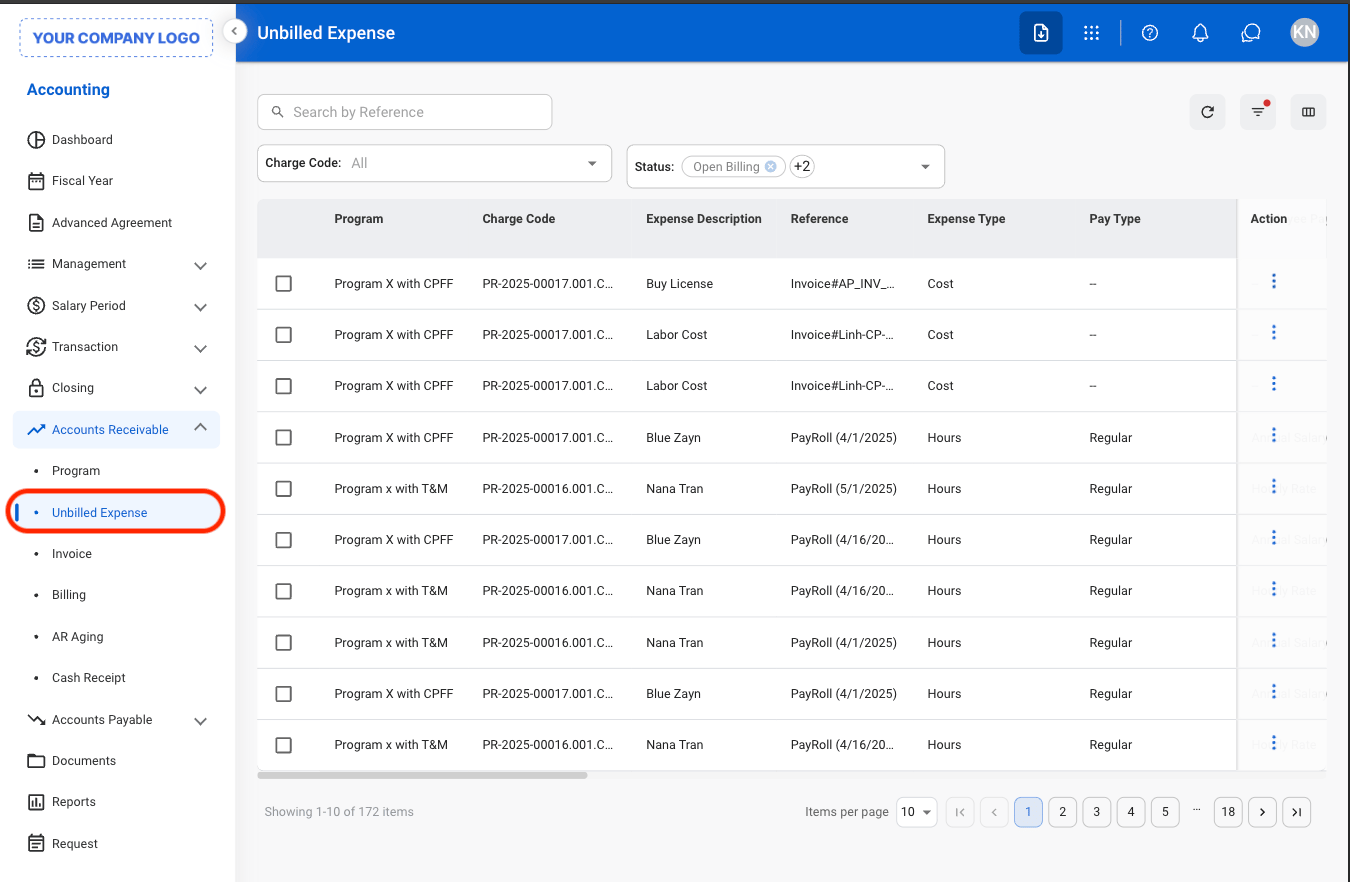
Navigate to Unbilled Expense
2
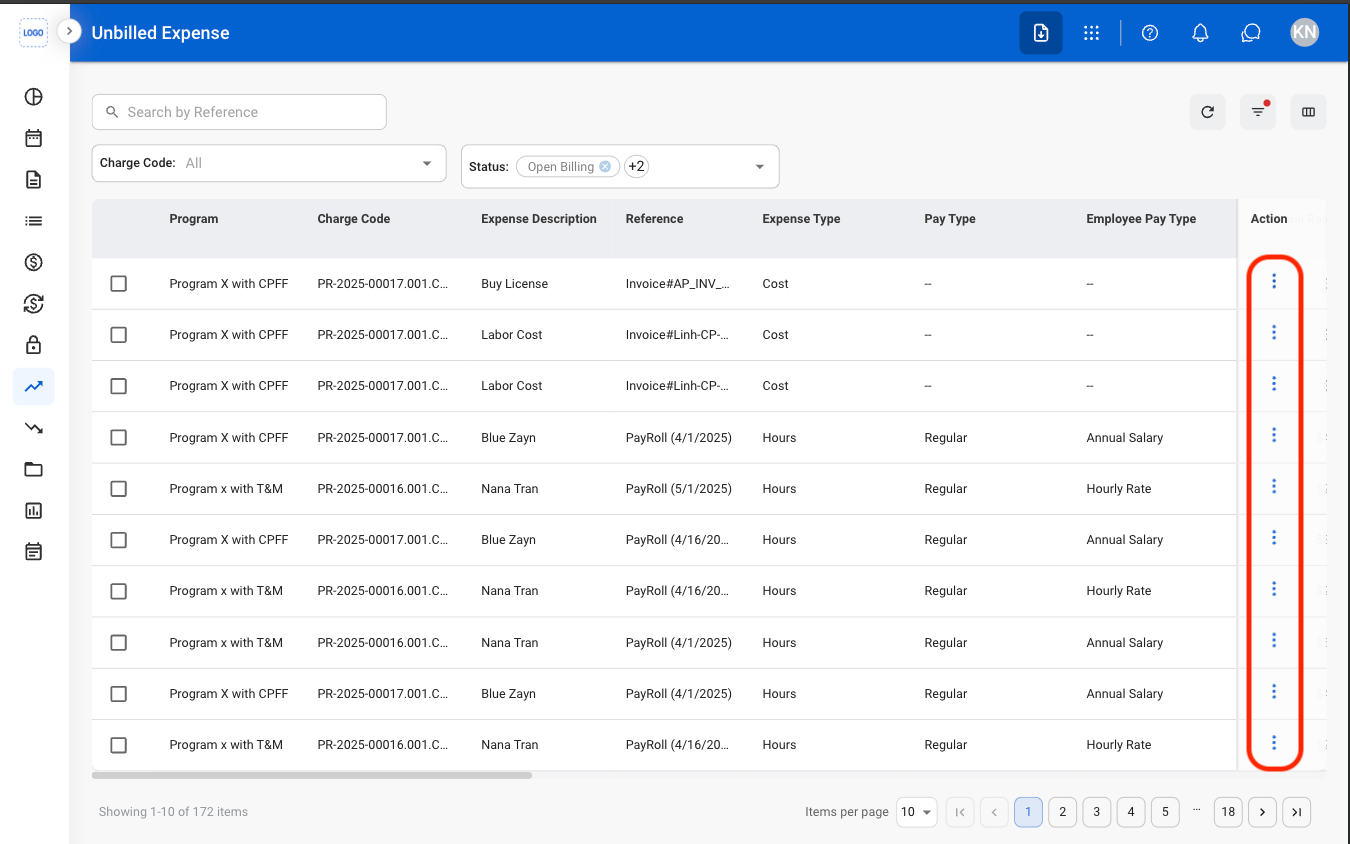
Select the ellipsis icon
3
Select an action
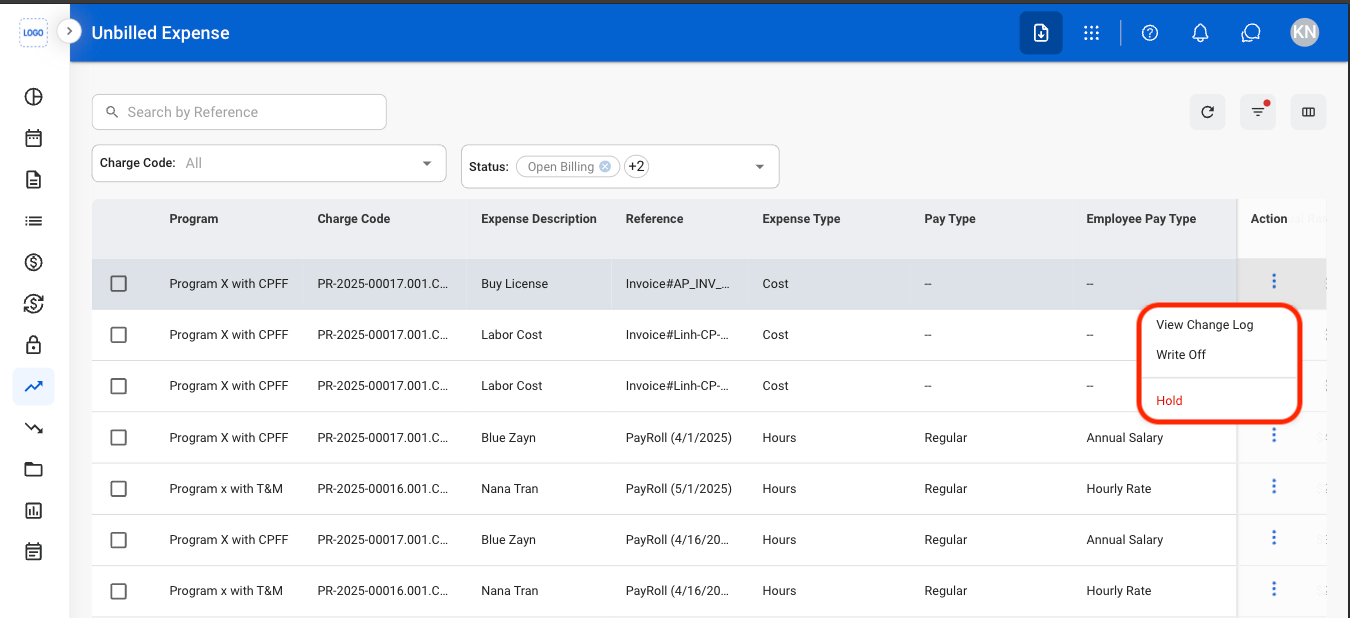
- View Change Log: View the history of updates made to the unbilled expense, including when it was created and modified.
- Write-Off: Mark the unbilled expense as non-billable and remove it from the billing process.
- Hold: Place the unbilled expense on hold to prevent it from being included in billing until it is released.
4
Confirm the action
- Write-Off: Fill in the required information. Select Write Off to complete or Cancel to exit without saving changes.
- Hold: Select Hold to complete or Cancel to exit without saving changes.