Bank Account
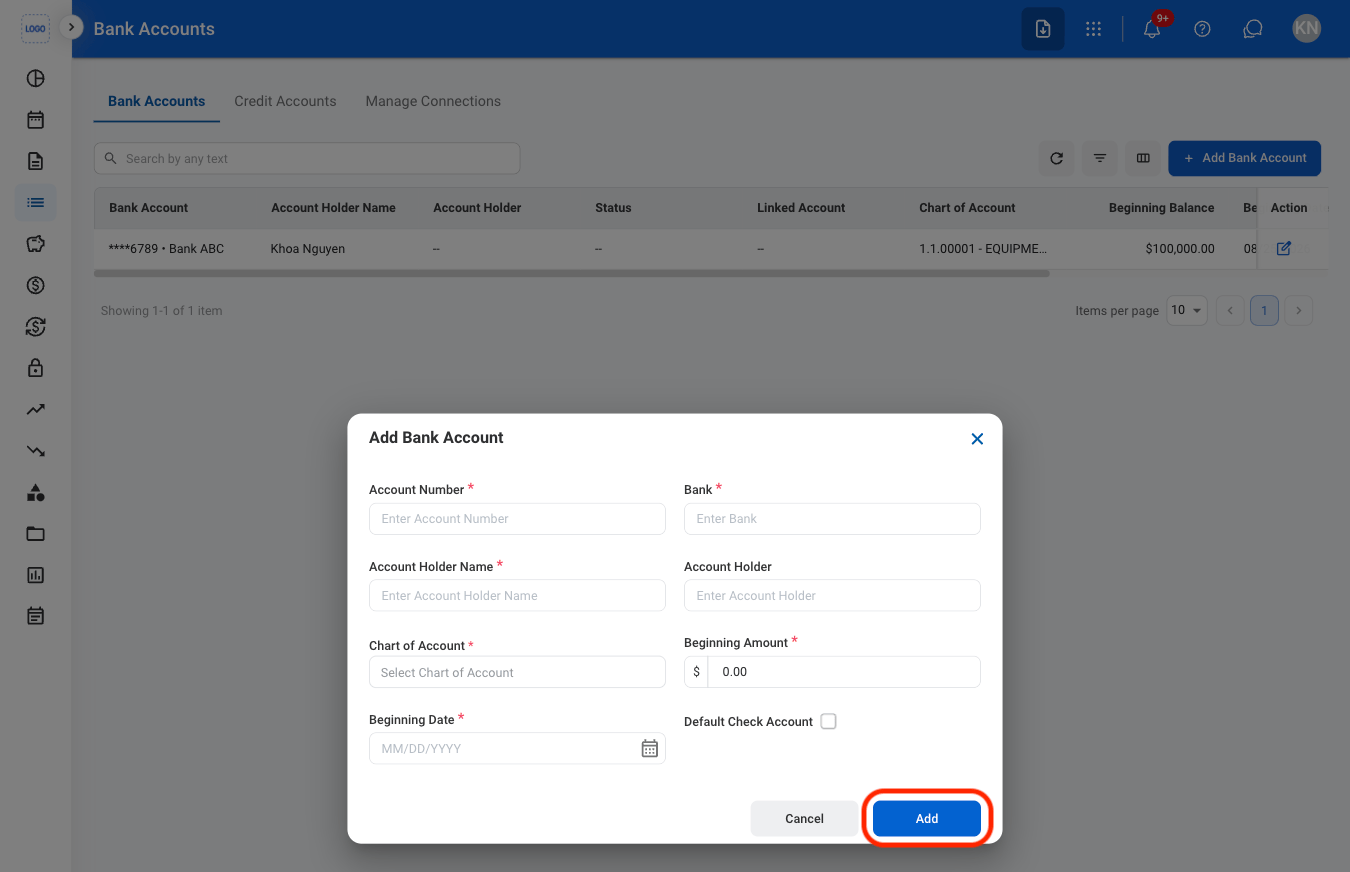
Add a Bank Account
1
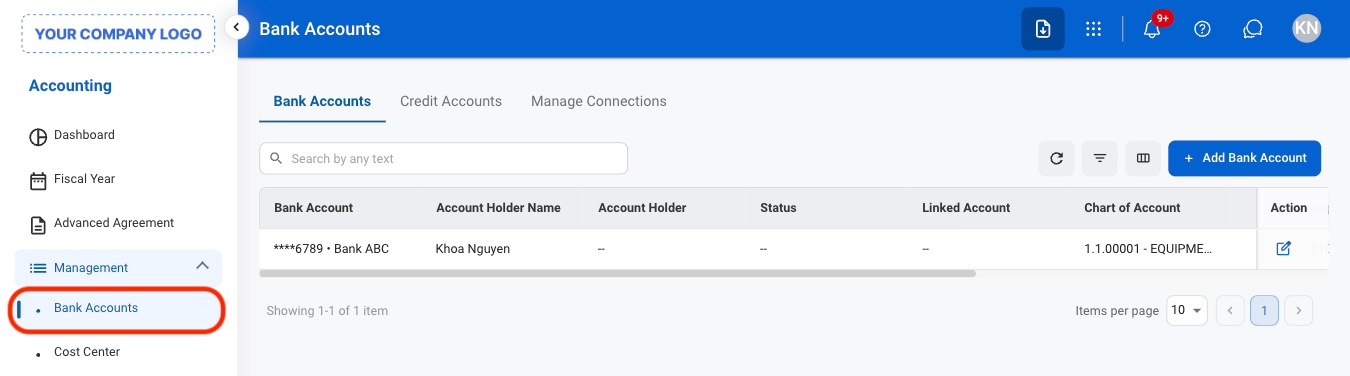
Navigate to the Bank Accounts section
2
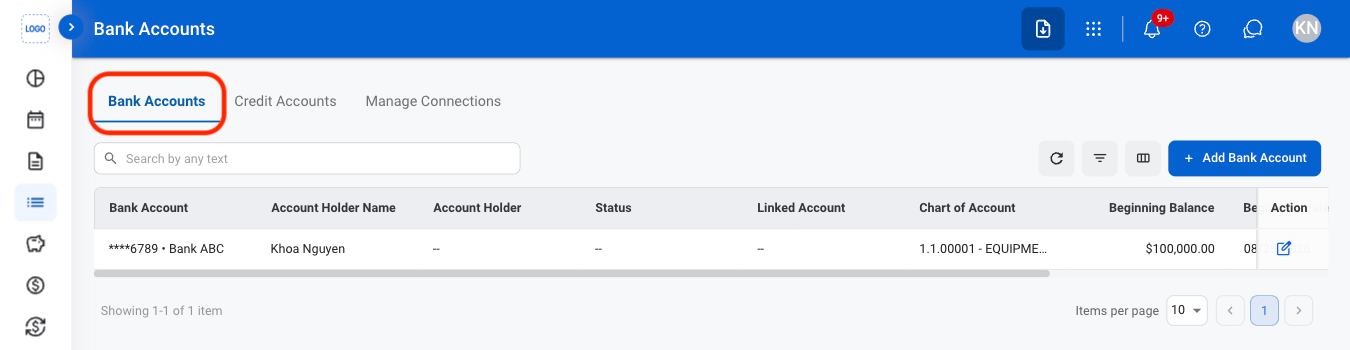
Navigate to the Bank Accounts tab
3
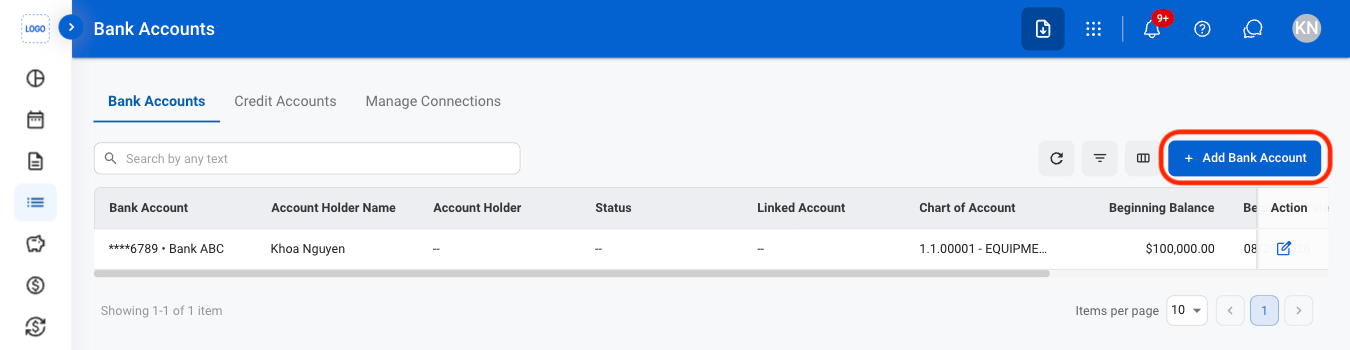
Select Add Bank Account
4
Fill in the required information
Edit a Bank Account
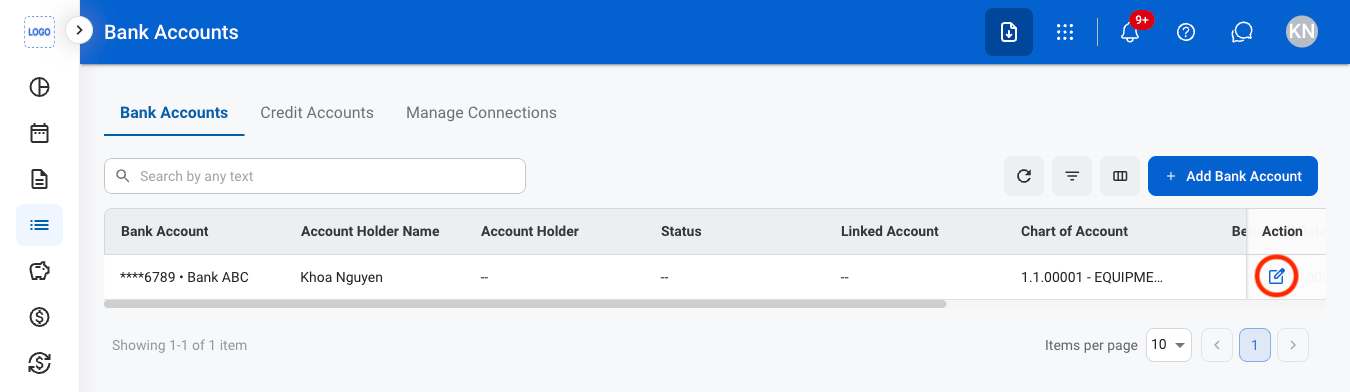
1
Navigate to the Bank Accounts tab
2
Select the edit icon
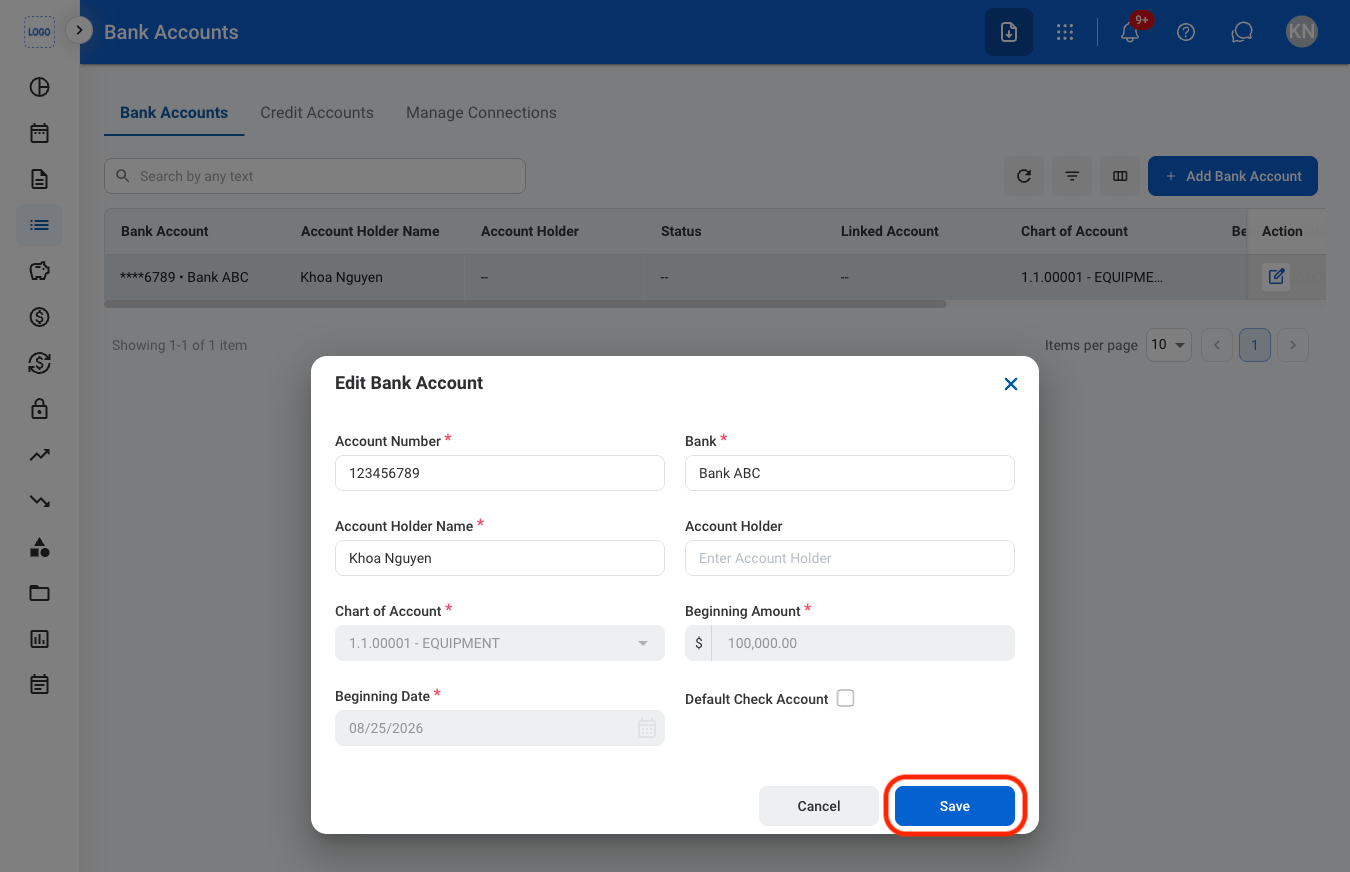
3
Fill in the required information
Credit Account
Add a Credit Account
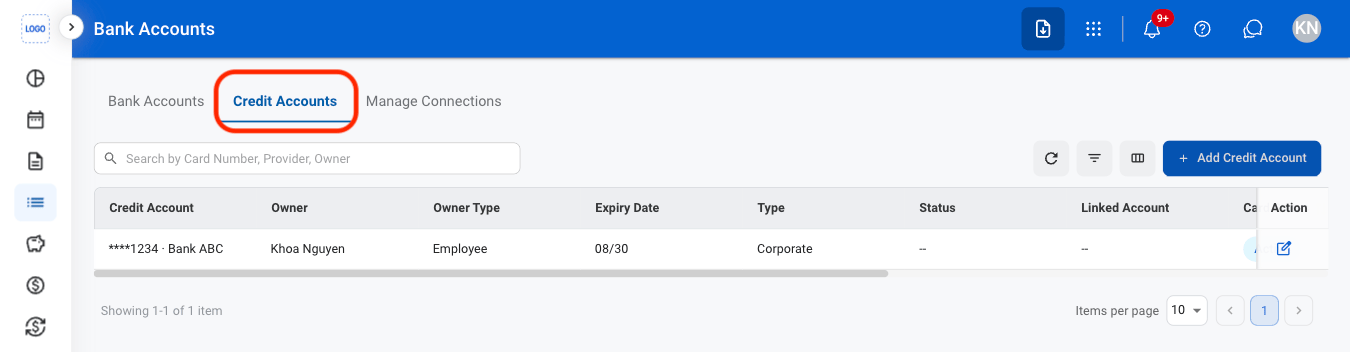
1
Navigate to Credit Accounts
2
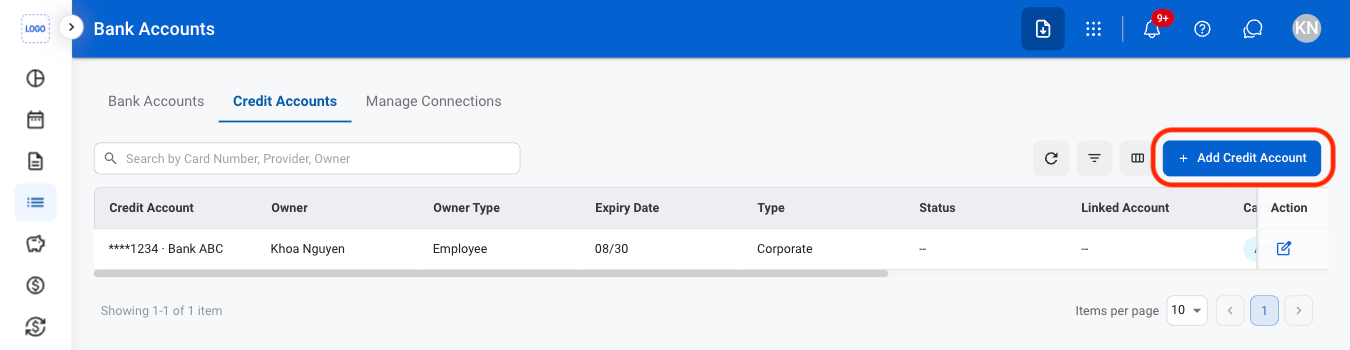
Select Add Credit Account
3
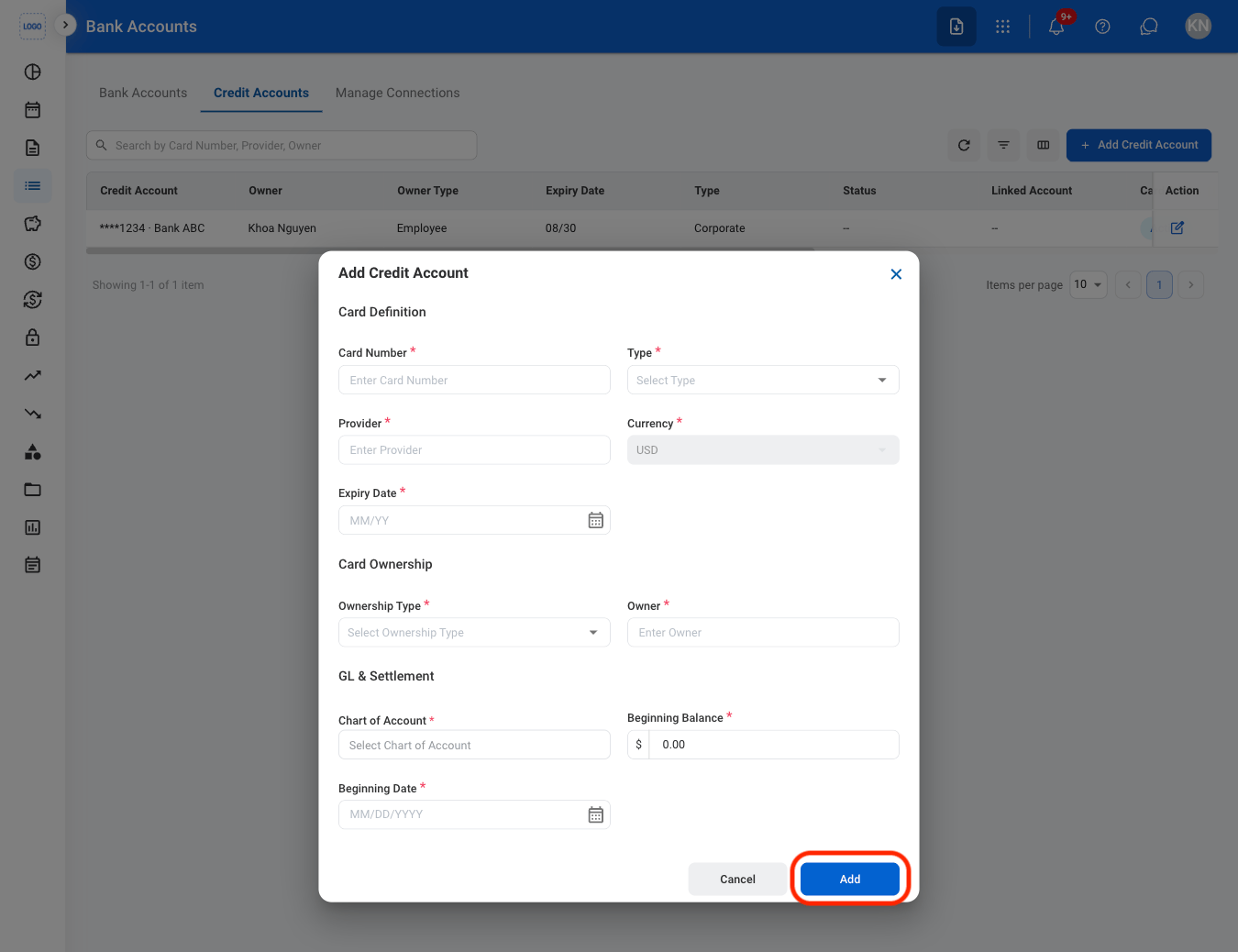
Fill in the required information
Edit a Credit Account
1
Navigate to Credit Accounts
2
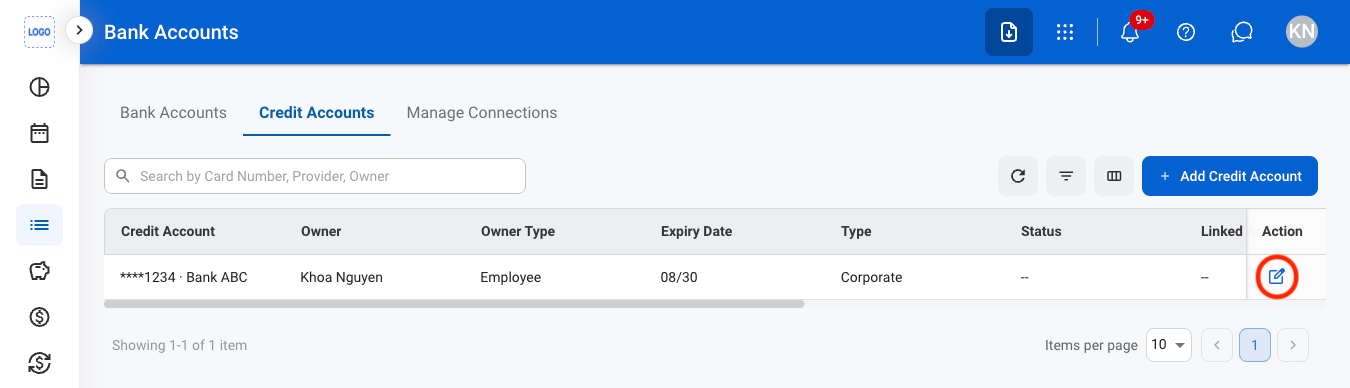
Select the edit icon
3
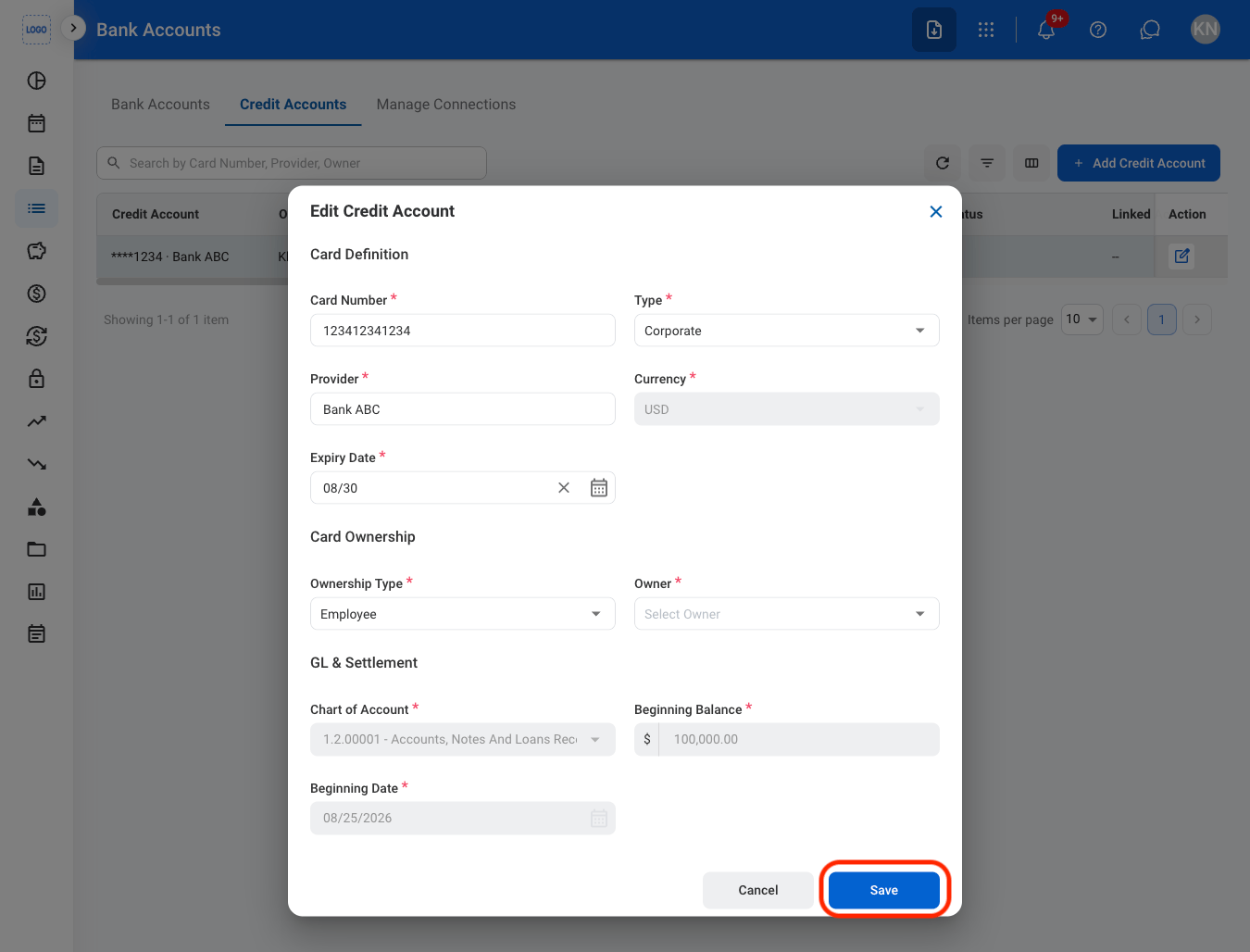
Fill in the required information
Manage Connections
Add a New Connection
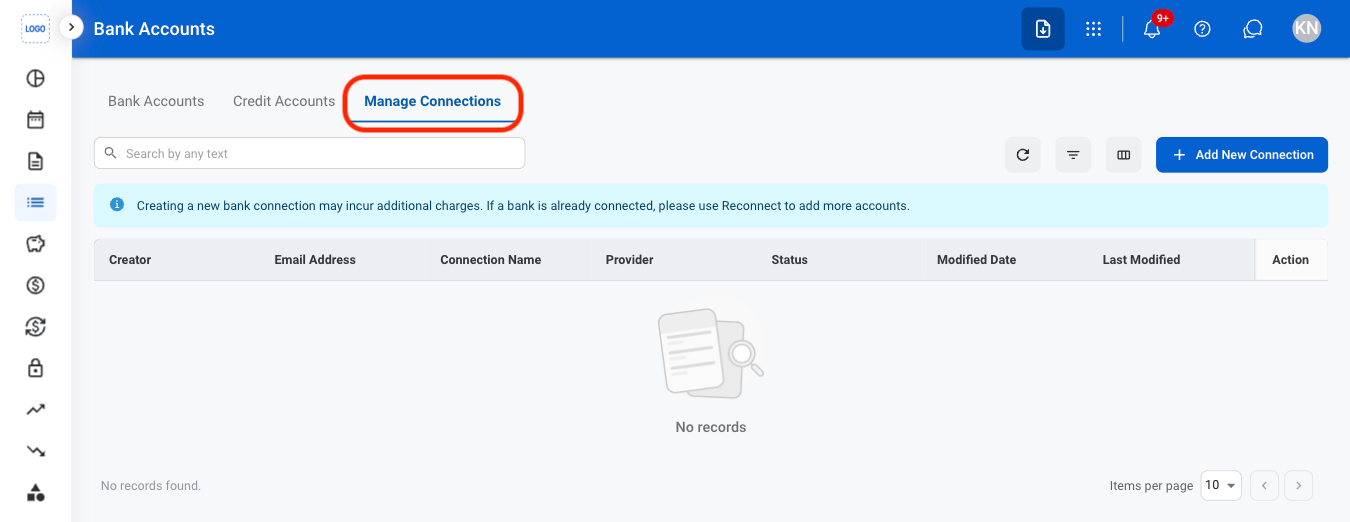
1
Navigate to Manage Connections
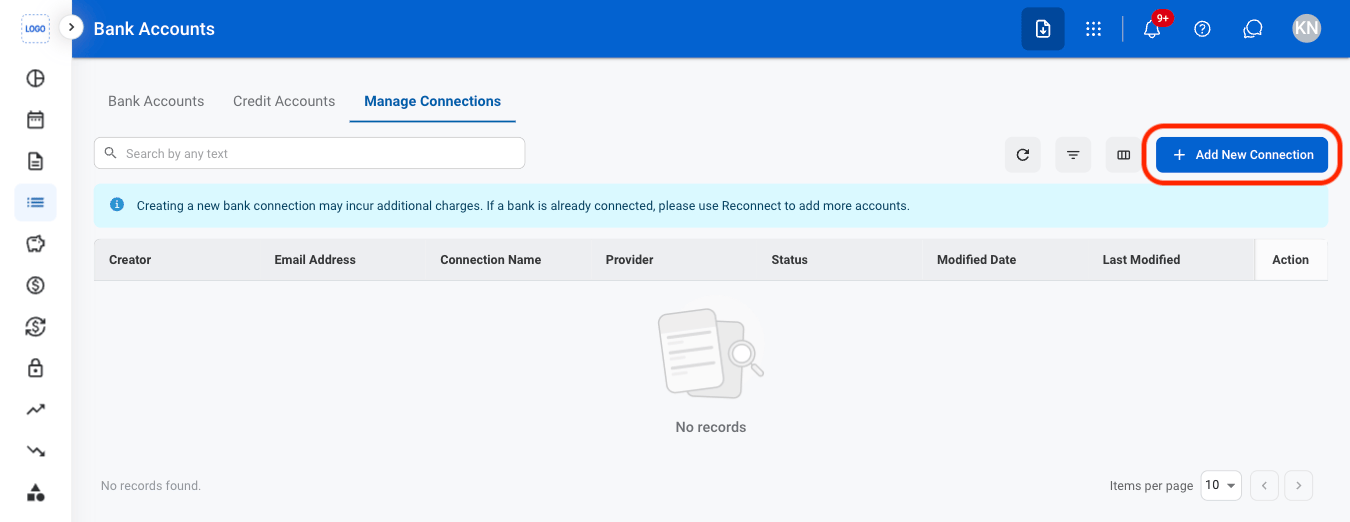
2
Select Add New Connection
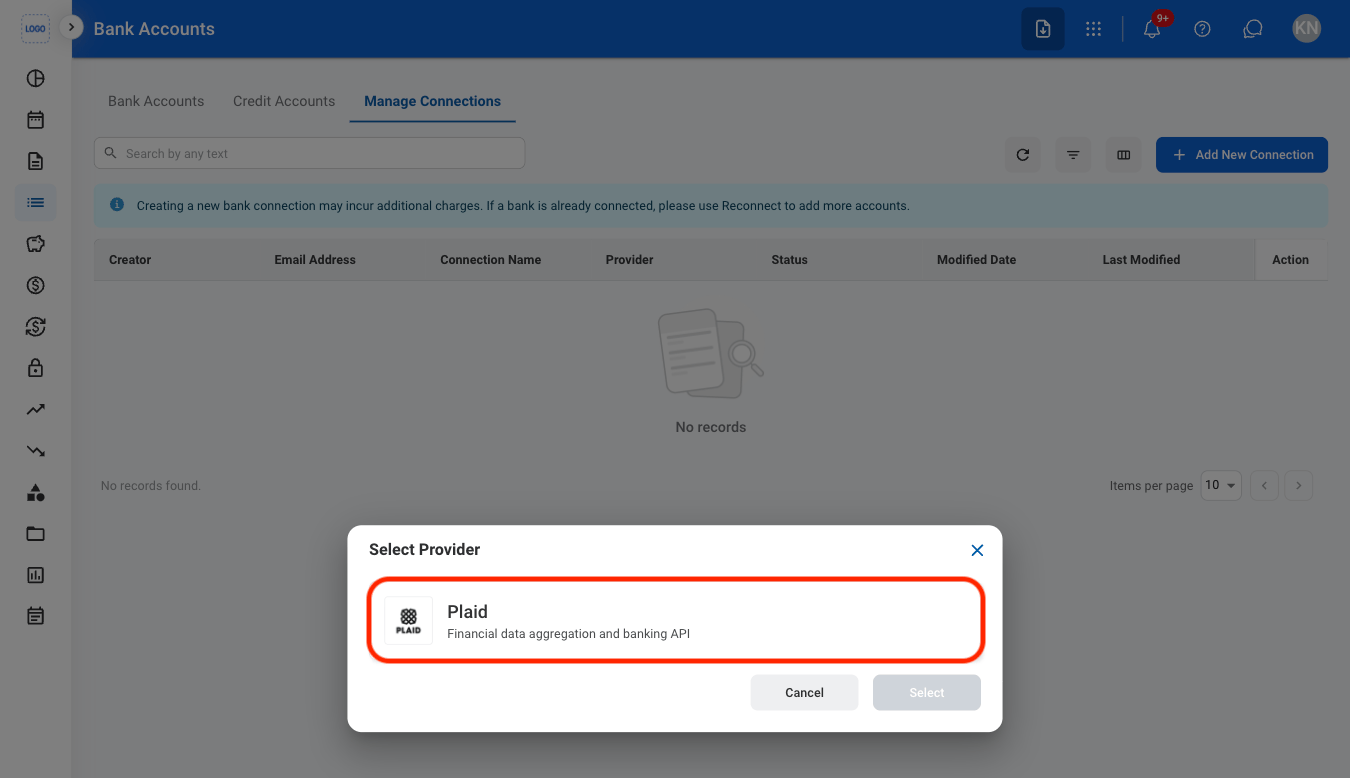
3
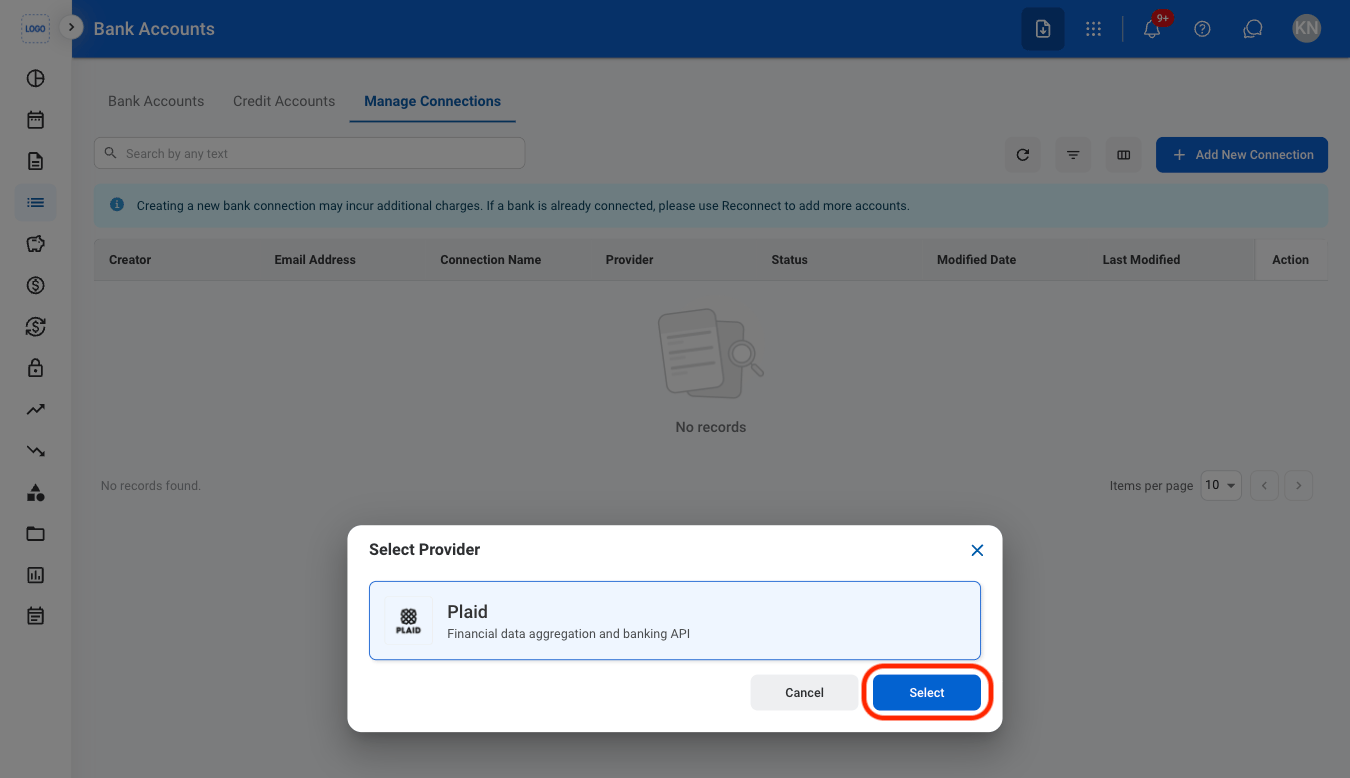
Select a provider
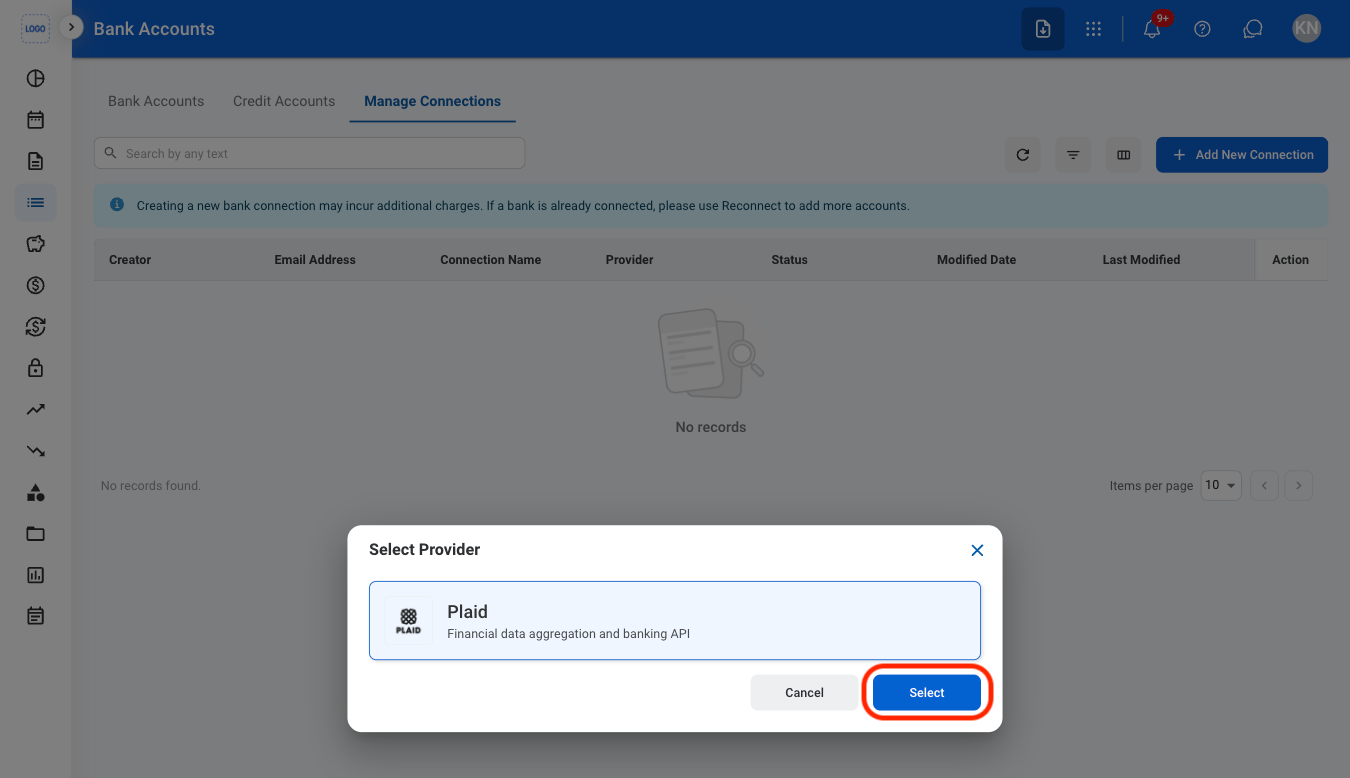
4
Select the select button
5
Continue connection through the selected provider