View a Charge Code
1
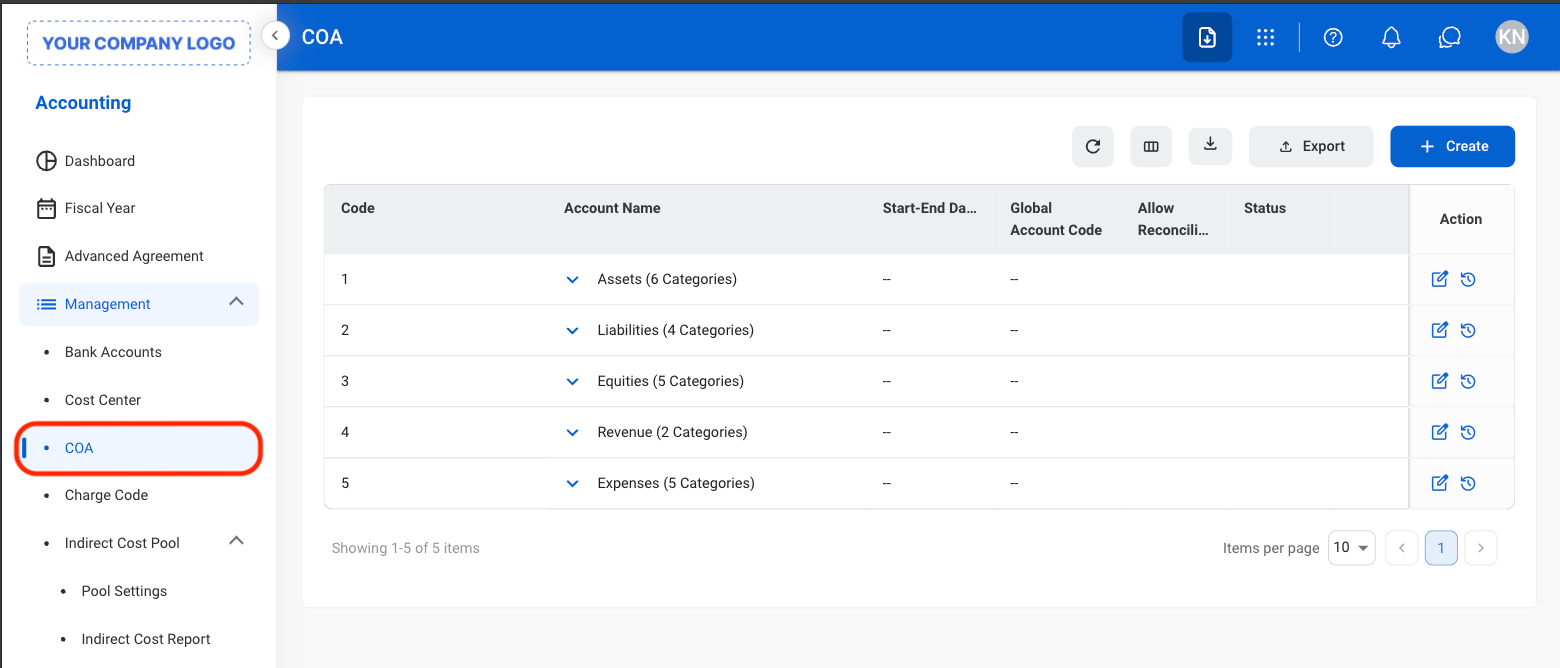
Navigate to Chart of Accounts
2
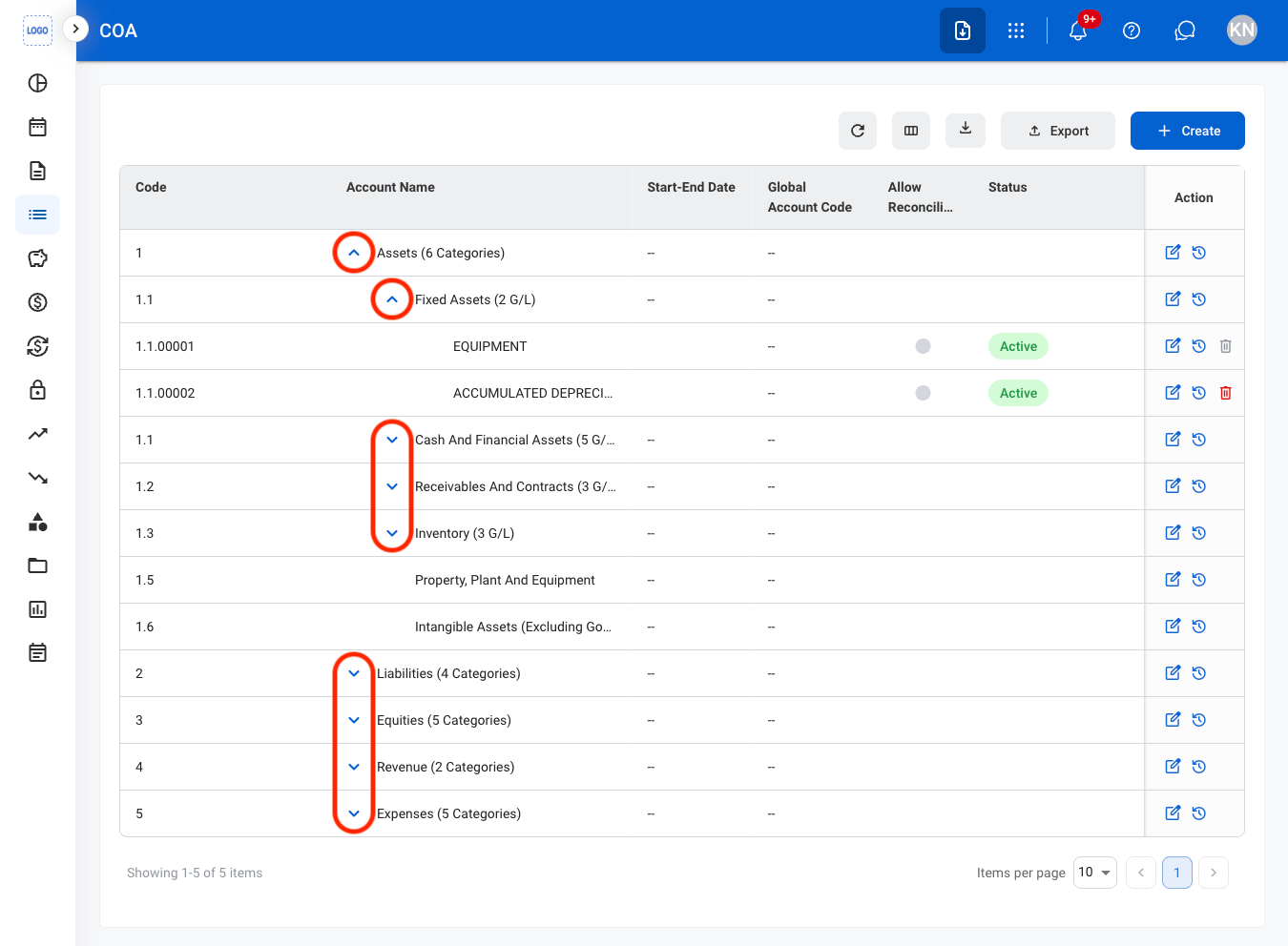
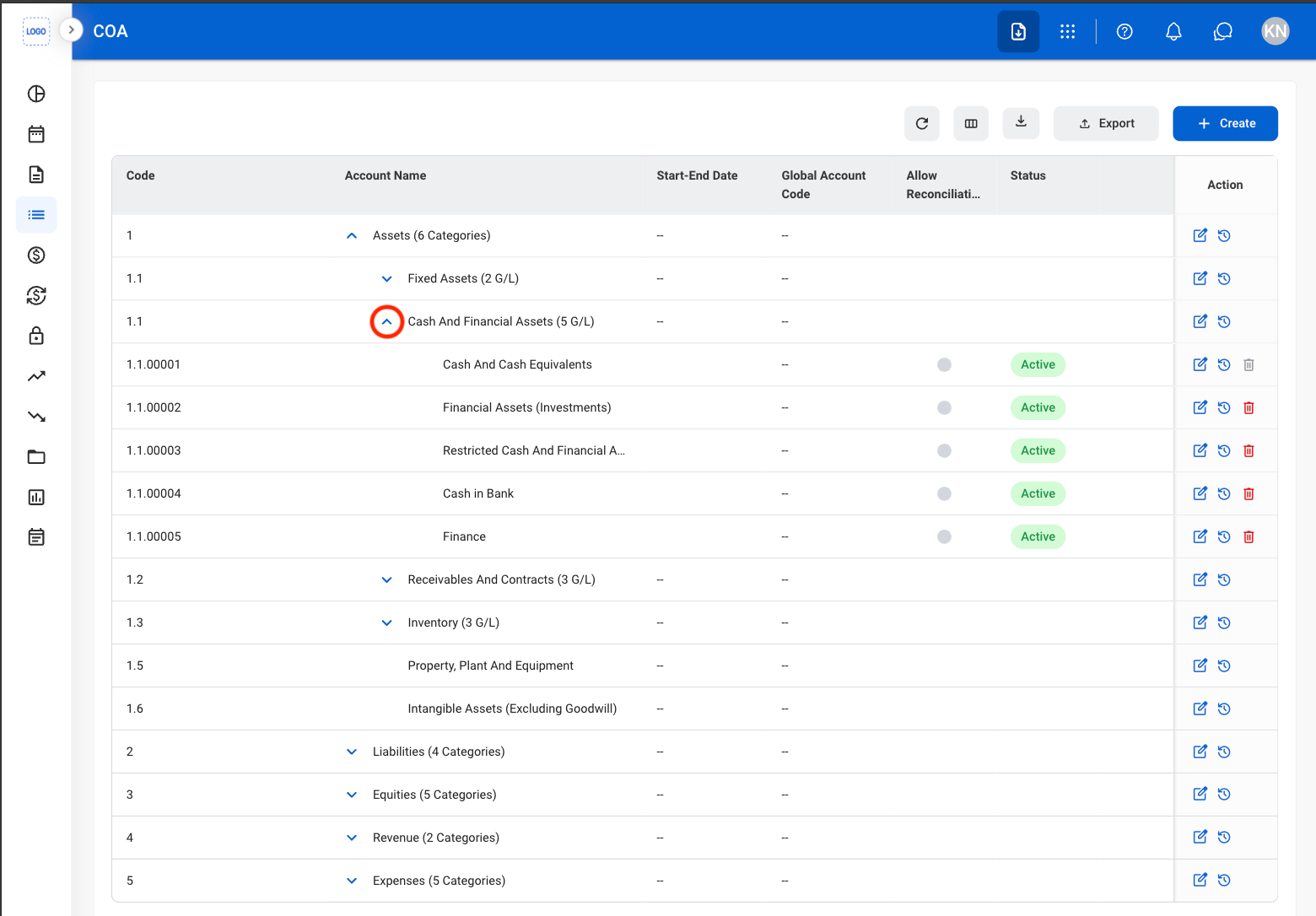
Use the arrows to reveal sub-categories
Account Type
Add an Account Type
Add an Account Type to define a top-level category within the Chart of Accounts structure. Account Types are used to organize account categories and general ledger accounts.The system includes five default Account Types: Assets, Liabilities, Equities, Revenues, and Expenses.
1
Navigate to Chart of Accounts
2
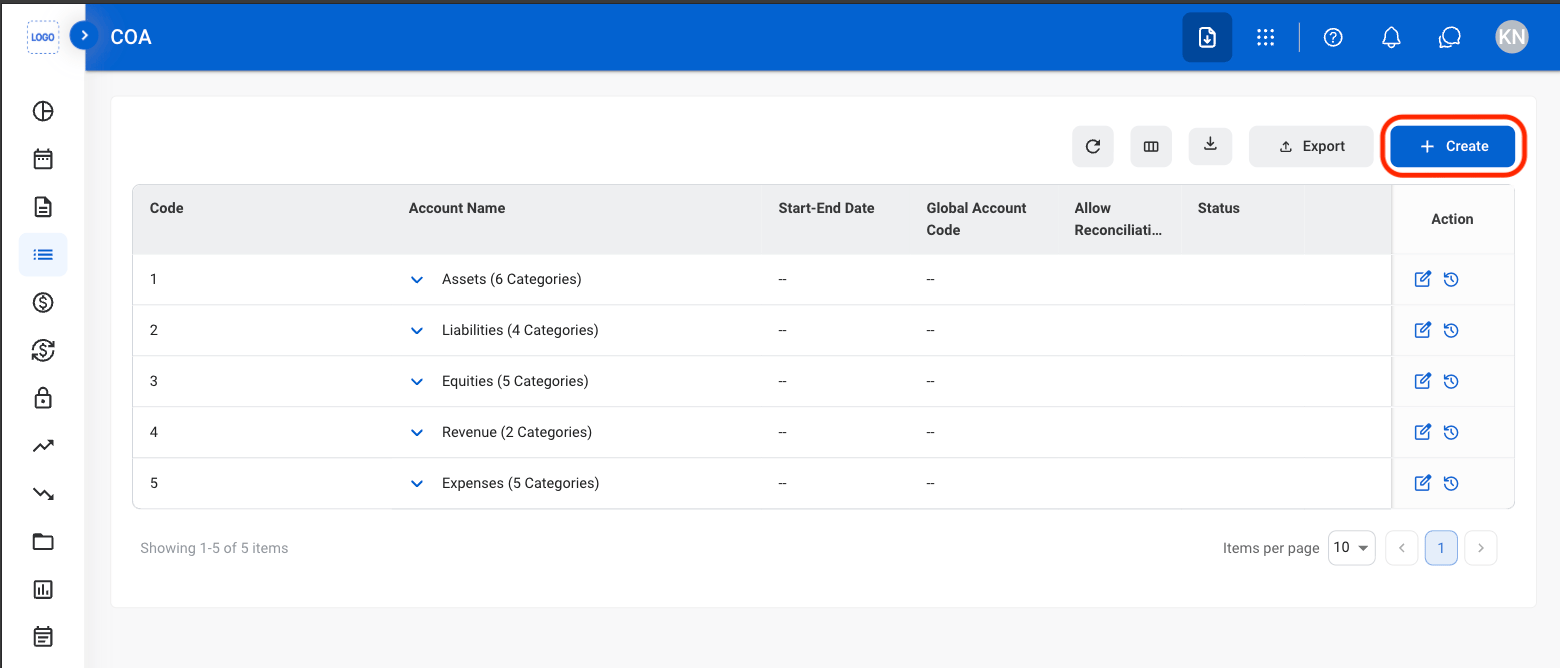
Select Create
3
Select Create Account Type
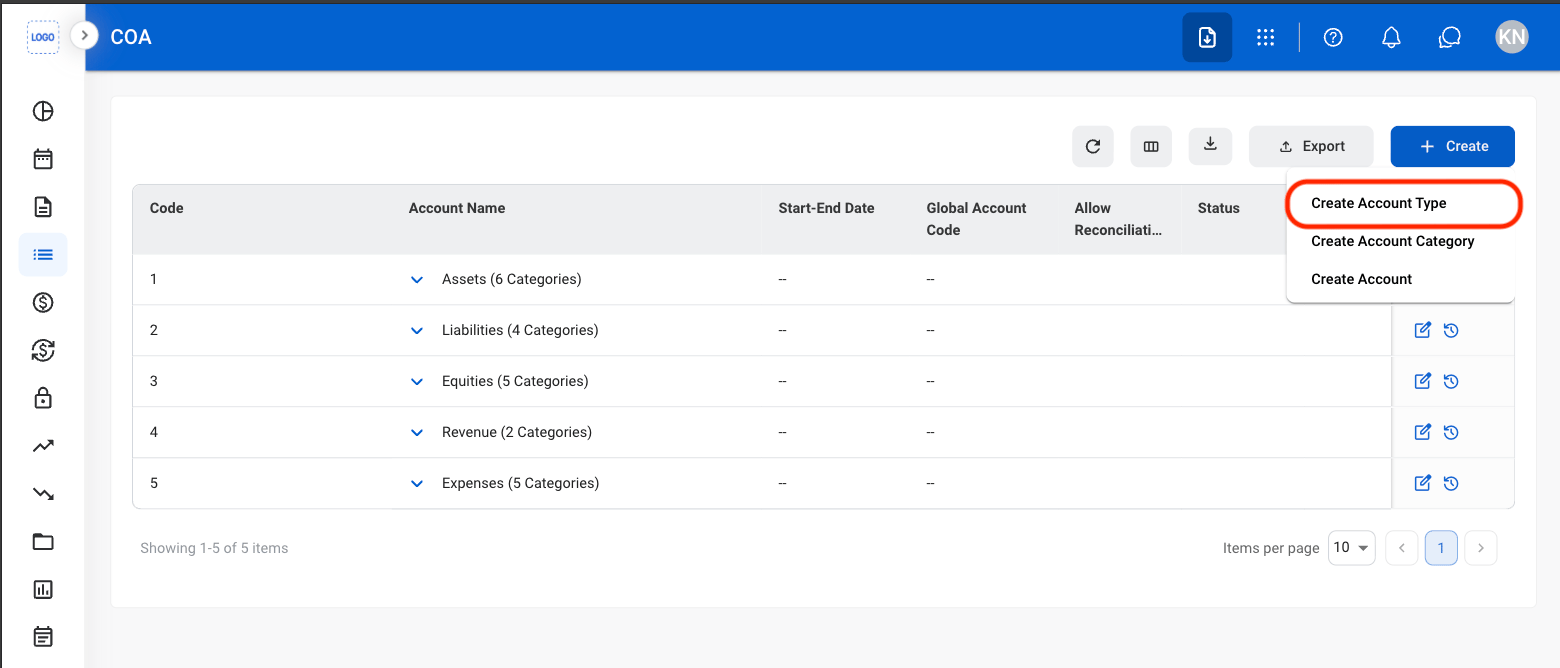
4
Toggle Auto-Generate Code
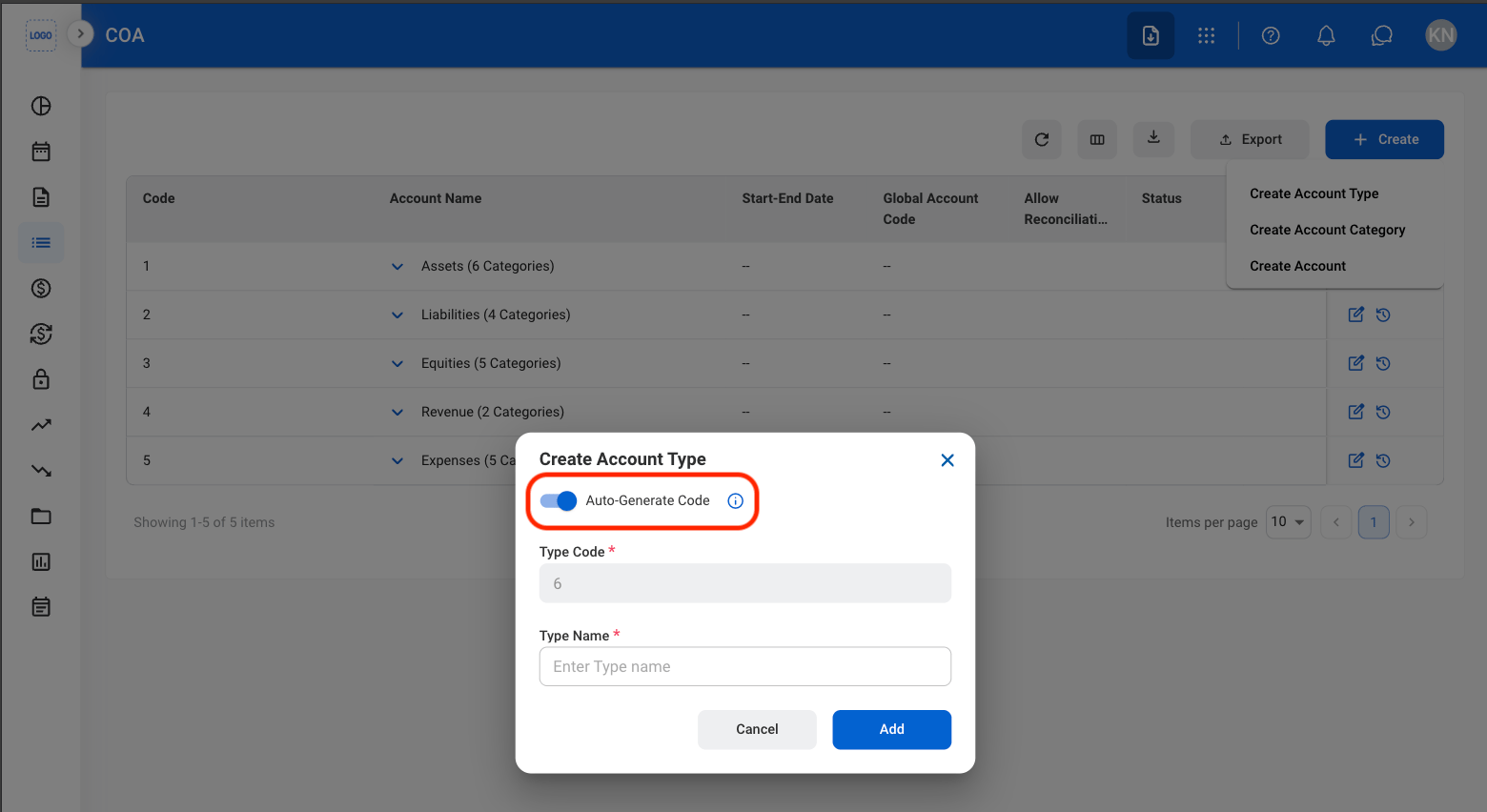
- On: Automatically generates the next available Type Code.
When Auto-Generate Code is enabled, the system automatically assigns the next available Type Code.
- Off: Enter a unique numeric Type Code manually.
Manually entered Type Codes must be unique numeric values and can contain up to 8 digits.
5
Fill in the required information
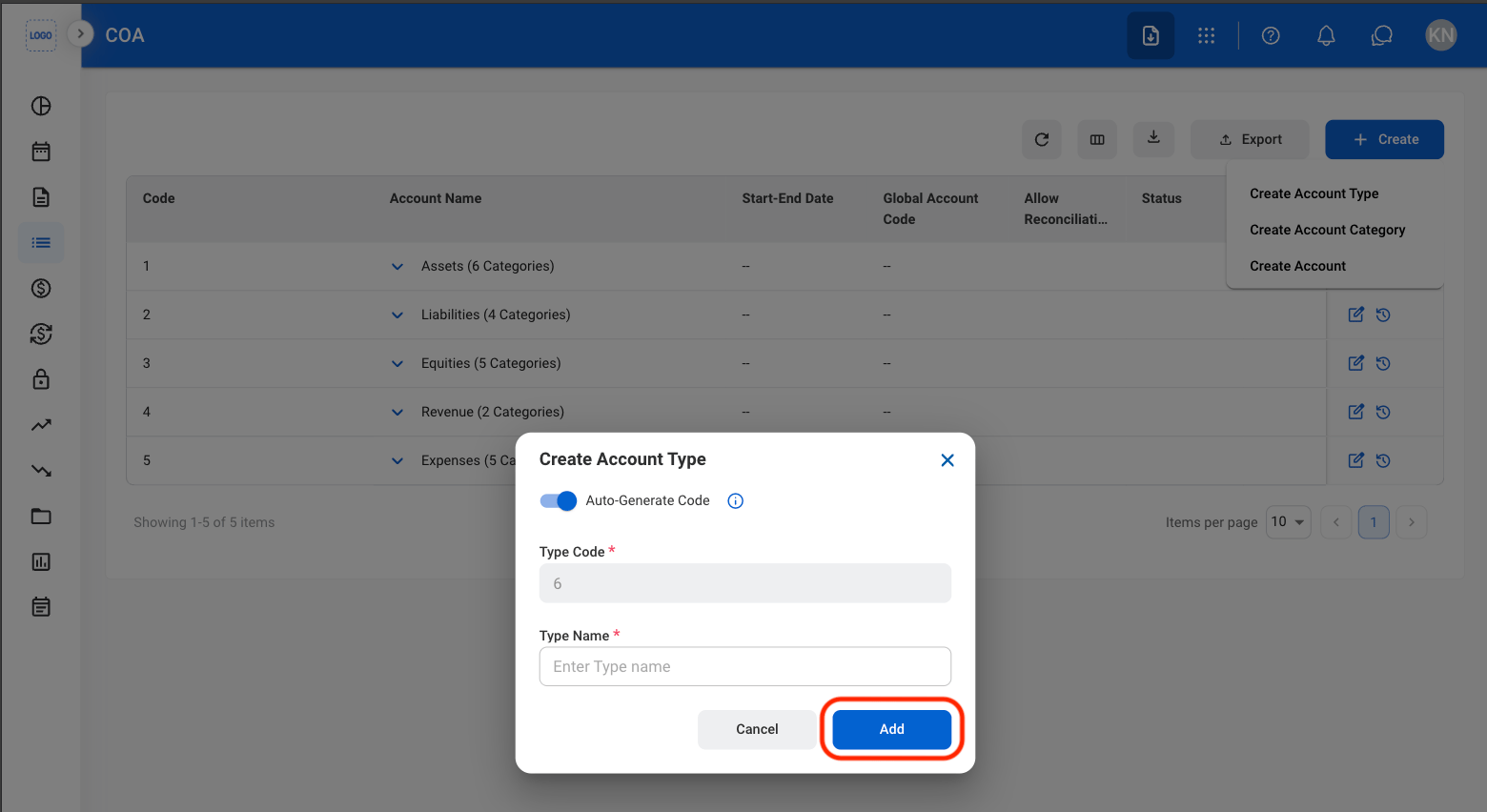
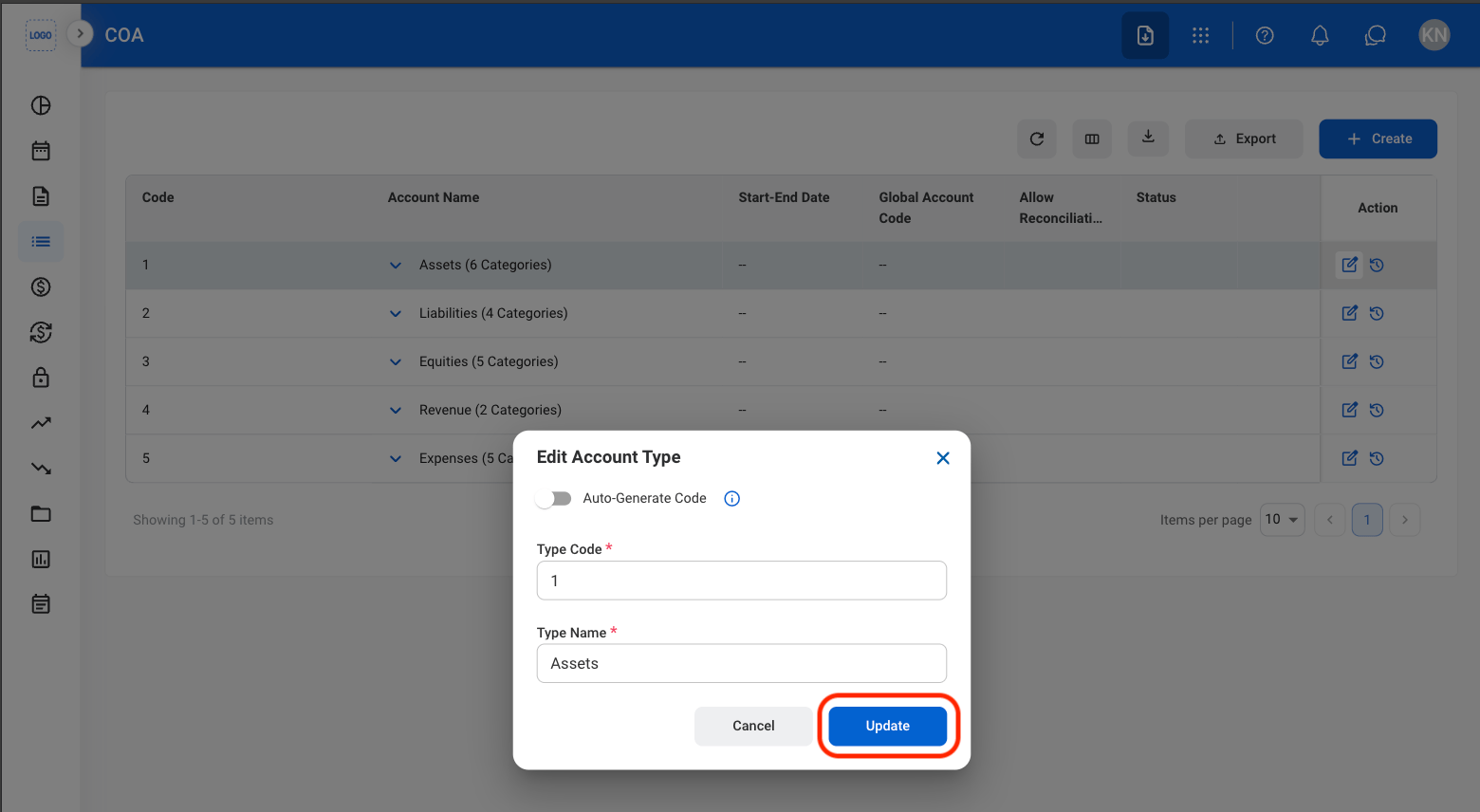
Edit an Account Type
1
Select the Edit icon
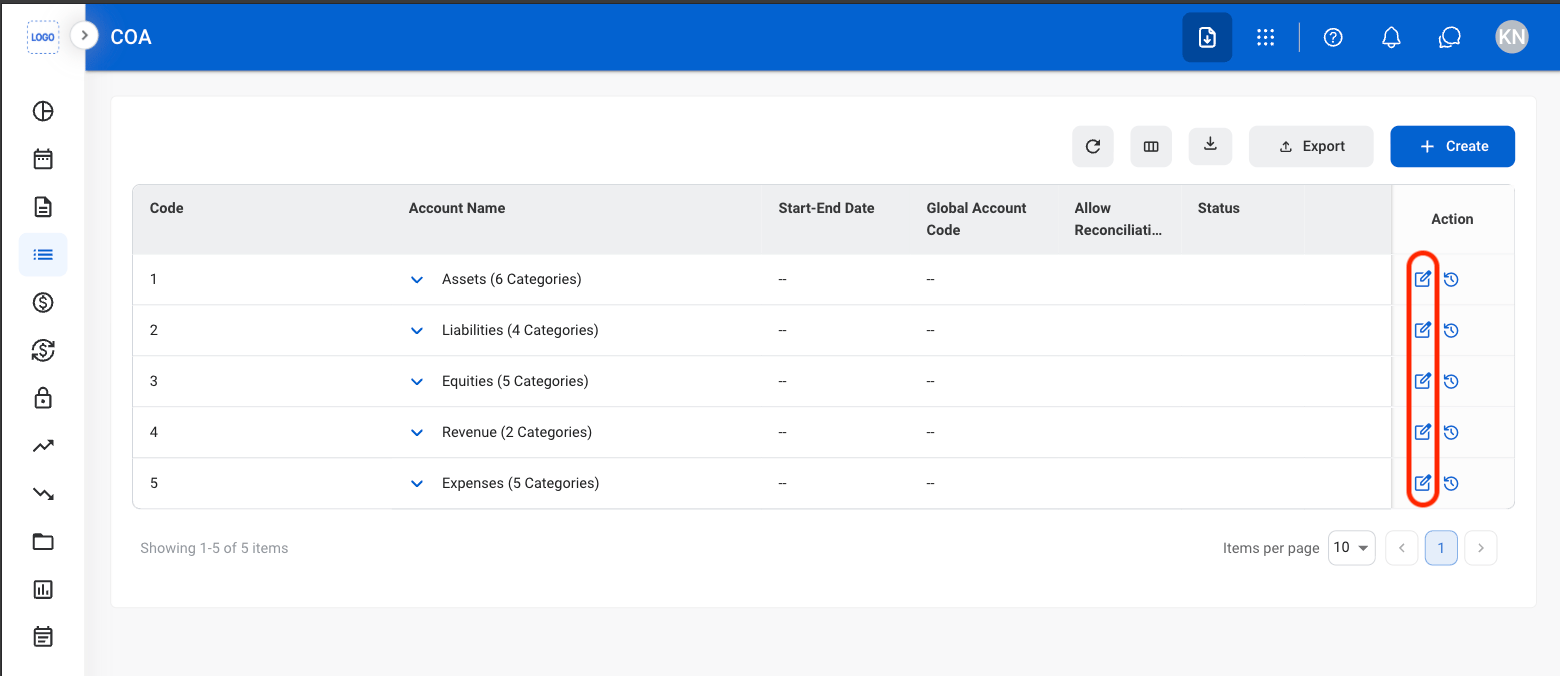
2
Fill in the required information
Account Category
Add an Account Category
Add Account Categories within an Account Type to further organize the Chart of Accounts structure.1
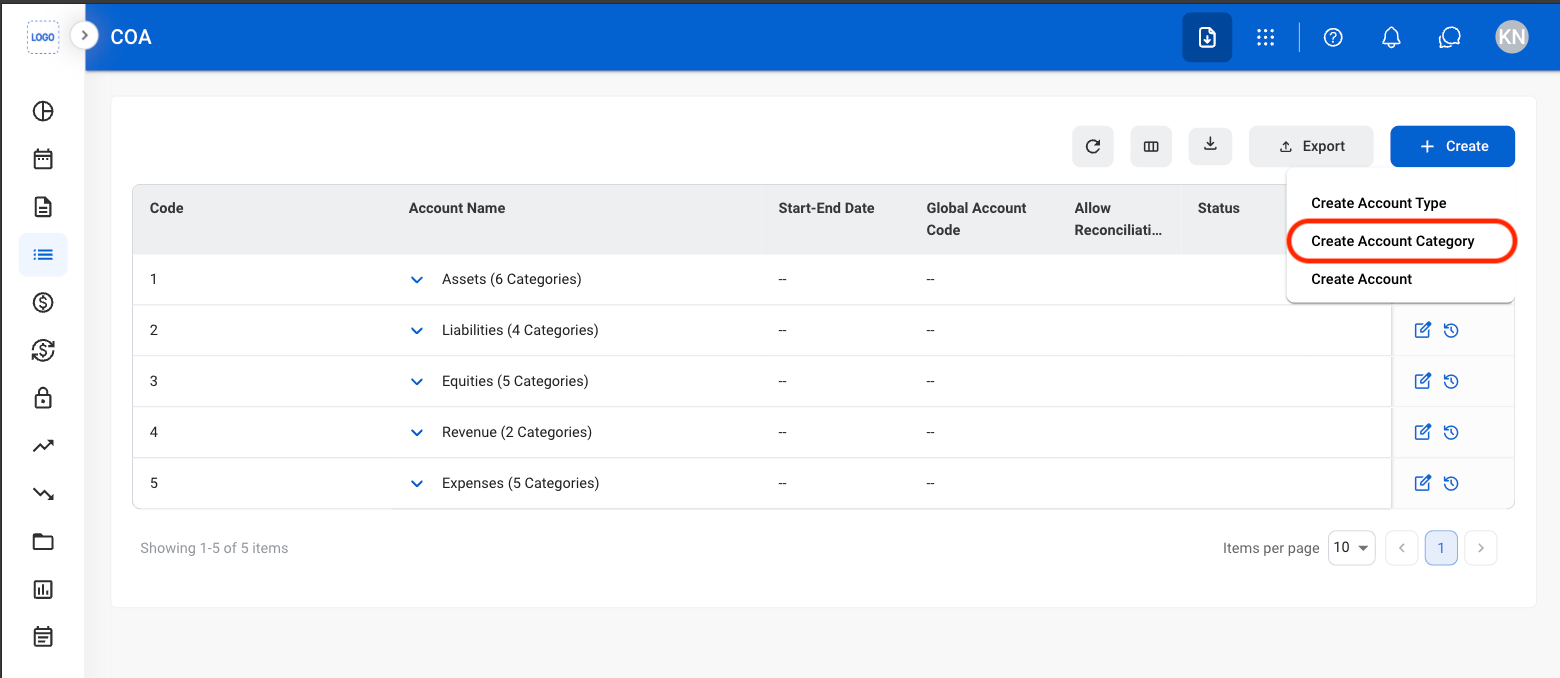
Select Create
2
Select Create Account Category
3
Toggle Auto-Generate Code
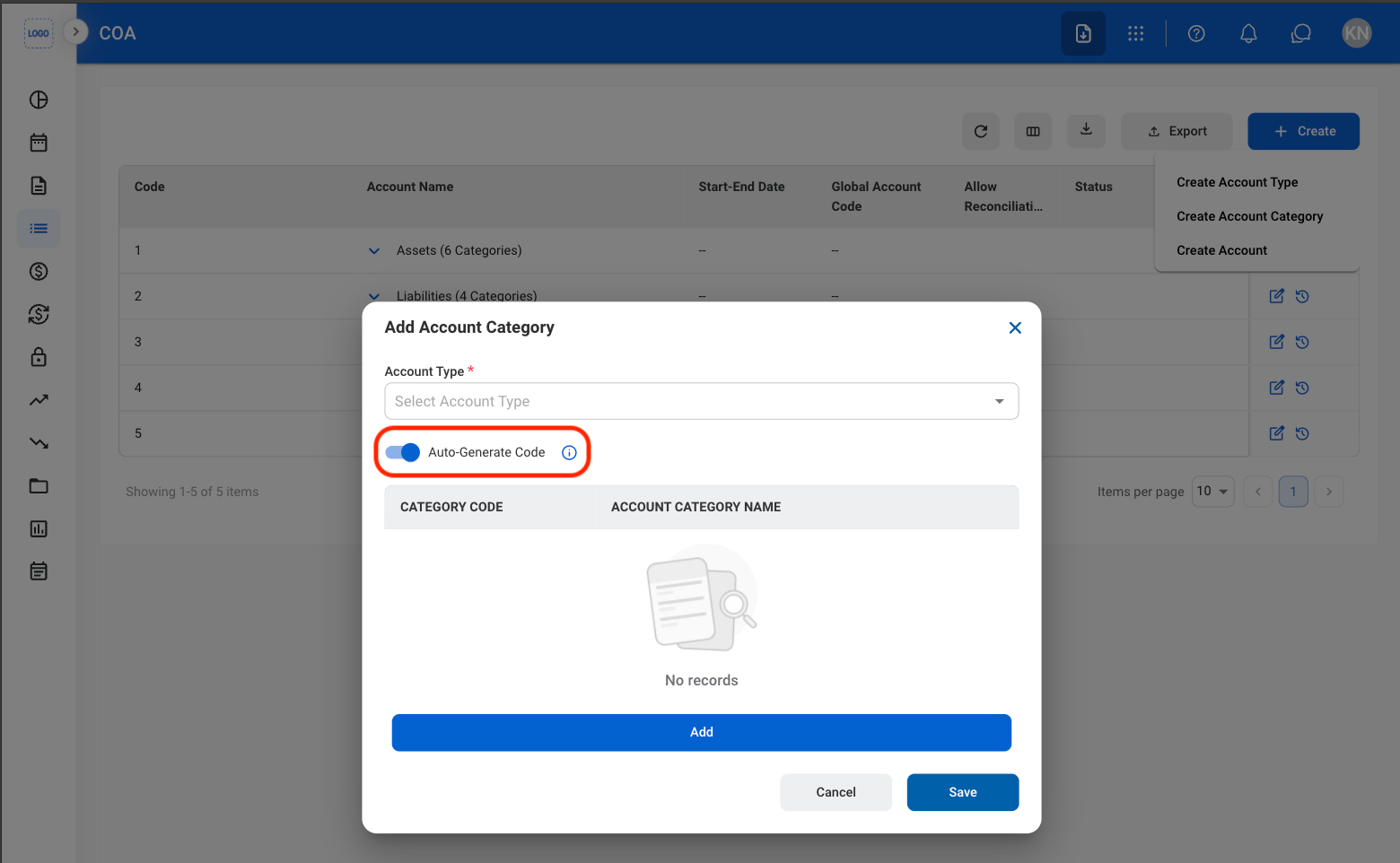
- On: Automatically generates the next available Type Code.
When Auto-Generate Code is enabled, the system automatically assigns the next available Type Code.
- Off: Enter a unique numeric Type Code manually.
Manually entered Type Codes must be unique numeric values and can contain up to 8 digits.
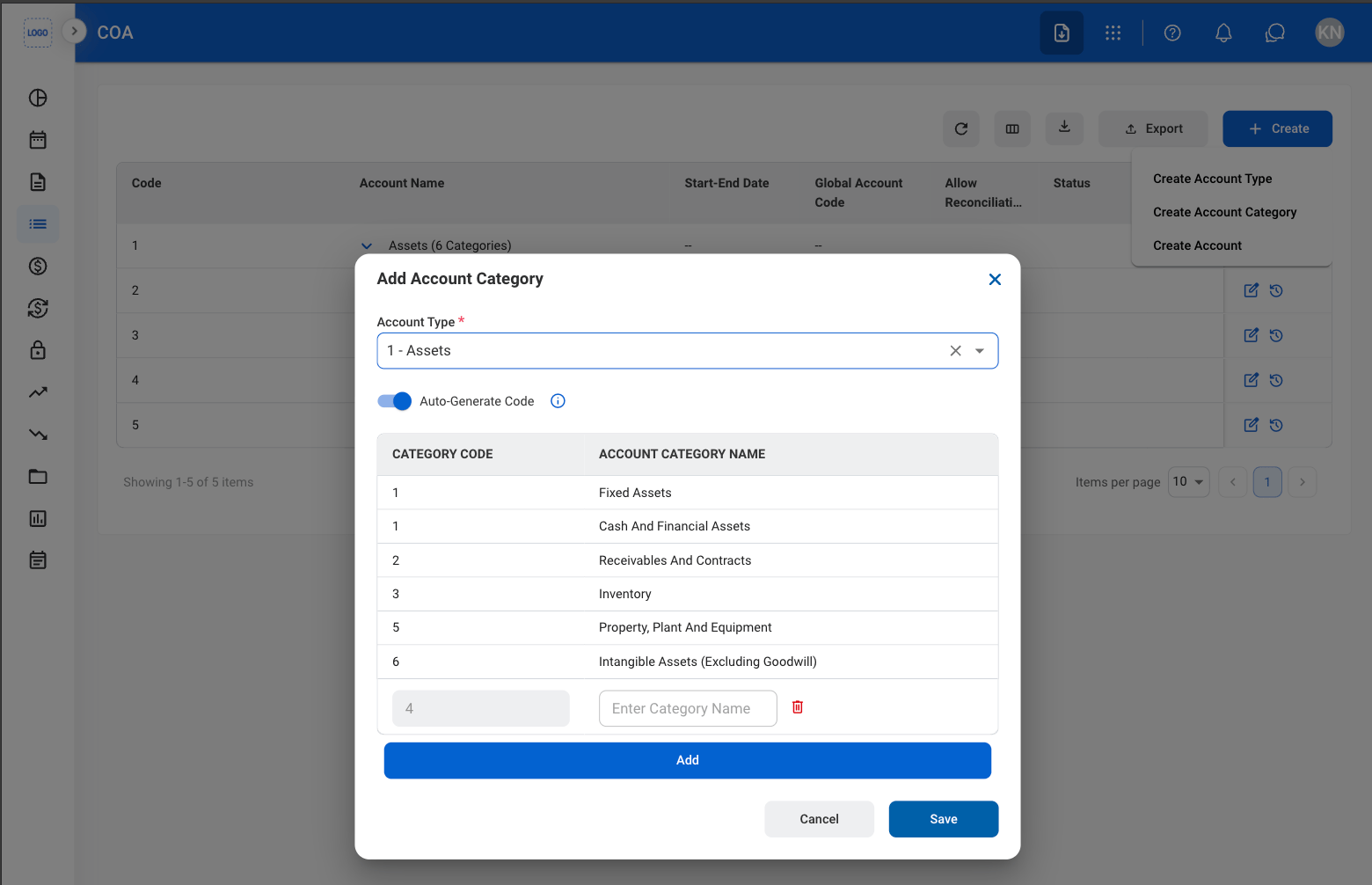
4
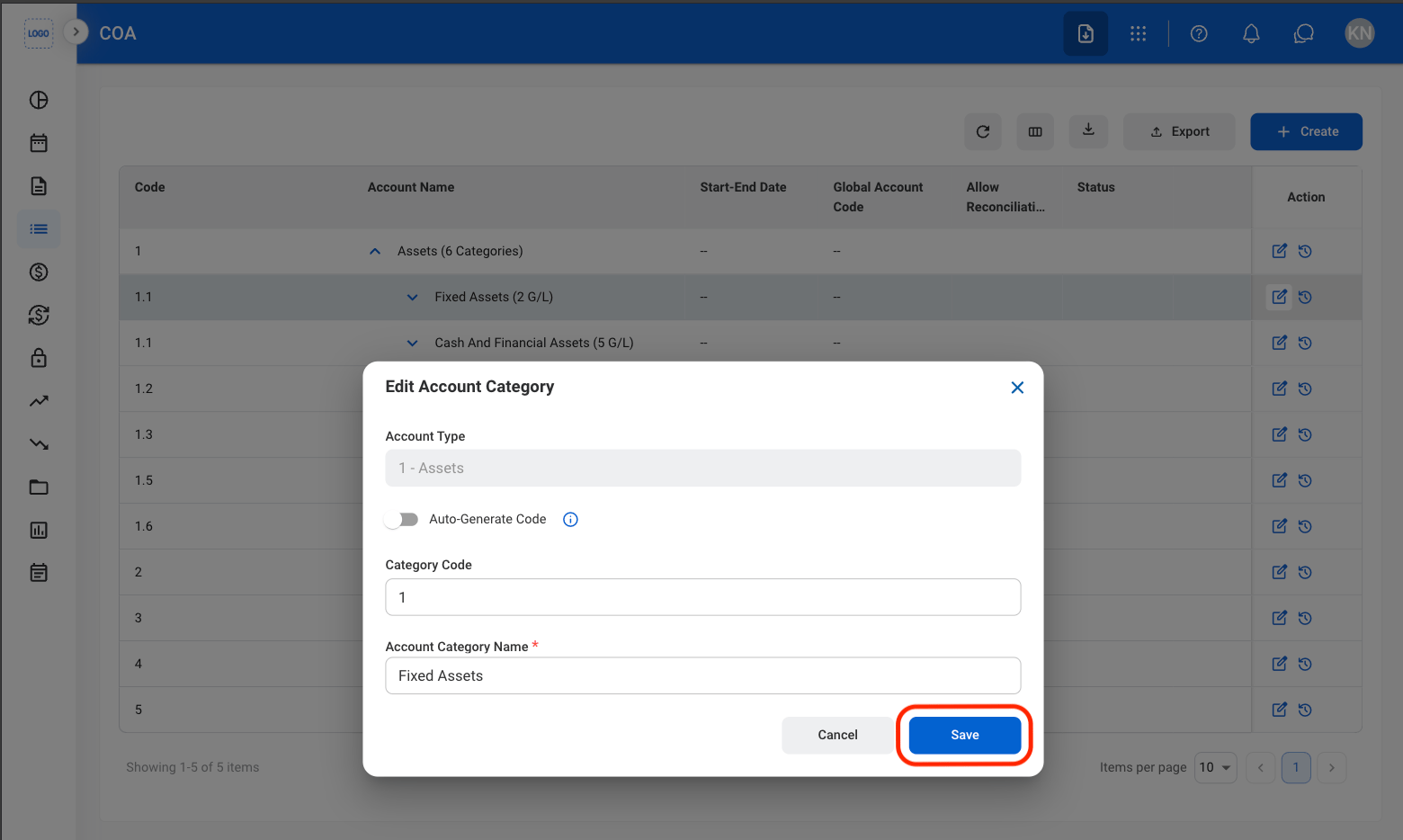
Fill in the required information
Edit Account Category
1
Open an Account Category
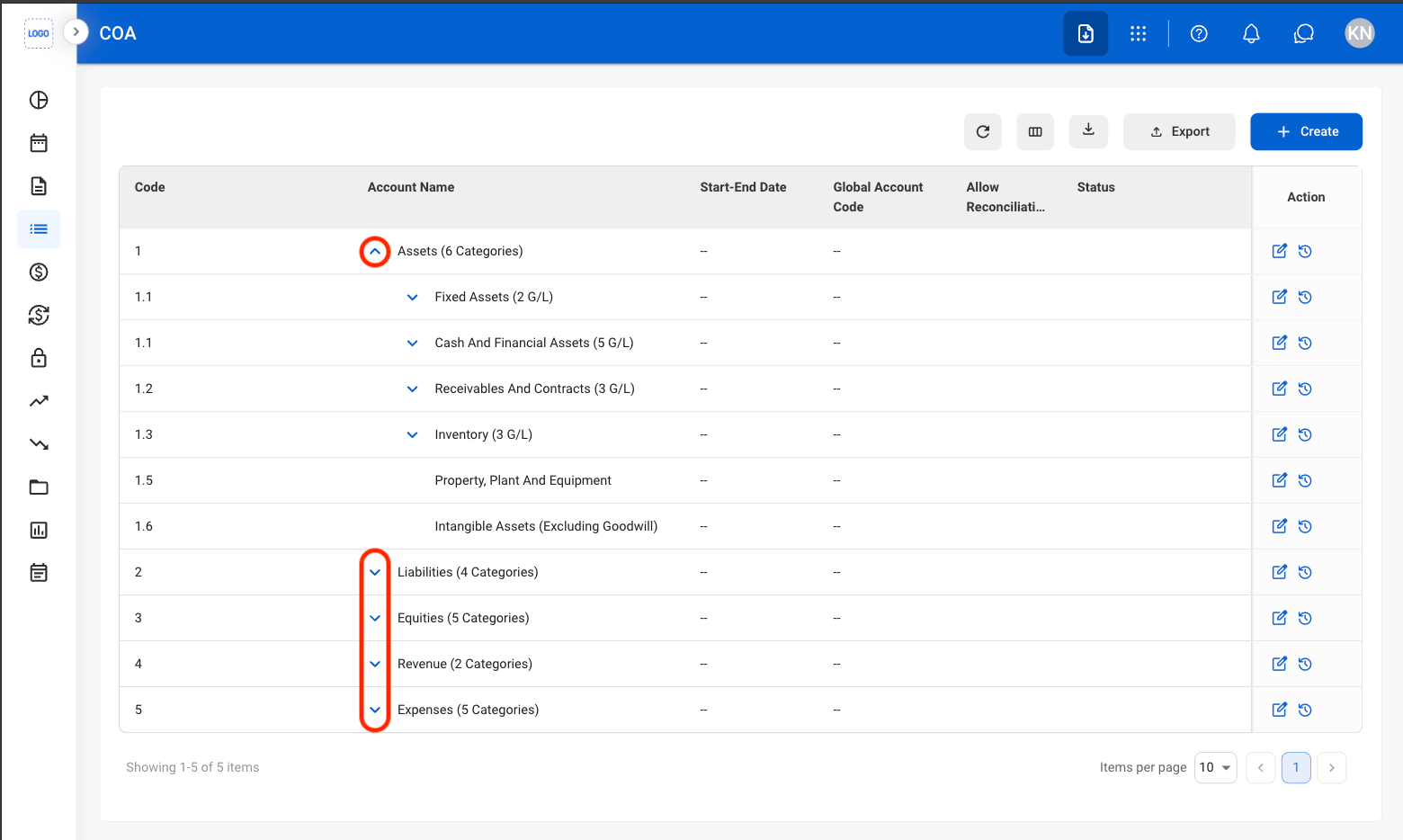
2
Select the Edit icon
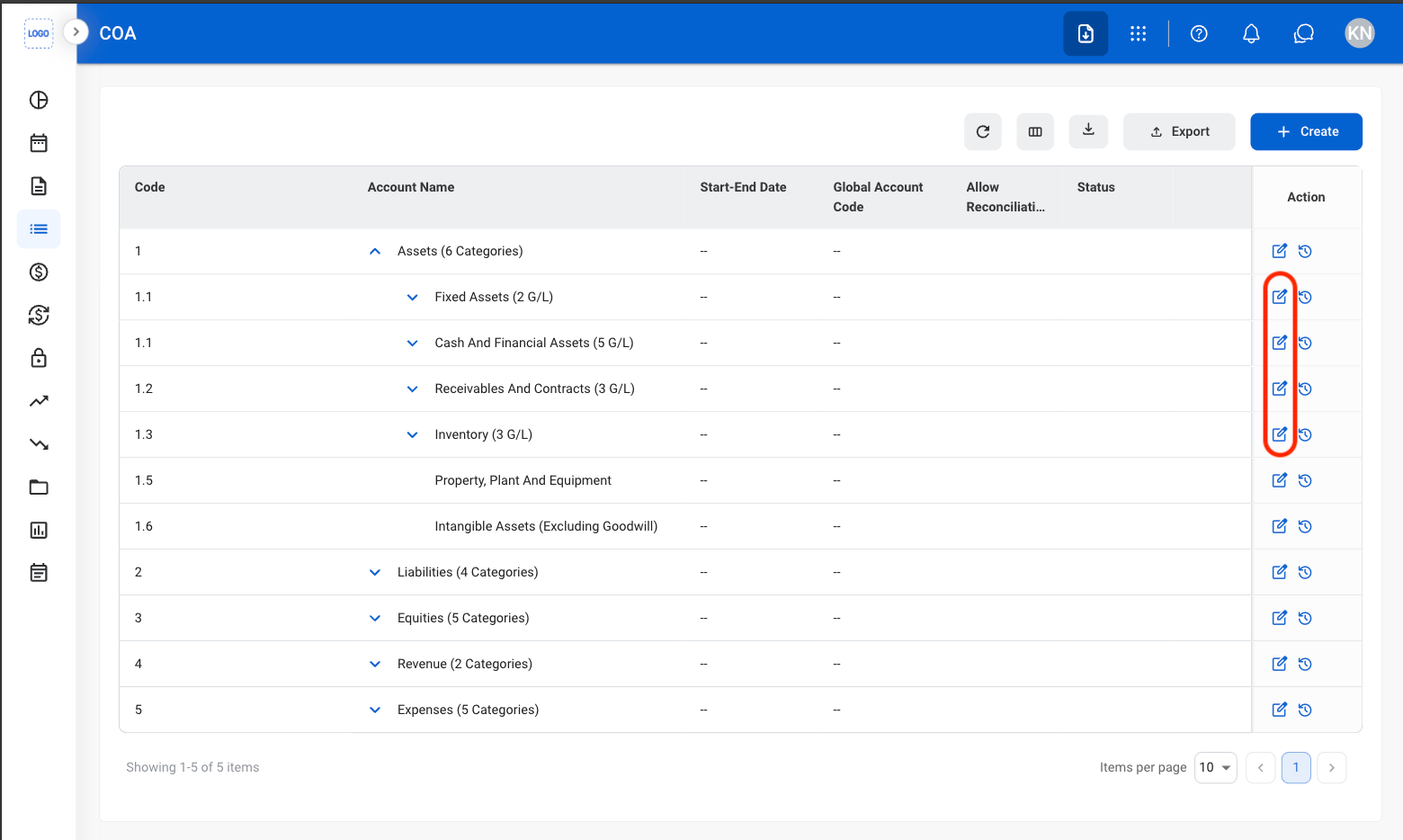
3
Fill in the required information
General Ledger Account
Add a General Ledger Account
Add a General Ledger (G/L) Account to record financial transactions within the Chart of Accounts. Configure account settings and classifications to support financial tracking and reporting.1
Select Create
2
Select Create Account
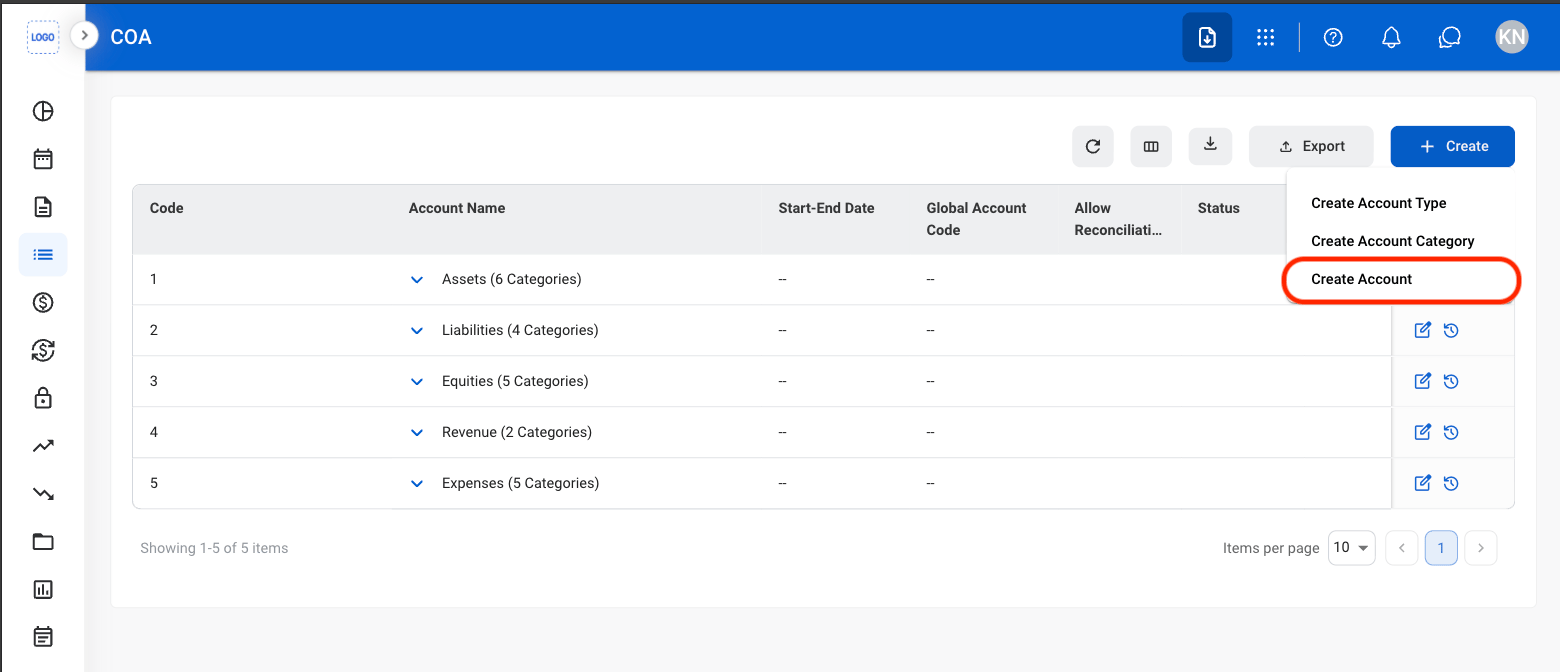
3
Toggle Auto-Generate Code
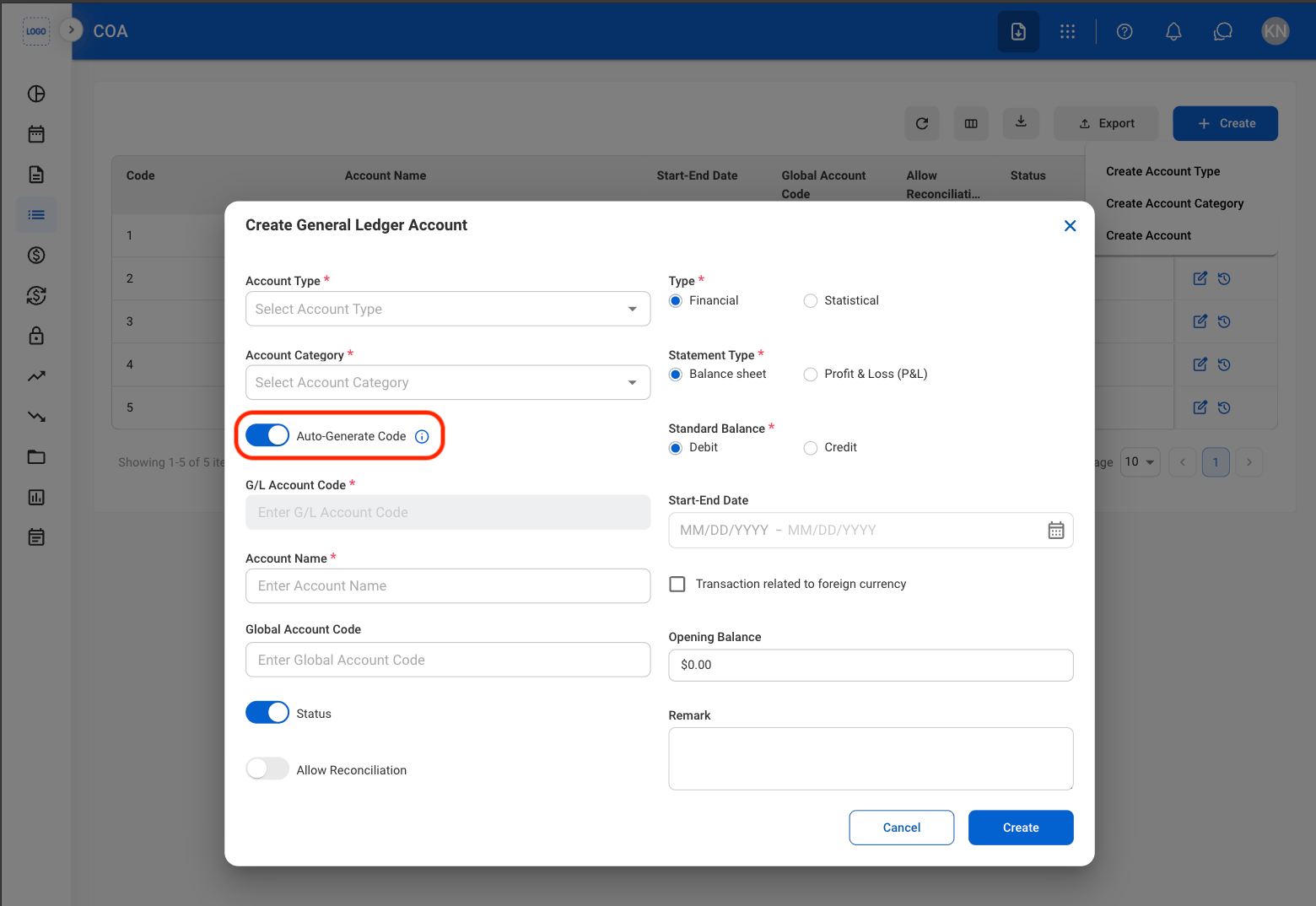
- On: Automatically generates the next available Type Code.
When Auto-Generate Code is enabled, the system automatically assigns the next available Type Code.
- Off: Enter a unique numeric Type Code manually.
Manually entered Type Codes must be unique numeric values and can contain up to 8 digits.
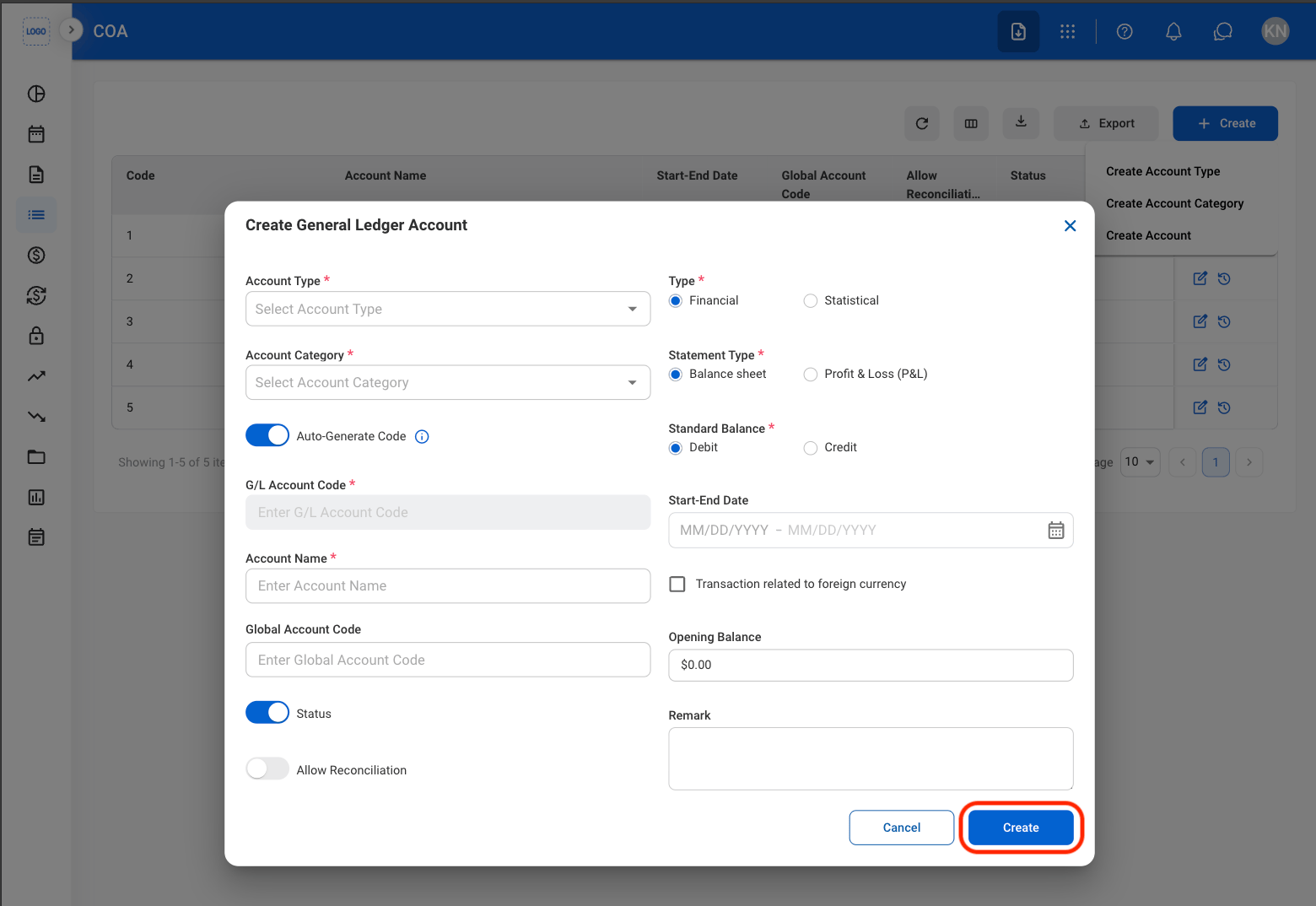
4
Fill in the required information
Modify General Ledger Account
1
Open a General Ledger Account
2
Select an action
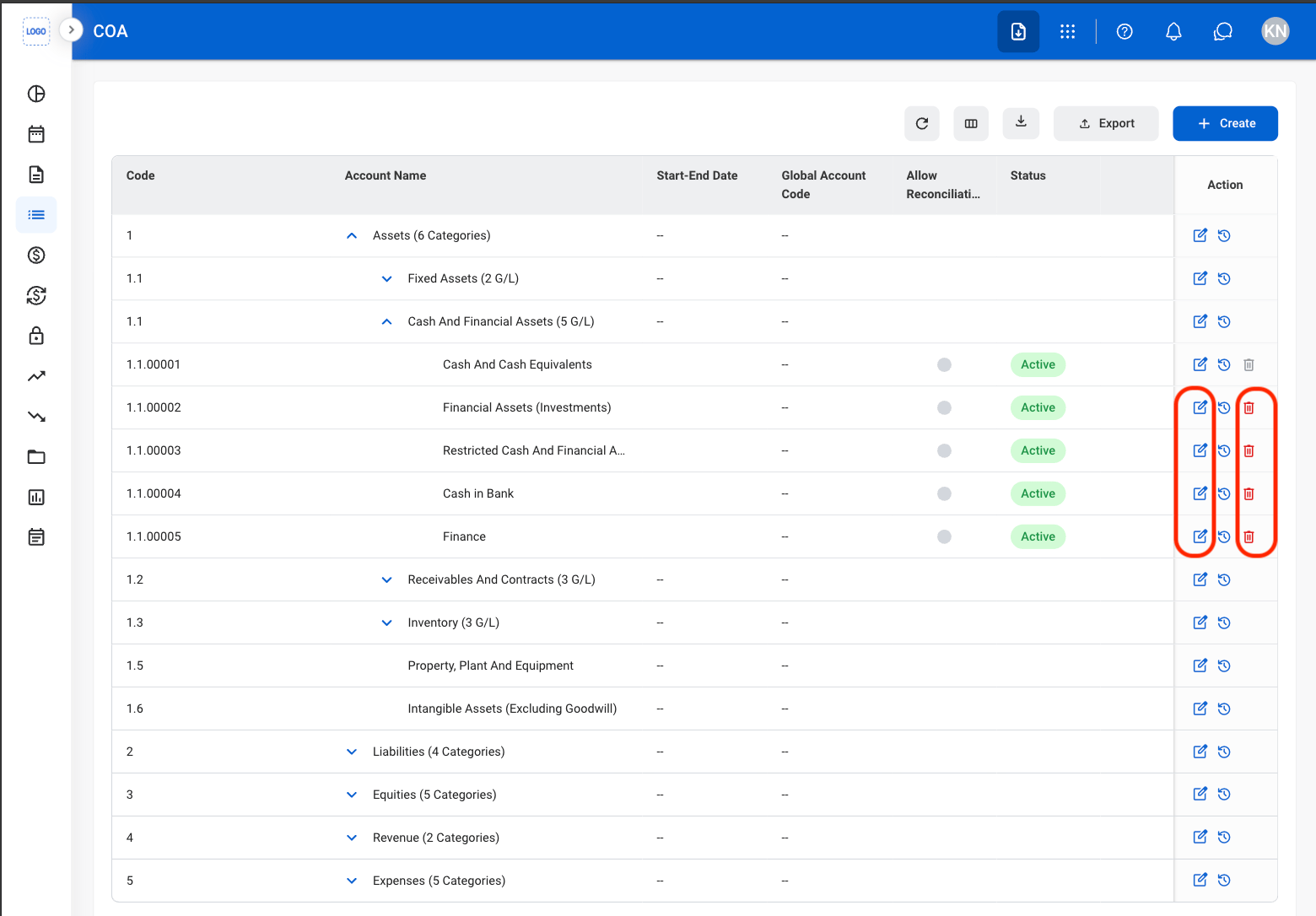
- Edit: Select the edit icon to update an existing entry
- Delete: Select the trash icon to delete an existing entry.
3
Fill in the required information
- Edit: Select Save to complete or Cancel to exit without saving changes.
- Delete: Select Delete to complete or Cancel to exit without saving changes.
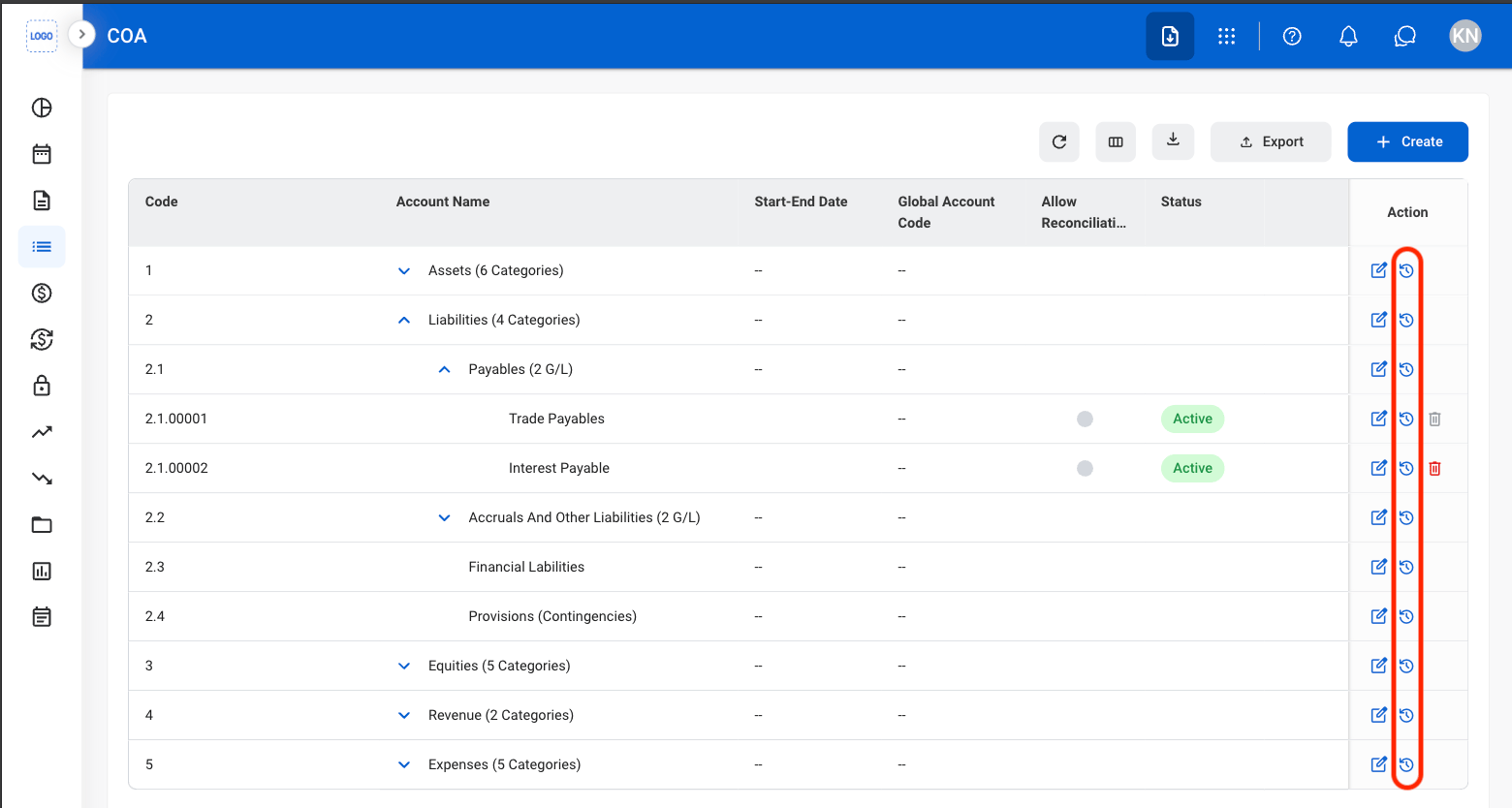
View Account Version History
1
Select the History icon
Export Chart of Accounts
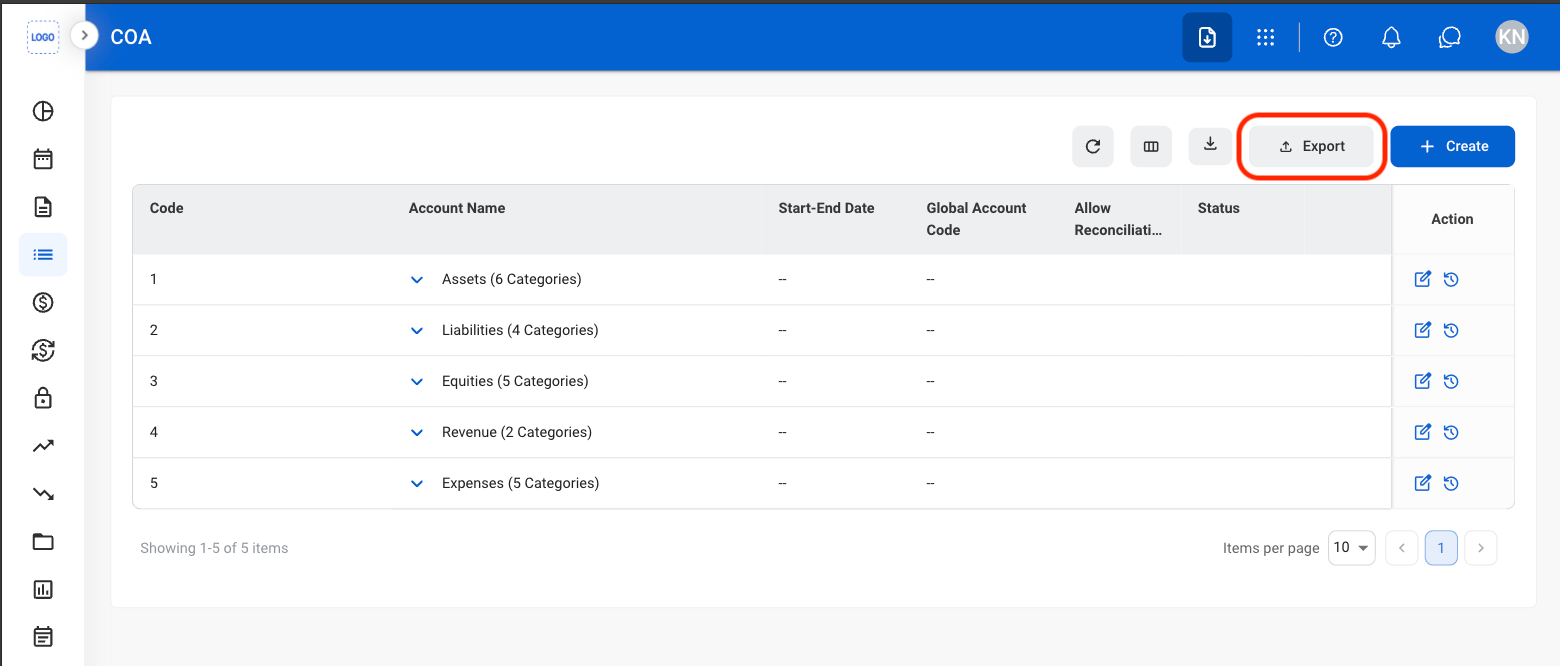
1
Select Export