
Add a Fund
1
Navigate to Fund Setup

2
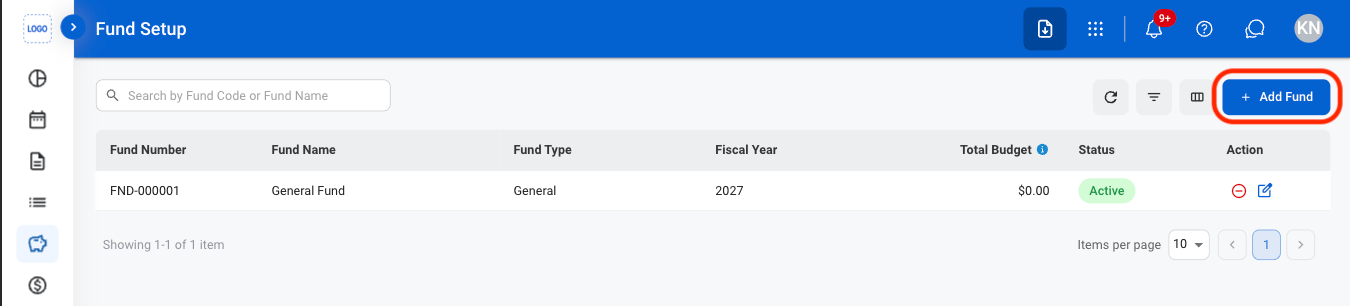
Select Add Fund
3
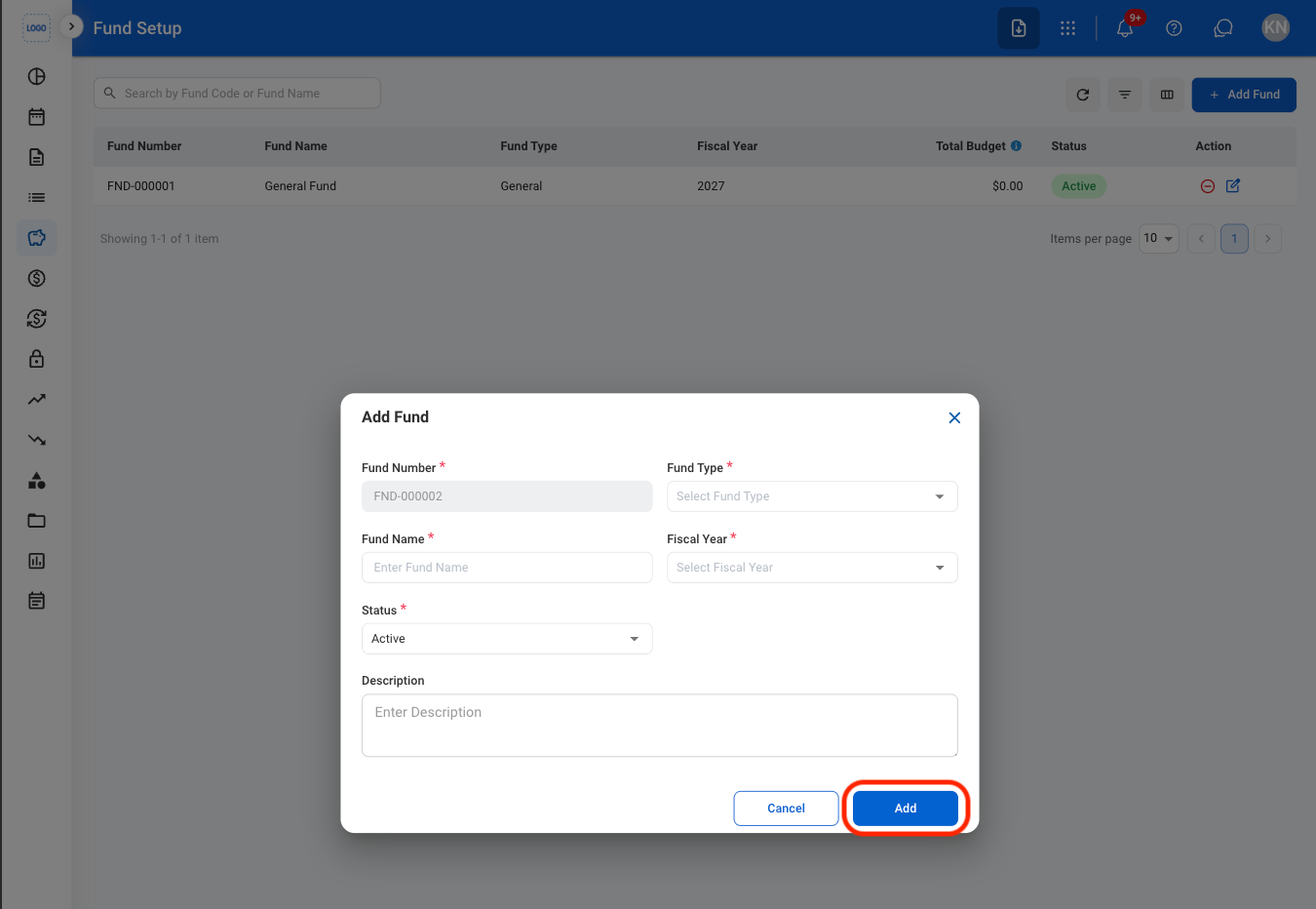
Fill in the required information
Edit a Fund
1
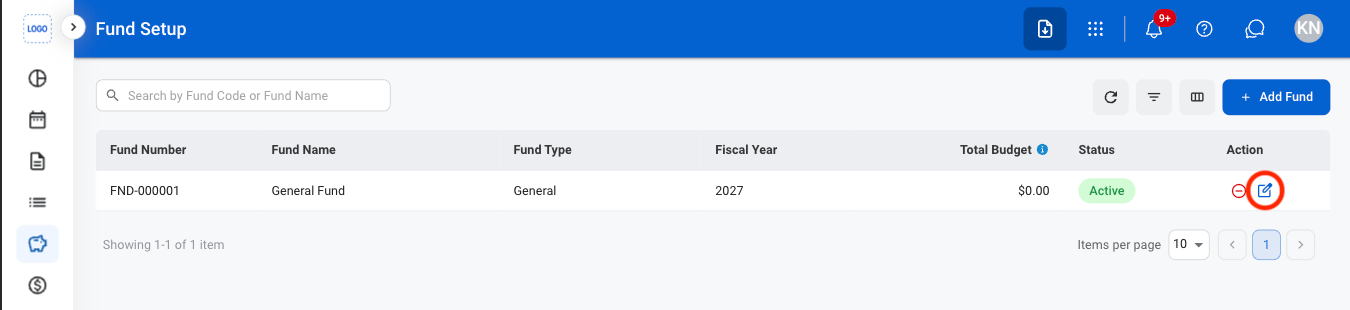
Select the edit icon
2
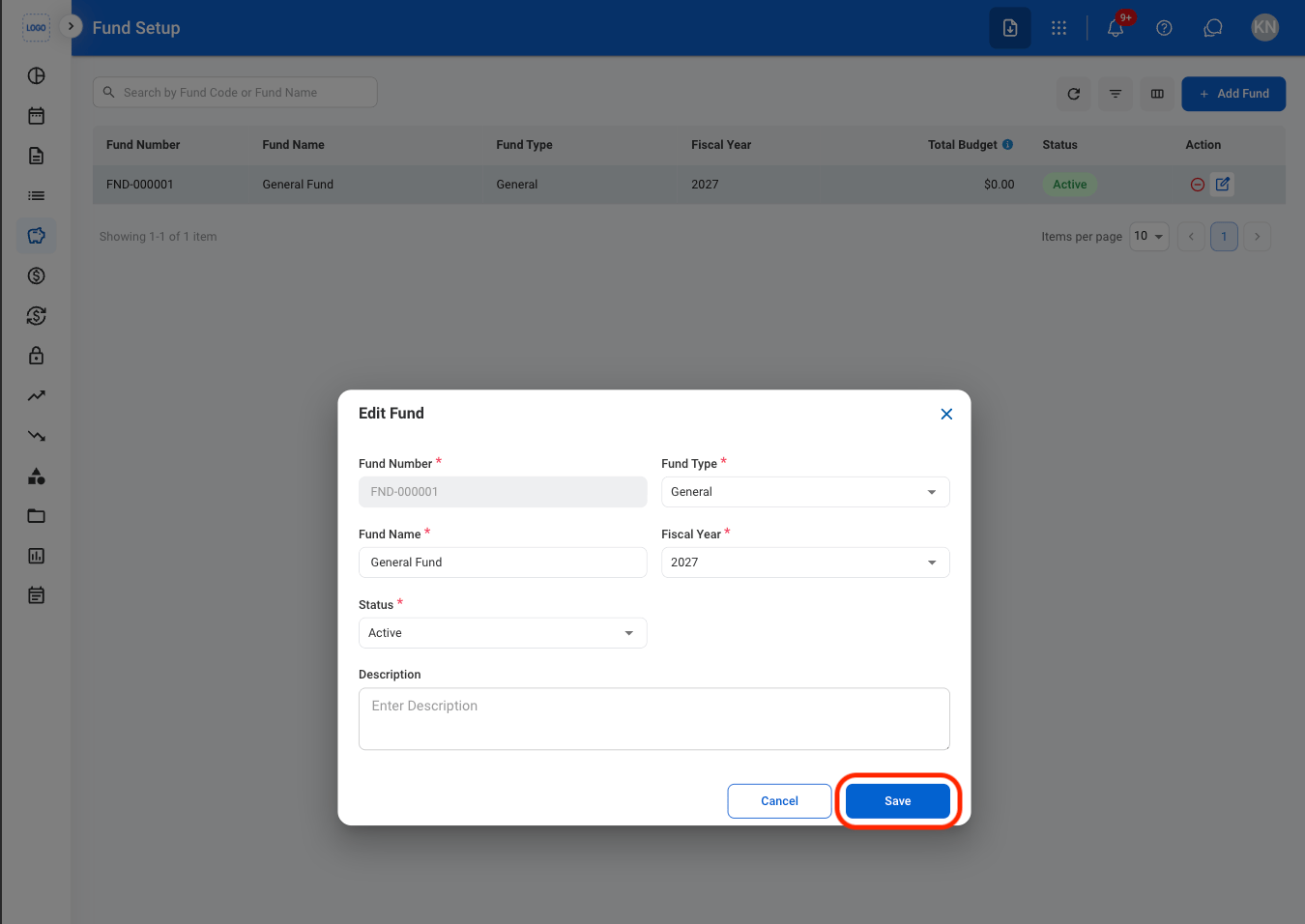
Fill in the required information
Deactivate a Fund
1
Select the deactivate icon

2
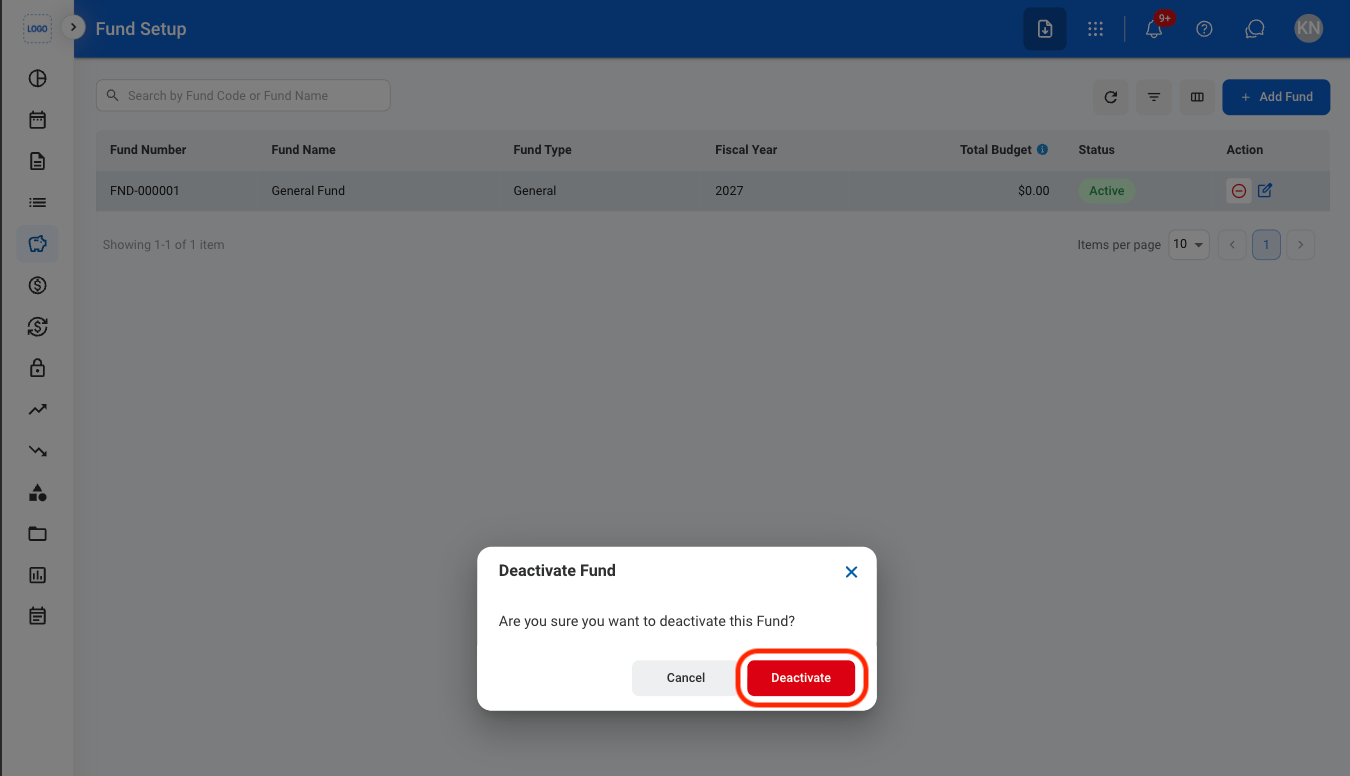
Confirm the action
Manage funds used to organize and track financial resources within the accounting system. Supports adding, editing, and managing fund information, including fund type, fiscal year, budget, and status.
Navigate to Fund Setup
Select Add Fund
Fill in the required information
Select the edit icon
Fill in the required information
Select the deactivate icon
Confirm the action