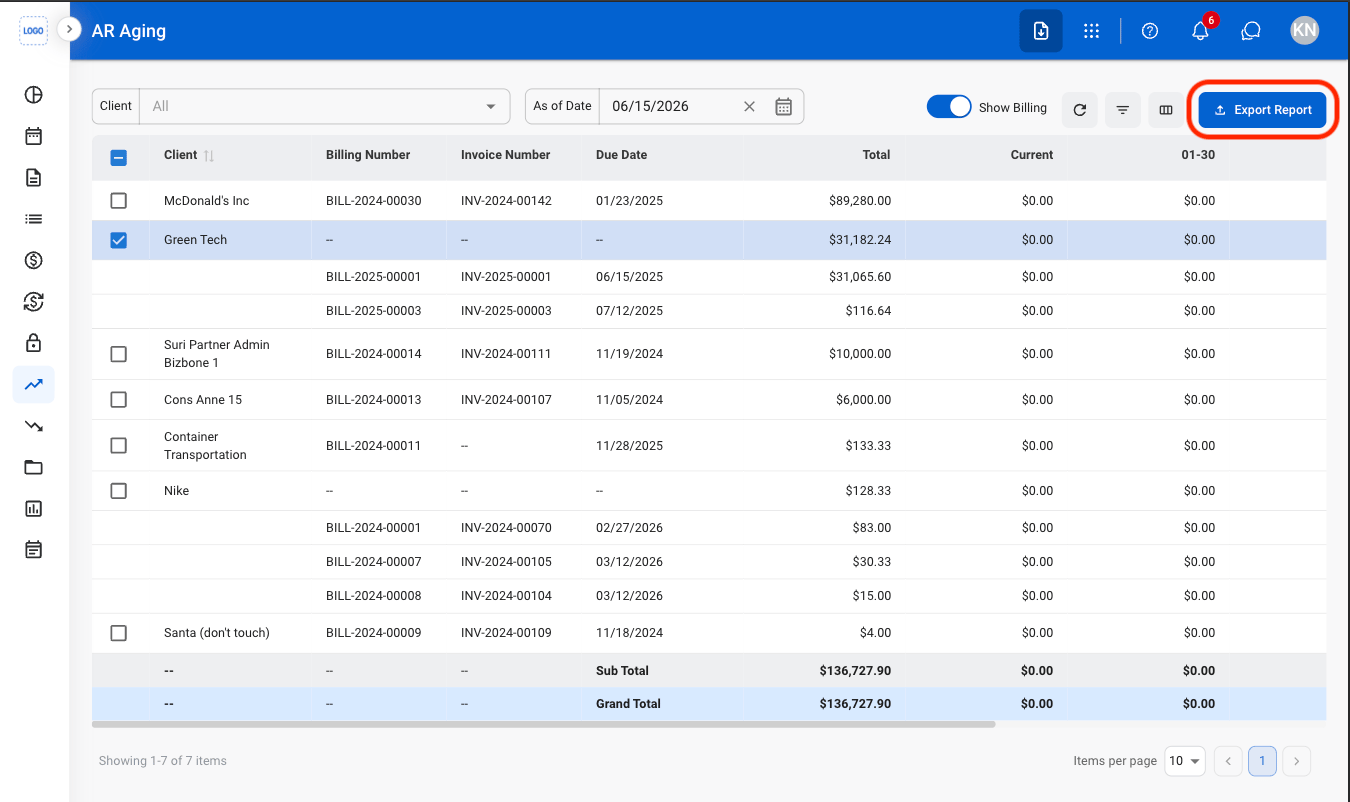
Export AR Aging Report
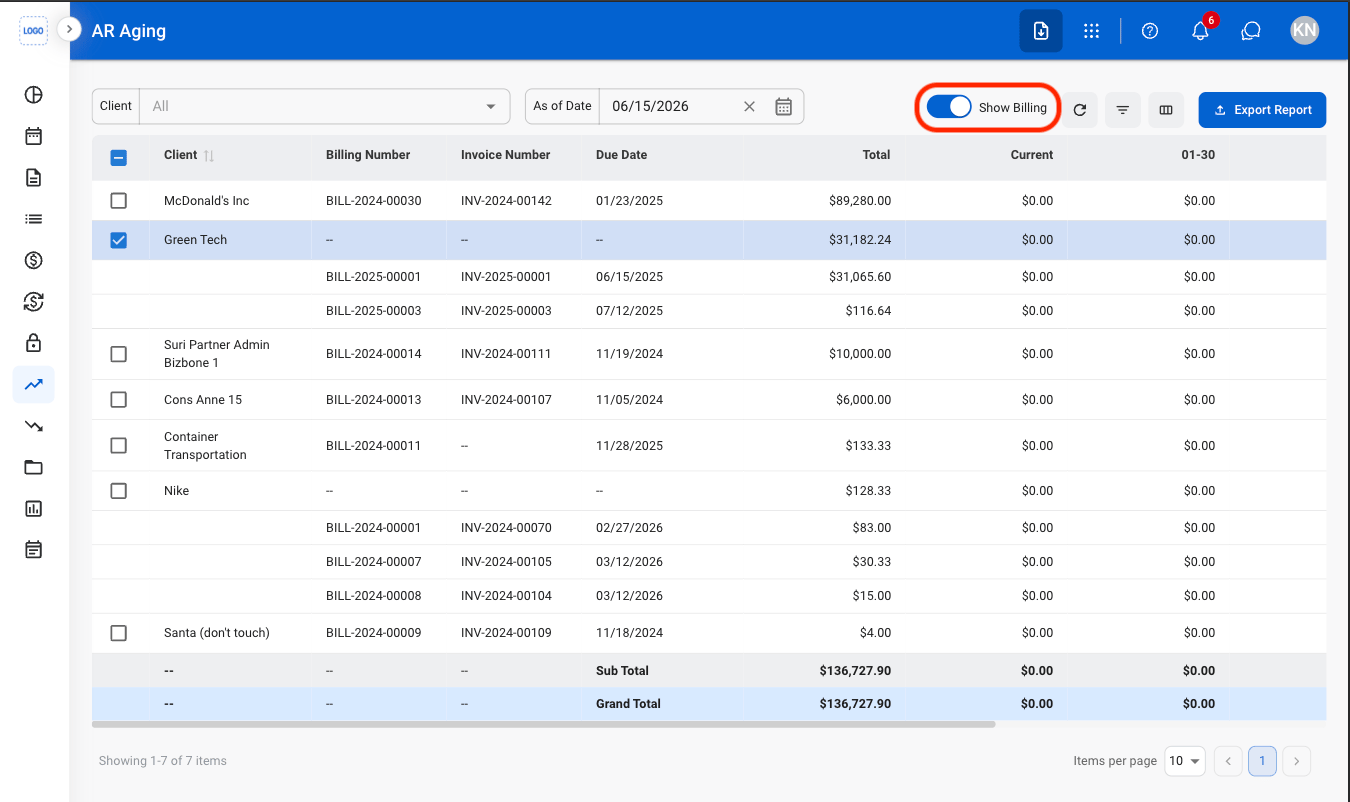
The AR Aging report groups outstanding balances into aging periods: Current, 01–30, 31–60, 61–90, and Over 90 Days. Subtotal and Grand Total values are calculated automatically.1
Navigate to AR Aging
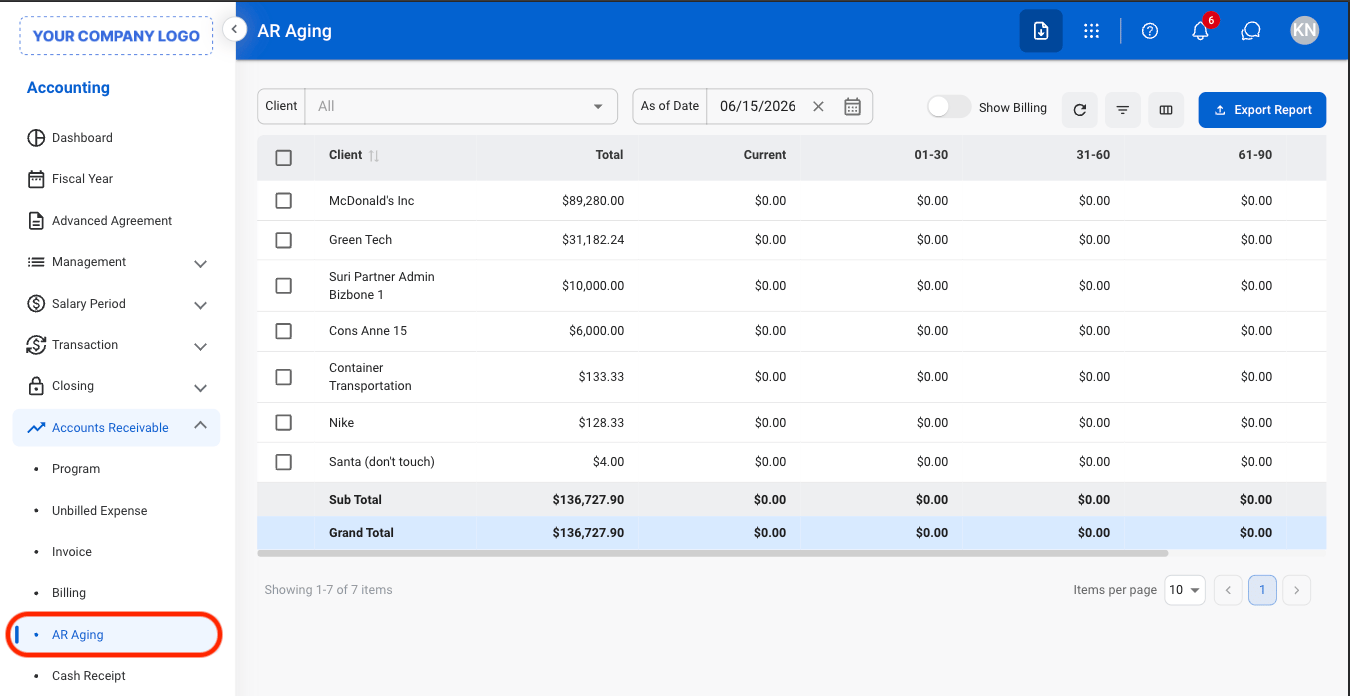
2
Select the desired client(s)
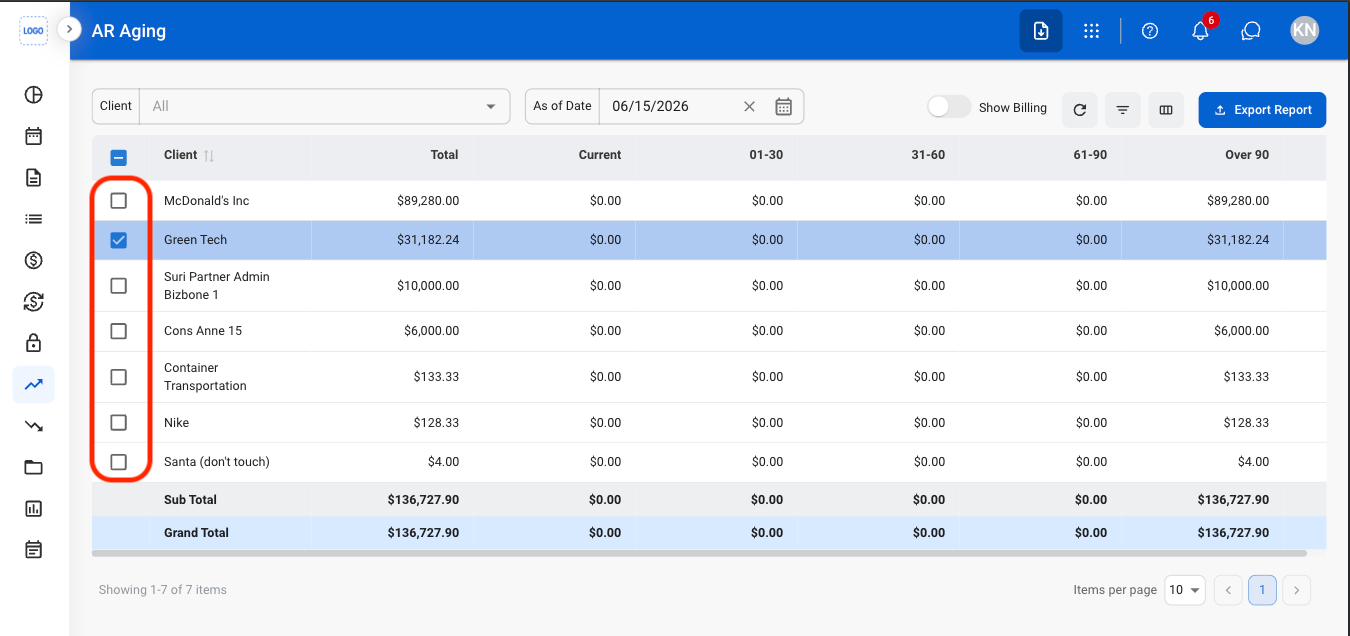
3
Enter As of Date
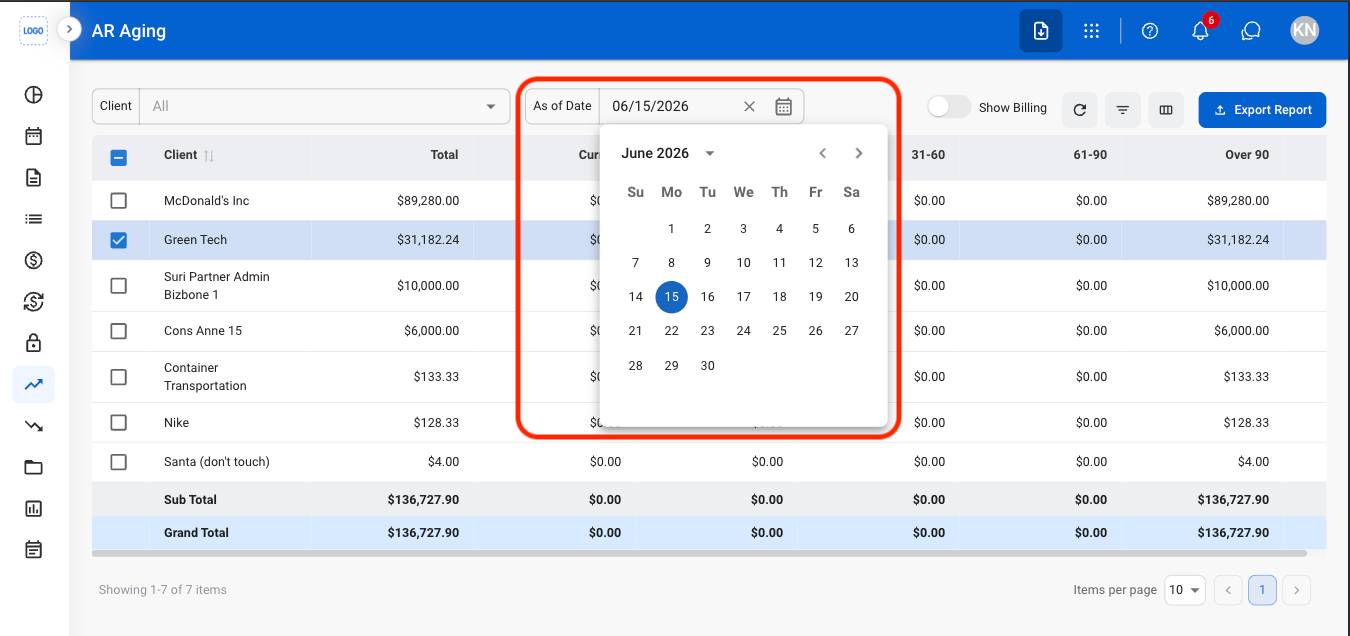
4
Toggle Show Billing to view individual billing records
5
Select Export Report