Add a Cash Disbursement
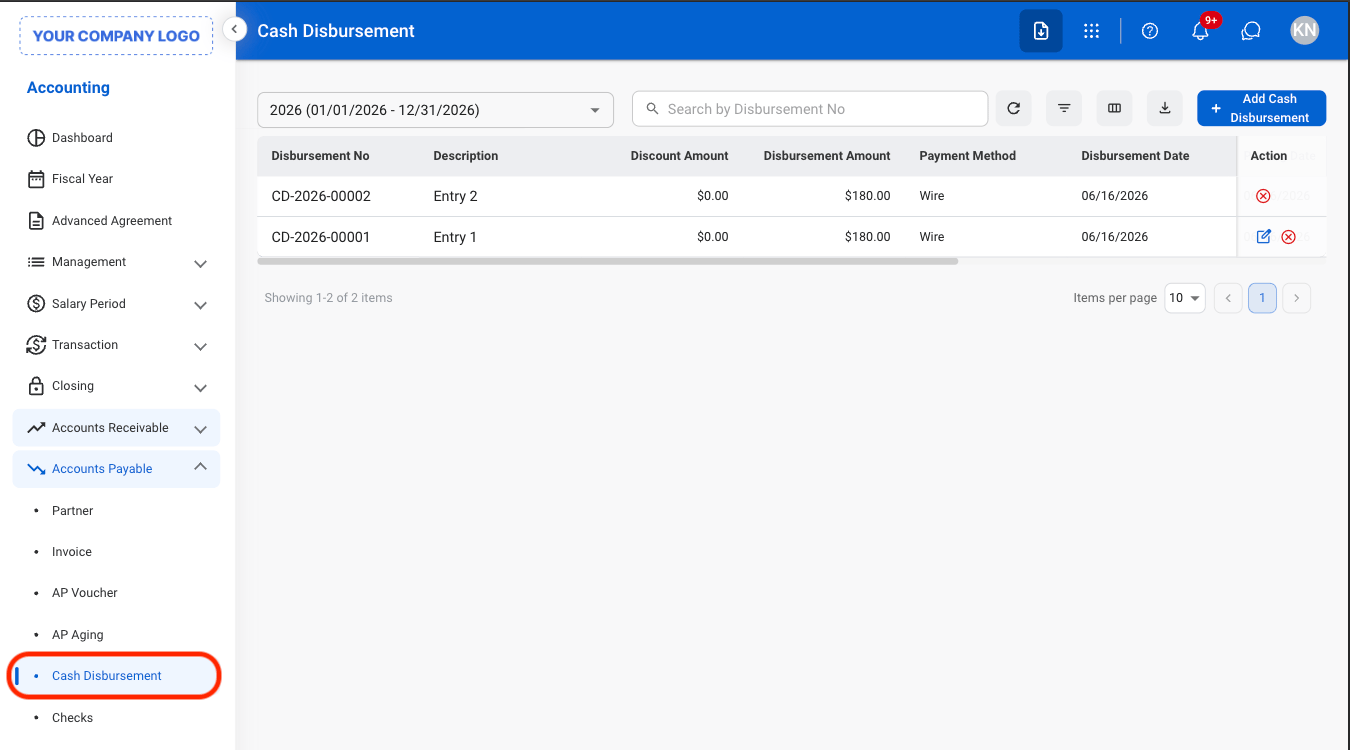
1
Navigate to Cash Disbursement
2
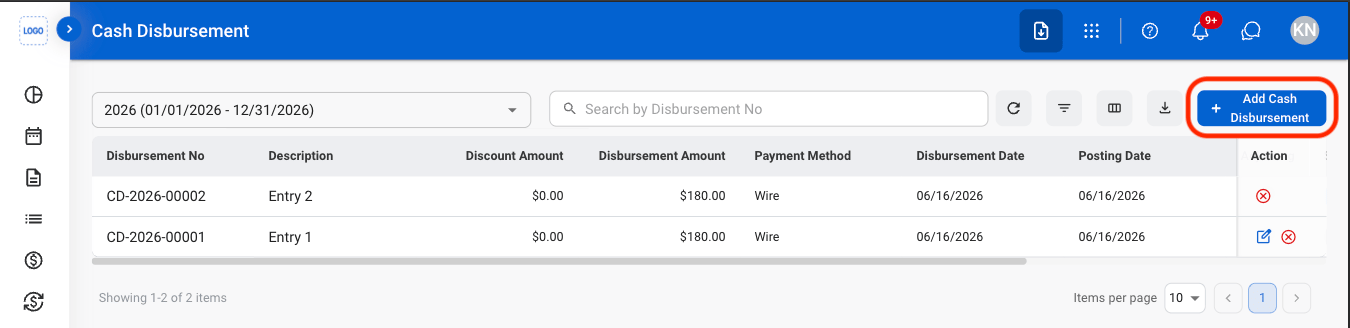
Select Add Cash Disbursement
3
Fill in the required information
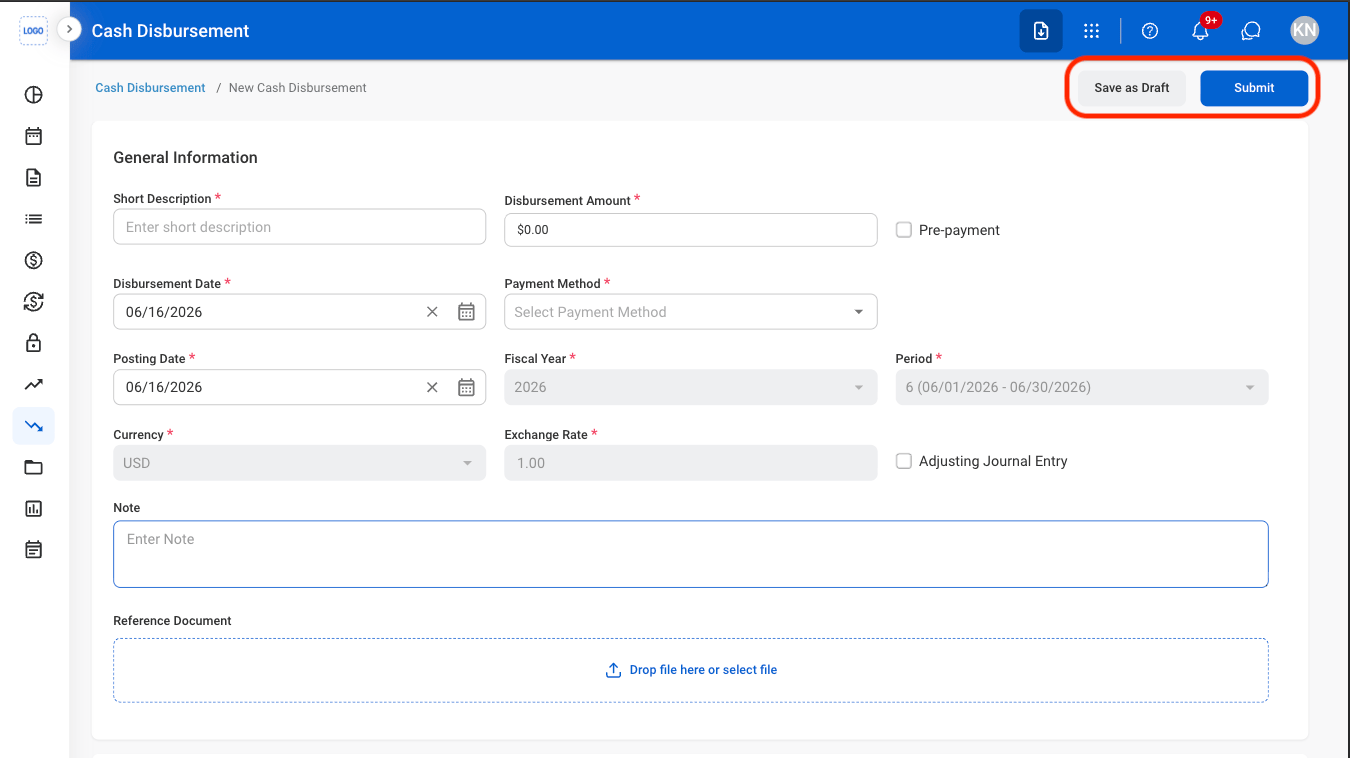
The system may flag a transaction for a potential anomaly based on configured detection rules. If an anomaly is detected, a warning appears on the transaction detail screen with an option to review the reason for the flag. An anomaly indicates that the transaction may be unusual and does not necessarily indicate an error or fraudulent activity.
Add a Cash Disbursement with an ACH Payment Method
1
Select Add Cash Disbursement
2
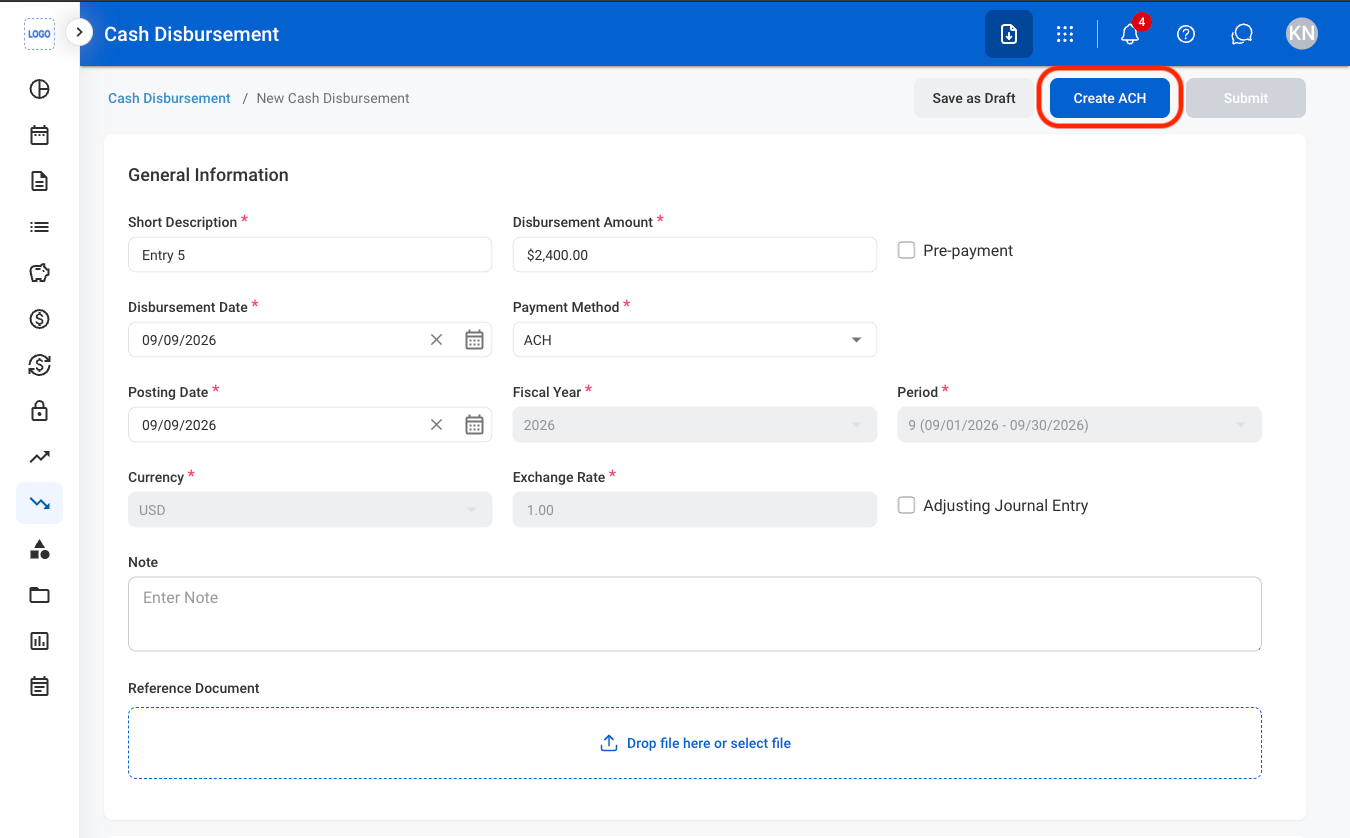
Fill in the required information
3
Select an ACH File action
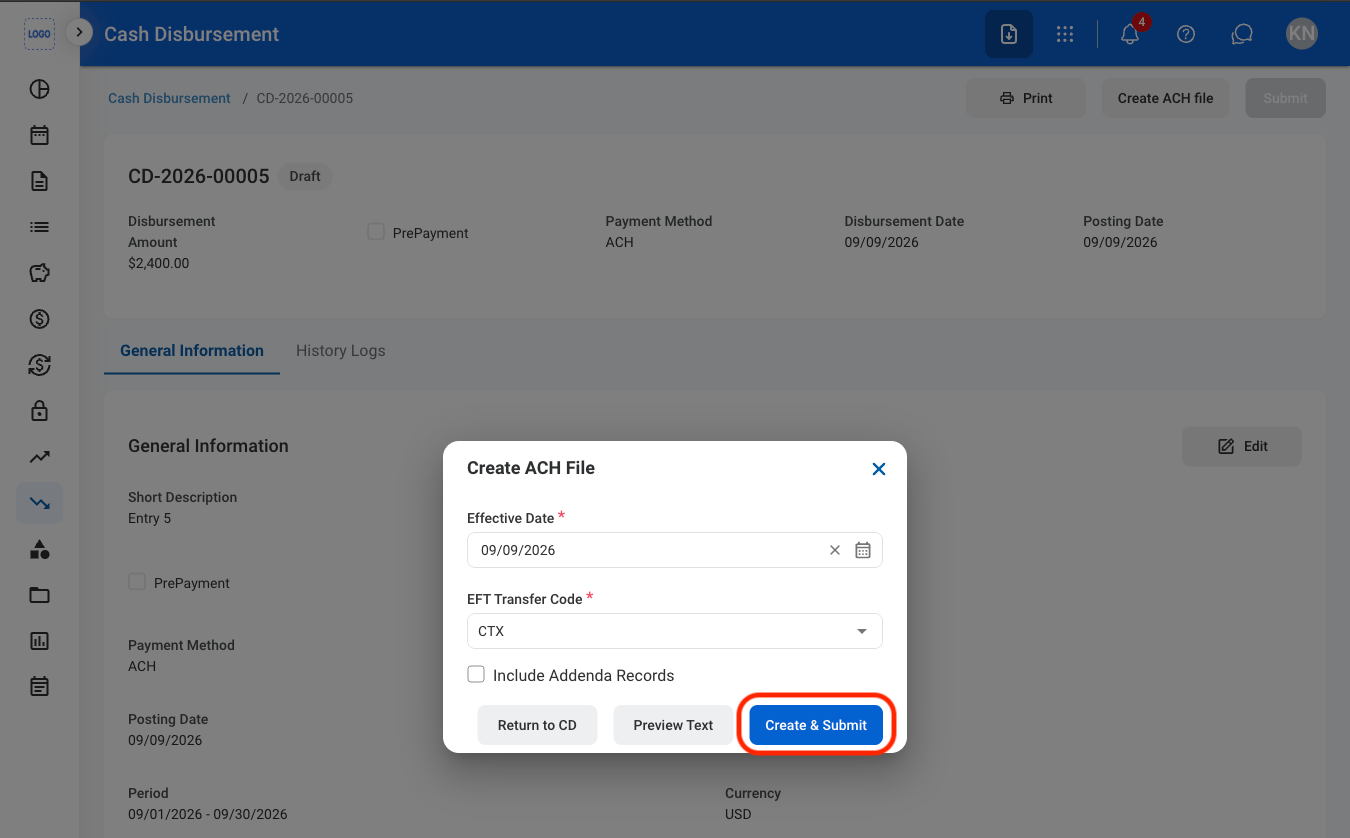
- Create & Submit: Create the ACH file and submit the Cash Disbursement
- Preview Text: Preview the ACH file text content before creating and submitting it
- Return to CD: Return to the Cash Disbursement without creating the ACH file. The CD remains in Draft status
Create a Check
1
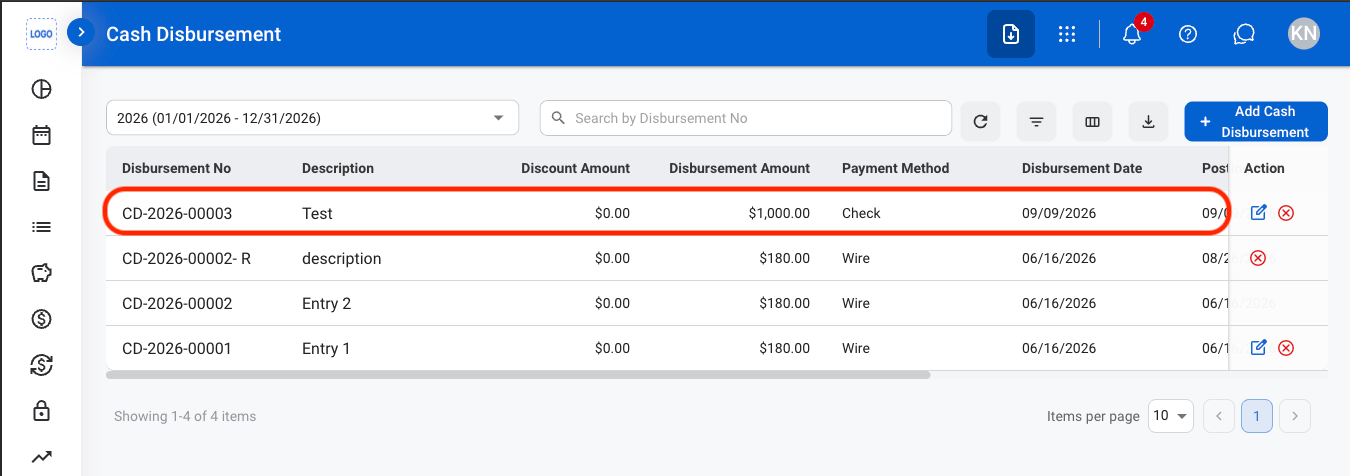
Select a CD with Check as a Payment Method
2
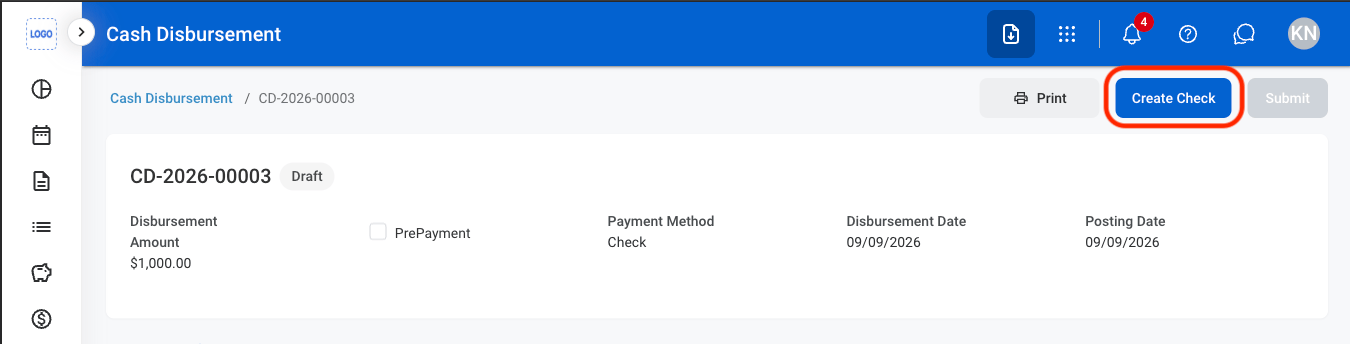
Select Create Check
3
Select an action
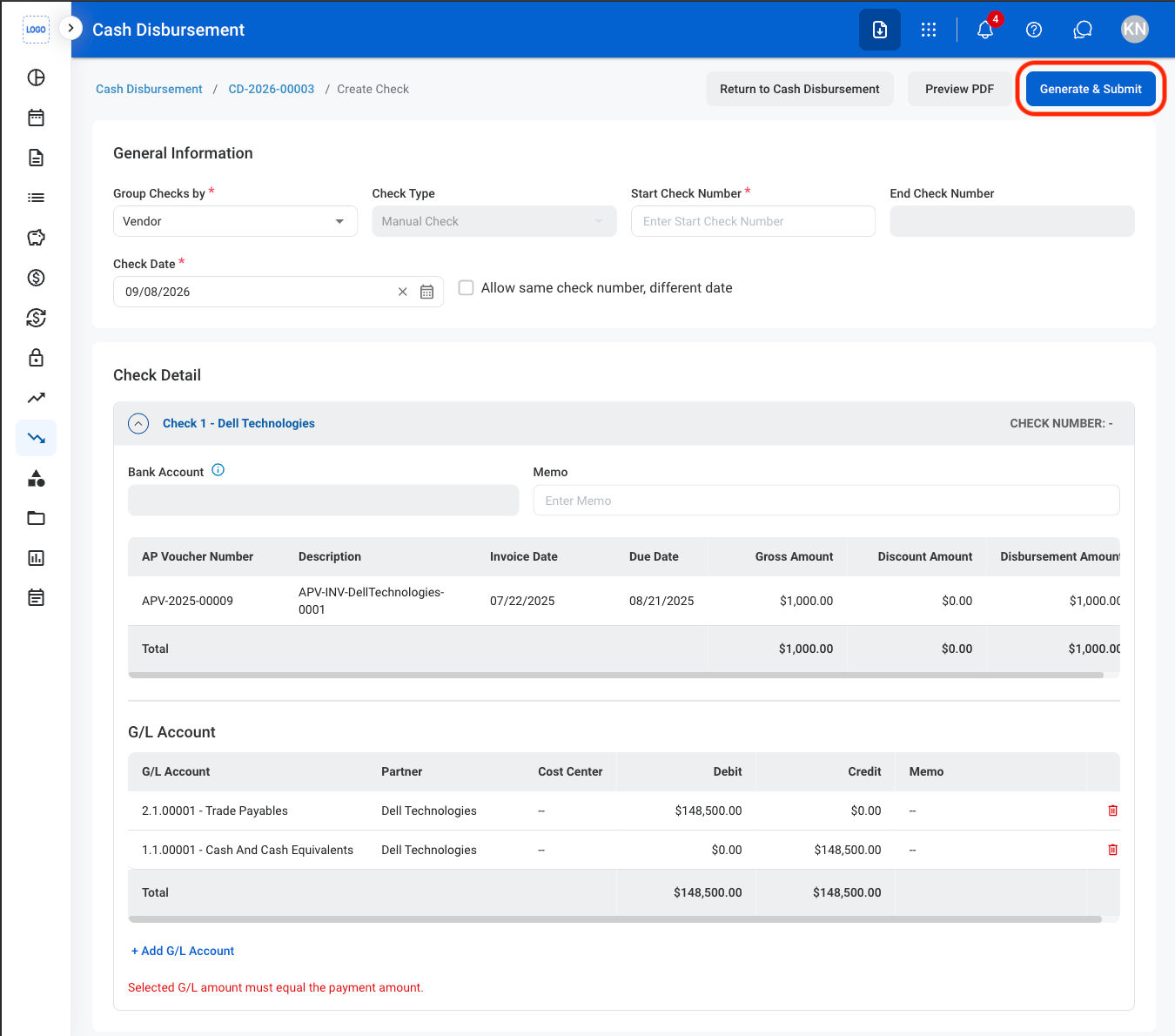
- Generate & Submit: Generate the check and submit the associated CD.
- Return to Cash Disbursement: Return to the CD without generating a check. The CD remains in Draft status.
- Preview PDF: Preview the check as a PDF before generating and submitting it.
Modify a Cash Disbursement
1
Select an action
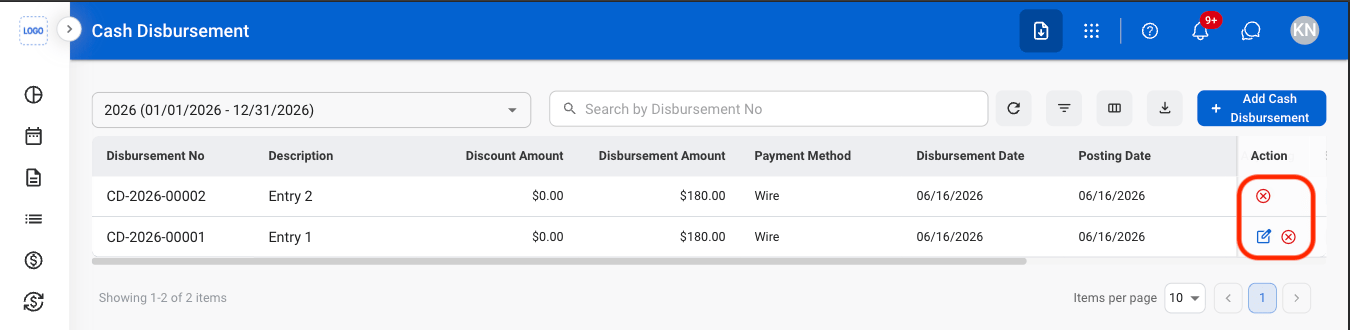
- Edit: Update details before the cash disbursement is posted to the General Ledger.
- Cancel: Cancel a pending cash disbursement and stop further processing while preserving its record for audit purposes.
2
Confirm the action
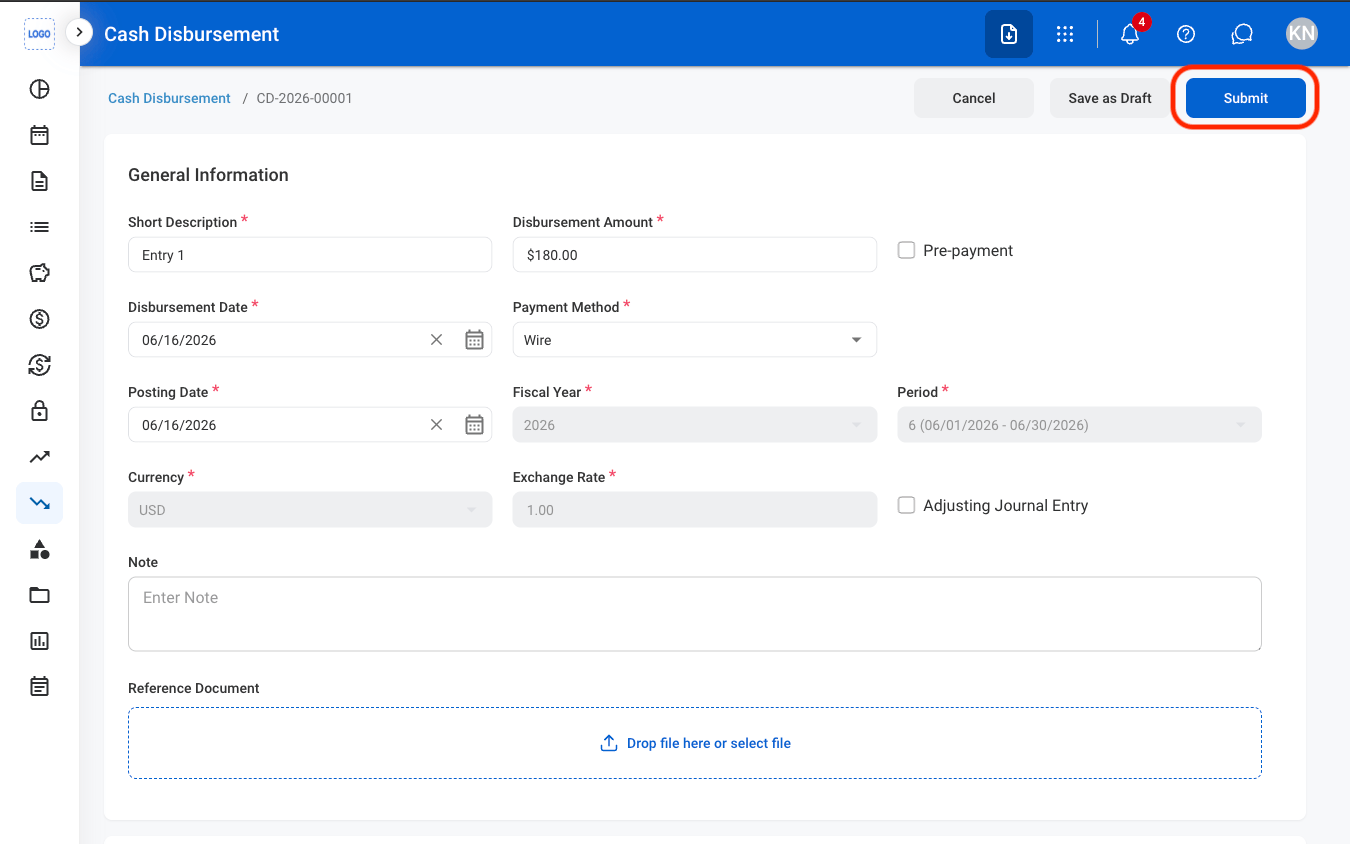
- Edit: Fill in the required information. Select Submit to complete or Save to exit and save as draft.
- Cancel: Select Confirm to complete or Cancel to exit without saving changes.
Reverse a Cash Disbursement
A reversal Cash Disbursement can be saved as a draft, submitted, rejected, approved, or canceled. Once approved and posted, the original Cash Disbursement is reversed and the associated AP Voucher can be reused.
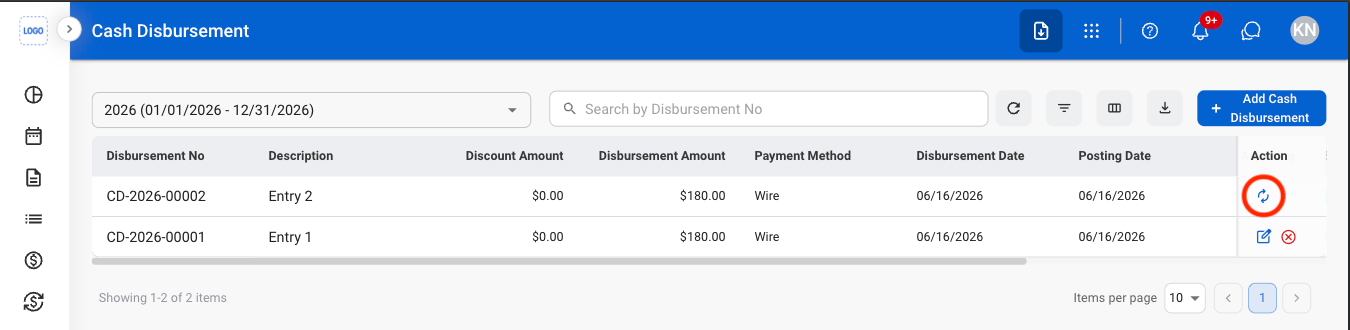
1
Select the reverse icon
2
Fill in the required information
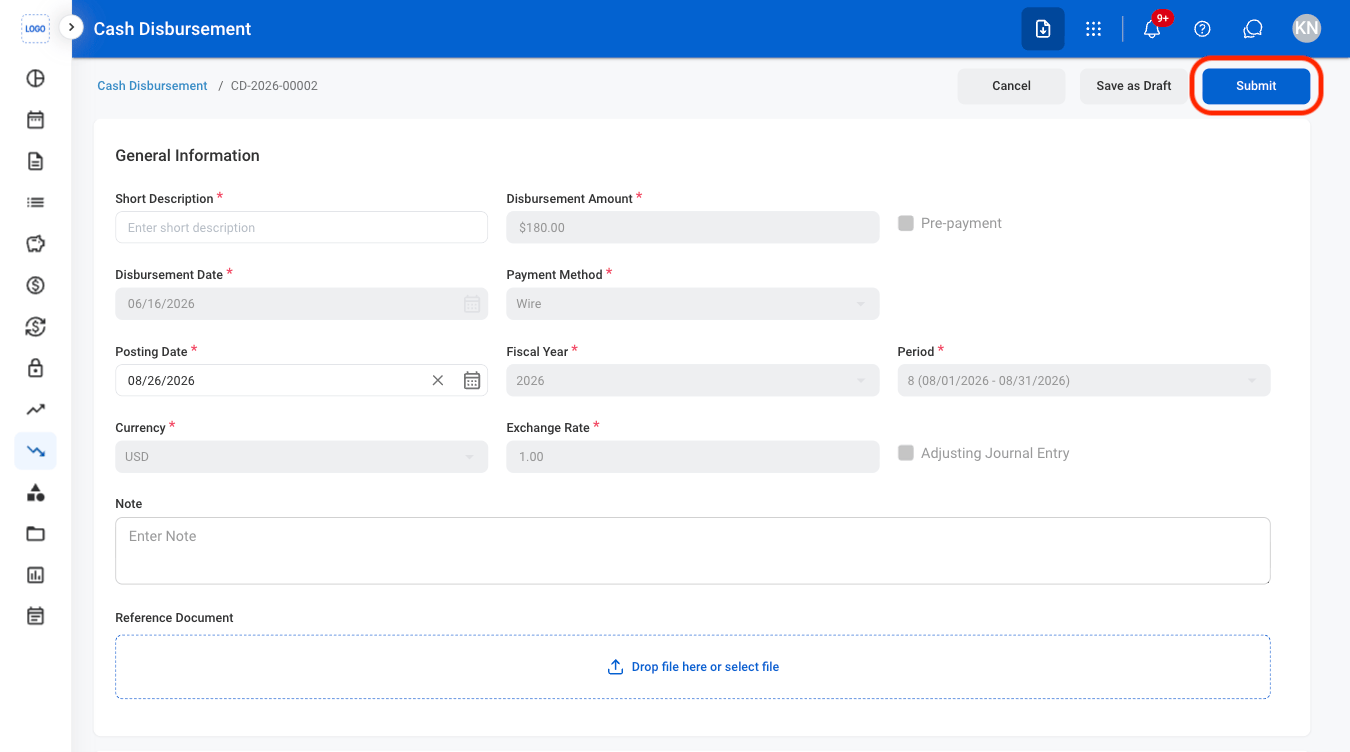
For Check payments, the reversal can be processed as a full or partial reversal. The Check status can also be updated to Voided, Bounced, or Returned.
Saving or submitting the reversal changes the original Cash Disbursement to Pending Reversal. The reversal is created as a separate Cash Disbursement record.
Review a Cash Disbursement
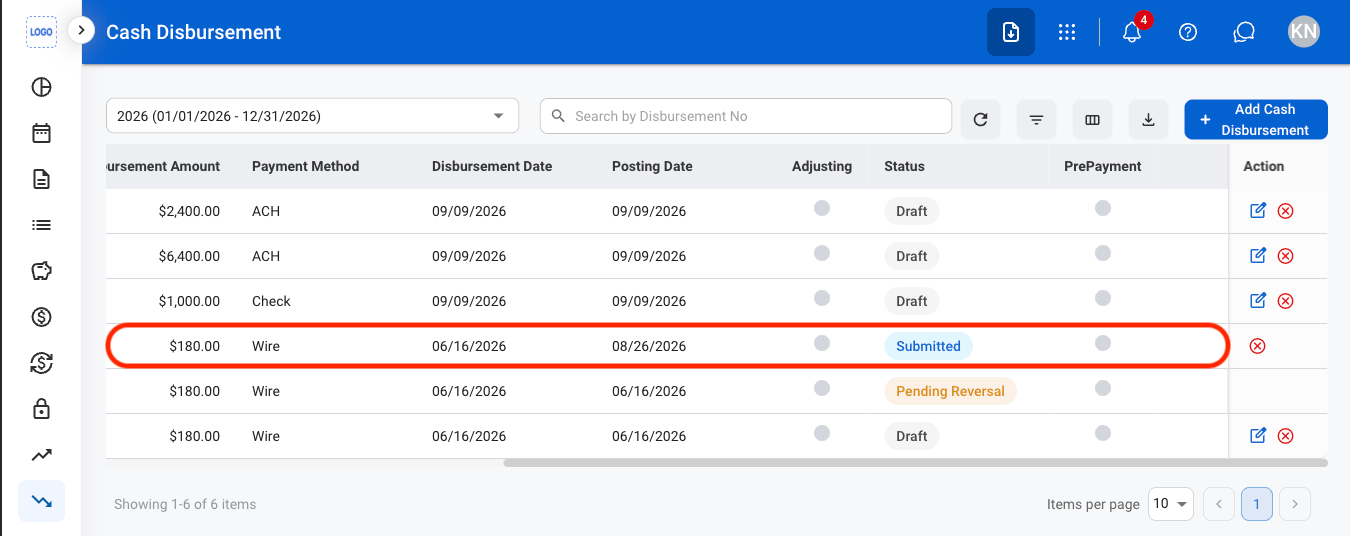
Cash Disbursements must be in Submitted status before they can be reviewed.
1
Select a submitted Cash Disbursement
2
Review and process the record
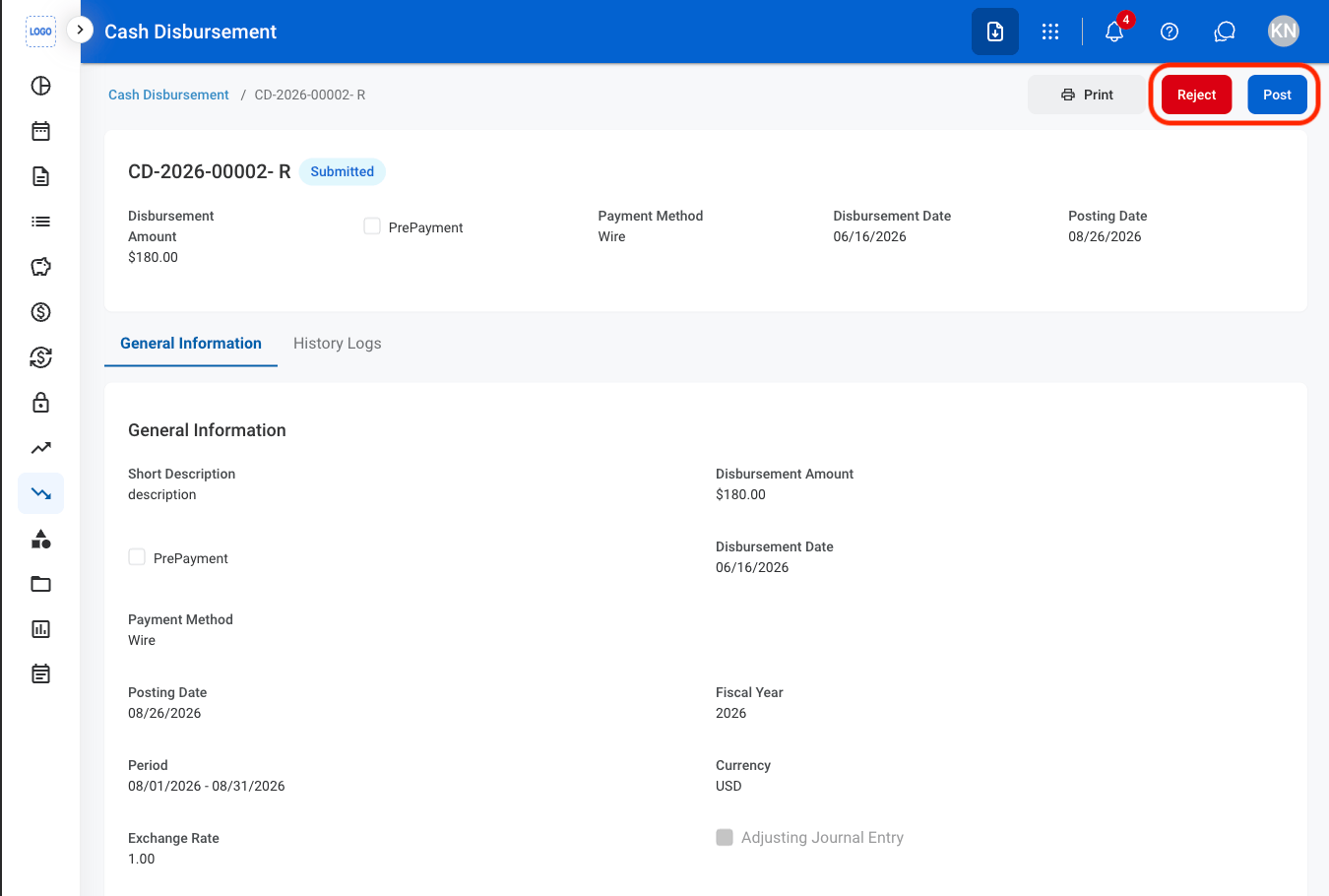
- Reject: The status changes to Rejected and the cash disbursement is not posted to the General Ledger.
- Post: The status changes to Posted and the cash disbursement is recorded in the General Ledger.
3
Confirm the action
- Reject: Enter a rejection reason. Select Reject to complete or Cancel to exit without saving changes.
- Post: Select Confirm to complete or Cancel to exit without saving changes.
General Information
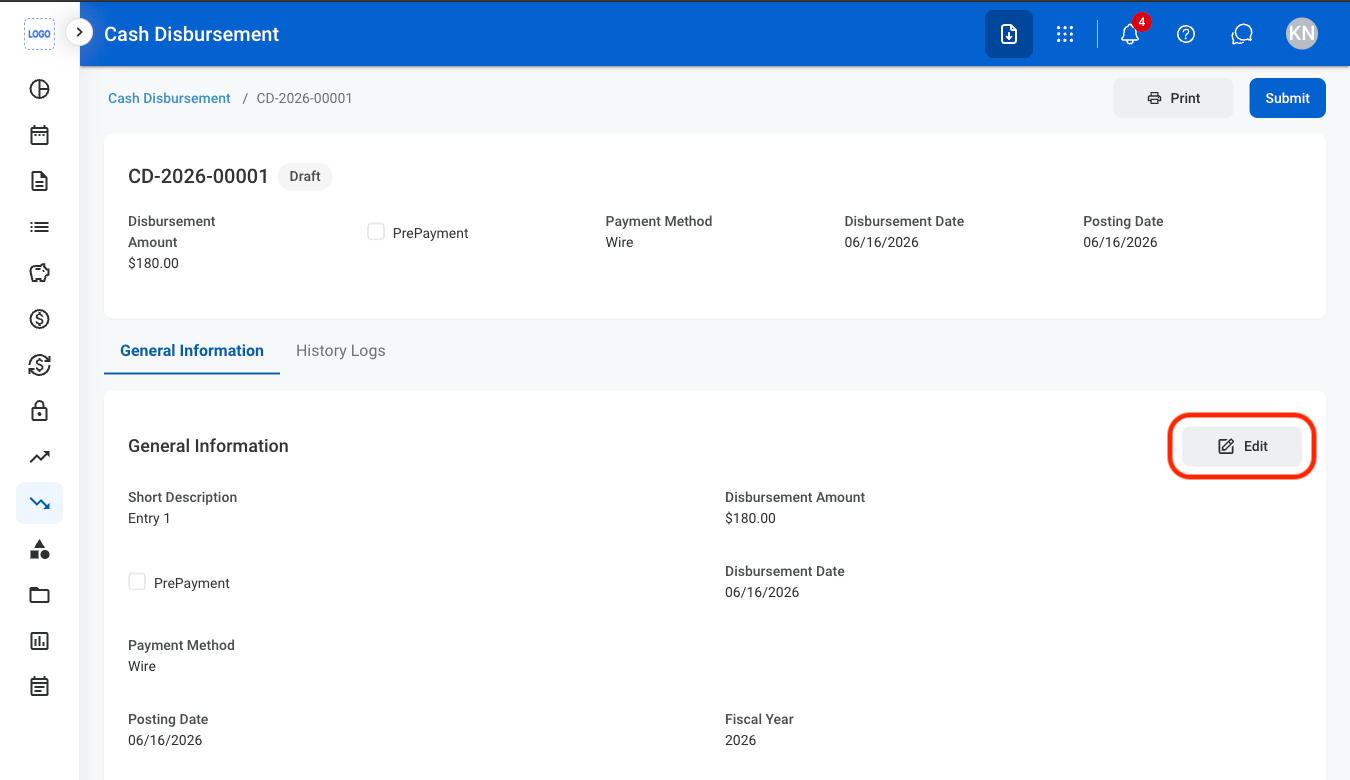
Edit General Information
1
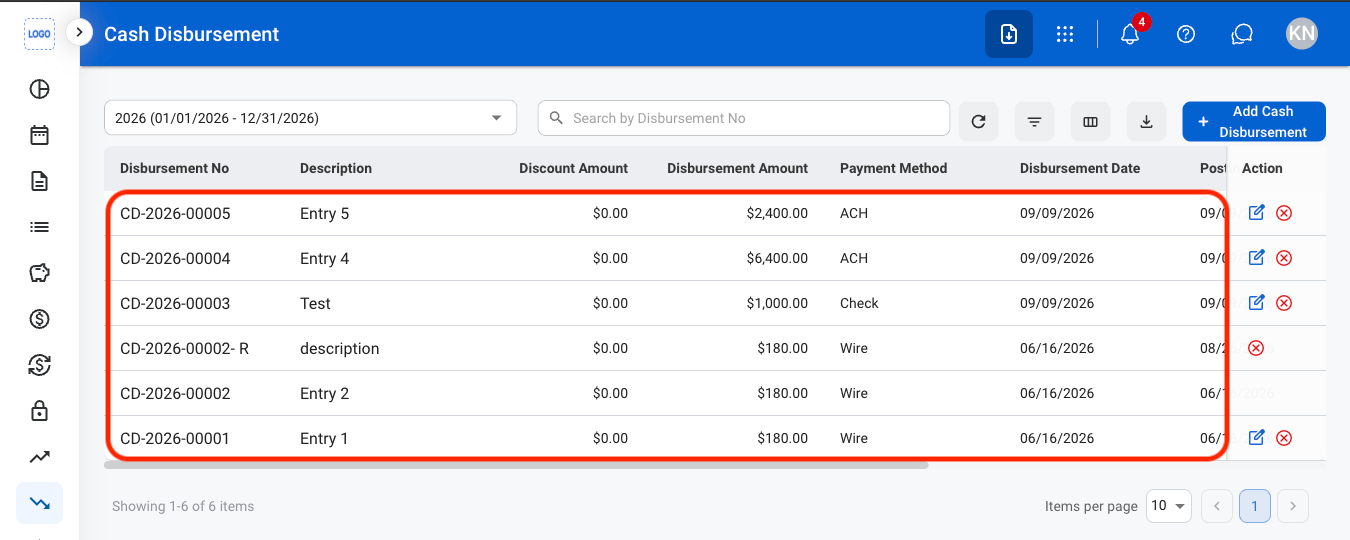
Select a Cash Disbursement
2
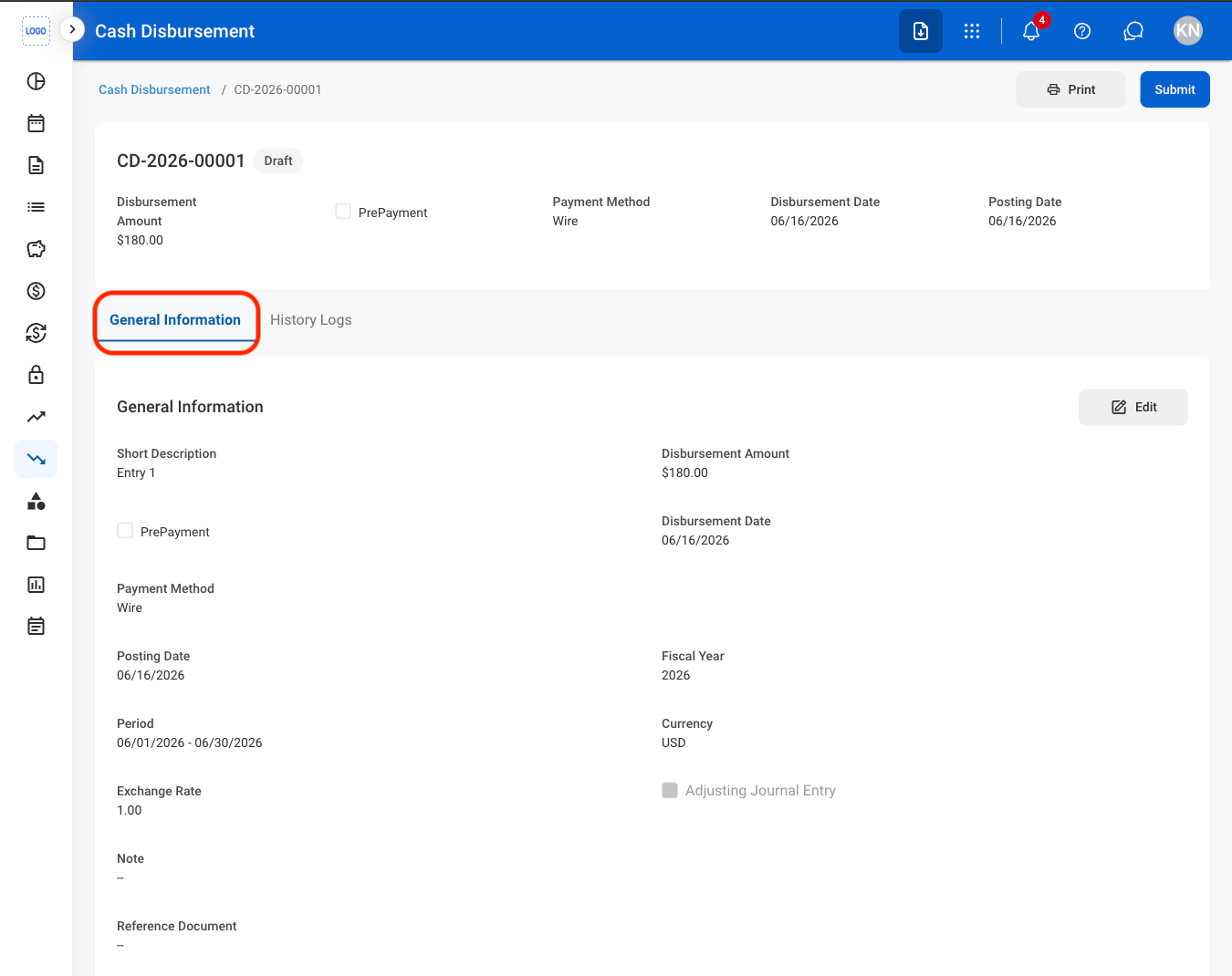
Navigate to General Information
3
Select Edit
4
Fill in the required information
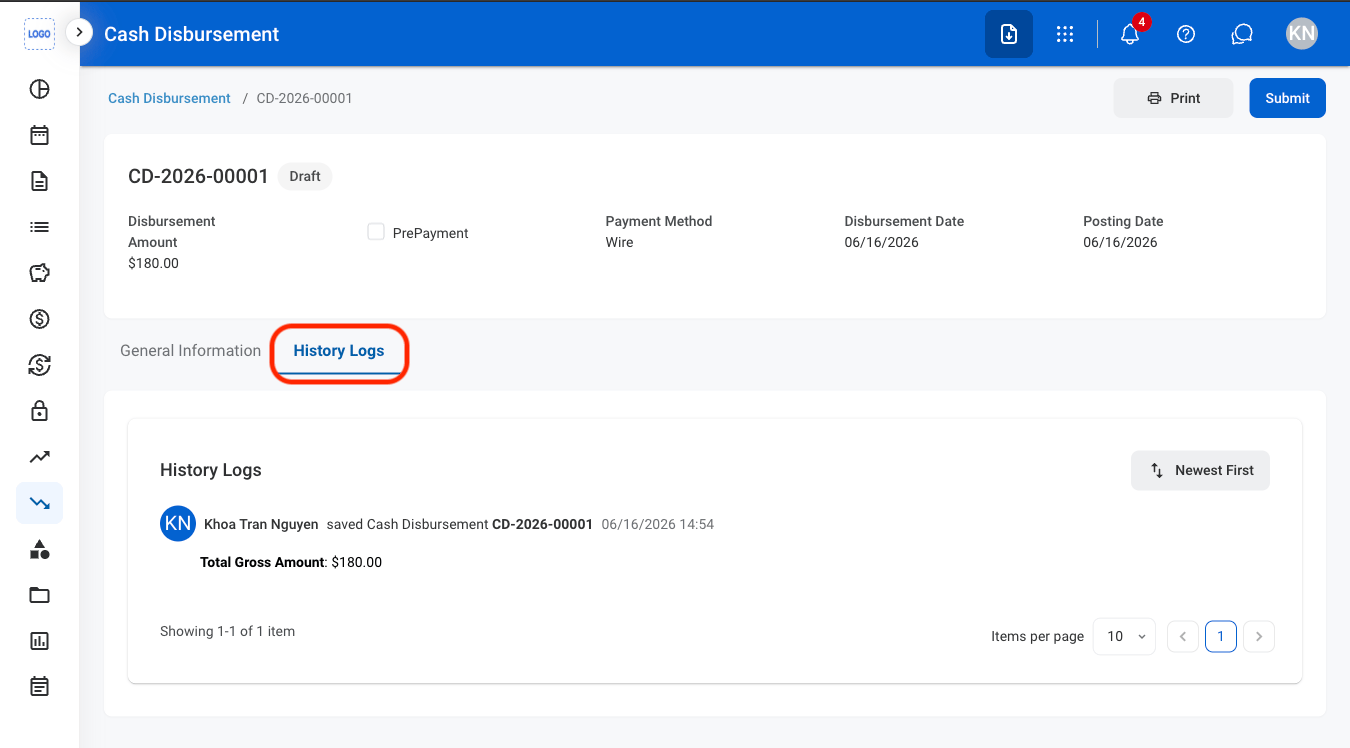
History Logs
View History Logs
1
Navigate to History Logs