
View Program Details
1
Navigate to Program
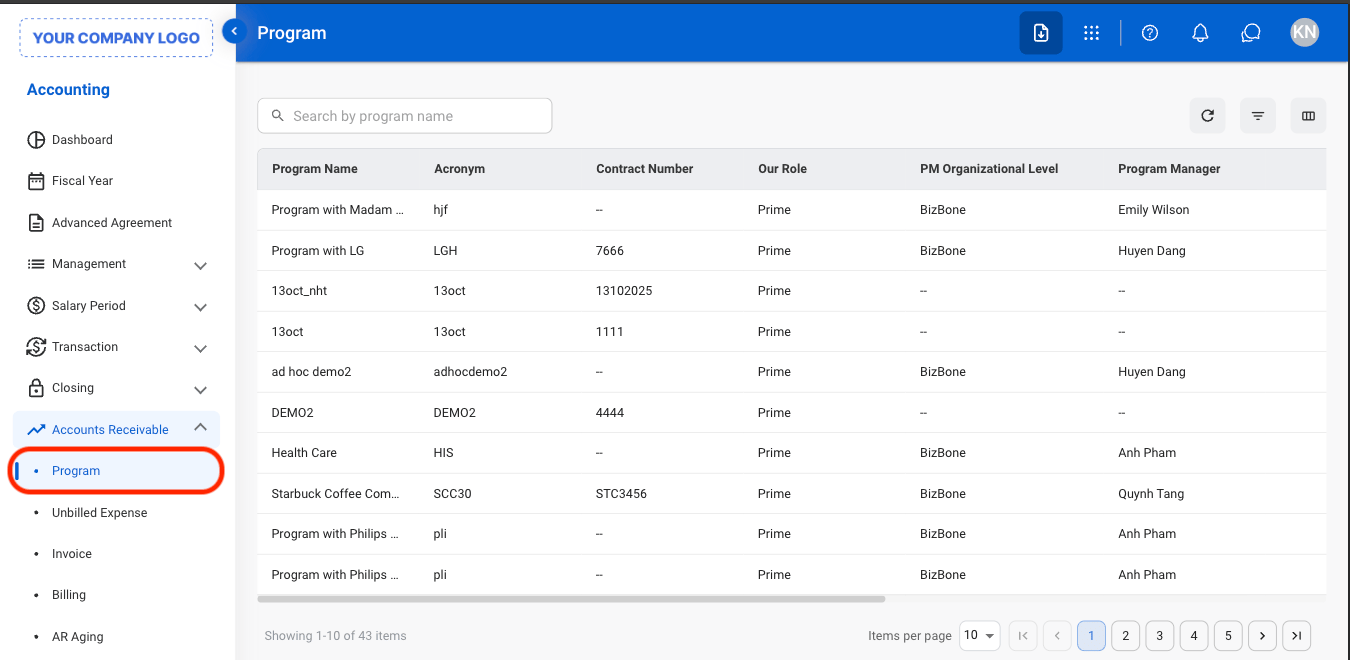
2
Select a program
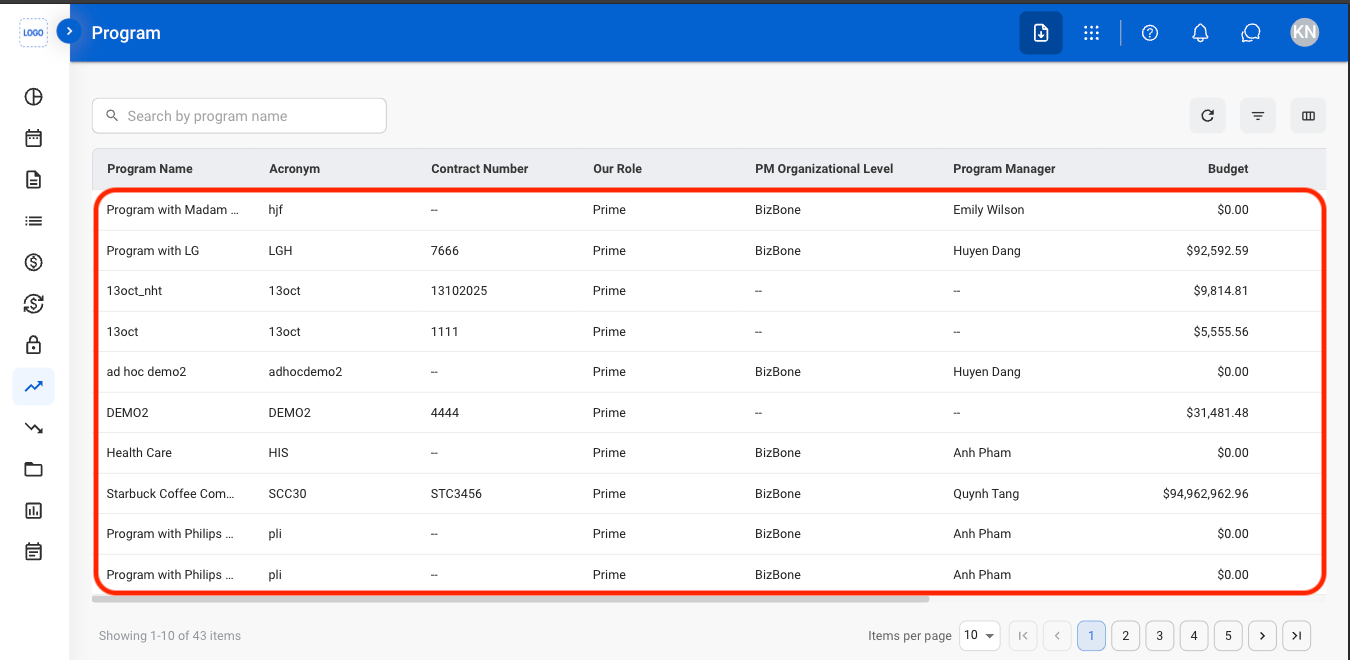
3
Select a tab
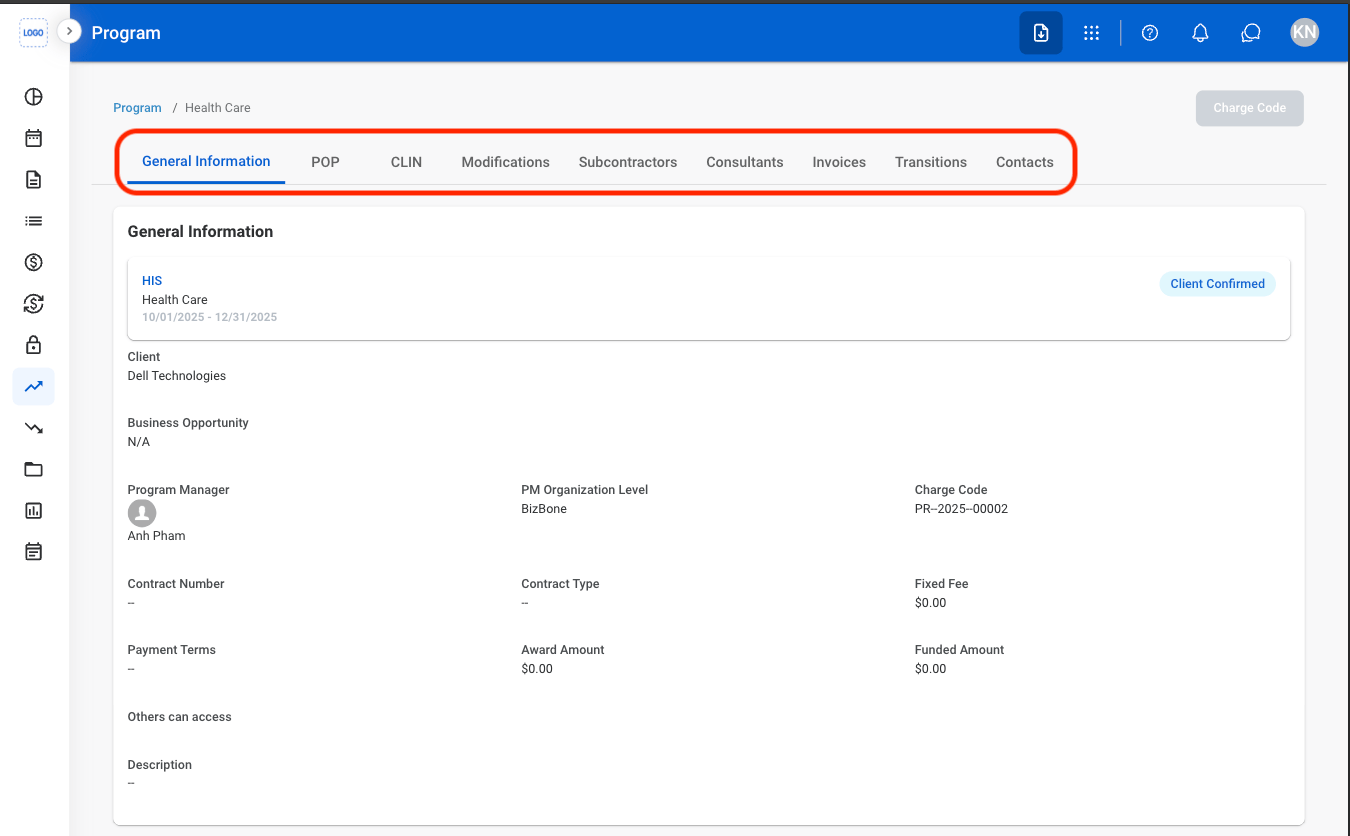
Invoice
Add an Invoice
1
Select a program
2
Navigate to Invoices
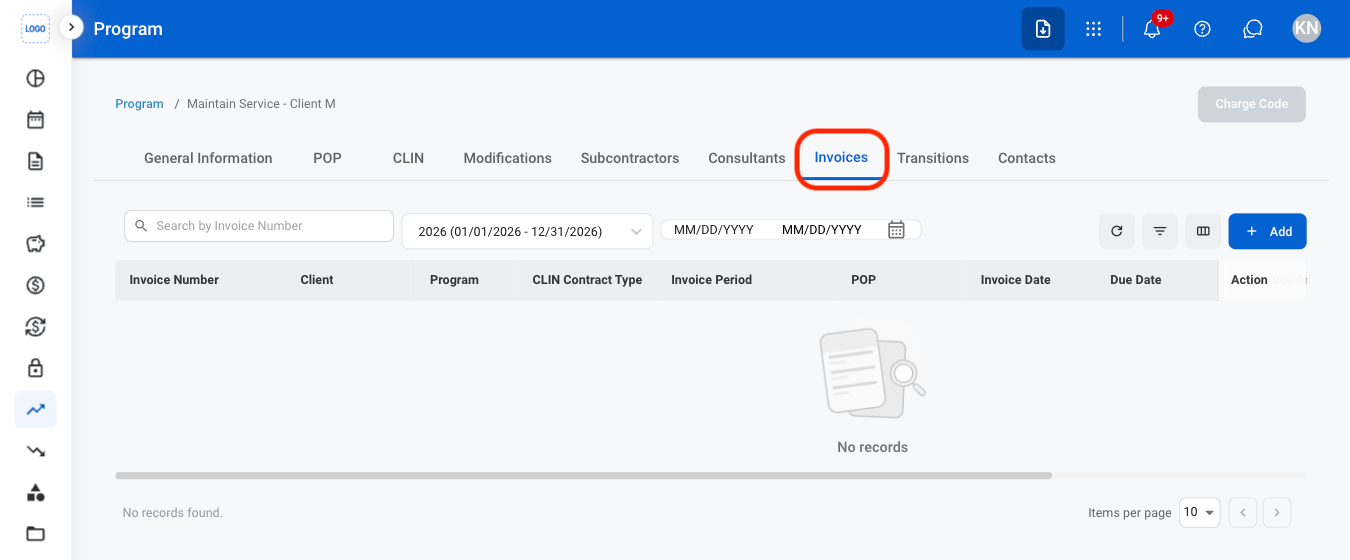
3
Select Add
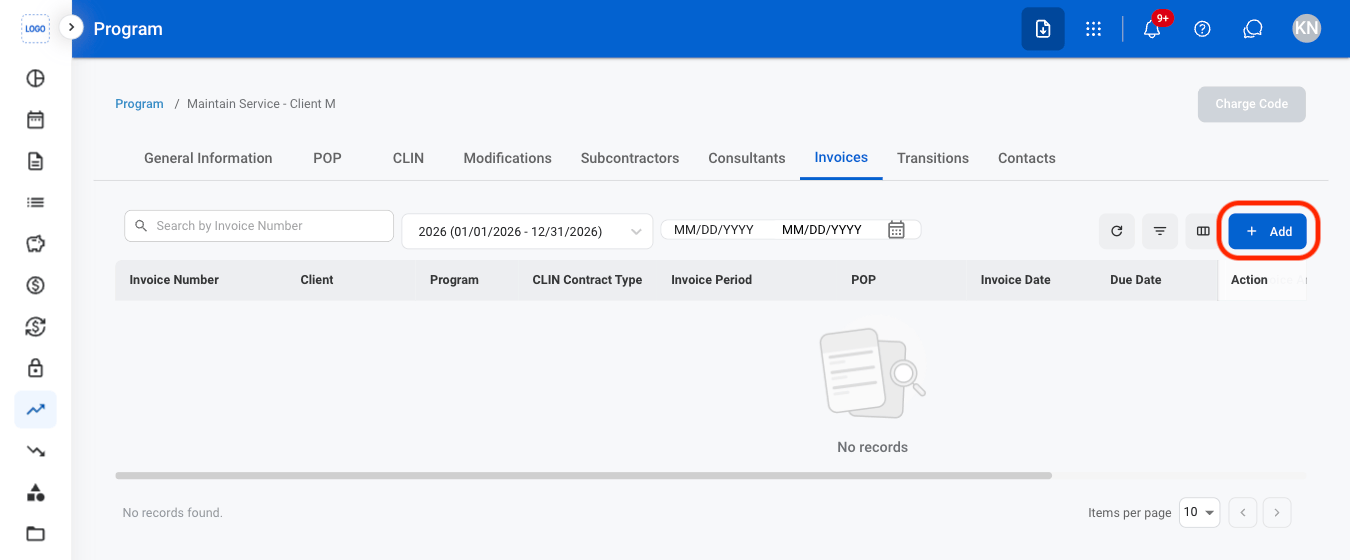
4
Fill in the required information
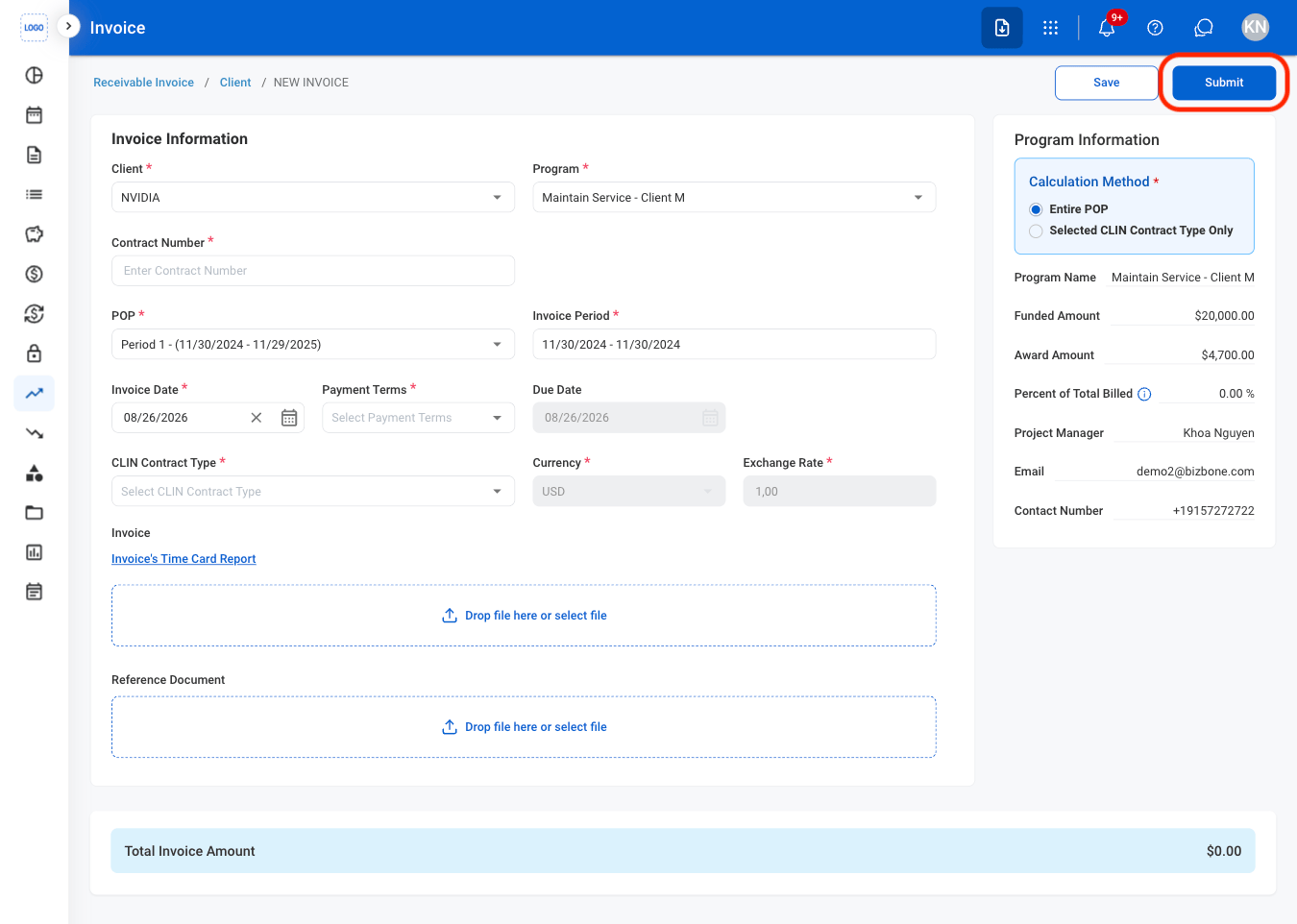
- Submit: Submit the invoice for processing and move it into the invoice workflow.
- Save: Save the invoice as a draft so it can be reviewed or updated before submission.
Transition Activity
Add a Transition Activity
1
Navigate to Transitions
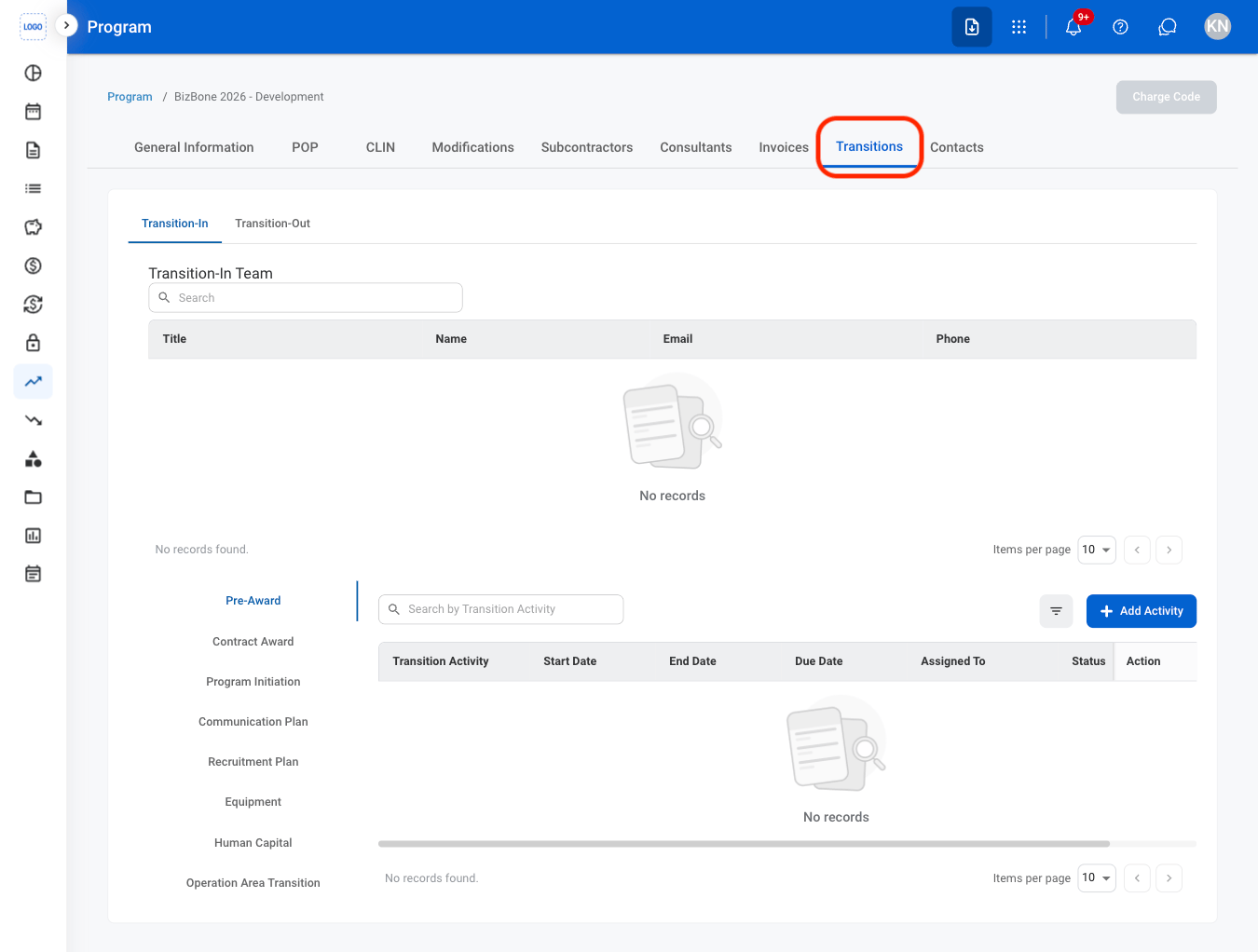
2
Select a tab
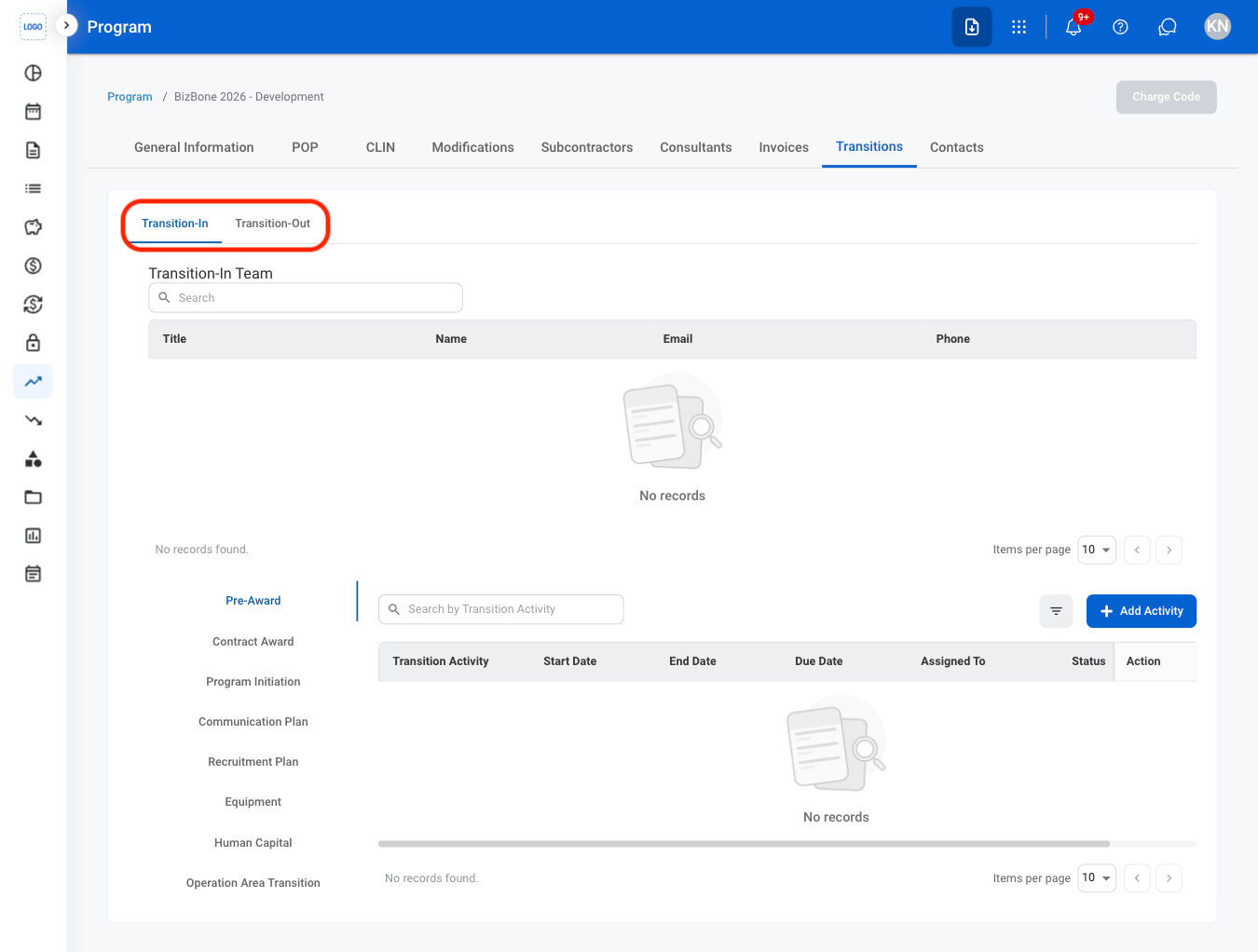
- Transition-In: Activities related to transitioning into a newly awarded program or contract.
- Transition-Out: Activities related to contract closeout and disengagement.
3
Select a category
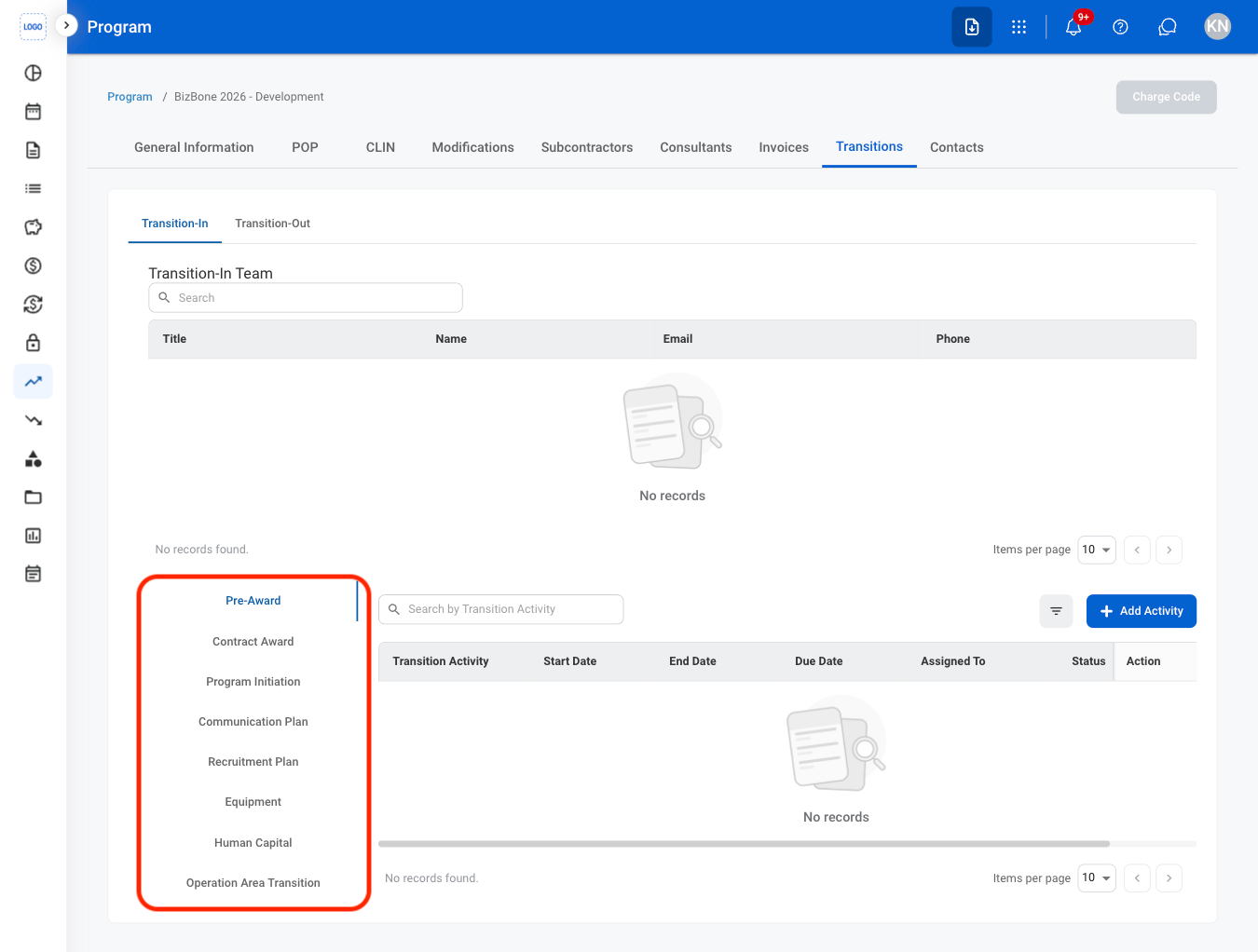
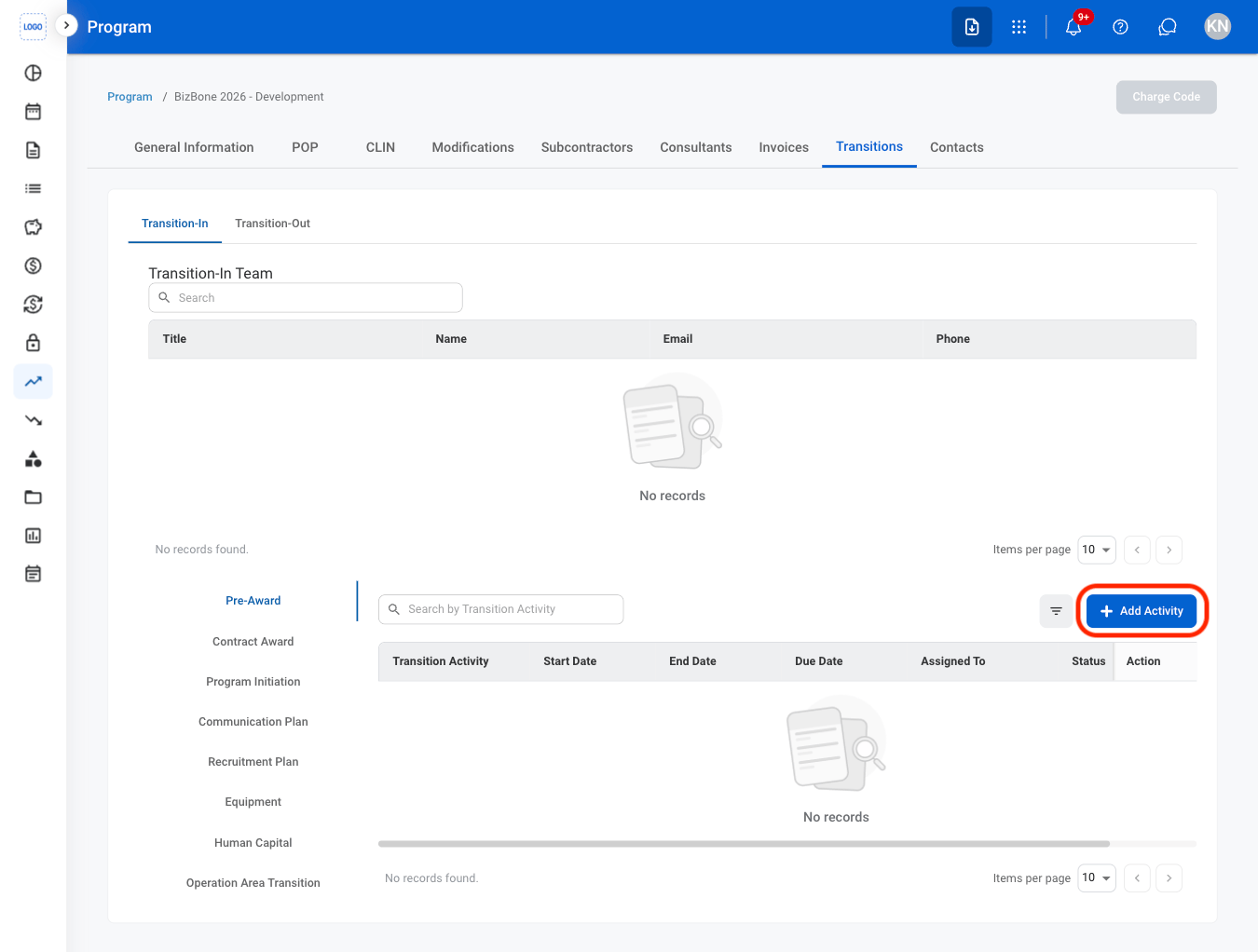
4
Select Add Activity
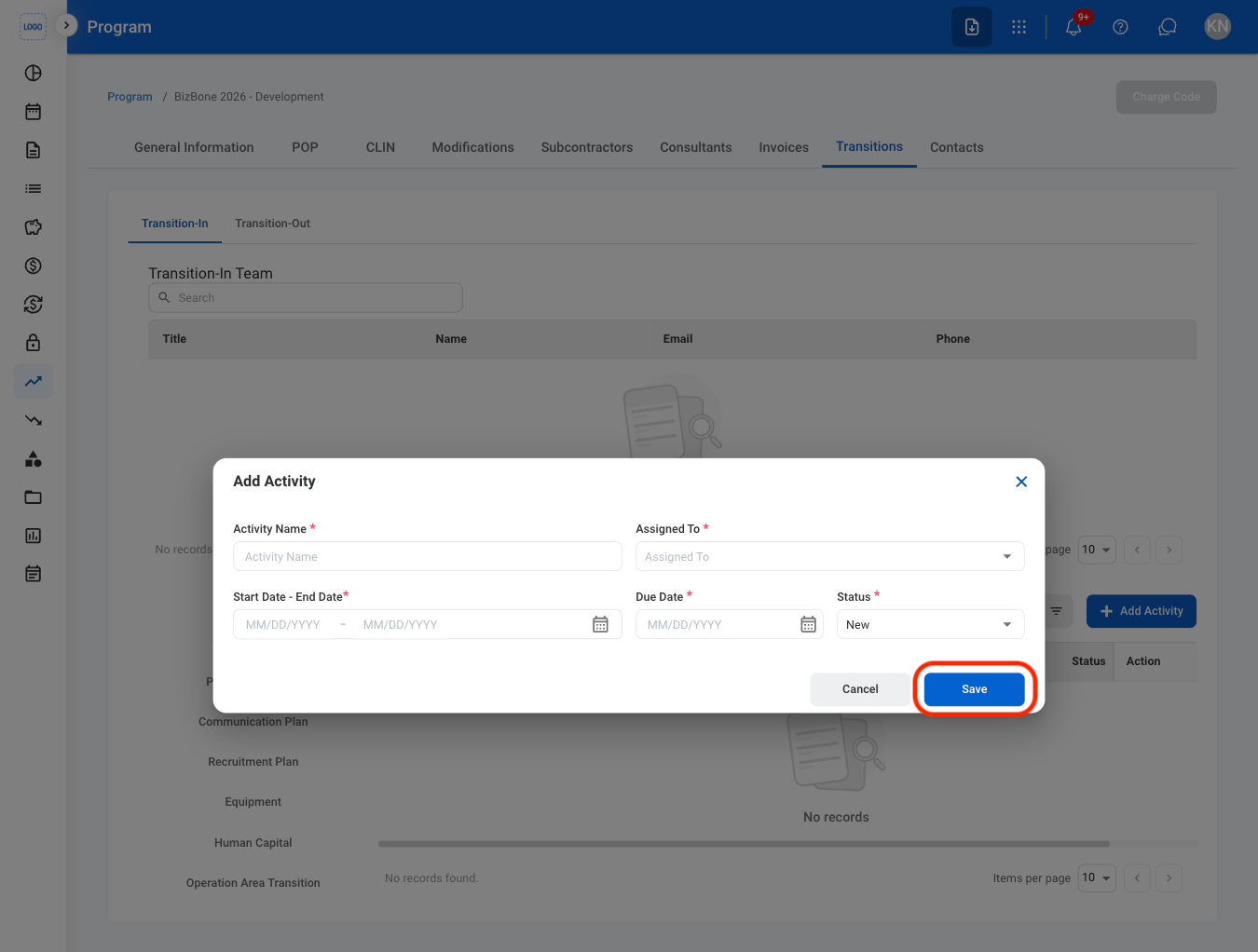
5
Fill in the required information
Modify Transition Activity
1
Select a tab
- Transition-In: Activities related to transitioning into a newly awarded program or contract.
- Transition-Out: Activities related to contract closeout and disengagement.
2
Select a category
3
Select an action
- Edit: Replace or modify the activity.
- Delete: Remove the activity.
4
Complete the action
- Edit: Select Save to complete or Cancel to exit without saving changes.
- Delete: Select Delete to complete or Cancel to exit without saving changes.