
Available Reports
AP Aging
AP Aging
Reports on outstanding accounts payable balances grouped by aging period.
AR Aging
AR Aging
Reports on outstanding accounts receivable balances grouped by aging period.
Income Statement
Income Statement
Reports on revenue, expenses, and net income for a selected period.
Trial Balance
Trial Balance
Reports on account balances and transaction activity for a selected period.
The Trial Balance defaults to Single Balance view, which displays Opening Balance and Ending Balance as single signed values. Toggle to Detail Balance to view separate Debit and Credit columns for each balance.
Negative values in Single Balance view are displayed in red using bracket notation.
Balance Sheet
Balance Sheet
Reports on assets, liabilities, and equity at a specific point in time.
General Ledger
General Ledger
Reports on posted transactions and account activity.
Check Register
Check Register
Reports on issued checks and related payment activity.
Cash Flow Statement
Cash Flow Statement
Reports on cash inflows and outflows from operating, investing, and financing activities.
Create a Report Template
1
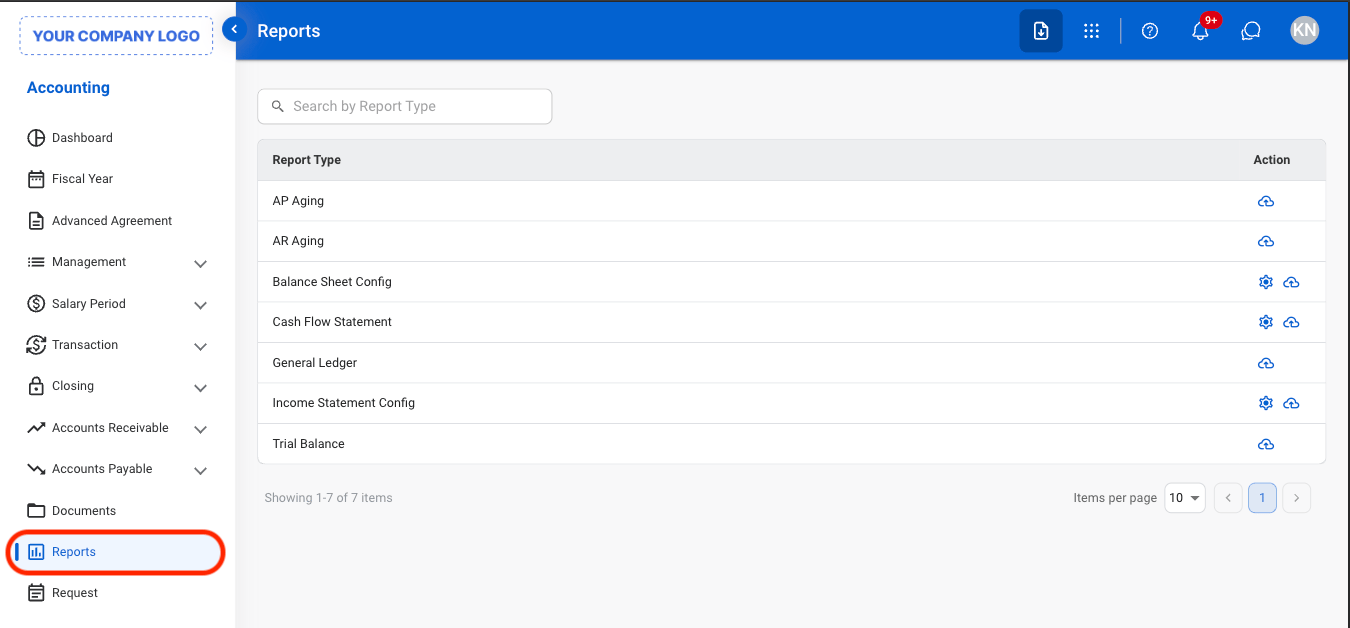
Navigate to Report
2
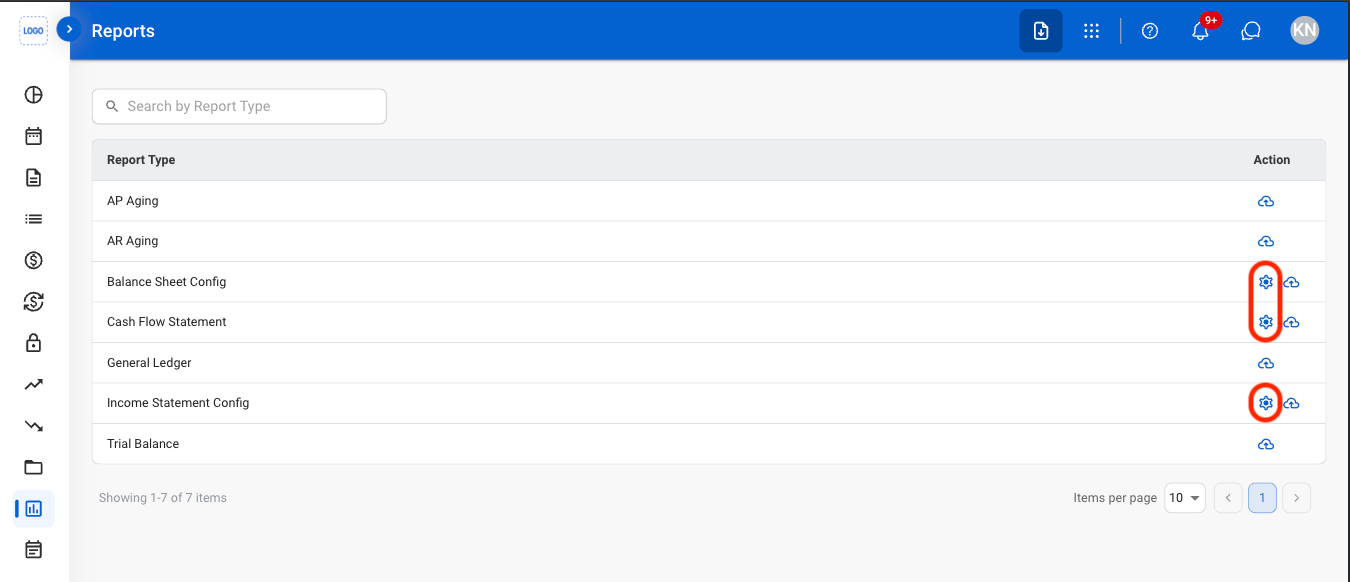
Select the Settings icon
3
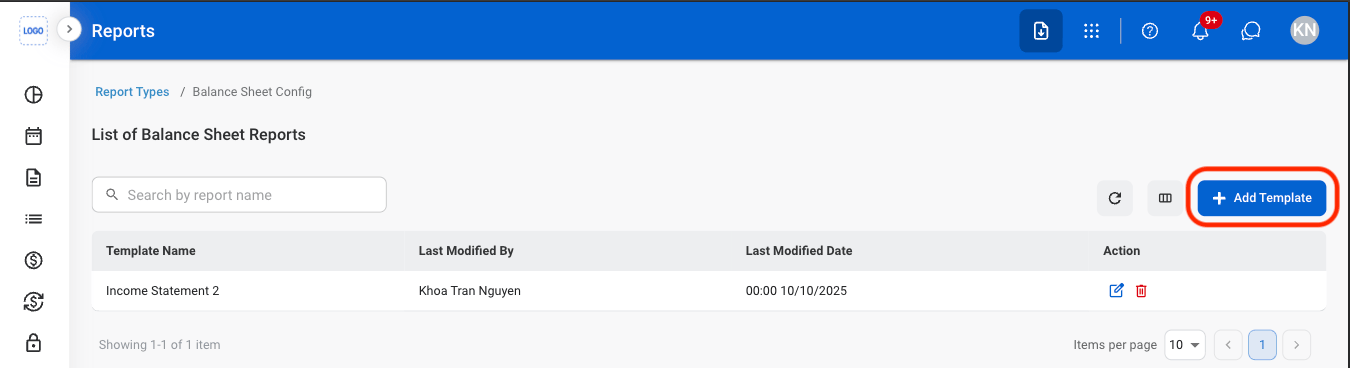
Select Add Template
4
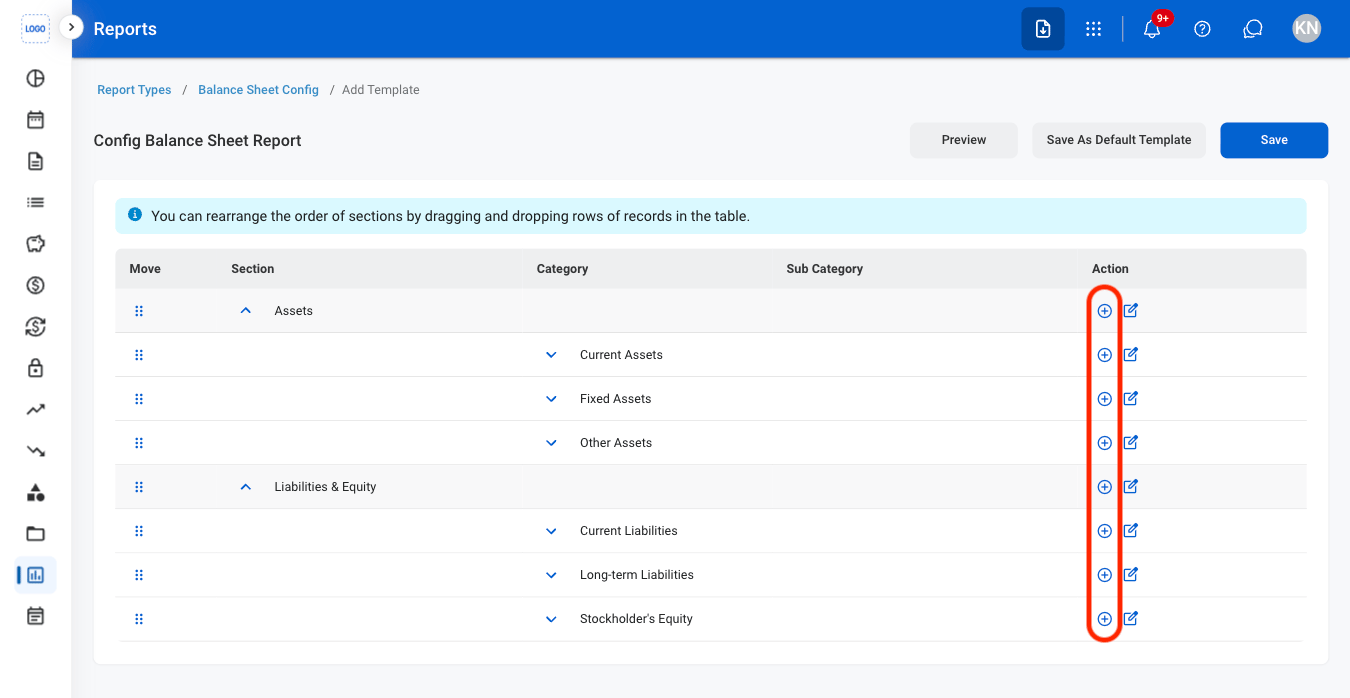
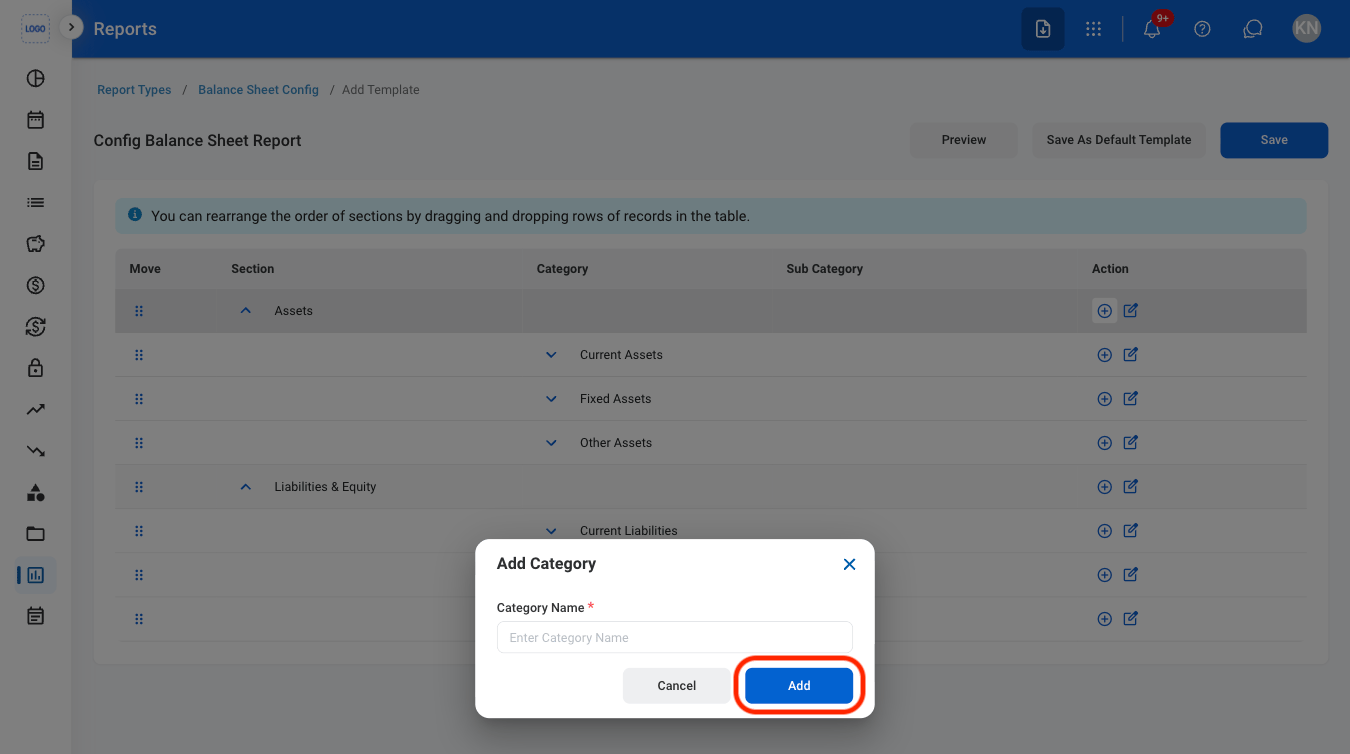
Select the Add icon to add reporting categories
5
Fill in the required information
6
Confirm the action
Select Save to update the current template or Save as Default Template to set it as the default report template.
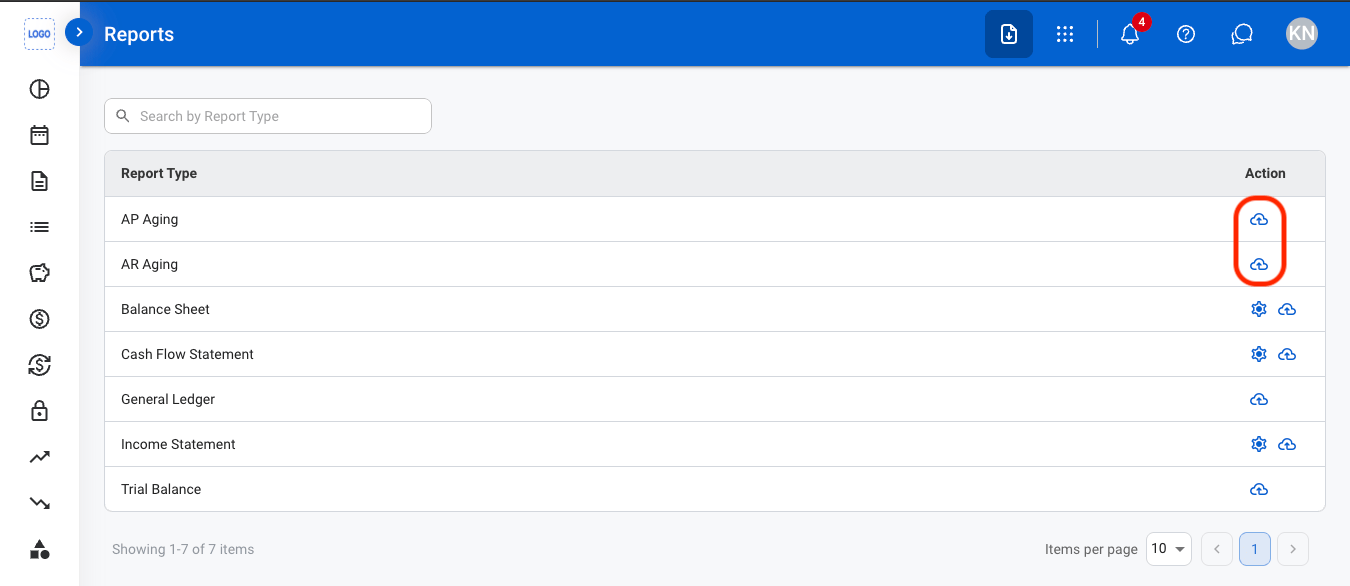
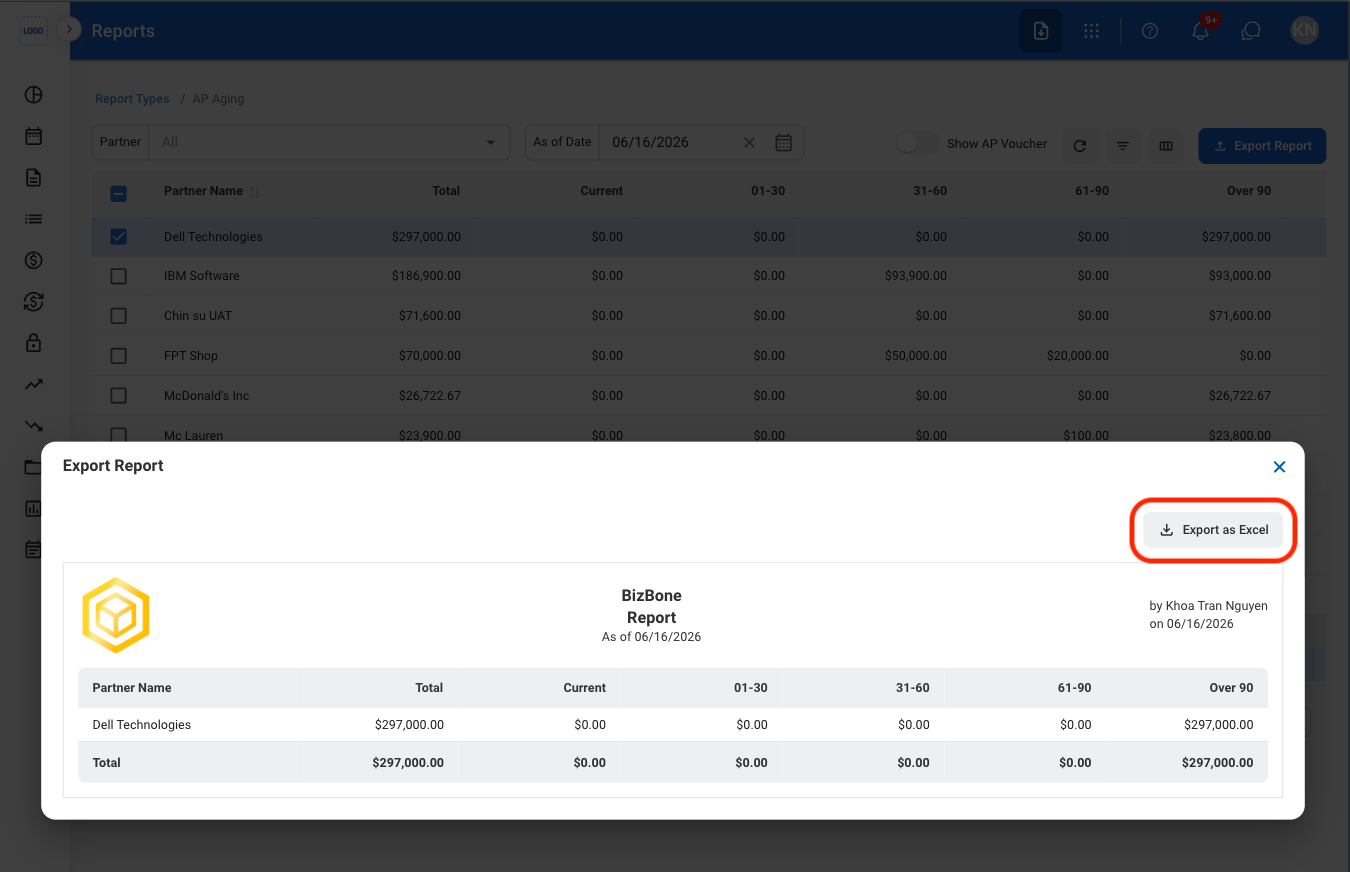
Generate an AP or AR Aging Report
1
Select the report icon
2
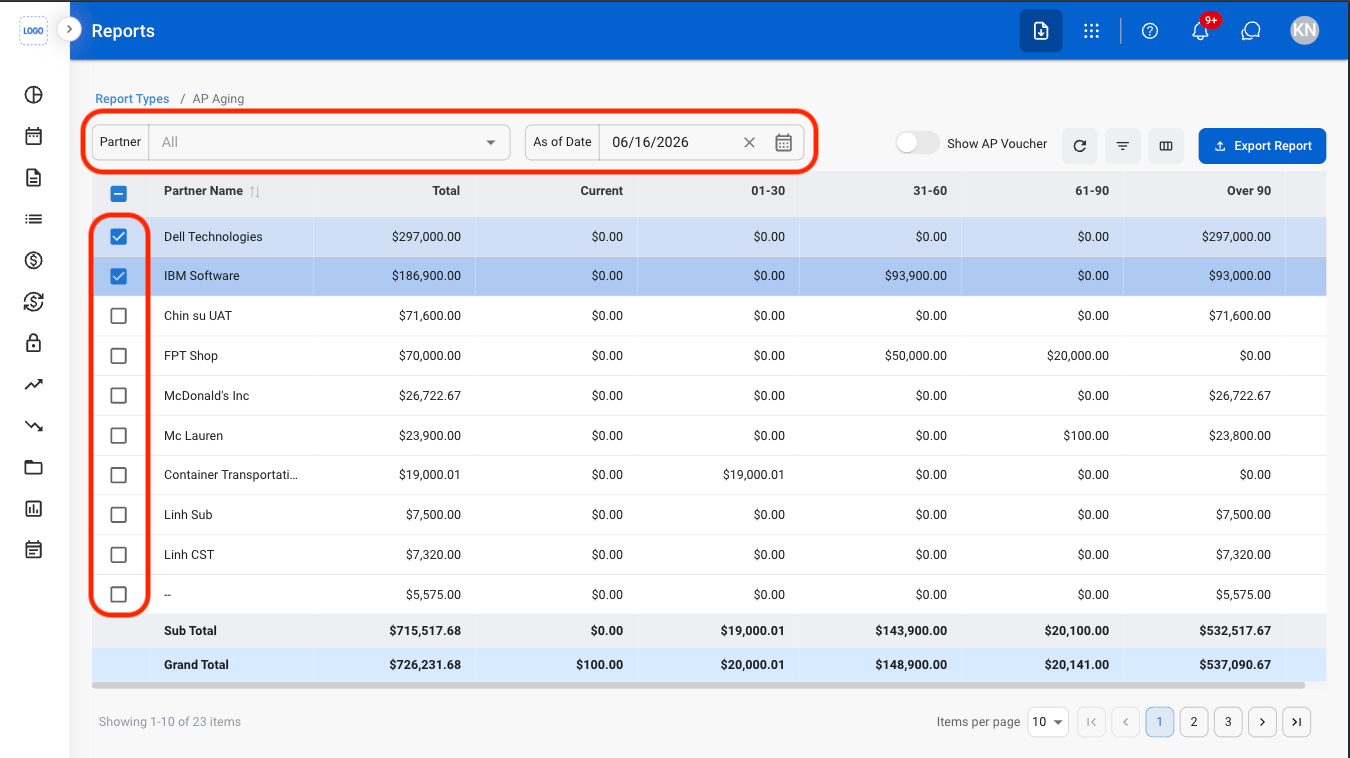
Apply filters and select entries
3
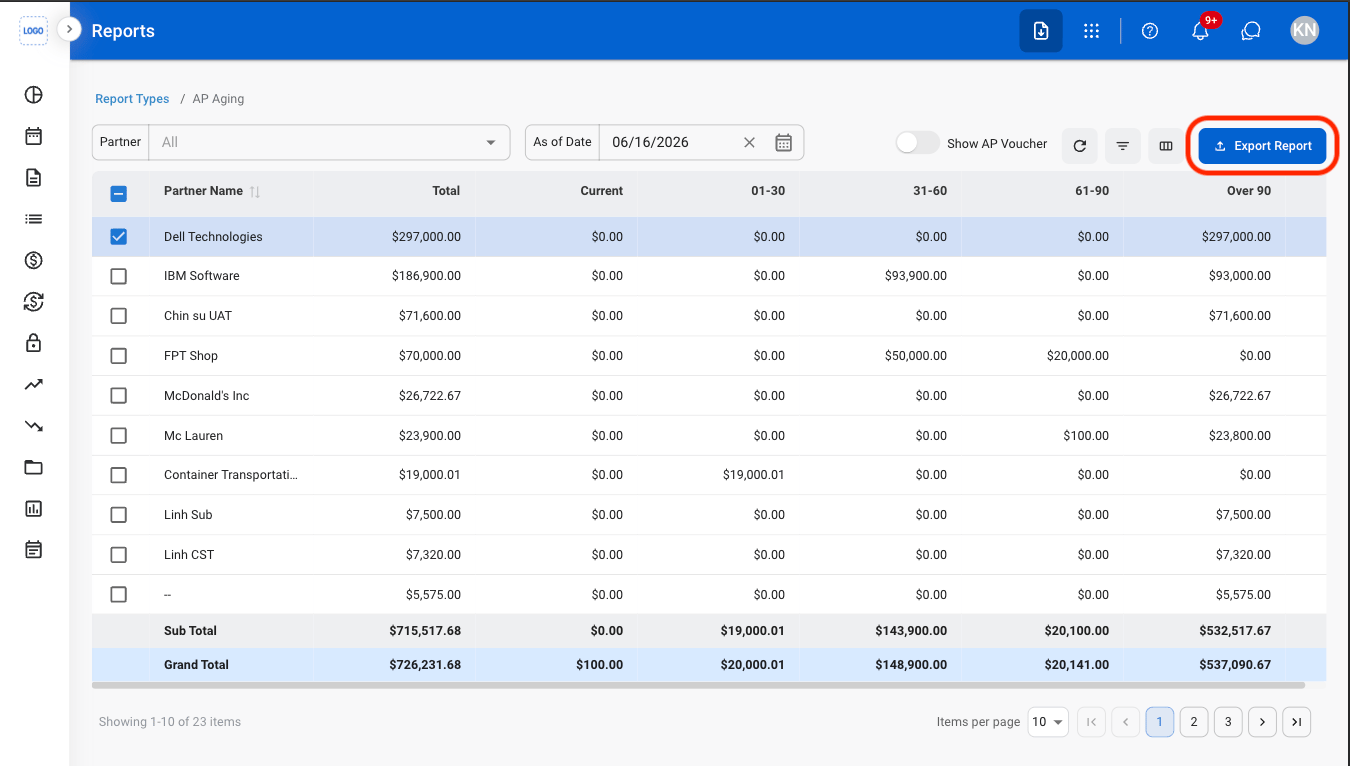
Select Export Report
4
Enter a report name

5
Select Export as Excel
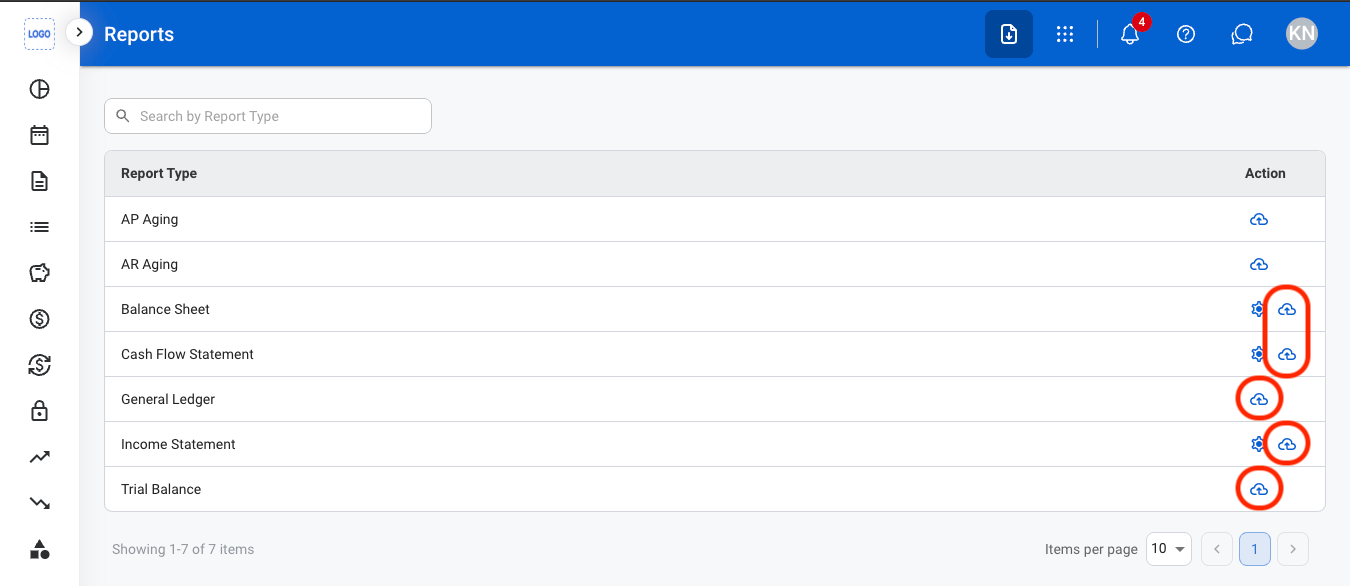
Generate All Other Report Types
1
Select the report icon
2
Fill in the required information
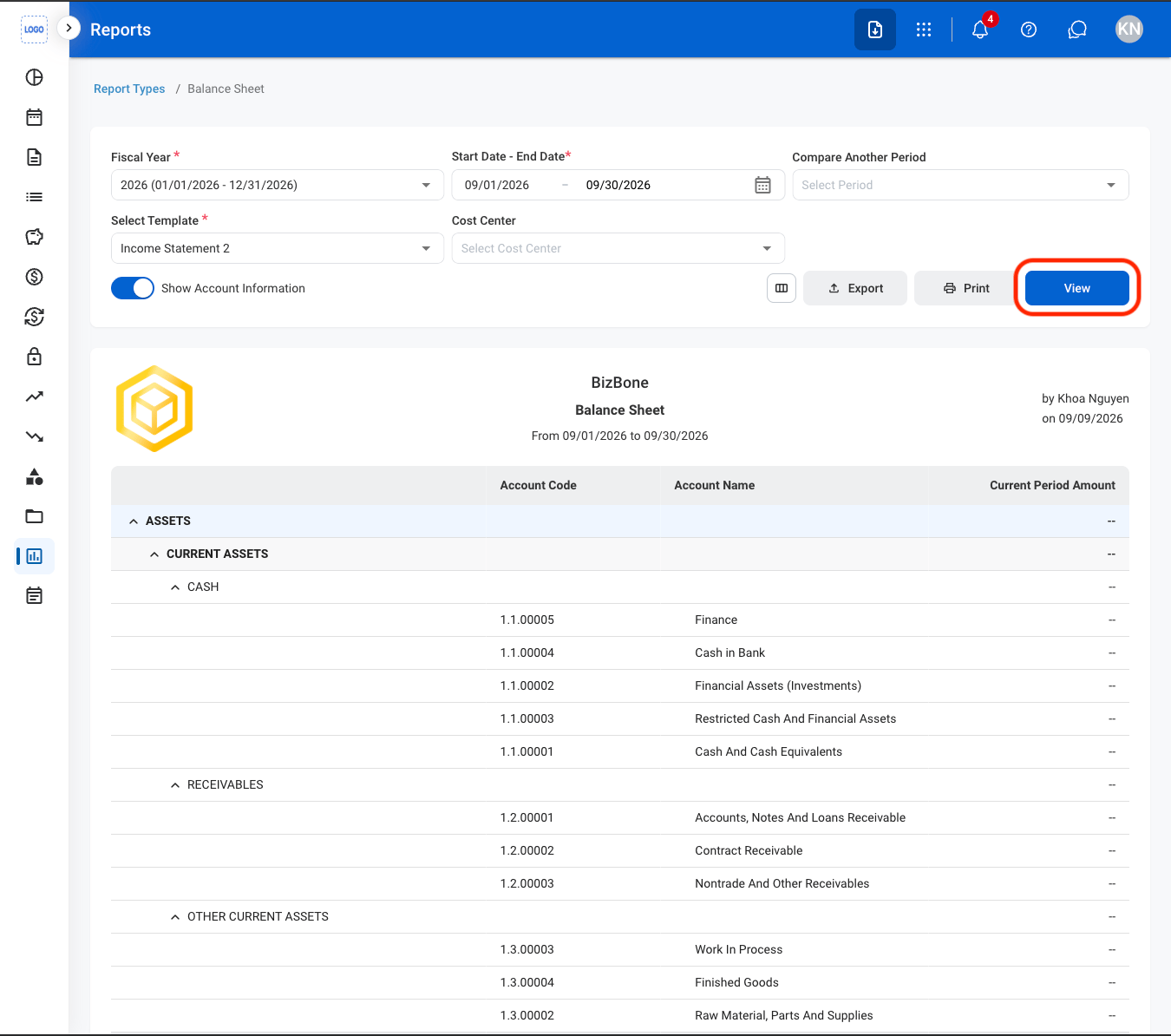
Use the column icon to select and customize column options.