
Create a Folder or Document
1
Navigate to Document
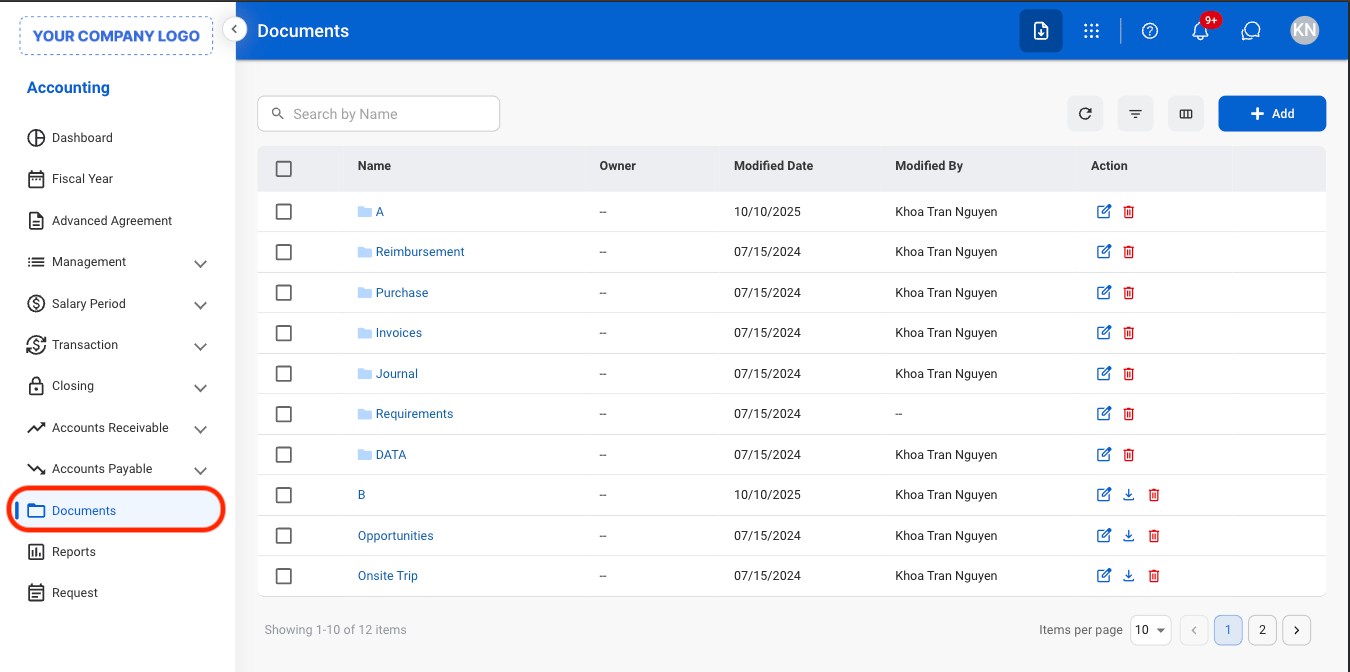
2
Select Add
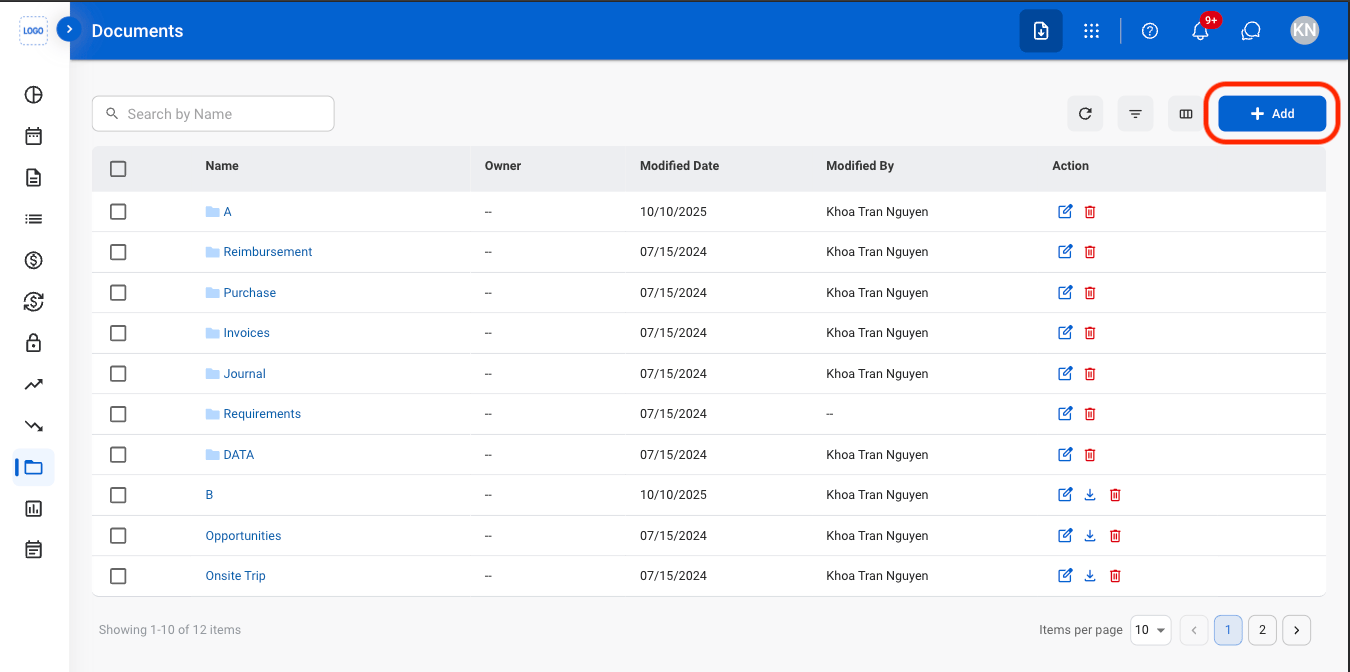
3
Select Folder or Document
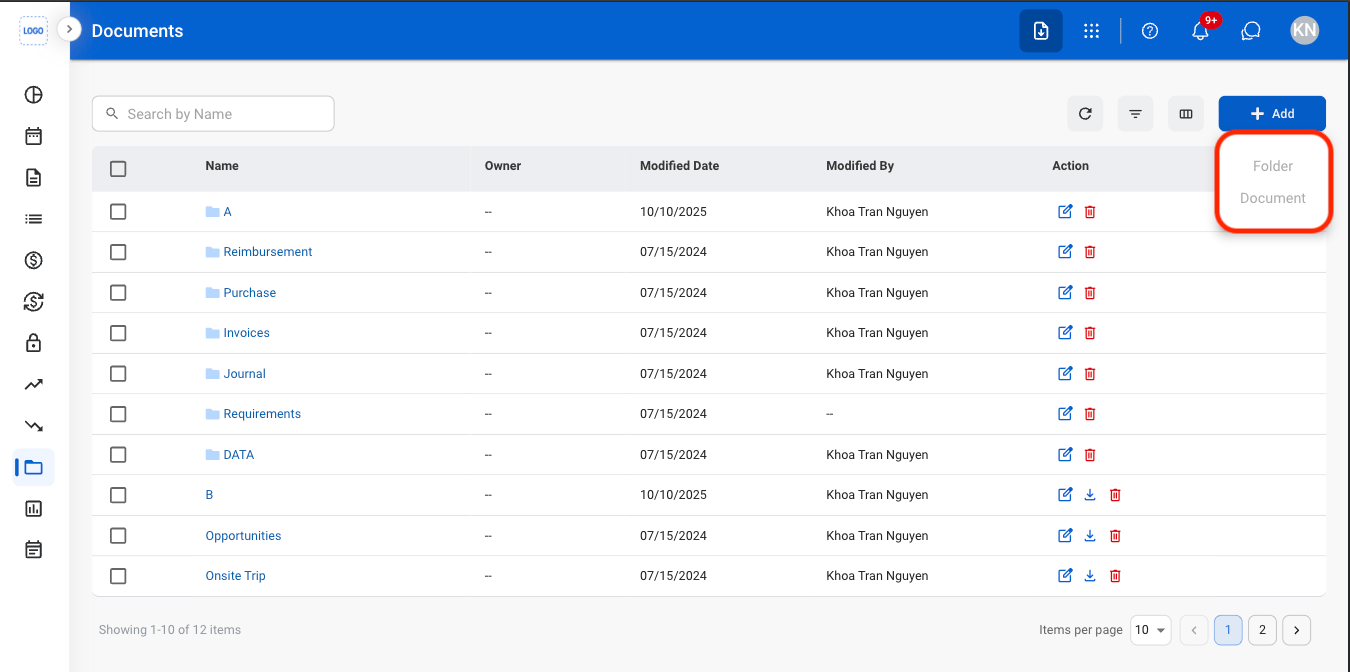
4
Fill in the required information
Select Save to complete or Cancel to exit without saving changes.
Move Folders or Documents
1
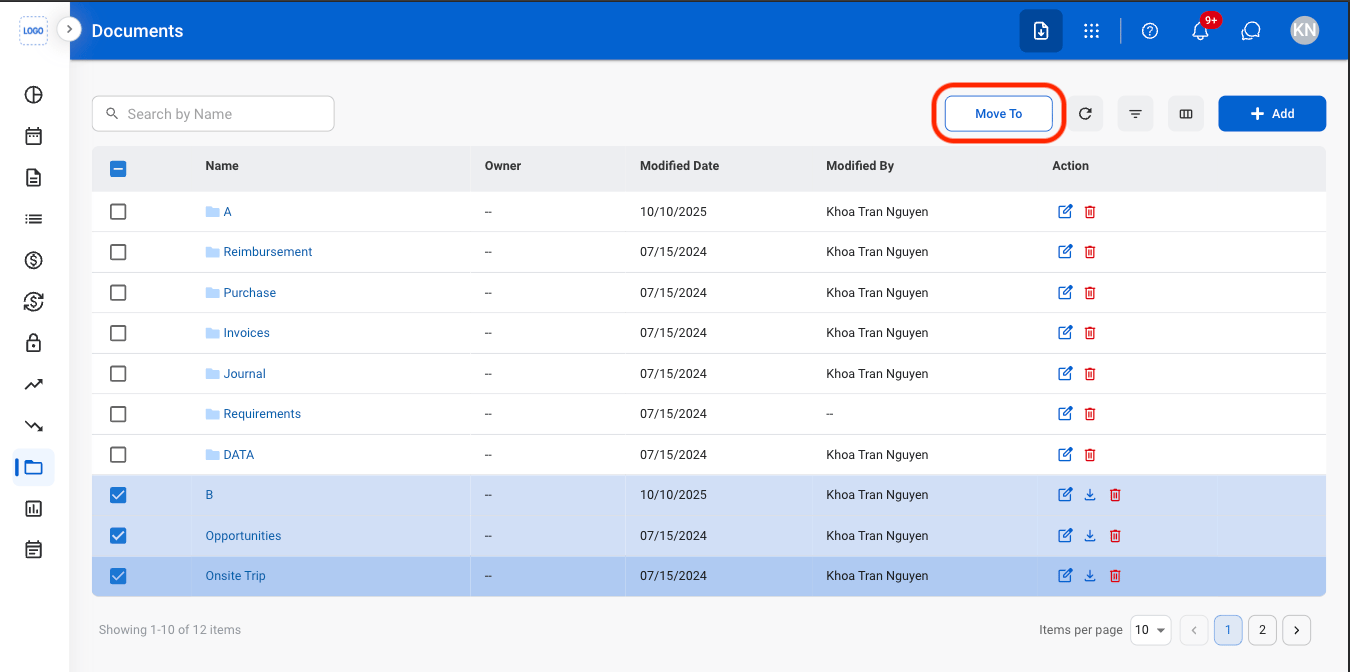
Select items to be moved
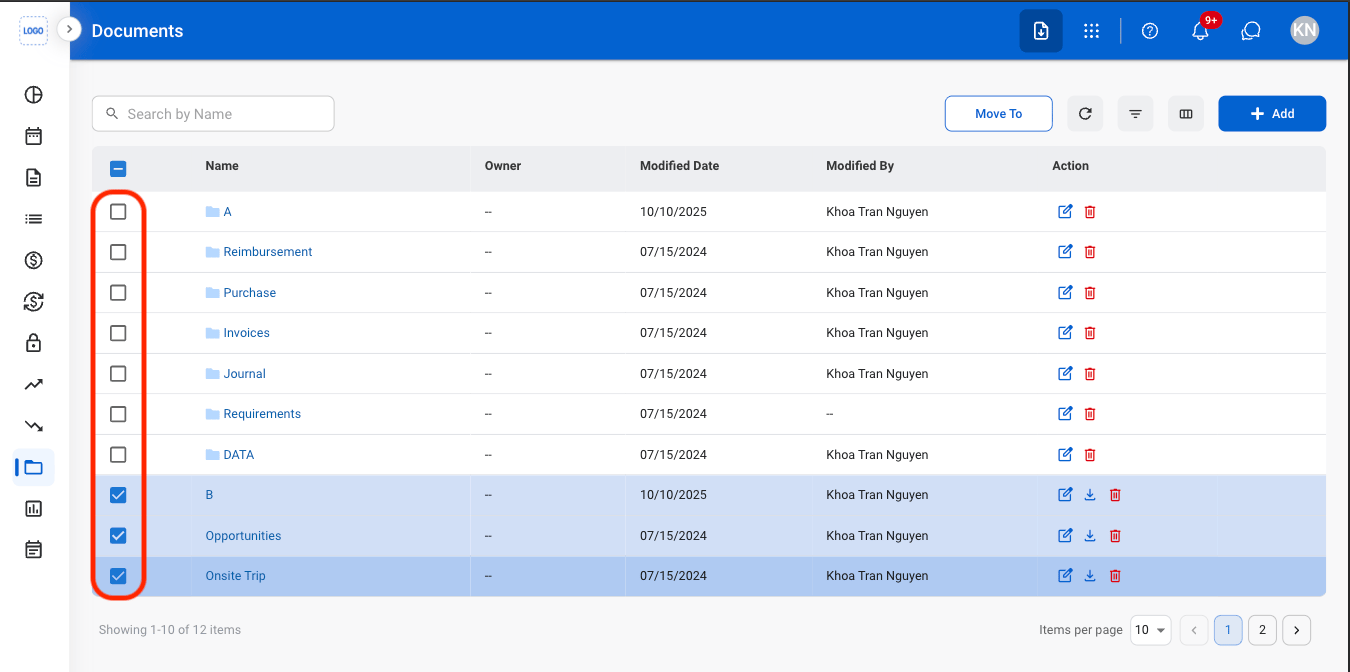
2
Select Move To
3
Select a destination

Actions
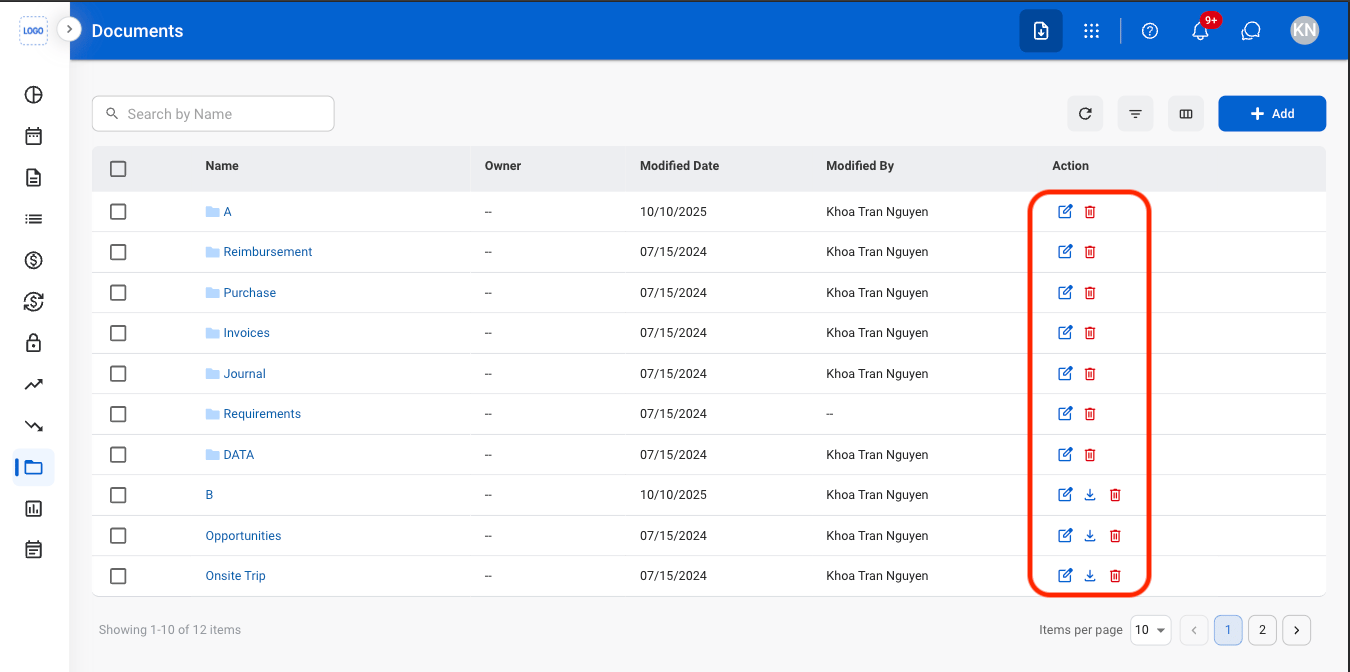
- Edit: Update the selected folder or document information.
- Delete: Permanently remove the selected folder or document from the system.
- Download: Download the selected document in XLSX format. This action is not available for folders.