
View a Labor Category
1
Navigate to Labor Category
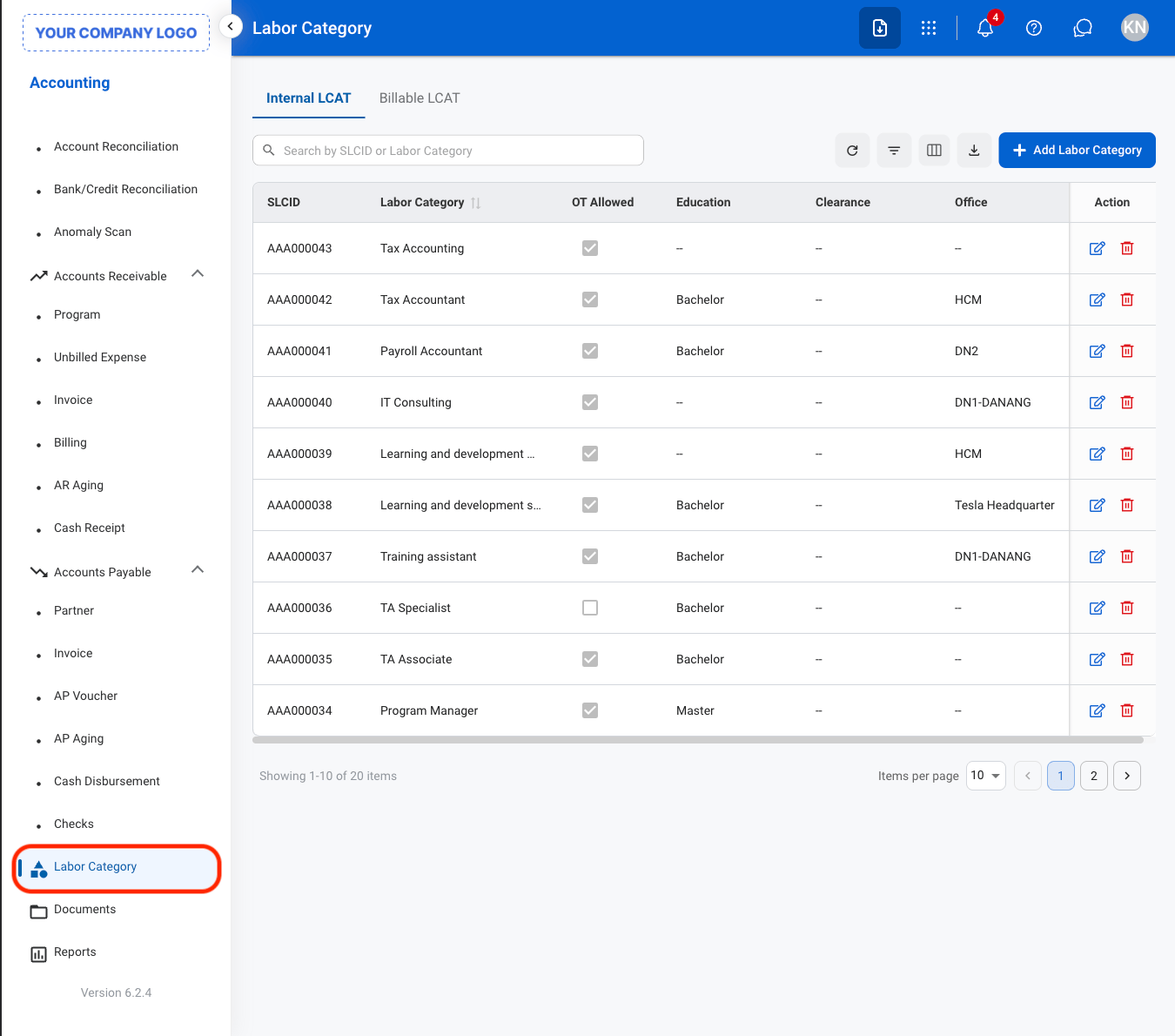
2
Select an LCAT type
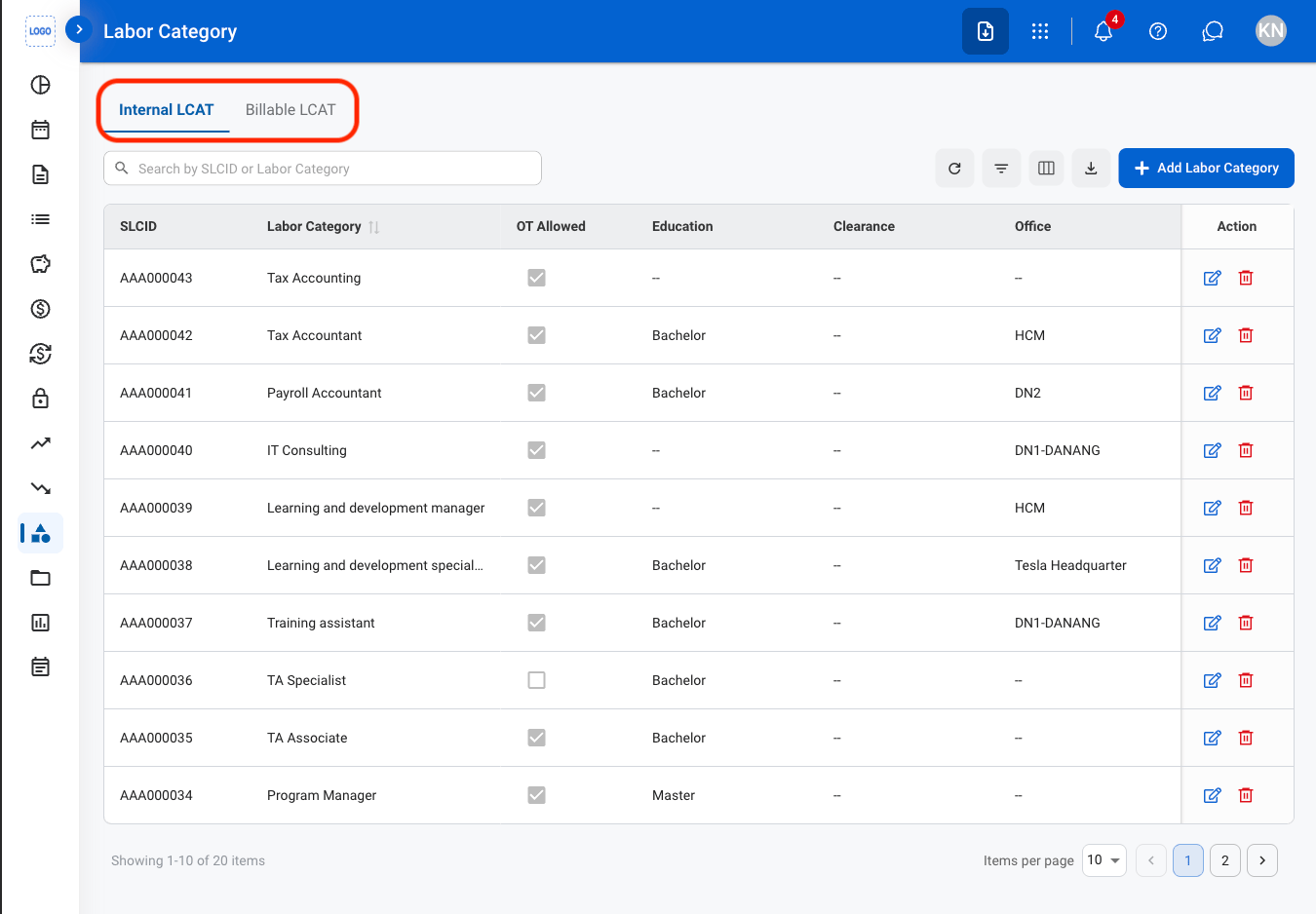
- Internal LCAT: Classifies employees for internal labor and timekeeping purposes.
- Billable LCAT: Defines billable labor categories associated with a program.
3
Select an LCAT
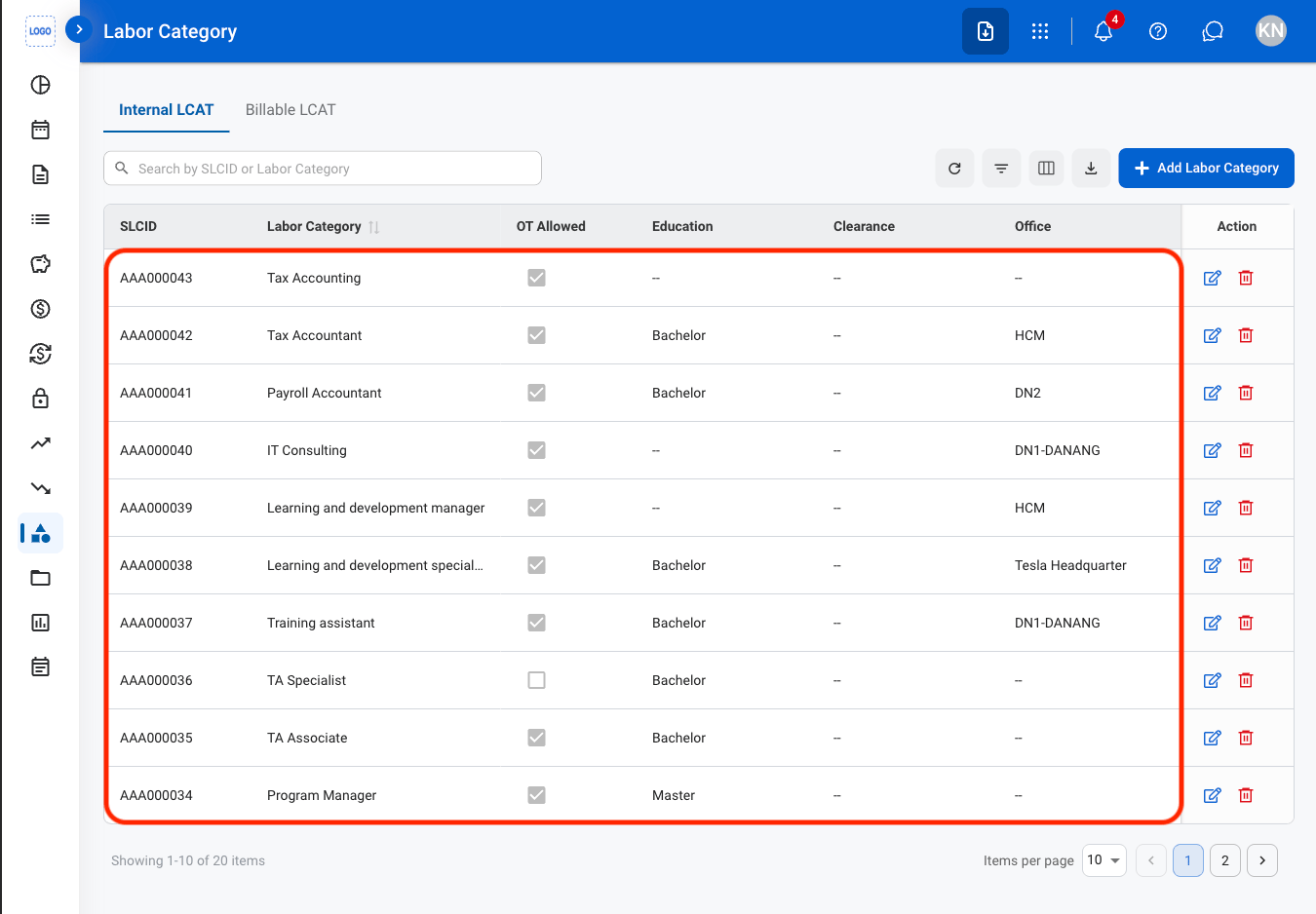
Internal LCAT
Add an LCAT
1
Navigate to Internal LCAT
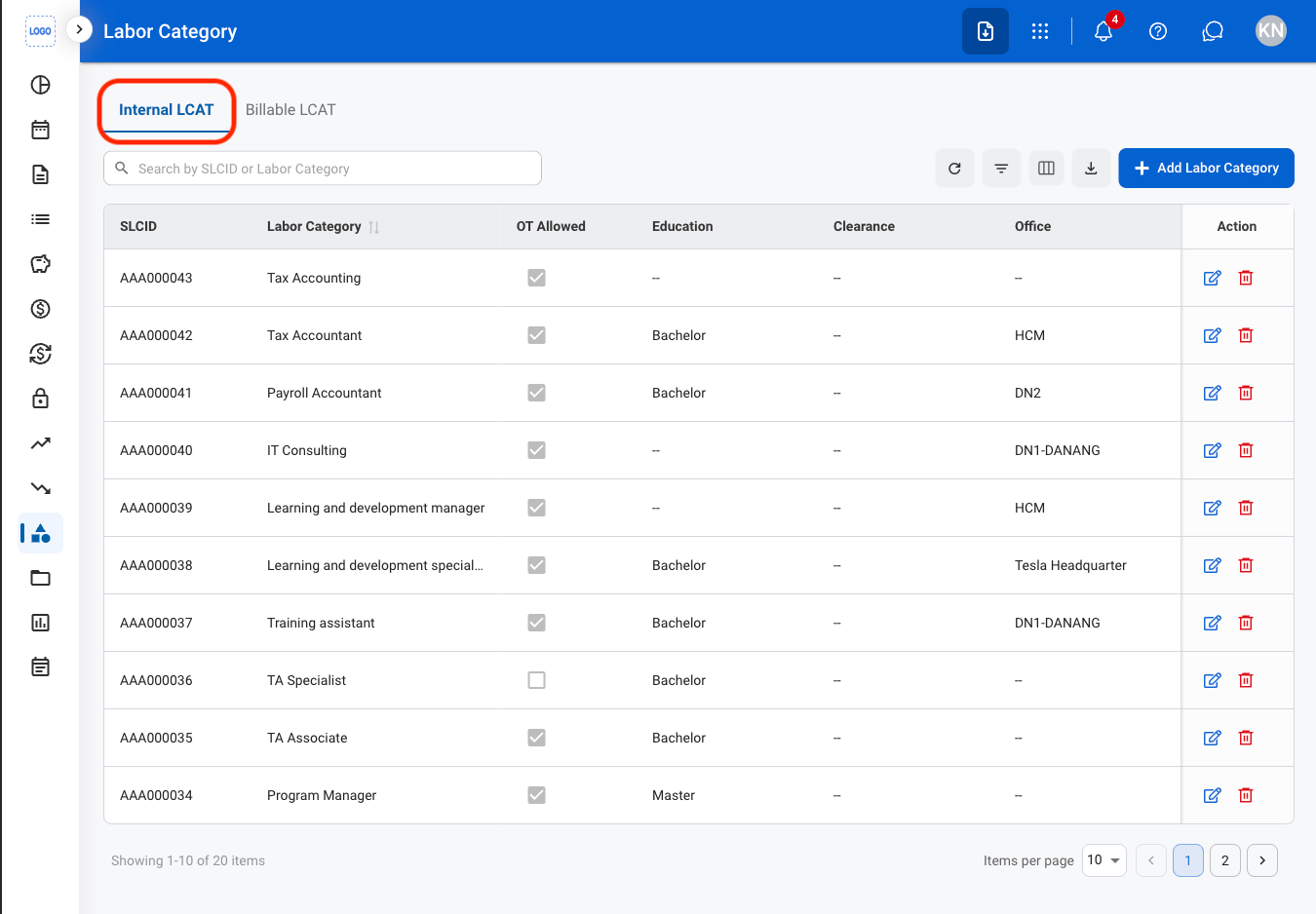
2
Select Add Labor Category
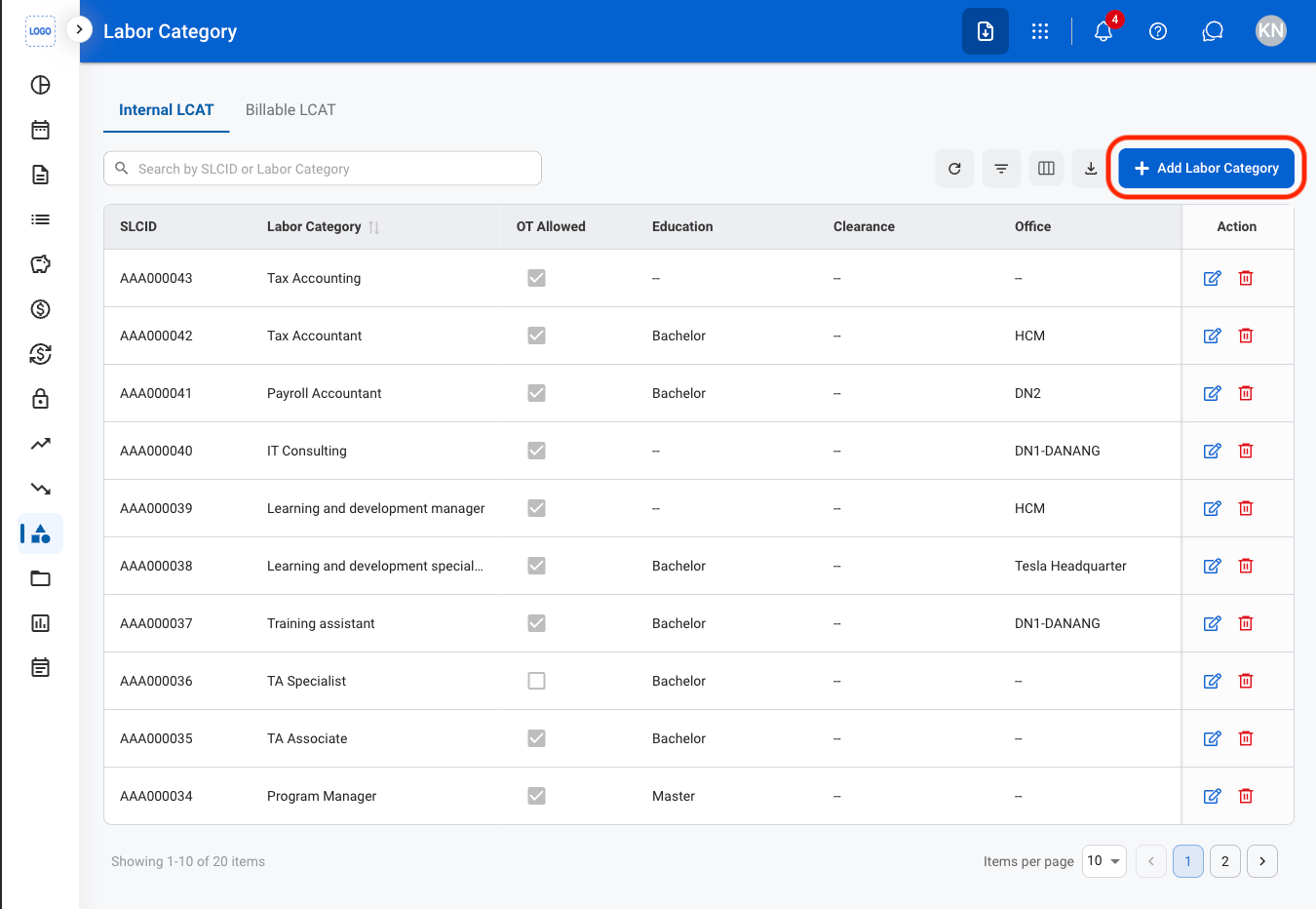
3
Fill in the required information
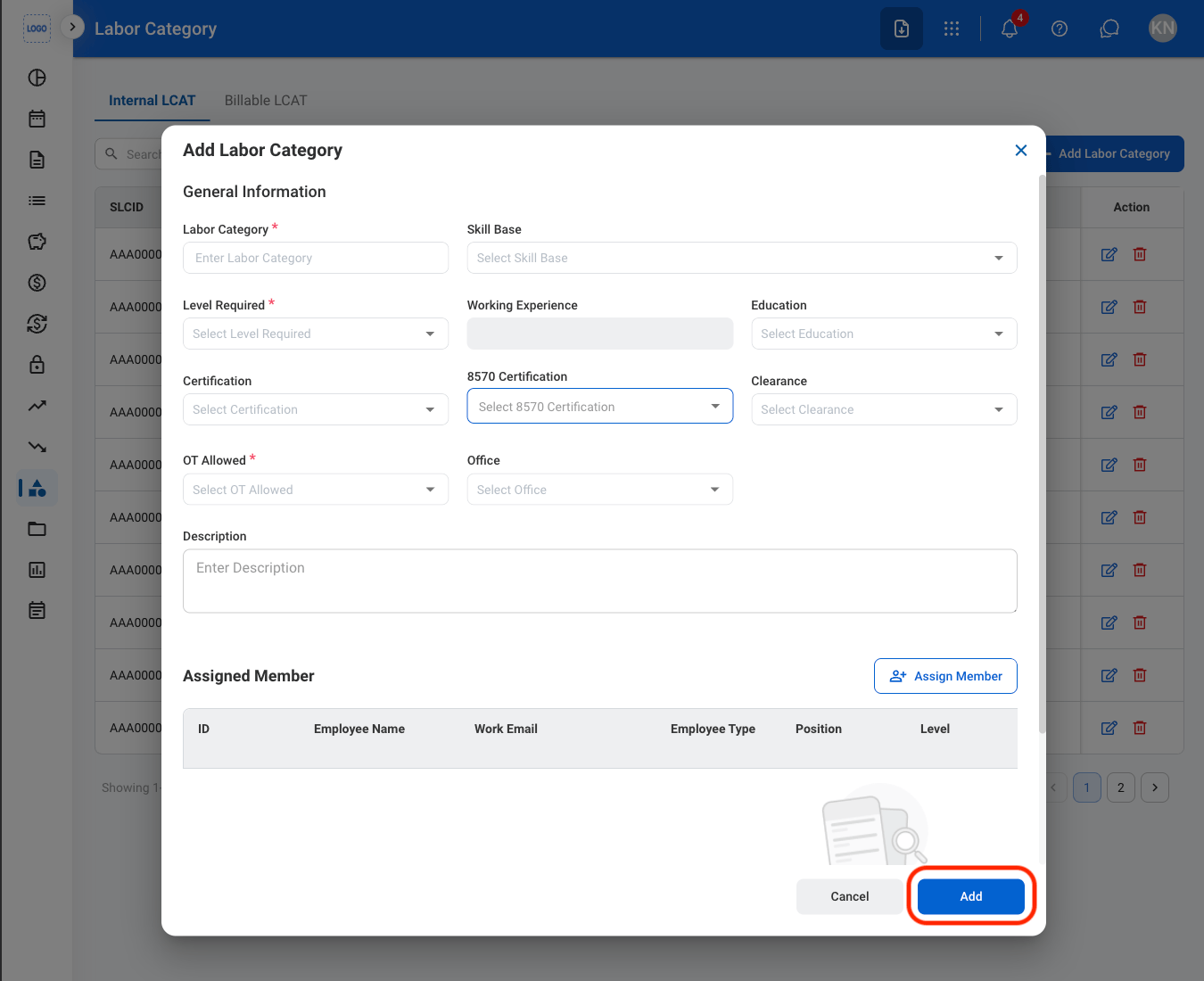
Modify an LCAT
1
Select an action
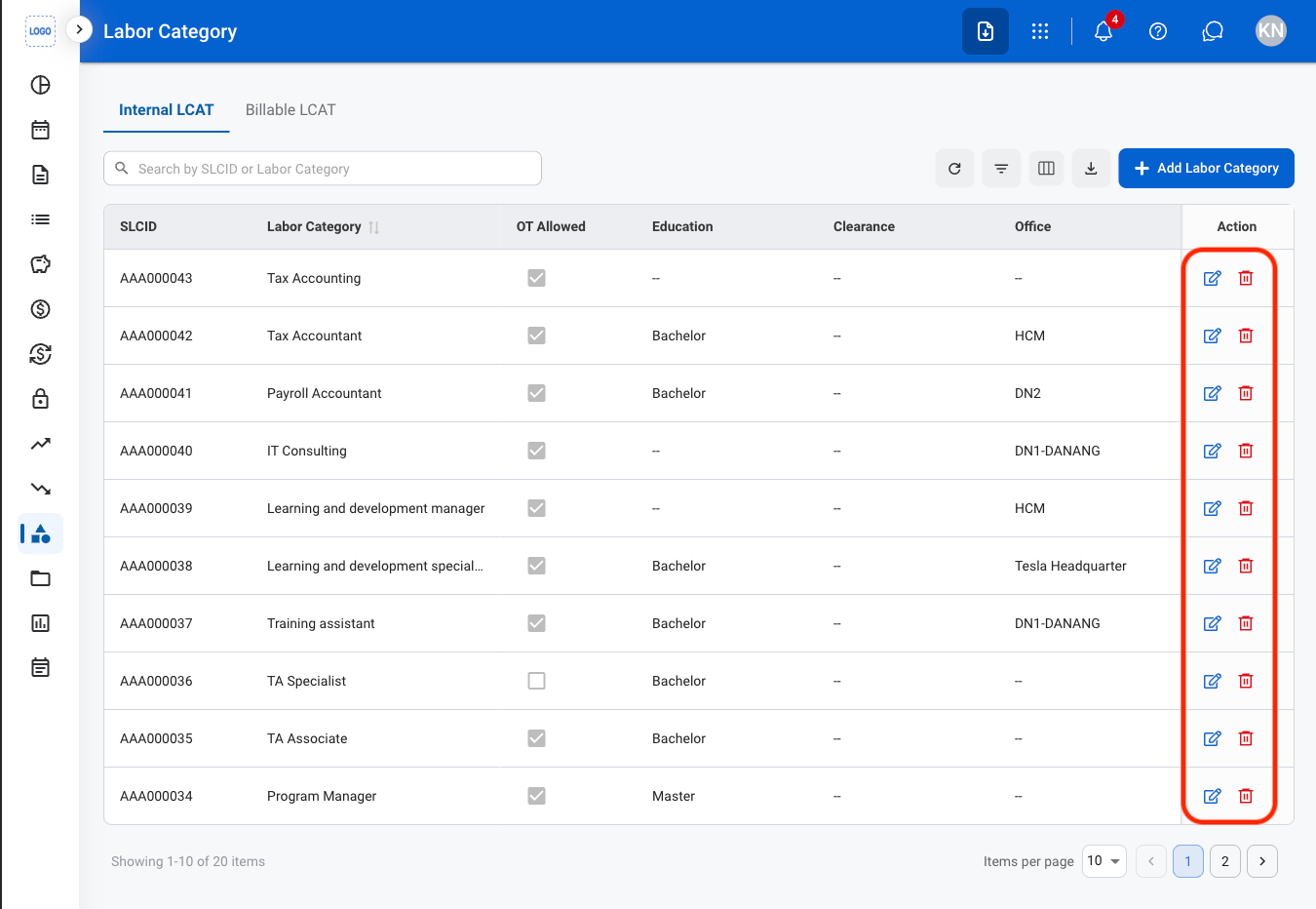
- Edit: Select the edit icon to update an existing entry
- Delete: Select the trash icon to delete an existing entry
2
Confirm the action
- Edit: Fill in the required information. Select Save to complete or Cancel to exit without saving changes
- Delete: Select Delete to complete or Cancel to exit without saving changes.