Add an Indirect Cost Pool
1
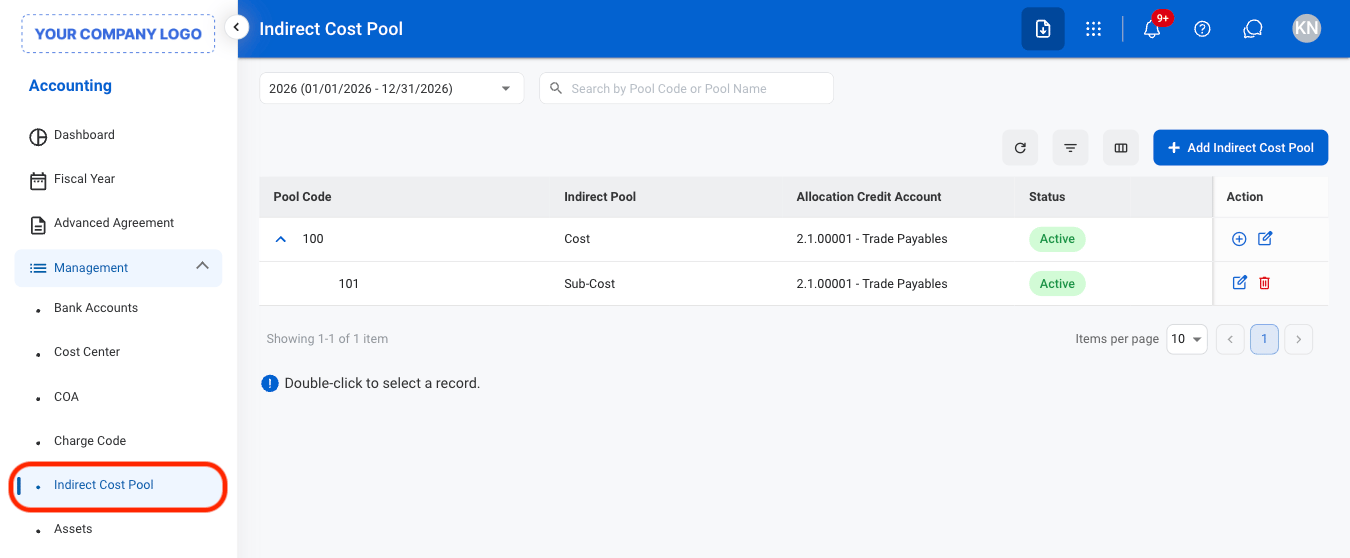
Navigate to Indirect Cost Pool
2
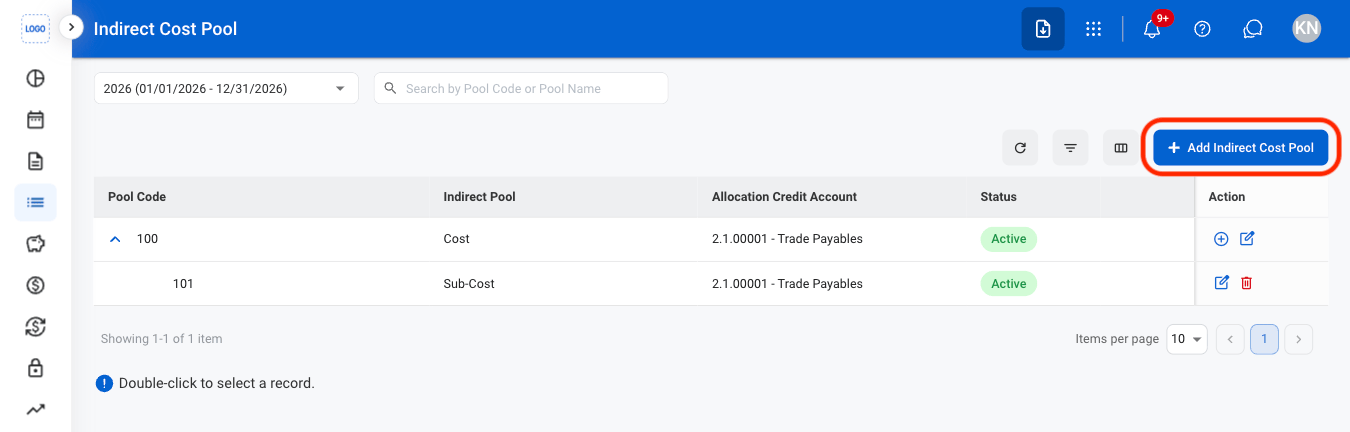
Select Add Indirect Cost Pool
3
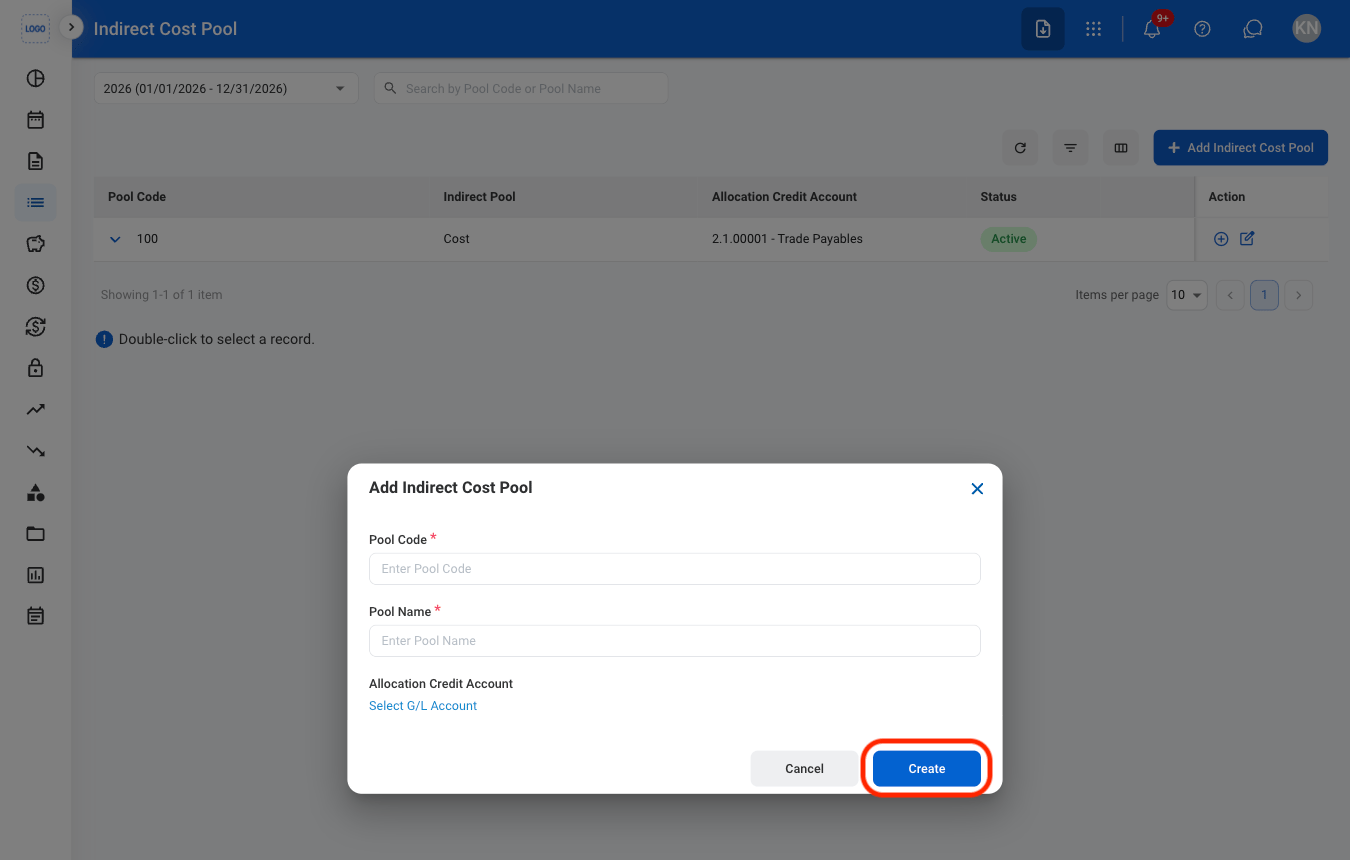
Fill in the required information
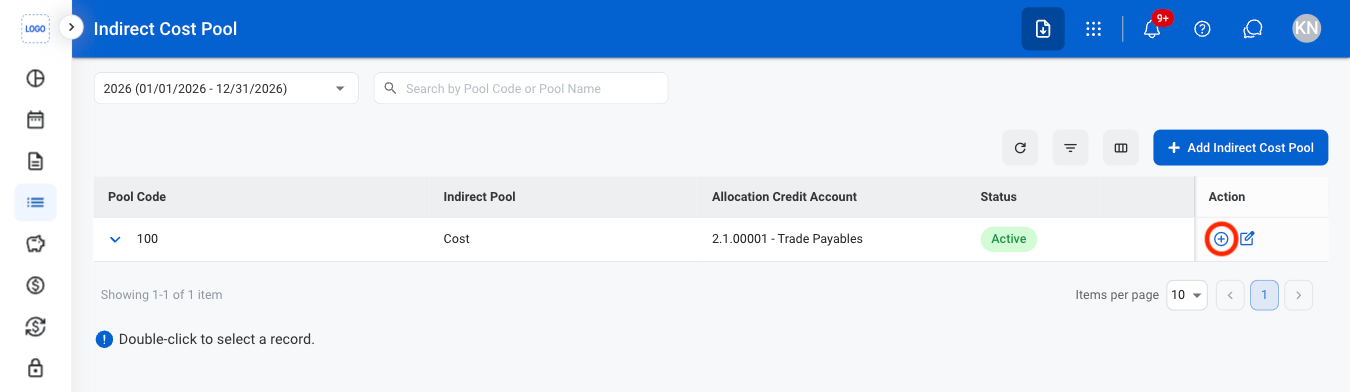
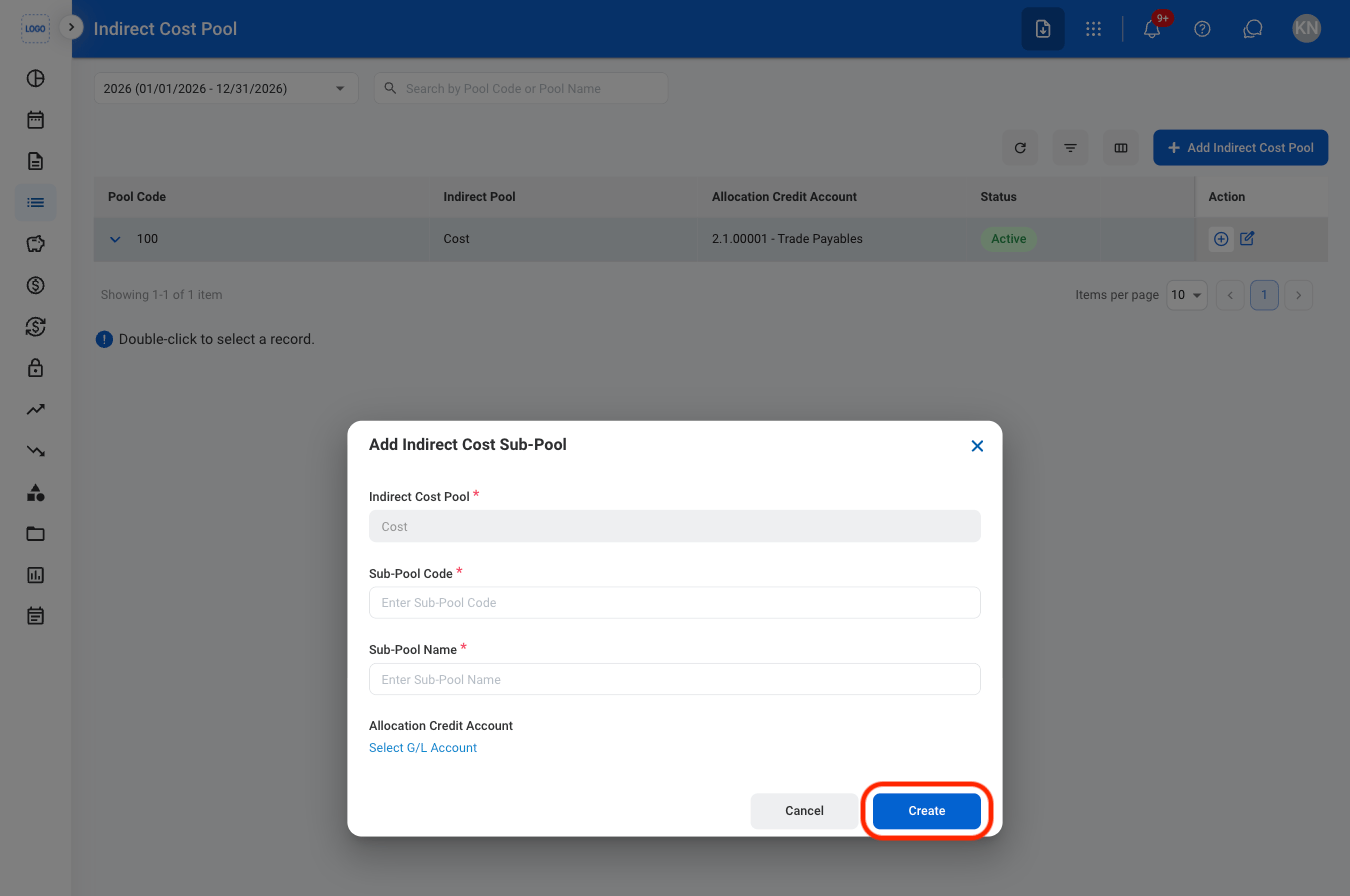
Add an Indirect Cost Sub-Pool
1
Select the add icon
2
Fill in the required information
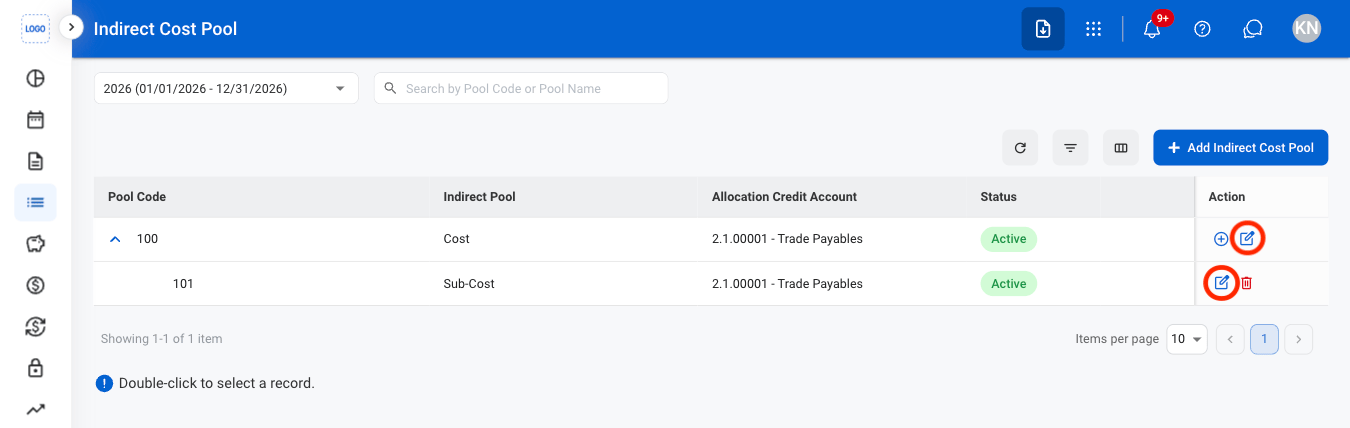
Edit an Indirect Cost Pool or Sub-Pool
1
Select the edit icon
2
Fill in the required information
Select Save to complete or Cancel to exit without saving changes.
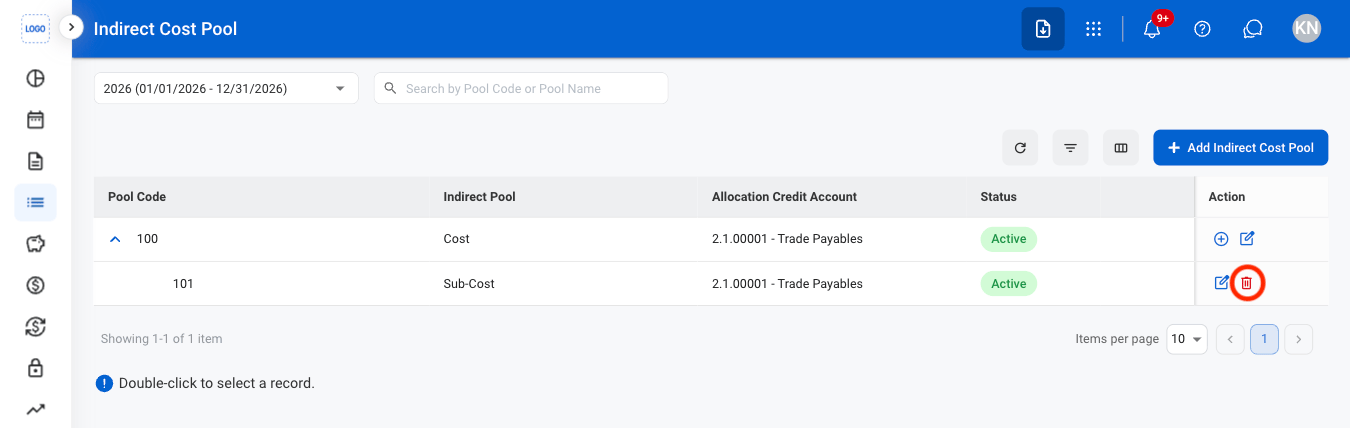
Delete an Indirect Cost Sub-Pool
1
Select the delete icon
2
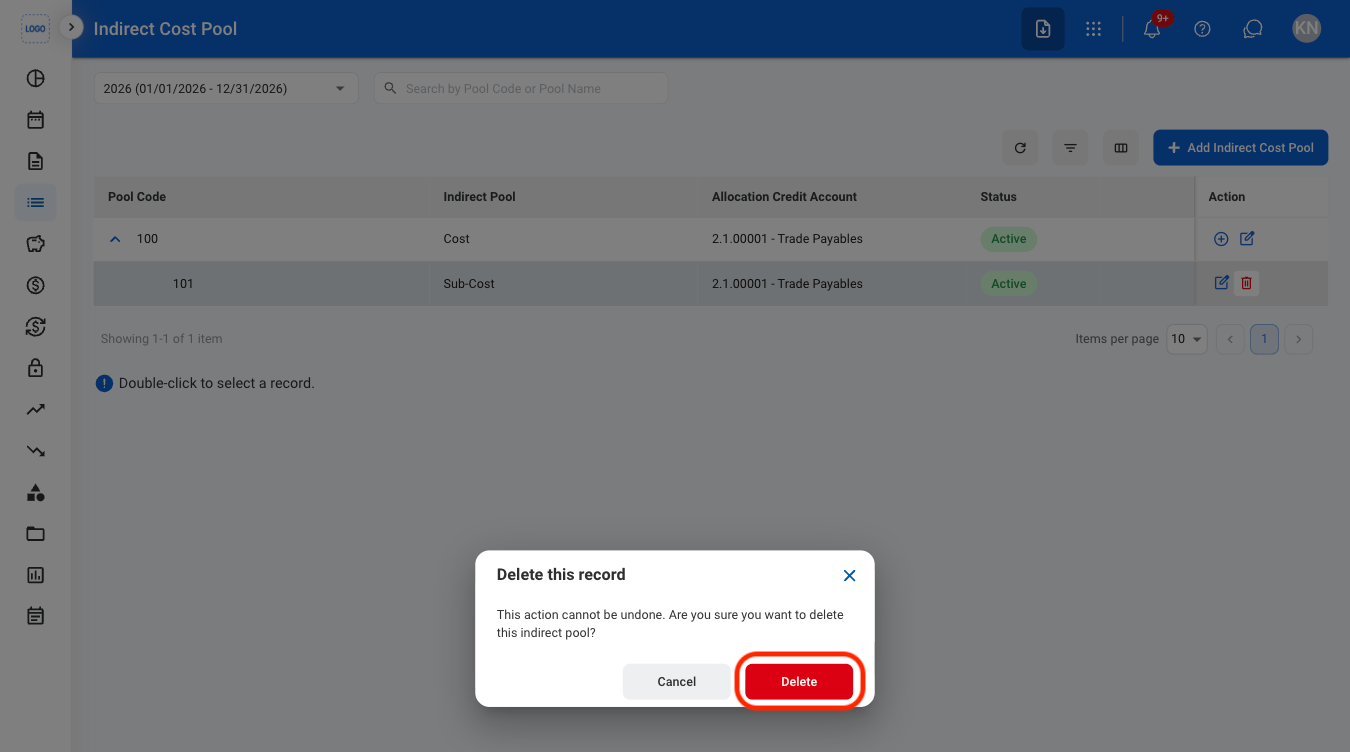
Confirm the action