Add a Visitor Authorization Request
Add a new Visit Authorization Request by entering the required visitor and visit information.1
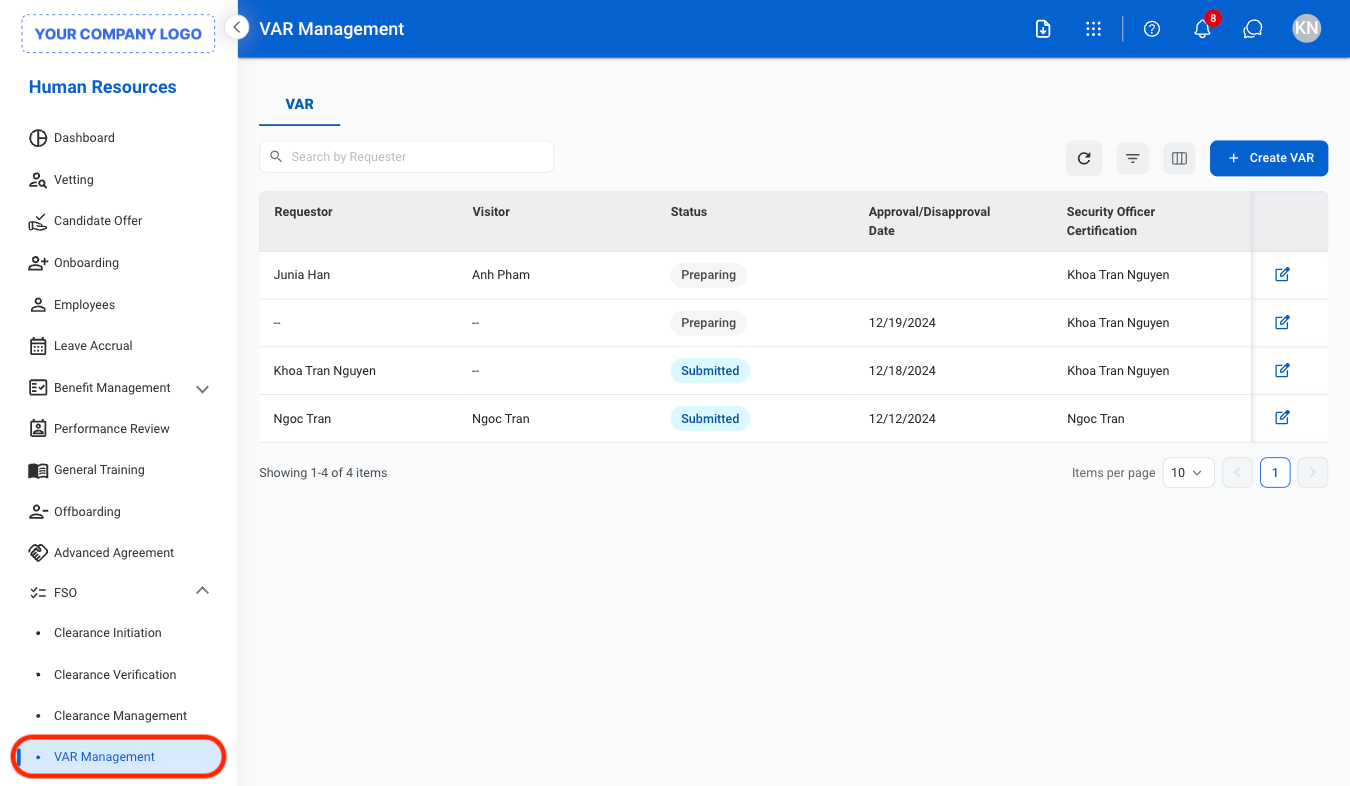
Navigate to VAR Management
2
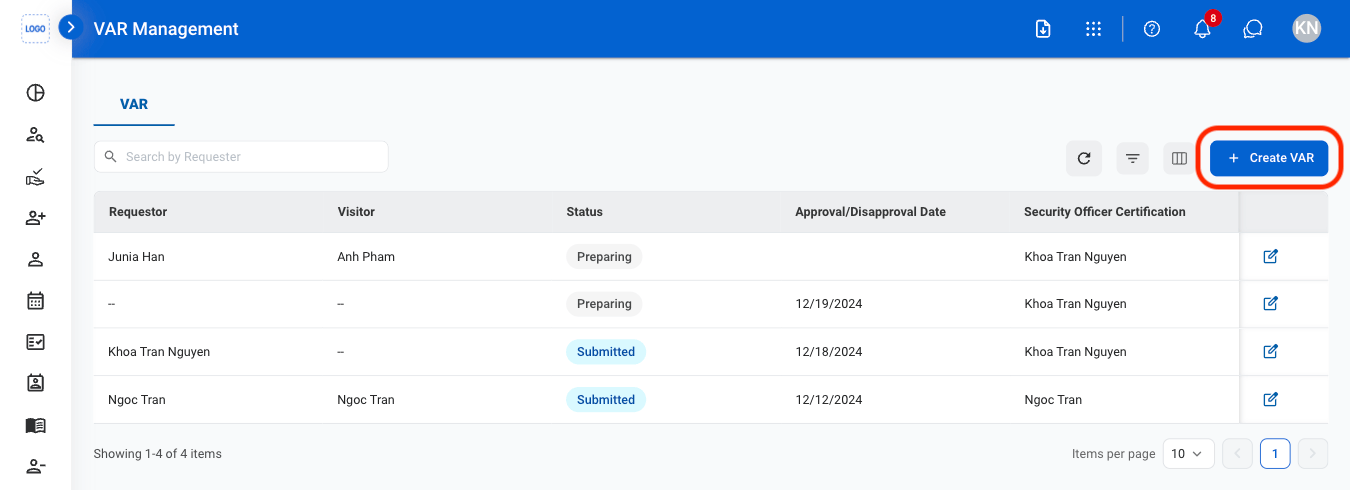
Select Create VAR
3
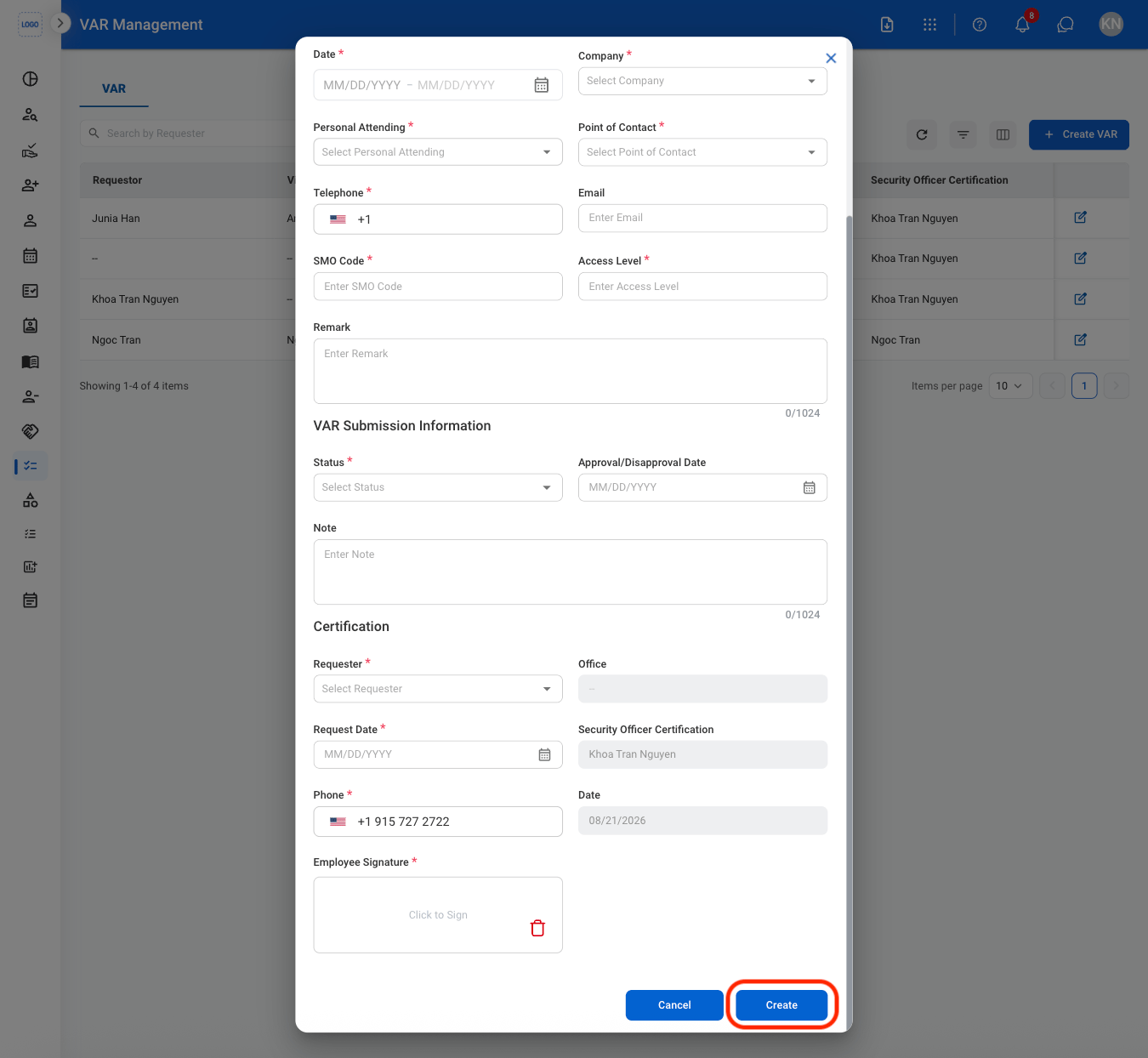
Fill in the required information
Edit a VAR
1
Select the edit icon
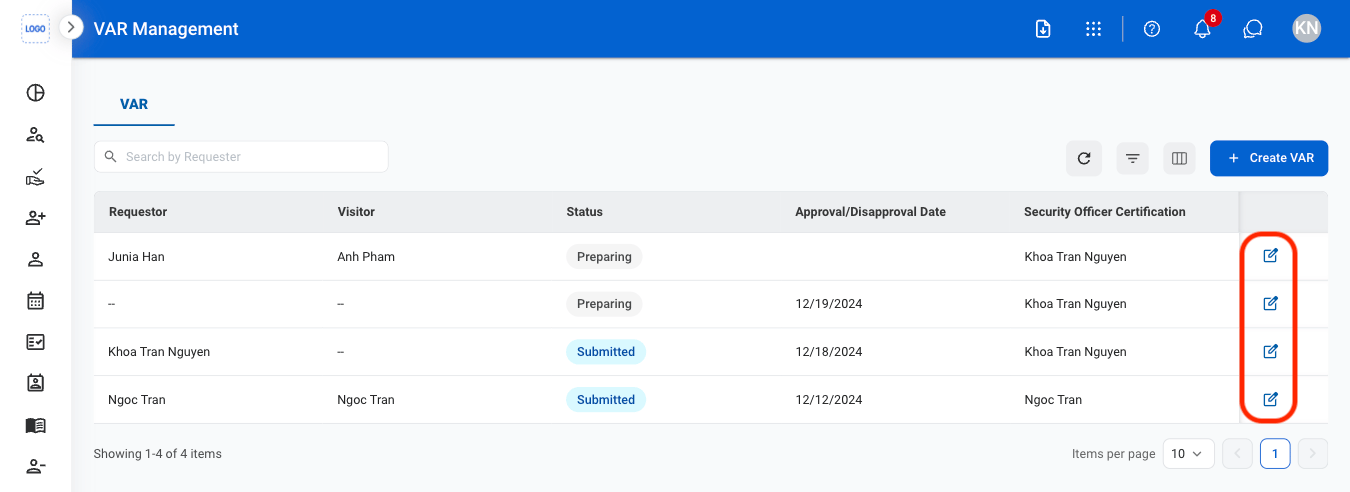
2
Fill in the required information
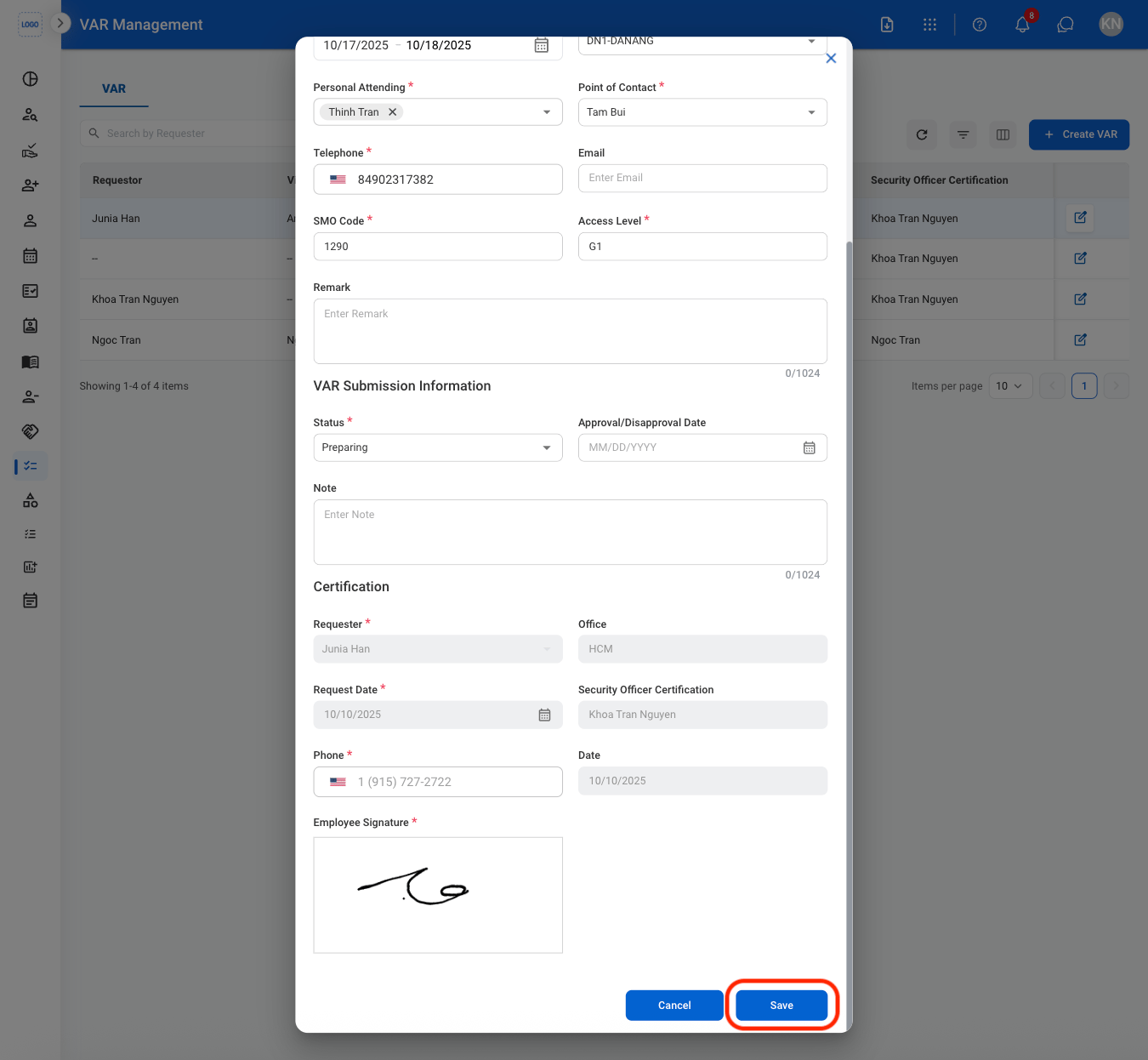
Print a VAR
1
Select a VAR
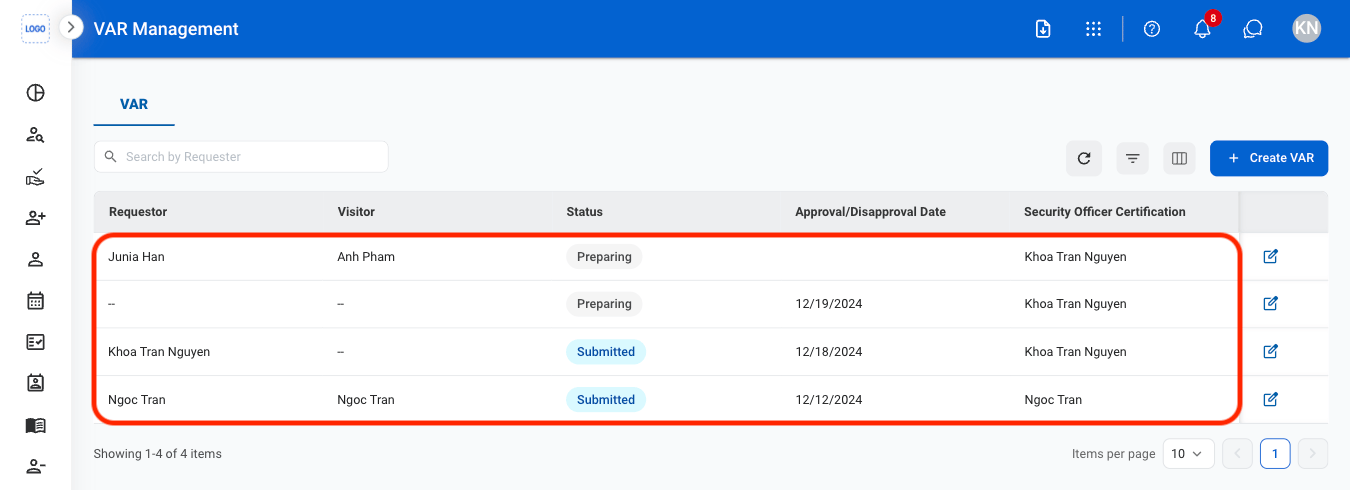
2
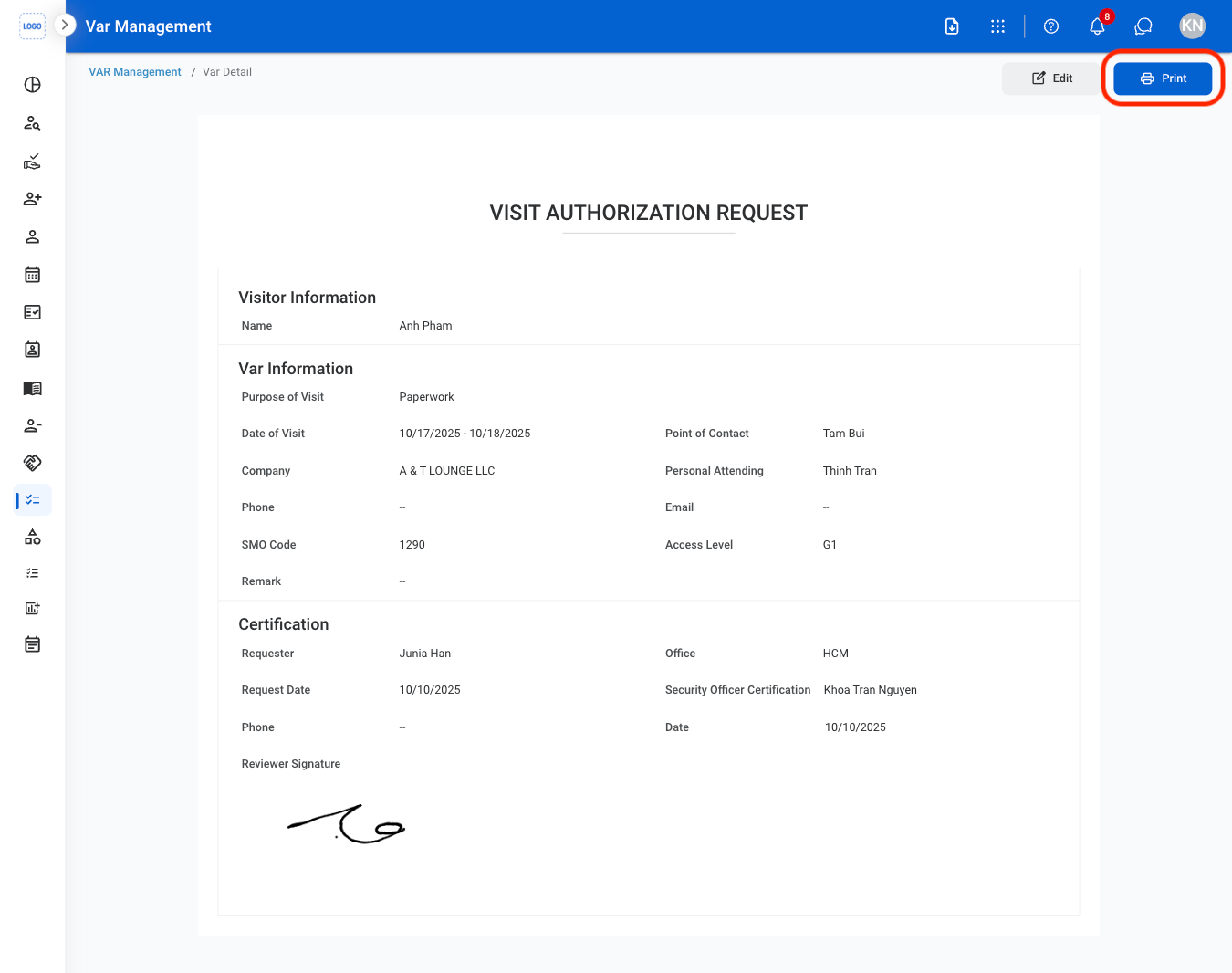
Select Print