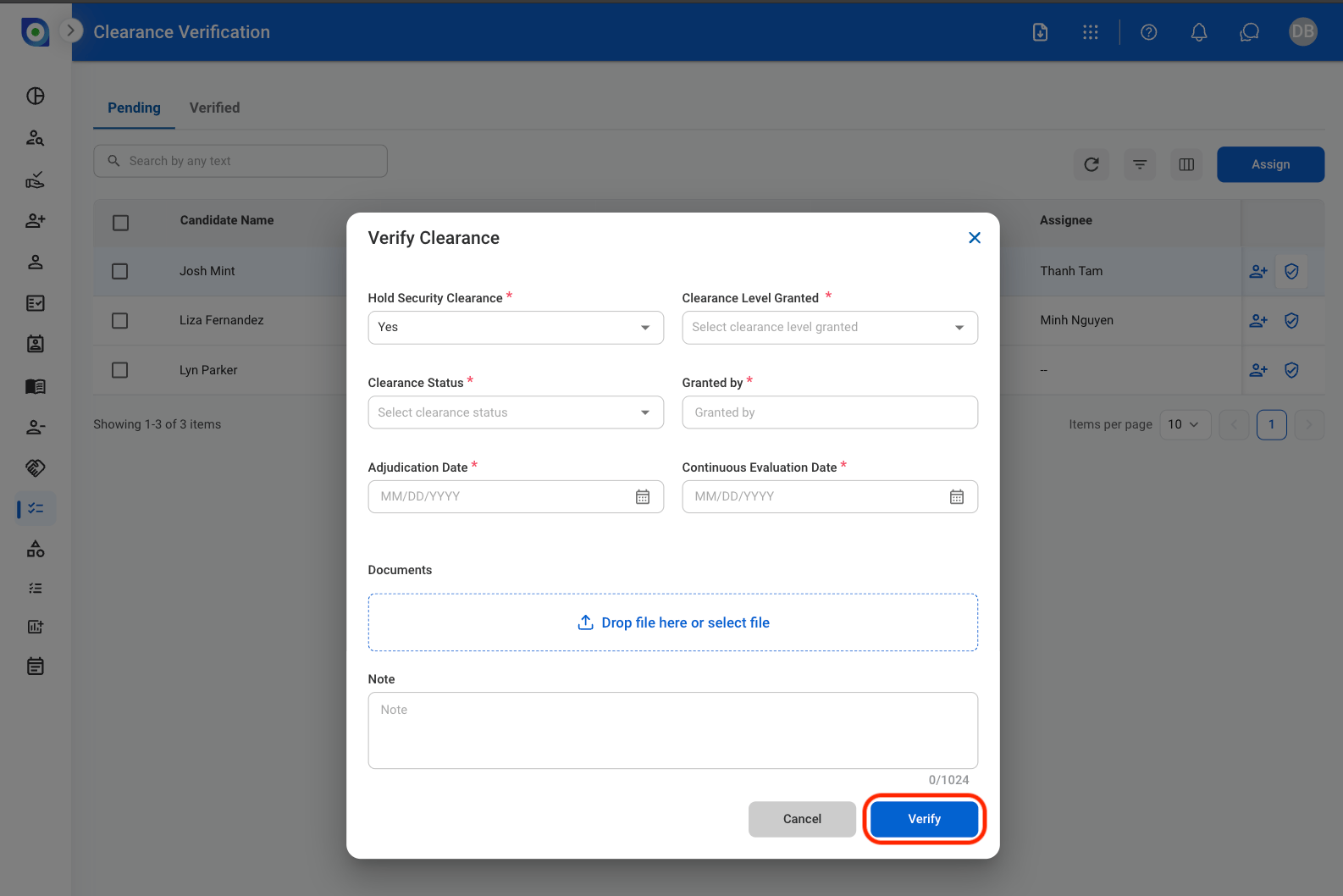
View Clearance Candidates
1
Navigate to Clearance Verification
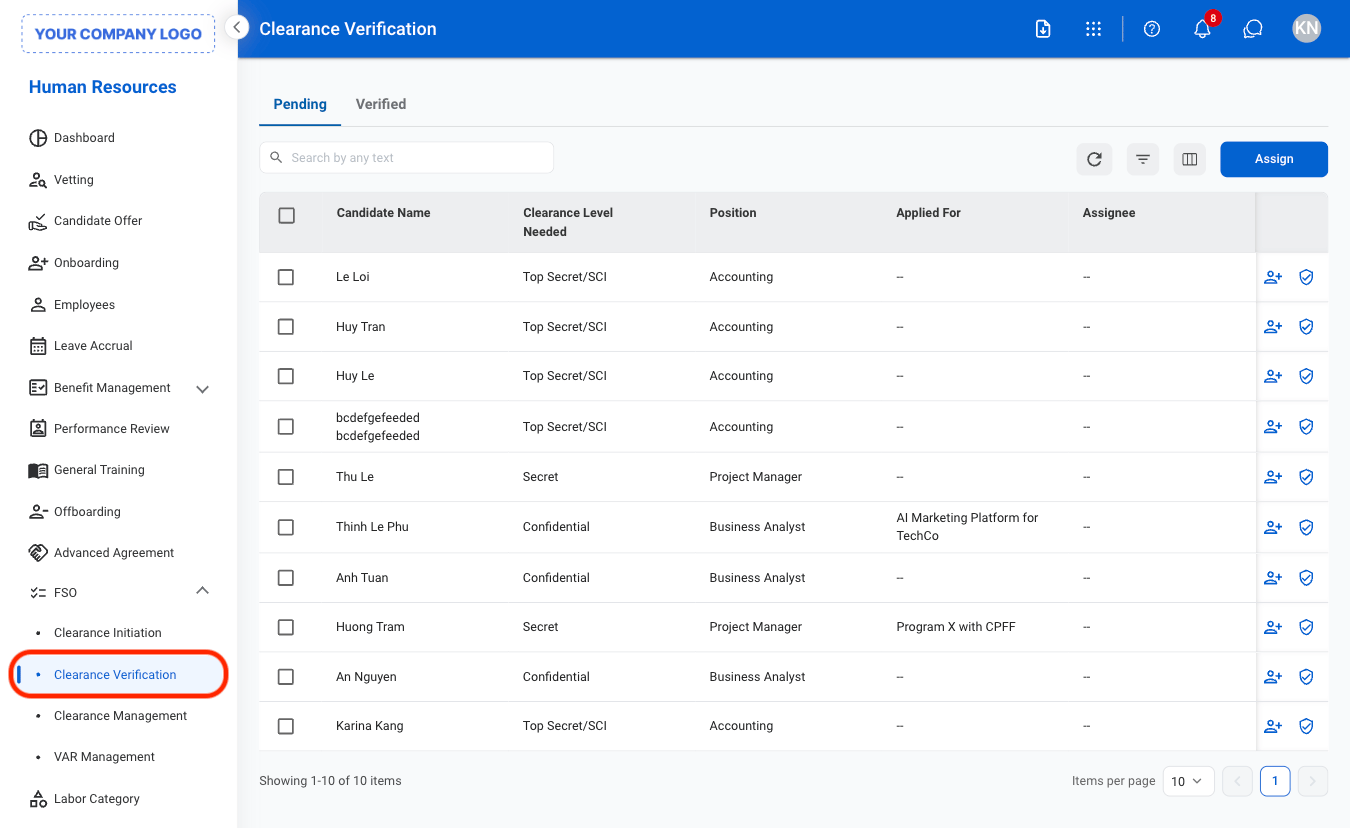
2
Select a tab
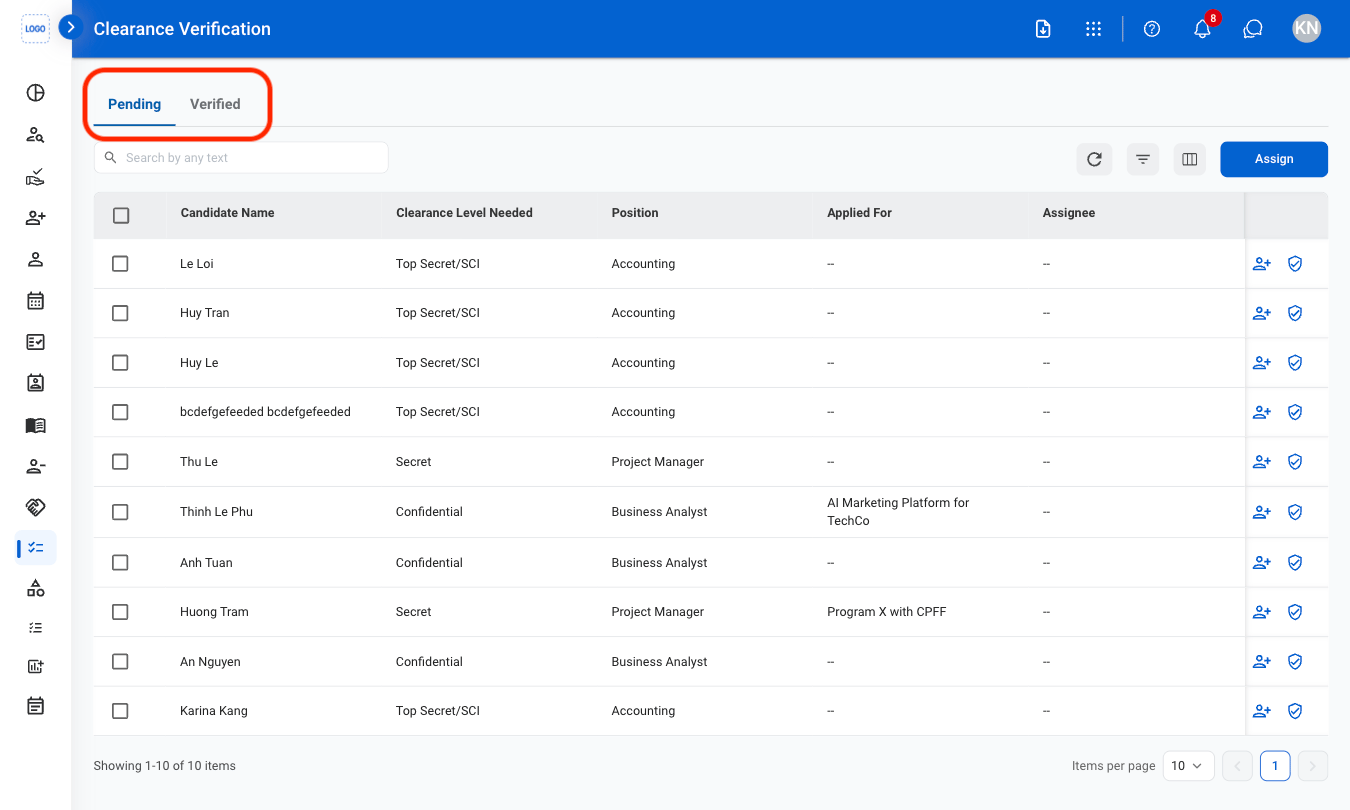
- Pending: View records that are currently active or awaiting further action.
- Verified: View completed records.
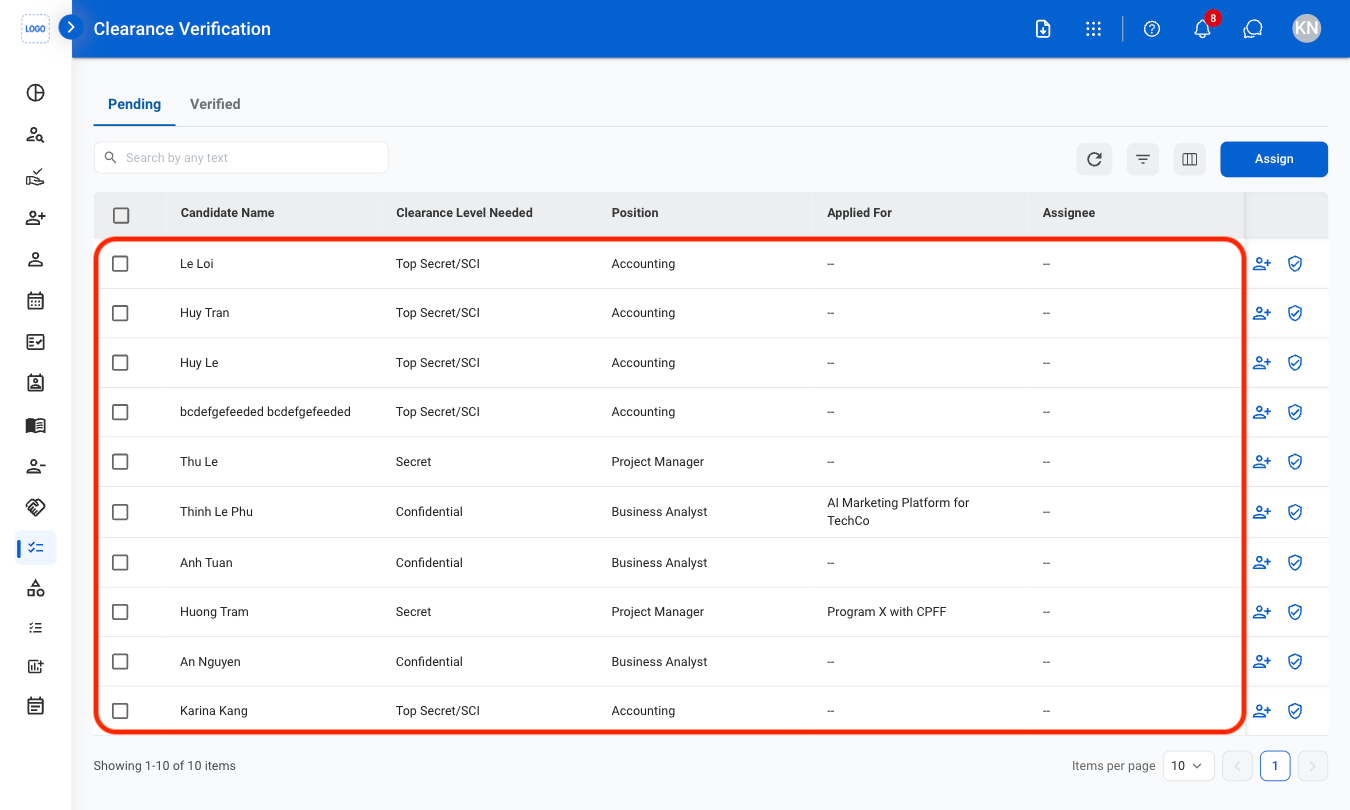
3
Select a candidate
Assign a Candidate
1
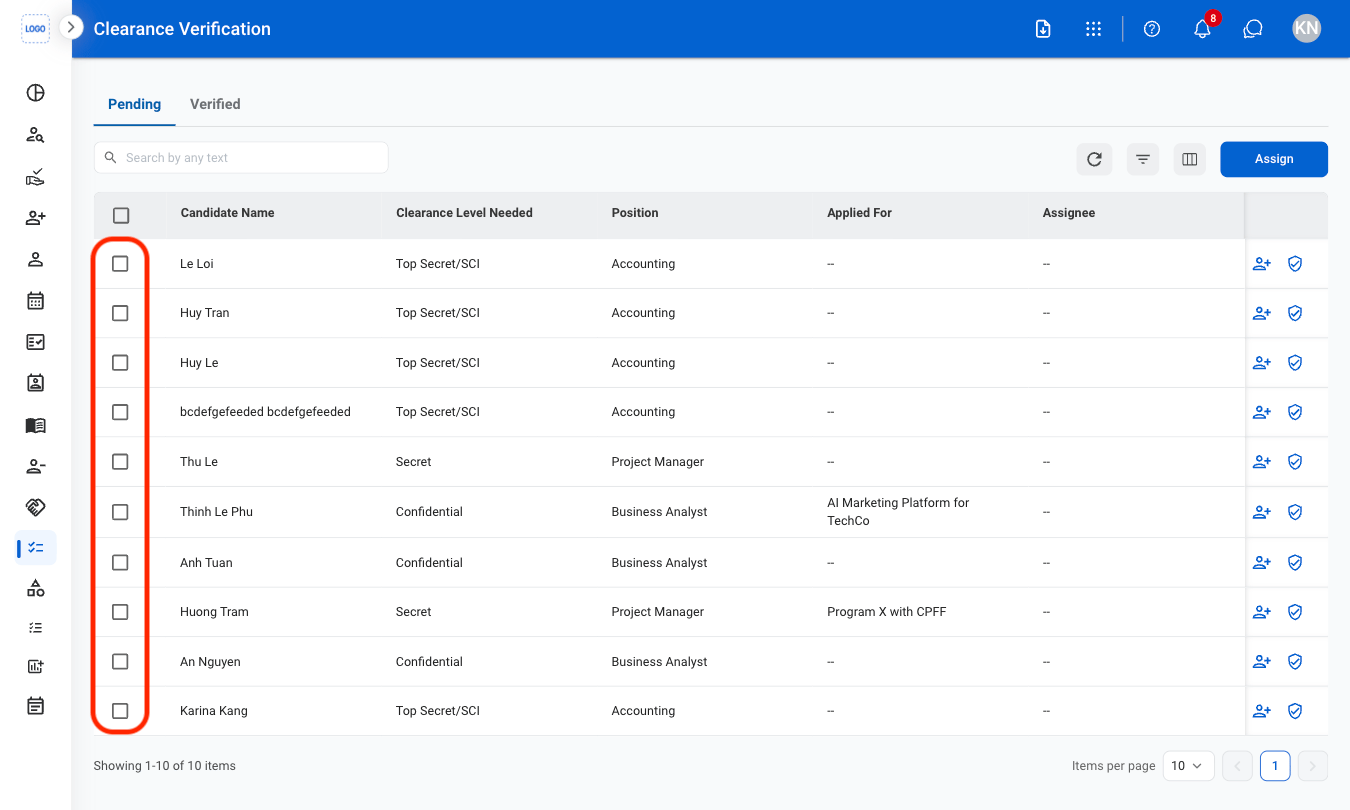
Select profile(s) to assign
2
Select Assign
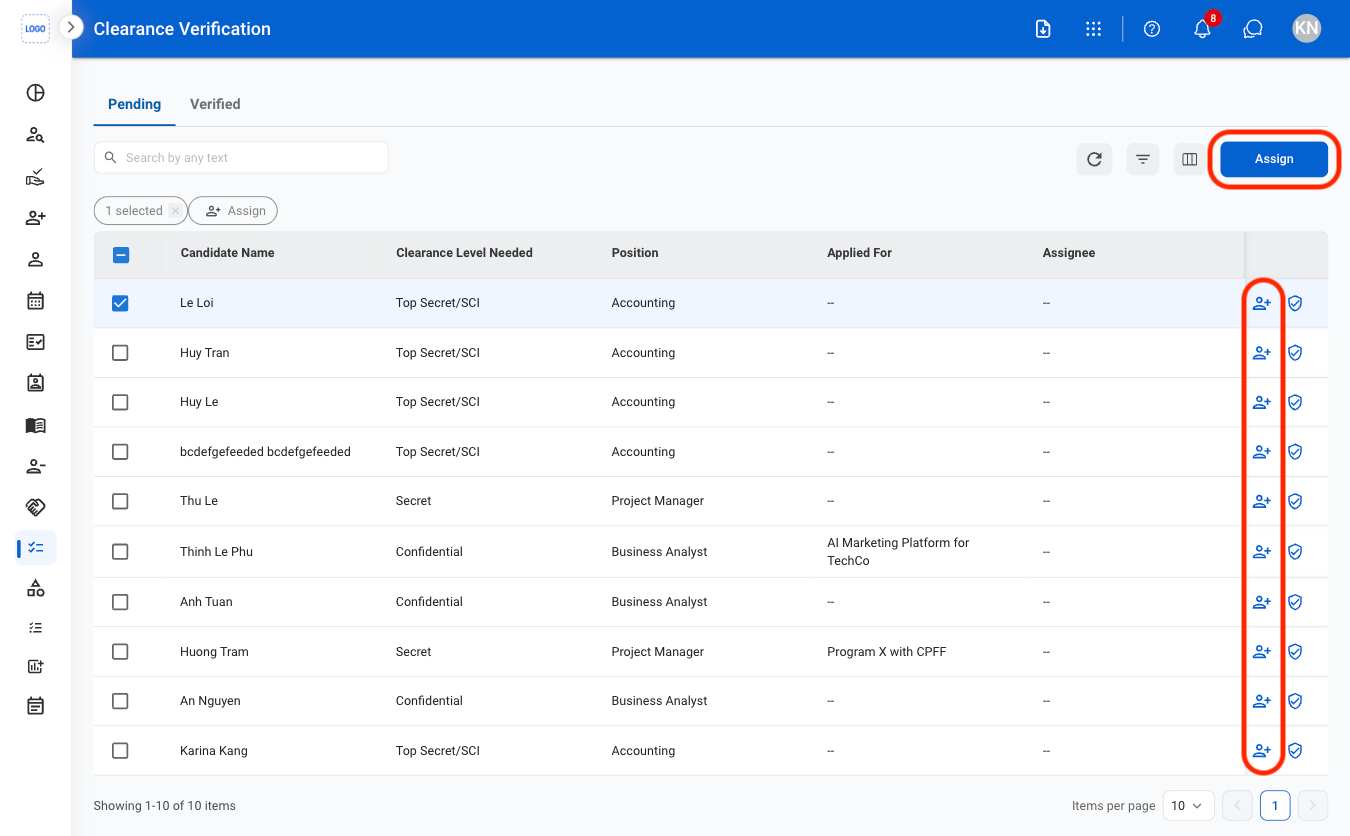
- Single profile: Select the assign icon next to the profile.
- Multiple profiles: Select multiple profiles, then select the Assign button.
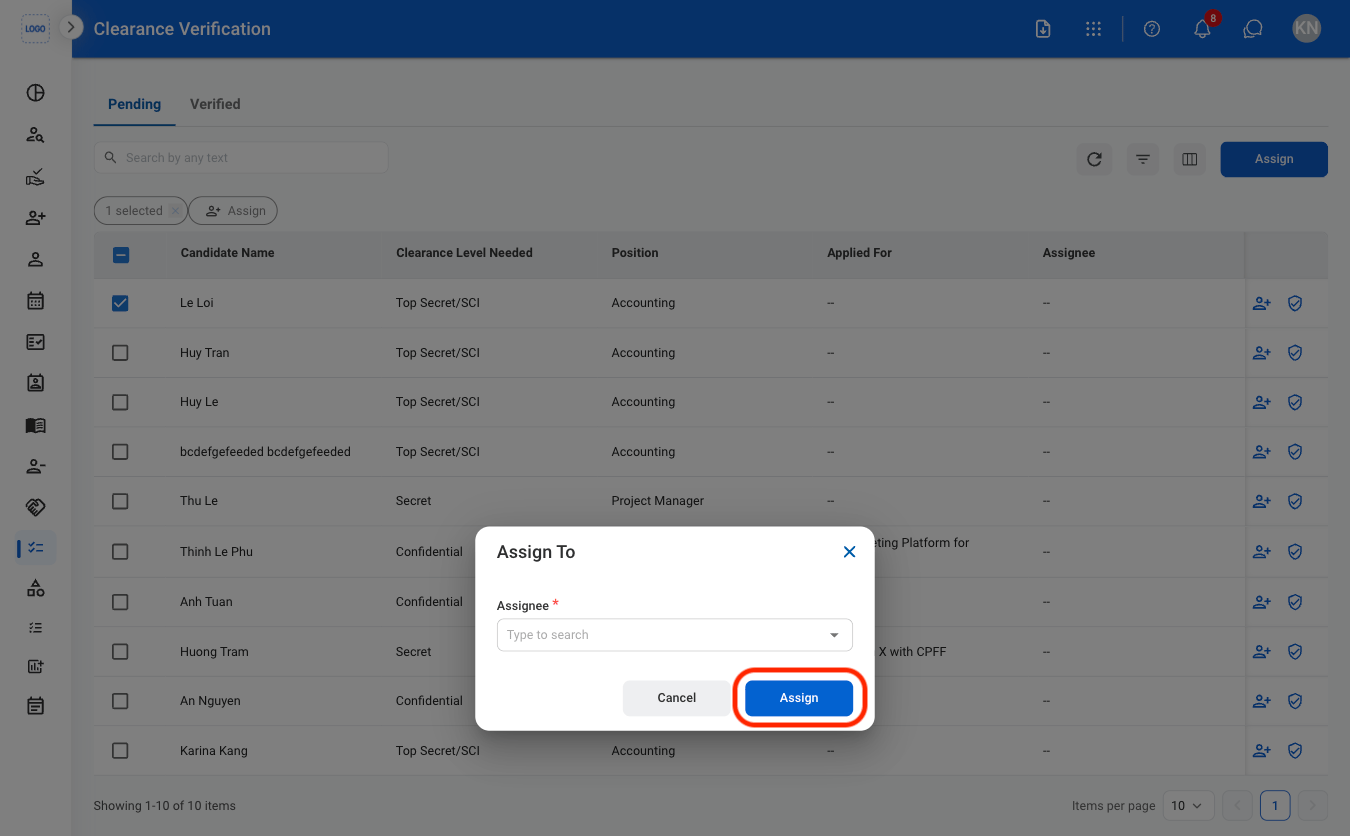
3
Fill in the required information
Verify Clearance
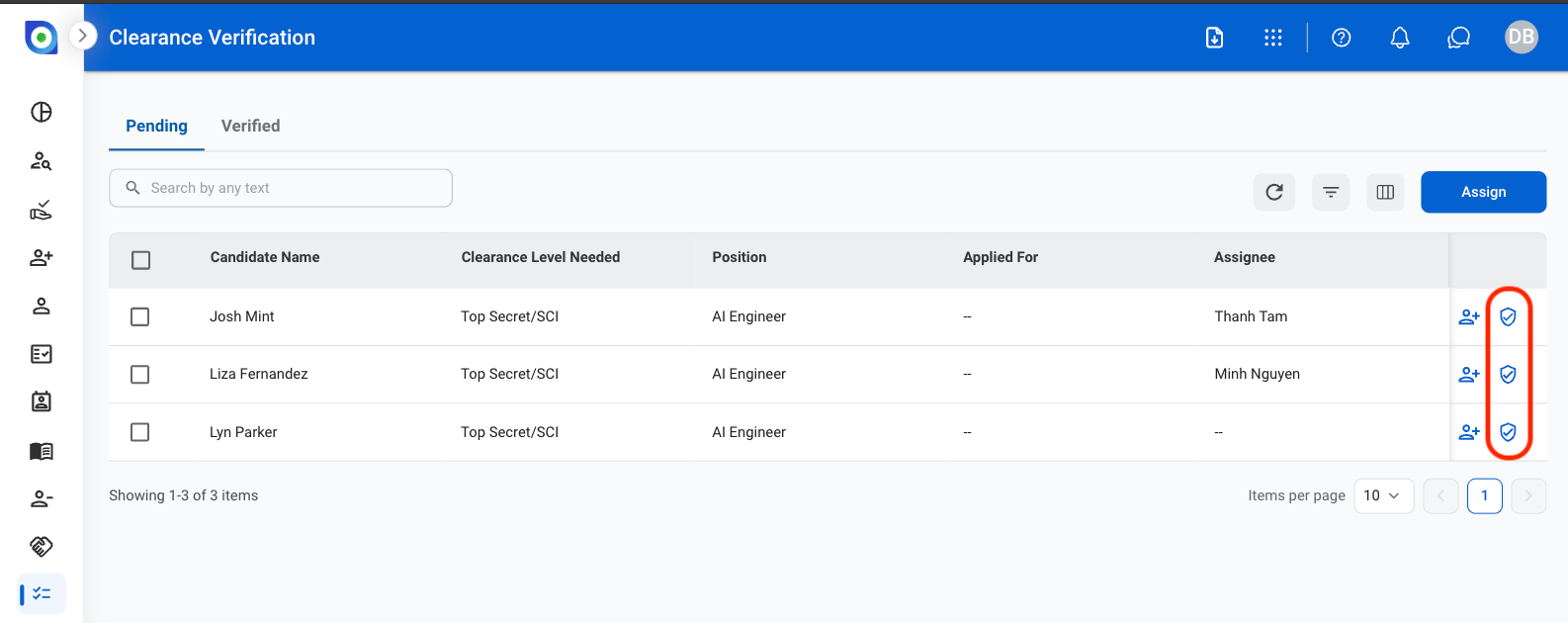
1
Select the verification icon to the right of the profile
2
Fill in the required information