
Available Reports
Employee Information
Employee Information
Reports on employee records and related workforce information.
Create a Report
1
Navigate to Reports

2
Select a report type
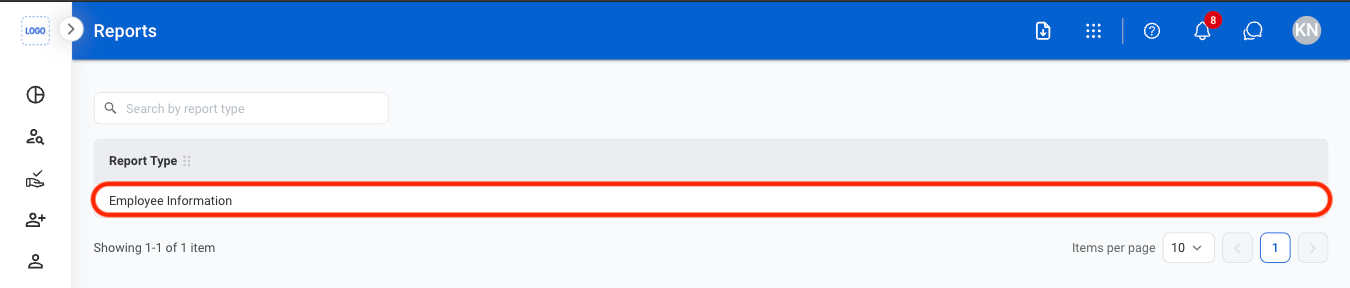
3
Select Create Report
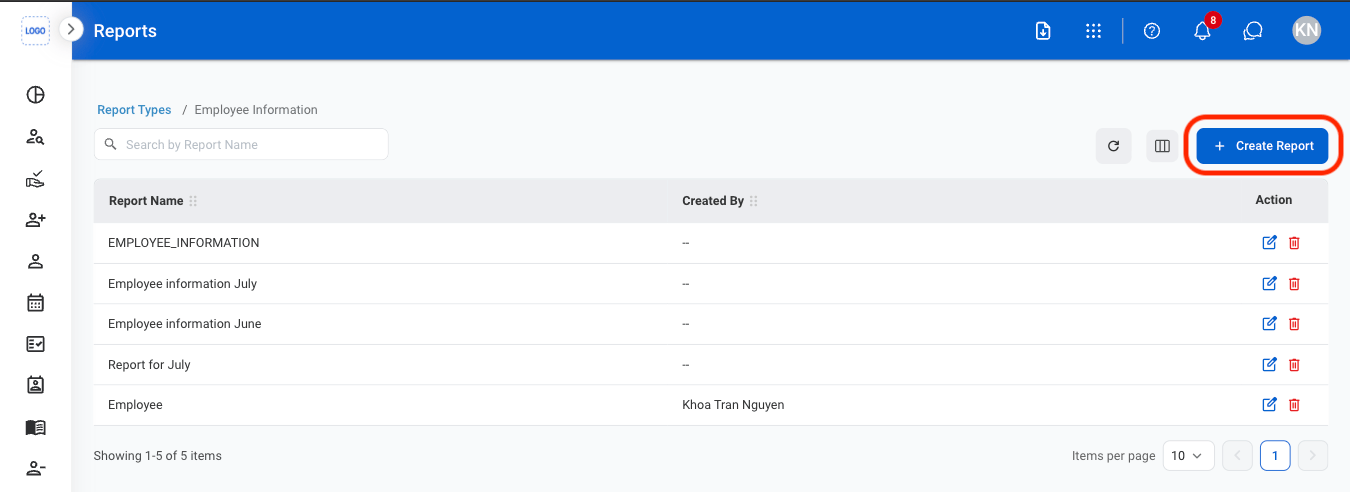
4
Fill in the required information
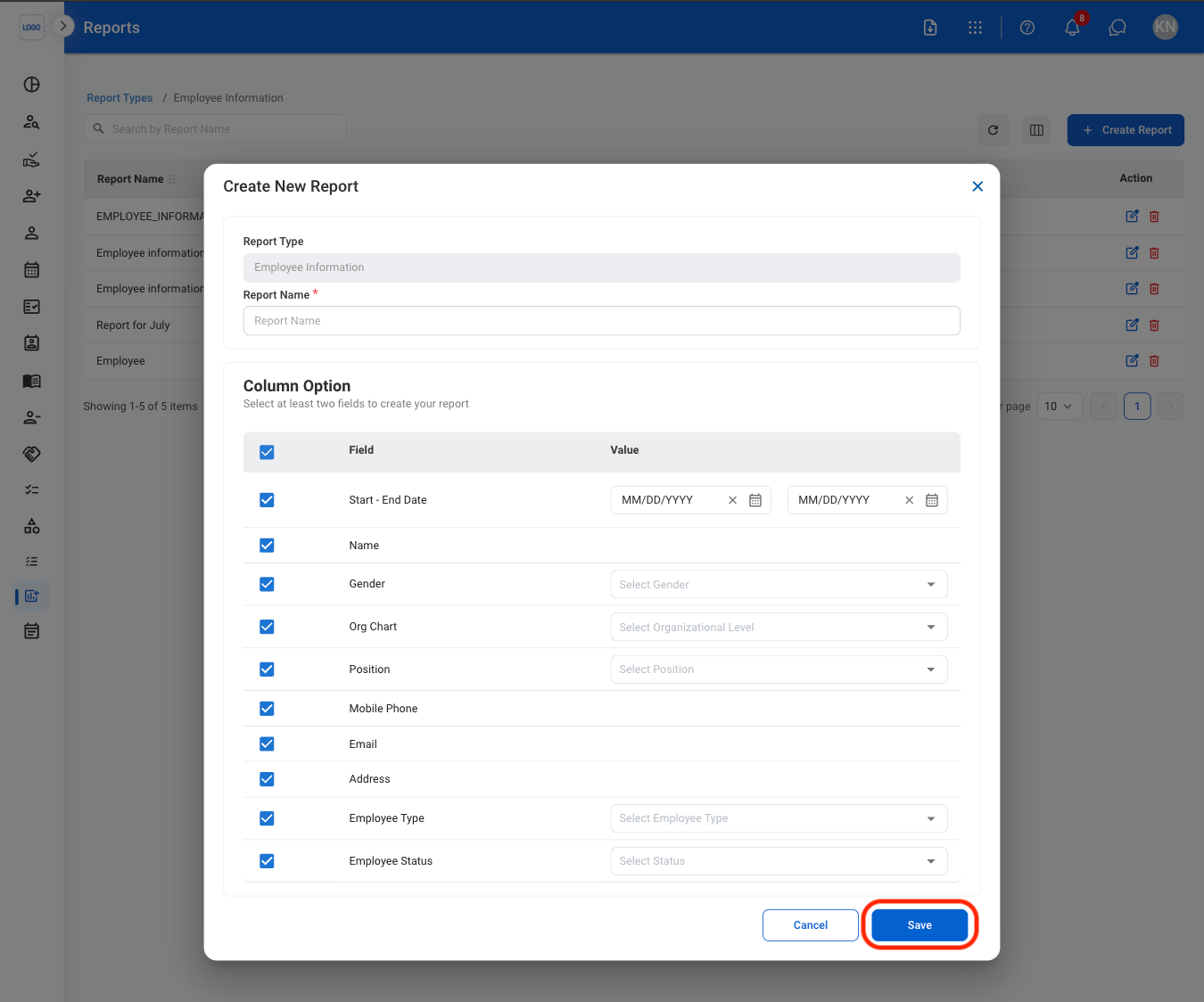
Modify a Report
1
Select a report type
2
Select an action
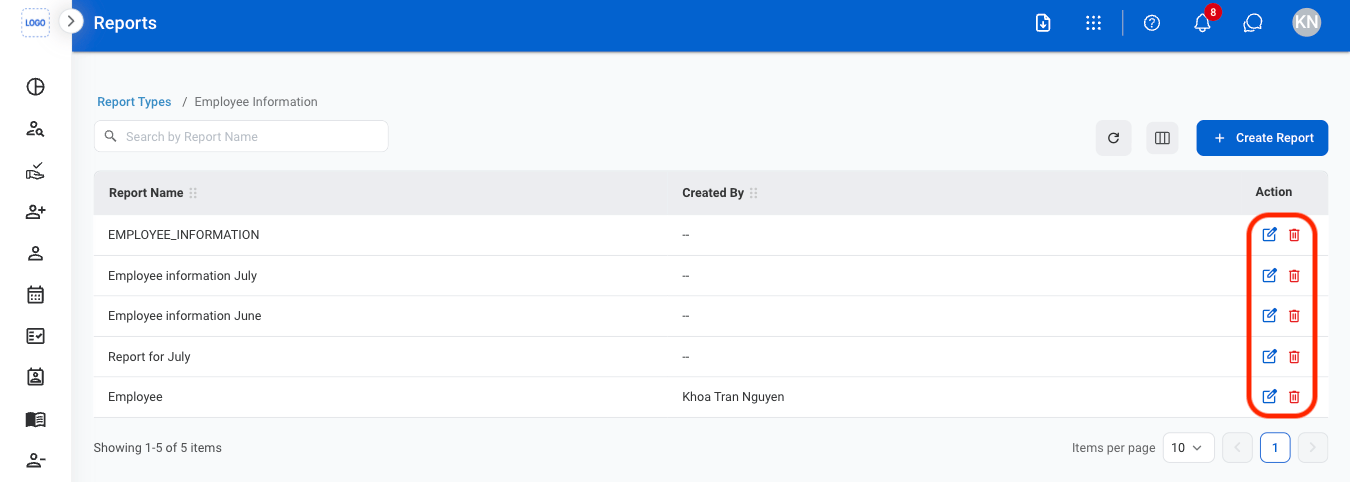
- Edit: Select the edit icon to update an existing entry
- Delete: Select the trash icon to delete an existing entry.
3
Confirm changes
- Edit: Fill in the required information. Select Update to complete or Cancel to exit without saving changes.
- Delete: Select Delete to complete or Cancel to exit without saving changes.
Export a Report
1
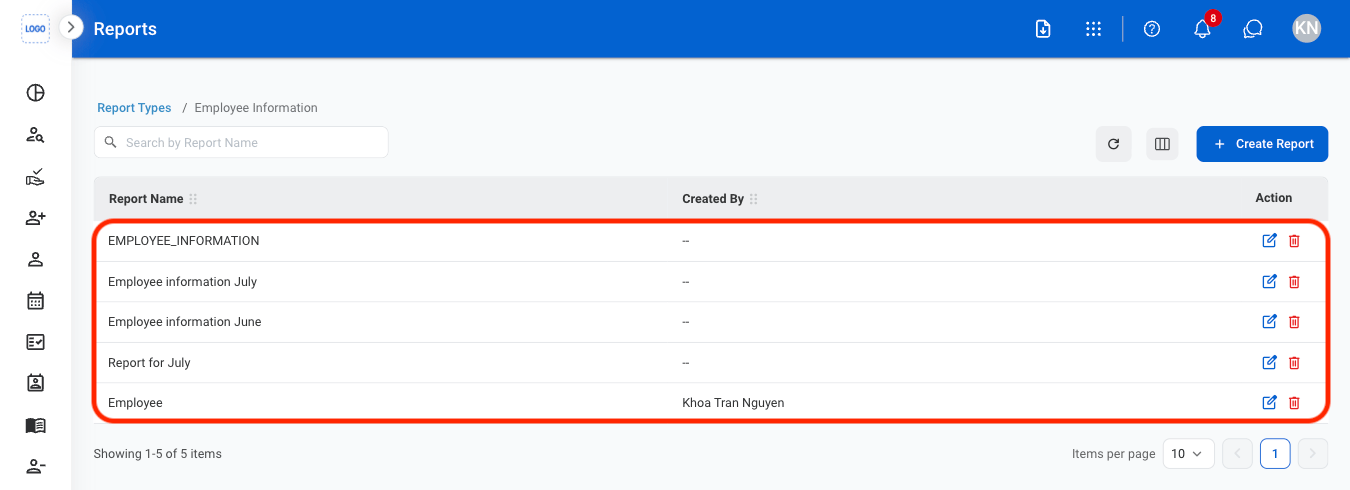
Select a report type
2
Select a report
3
Share a report
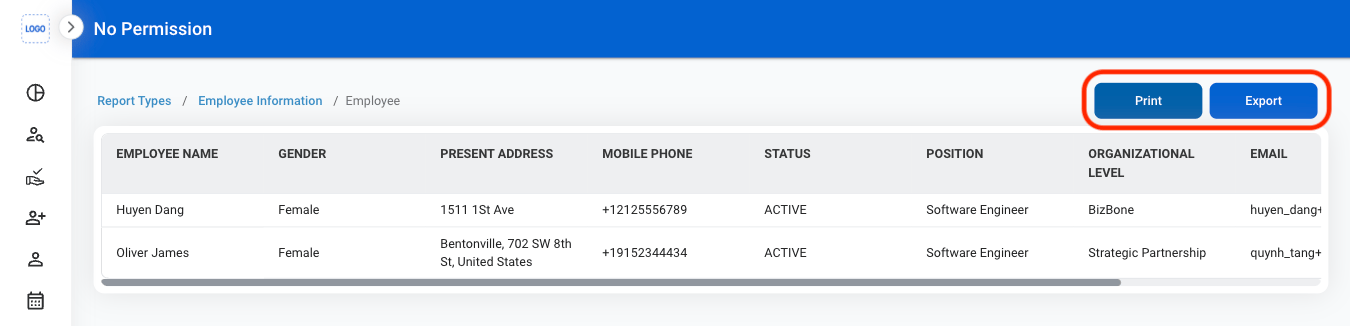
- Print: Open system print options
- Export Data: Download the report in an .xlsx file