View Leave Accrual by Leave Type
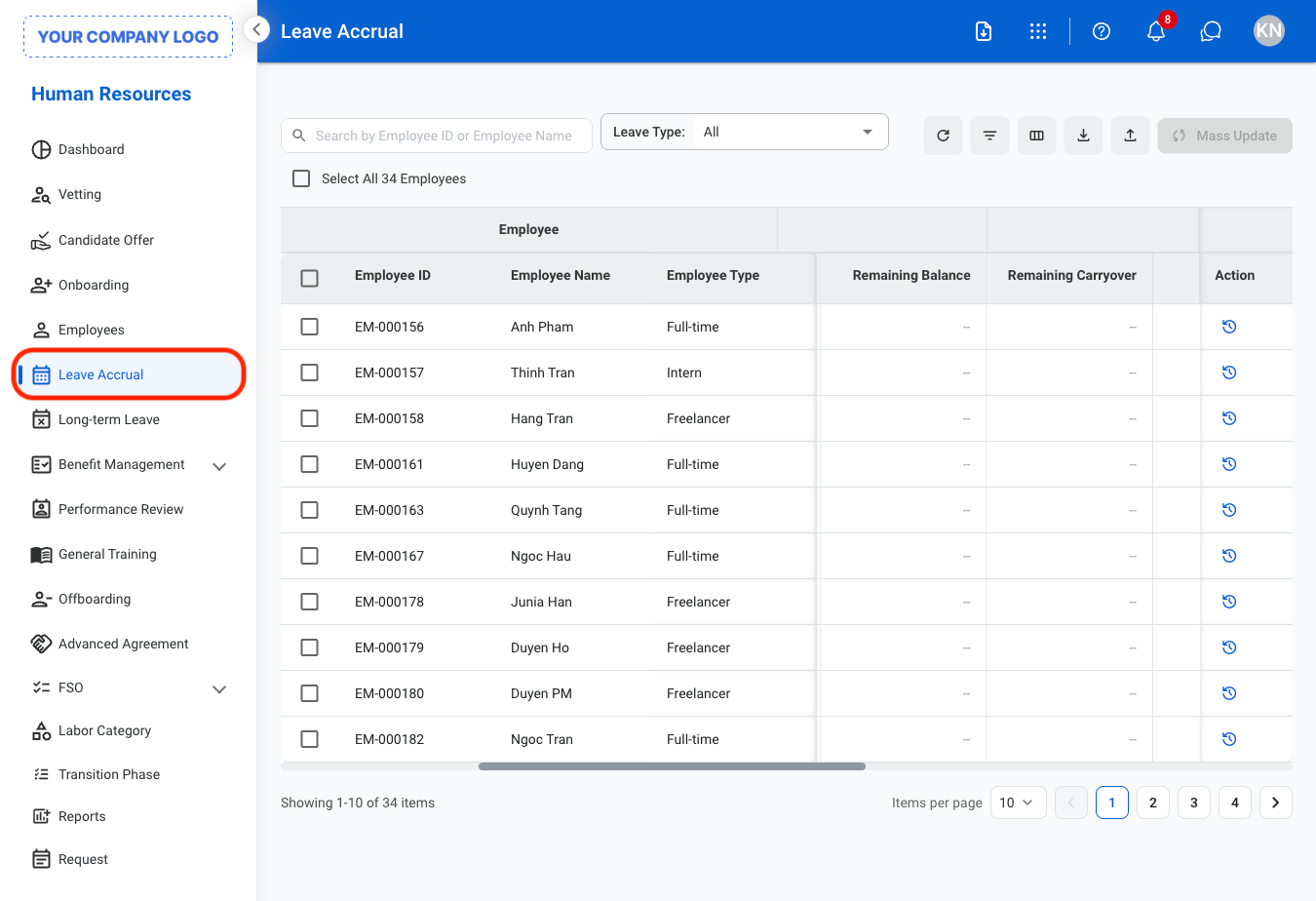
1
Navigate to Leave Accrual
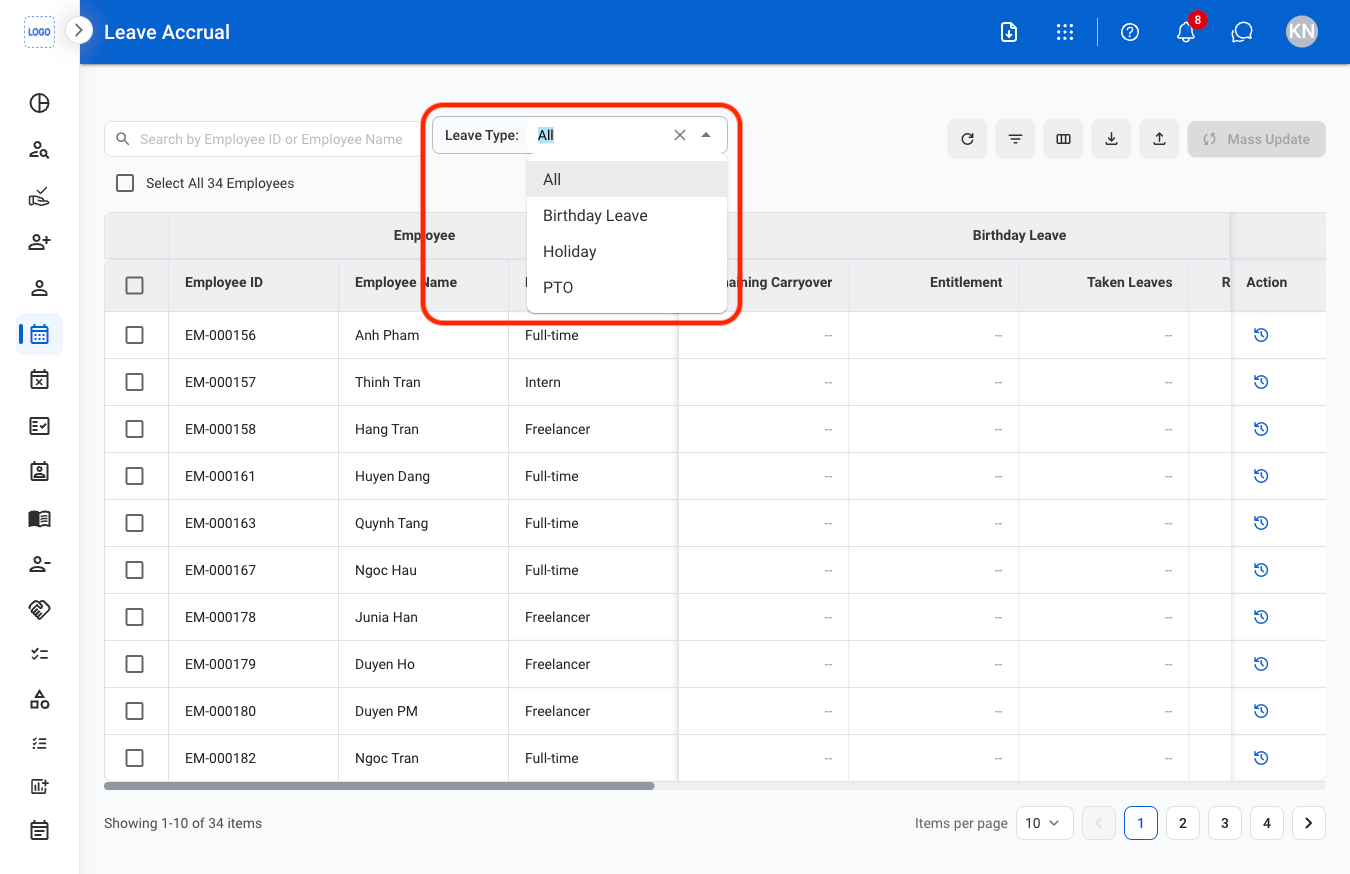
2
Select a leave type
Update Leave Accrual
1
Select a leave type
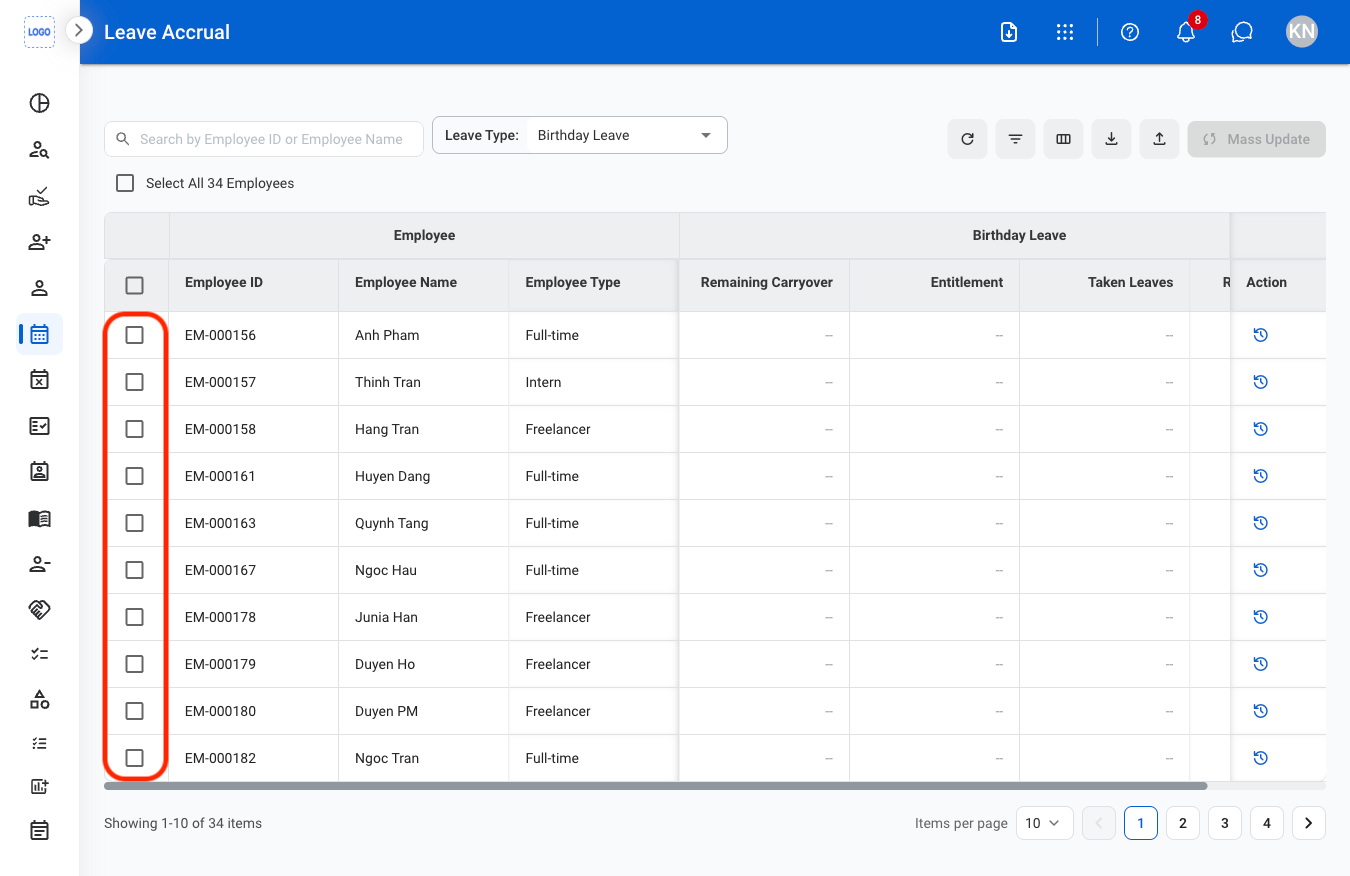
2
Select employee(s)
3
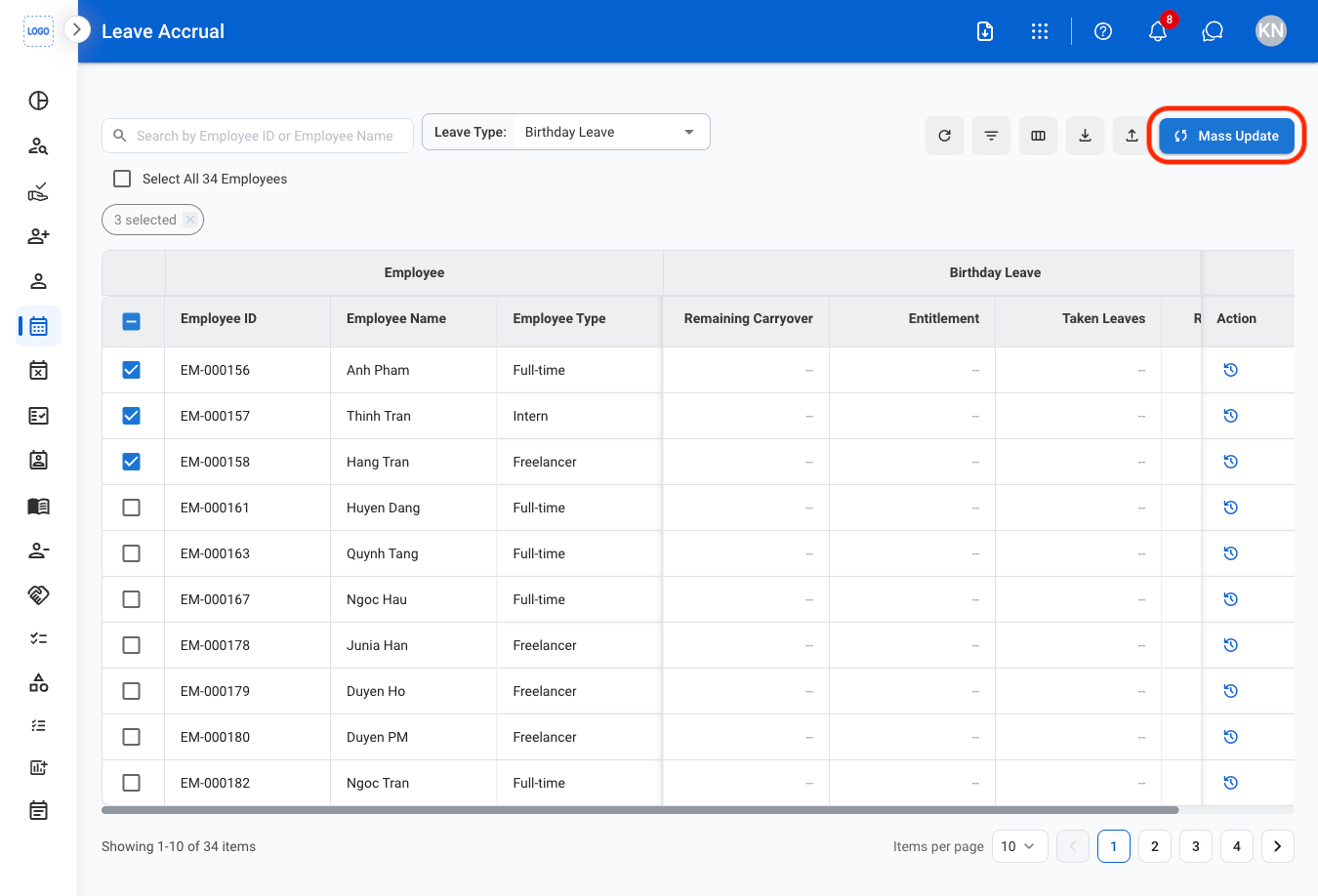
Select Mass Update
4
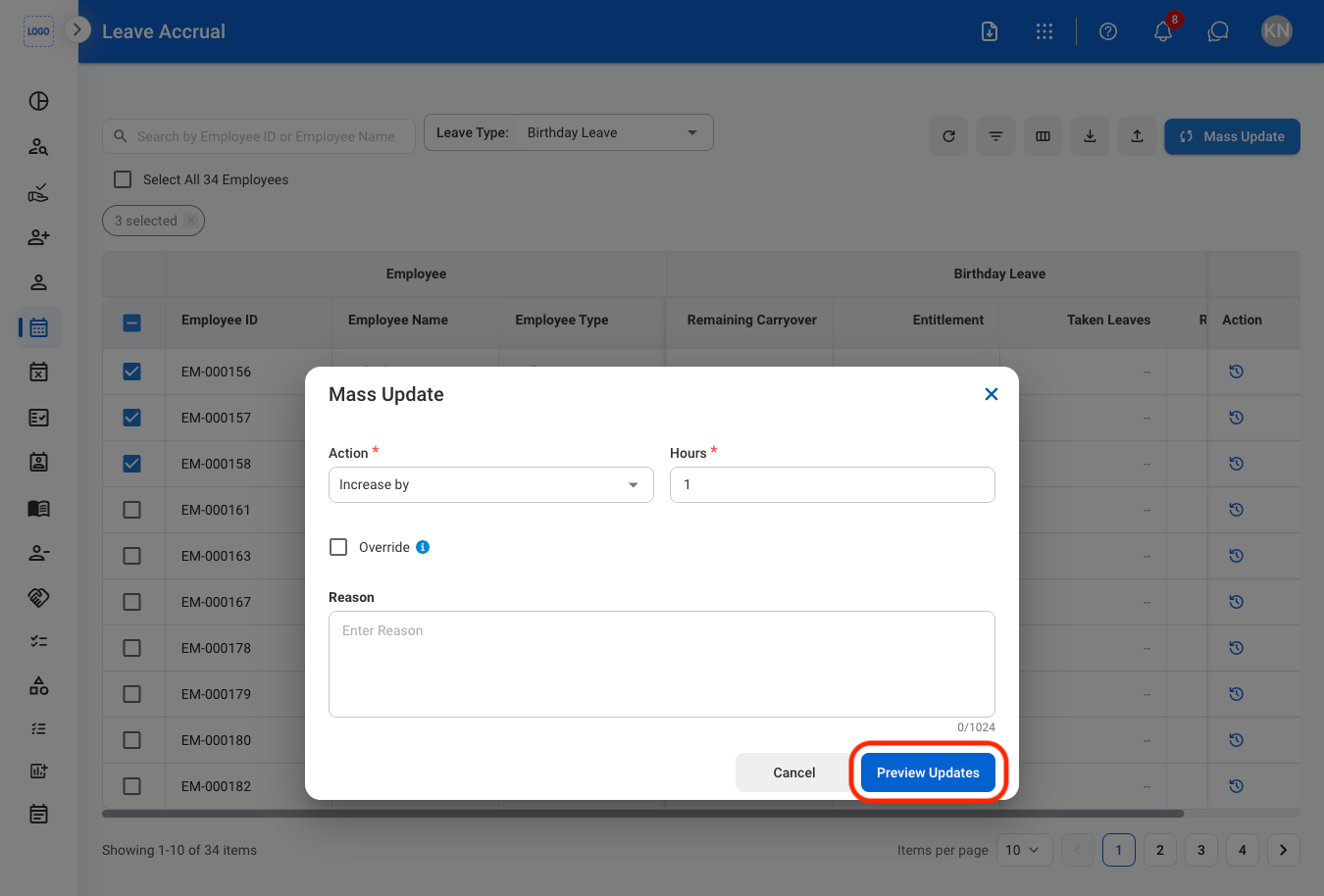
Fill in the required information
5
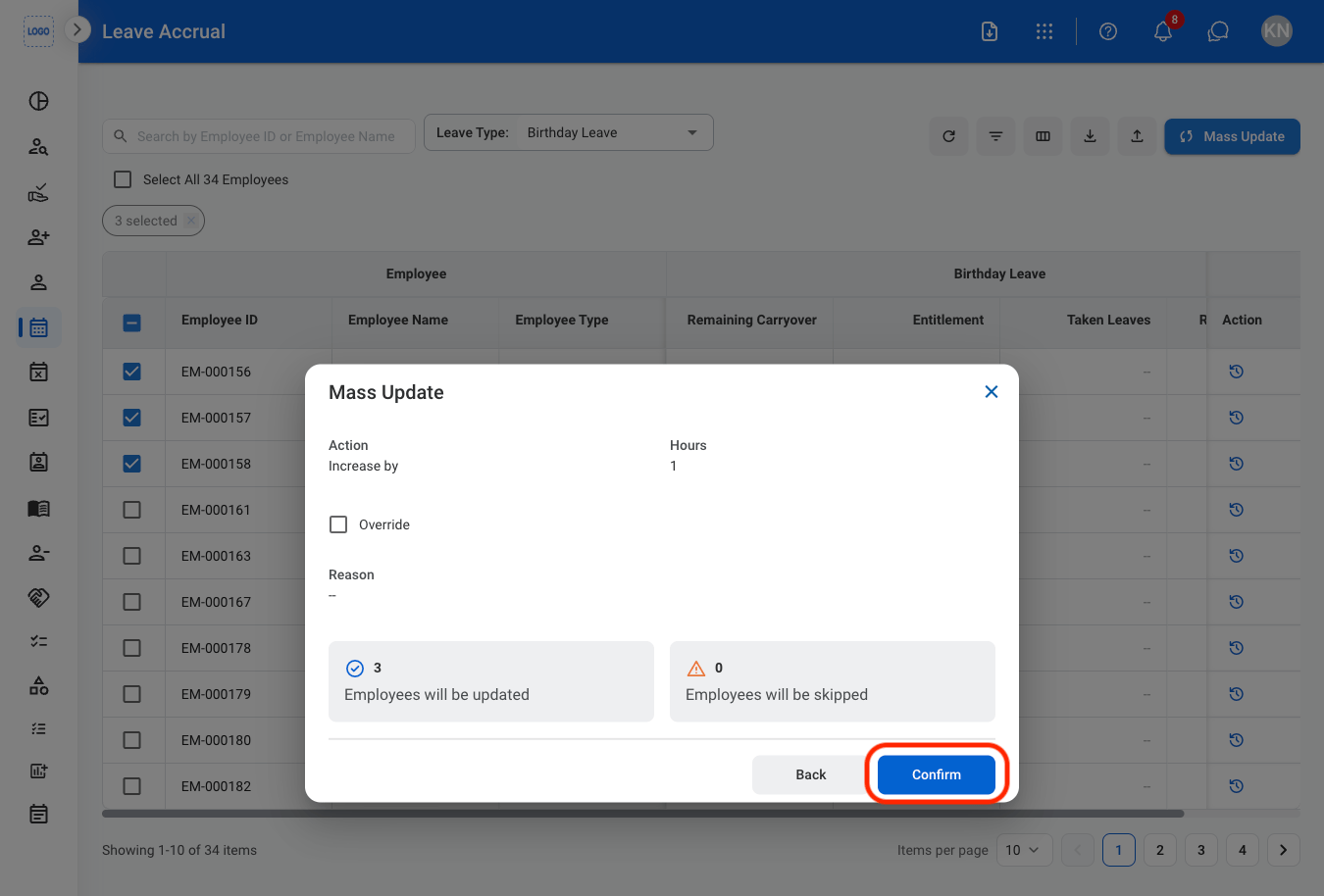
Confirm the action
Import Leave Accrual Information
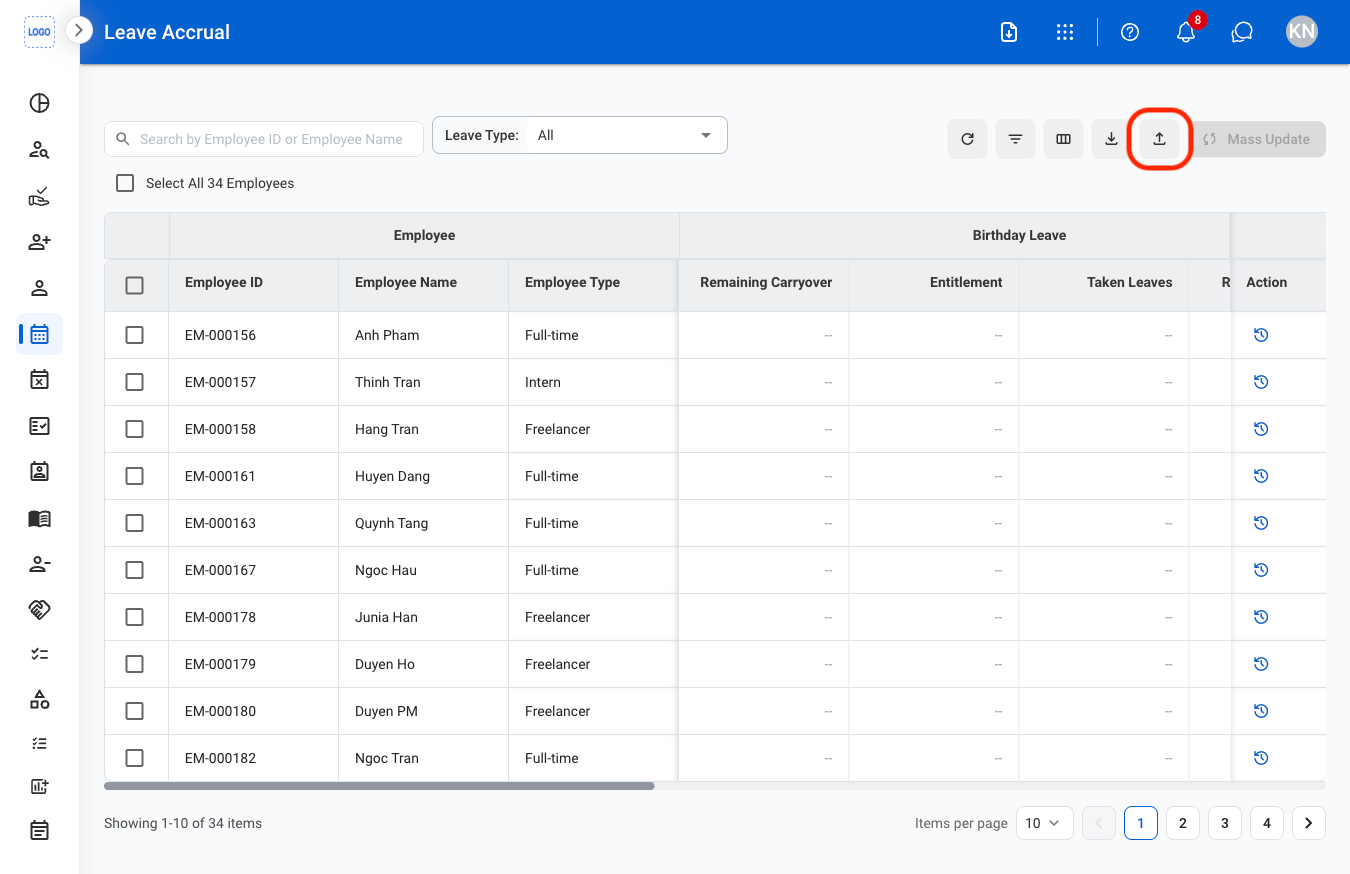
1
Select the import button
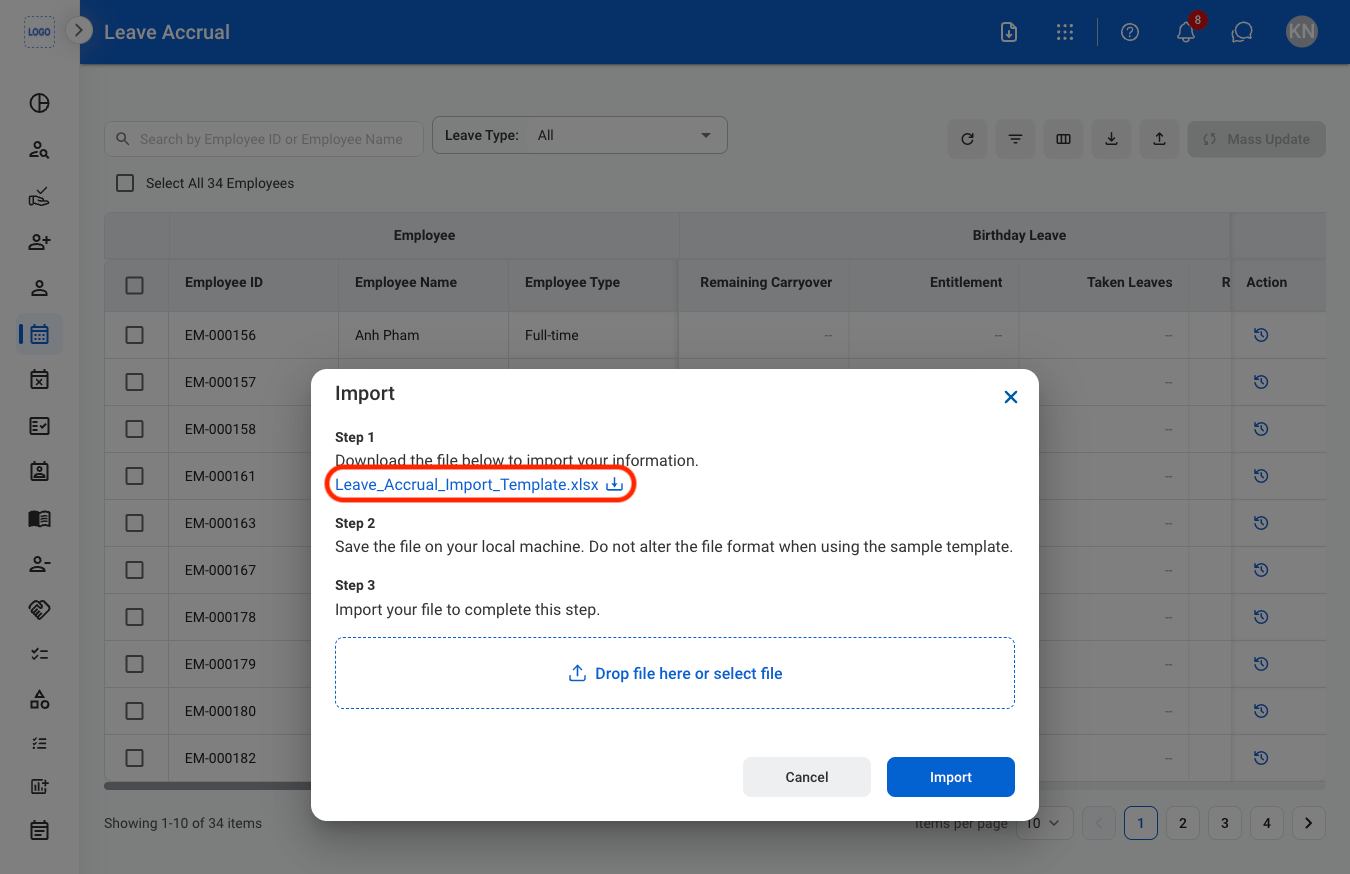
2
Download the template
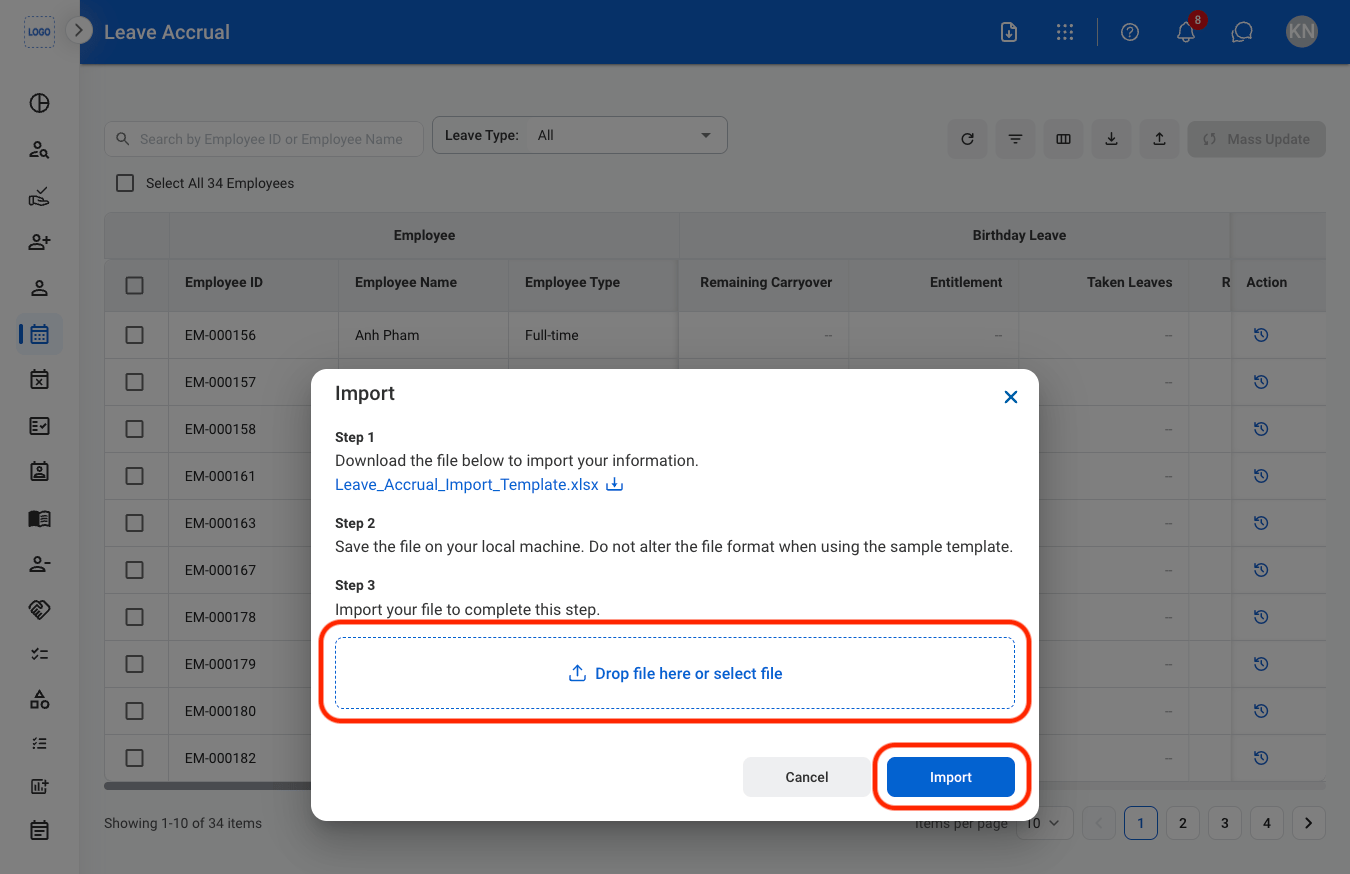
3
Upload the completed template
Download Leave Accrual Information
1
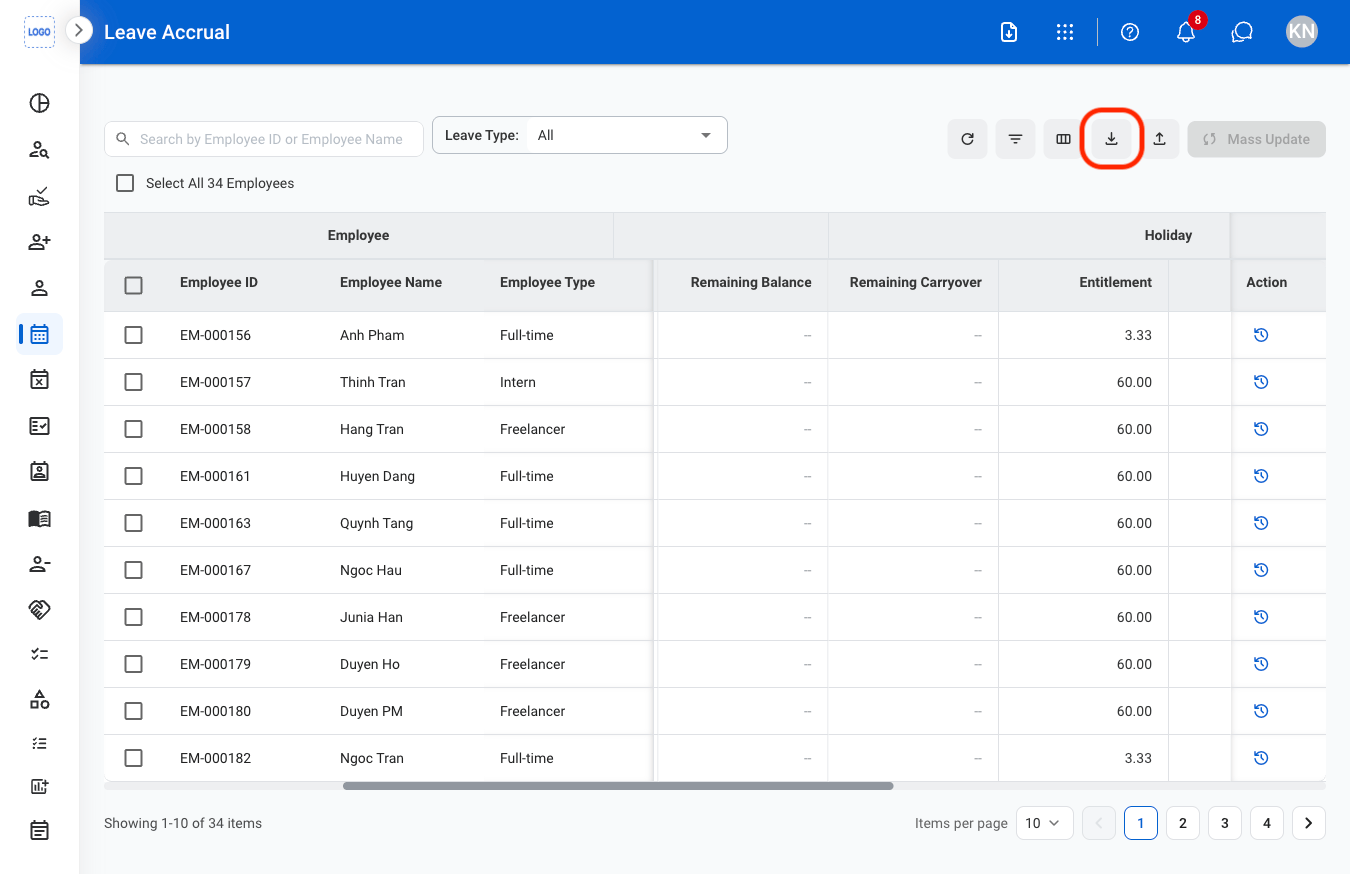
Select the Download icon
View Leave Accrual History
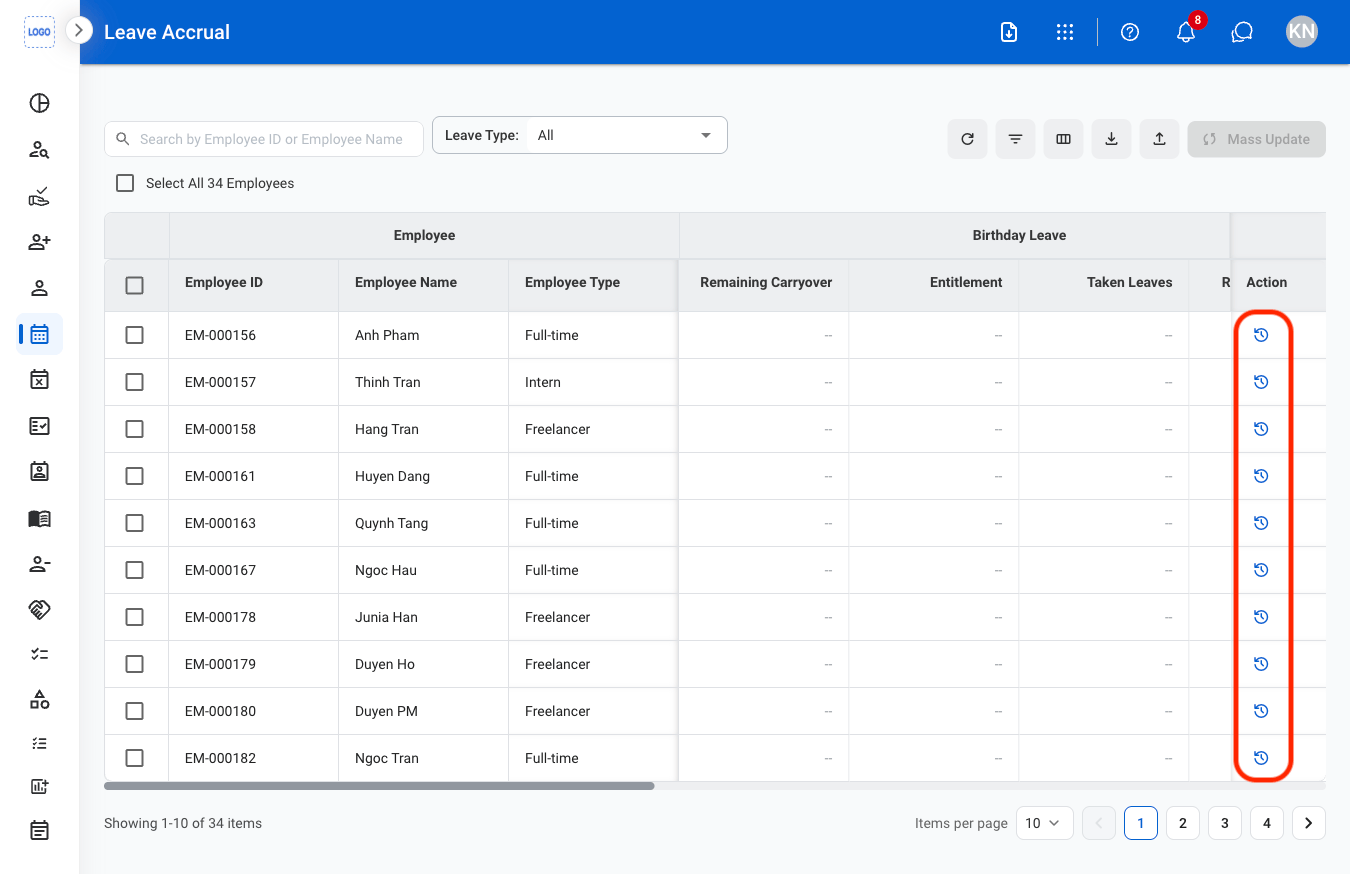
1
Select the history icon