View a Prime Contract
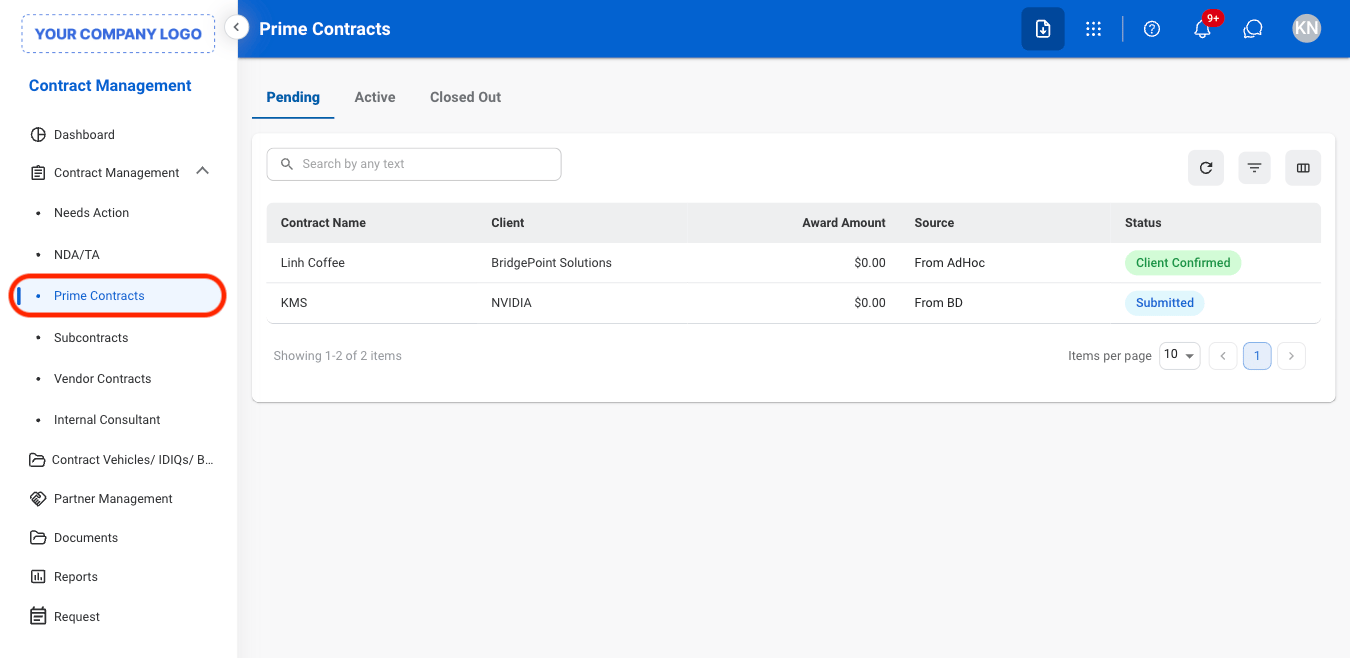
Navigate to Prime Contracts
Select a tab
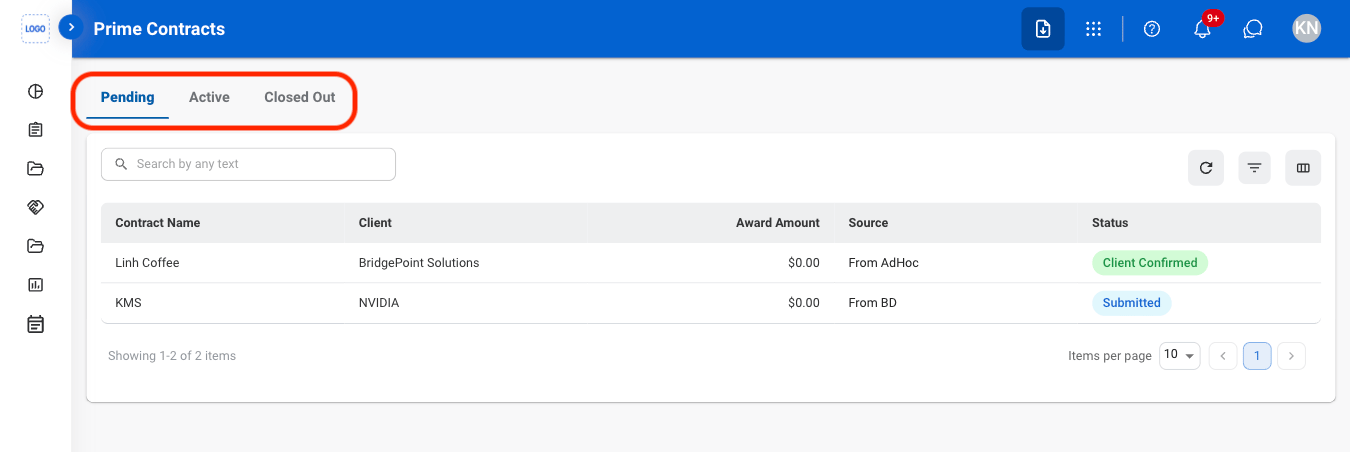
- Pending: Contracts in progress or awaiting action.
- Active: Contracts currently in effect.
- Closed Out: Contracts that have been completed and finalized.
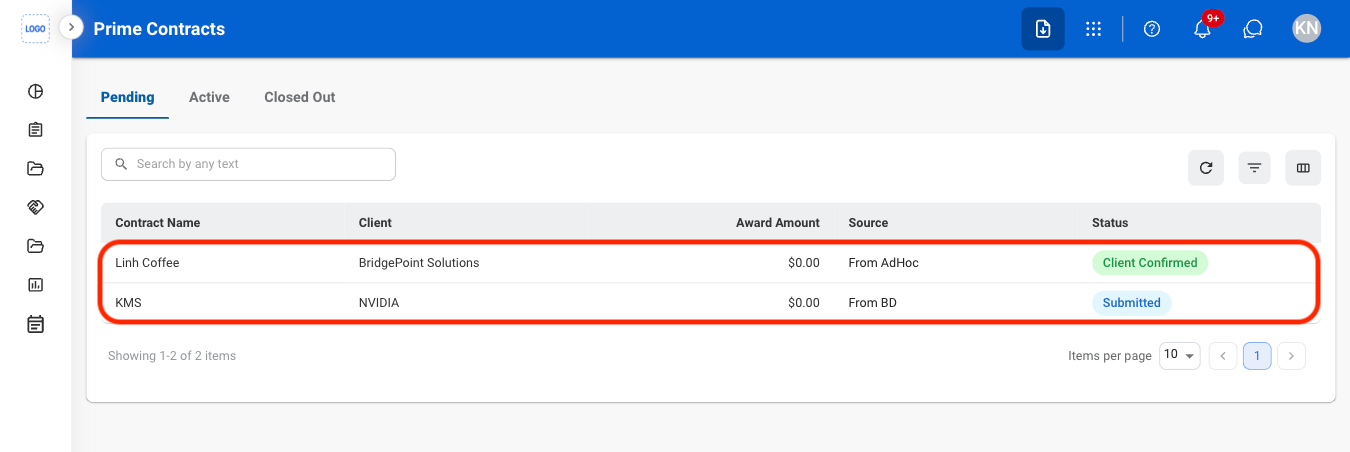
Select a contract
Add a Prime Contract
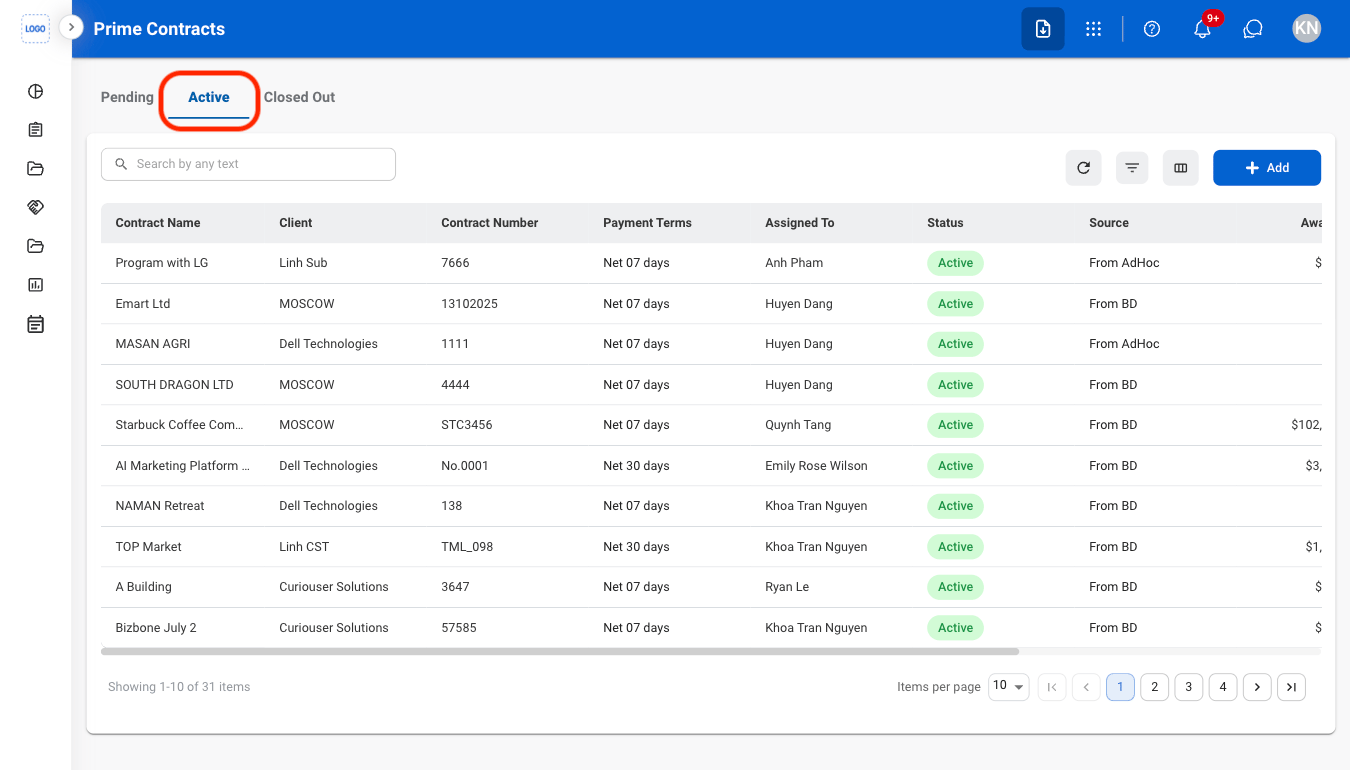
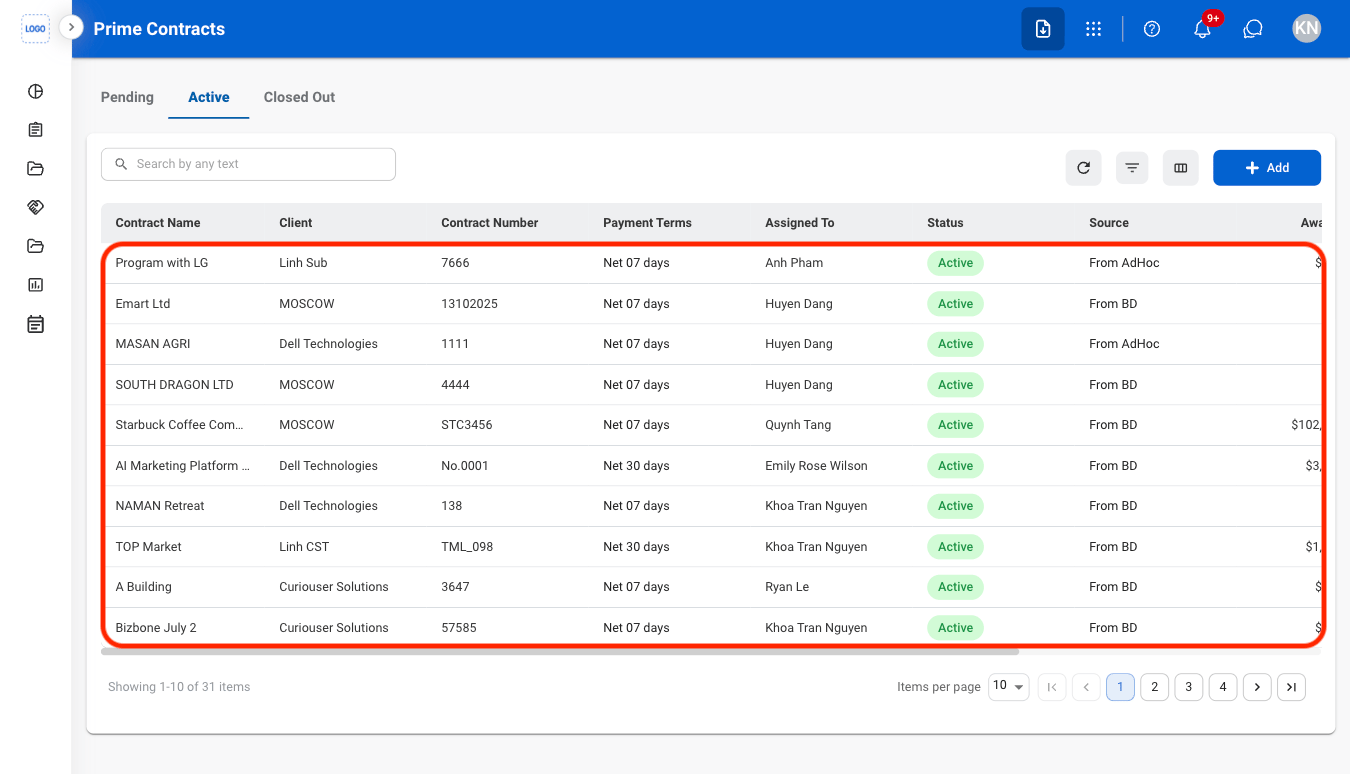
Select the Active tab
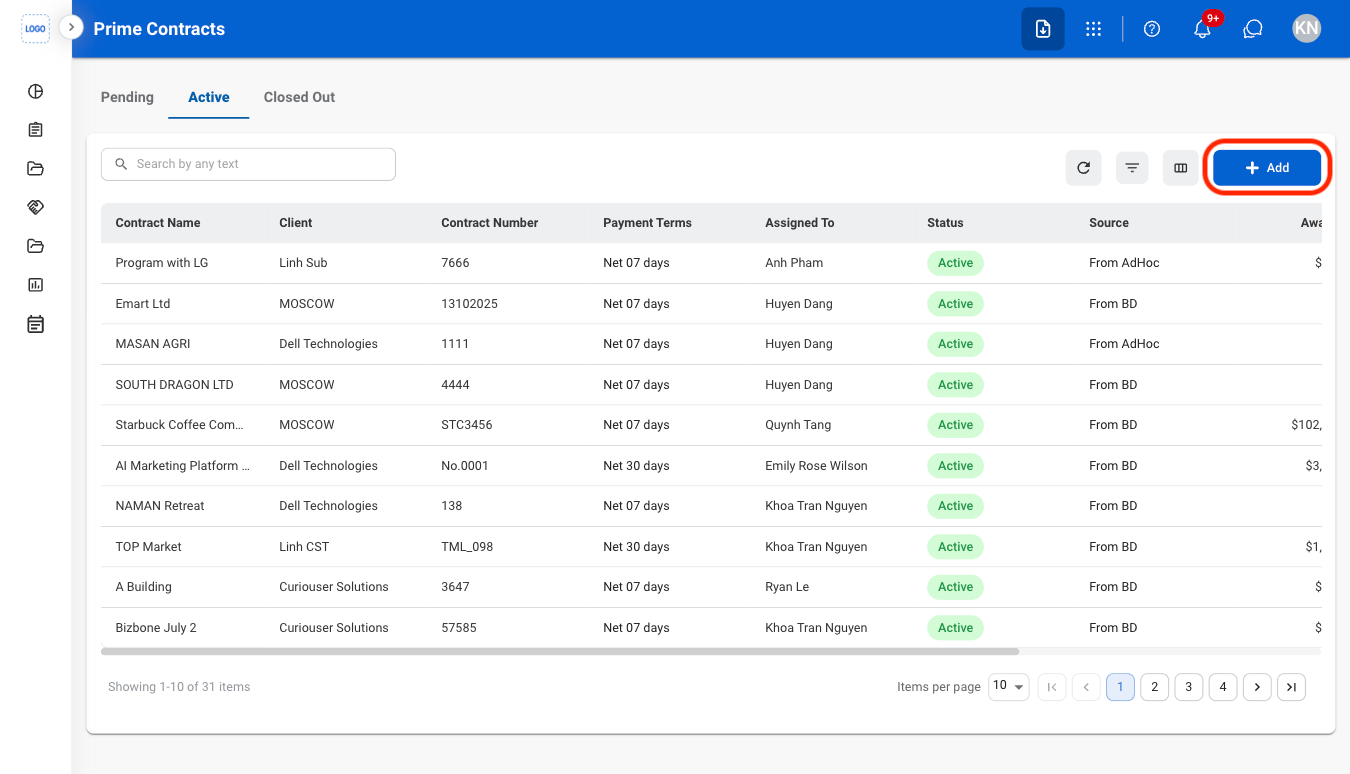
Select Add
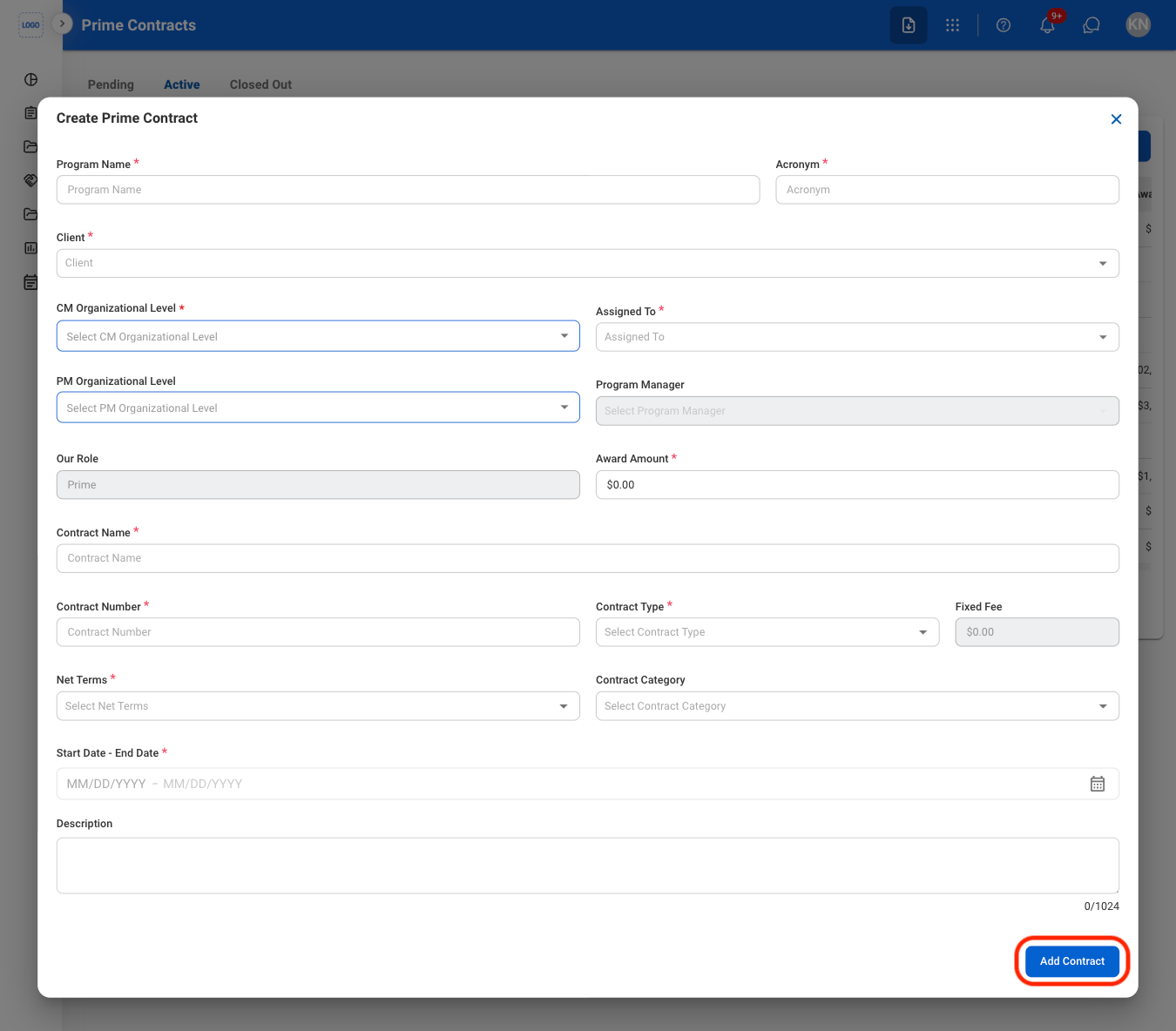
Fill in the required information
Record Contract Outcome
Navigate to Pending
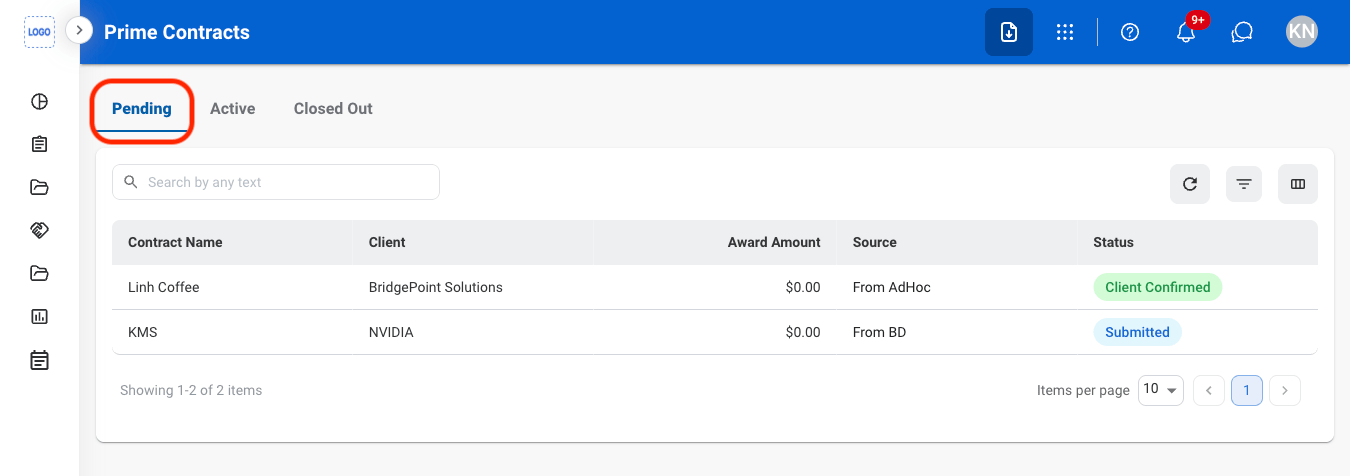
Select a contract
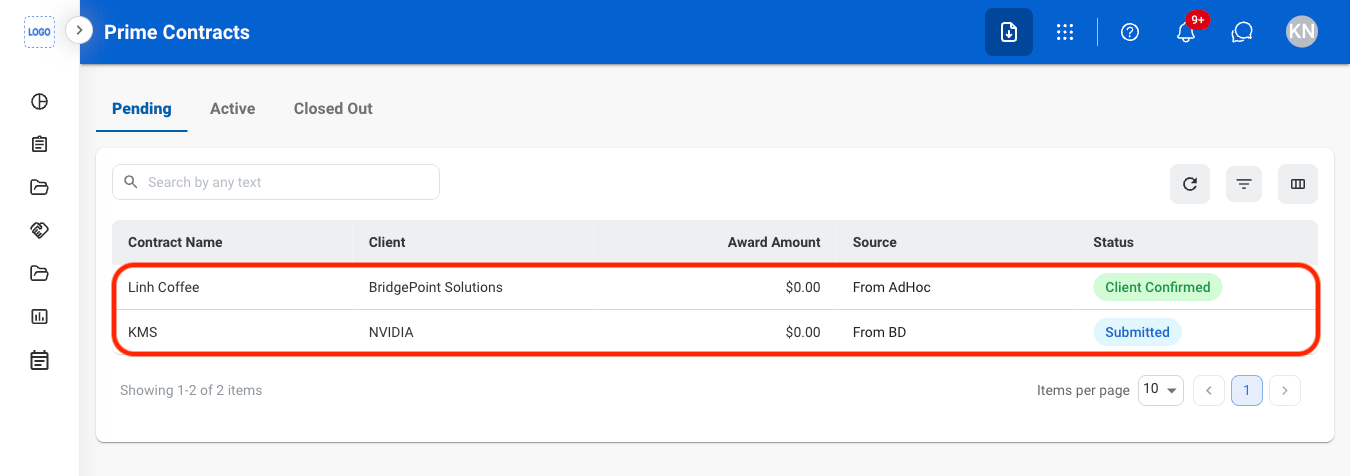
Select an action
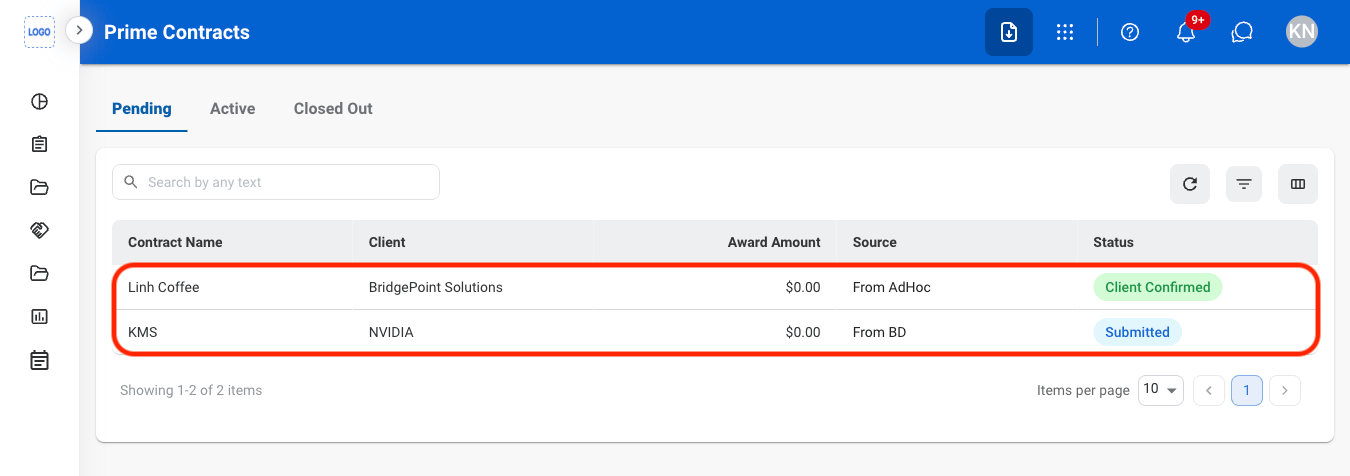
- Win: Mark the contract as won and move it to the Active tab.
- Lose: Mark the contract as lost and move it to the Closed Out tab. This action cannot be undone.
- Cancel: Cancel the contract and move it to the Closed Out tab.
Confirm the action
- Win: Fill in the required information and select Add Contract to complete.
- Lose: Contract is automatically moved to the Closed Out tab upon click.
- Cancel: Select Cancel to complete or Keep Contract to exit without saving changes.
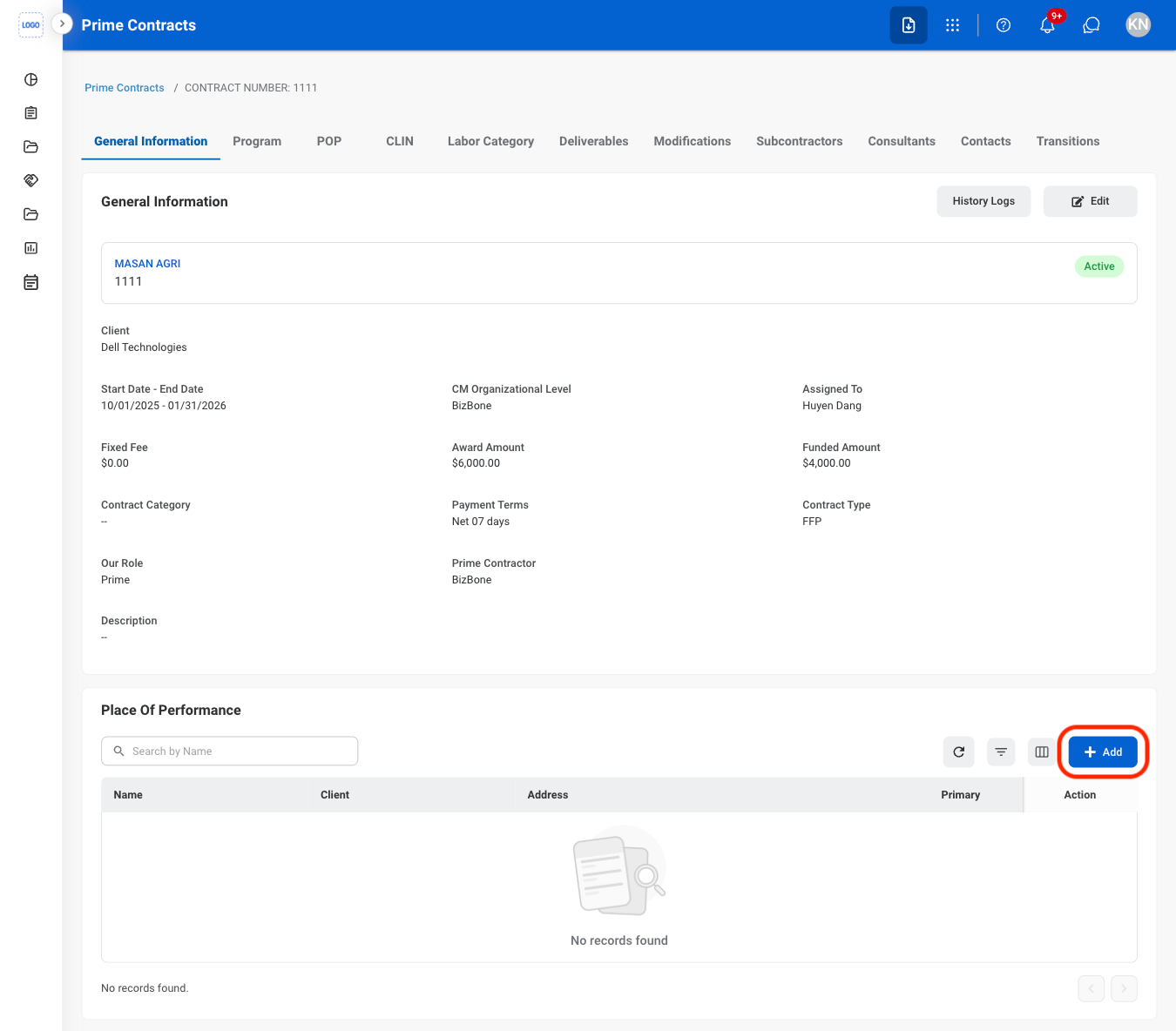
General Information
Add a Place of Performance
Select an active contract
Select the Add button under Place of Performance
Fill in the required information

Modify a Place of Performance
Select an action

- Edit: Select the edit icon to update an existing entry.
- Delete: Select the trash icon to delete an existing entry.
Confirm the action
- Edit: Fill in the required information and select Save to complete or Cancel to exit without saving changes.
- Delete: Select Delete to complete or Cancel to exit without saving changes.
Add a Document
Select the Add button under Documents
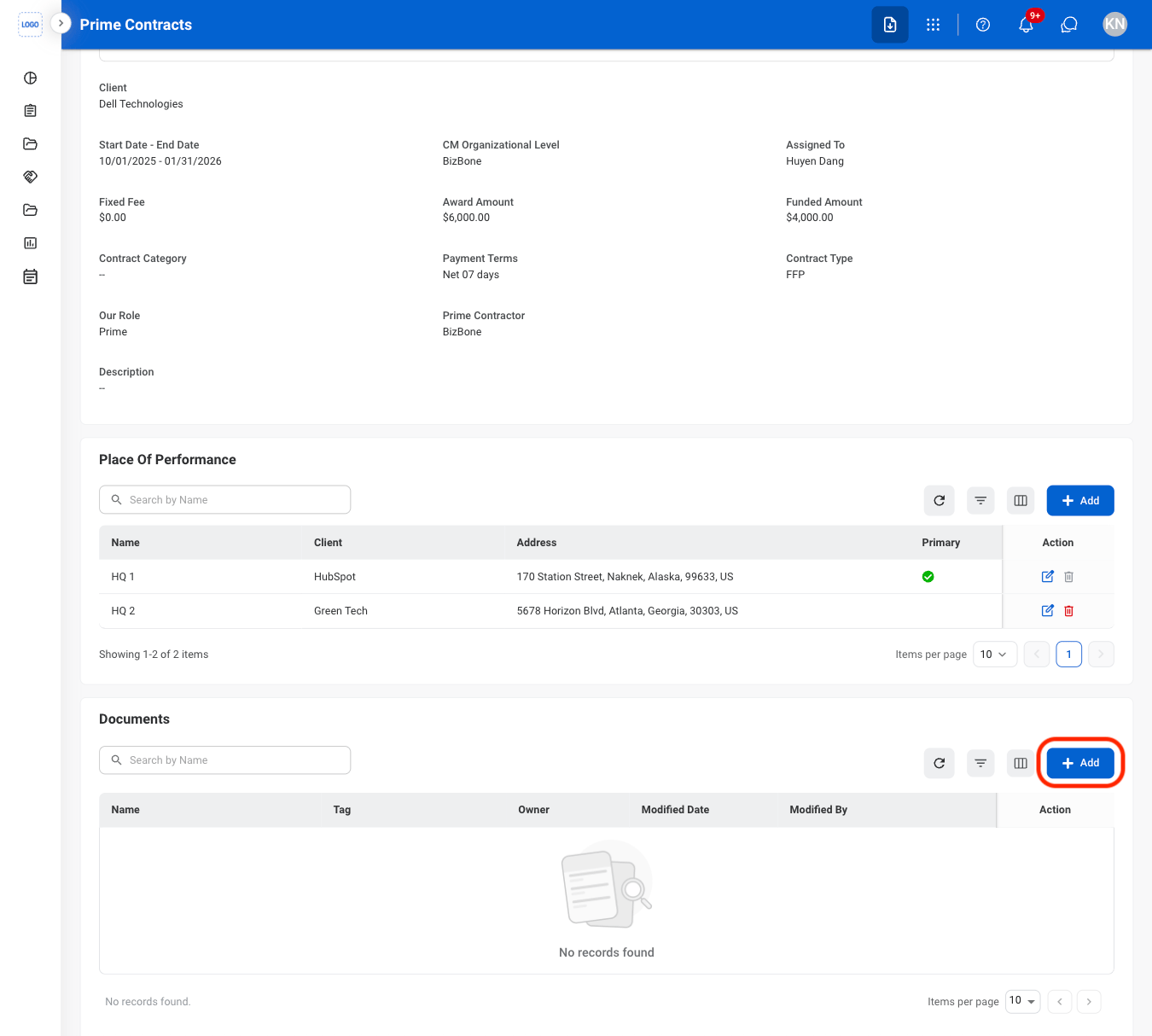
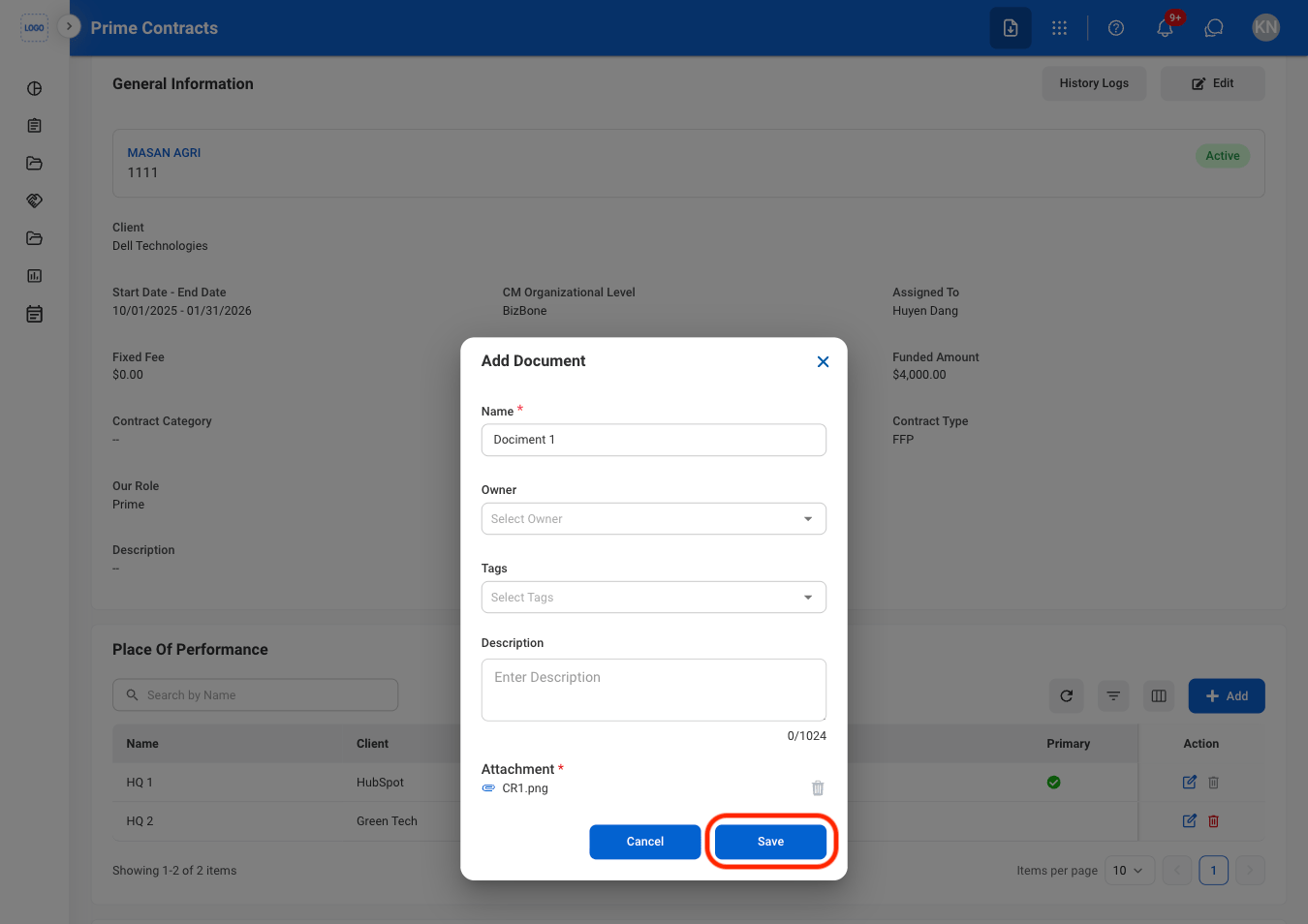
Fill in the required information
Modify a Document
Select an action
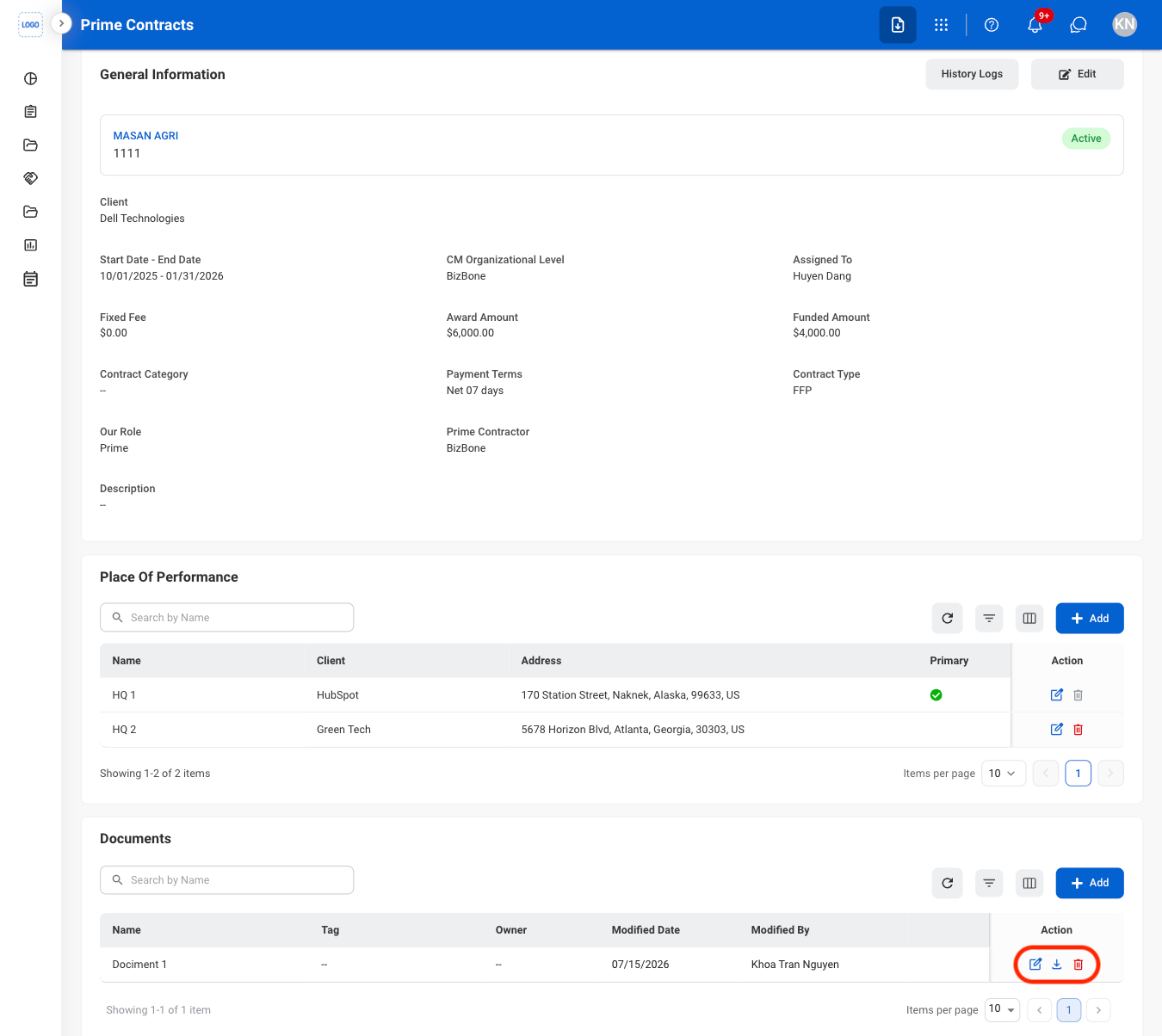
Confirm the action
- Edit: Fill in the required information and select Save to complete or Cancel to exit without saving changes.
- Delete: Select Delete to complete or Cancel to exit without saving changes.
Program
Add CPARS Rating
Select the Program tab
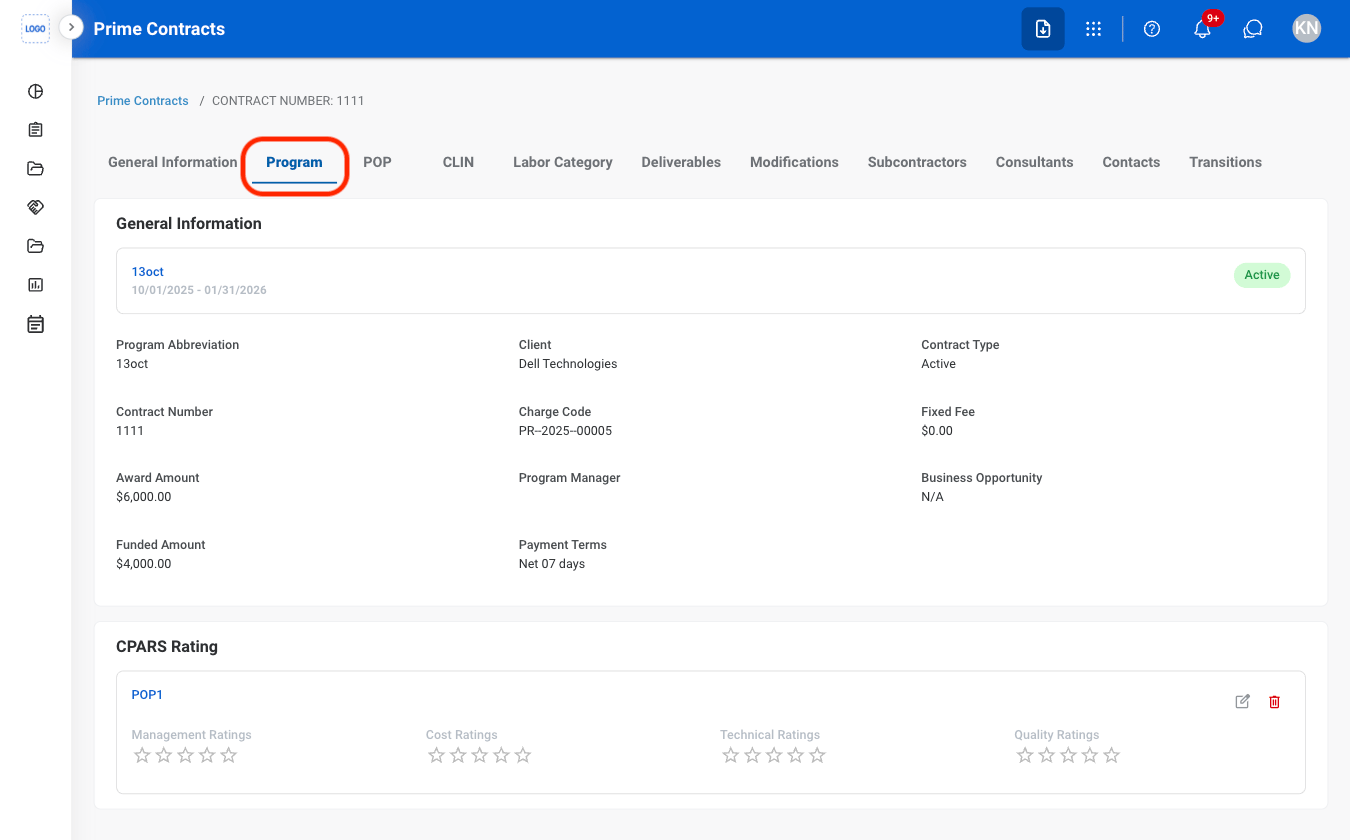
Select the Edit icon
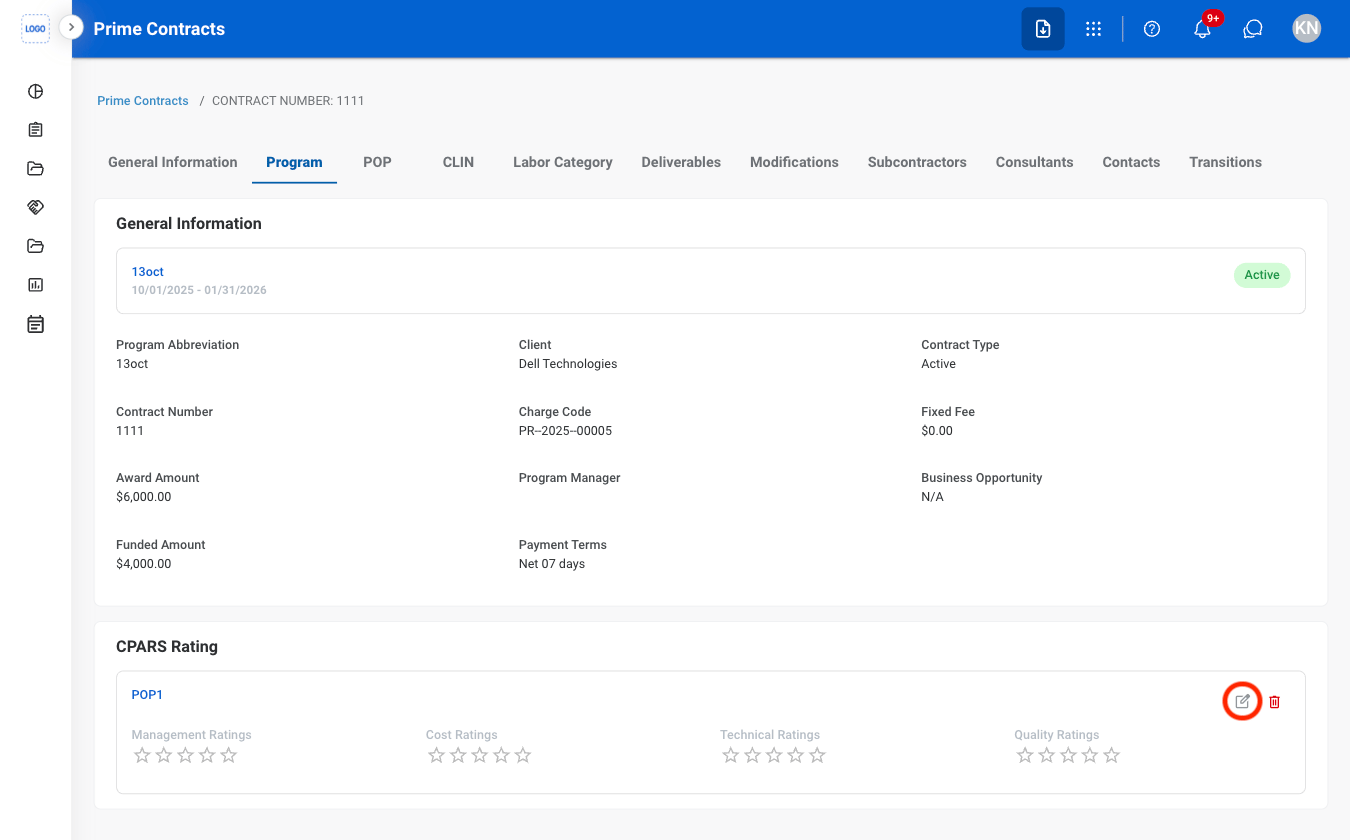
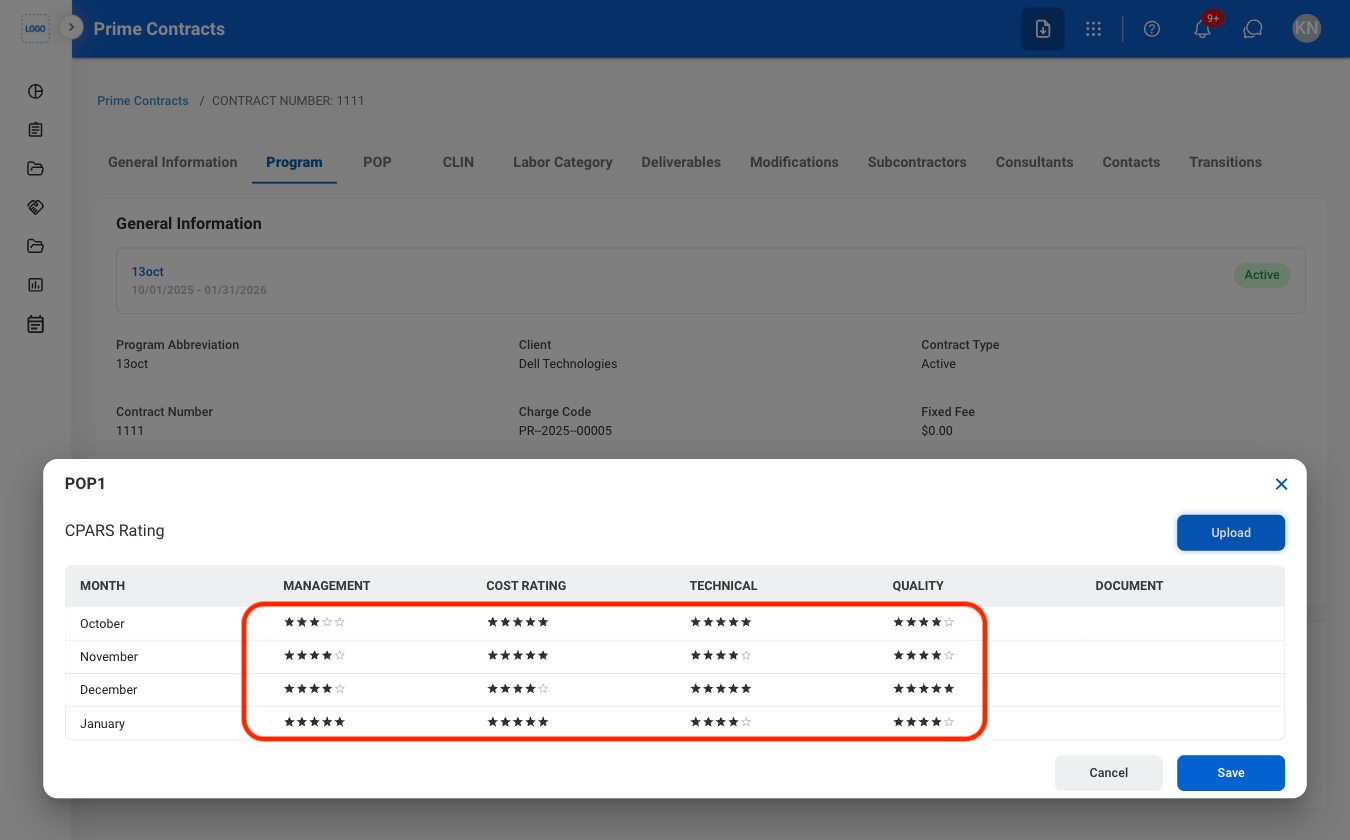
Select ratings for each category
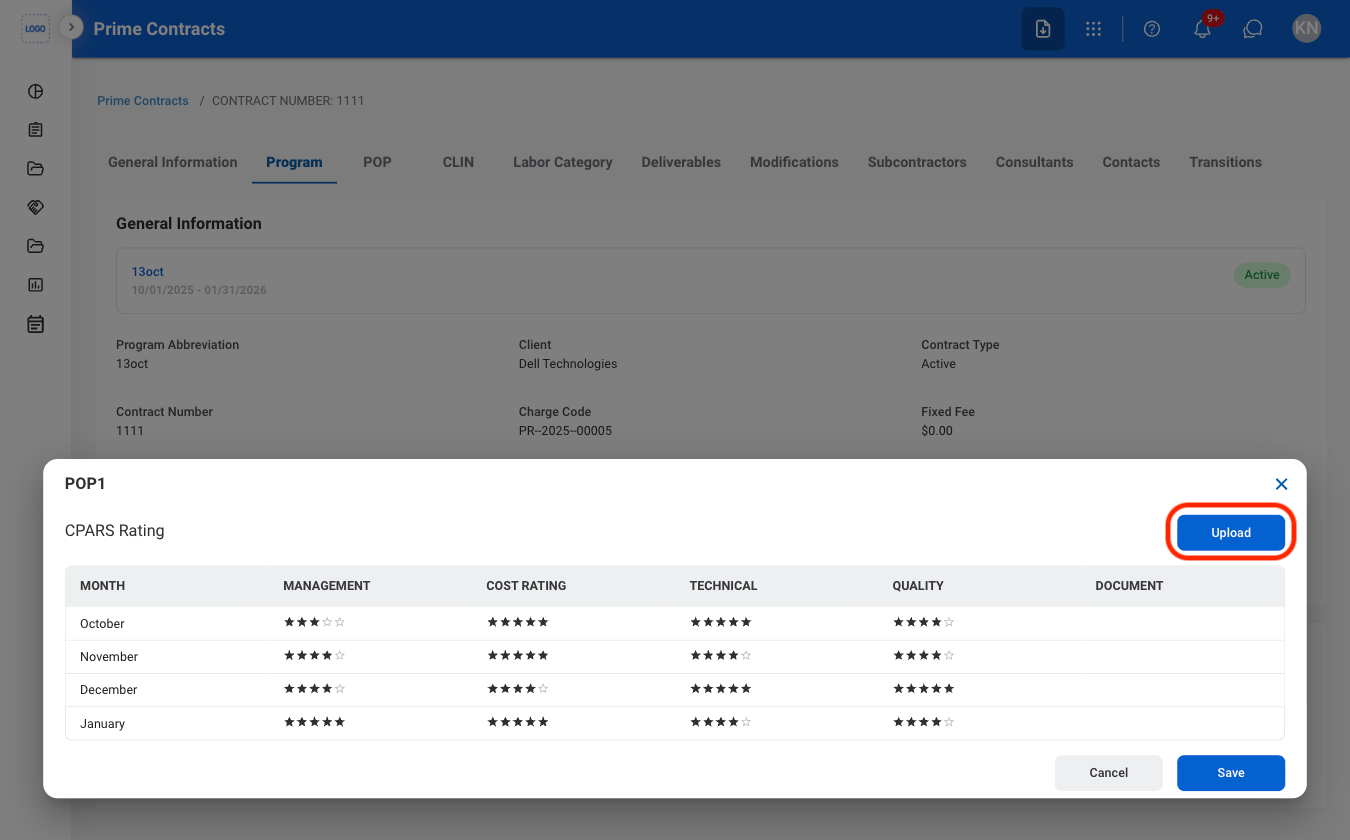
Optional: Select Upload to attach supporting documents
Period of Performance
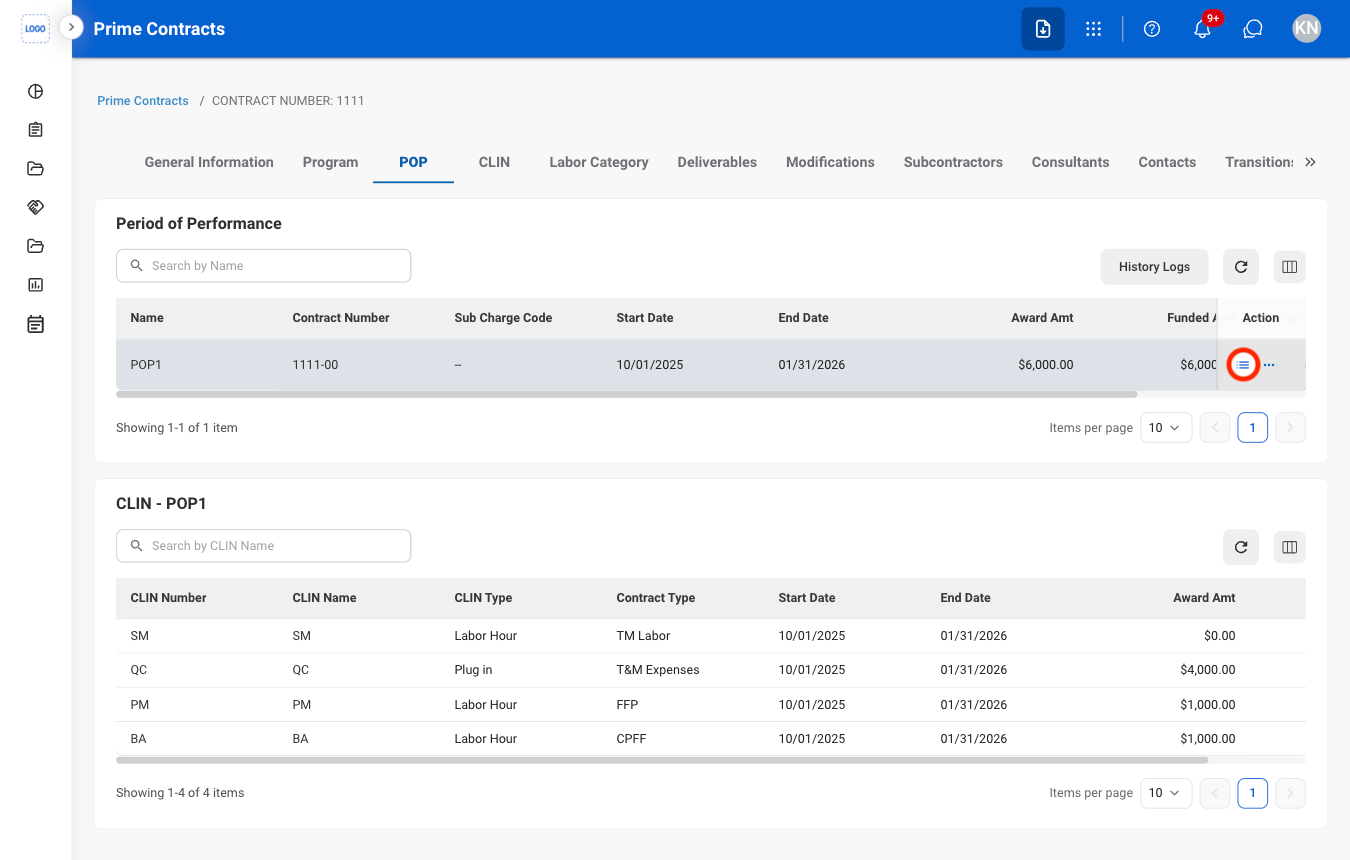
View POP CLINs
Navigate to POP

Select the list icon
View POP Documents and Change Logs
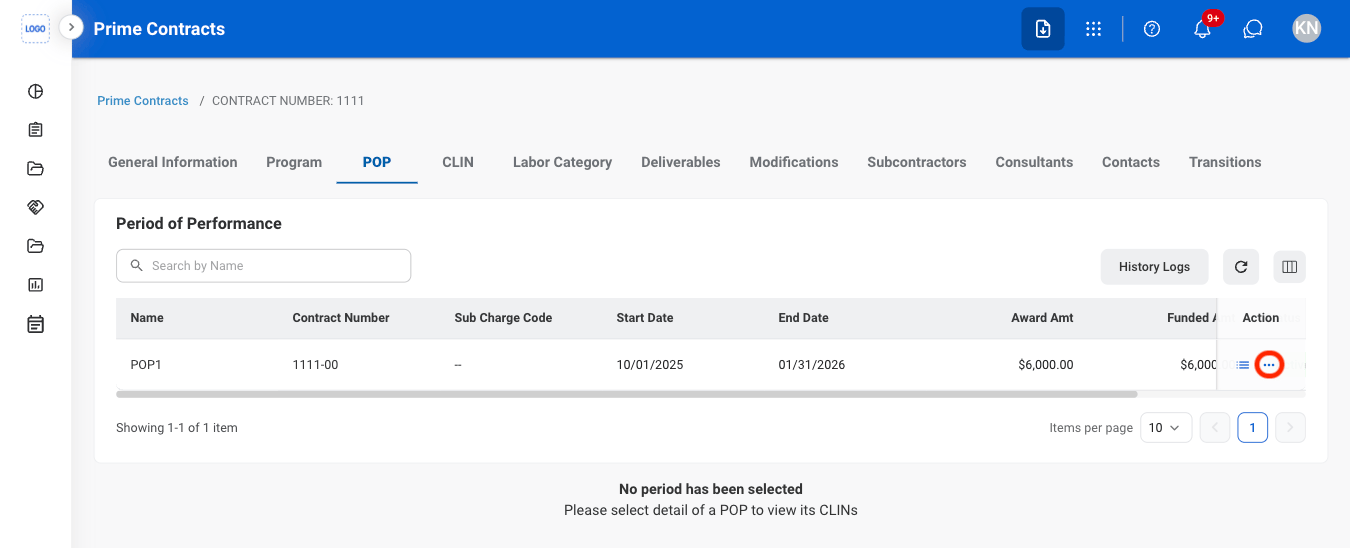
Select the ellipsis
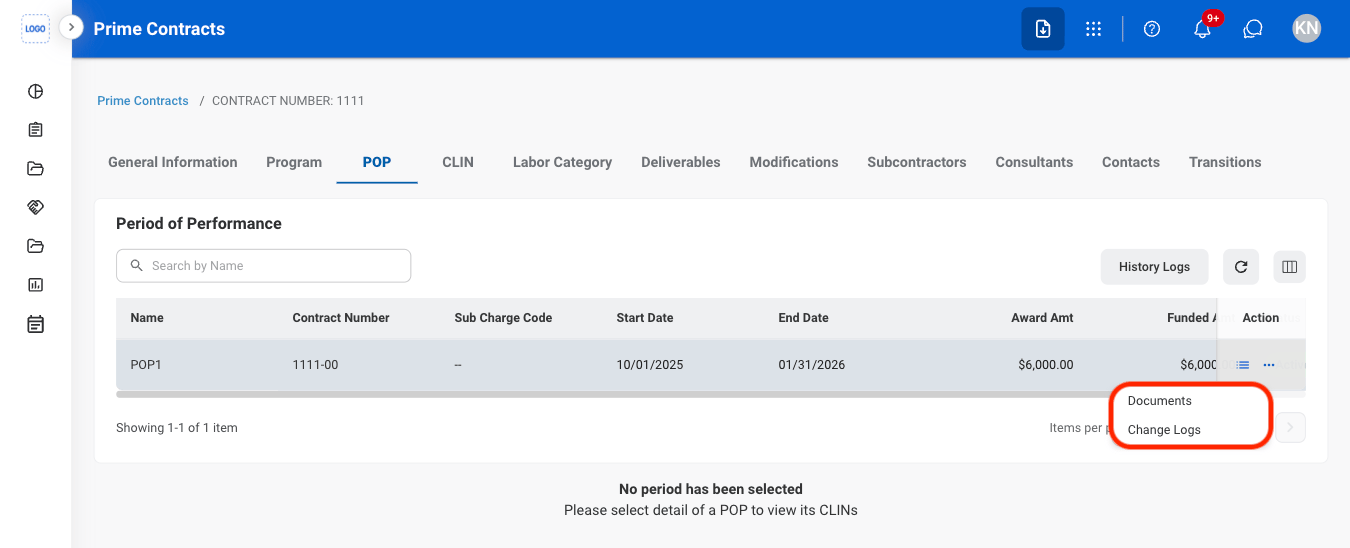
Select Documents or Change Logs
Contract Line Item Number
View CLIN Labor Categories
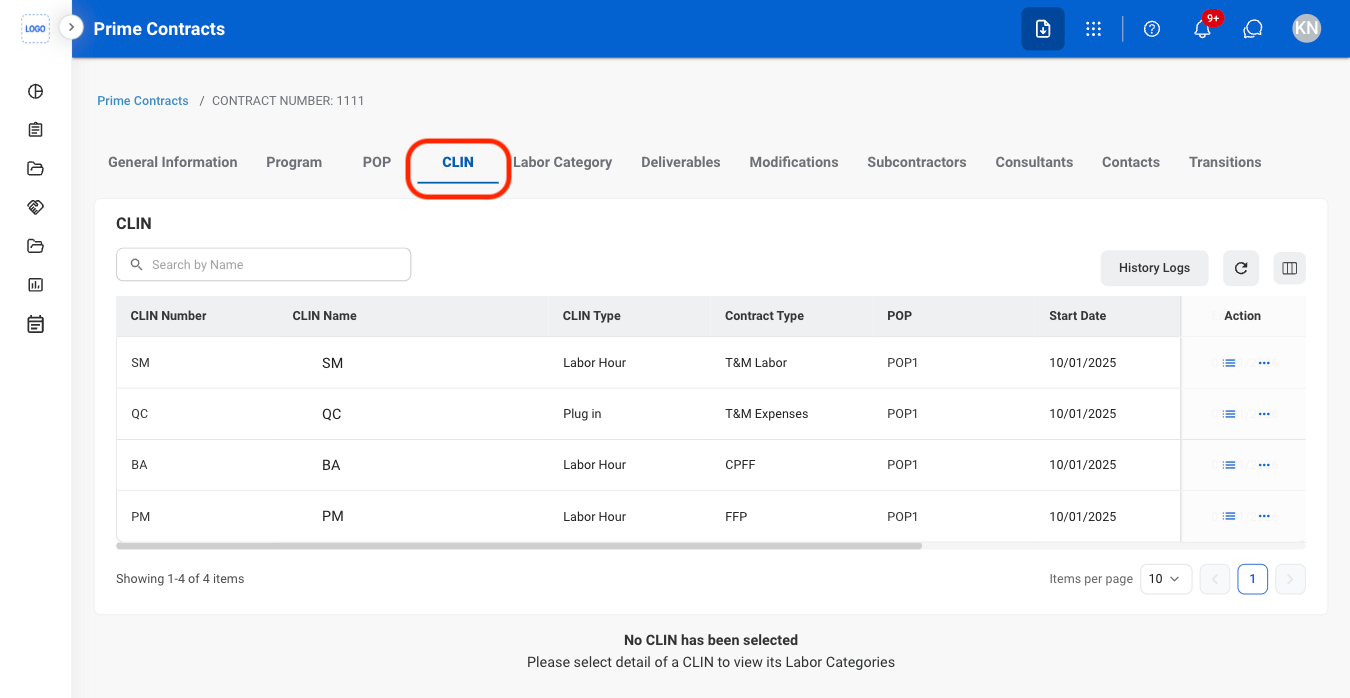
Navigate to CLIN
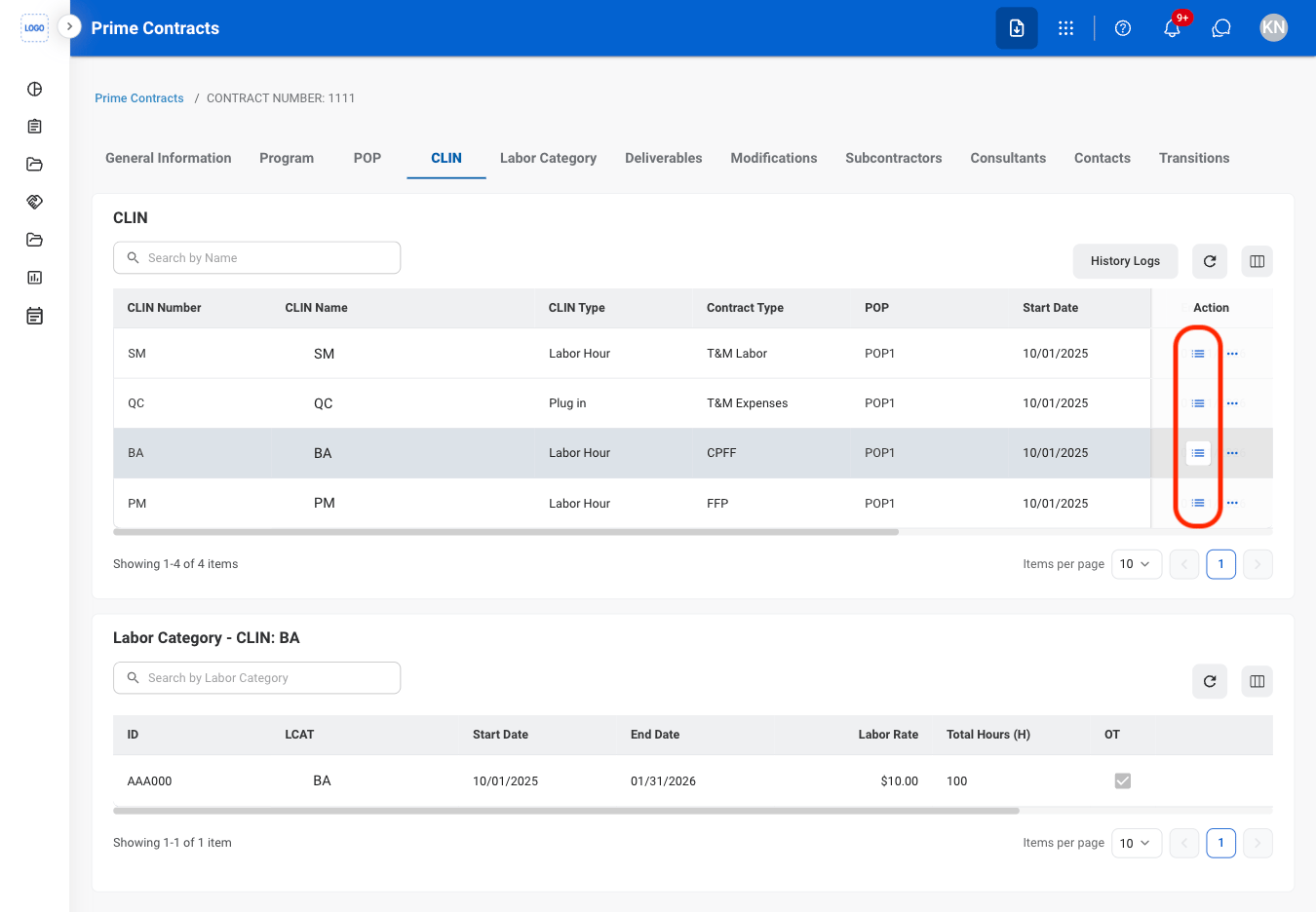
Select the list icon
View CLIN Change Logs
Select the ellipsis
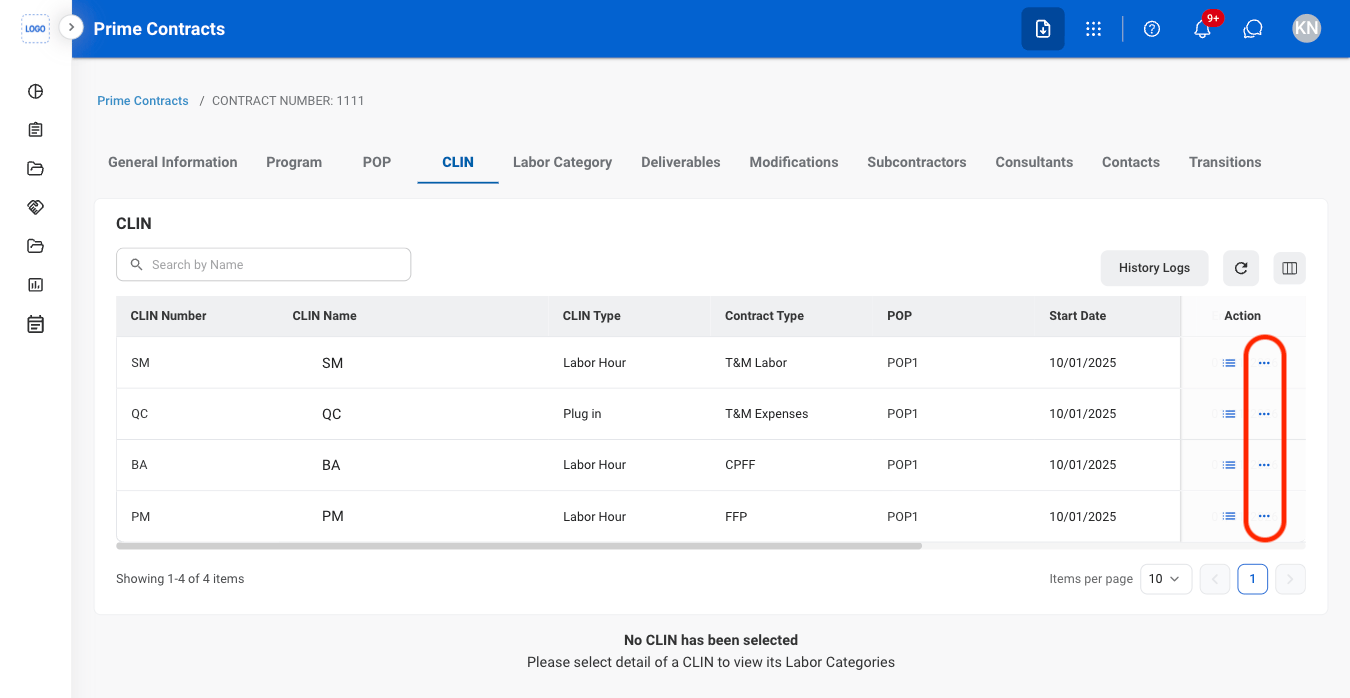
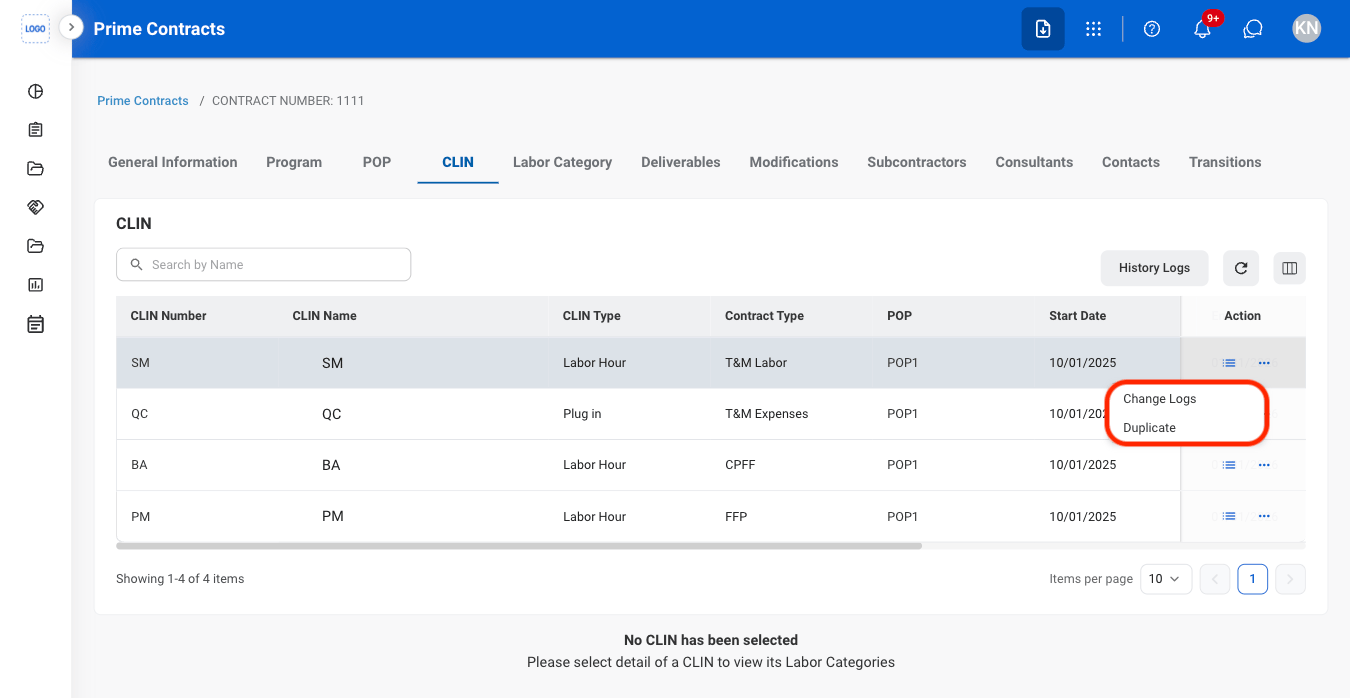
Select Change Logs
Labor Category
View Labor Category Change Logs
Navigate to Labor Category
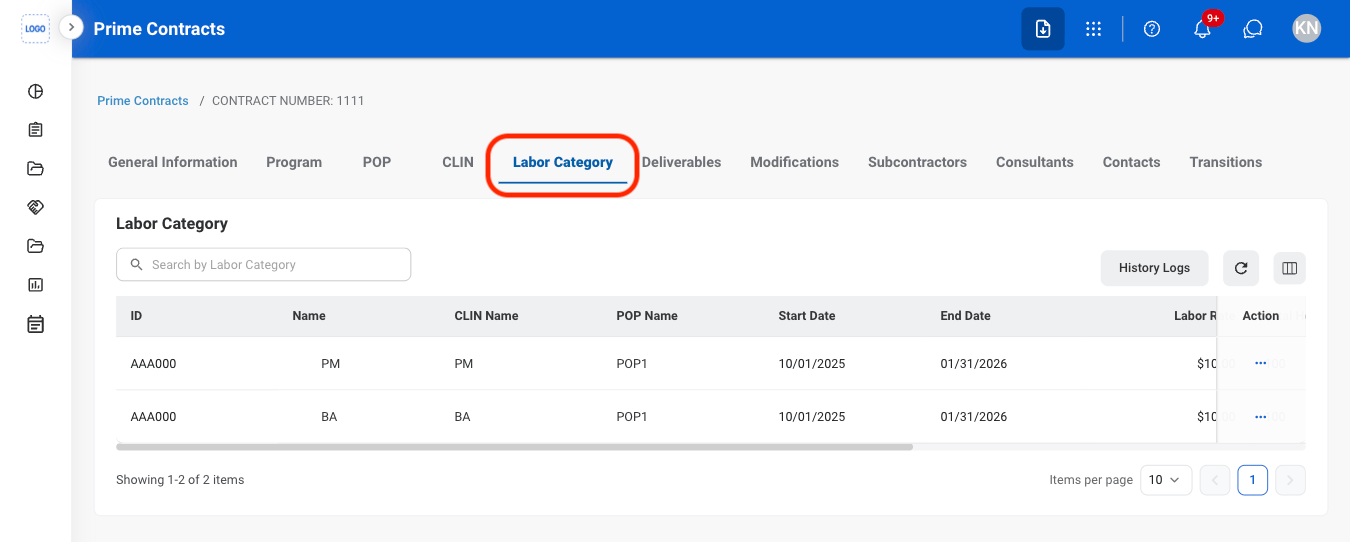
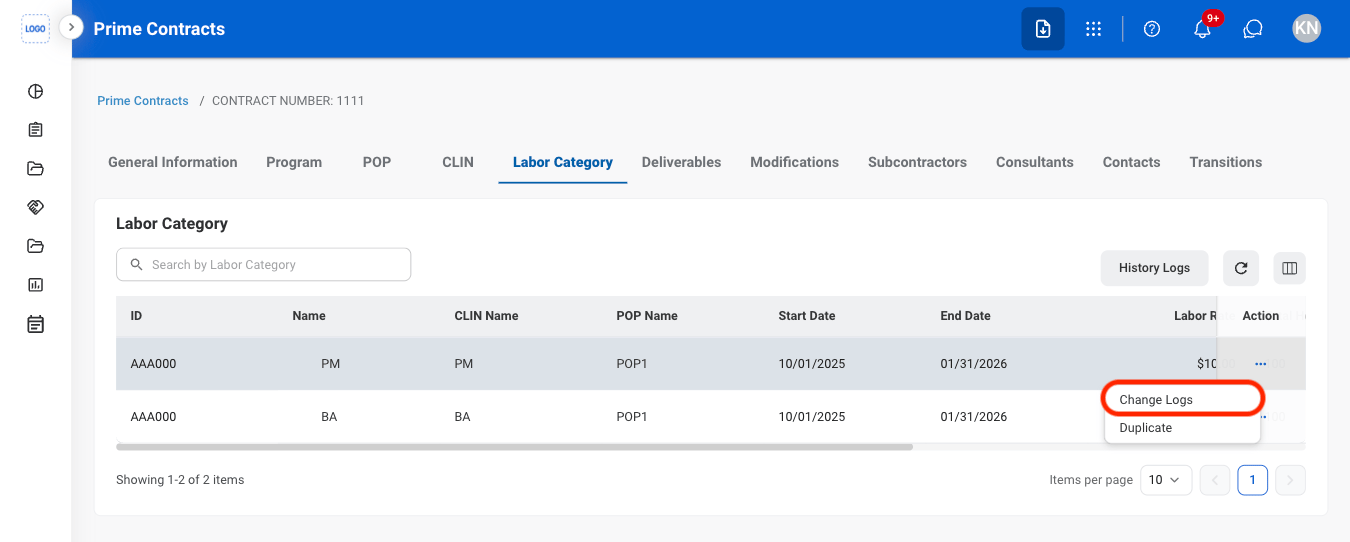
Select the ellipsis

Select Change Logs
Deliverables
Add Deliverables
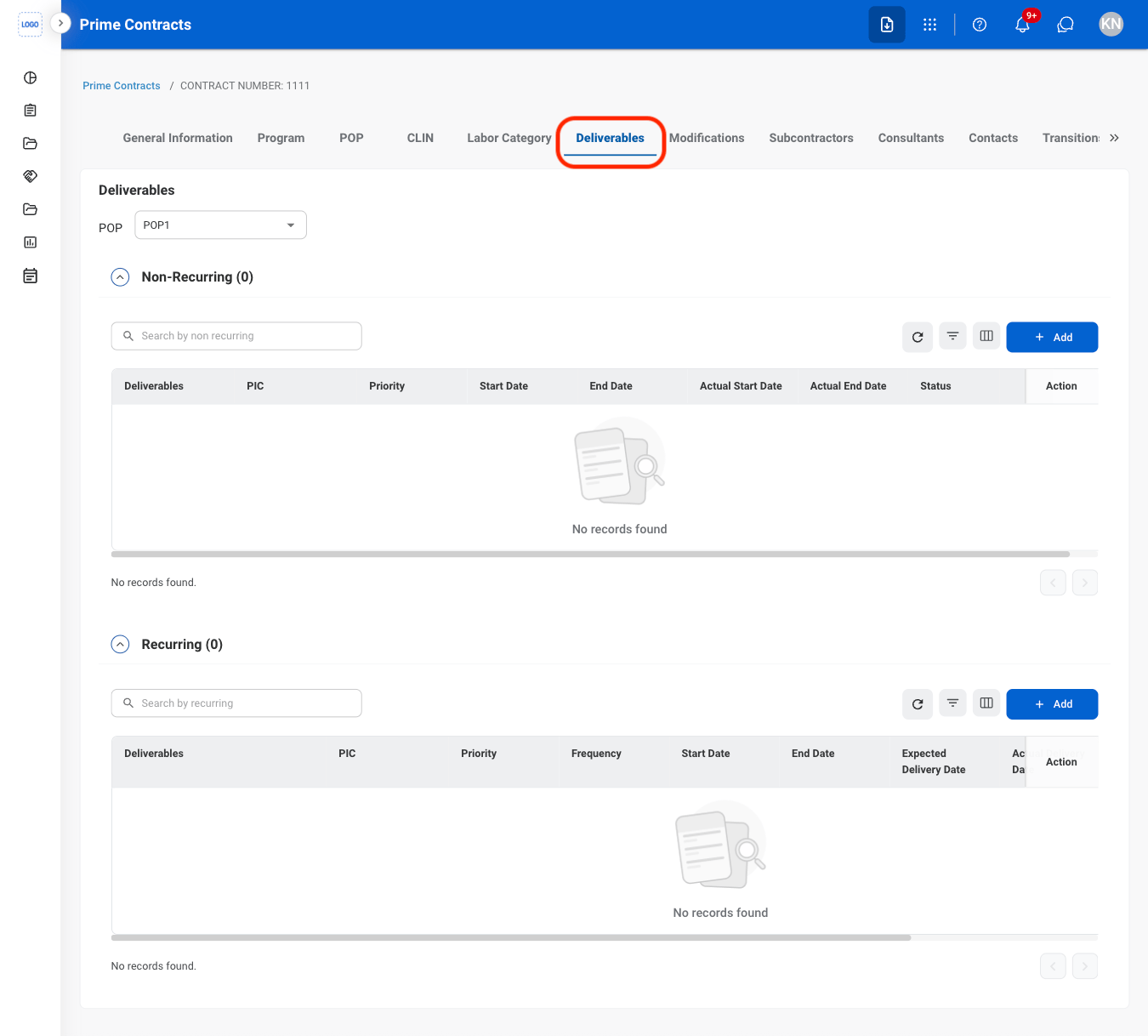
Navigate to Deliverables
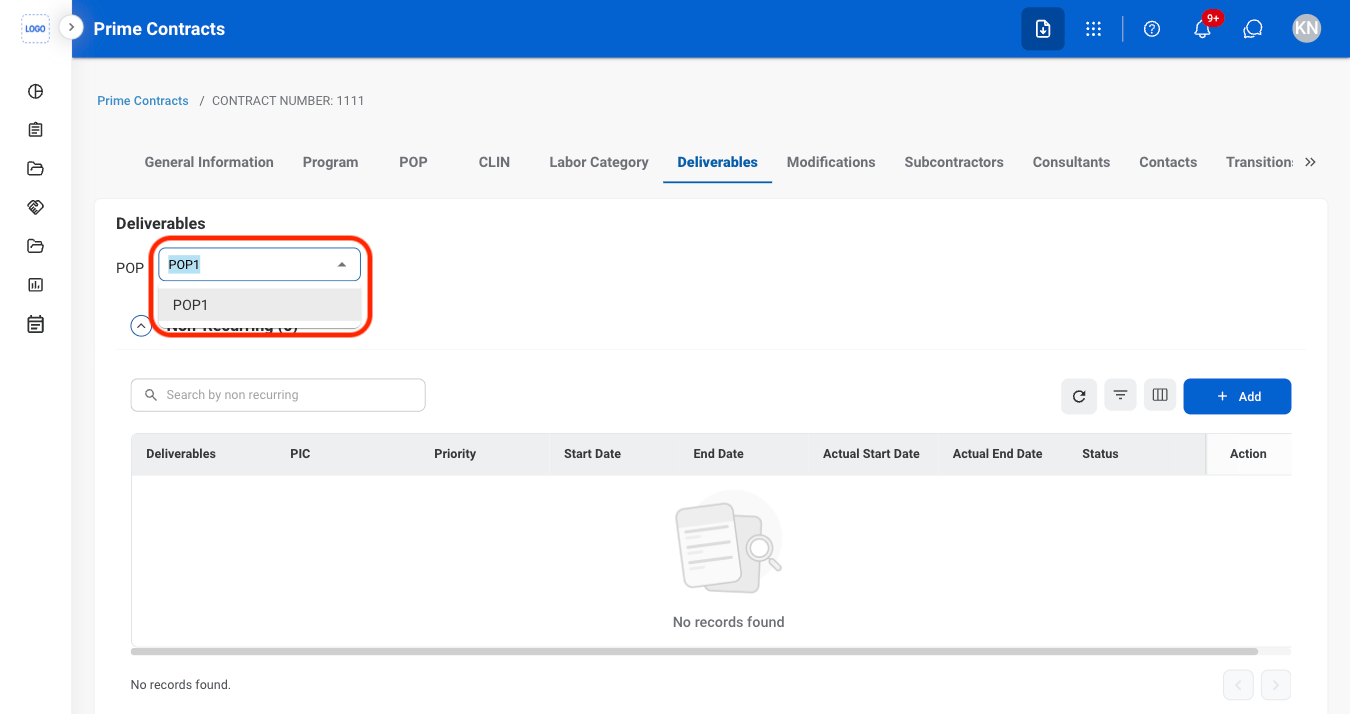
Non-recurring Deliverables only: Select a POP
Select Add under the appropriate section
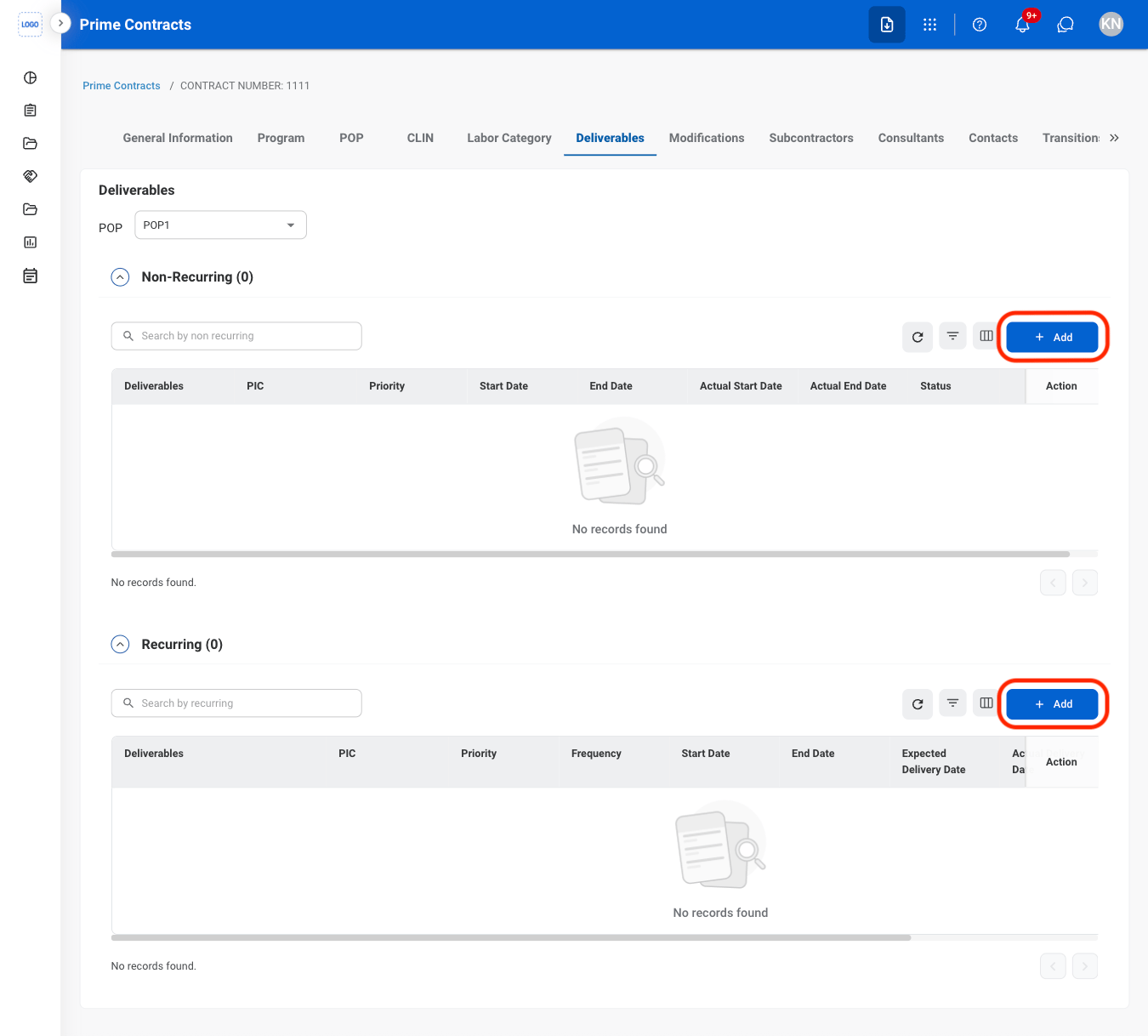
- Non-Recurring: Deliverables that are submitted once or occur only during a specific Period of Performance (POP).
- Recurring: Deliverables that occur on a repeated schedule or require ongoing submission throughout the contract period.
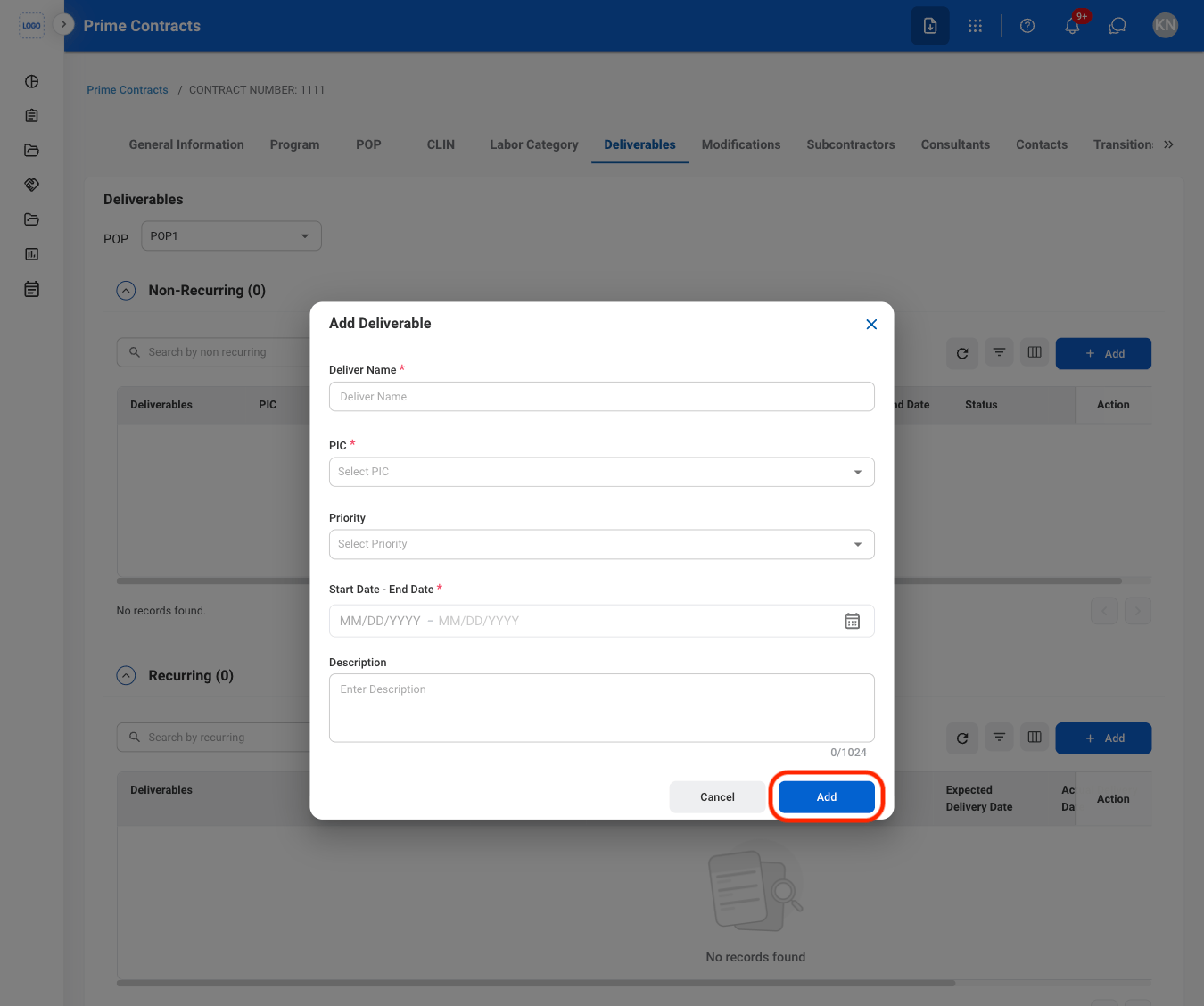
Fill in the required information
Modify a Deliverable
Select an action
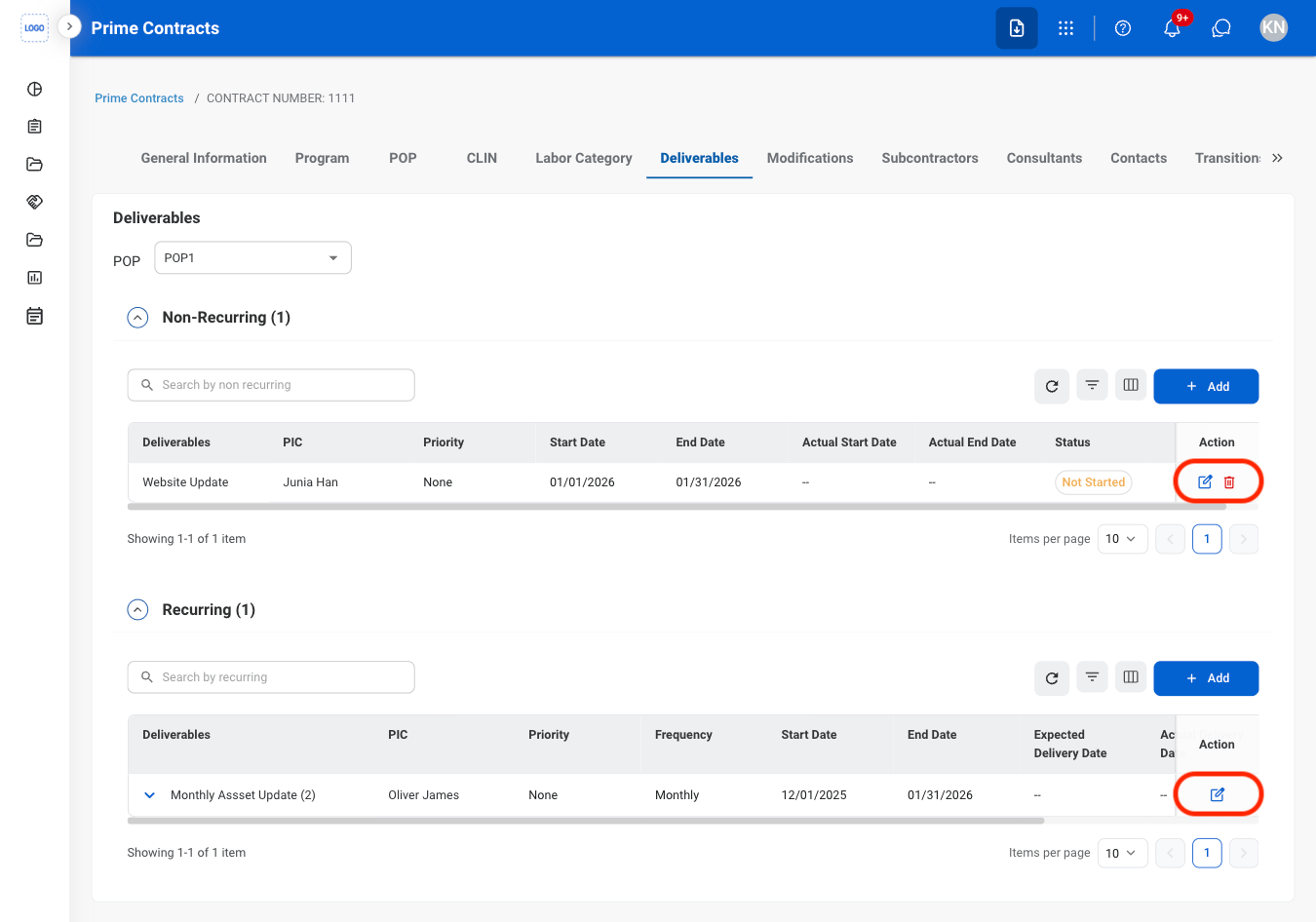
Confirm the action
- Edit: Fill in the required information and select Update to complete or Cancel to exit without saving changes.
- Delete: Select Delete to complete or Cancel to exit without saving changes.
Modifications
Add a Modification
Navigate to Modifications
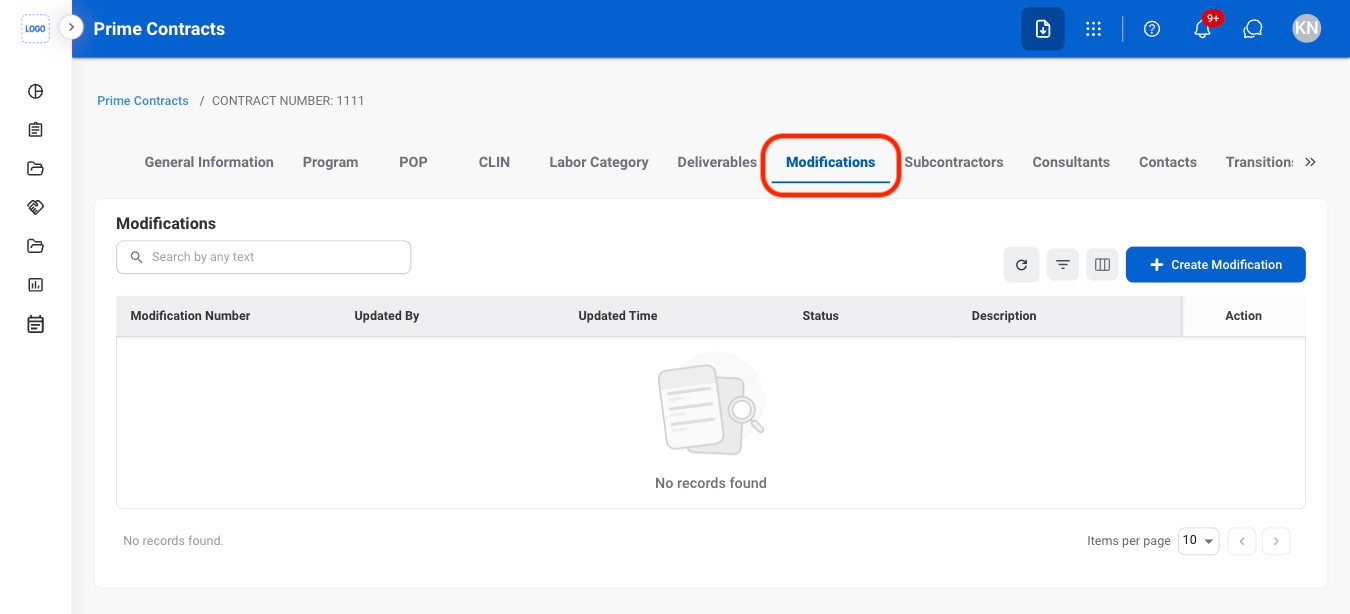
Select Create Modification
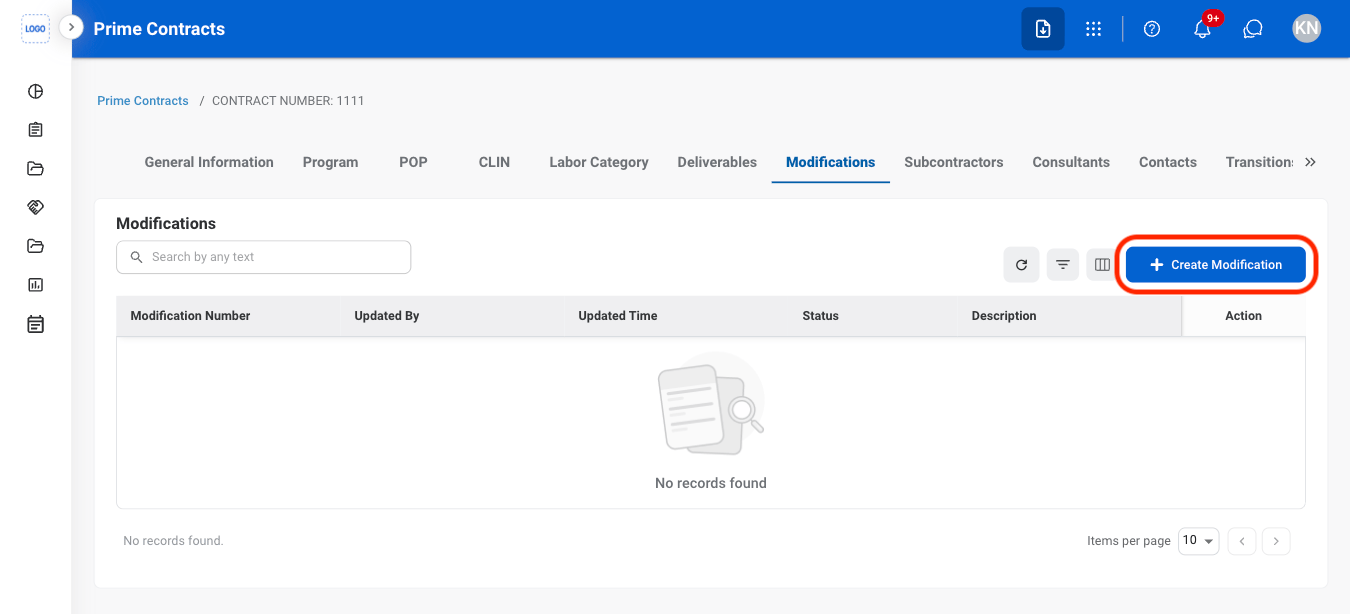
Fill in the required information
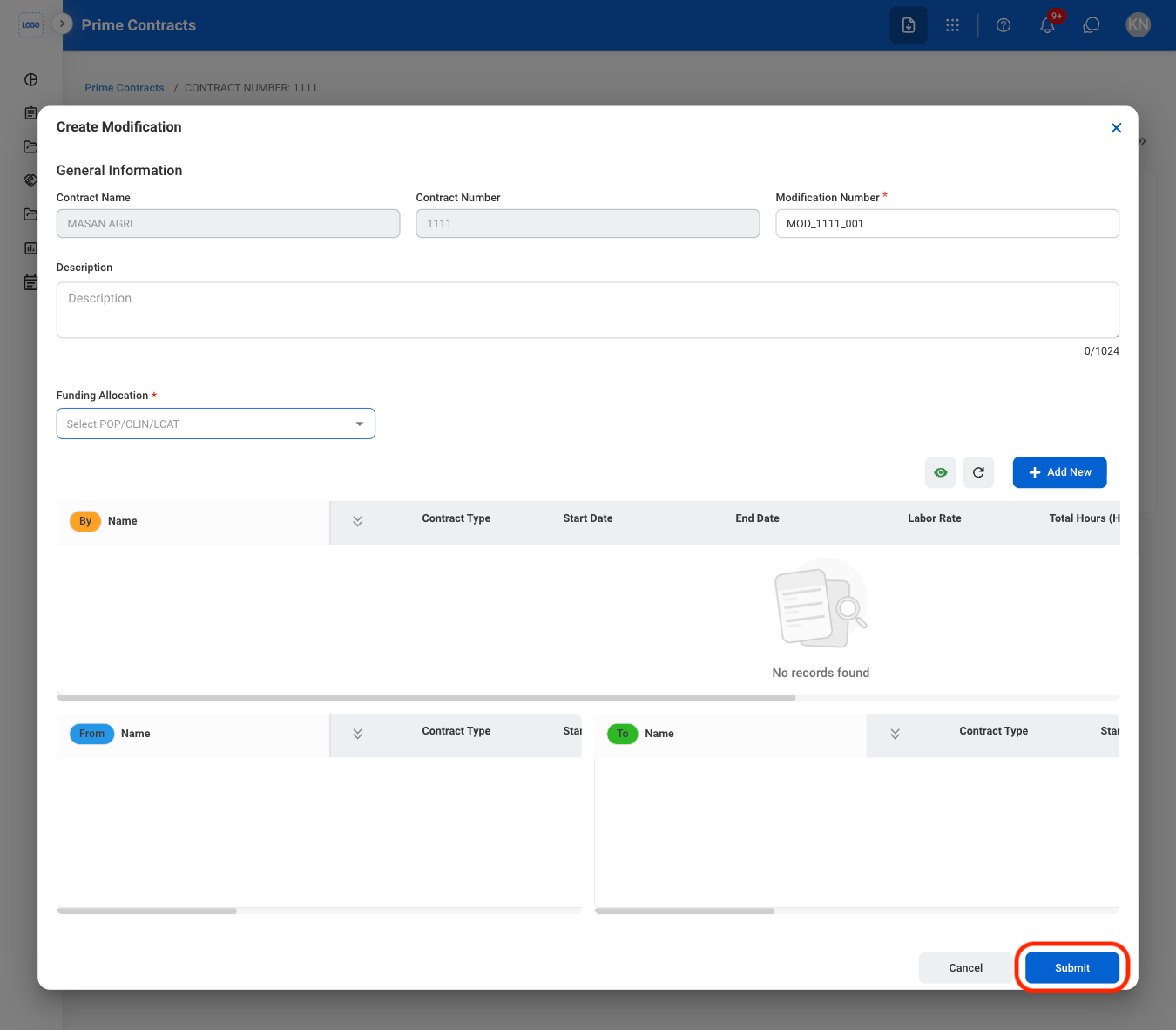
Modify a Contract Modification Document
Select the document icon
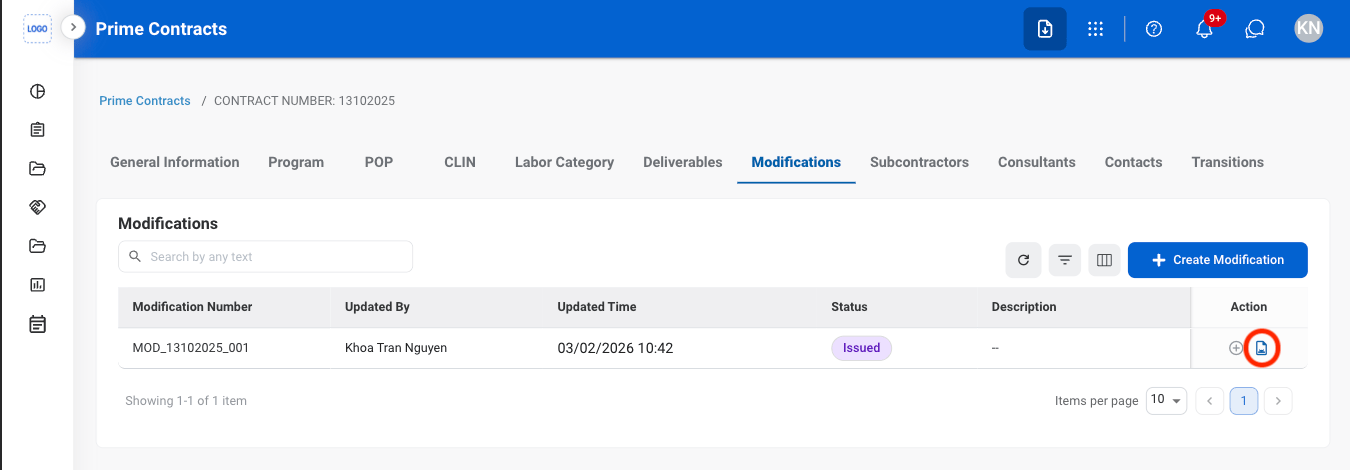
Select an action
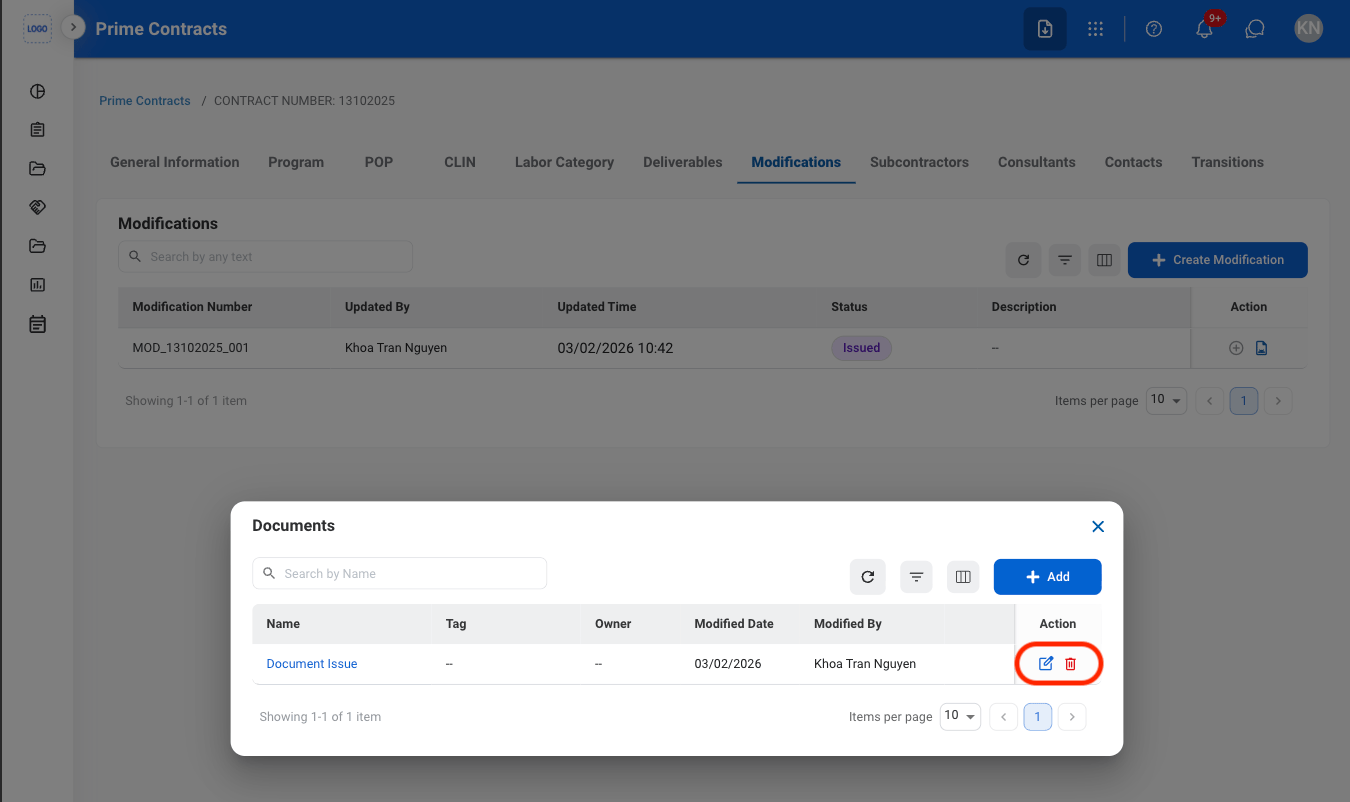
- Edit: Select the edit icon to update an existing entry
- Delete: Select the trash icon to delete an existing entry.
Confirm the action
- Edit: Fill in the required information. Select Save to complete or Cancel to exit without saving changes.
- Delete: Select Delete to complete or Cancel to exit without saving changes.
Issue a Modification Record
Select a modification with Manager Approved status
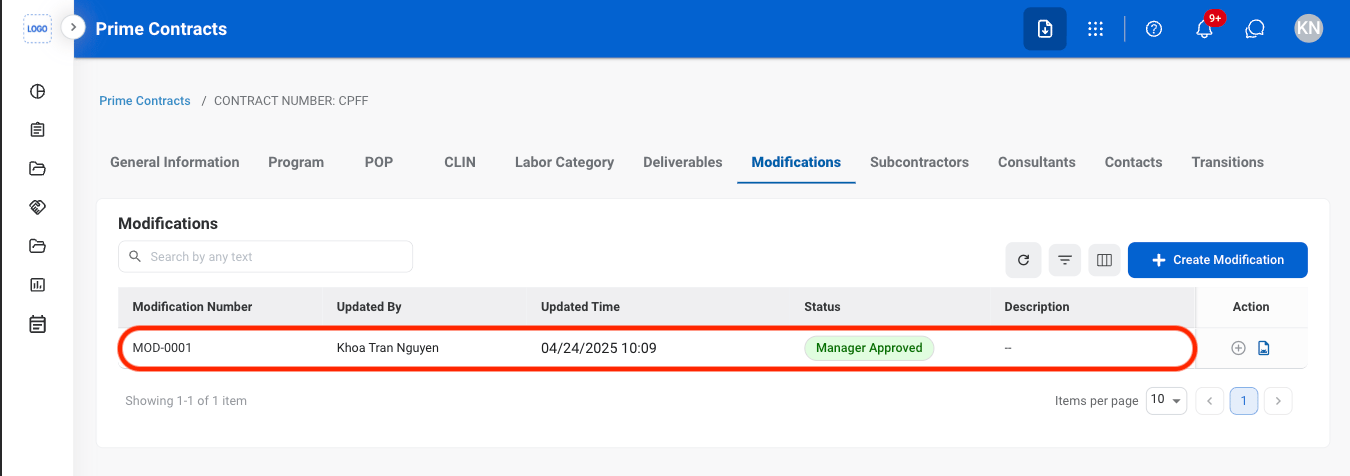
Select Issue
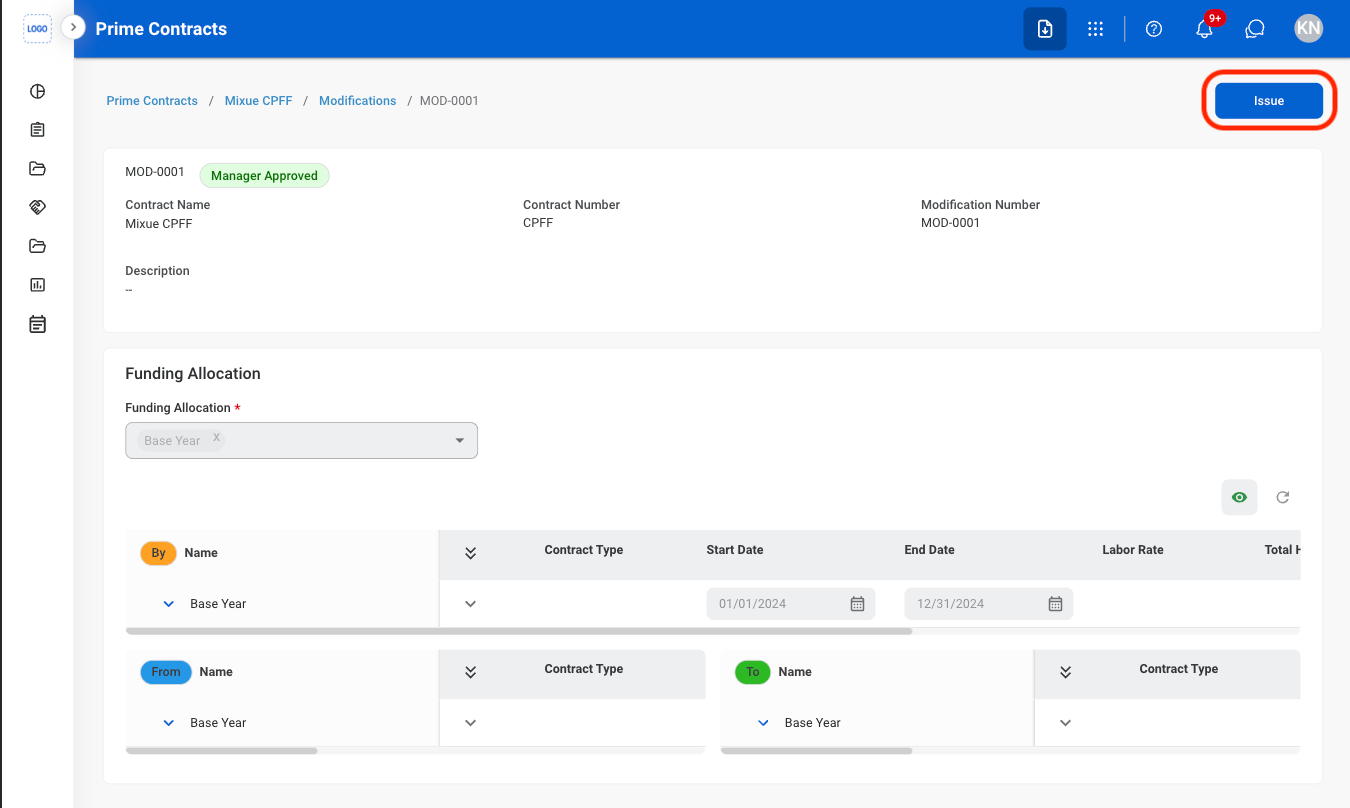
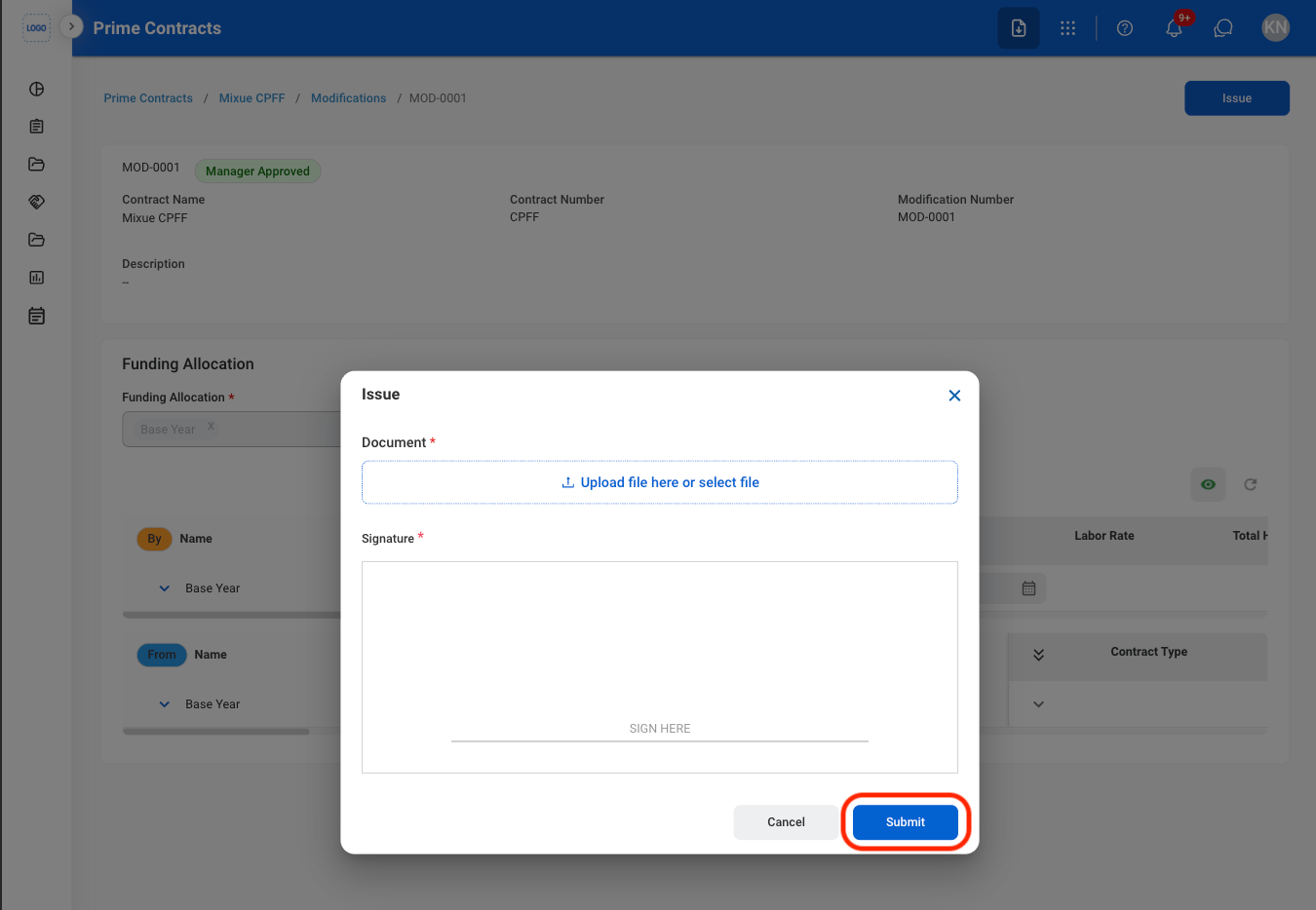
Fill in the required information
Subcontractors
Add a Subcontractor
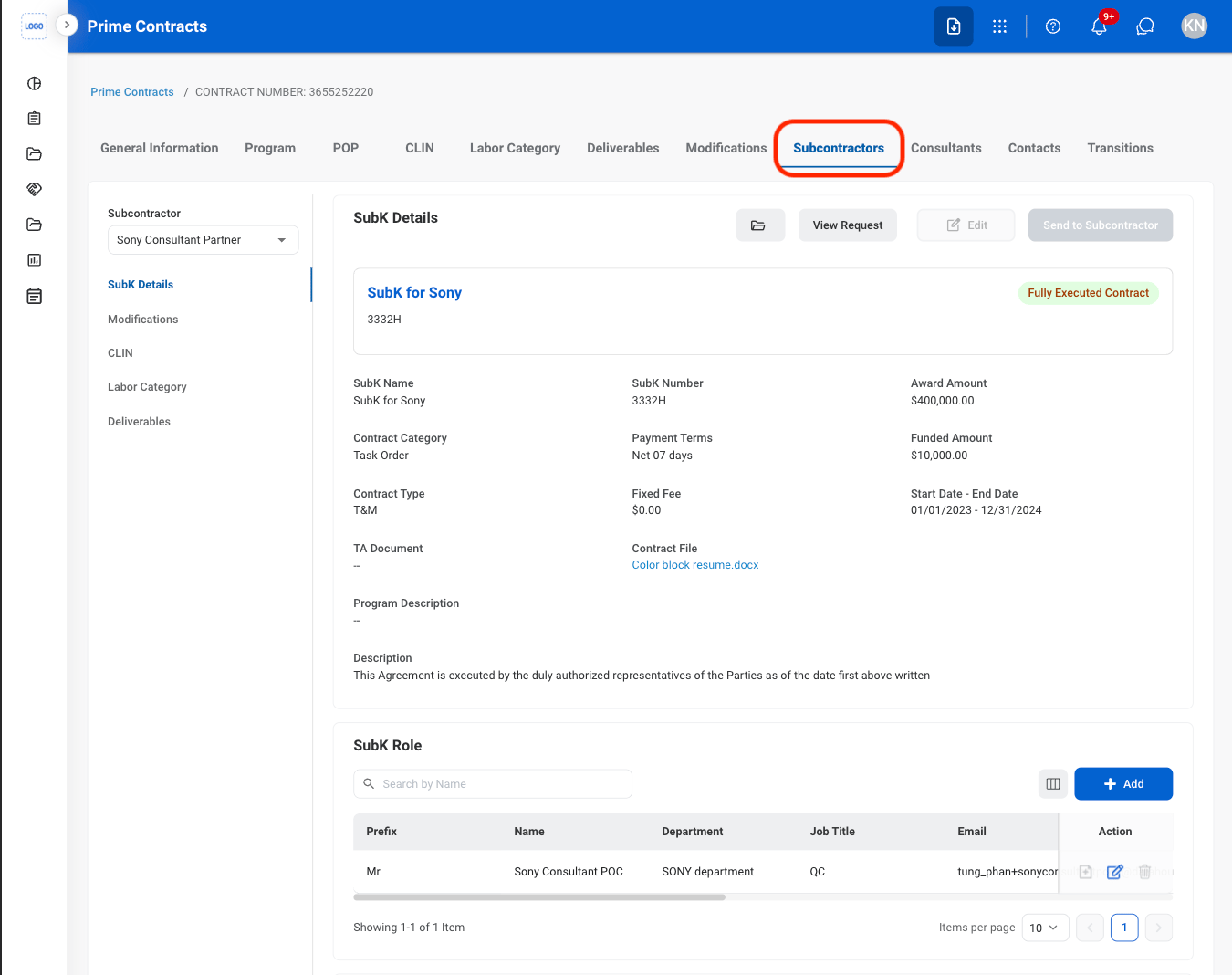
Navigate to Subcontractors
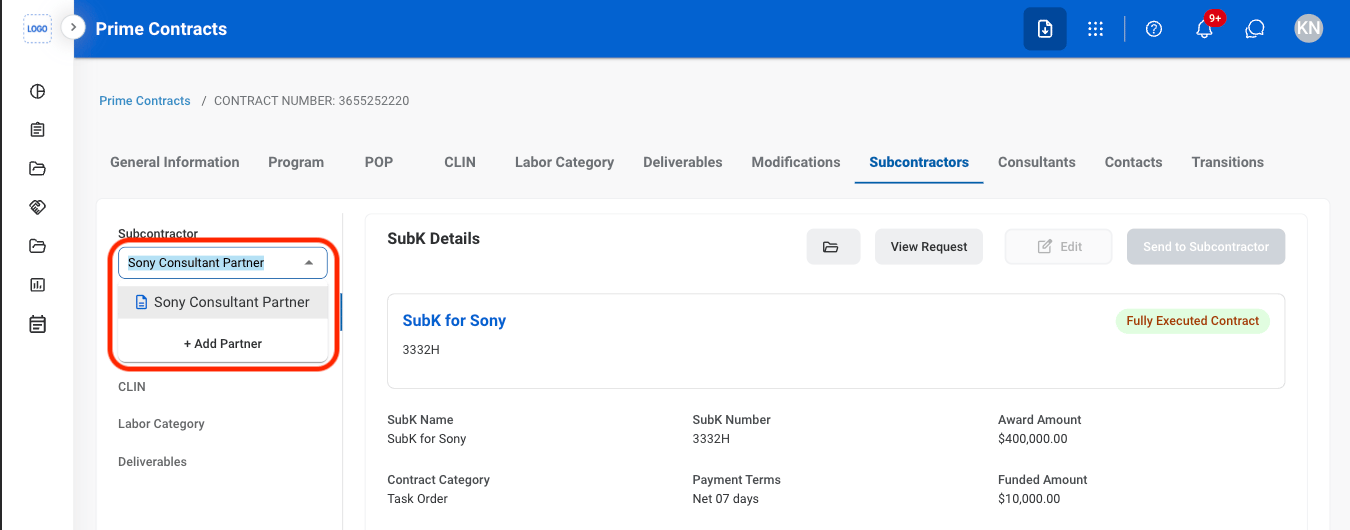
Select a subcontractor
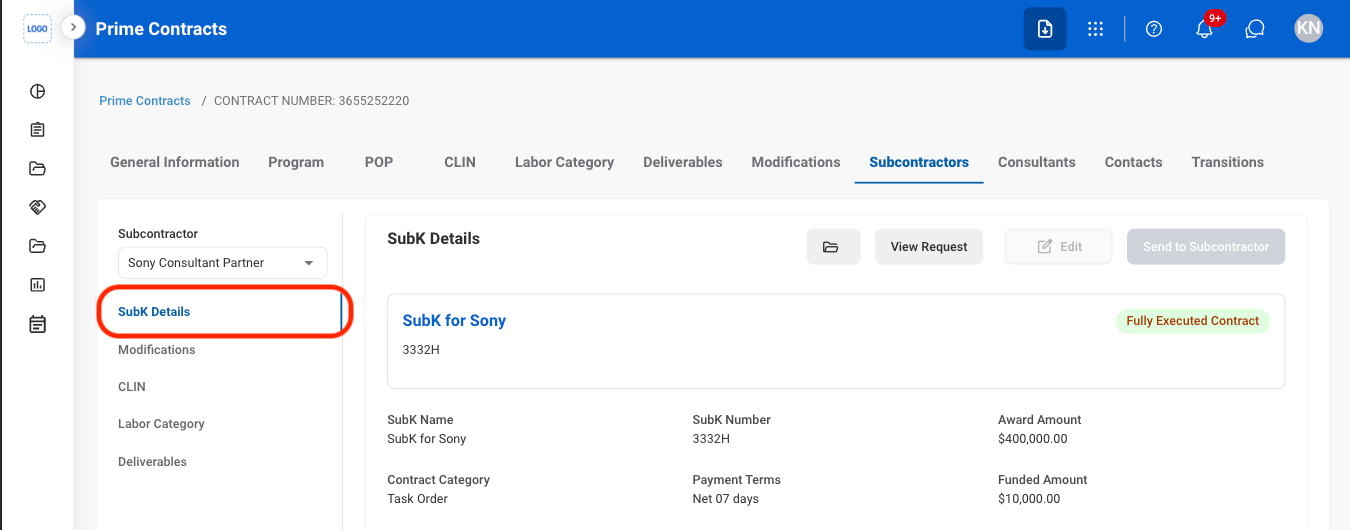
Navigate to SubK Details
Under SubK Role, select Add
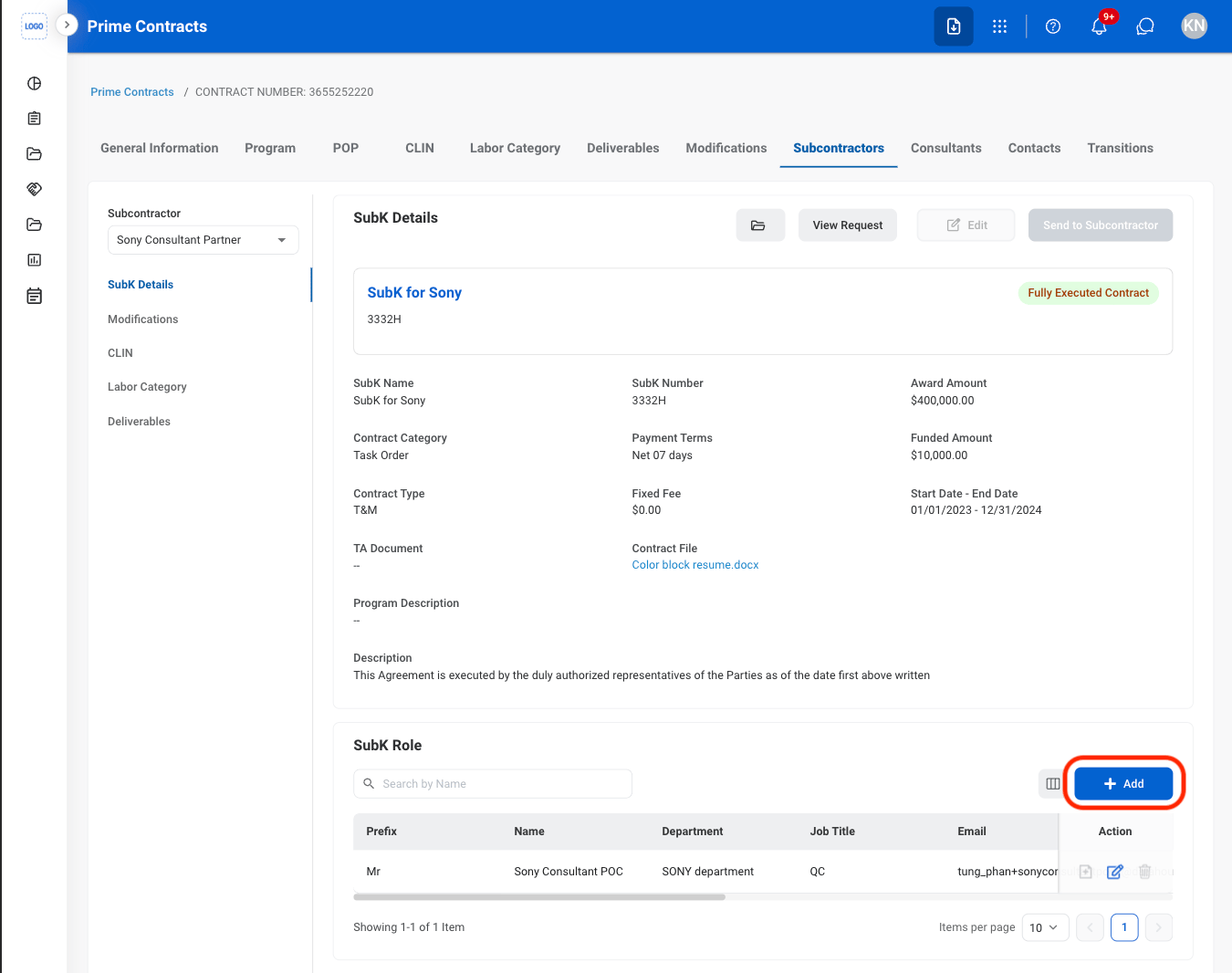
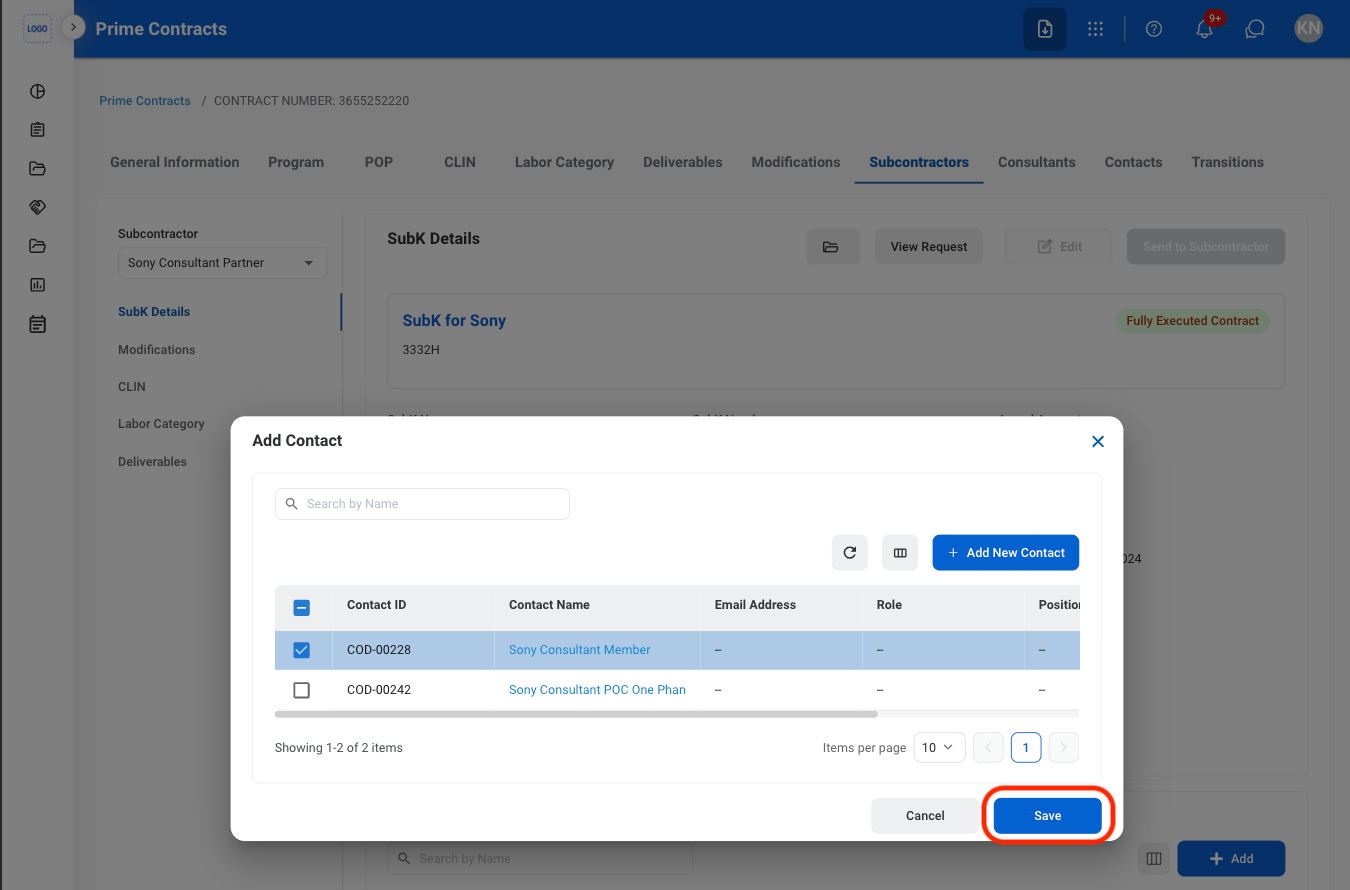
Fill in the required information
Add a Subcontractor’s POP
Select a subcontractor
Navigate to SubK Details
Under Place of Performance, select Add
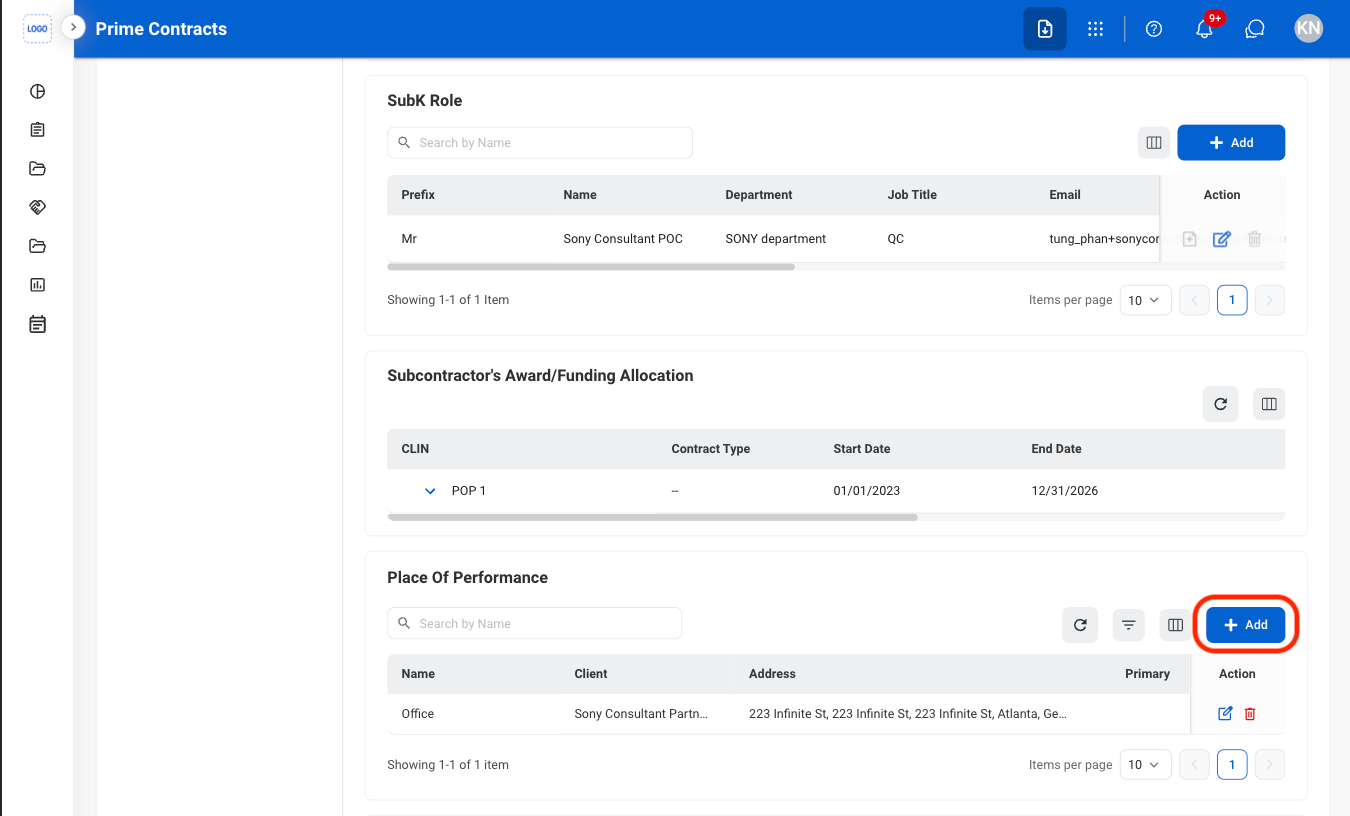
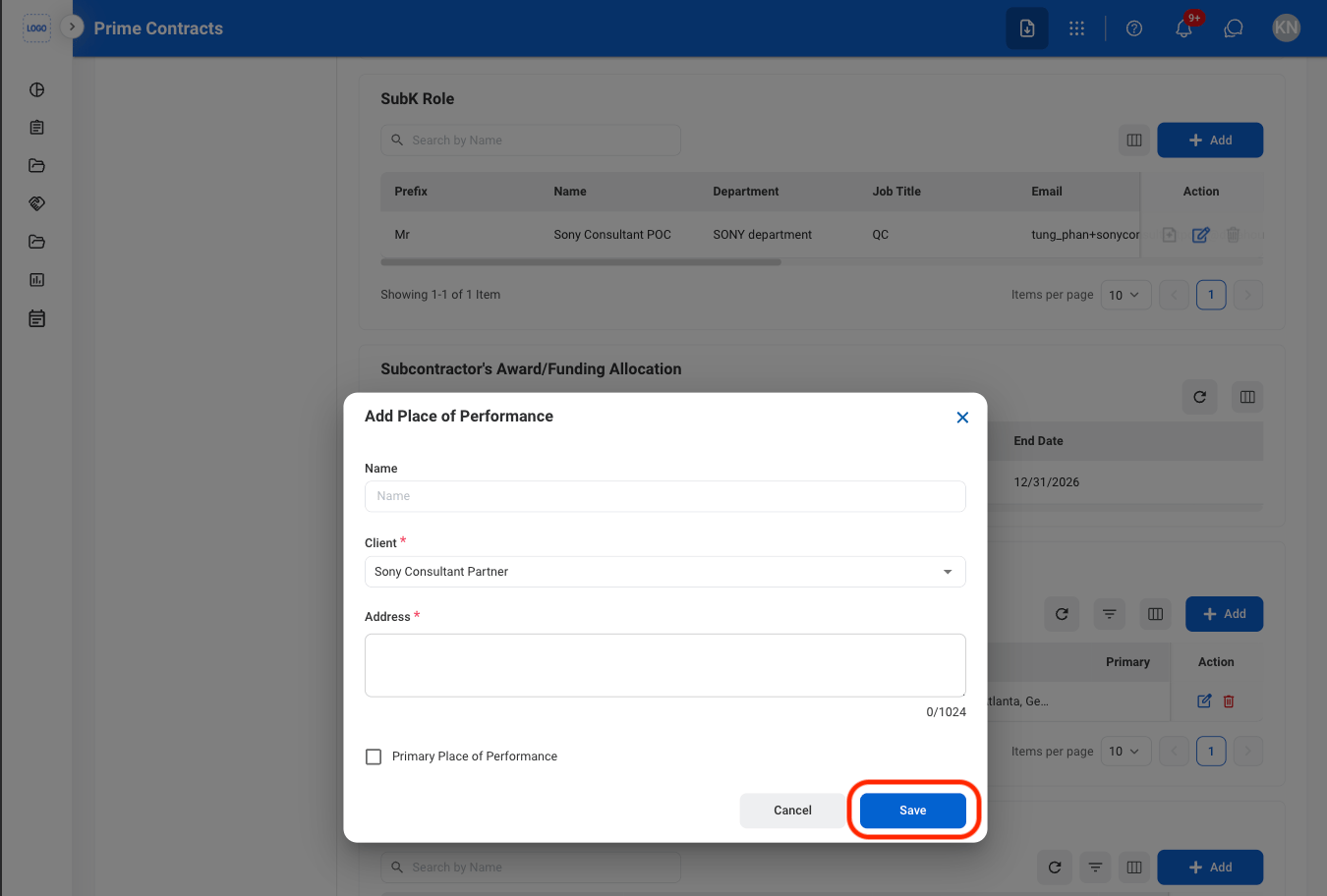
Fill in the required information
Add Subcontractor Documents
Navigate to SubK Details
Under Documents, select Add
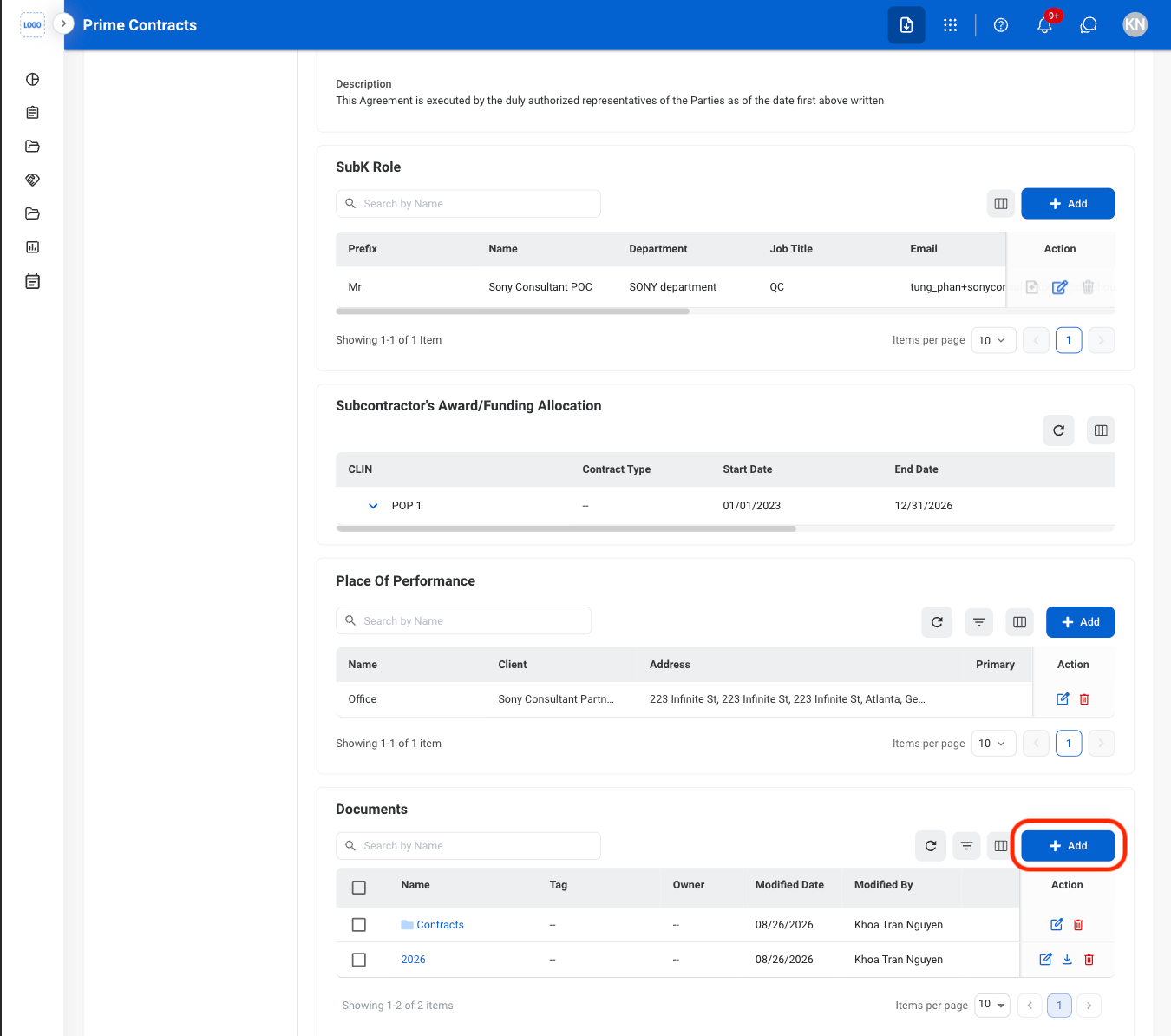
Select a document type
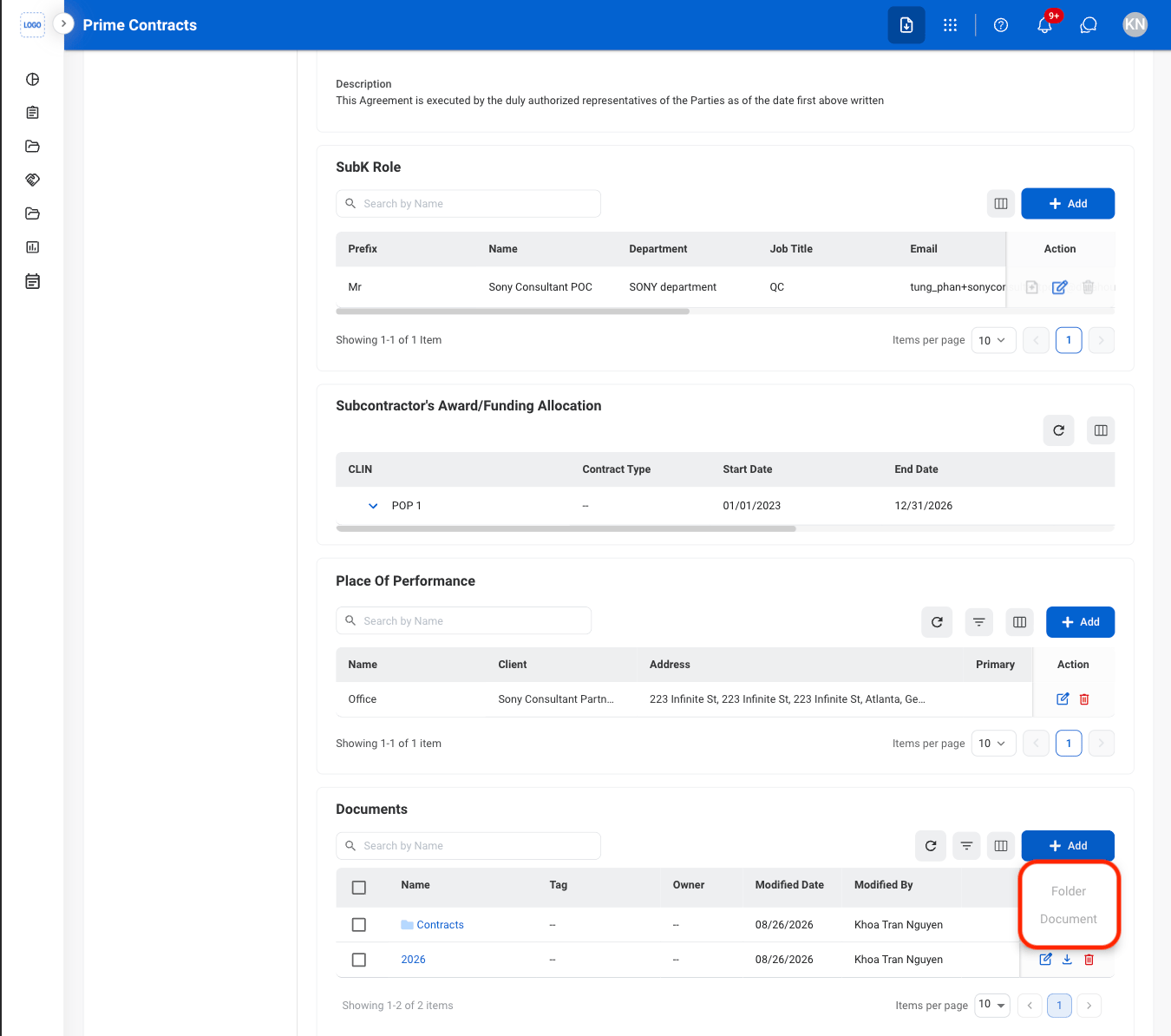
Fill in the required information
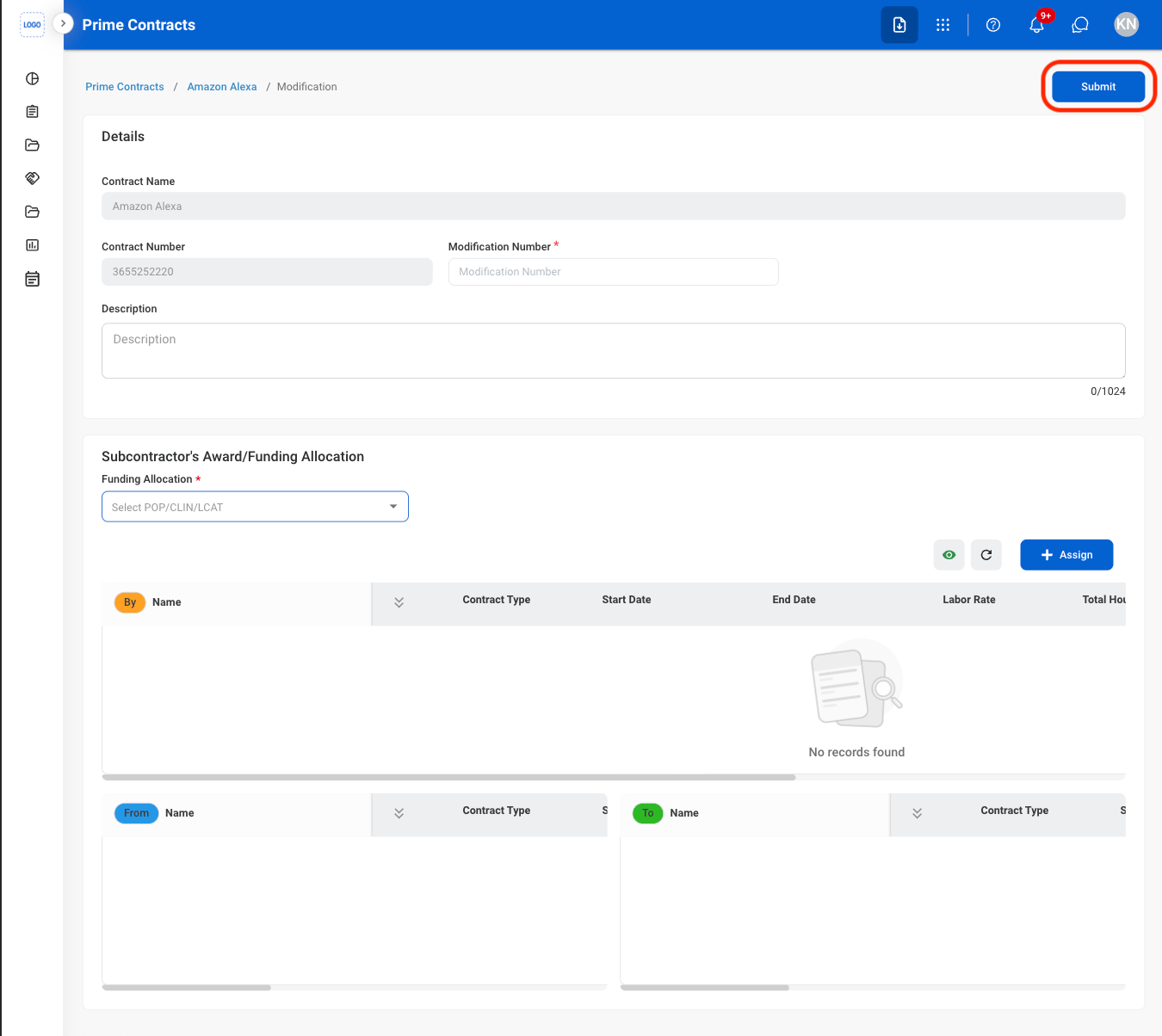
Add a Subcontractor Modification
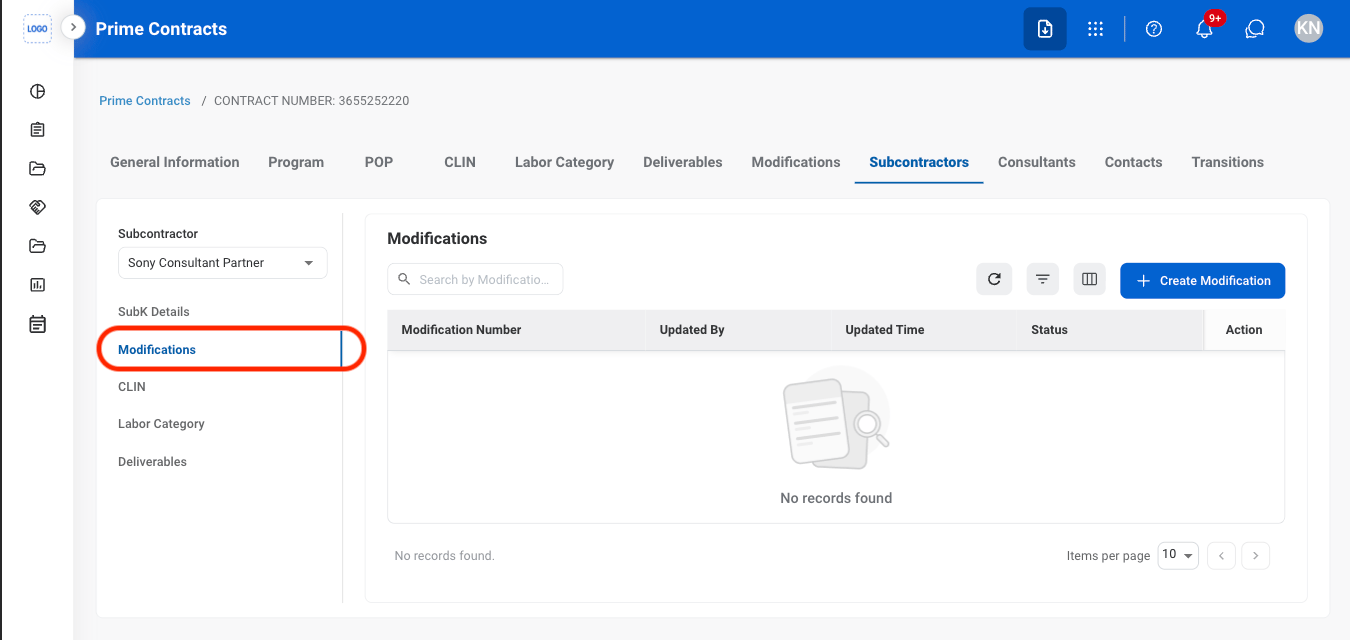
Navigate to Modifications
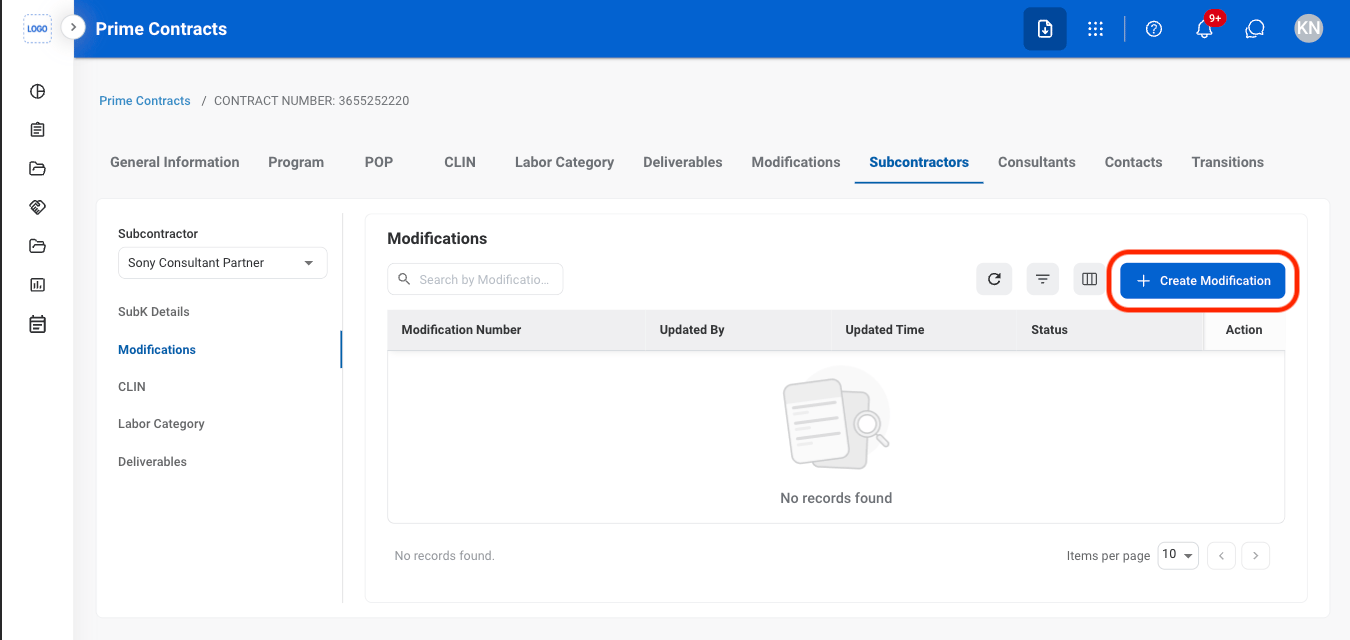
Select Create Modification
Fill in the required information
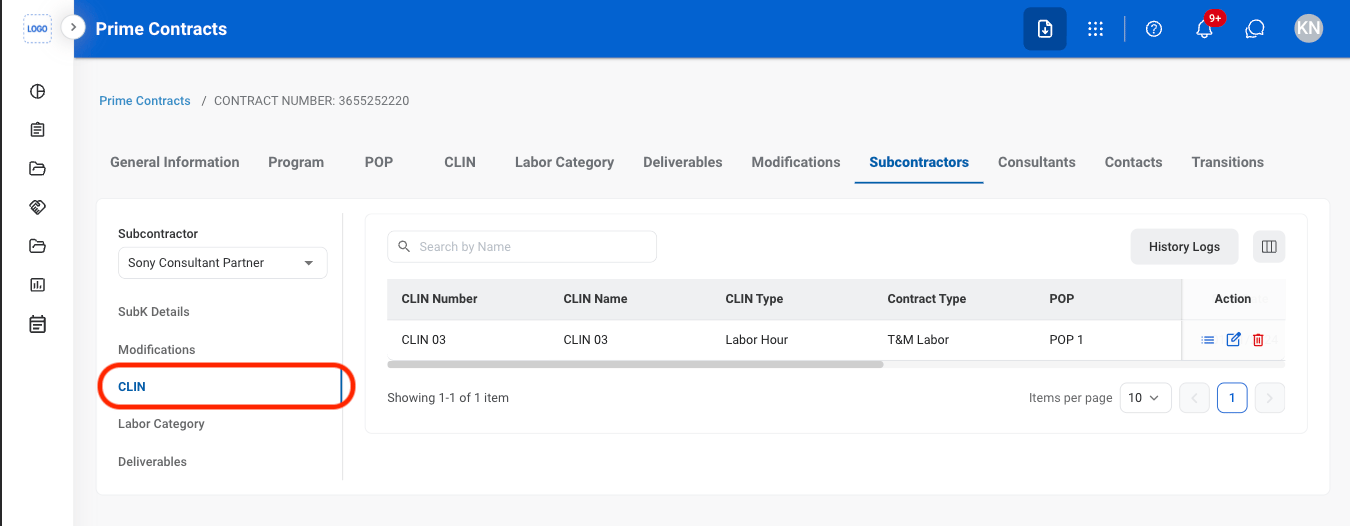
View Subcontractor CLINs
Navigate to CLIN
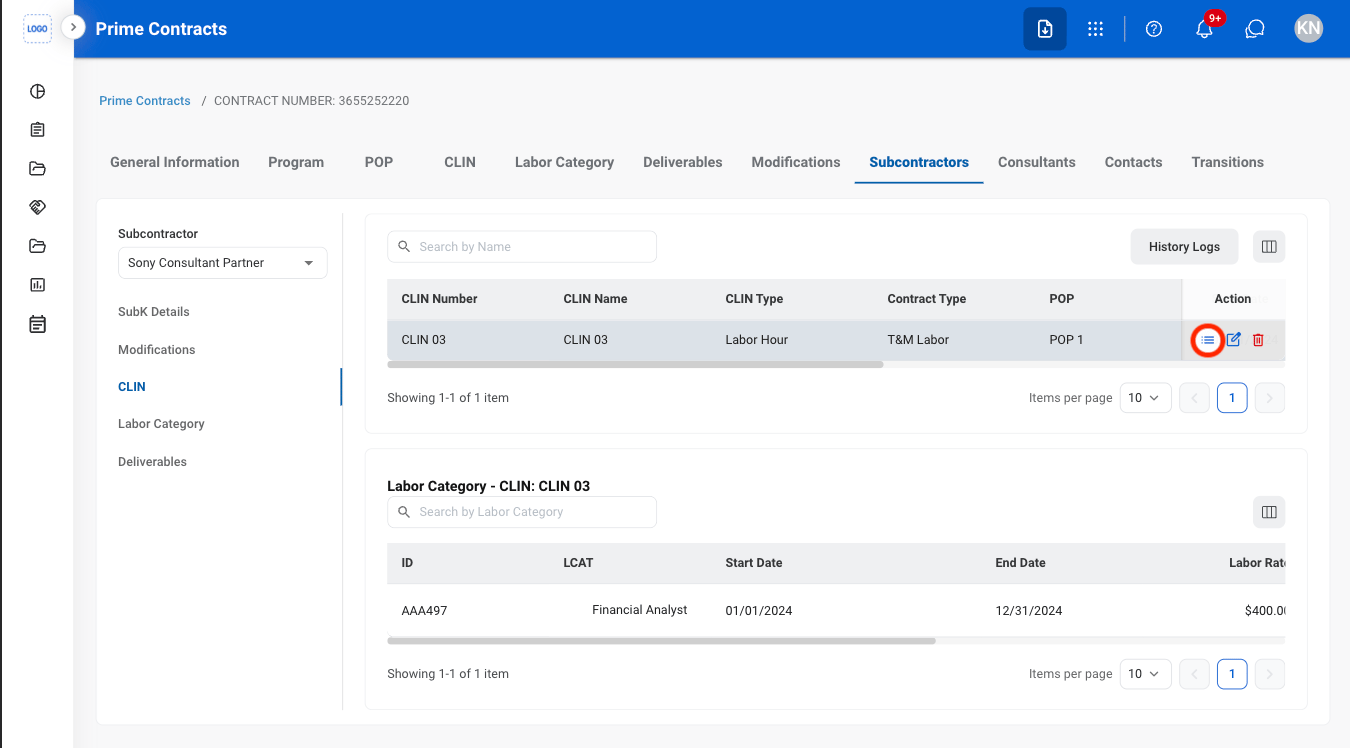
Select the details icon to view LCATs
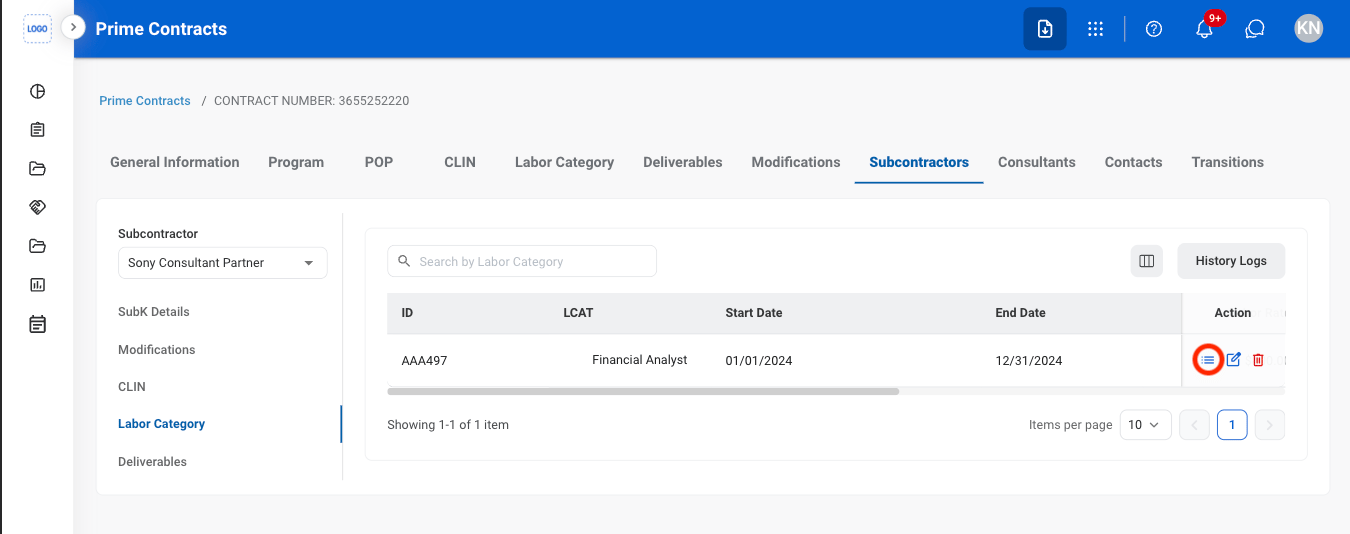
View Subcontractor Labor Category
Navigate to Labor Category
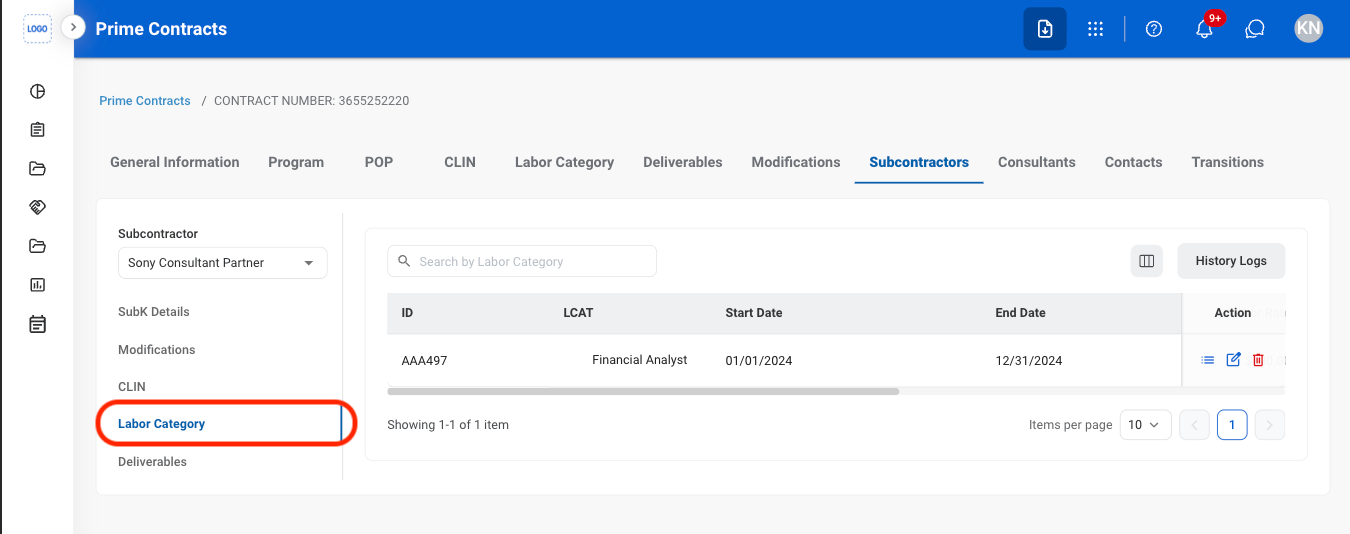
Select the details icon
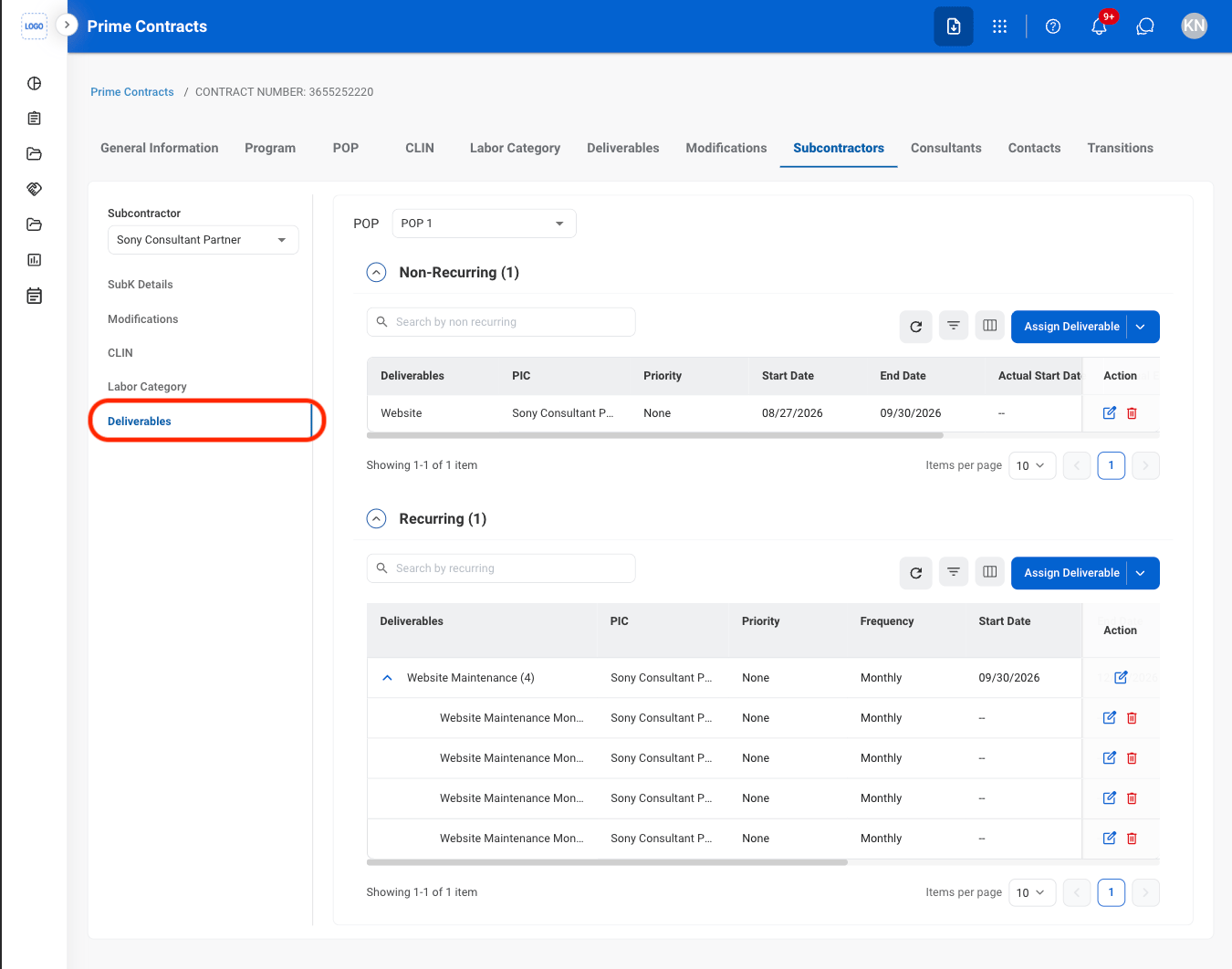
Assign a Subcontractor Deliverable
Navigate to Deliverables
Select Assign Deliverable
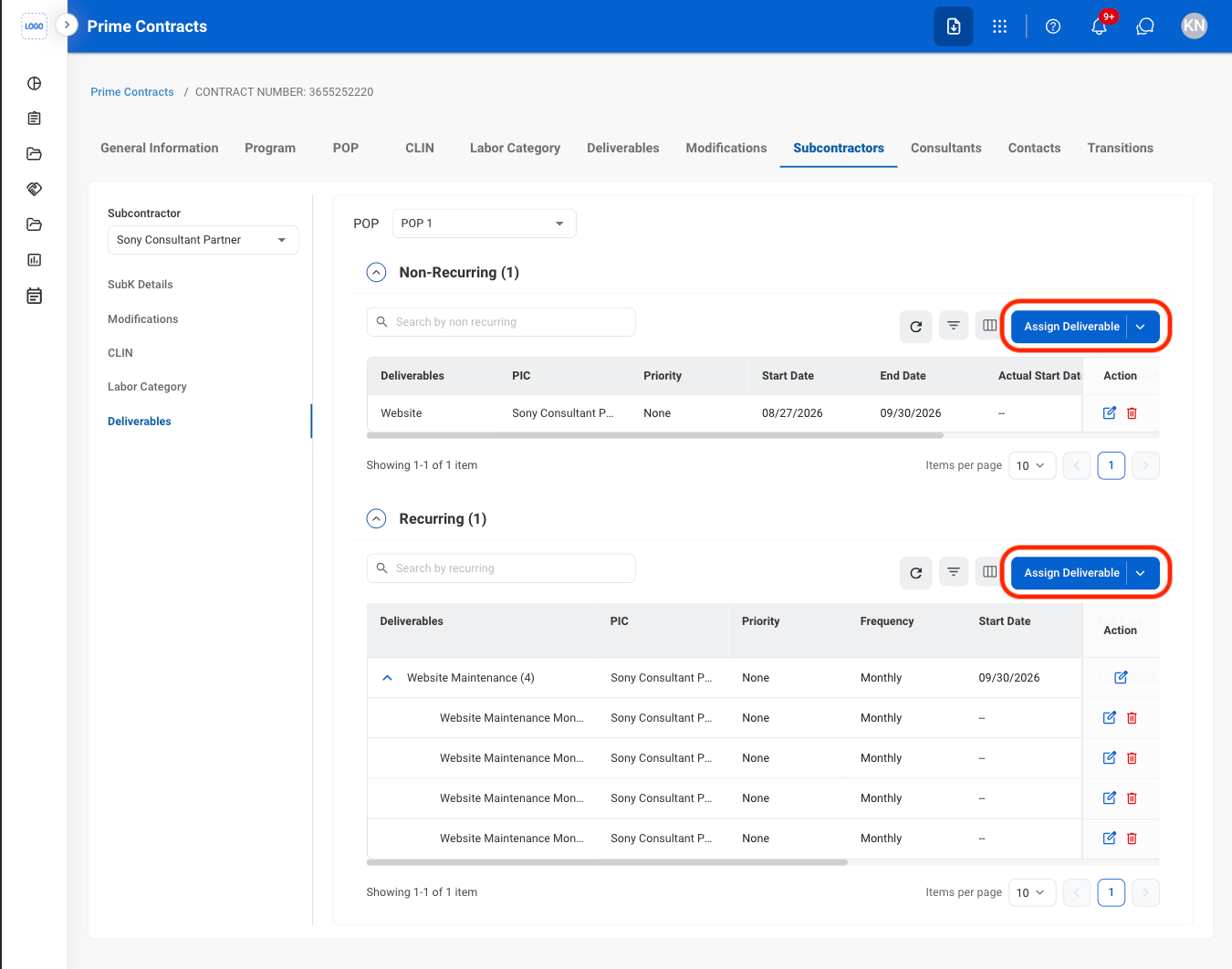
- Recurring: Deliverables that are required on a regular or repeated schedule.
- Non-Recurring: Deliverables that are required once or on a one-time basis.
Select a deliverable type
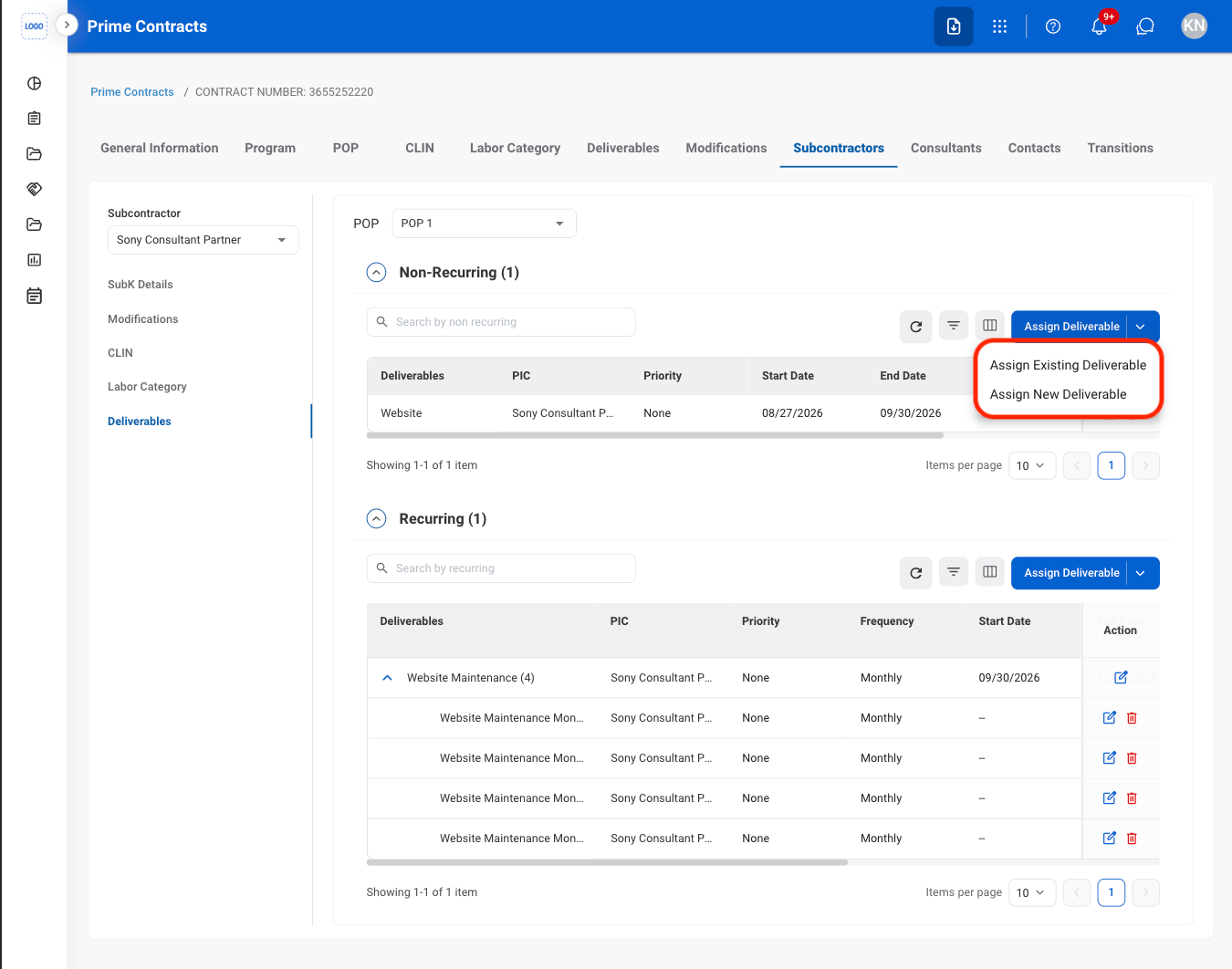
- Assign Existing Deliverable: Link an existing deliverable to the subcontractor.
- Assign New Deliverable: Create a new deliverable and link it to the subcontractor.
Fill in the required information
Consultants
Create Consultant Agreement
Add Consultant Modification
View Consultant CLINs
View Consultant Labor Category
Assign a Consultant Deliverable
View Consultant Personal Information
Contacts
Add a Contact
Navigate to Contacts
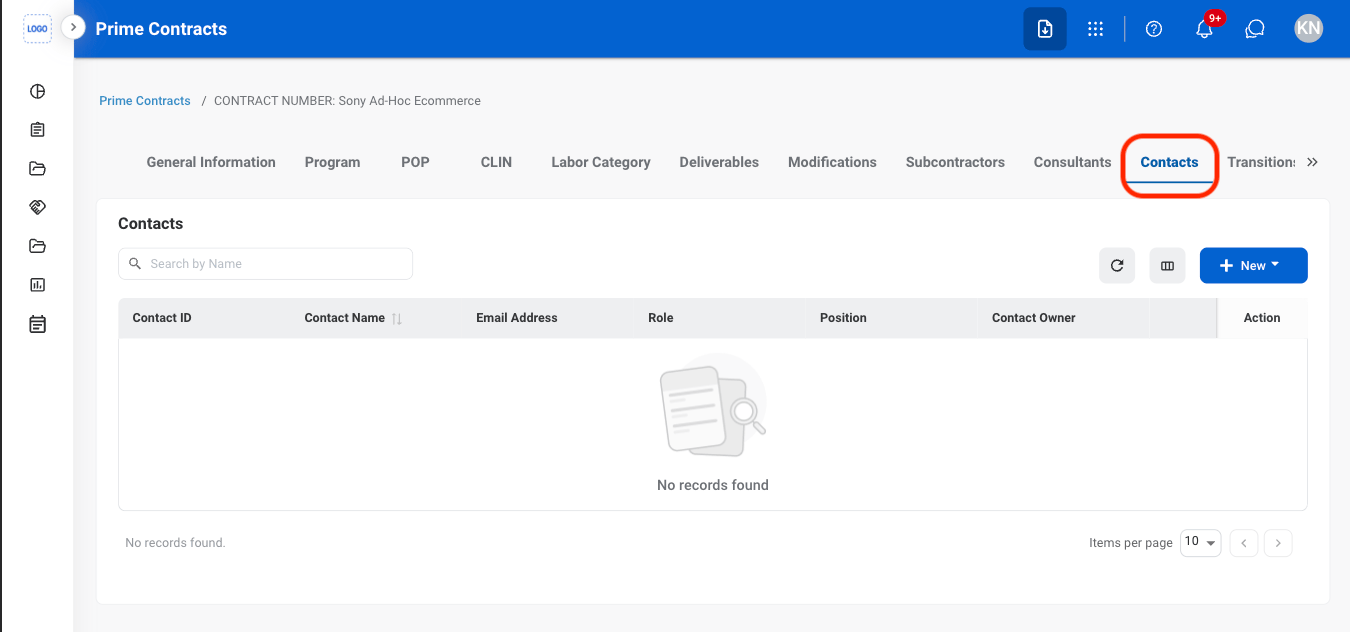
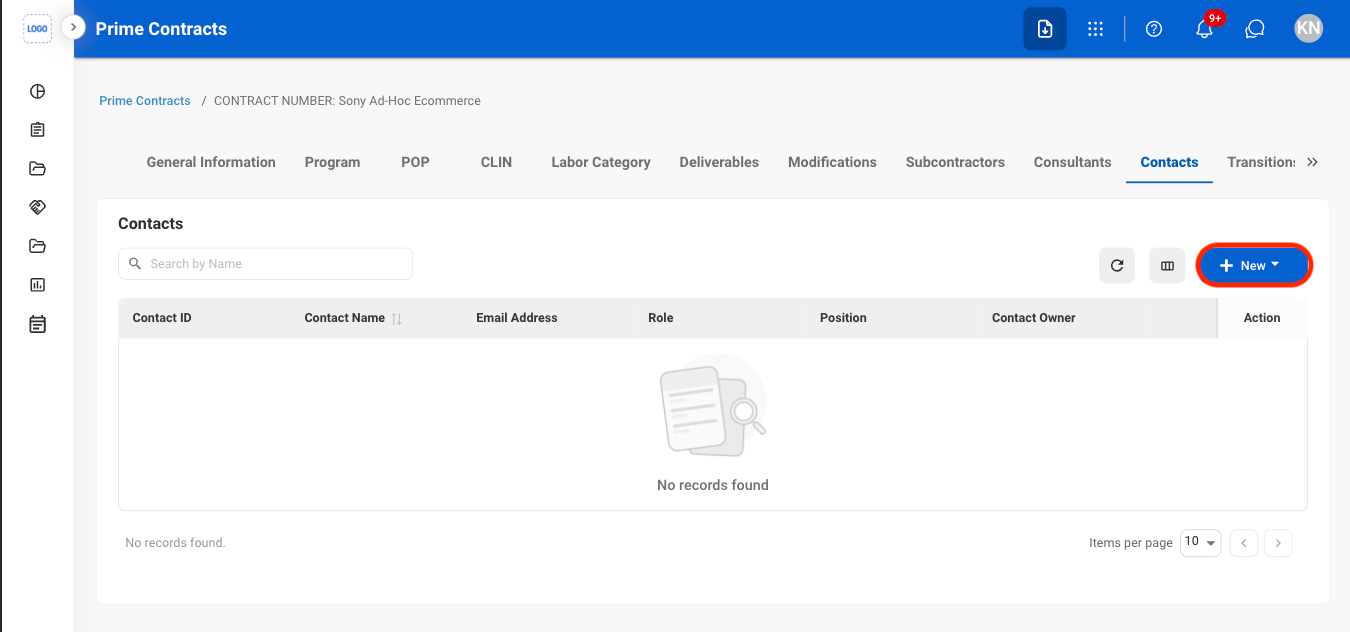
Select New
Select a contact type
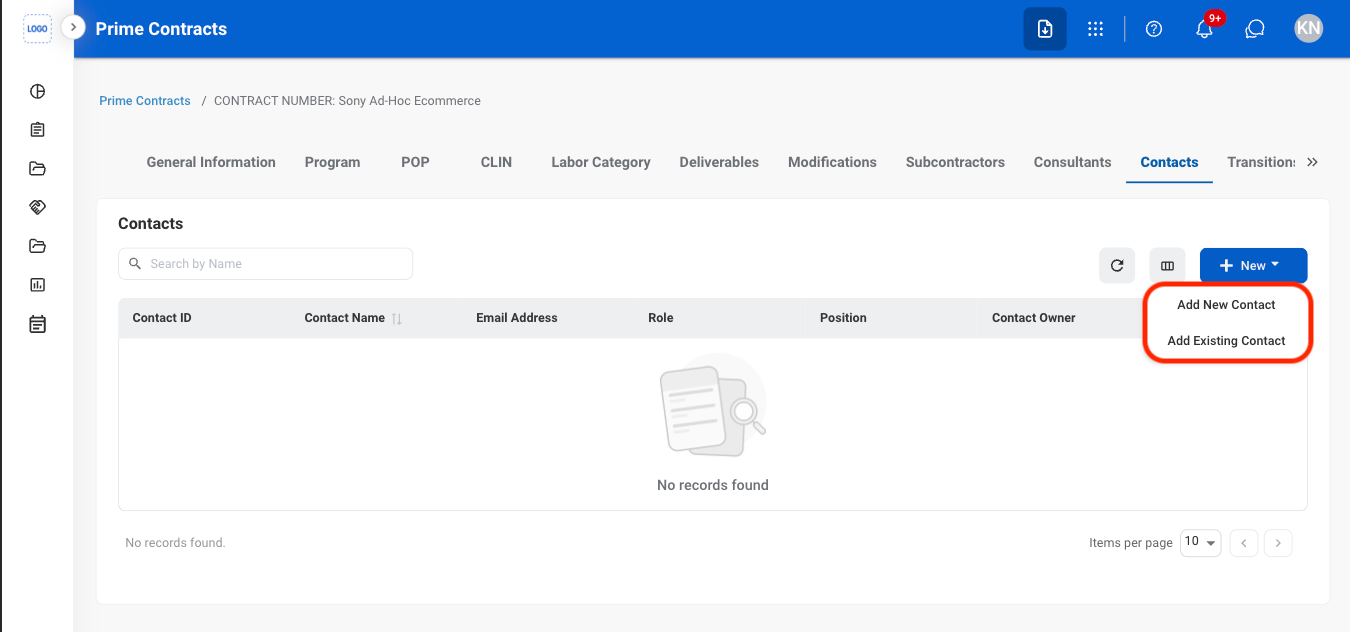
- Add New Contact: Create a new contact and link it to the contract.
- Add Existing Contact: Link an existing contact to the contract.
Fill in the required information
- Add New Contact: Select Add to complete or Cancel to exit without saving changes.
- Add Existing Contact: Select Save to complete or Cancel to exit without saving changes.
Transitions
Add Transition Team
Navigate to Transitions
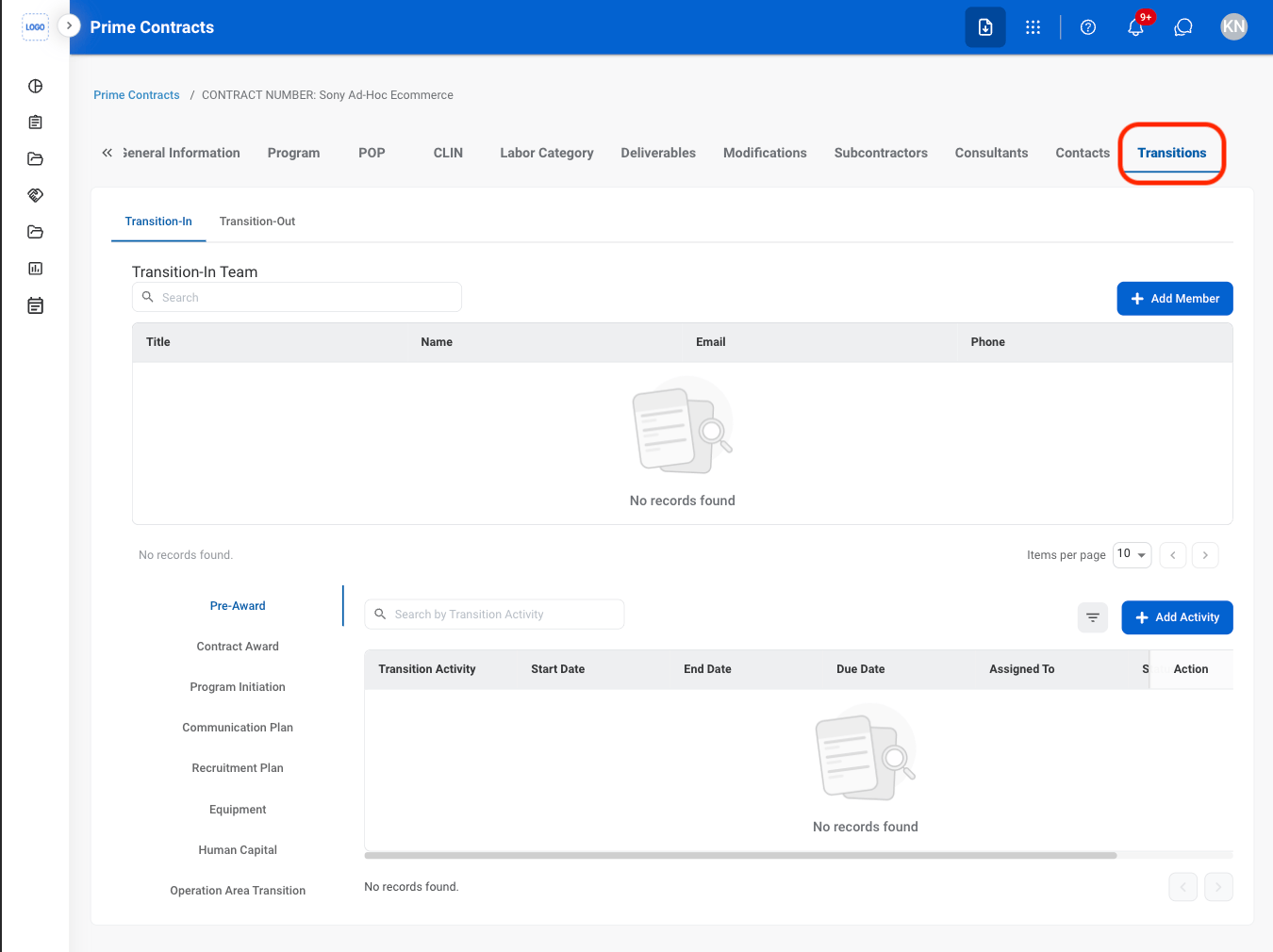
Select a tab
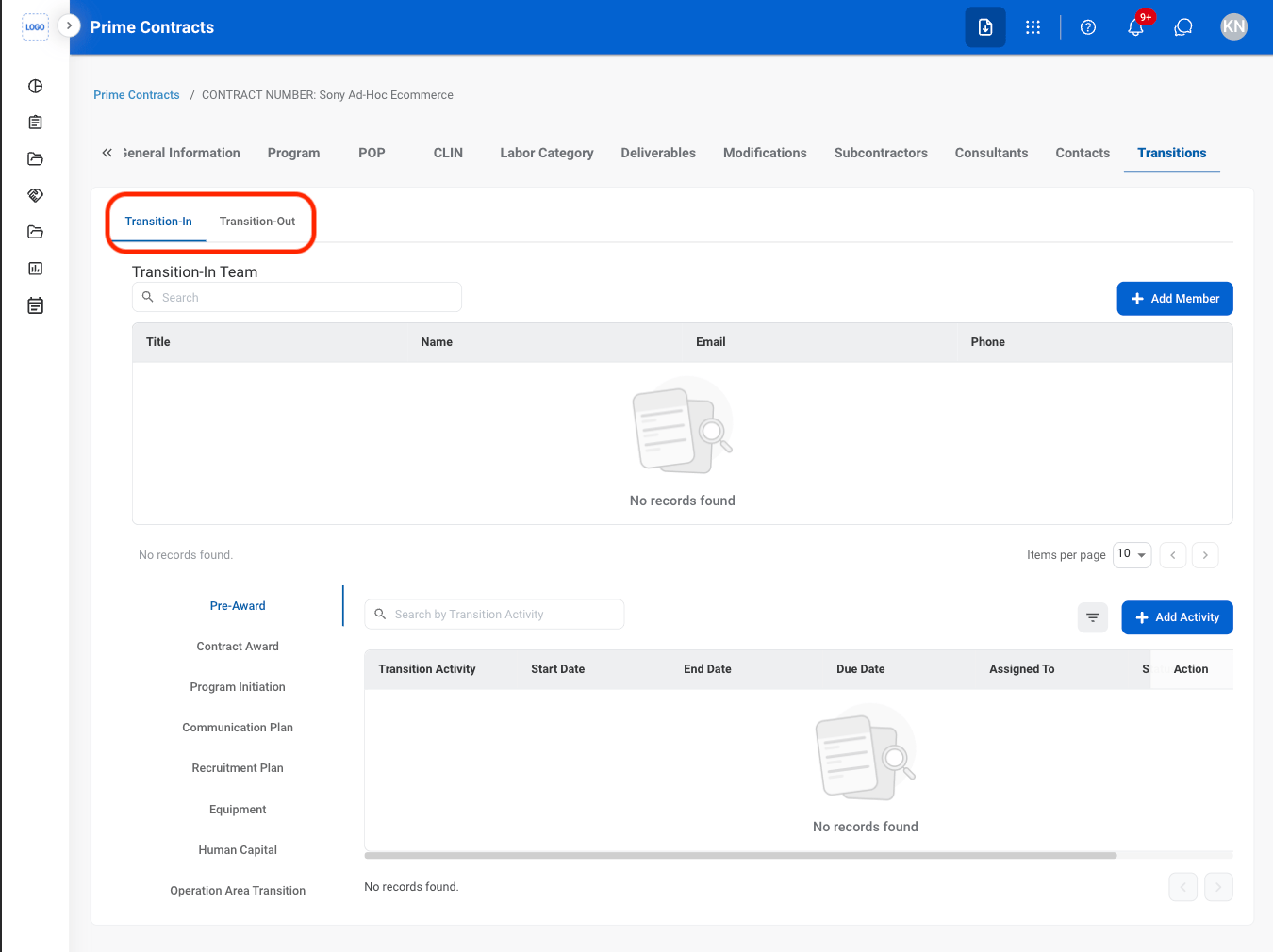
- Transition-In: Activities related to transitioning into a newly awarded program or contract.
- Transition-Out: Activities related to contract closeout and disengagement.
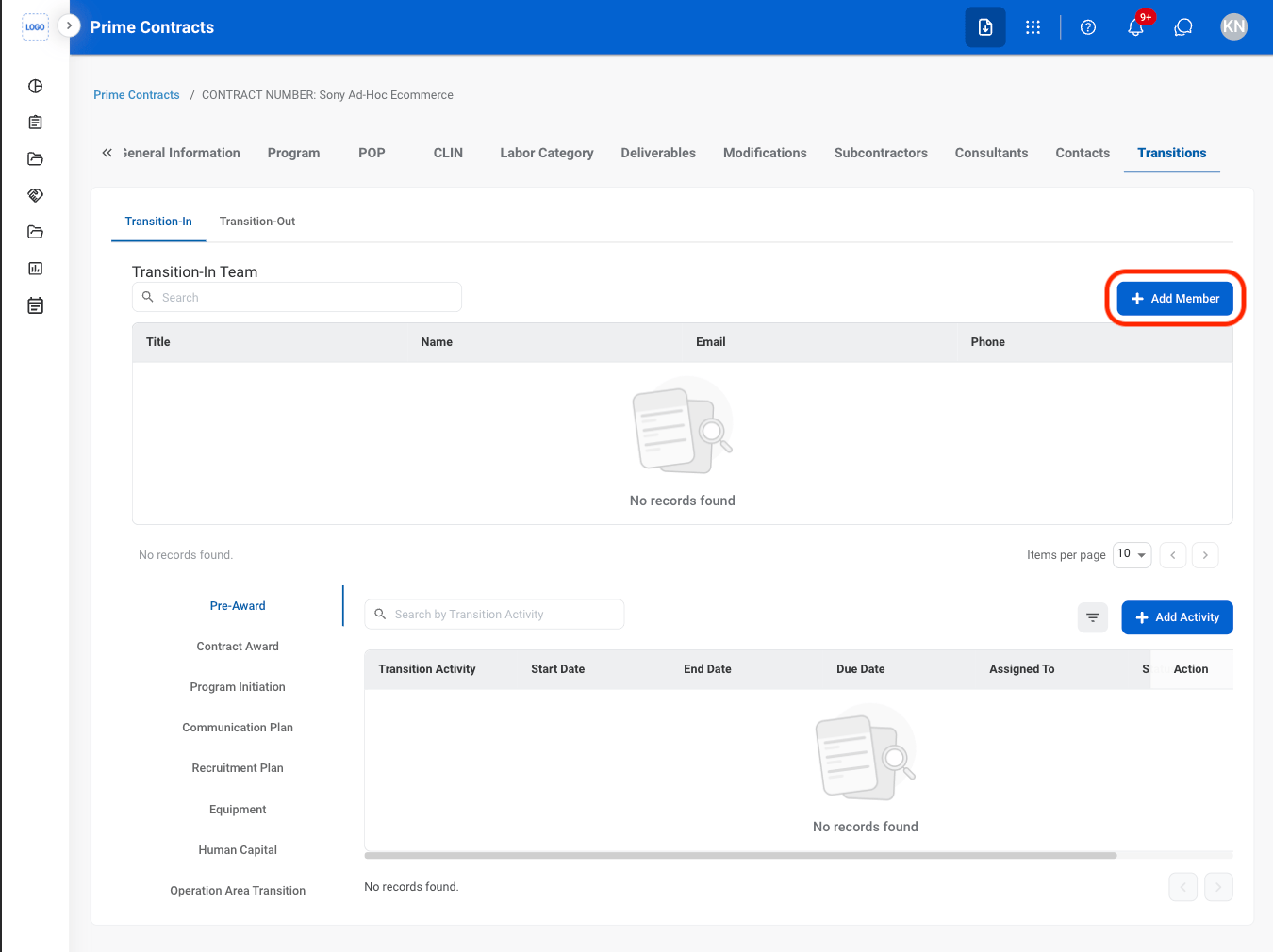
Select Add Member
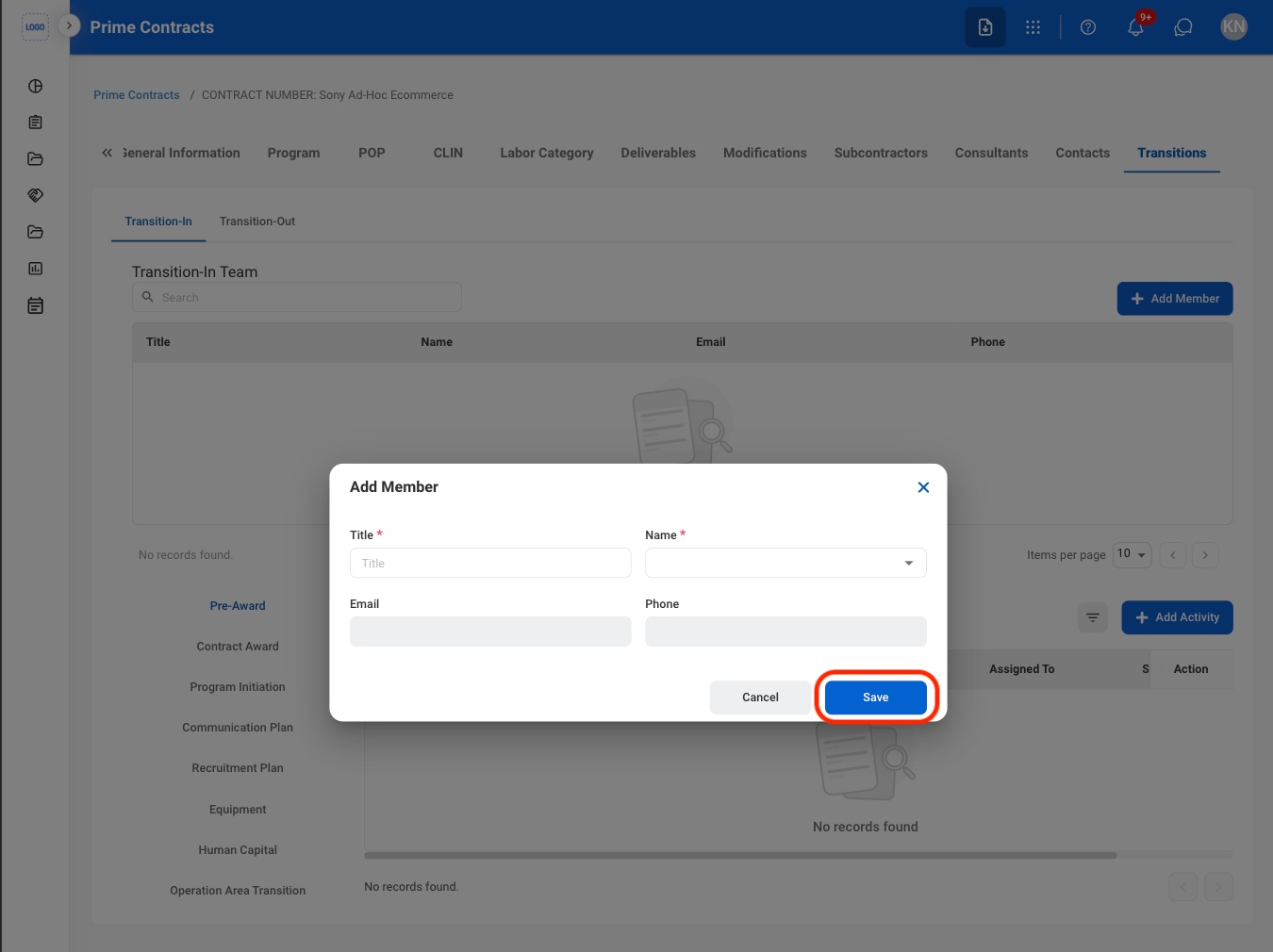
Fill in the required information
Add Transition Activity
Select a tab
- Transition-In: Activities related to transitioning into a newly awarded program or contract.
- Transition-Out: Activities related to contract closeout and disengagement.
Select a sub tab
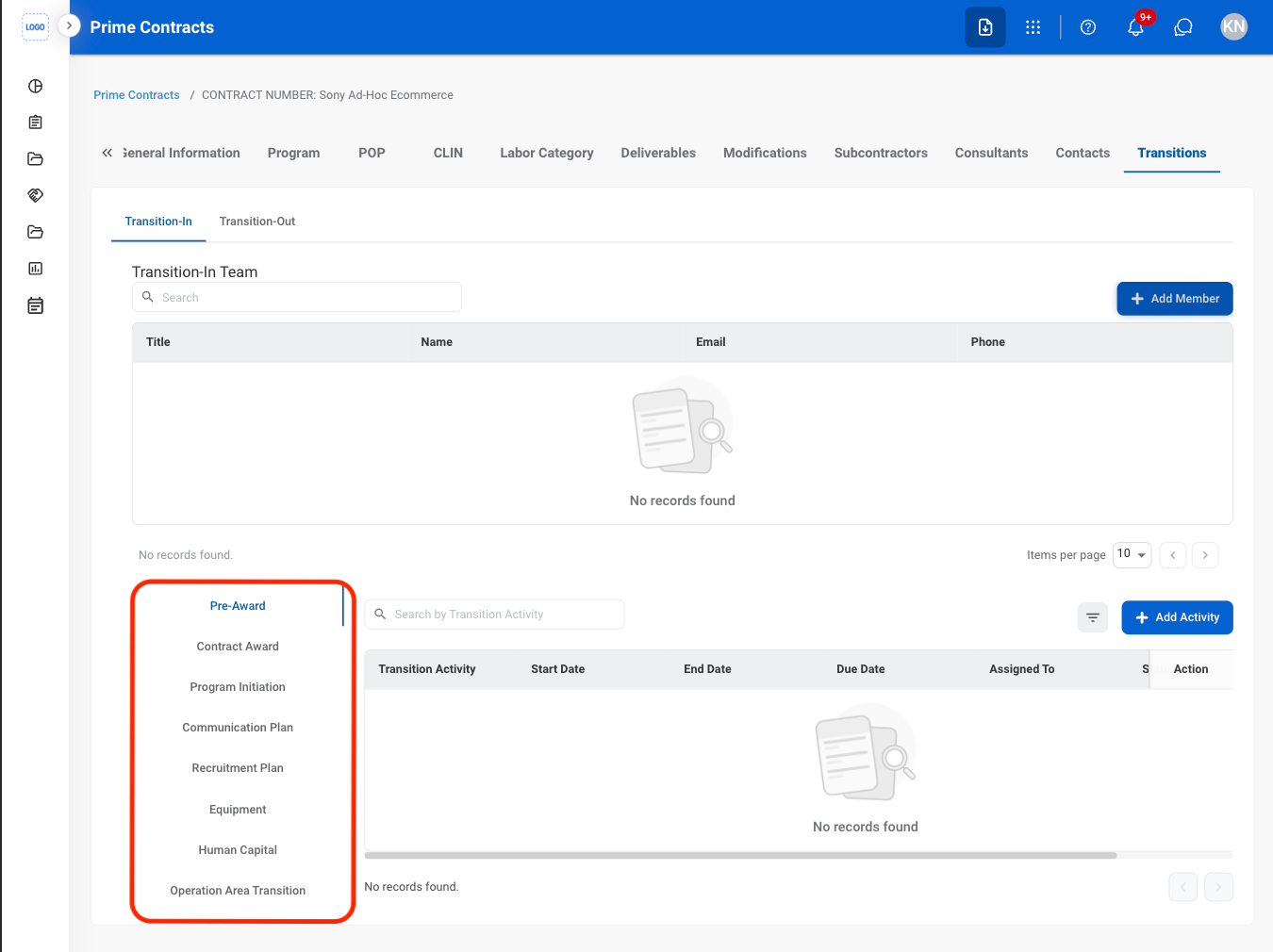
Select Add Activity
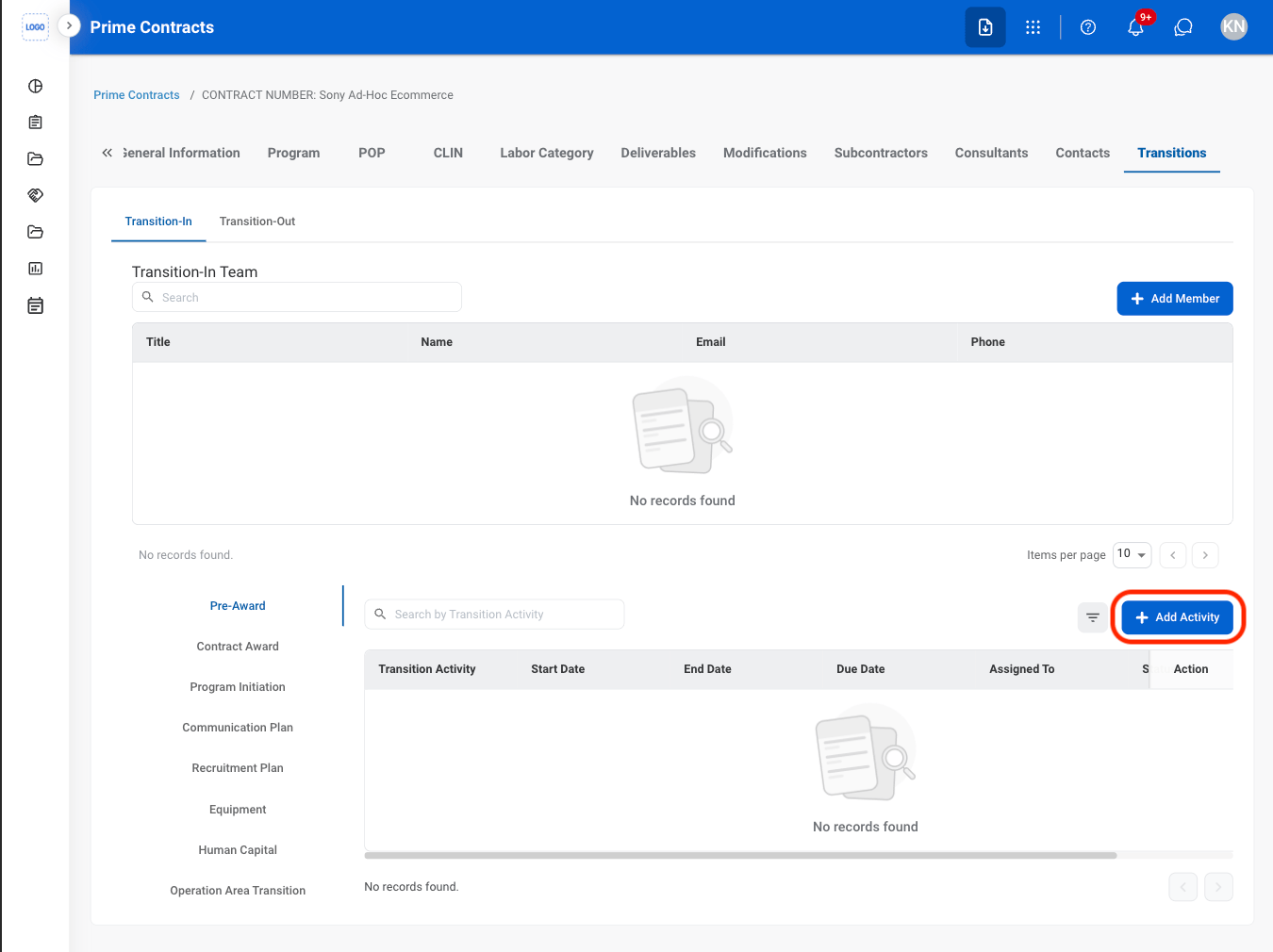
Fill in the required information