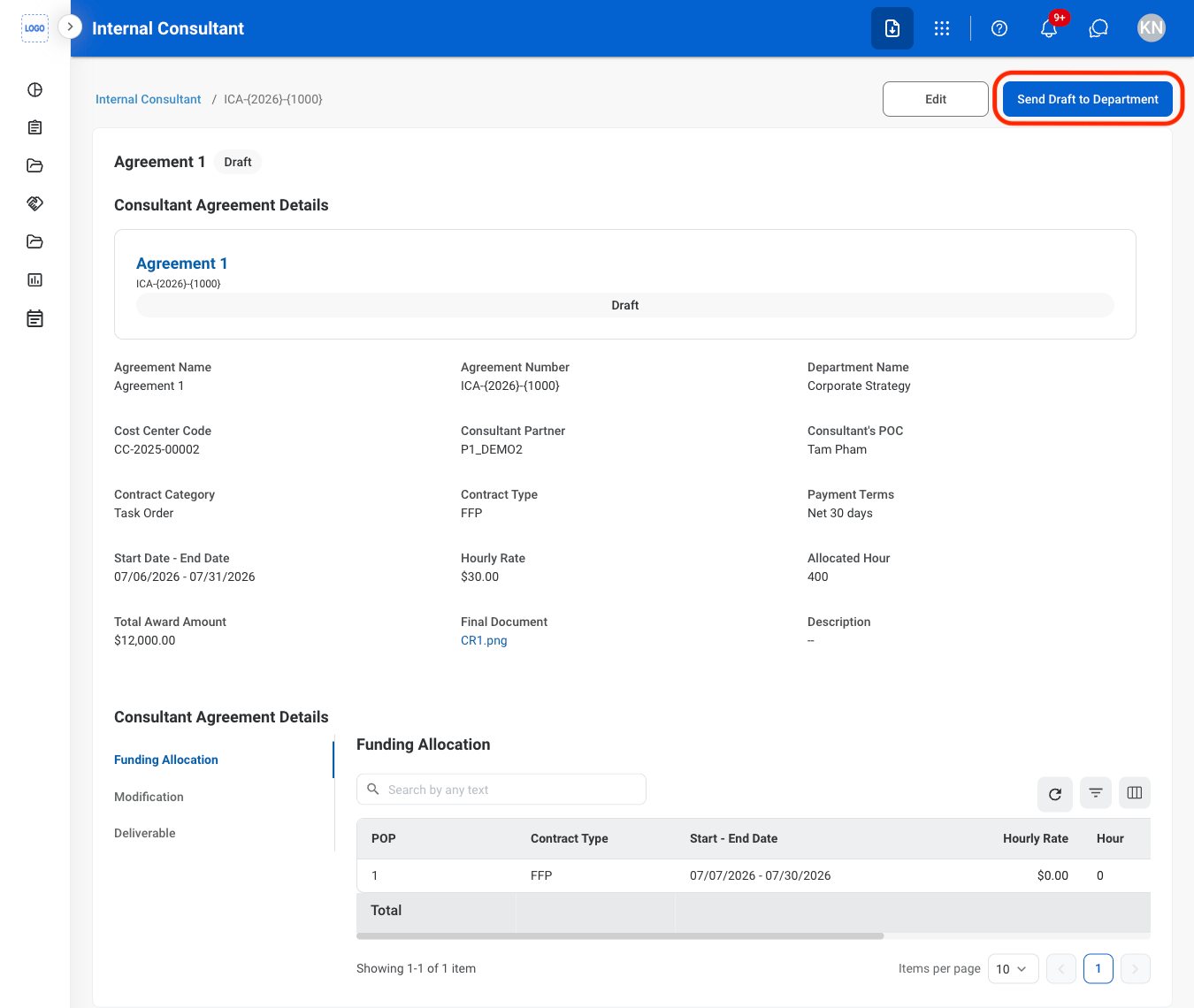
Add an Internal Consultant Agreement
Consultant agreements must be requested through the Self Service module. Submitted consultant agreement requests will populate in the Internal Consultant module once available.
1
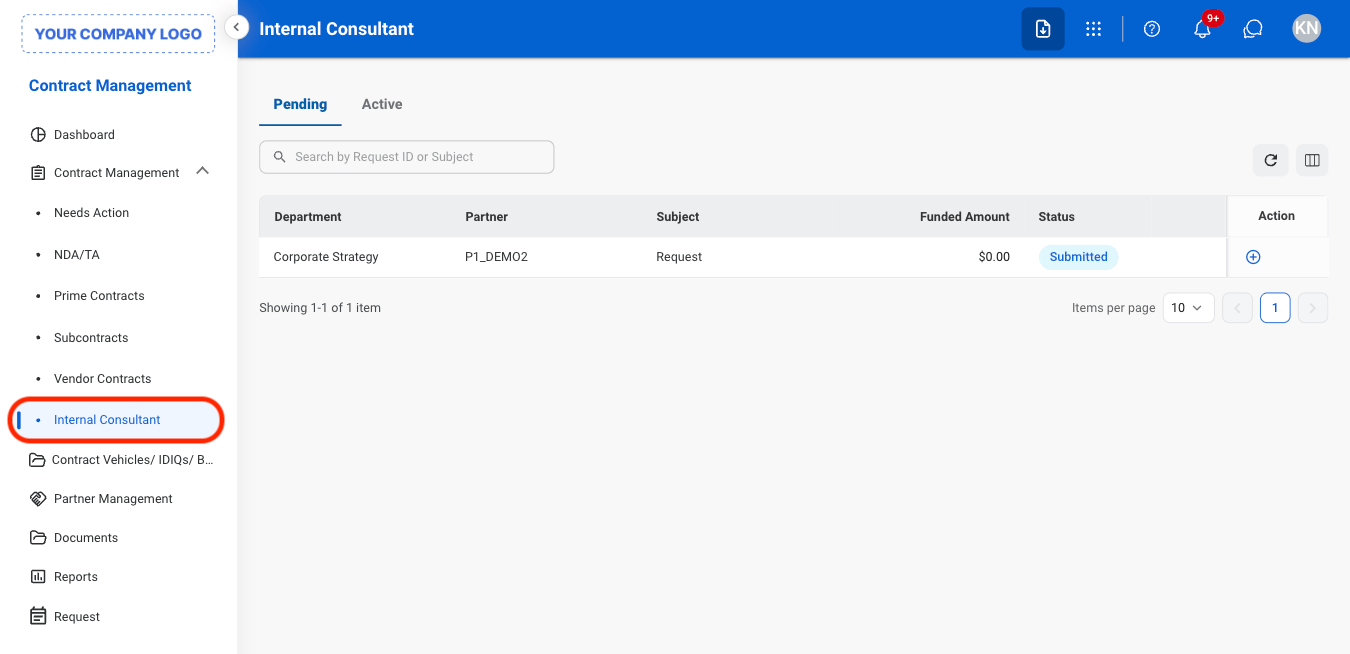
Navigate to Internal Consultant
2
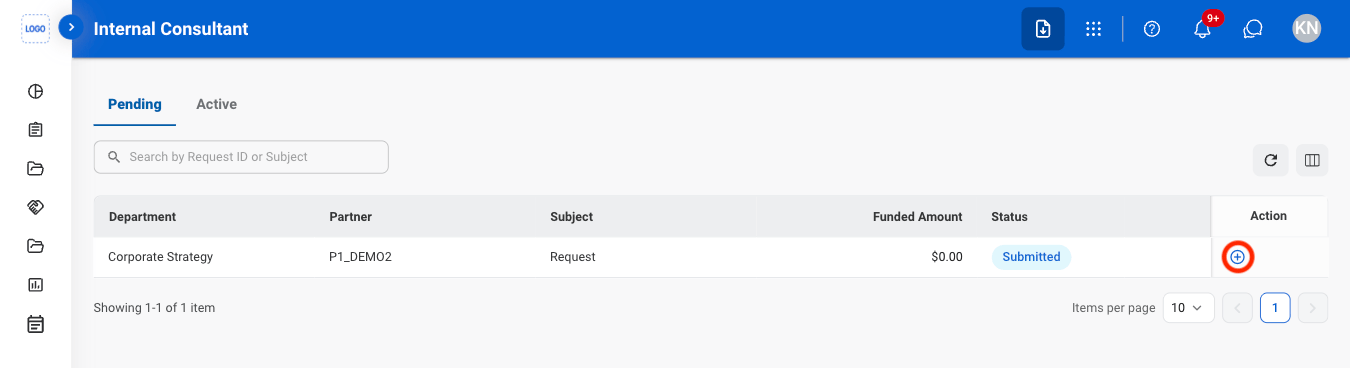
Select the Add icon
3
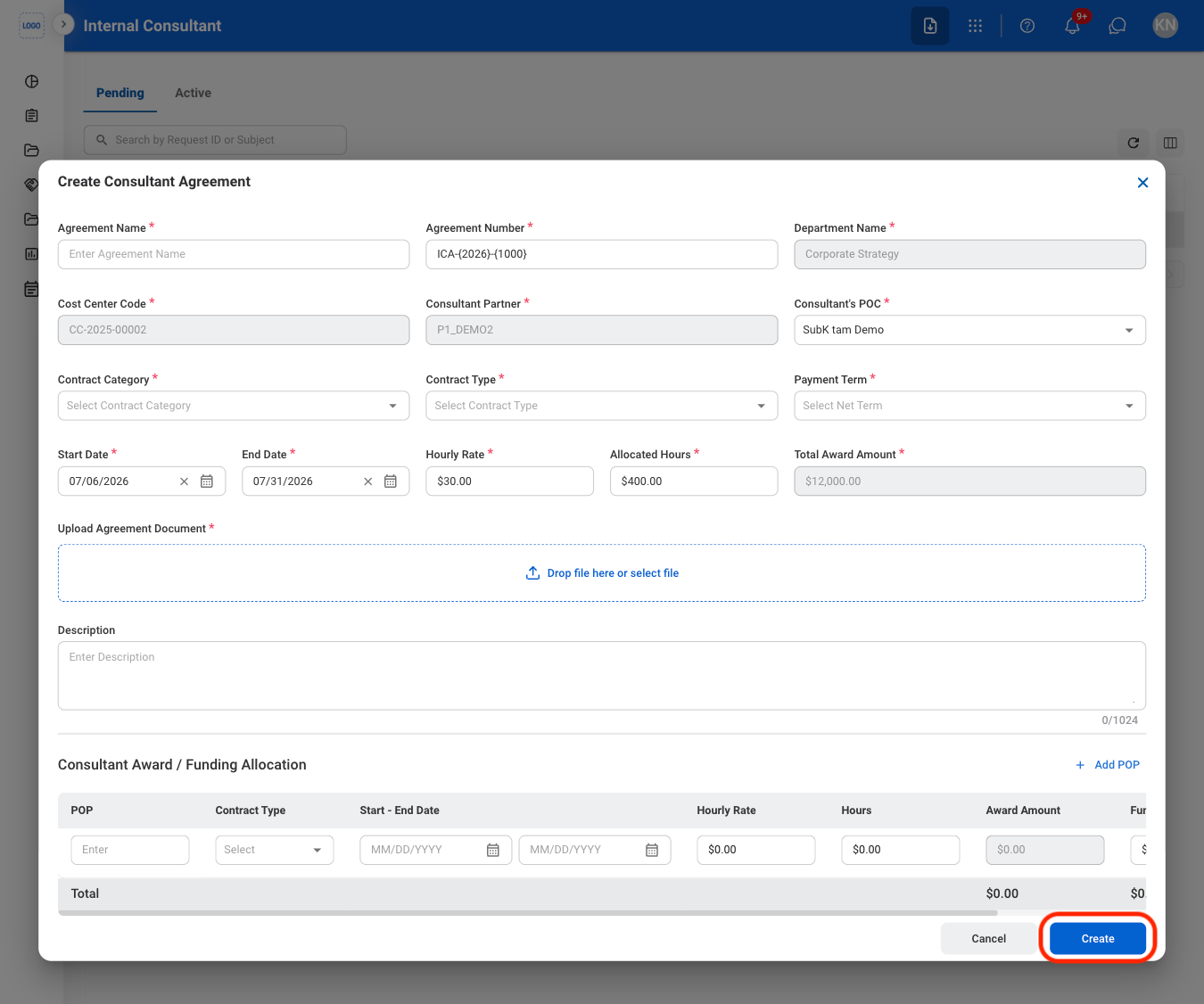
Fill in the required information
Edit an Internal Consultant Agreement
1
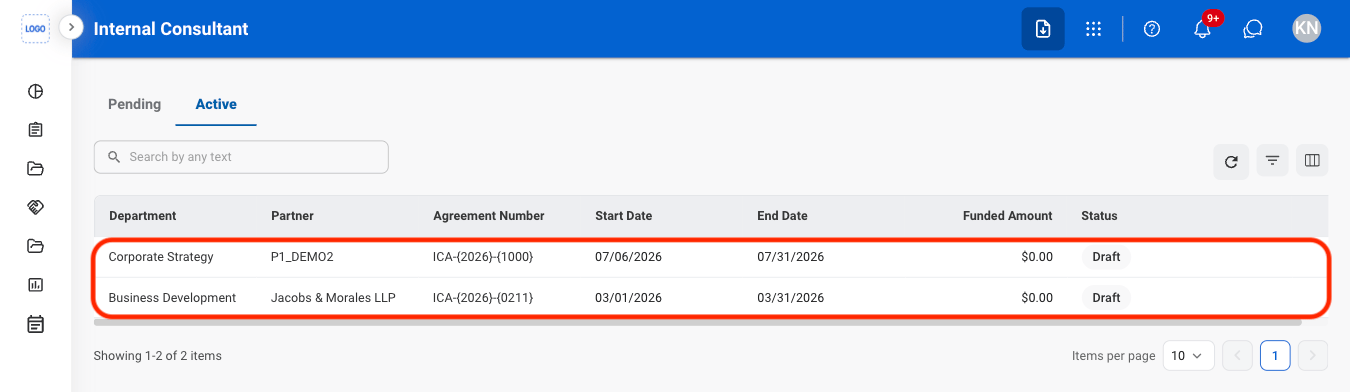
Navigate to the Active tab

2
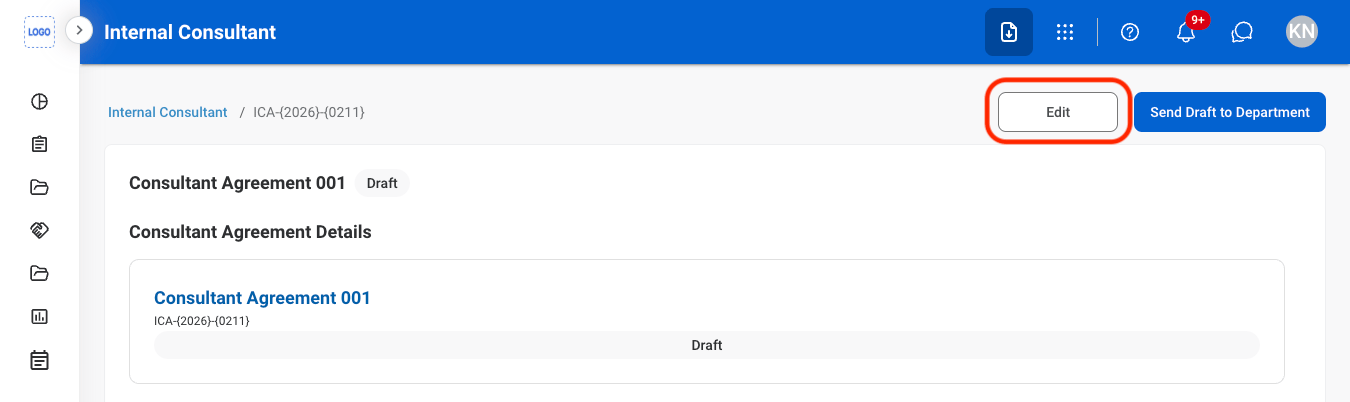
Select Edit
3
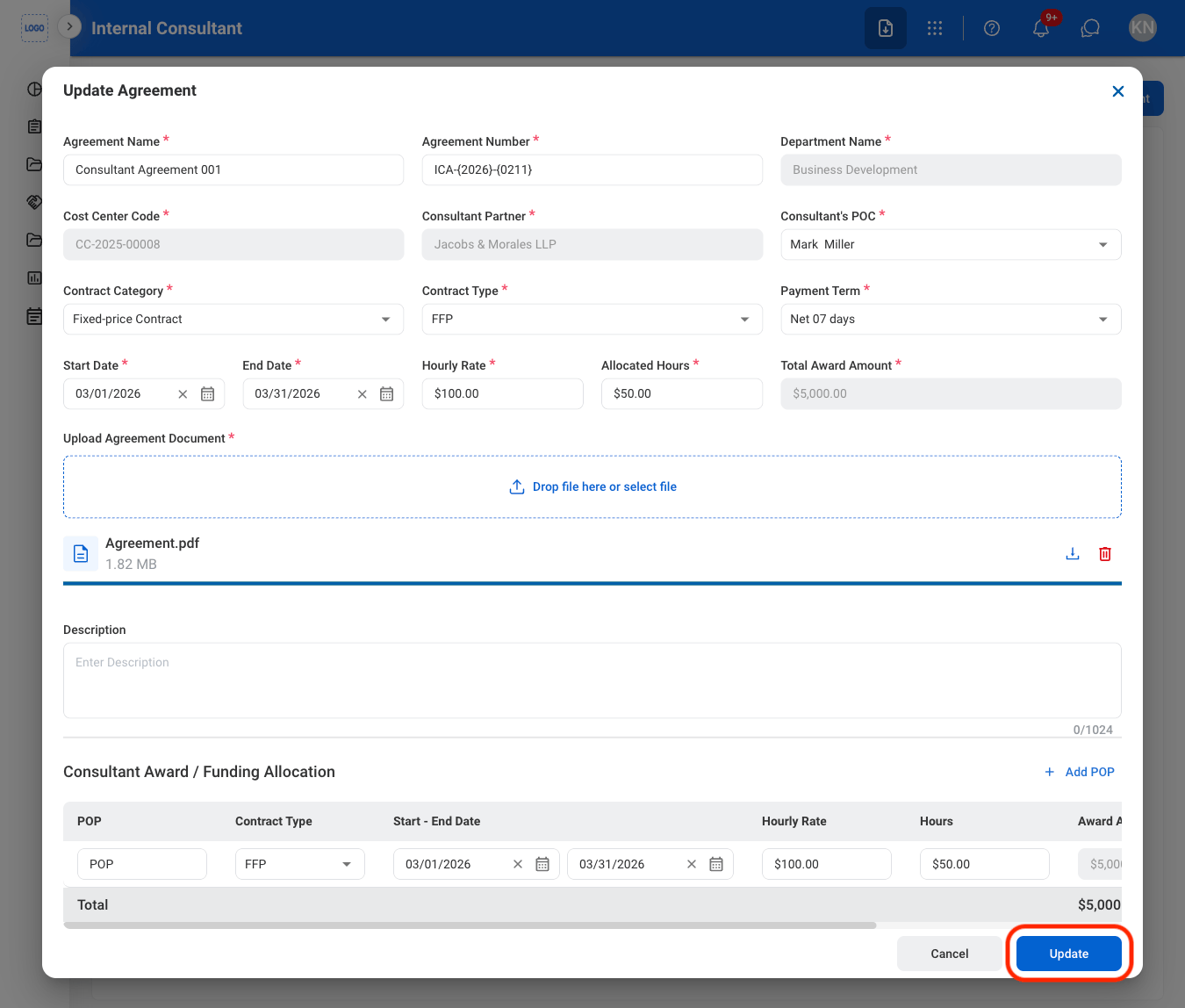
Fill in the required information
View Funding Allocation
1
Select an active Internal Consultant Agreement
2
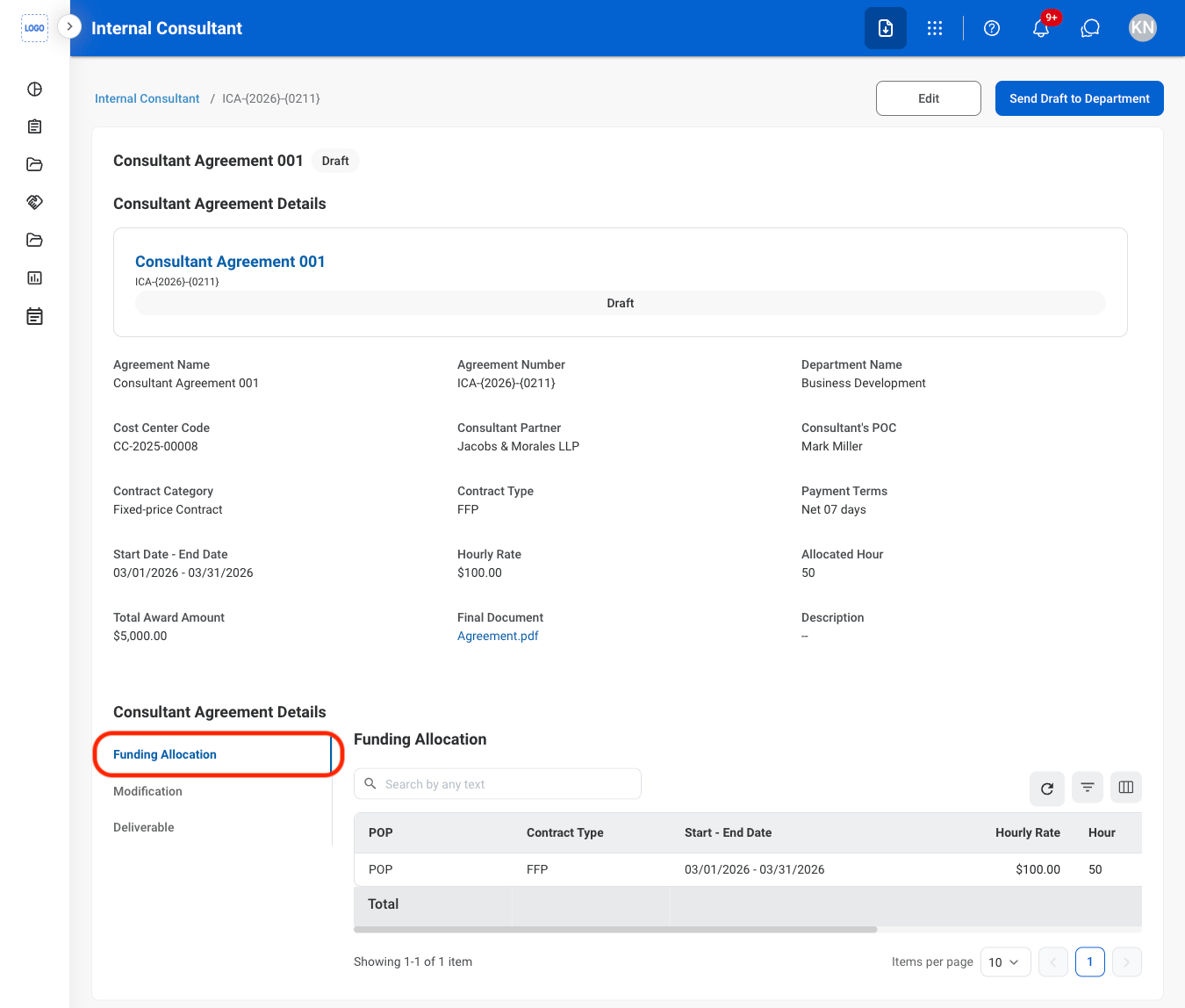
Navigate to Funding Allocation
Create a Modification
1
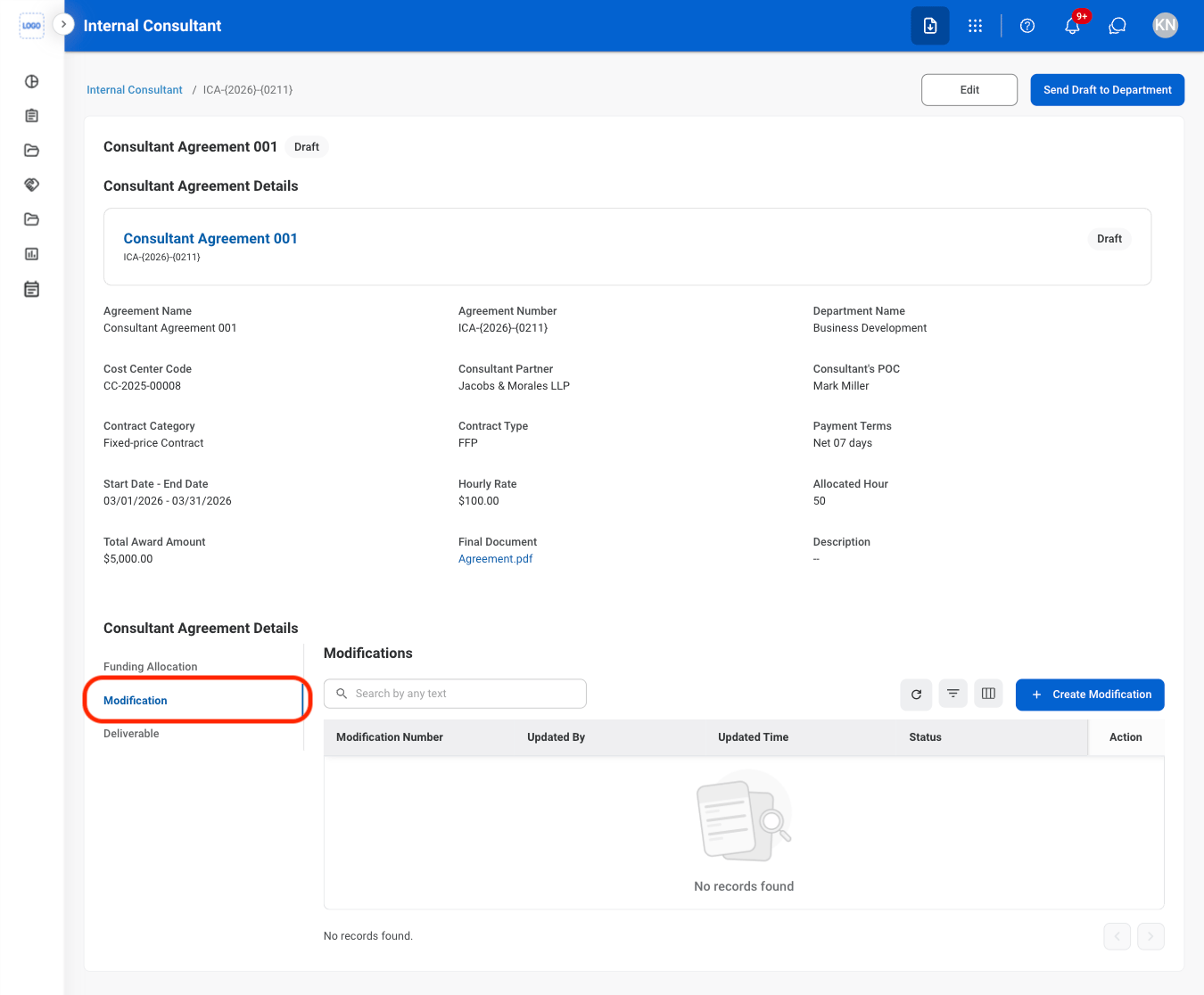
Navigate to the Modification tab
2
Select Create Modification

3
Fill in the required information

Submit an Internal Consultant Agreement for Review
Agreements must be in Active status before they can be submitted for review.
1
Select an Internal Consultant agreement
2
Select Send Draft to Department