
Add a New Partner
1
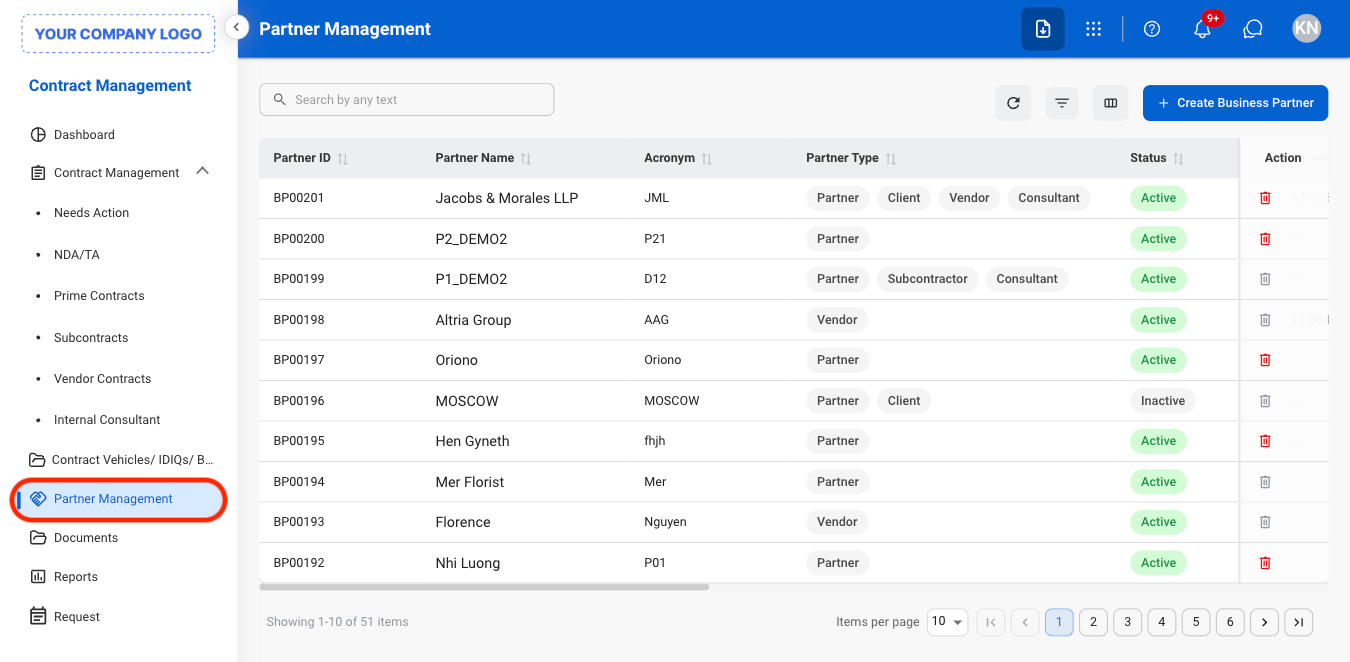
Navigate to Partner Management
2
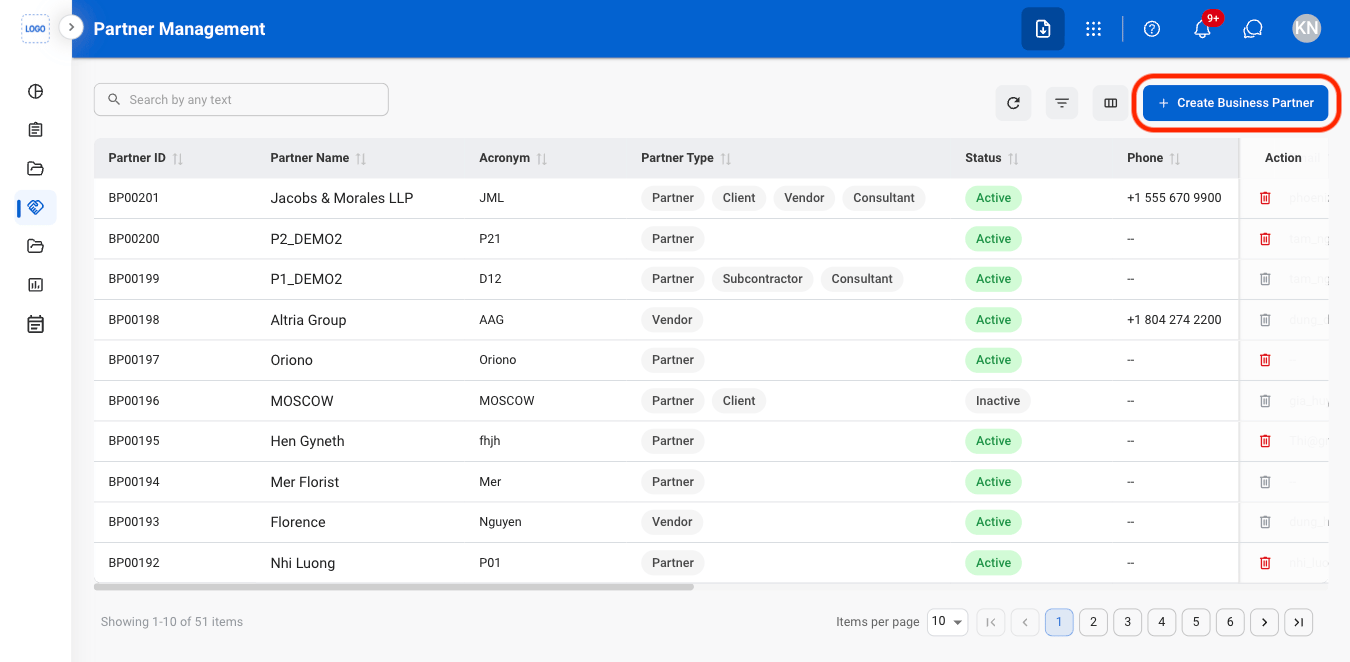
Select Create Business Partner
3
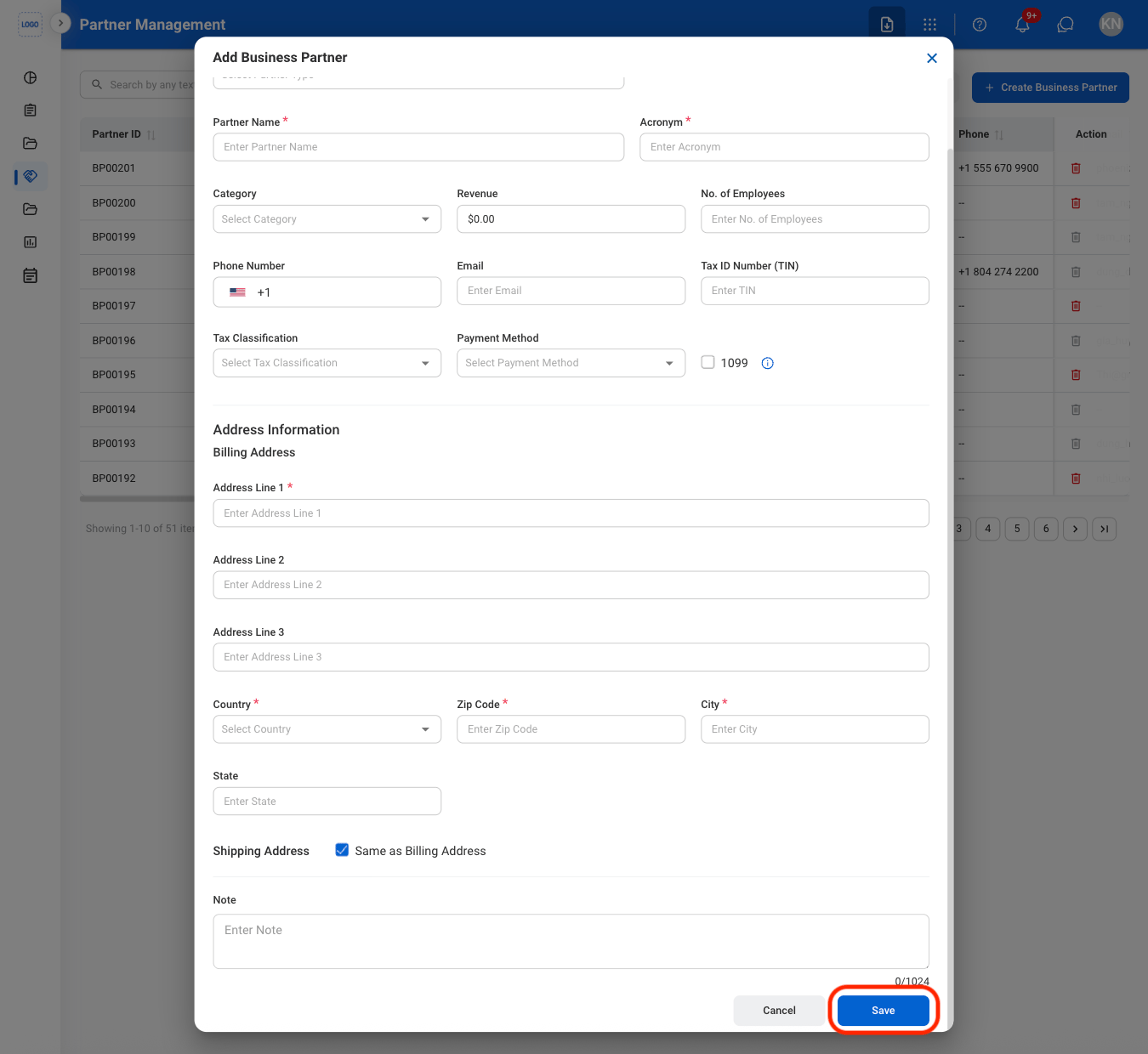
Fill in the required information
Partner Information
Edit Information
1
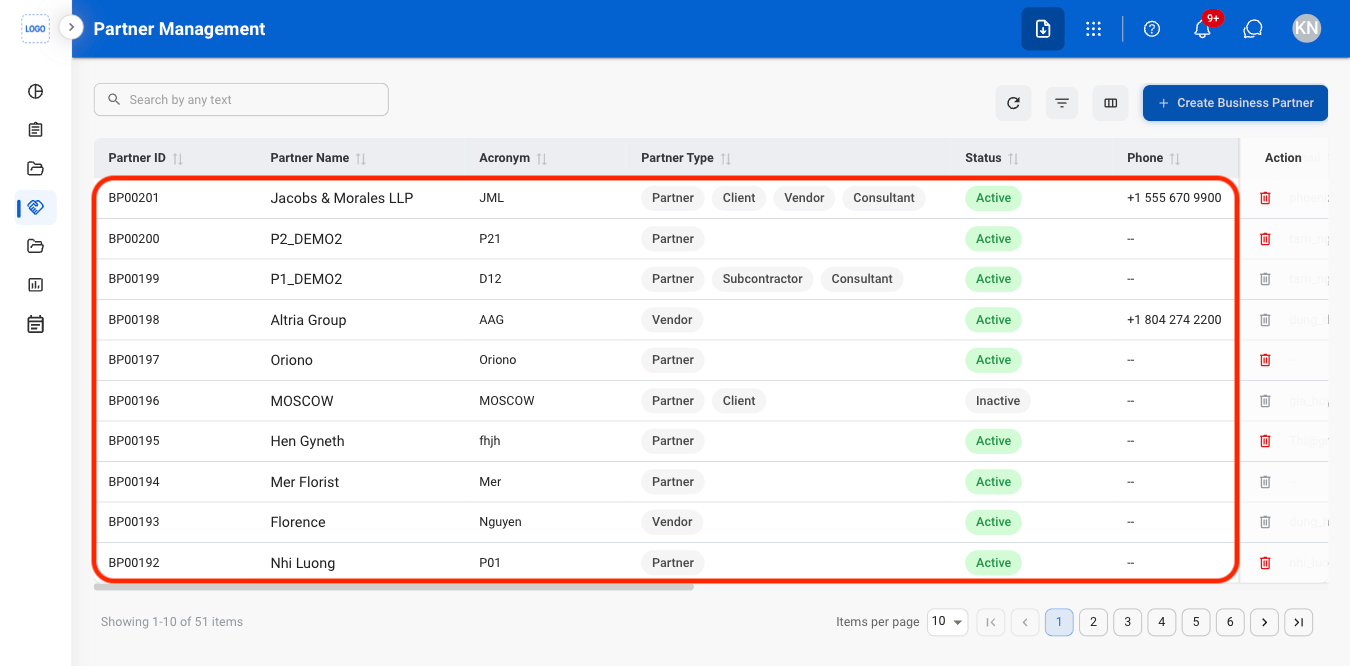
Select a Partner
2
Navigate to Information
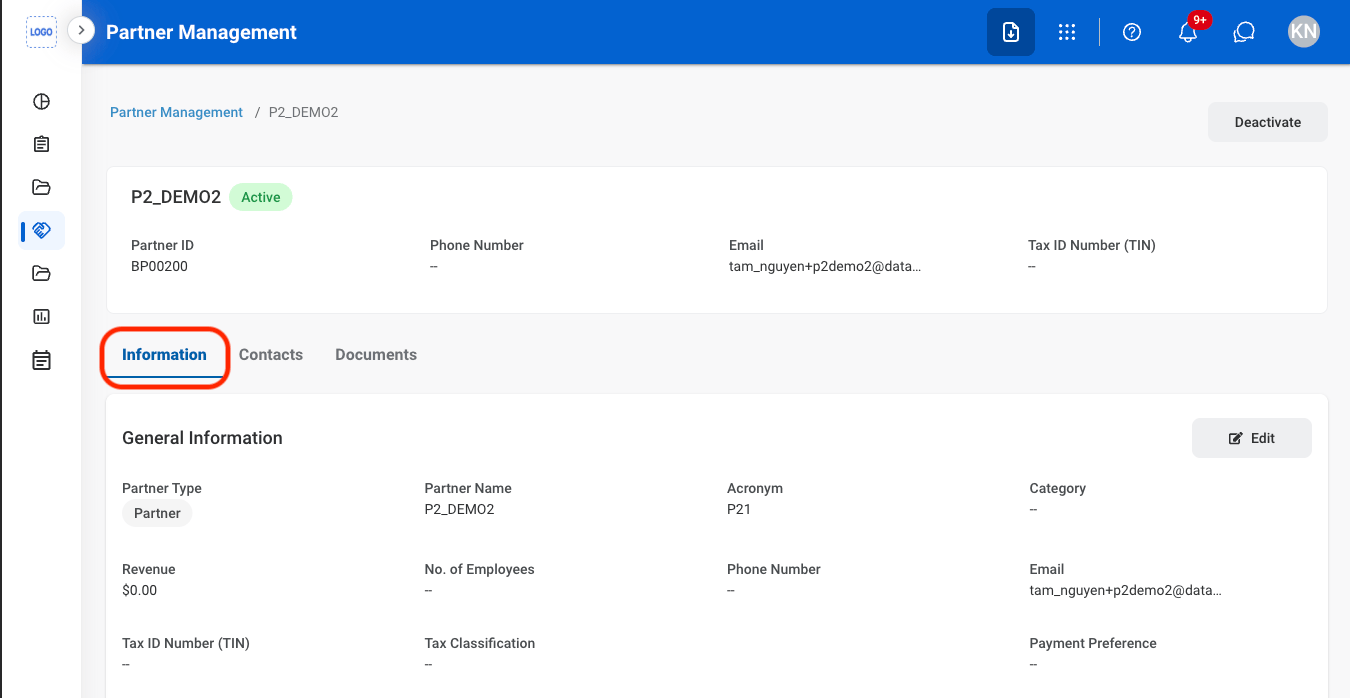
3
Select Edit
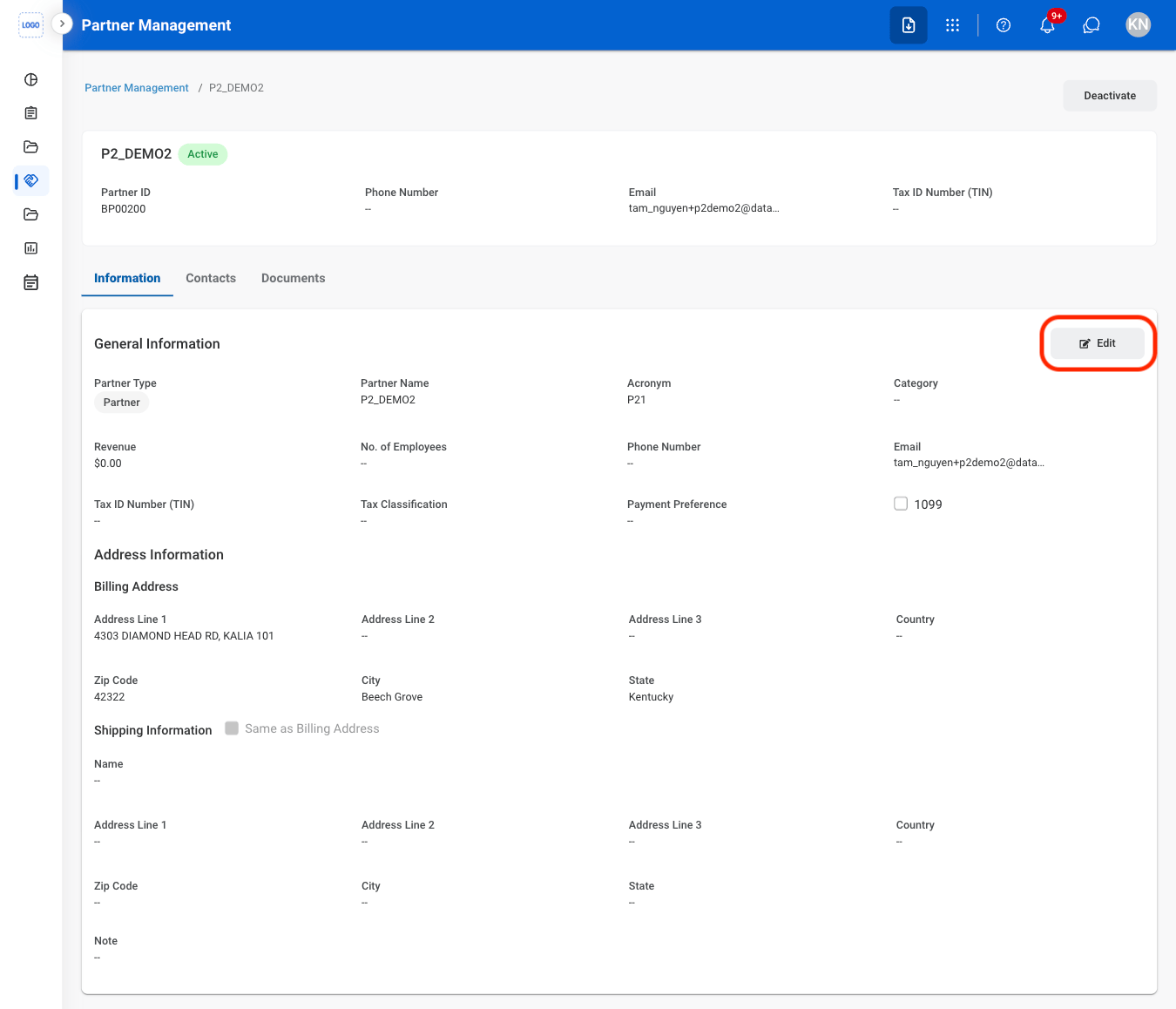
4
Fill in the required information

Contacts
Add a Contact
1
Navigate to Contacts
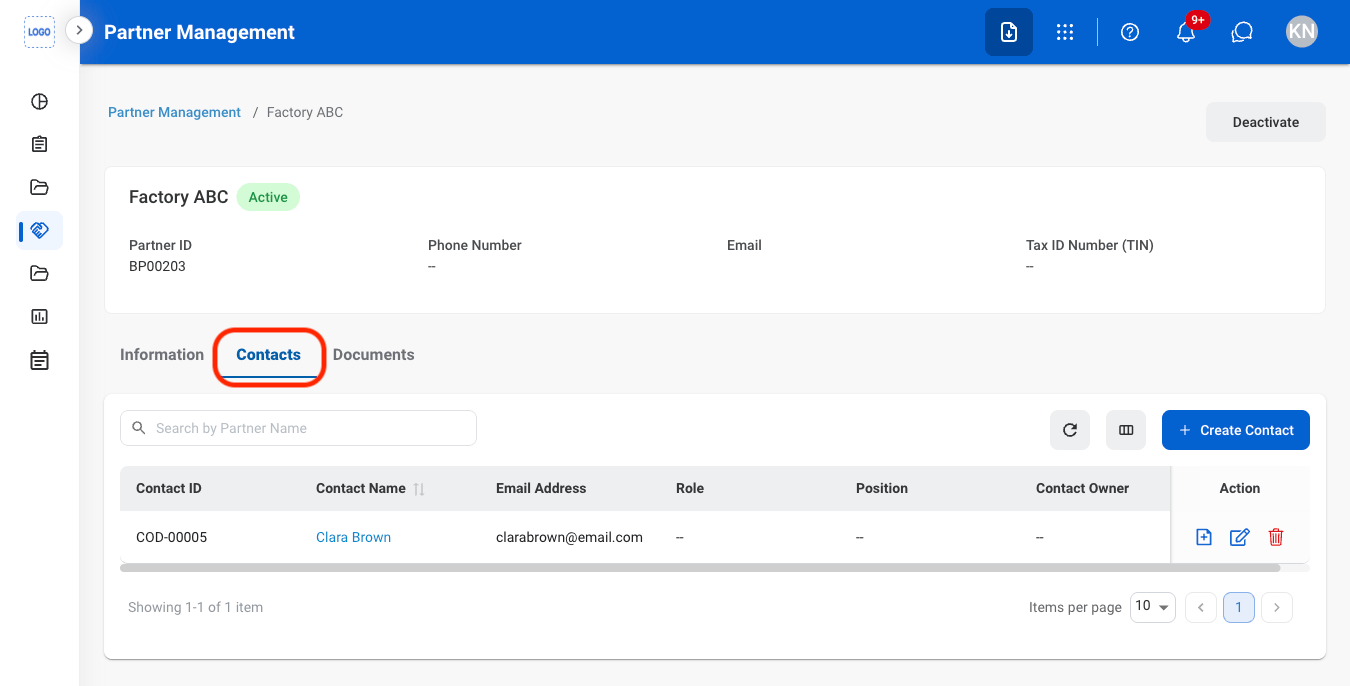
2
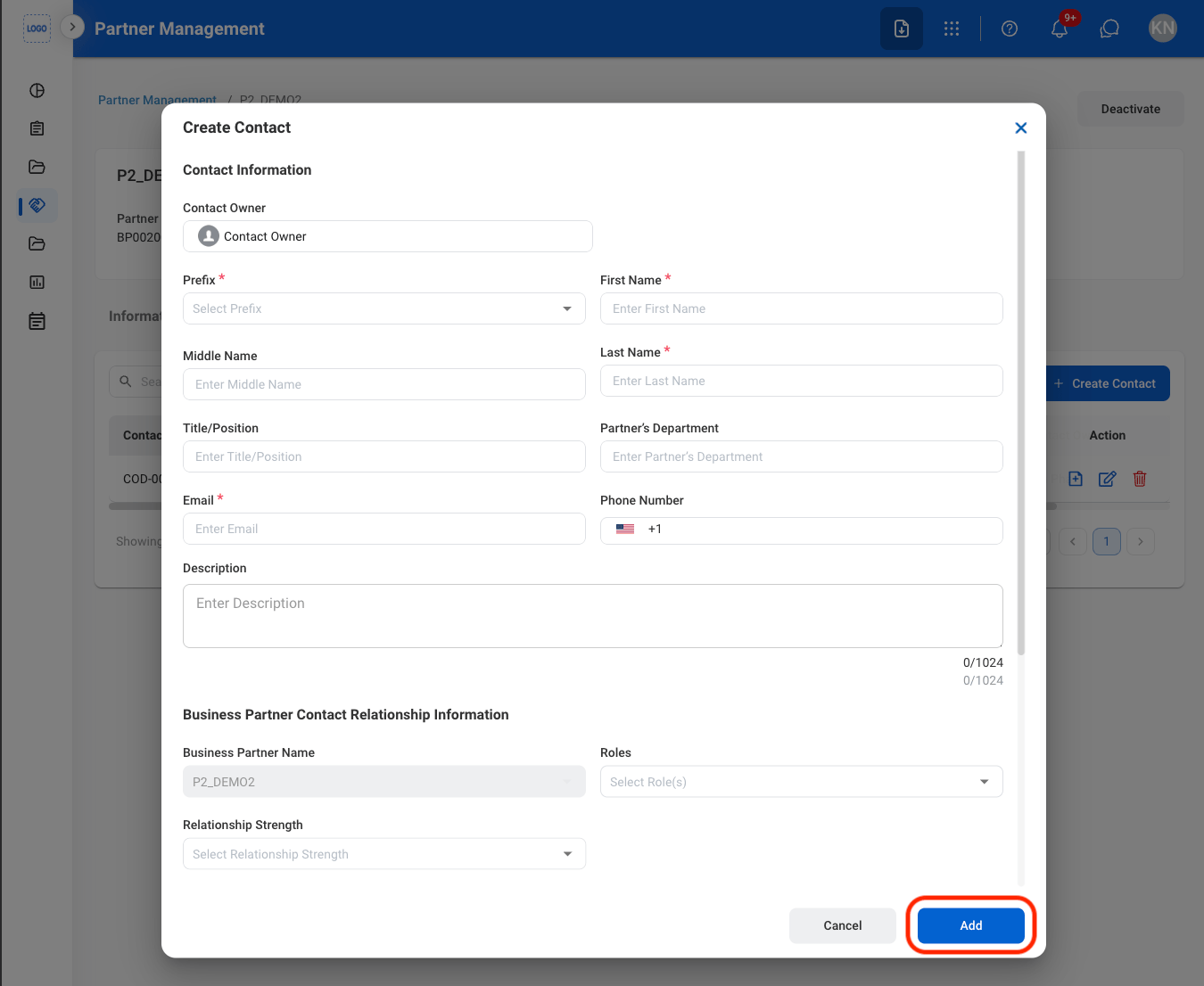
Select Create Contact
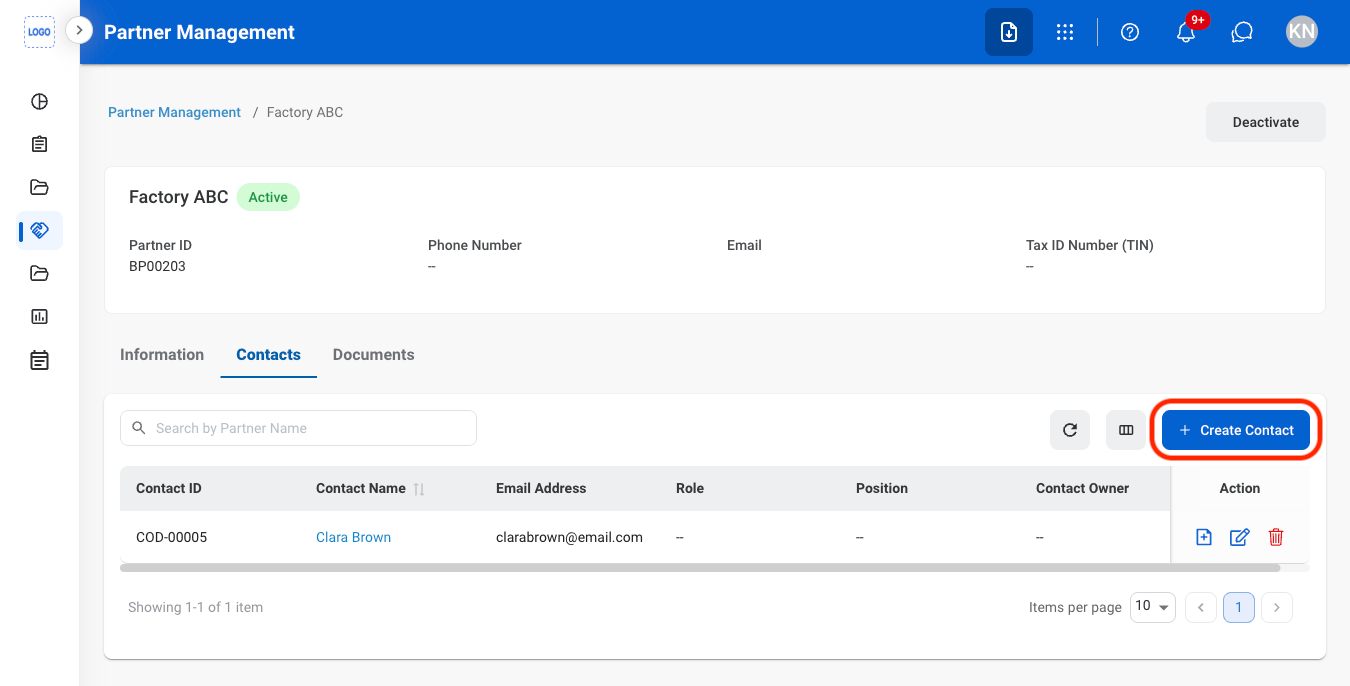
3
Fill in the required information
Documents
Add a Document
1
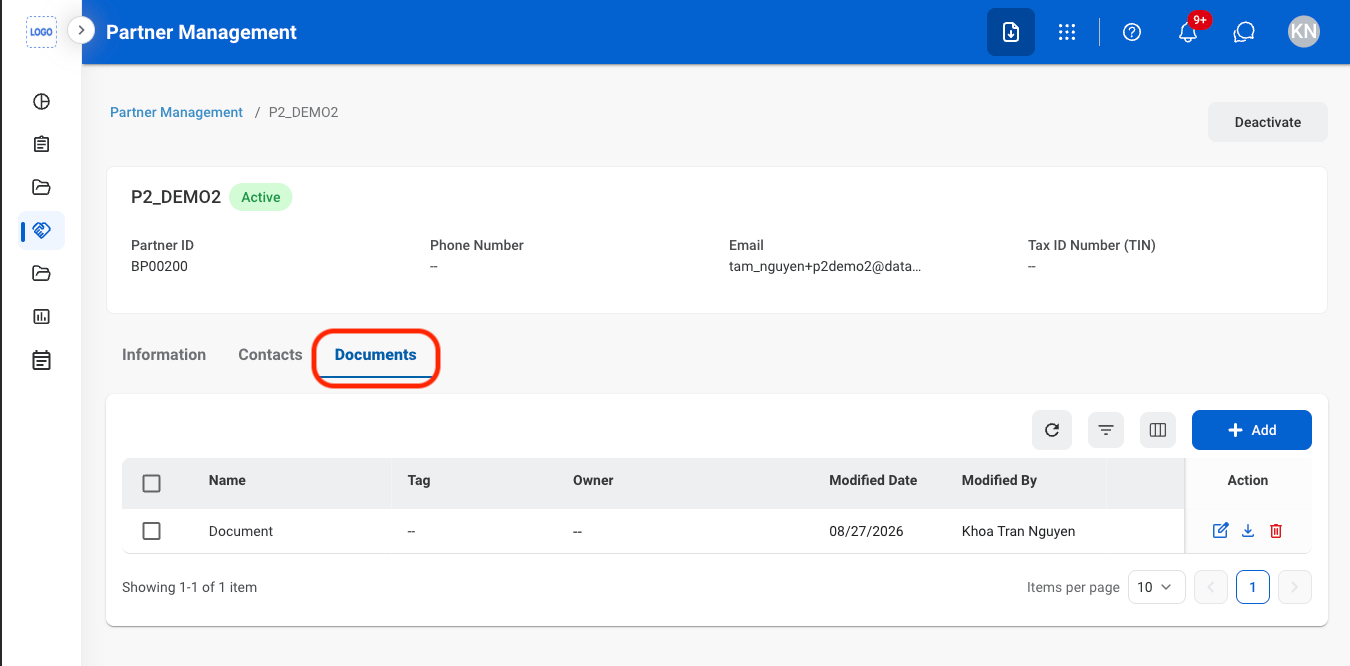
Navigate to Documents
2
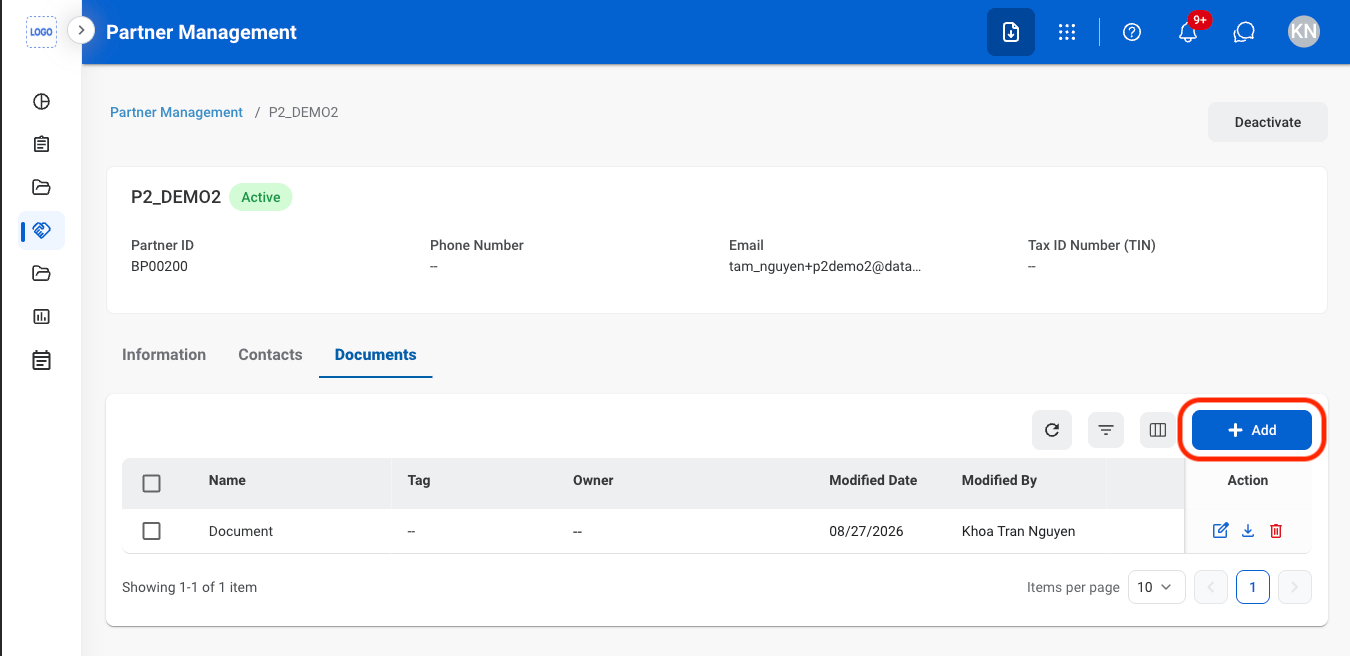
Select Add
3
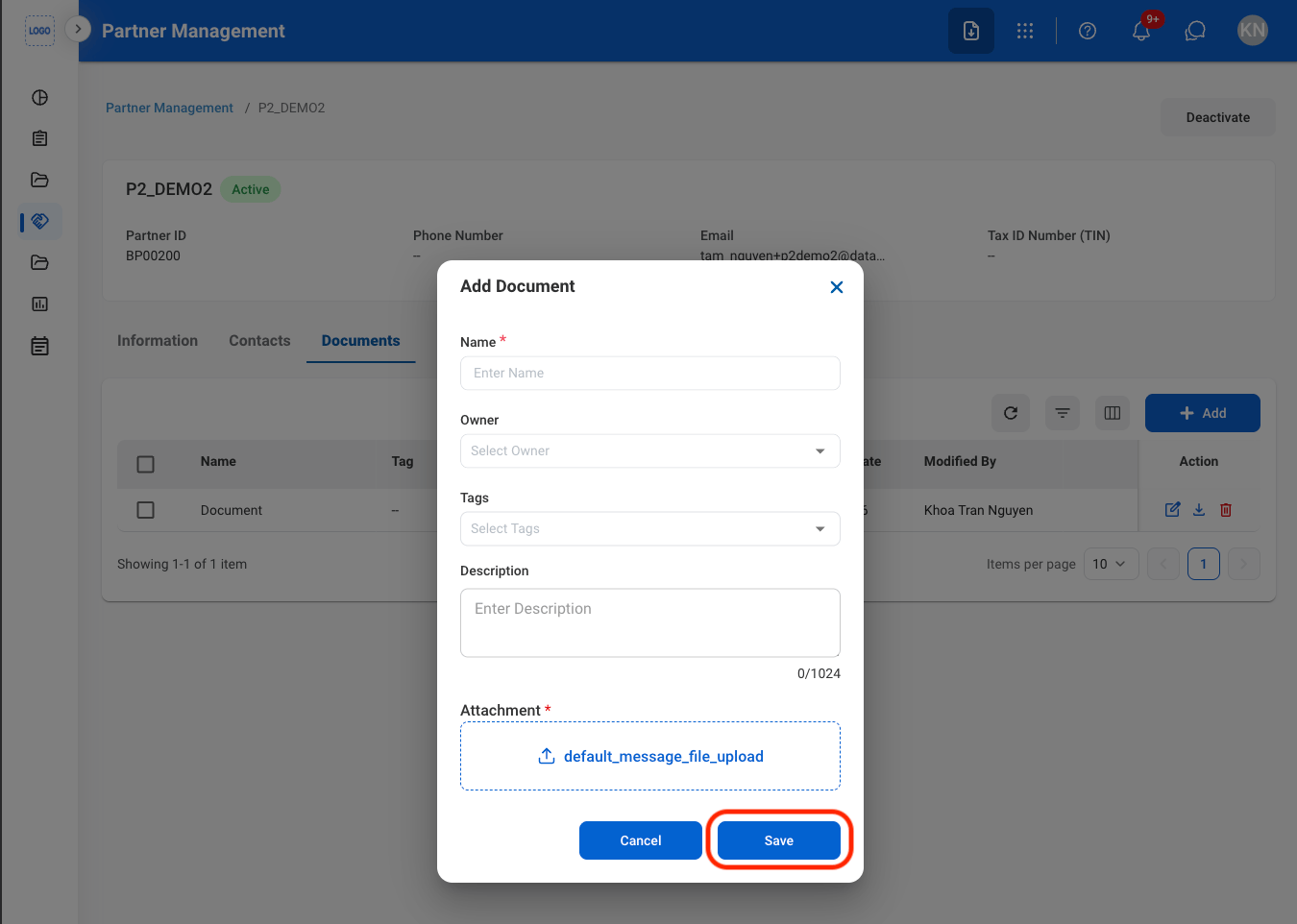
Fill in the required information
Deactivate a Partner
1
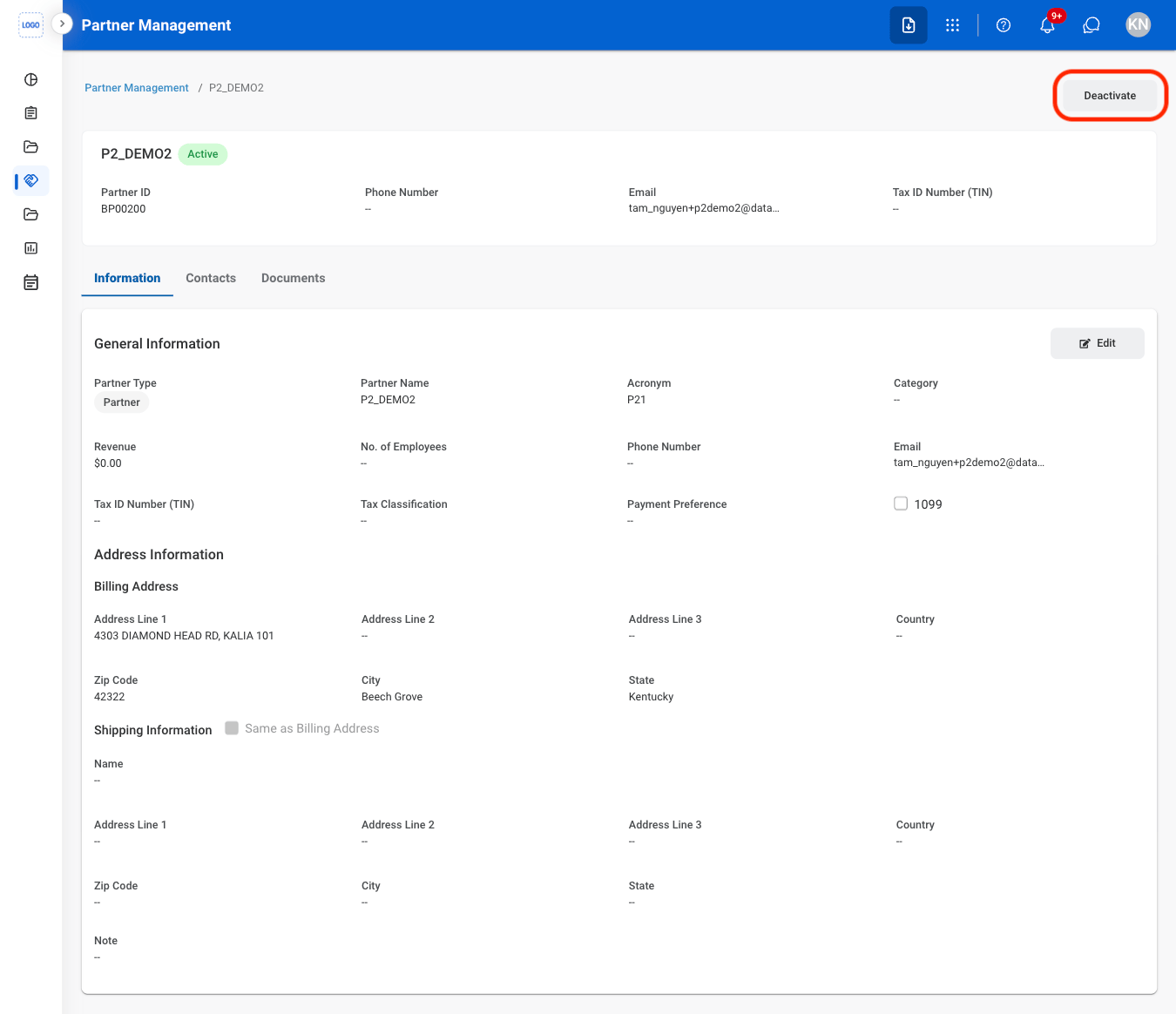
Select a Partner
2
Select Deactivate
3
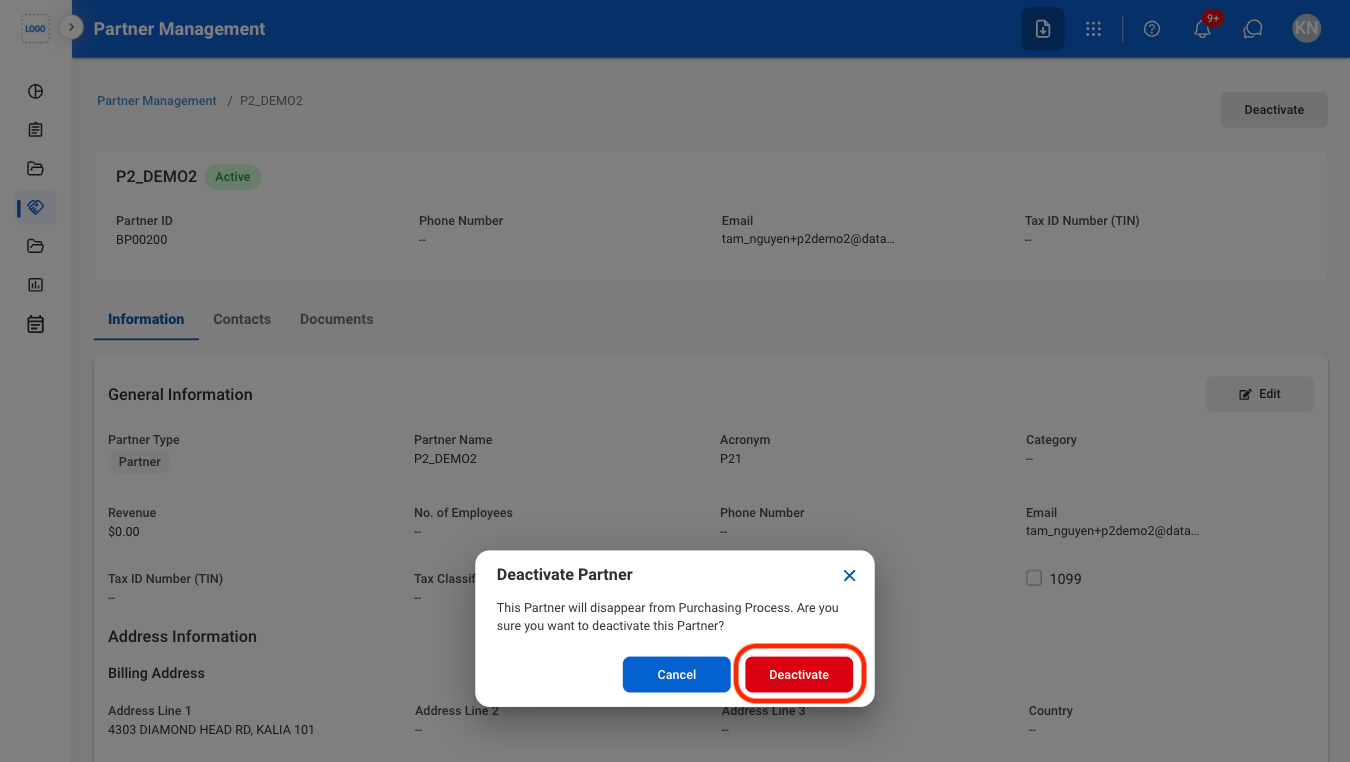
Confirm the action
Delete a Partner
1
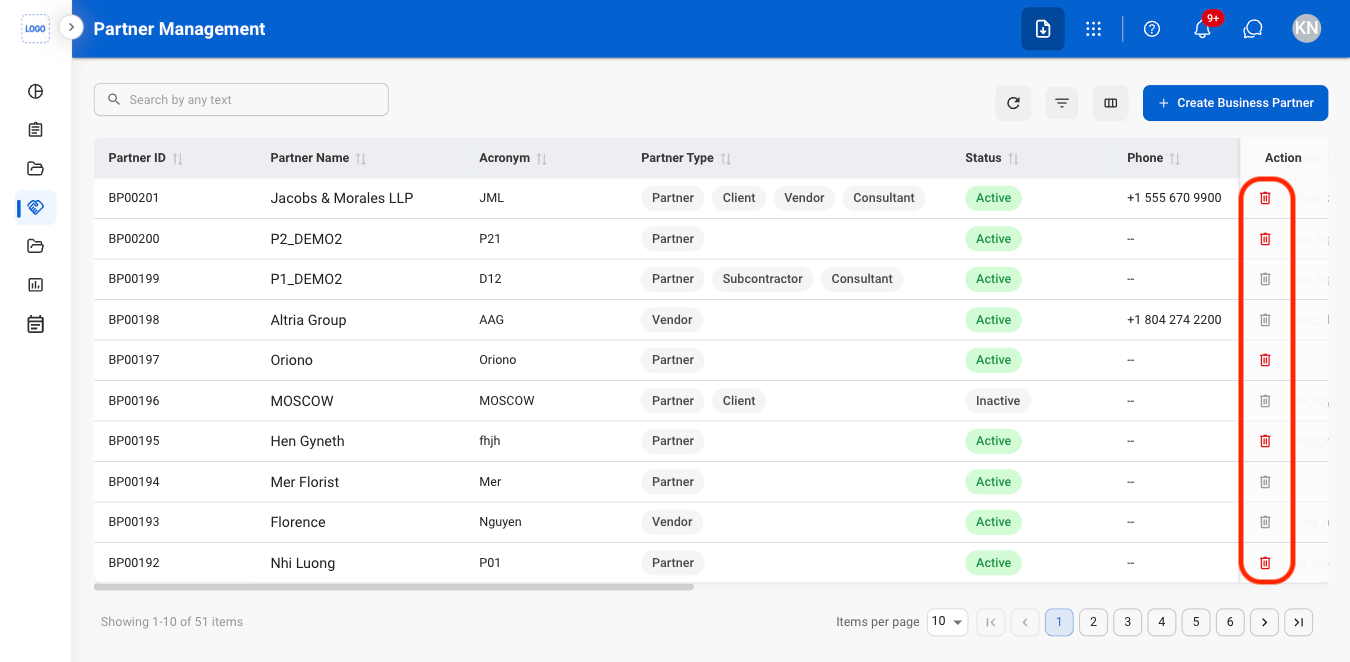
Select the Delete icon
2
Confirm the action
