
Create a Leave Request
To create a leave request, see Requests Module > Leave Request.Review and Process Leave Requests
1
Navigate to Requests.

2
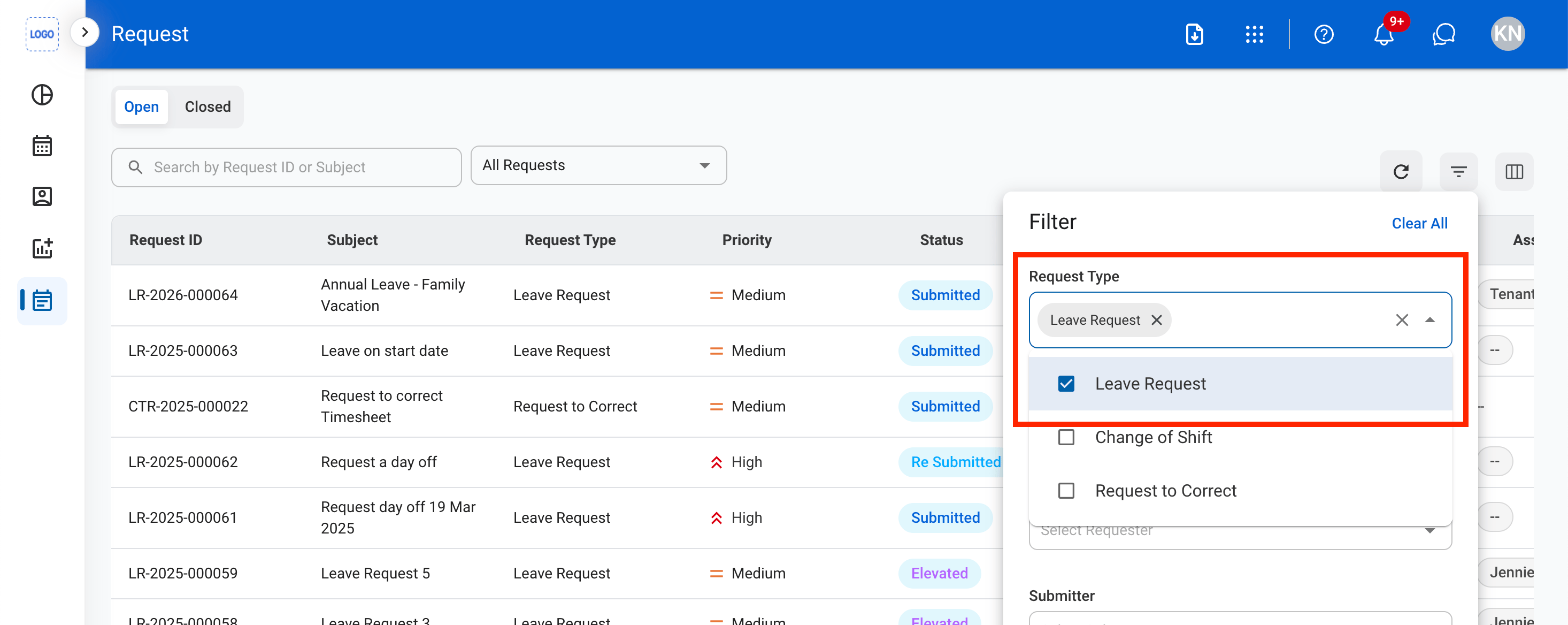
Filter the request list to display only Leave Requests.
3
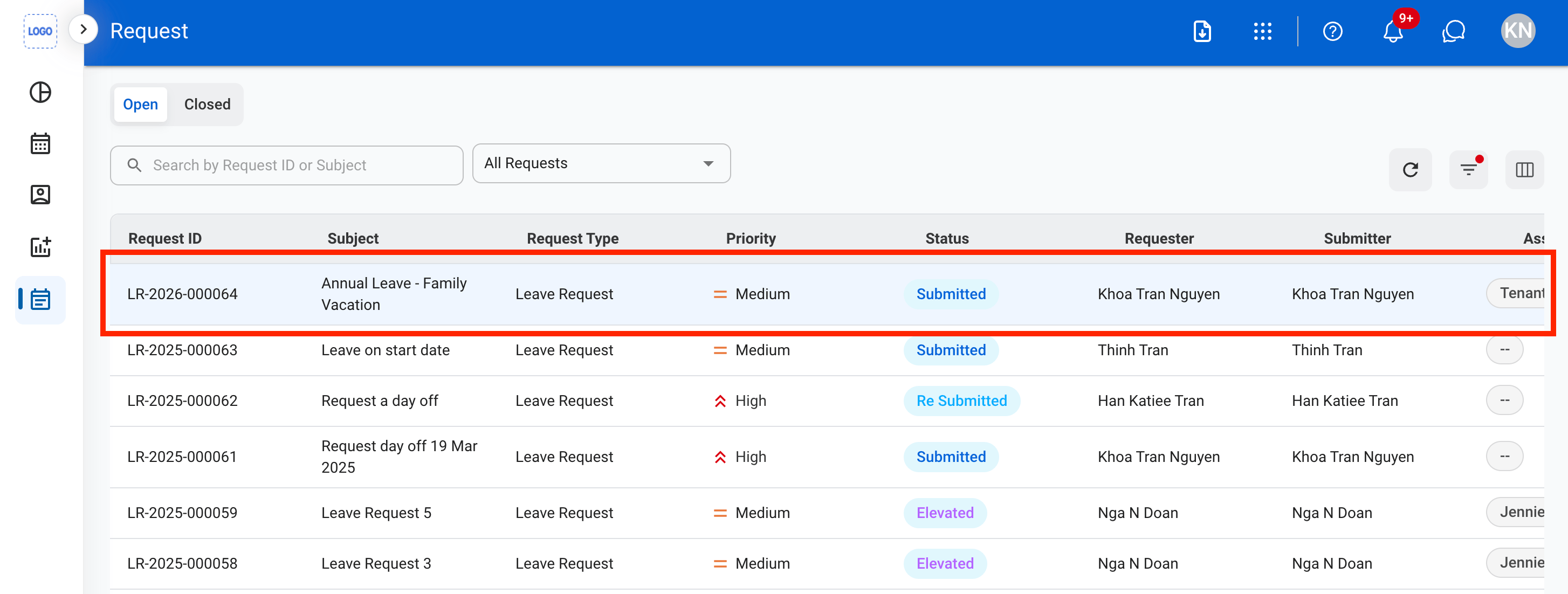
Select a leave request from the request list.
4
Review the request information, leave details, attachments (if applicable), comments, and approval history and determine the appropriate action.

5
Select a action: Approve, Reject, Elevate, Discard, or Edit
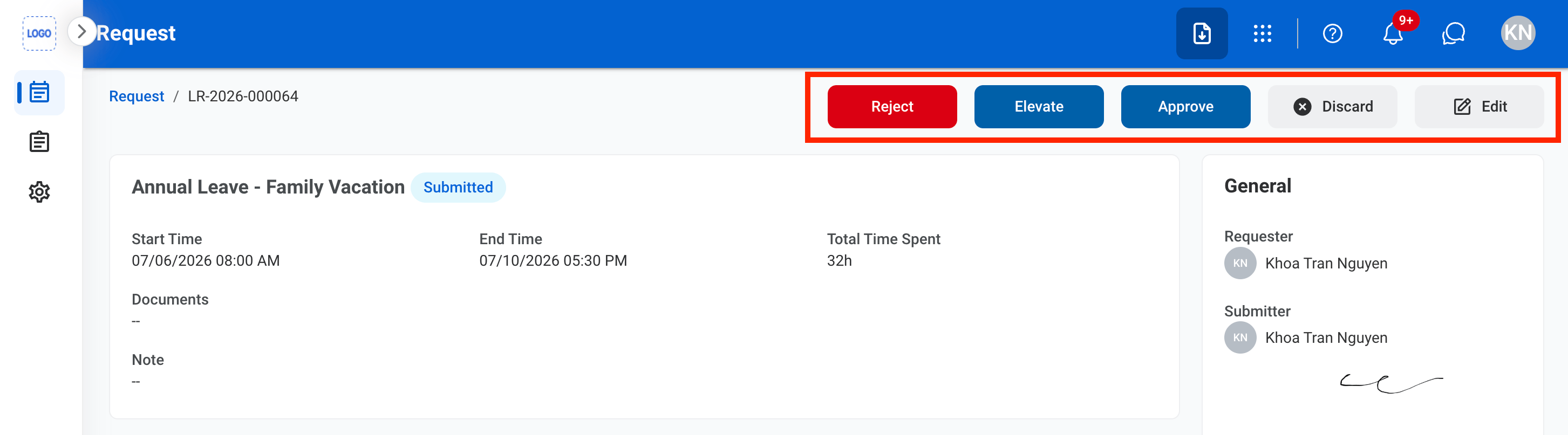
- Approve: Select Approve to complete or Cancel to exit without saving changes.
- Reject: Provide a reason for the decision and select Reject to complete or Cancel to exit without saving changes.
- Elevate: Elevate the request.
- Discard: Select Discard to complete or Cancel to exit without saving changes.
Approve the Request
1
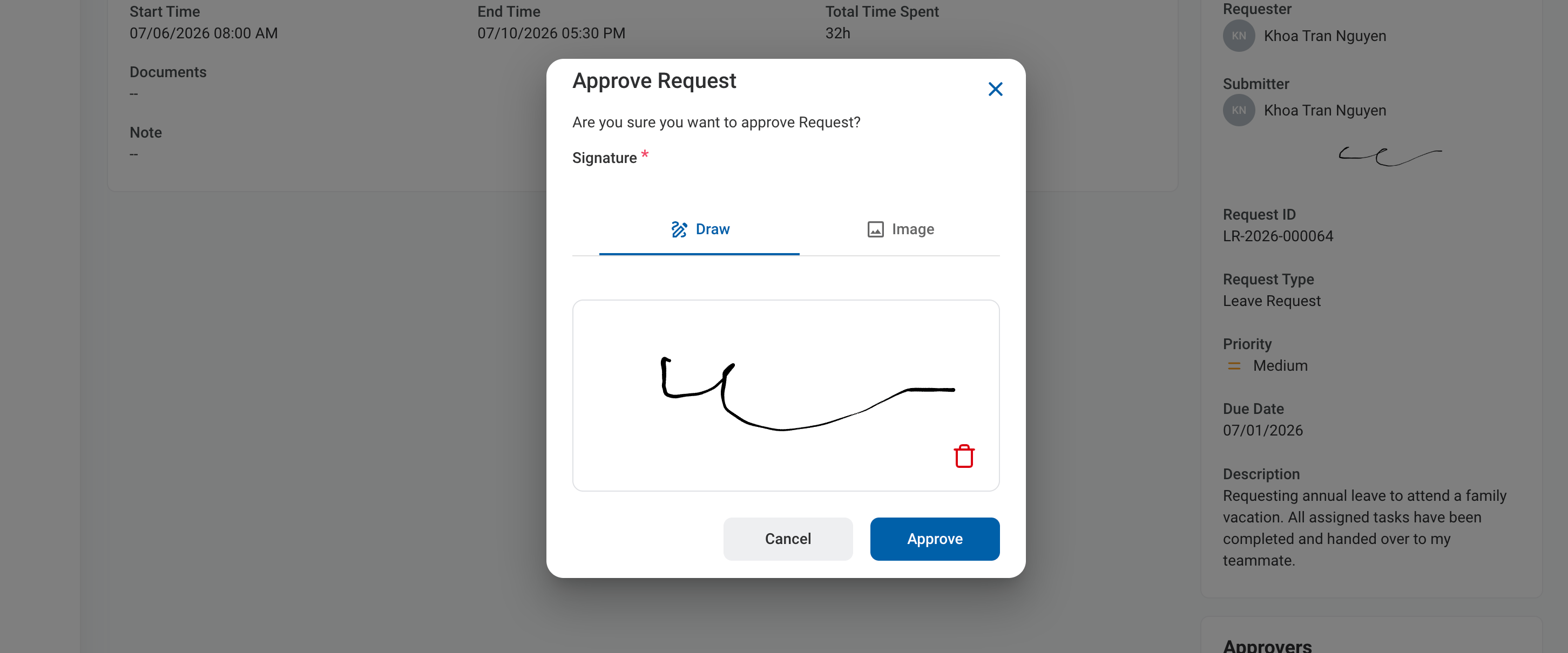
Select approve, then sign to approve the request
Reject the Request
1
Select reject, then enter a reason for rejection, then sign and select Reject to reject the request.

Edit the Request
1
Select Edit, then complete the required fields, then select Save to complete or Cancel to discard the changes.
