Add a Virtual Host or Machine
1
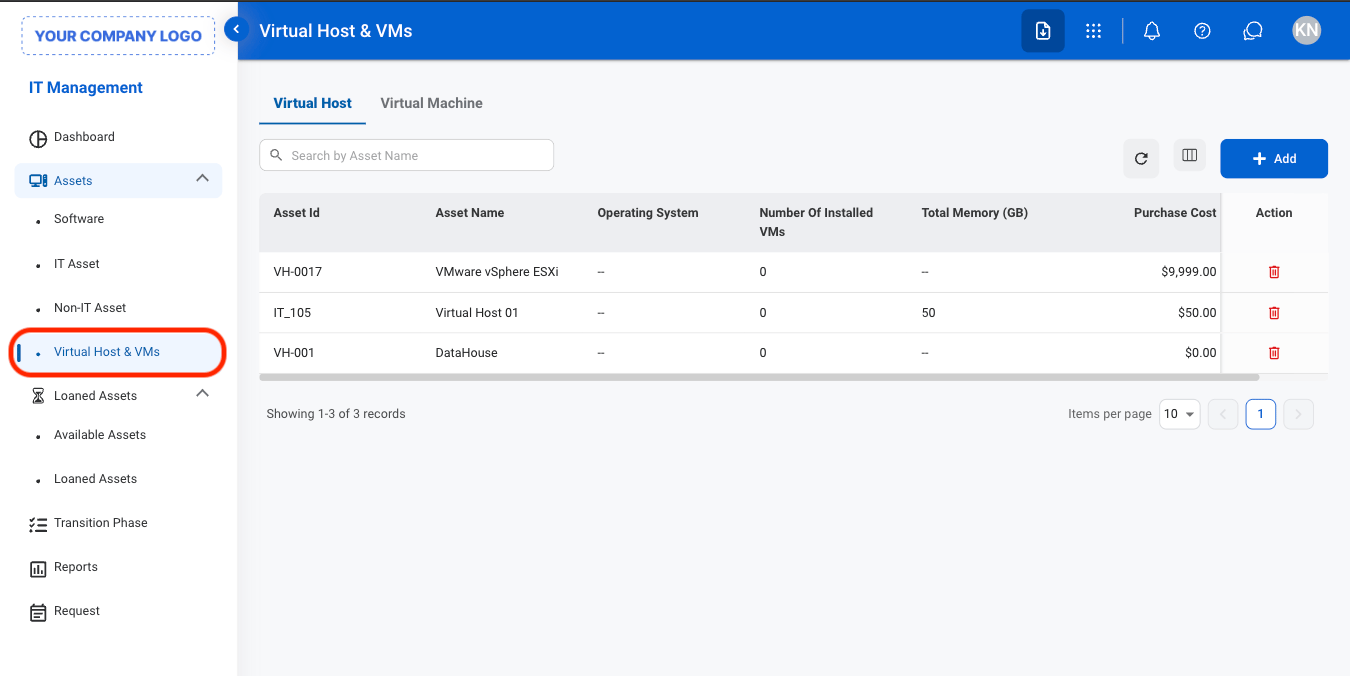
Navigate to Virtual Host & VM
2
Select a tab

- Virtual Host: Manage physical or cloud infrastructure that provides computing resources for hosting virtual machines.
- Virtual Machine: Manage virtualized computing environments that run applications and operating systems on a virtual host
3
Select Add

4
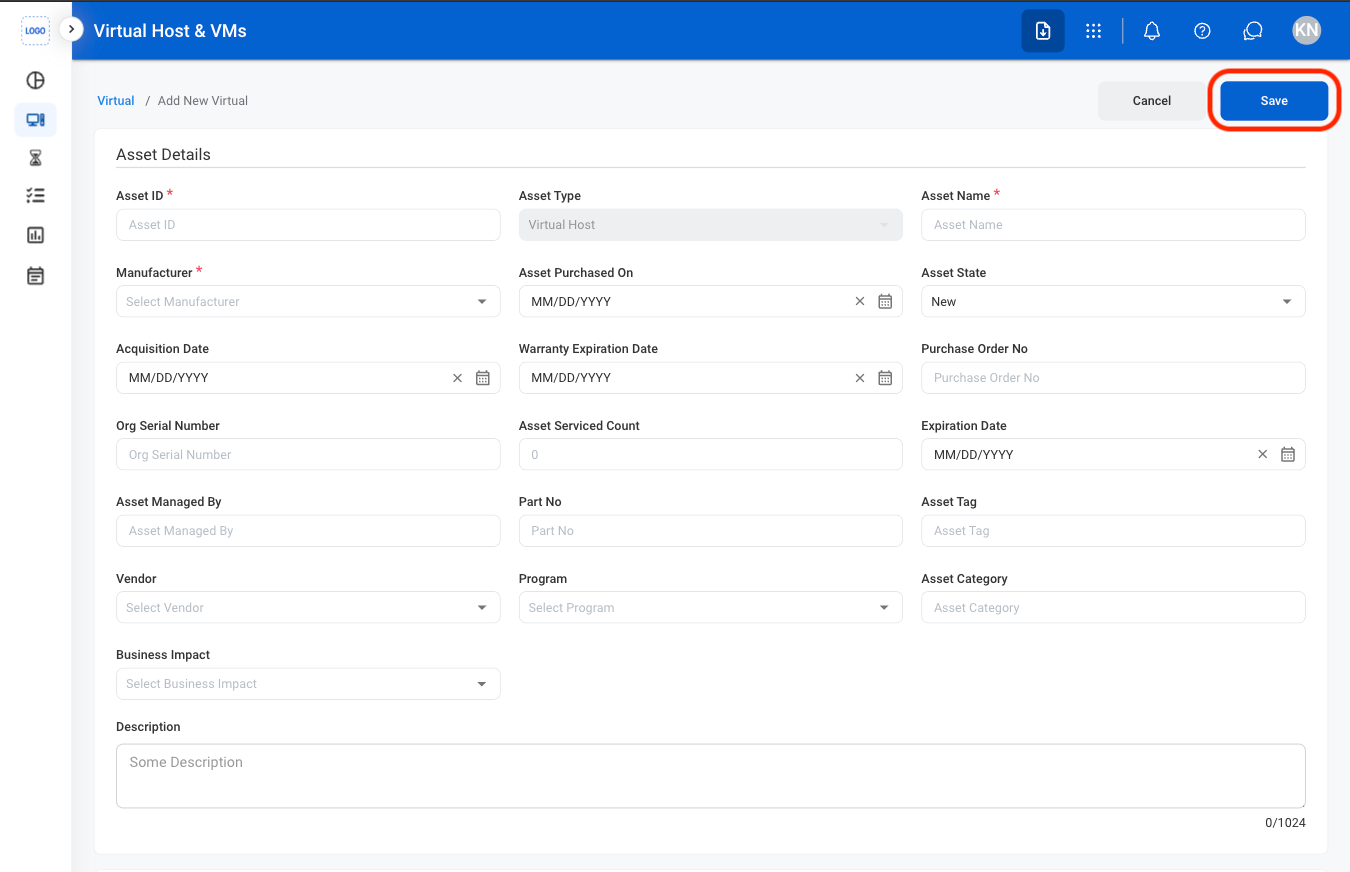
Fill in the required information
Edit a Virtual Host or Machine
1
Select a tab
2
Select an asset

3
Select Edit

4
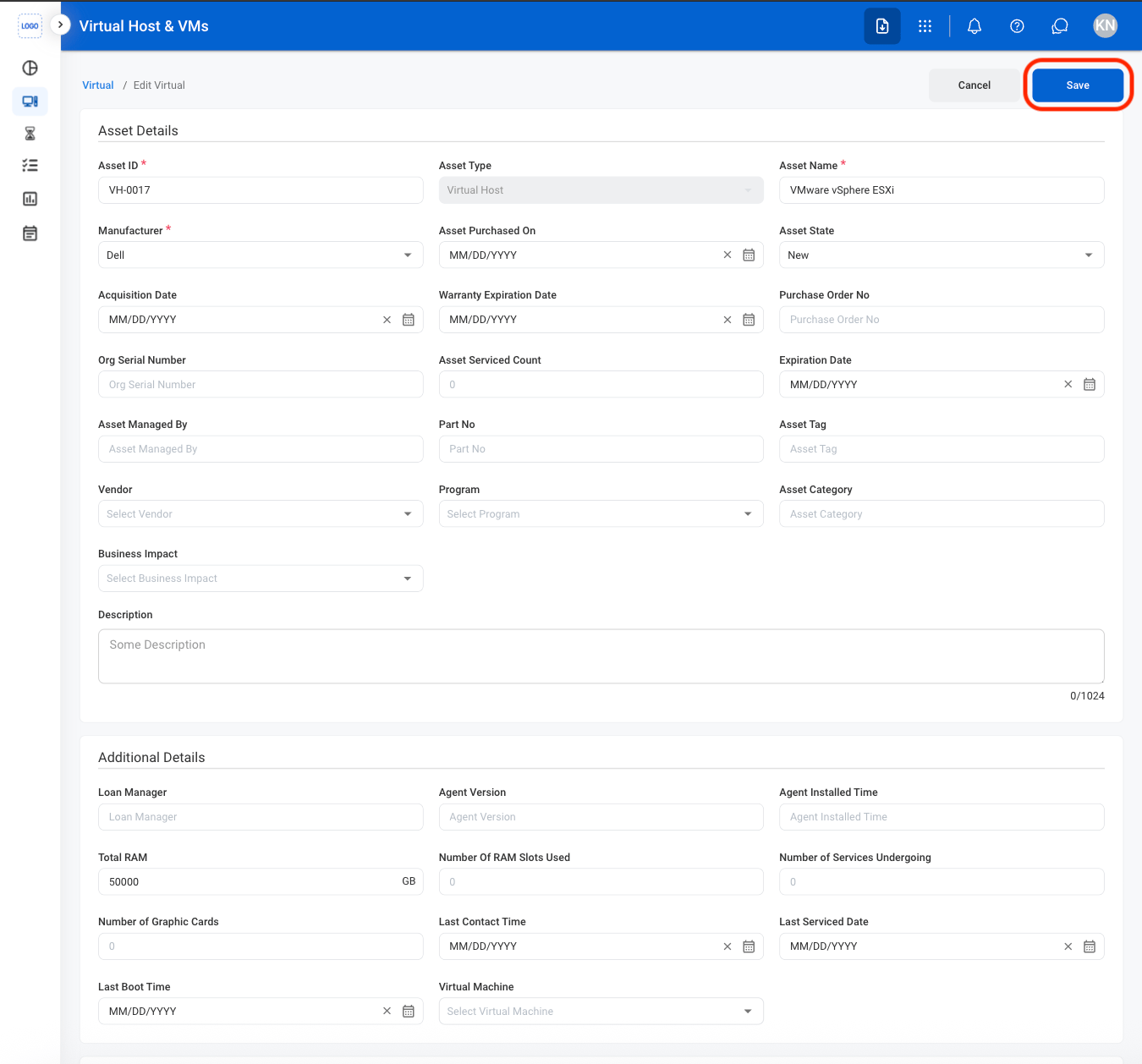
Fill in the required information
Delete a Virtual Host or Machine
1
Select the delete icon
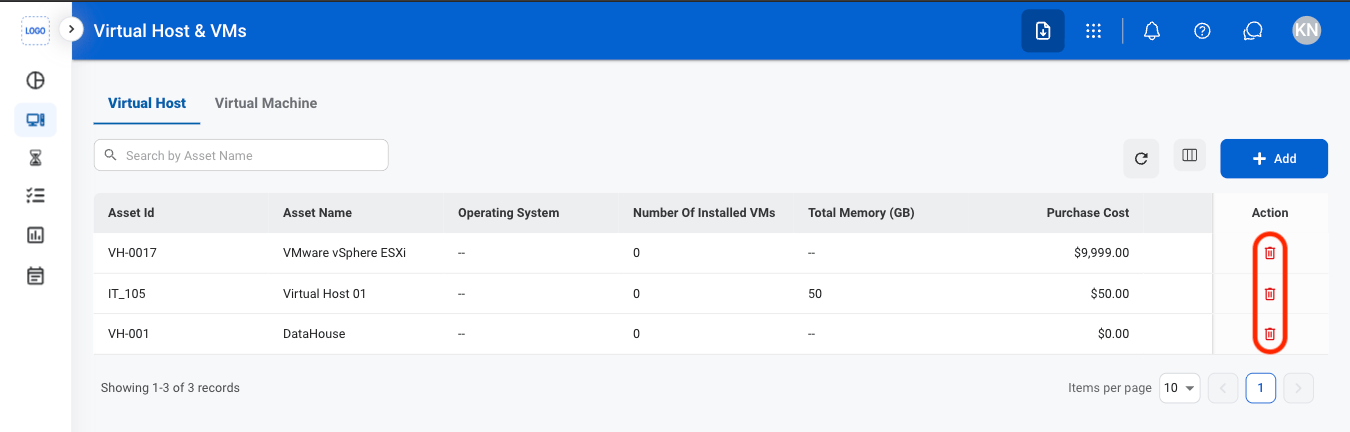
2
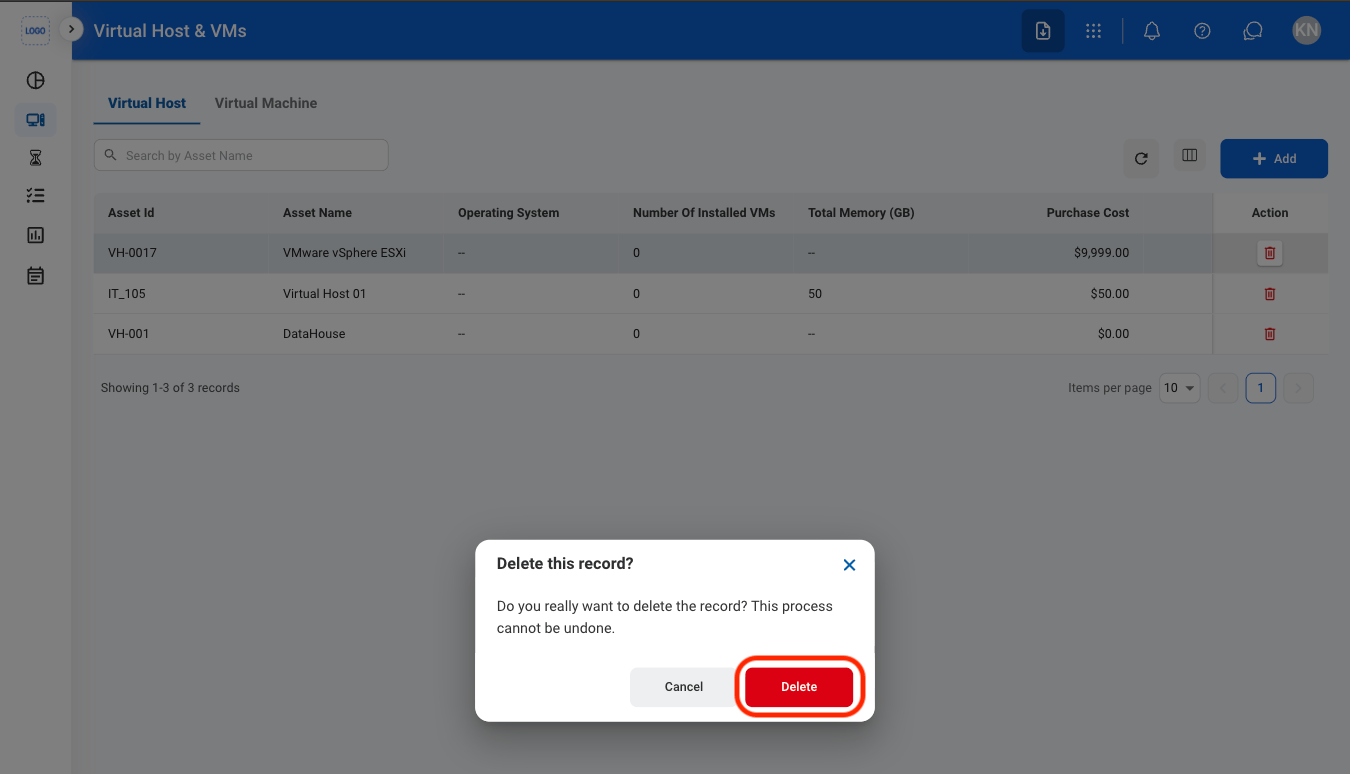
Confirm the action