
Add a Customer
1
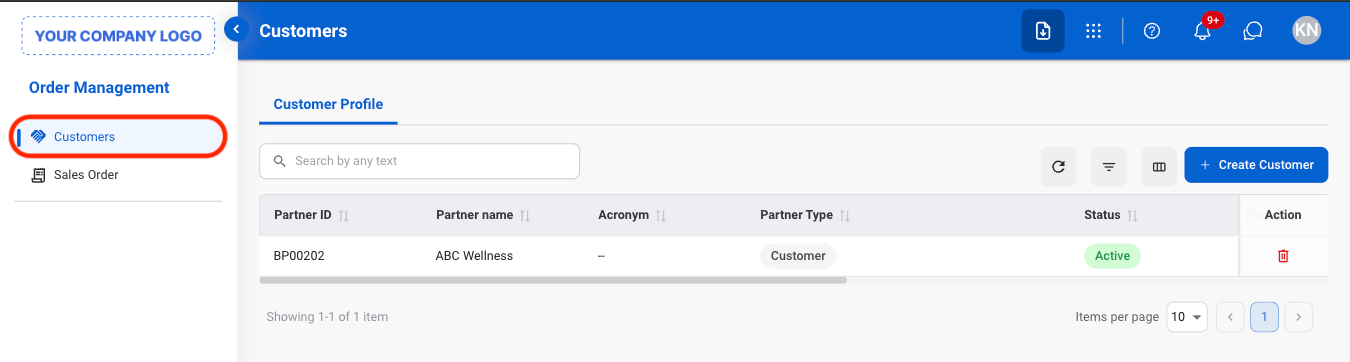
Navigate to Customers
2
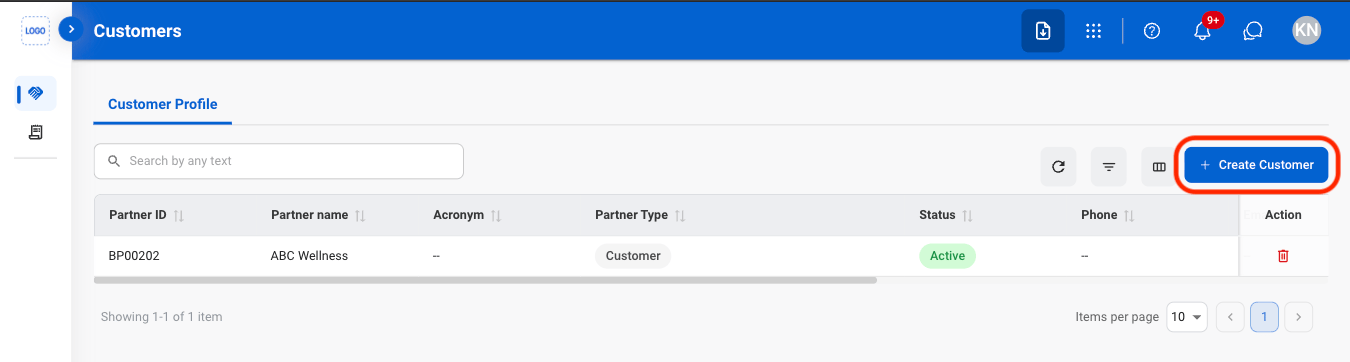
Select Create Customer
3
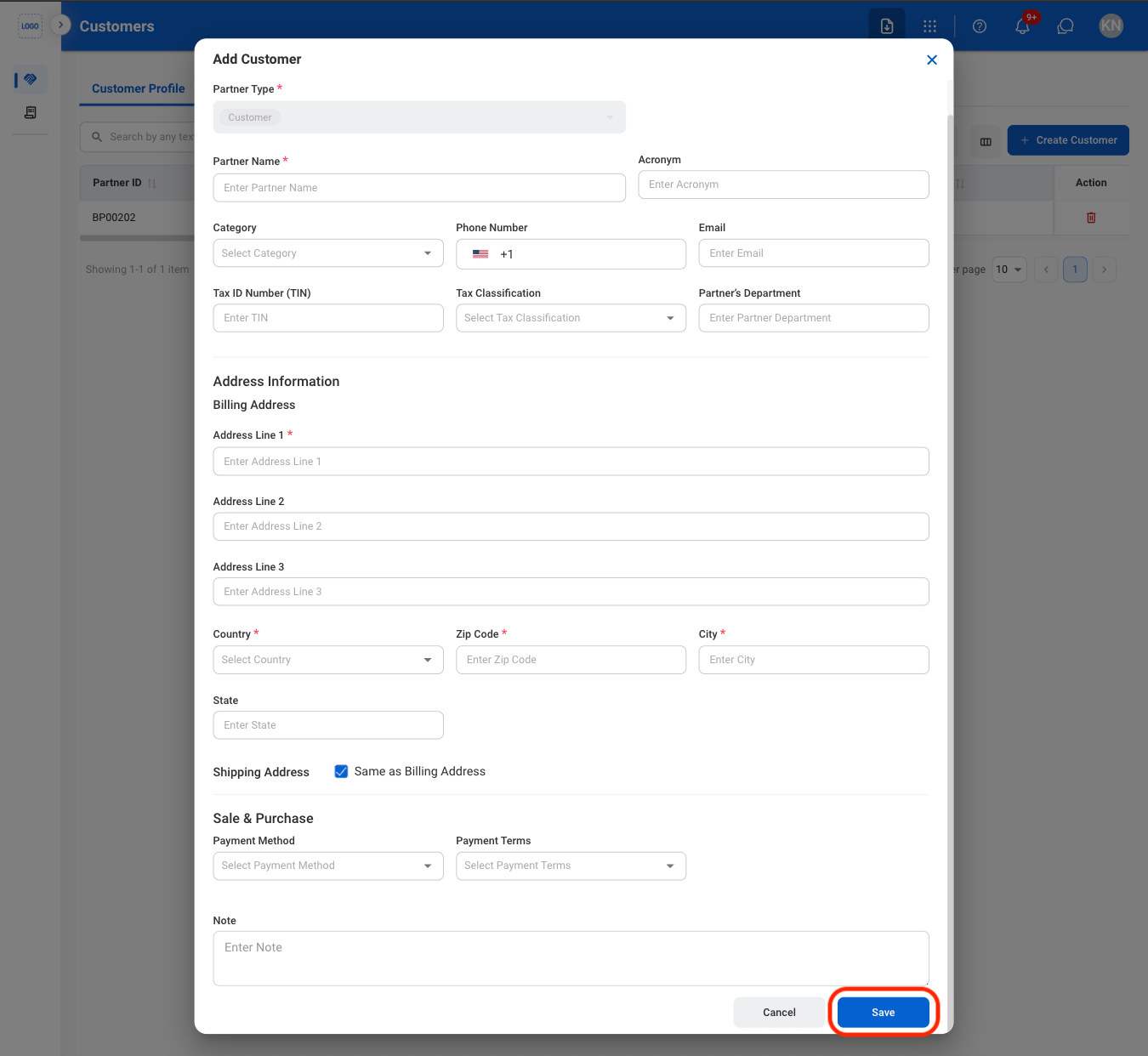
Fill in the required information
Deactivate a Customer
1
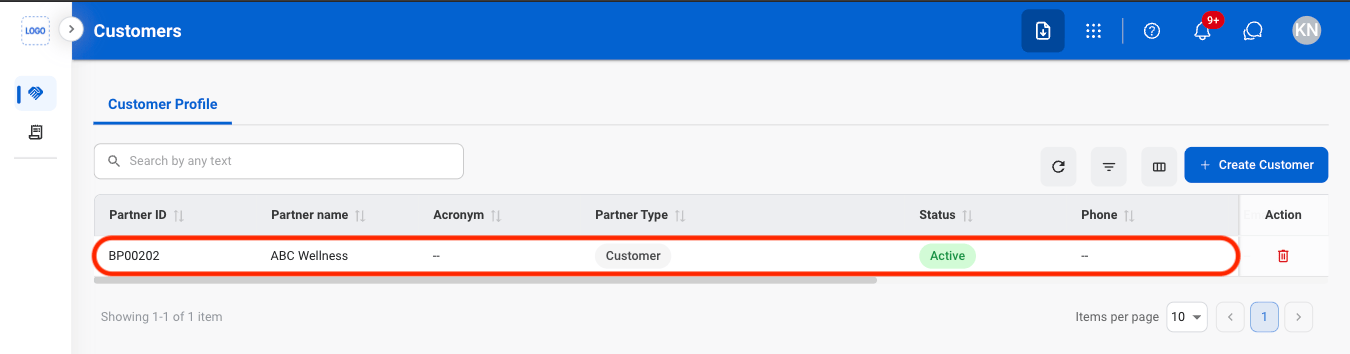
Select a customer
2
Select Deactivate
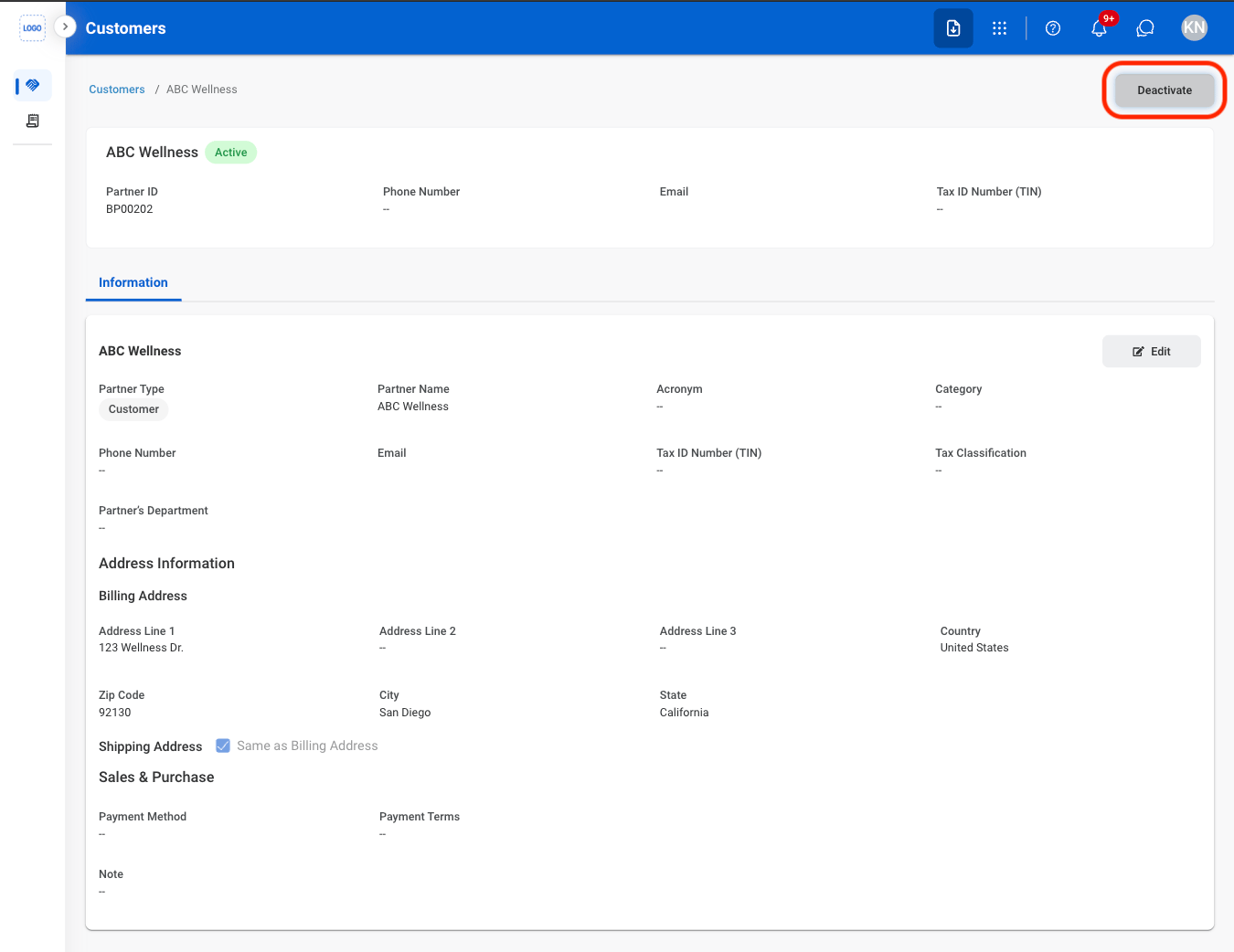
3
Confirm the action
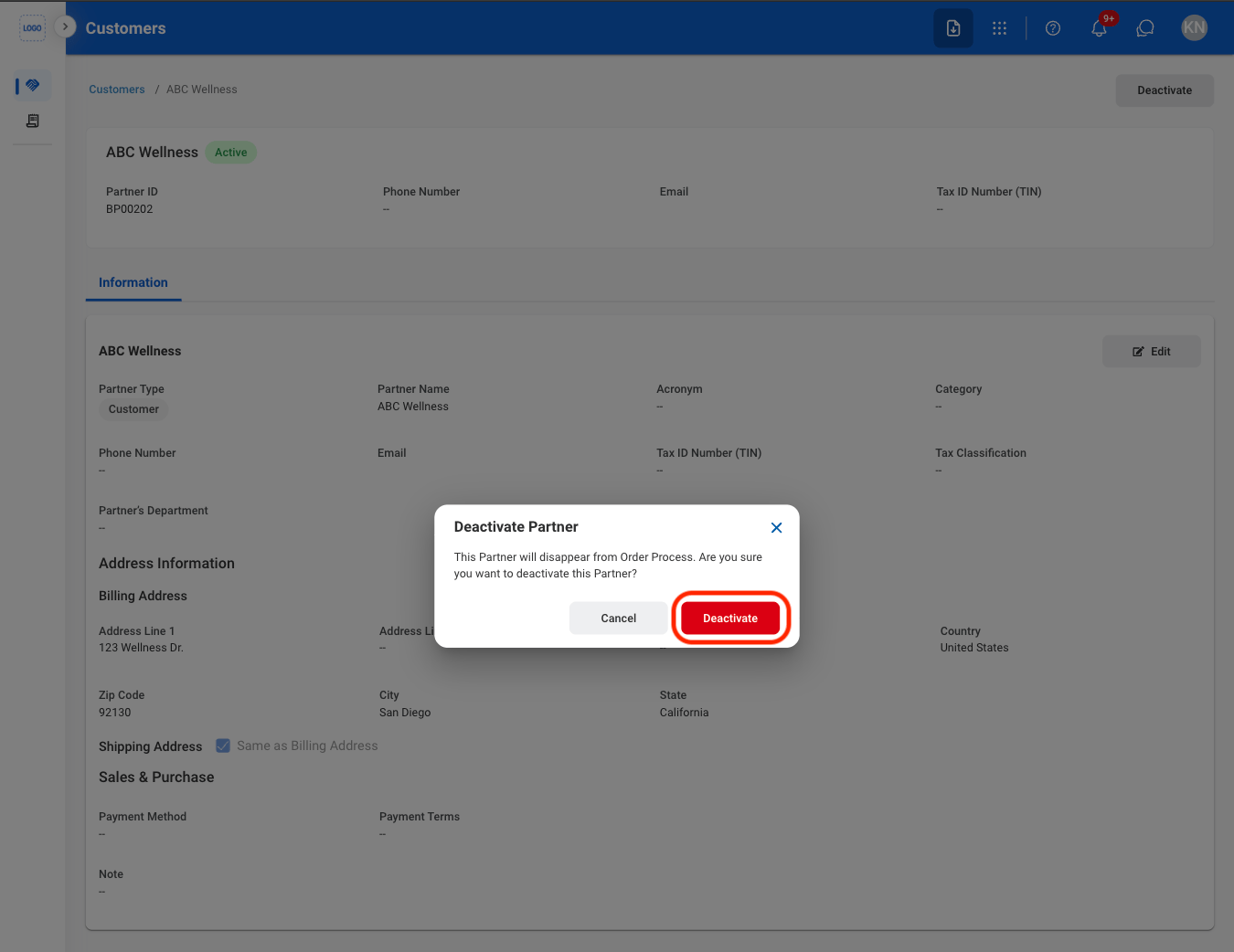
Delete a Customer
1
Select the delete icon
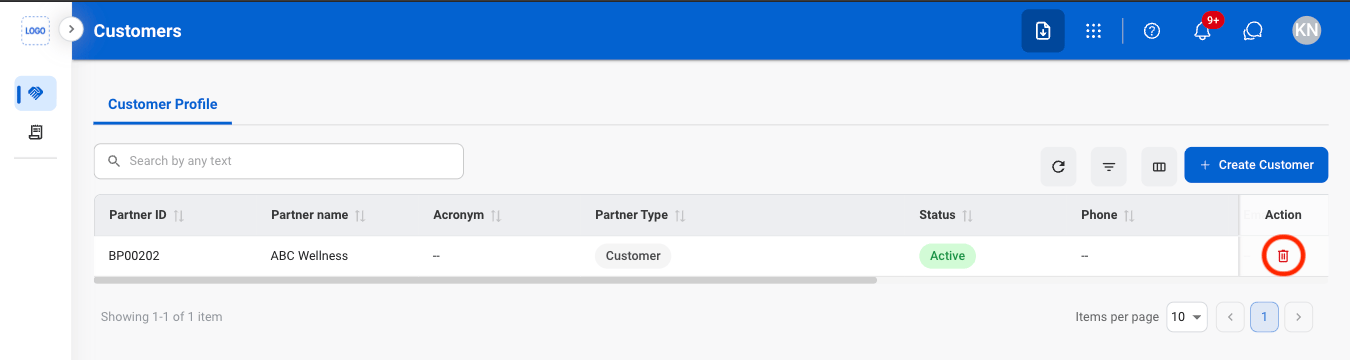
2
Confirm the action
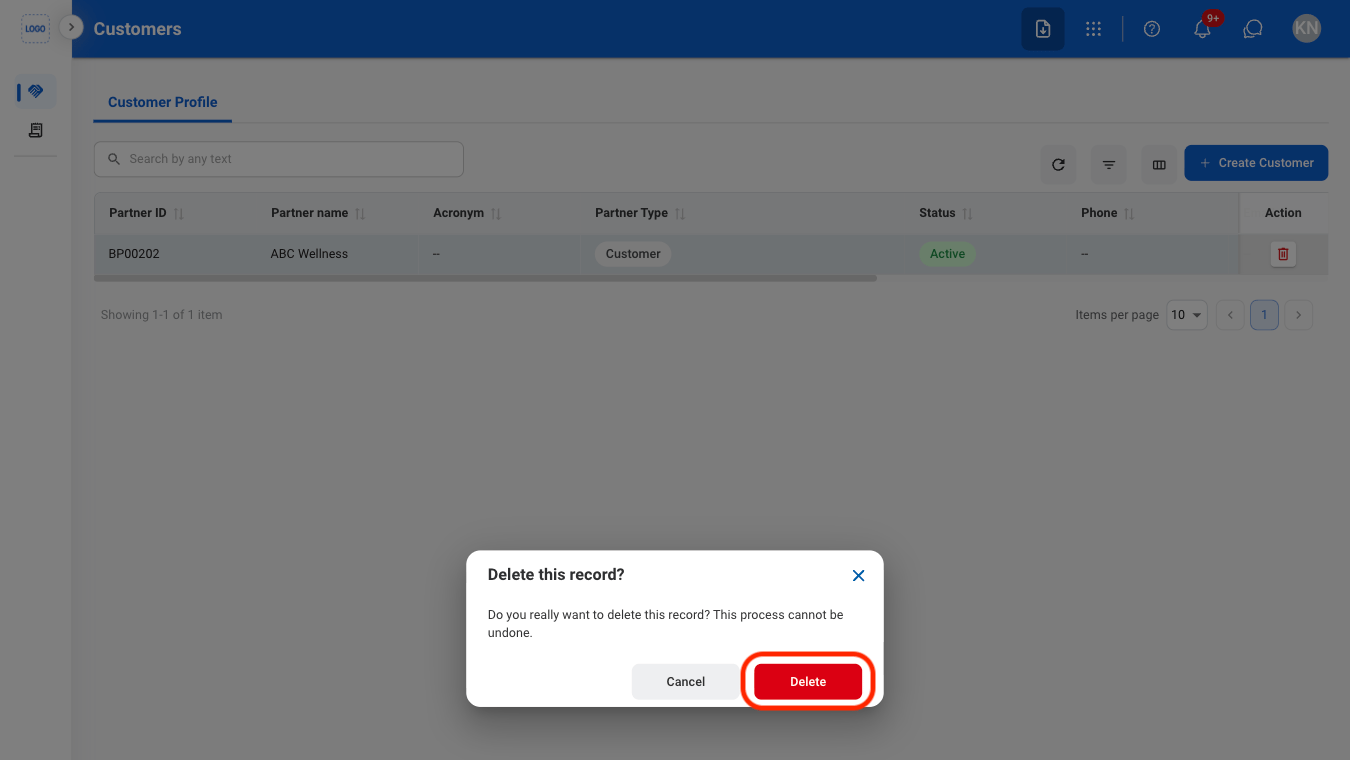
Navigate to Customers
Select Create Customer
Fill in the required information
Select a customer
Select Deactivate
Confirm the action
Select the delete icon
Confirm the action