Overview of the Inventory Management Module
The Inventory Management module provides tools to manage inventory, warehouse locations, stock movements, business partners, and inventory records. Supports inventory operations through warehouse management, inventory tracking, stock adjustments, transaction management, and inventory reporting.Key Features of the Inventory Management Module
Dashboard
View inventory metrics, stock levels, warehouse activity, and operational performance. Customize dashboard widgets to monitor inventory operations.
Warehouse Management
Manage warehouses and storage locations used to organize, store, and track inventory across the organization.
Inventory Items
Manage inventory items, product information, and stock records maintained within the inventory system.
Inventory Transactions
Record and monitor inventory movements, including inbound, outbound, and transfer transactions.
Inventory Adjustments
Manage inventory adjustments to correct stock discrepancies and maintain accurate inventory records.
Business Partners
Manage business partner information used for inventory-related transactions, including suppliers, customers, and other related parties.
Reports
Generate inventory reports to monitor stock levels, inventory movements, warehouse activity, and operational performance.
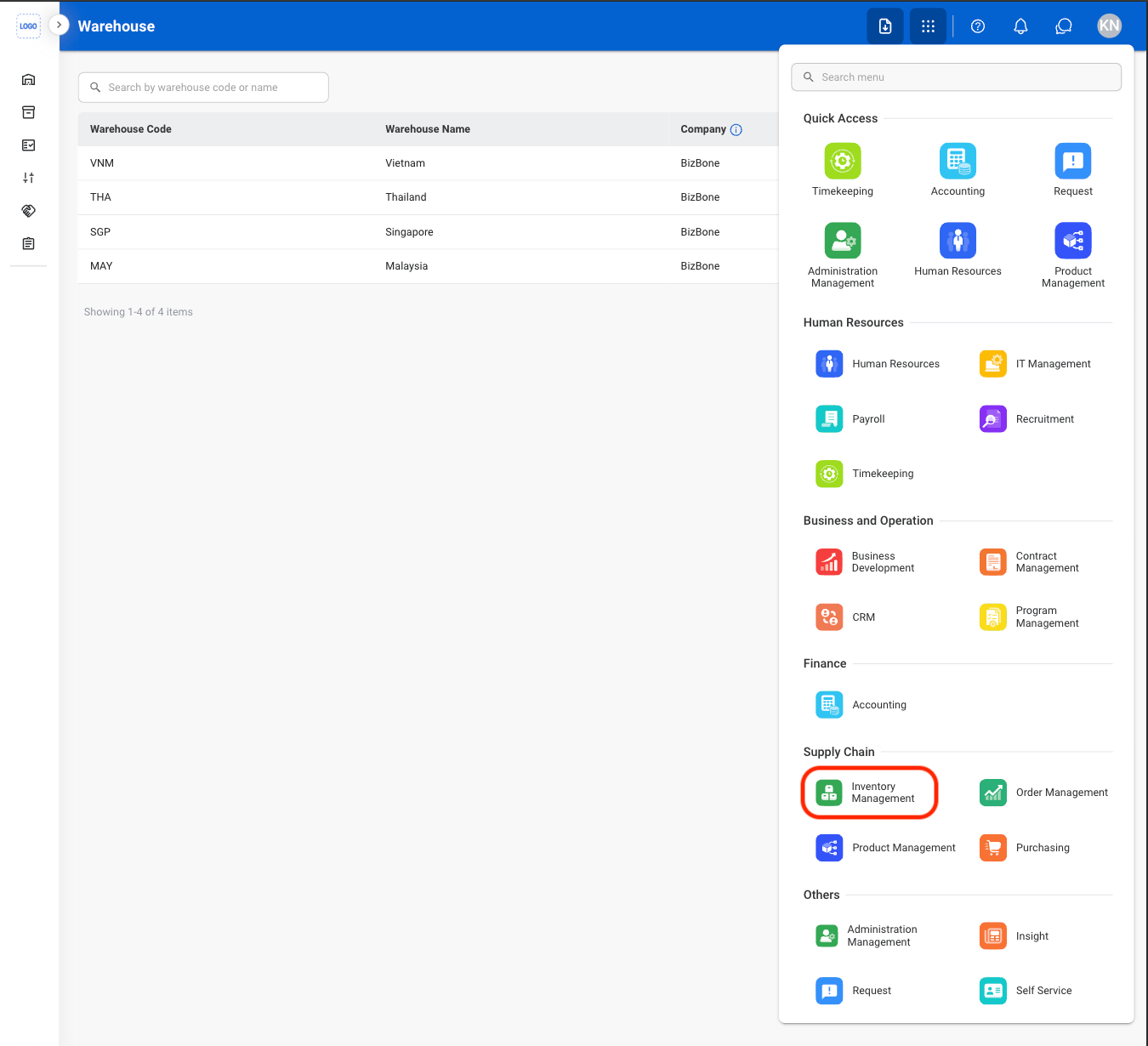
Module Access
1
Select the Module Menu icon

2
Select the Inventory Management Module