
Add a Task
Create and assign new tasks for tracking and completion.1
Navigate to Task List
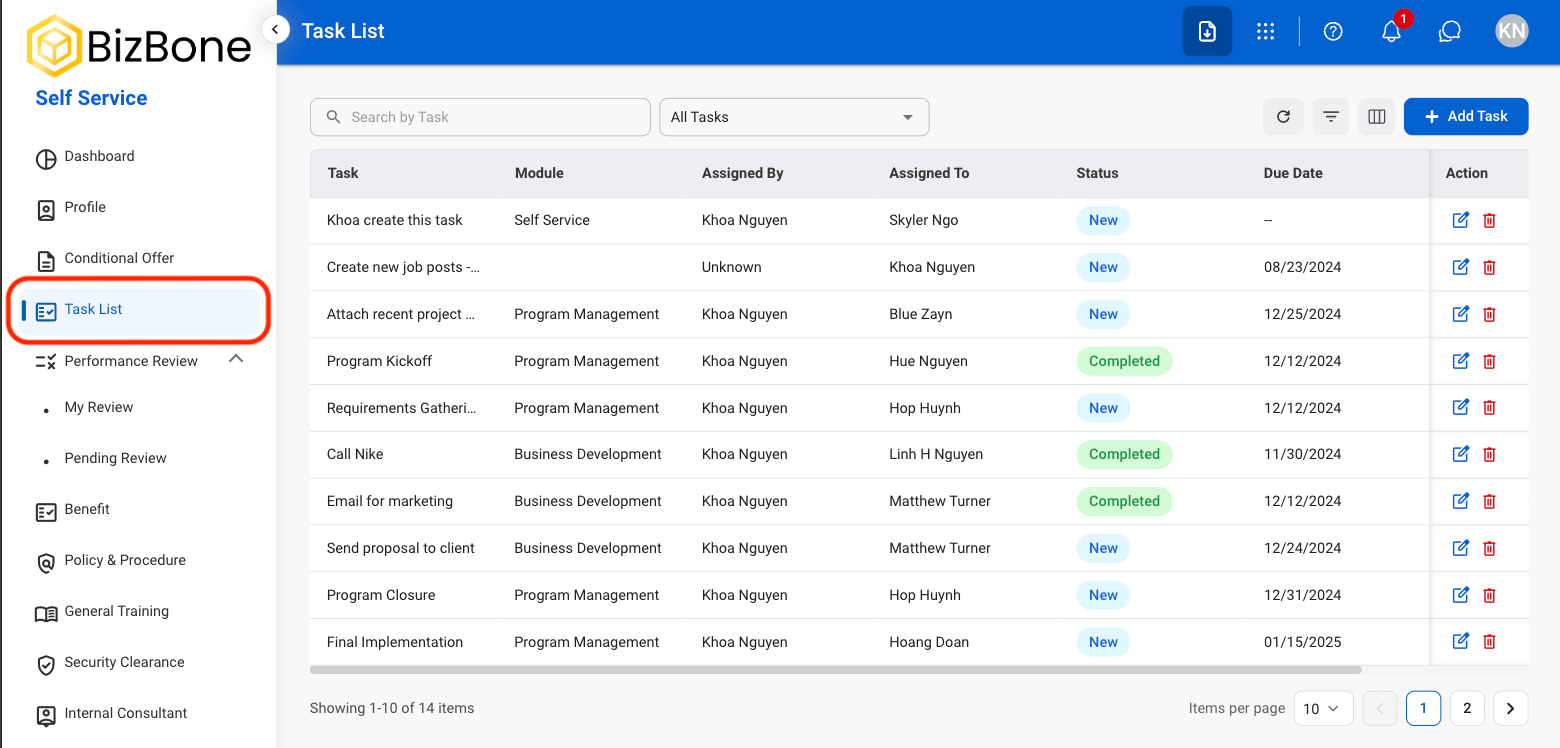
2
Select Add Task
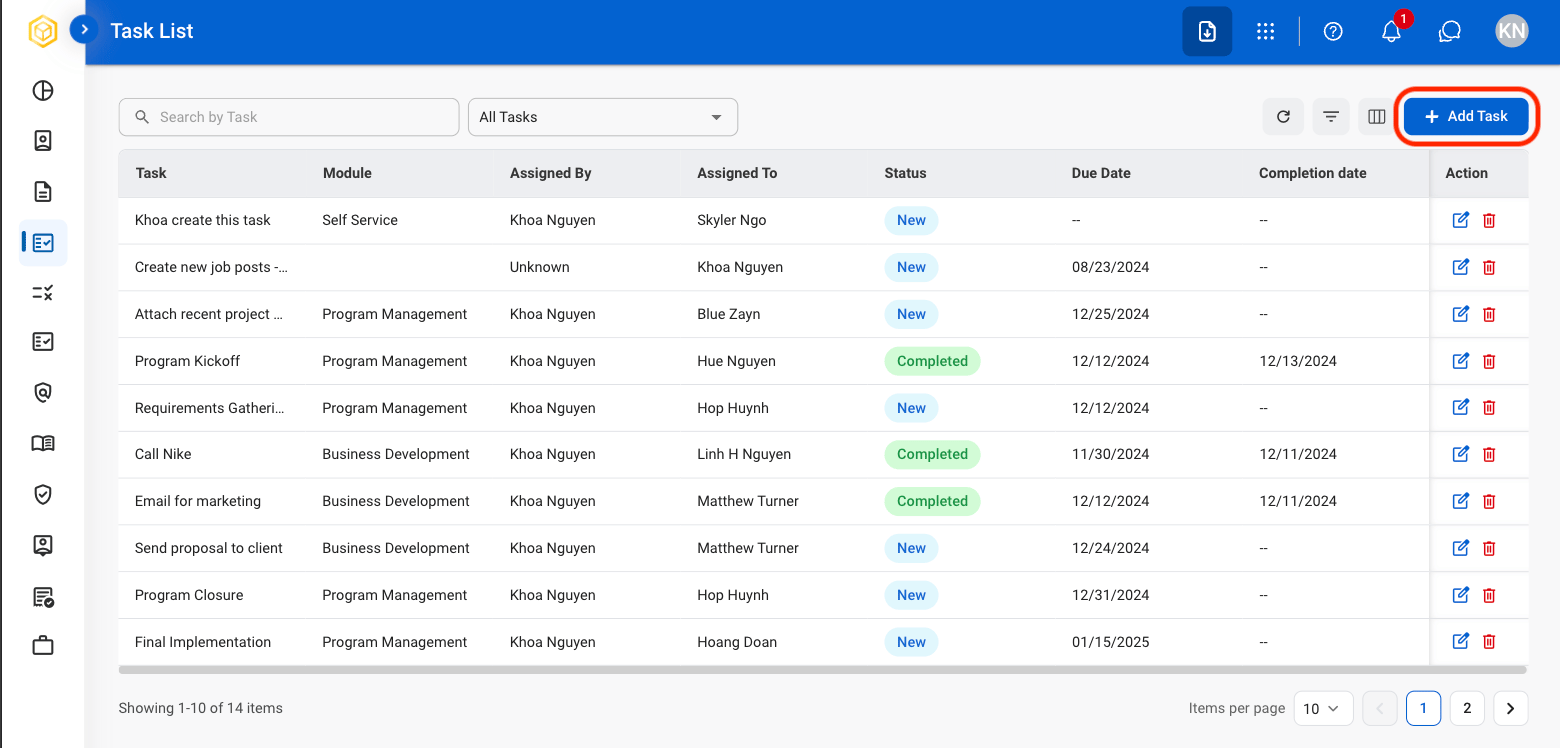
3
Fill in the required information

Modify a Task
1
Select the Edit or Delete icon in the Action column
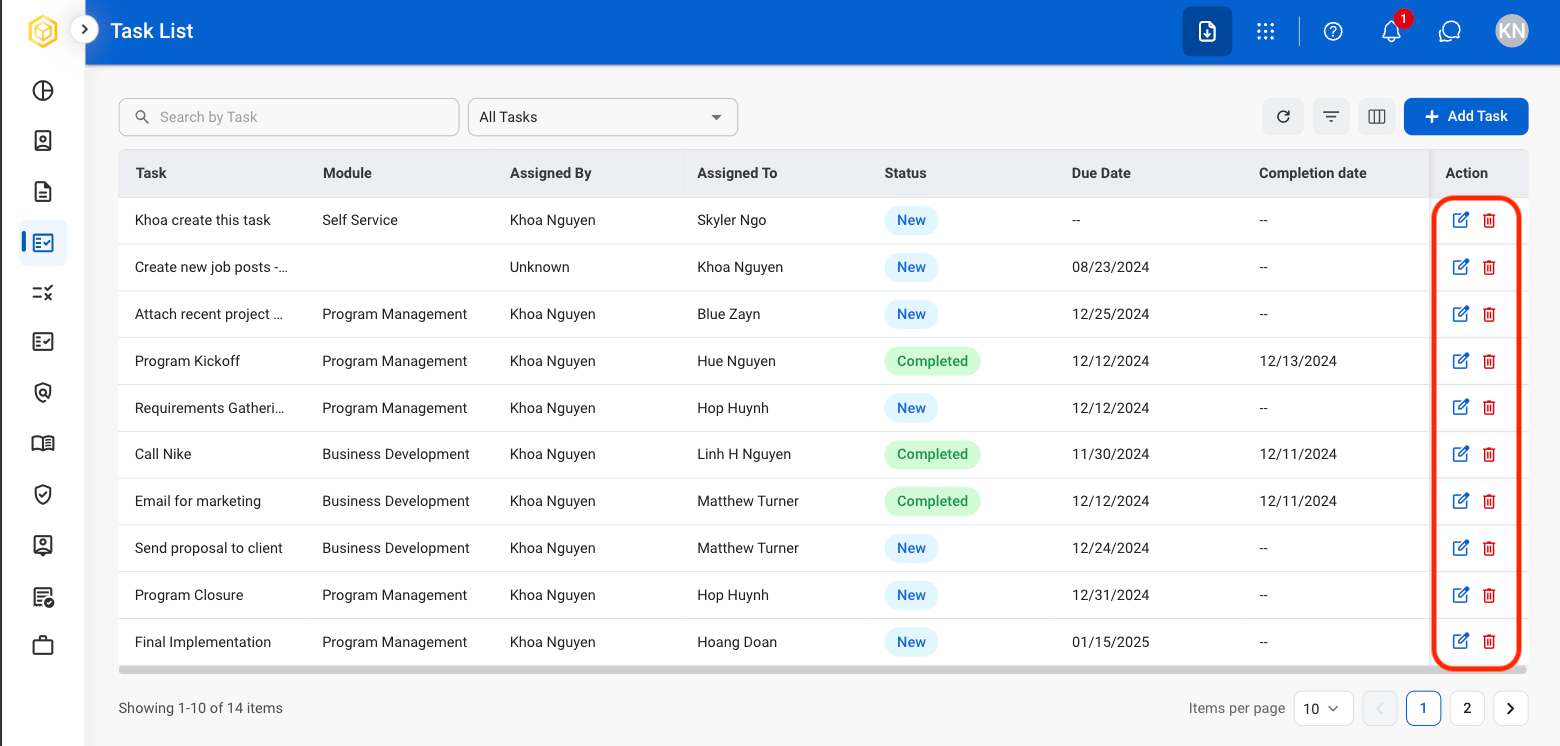
2
Confirm action
- Edit: Fill in the required information and select Save to complete or Cancel to exit without saving changes.
- Delete: Select Delete to complete or Cancel to exit without saving changes.
Task List Actions
Search
Use the search bar to enter a manual search. Use the dropdown list to view by All Tasks, Assigned Tasks, or My Tasks.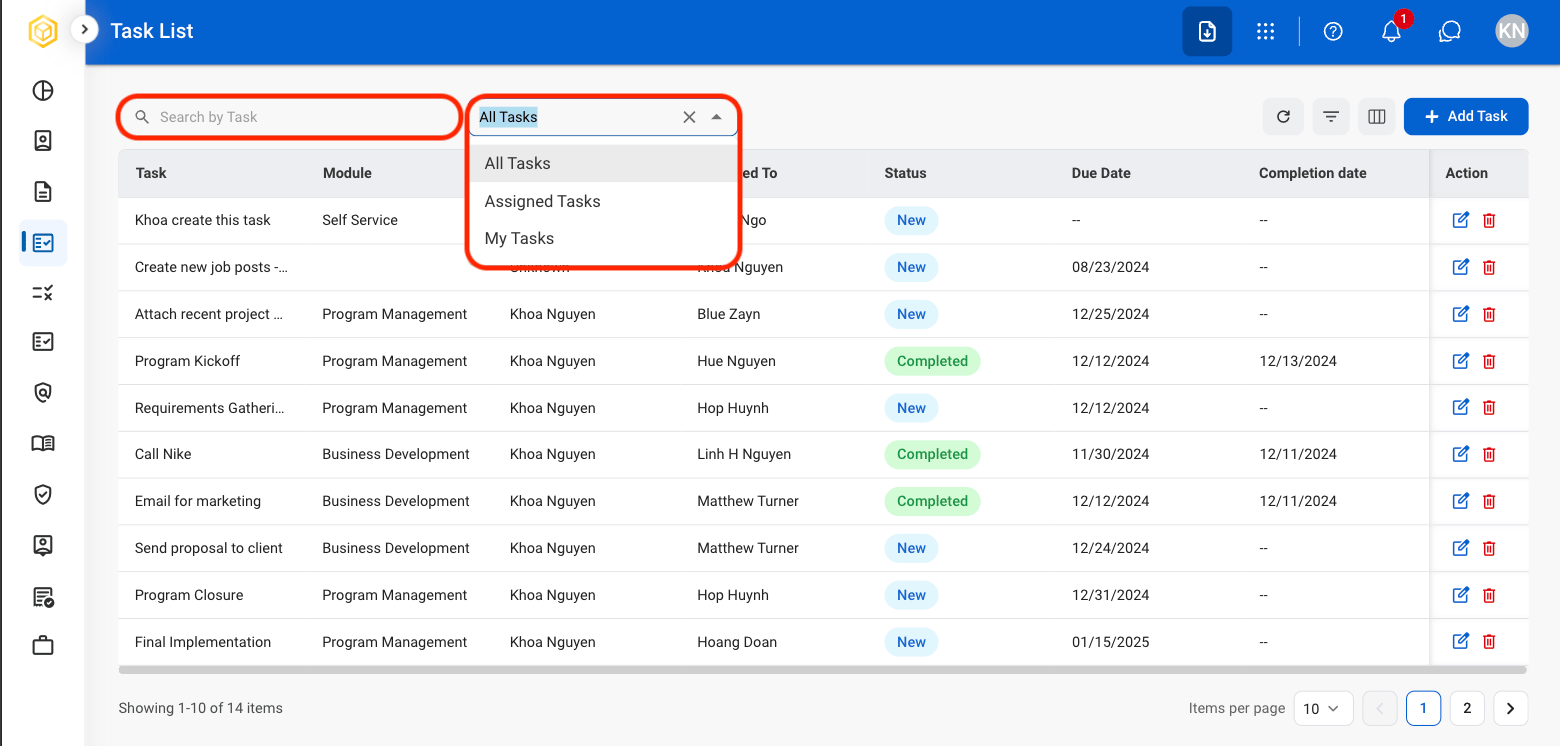
Refresh
Select the Refresh icon to update the task list.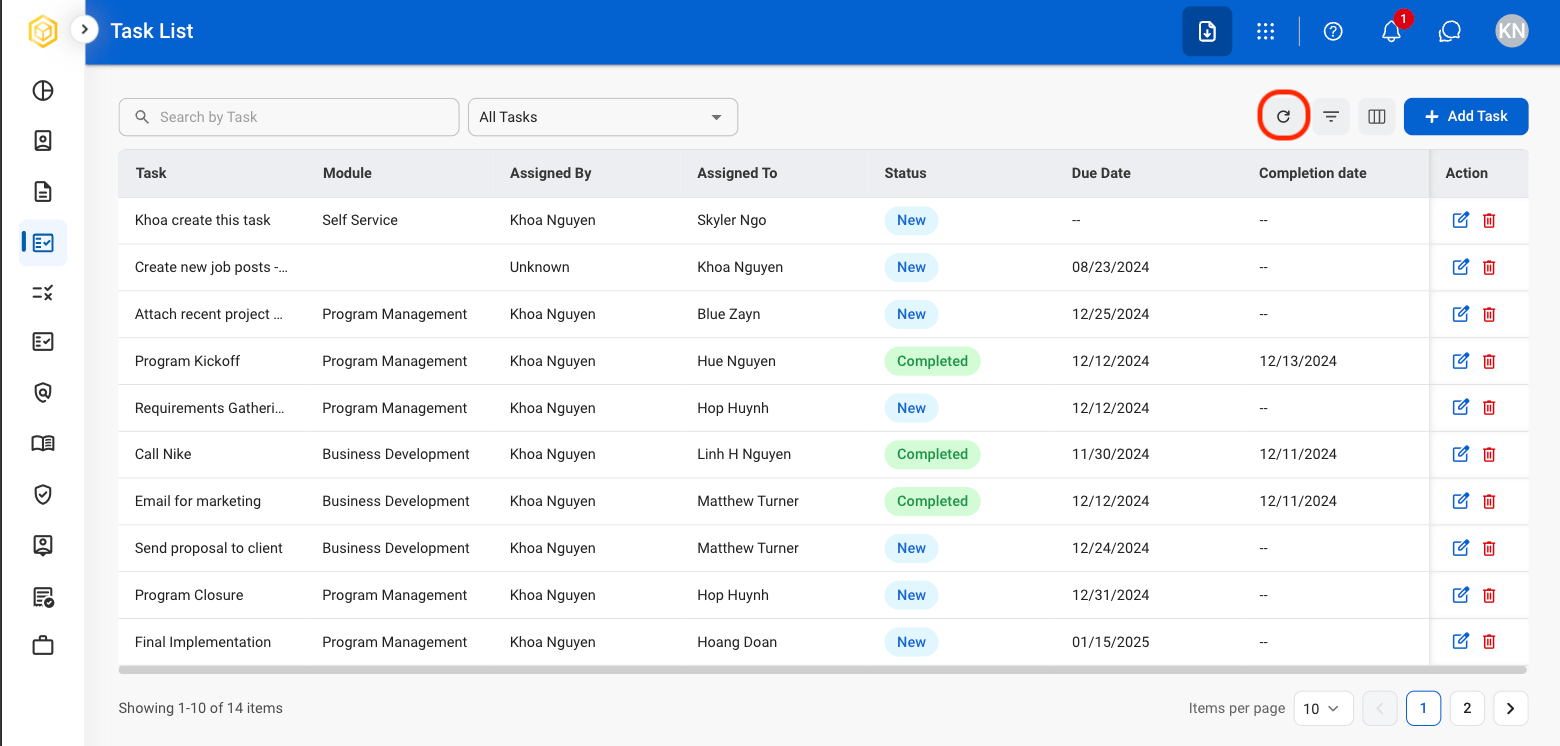
Filter
Select the Filter icon to filter results by assignee and status.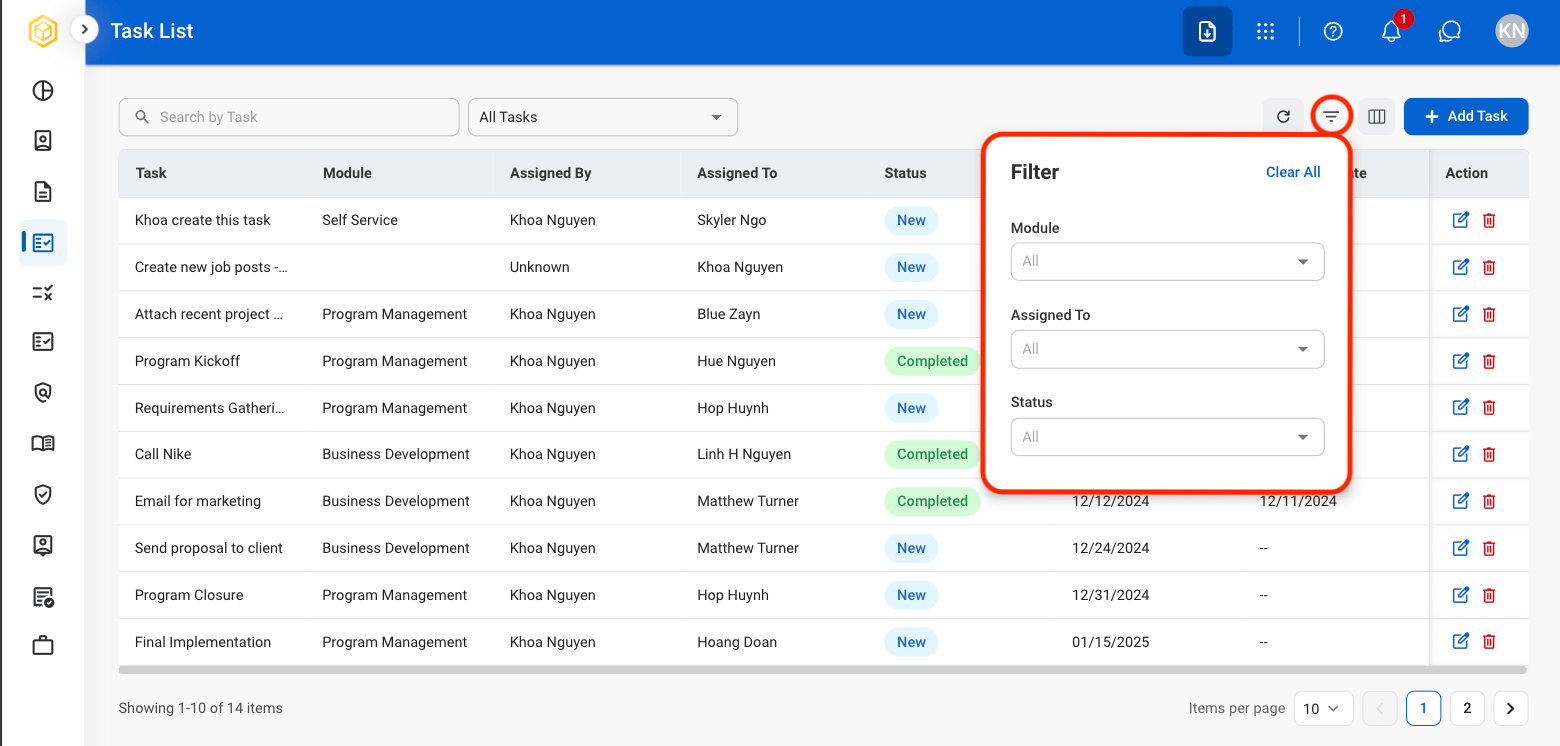
Column
Select the Column icon to toggle view of desired columns in task list. Select Show All to select all columns at once.