Offer Status: Draft
The following actions are only available when Candidate Offer Status is in Draft.Edit a Candidate’s Offer
Make changes to an offer before it is sent to the candidate.1
Select a candidate profile
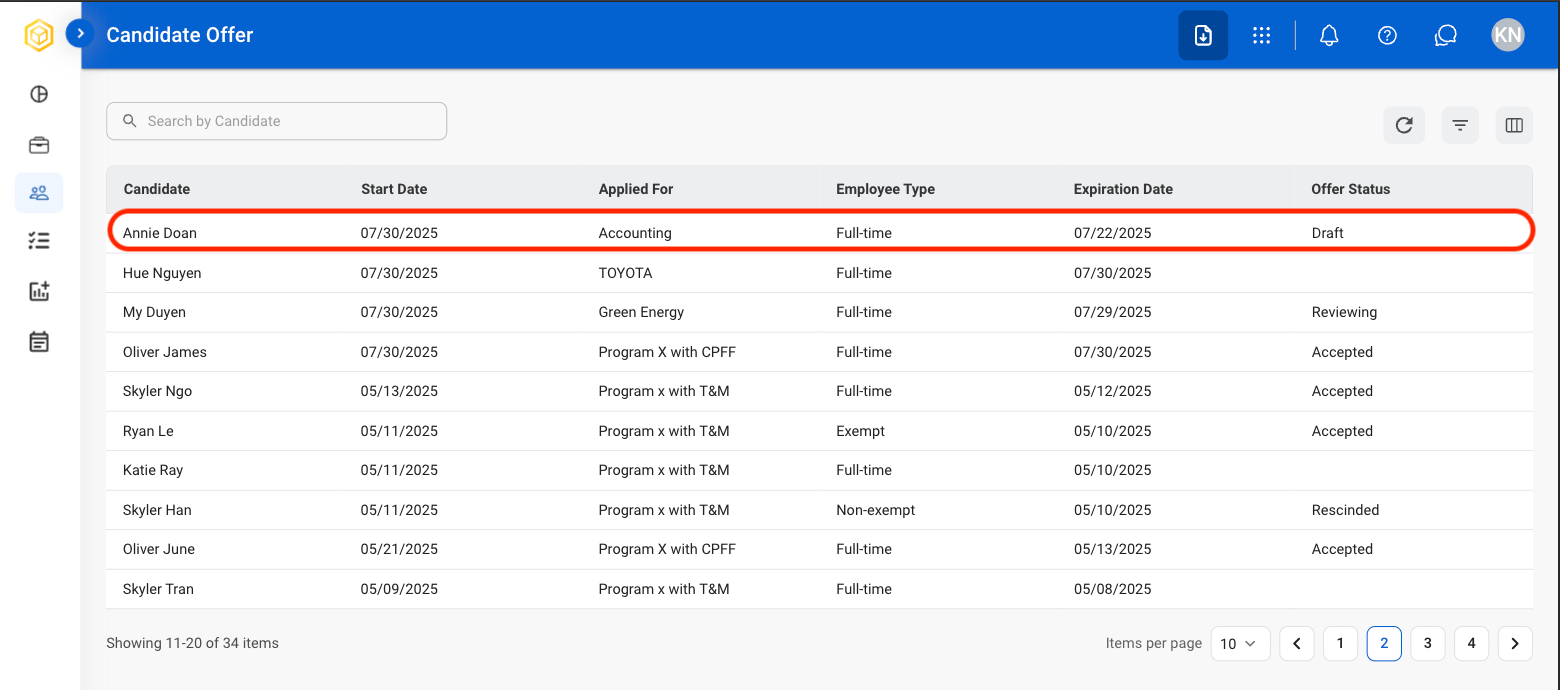
Candidate Offer Status must be Draft in order to edit.
2
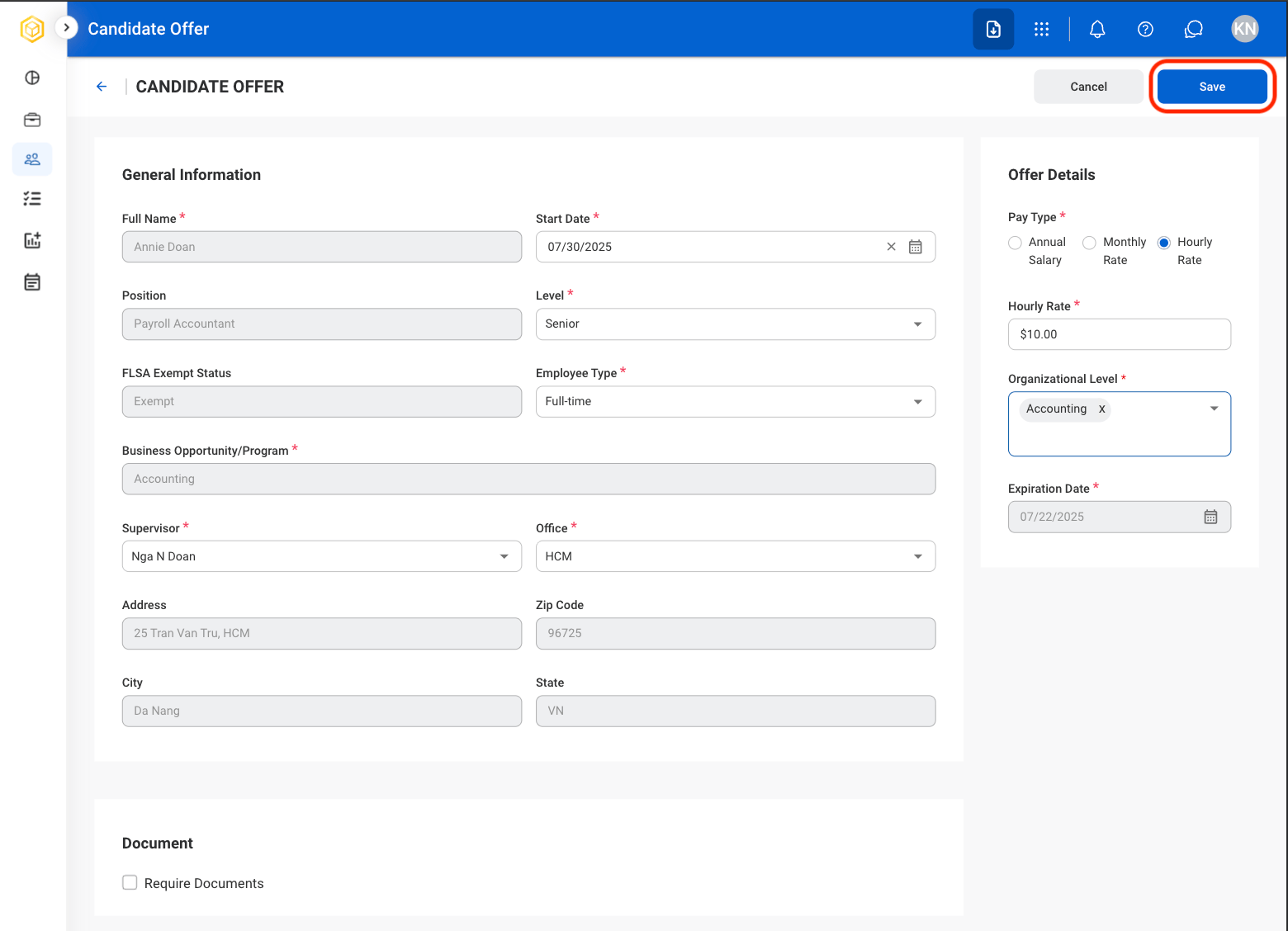
Select Edit

3
Fill in the required information
Submit a Candidate’s Offer
Move a candidate forward in the hiring process by sending their profile to HR.1
Select a candidate profile
Candidate Offer Status must be Draft to Submit.
2
Select Submit

3
Confirm the selection

Once completed, this action cannot be undone.
Remove a Candidate from Recruitment
Permanently remove the candidate from the recruitment process. The candidate will not be sent to HR or considered for the position.1
Select a candidate profile
Candidate Offer Status must be Draft to Discard.
2
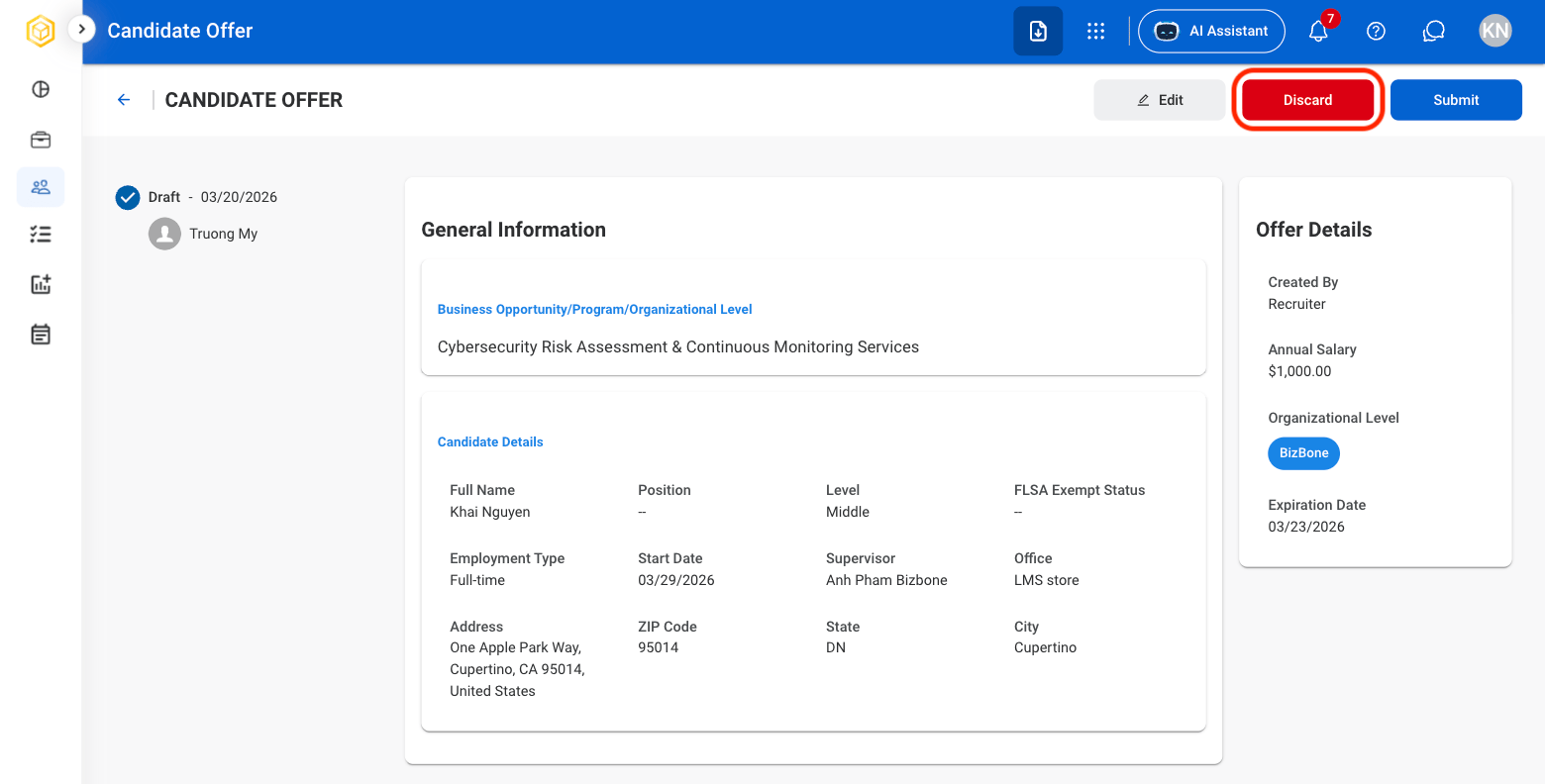
Select Discard
3
Confirm the selection

Once completed, this action cannot be undone.
Offer Status: Sent to Candidate
The following actions are only available once the candidate has been sent an offer letter.Offer Accepted by Candidate
Move a candidate forward in the hiring process by confirming their offer acceptance.1
Select a candidate profile
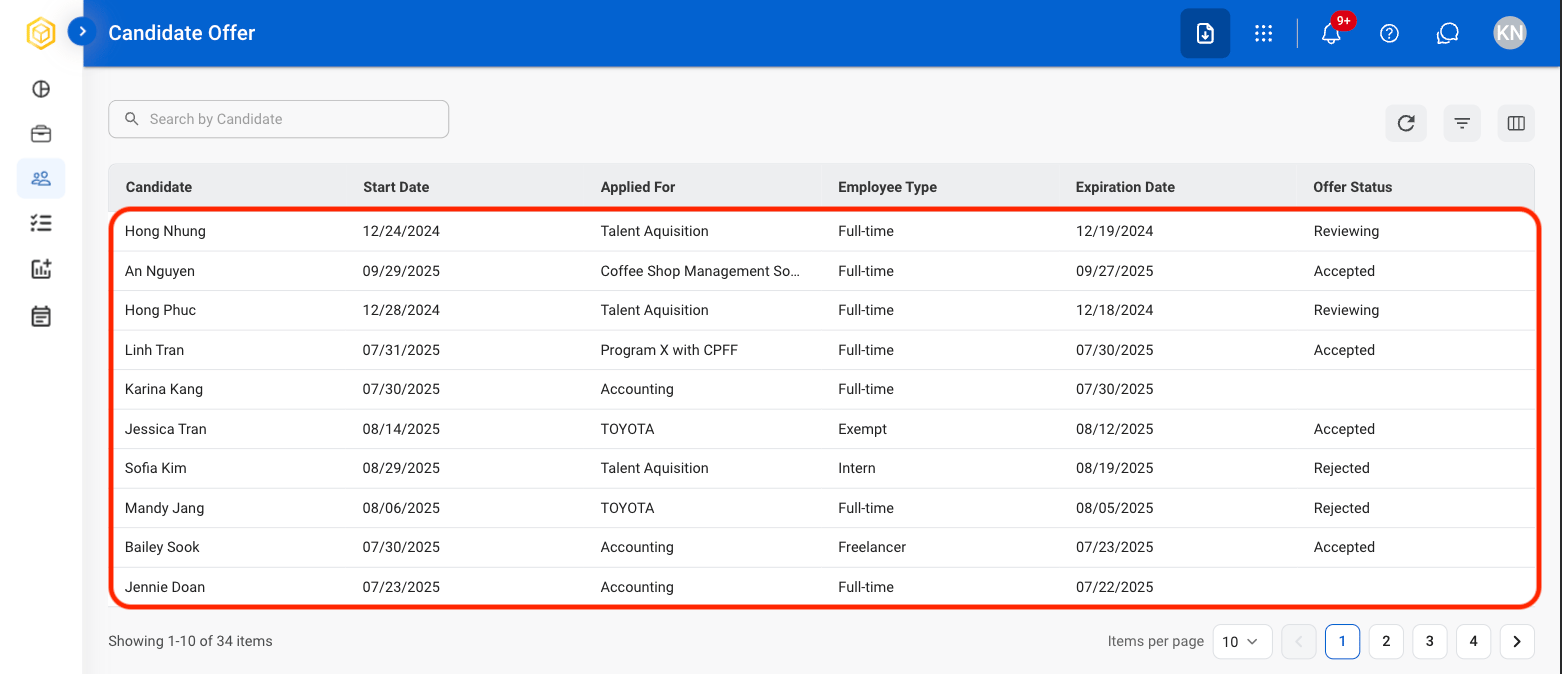
Candidate Offer Status must be Sent to Candidate in order to Accept, Reject, or Rescind.
2
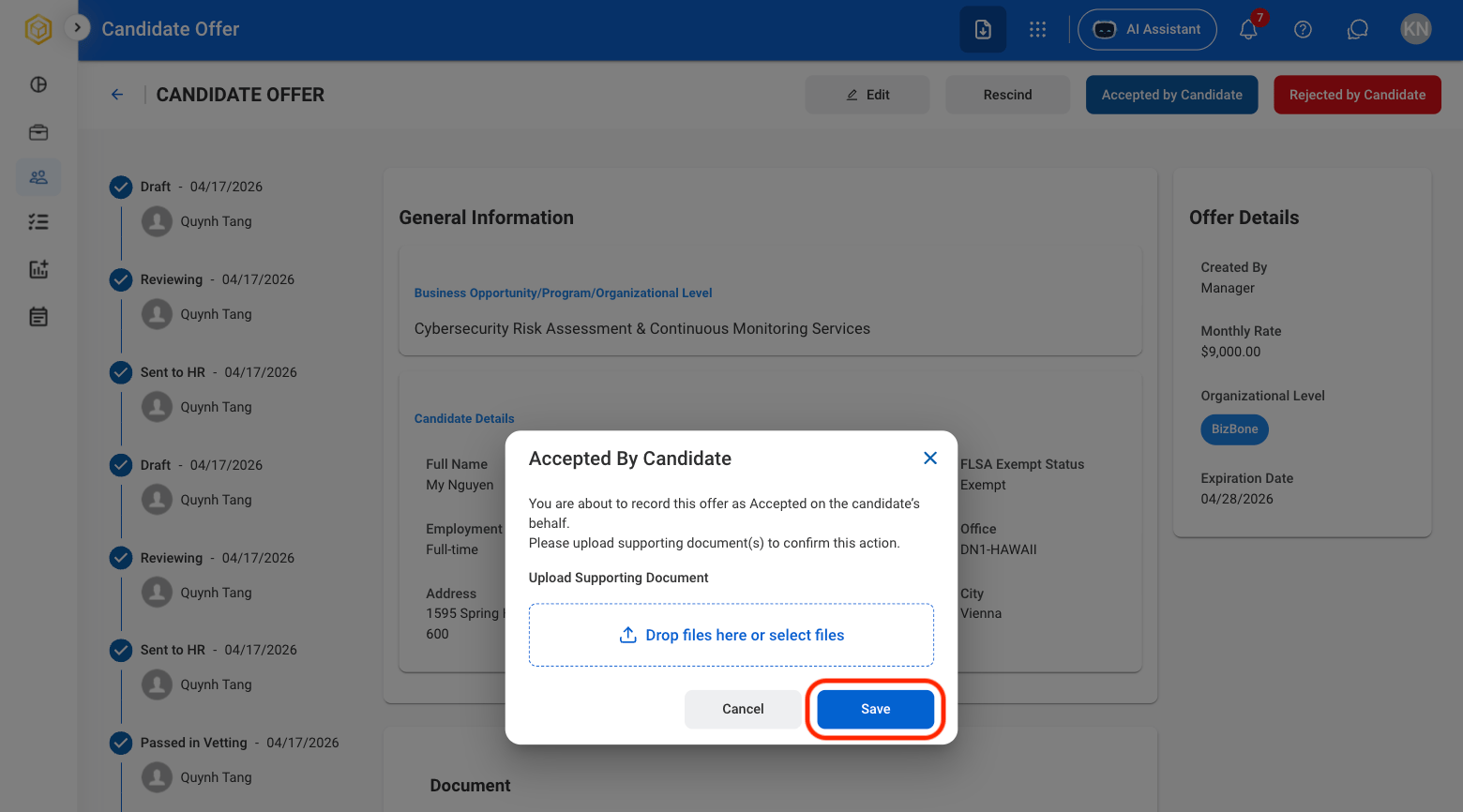
Select Accepted by Candidate

3
Upload supporting document(s).
Offer Rejected by Candidate
Record that the candidate has declined the employment offer.1
Select a candidate profile
Candidate Offer Status must be Sent to Candidate in order to Accept, Reject, or Rescind.
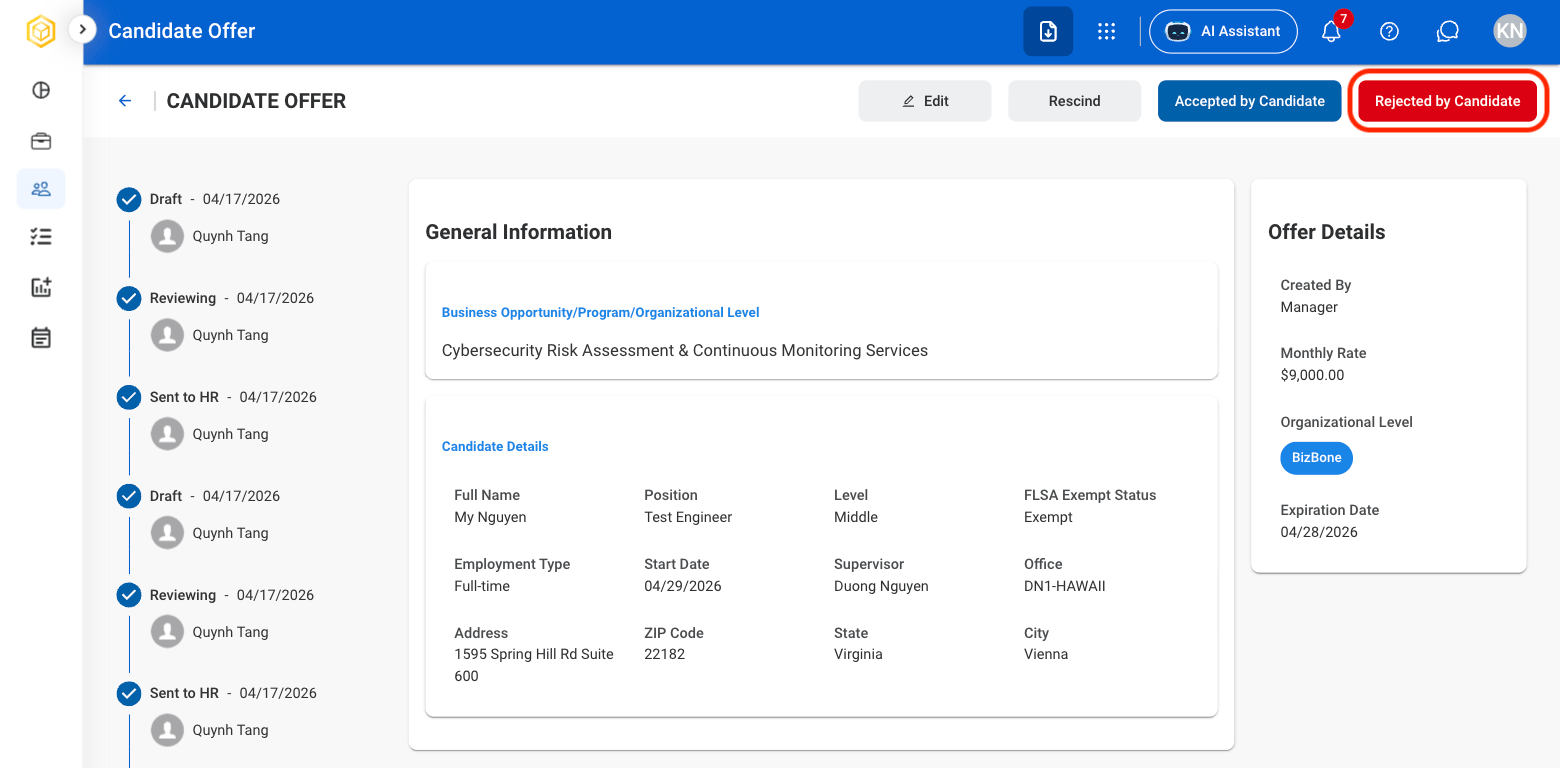
2
Select Rejected by Candidate
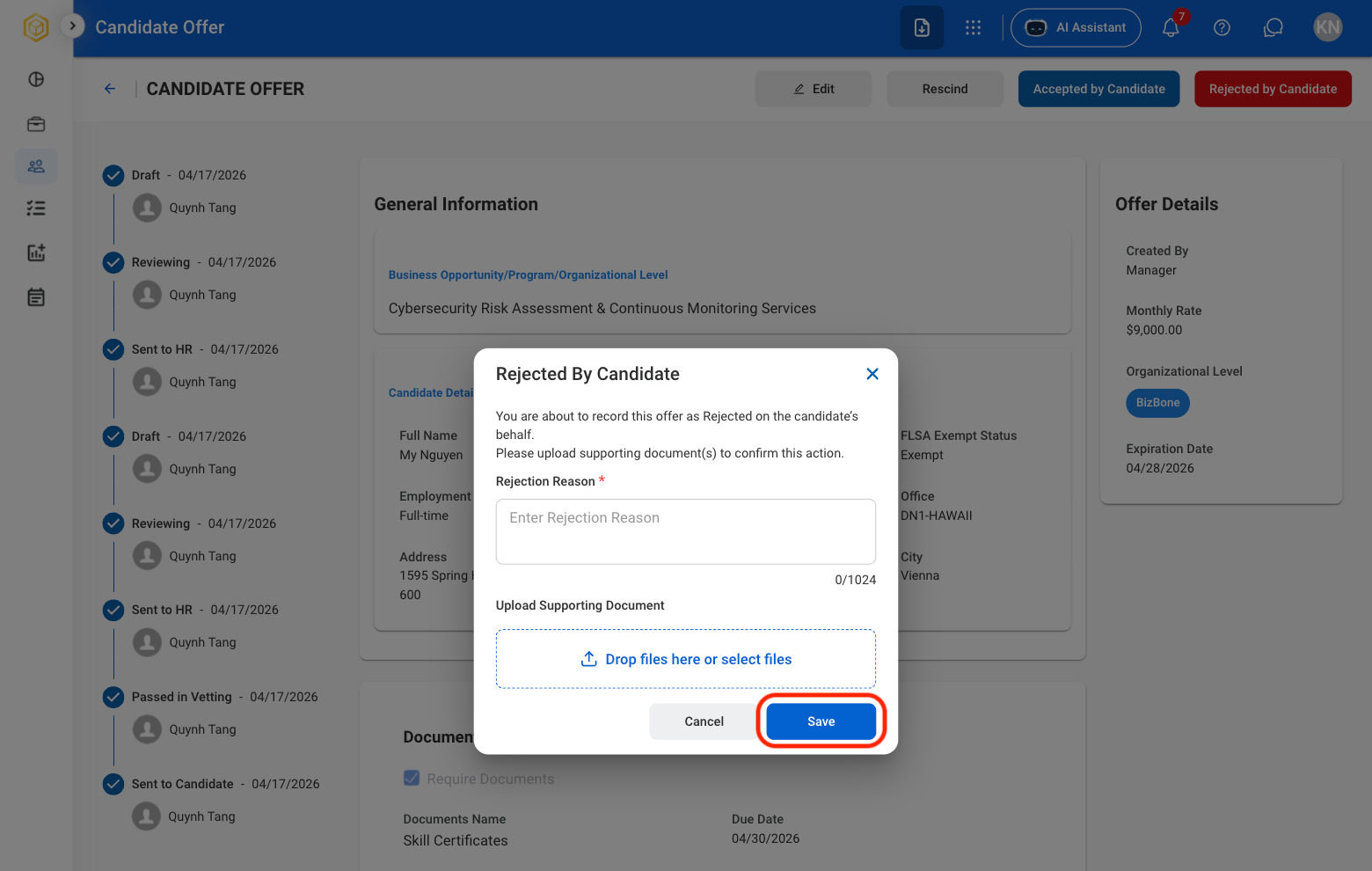
3
Upload rejection reason and supporting document(s).
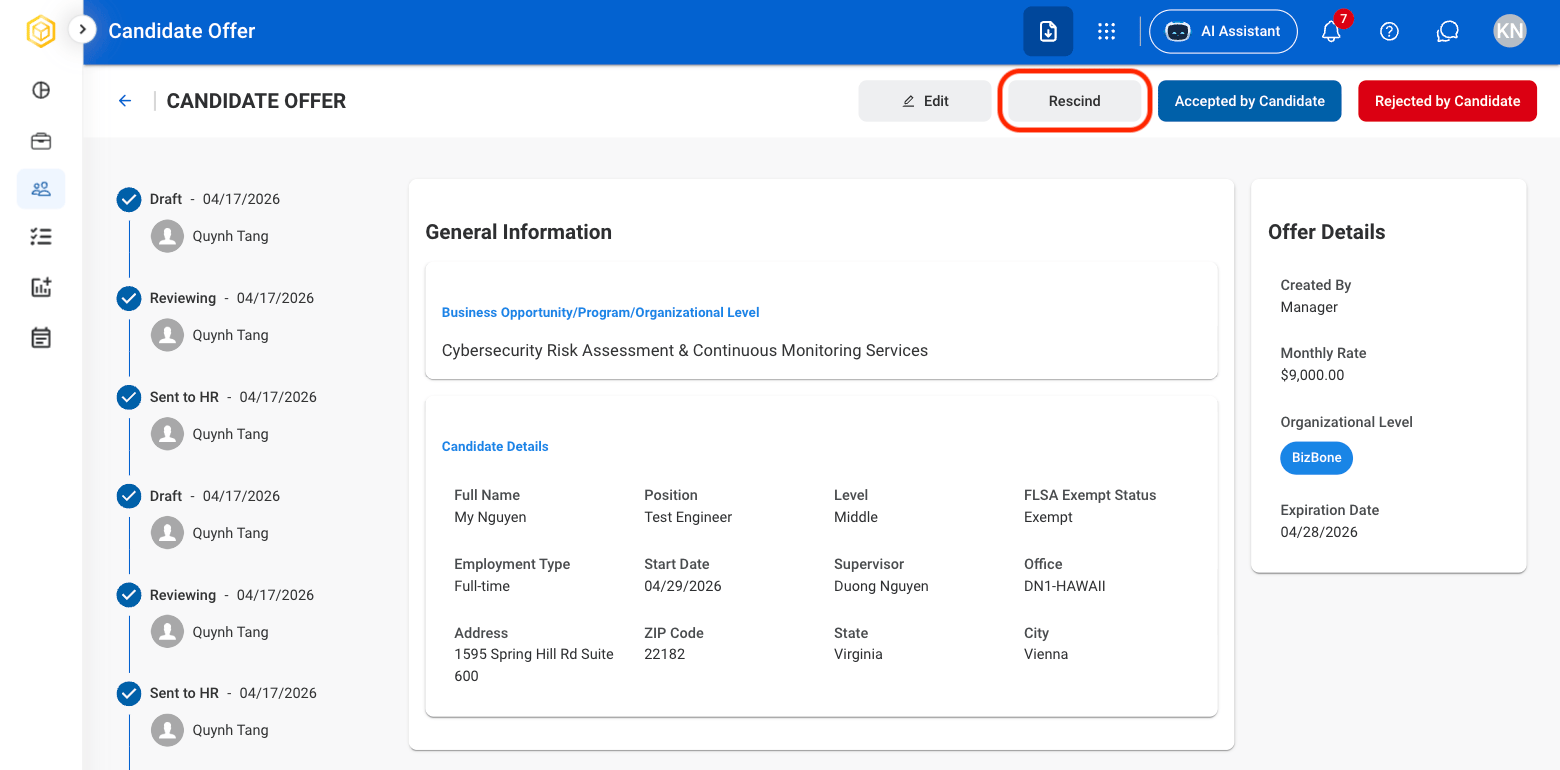
Rescind an Offer
Withdraw the employment offer and discontinue the offer process.1
Select a candidate profile
Candidate Offer Status must be Sent to Candidate in order to Accept, Reject, or Rescind.
2
Select Rescind
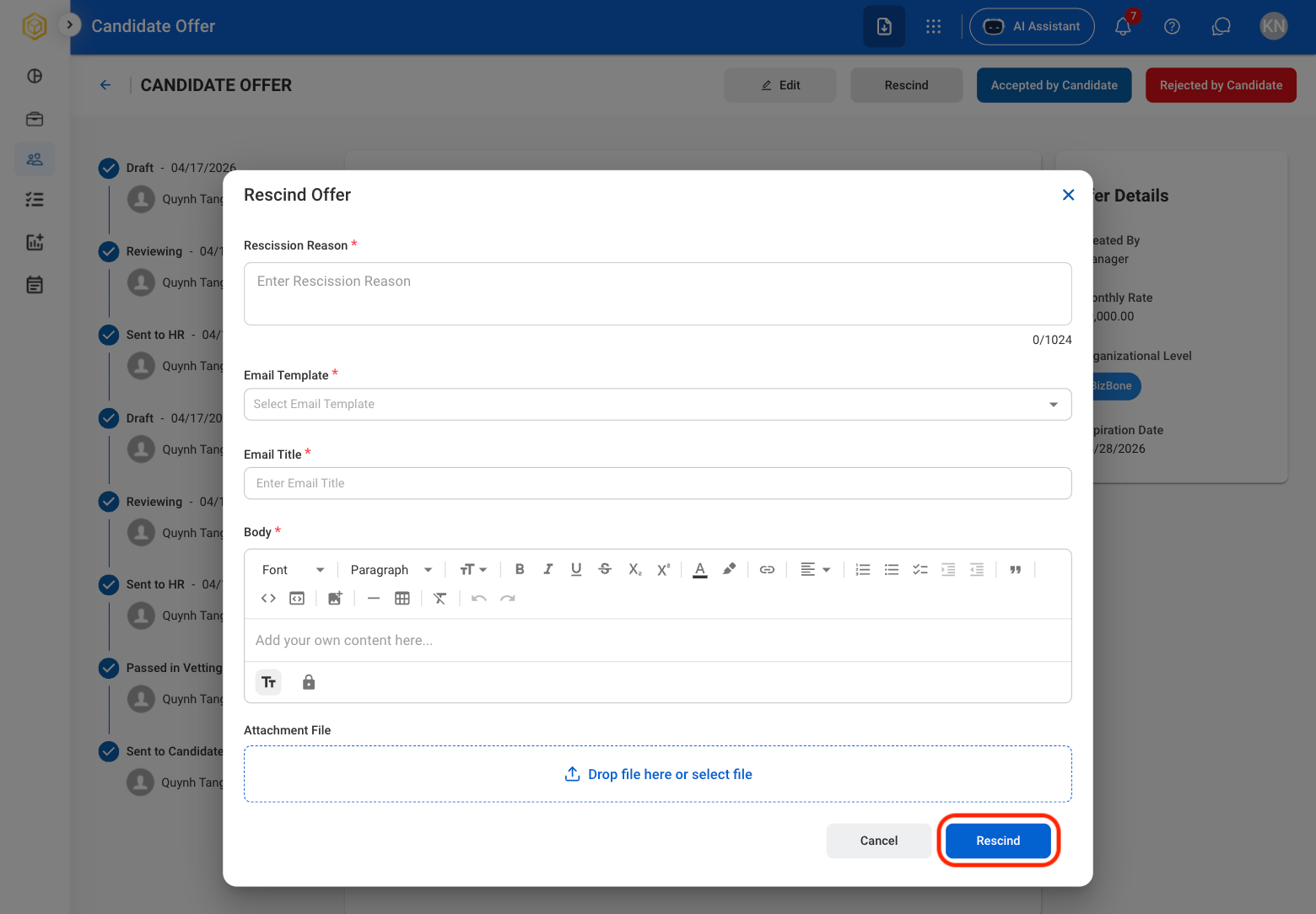
3
Fill in the required information