
View Timecard
1
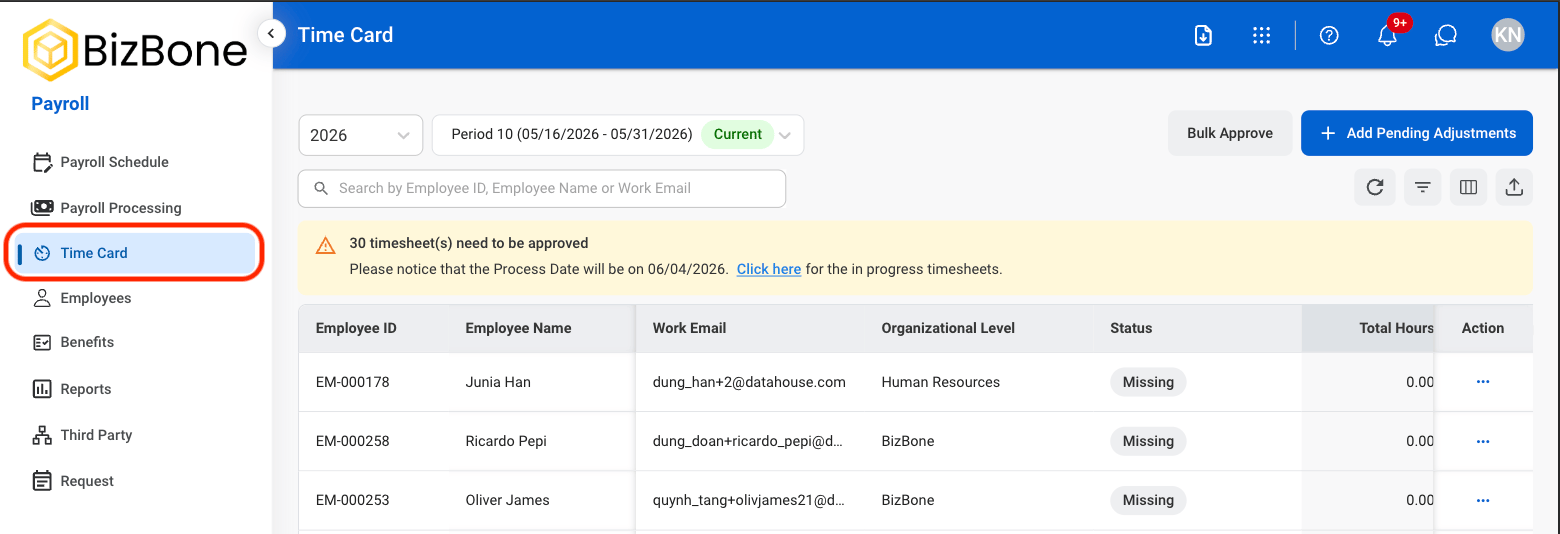
Navigate to Timecard
2
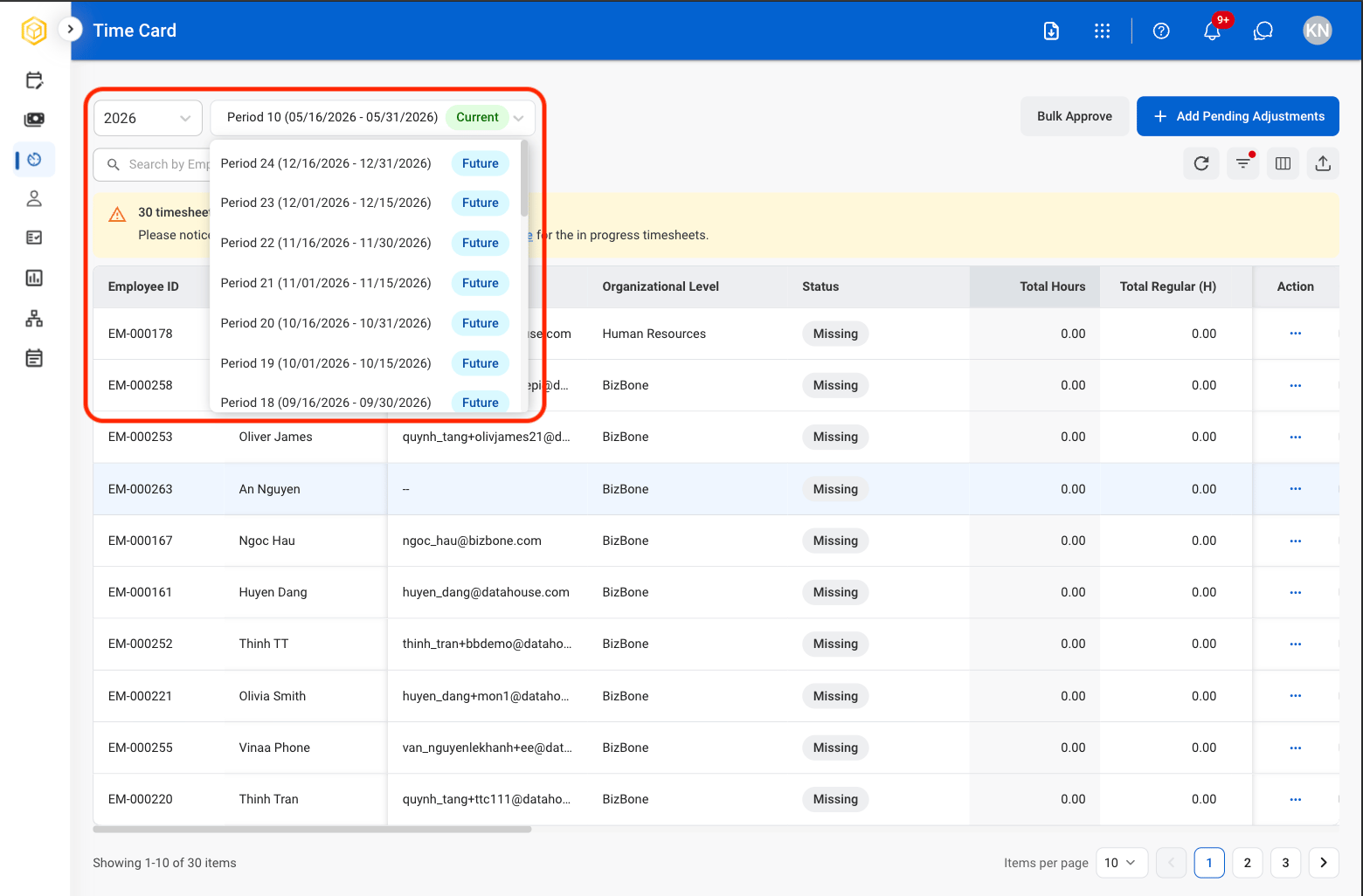
Select a time period
3
Select View Timesheet under the Action column

Add Pending Adjustments
Review and process pending timecard adjustment requests submitted by employees for payroll correction and approval.1
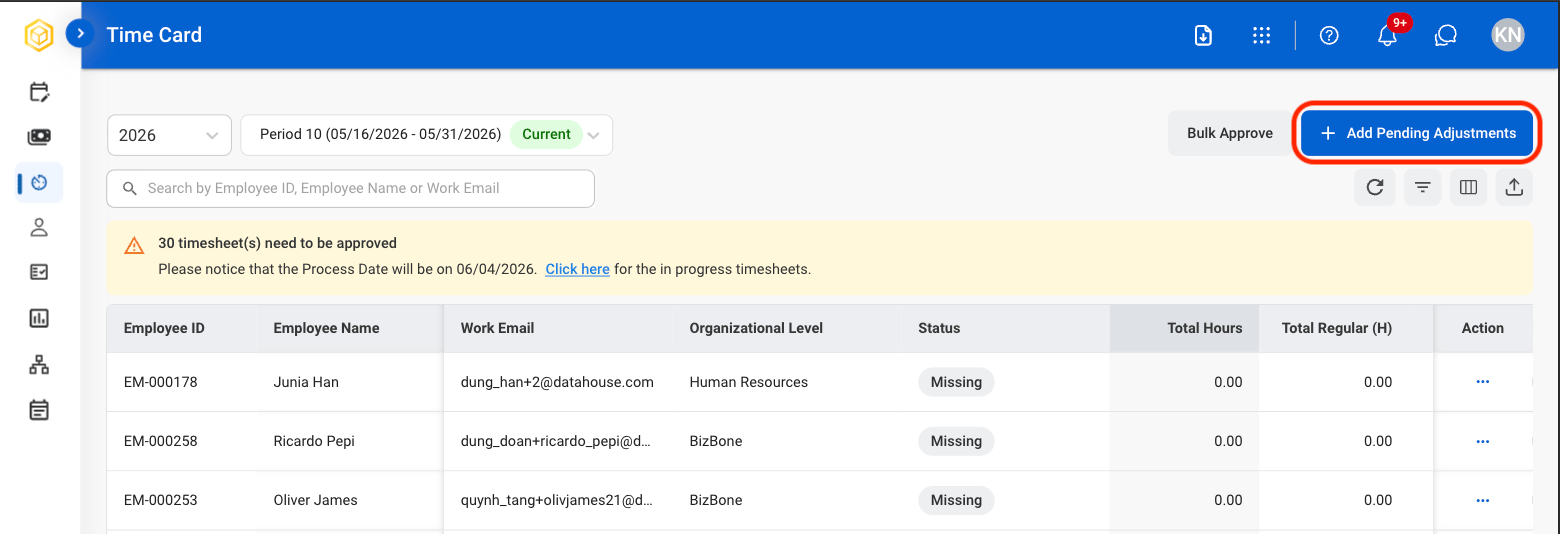
Select Add Pending Adjustments
2
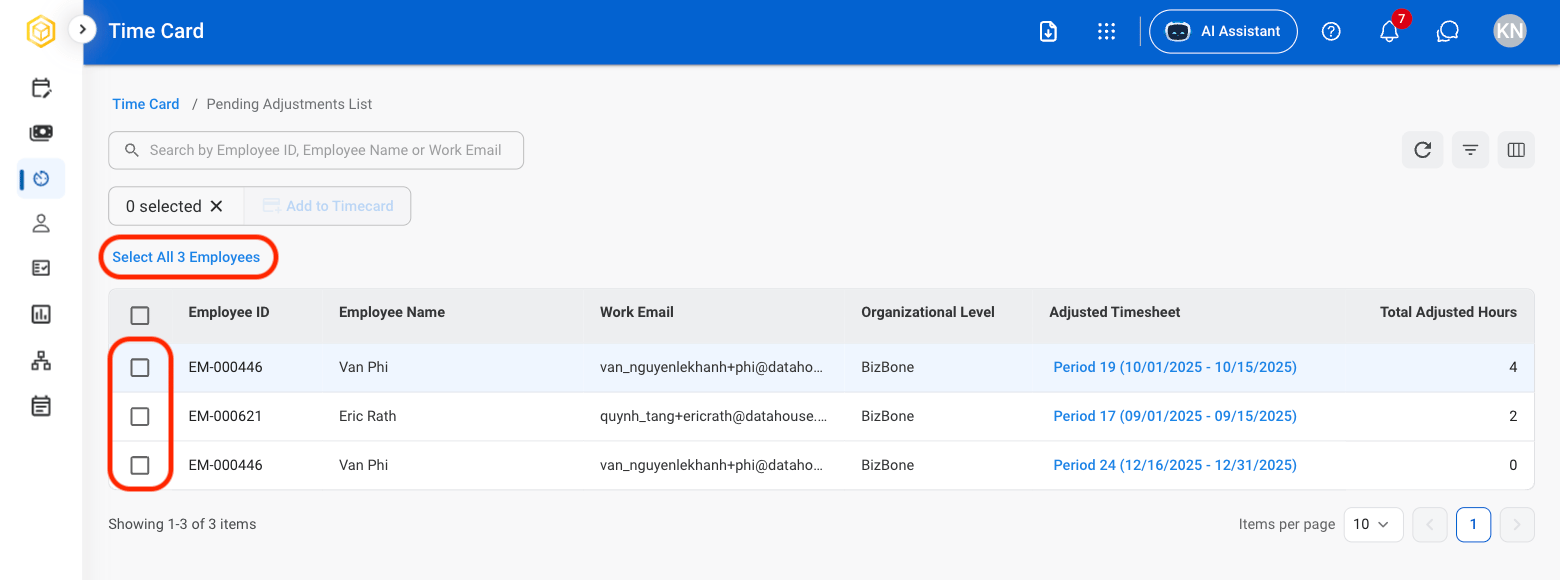
Select employee(s)
3
Select Add to Timecard
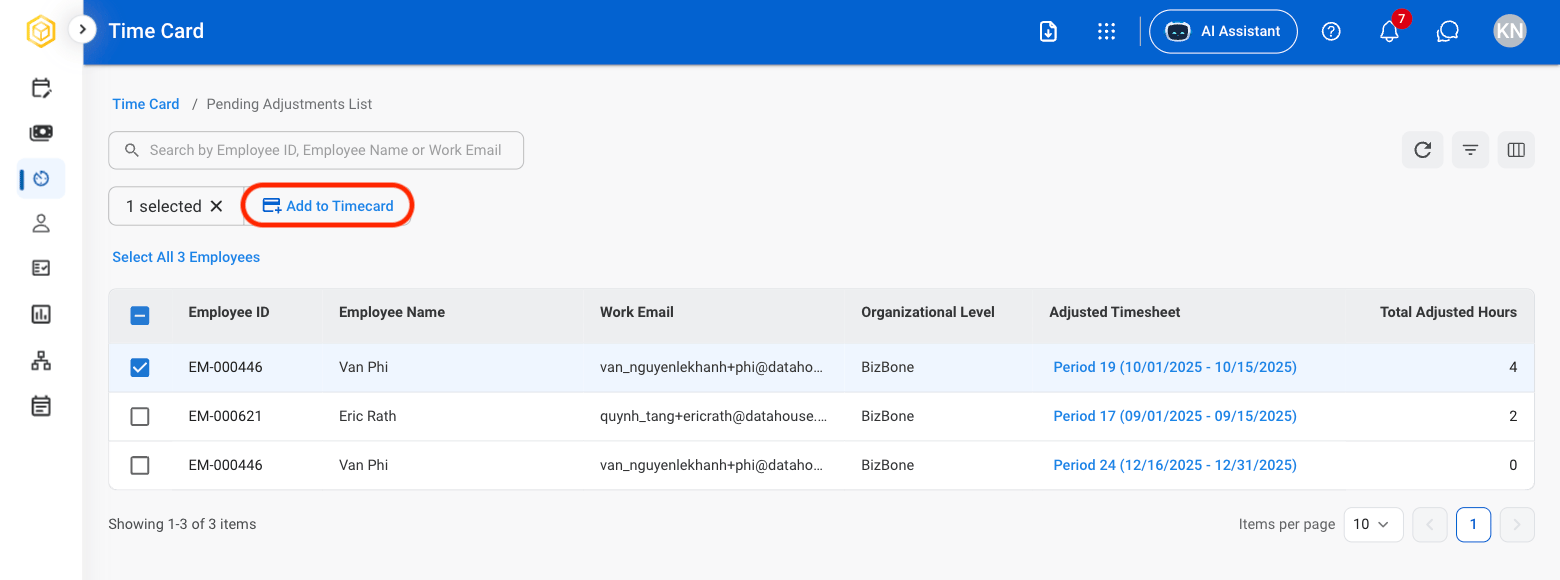
4
Select the time period
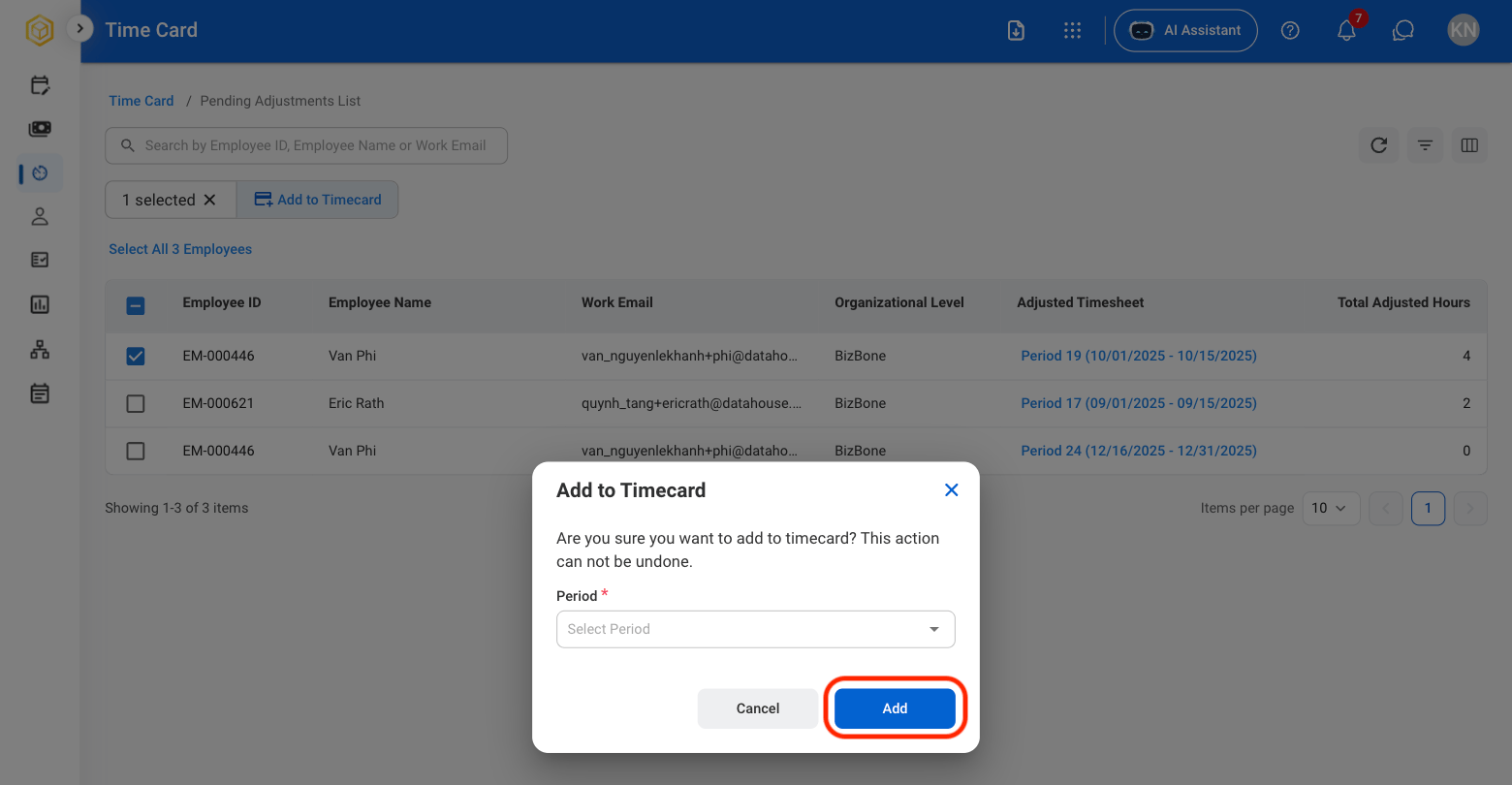
Once employee(s) are added to a timecard, the action cannot be undone.