
View Third Party Information
1
Navigate to Third Party

2
Select third party
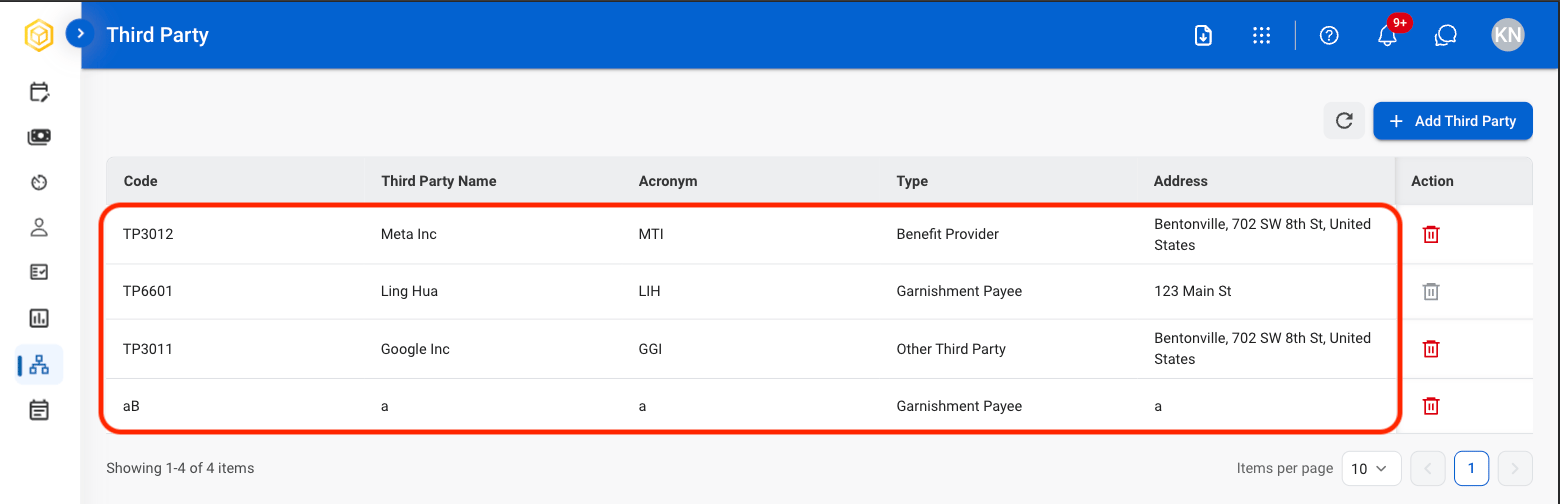
Add Third Party
1
Select Add Third Party
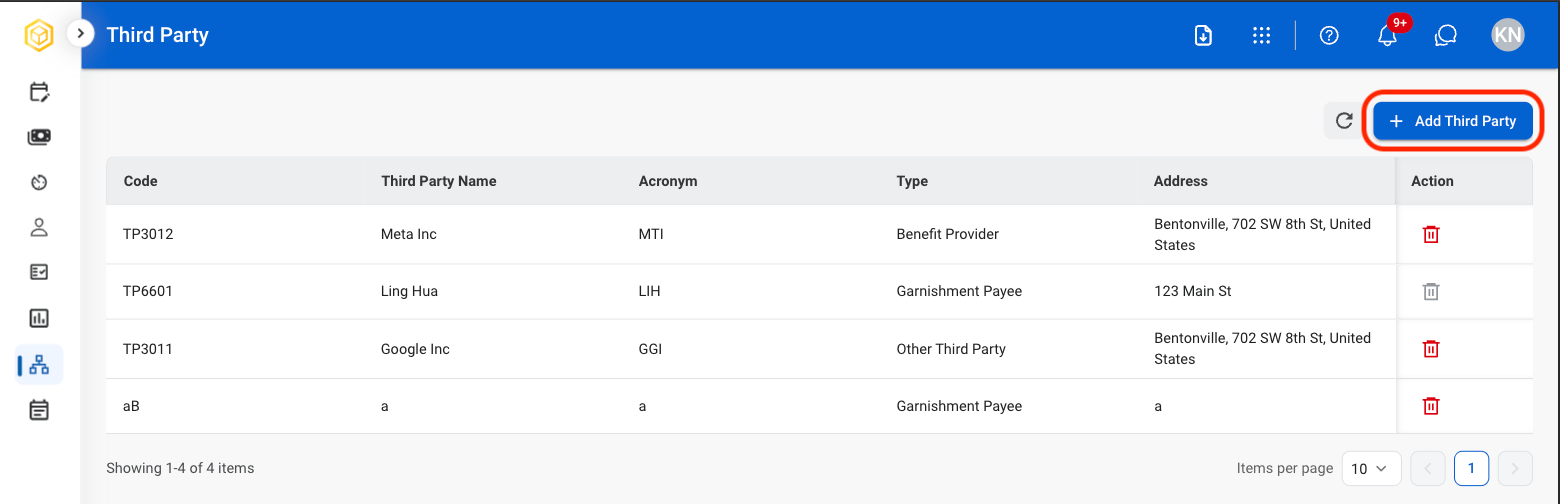
2
Fill in the required information
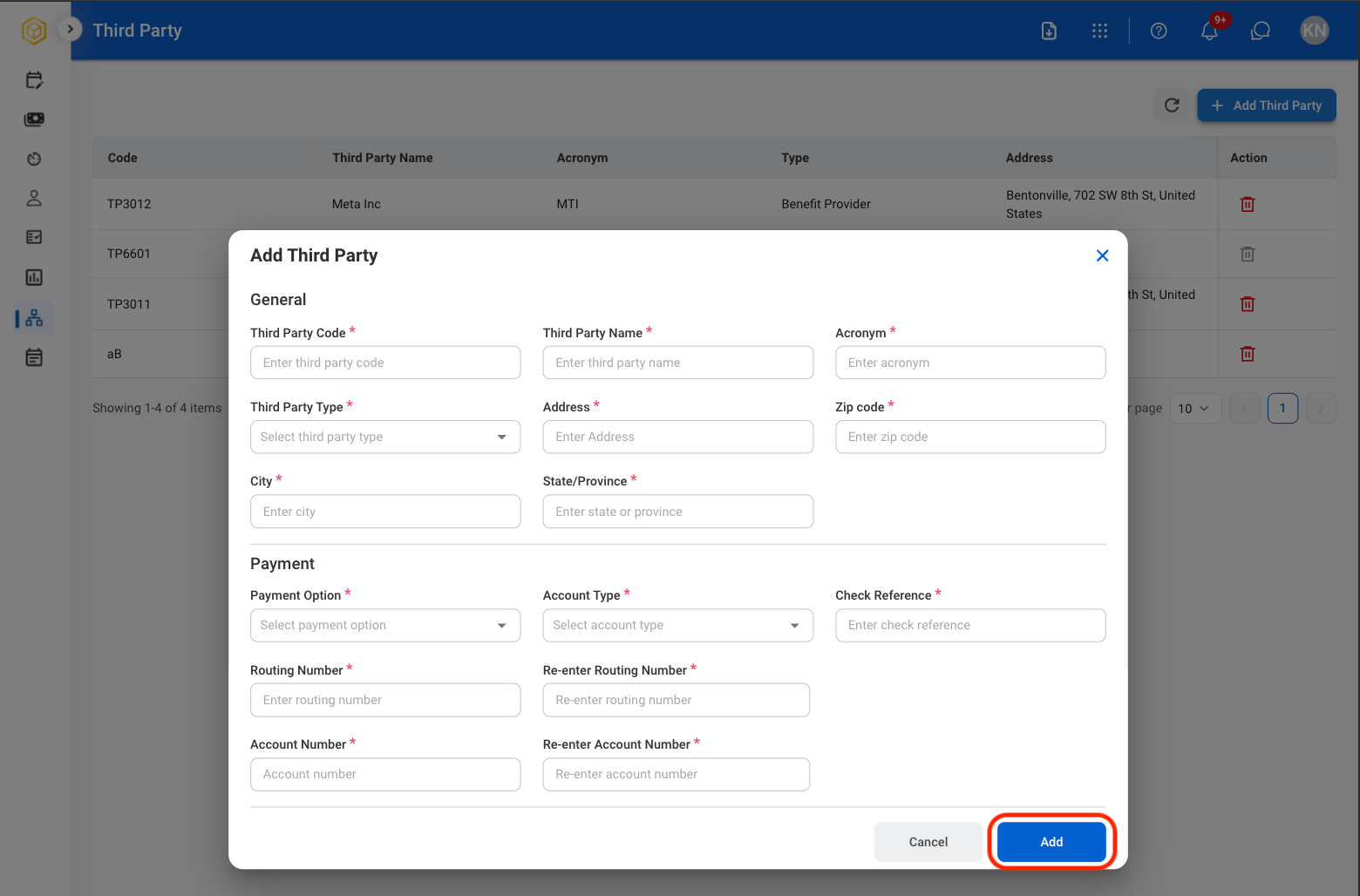
Edit Third Party Information
1
Select a Third Party
2
Select Edit in the desired section
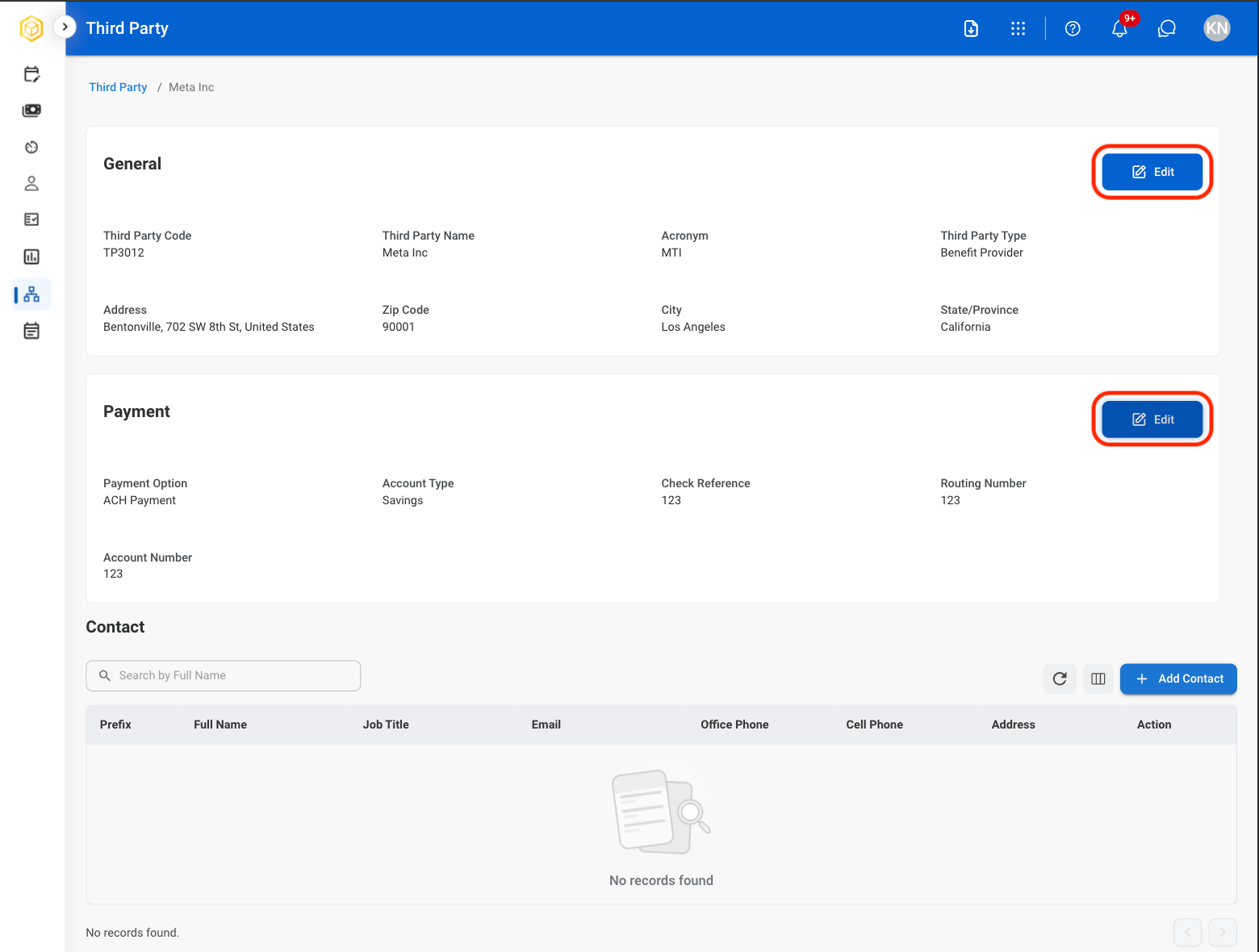
- General Information: Identifying and organizational details such as third-party code, name, acronym, type, and address.
- Payment Information: Payment and banking details such as payment method, account type, routing number, account number, and check reference information.
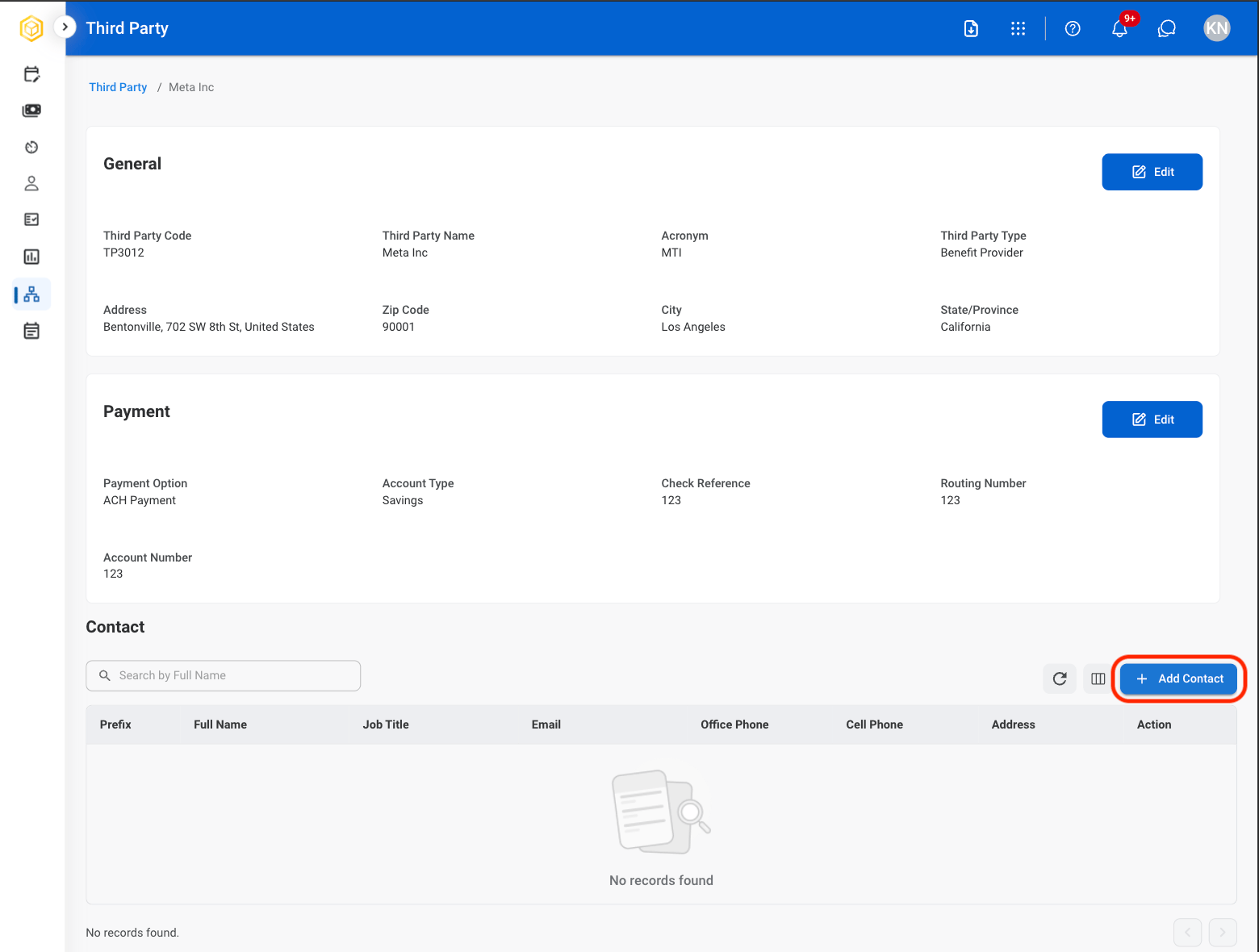
Add Third Party Contact
1
Select a Third Party
2
Select Add Contact
3
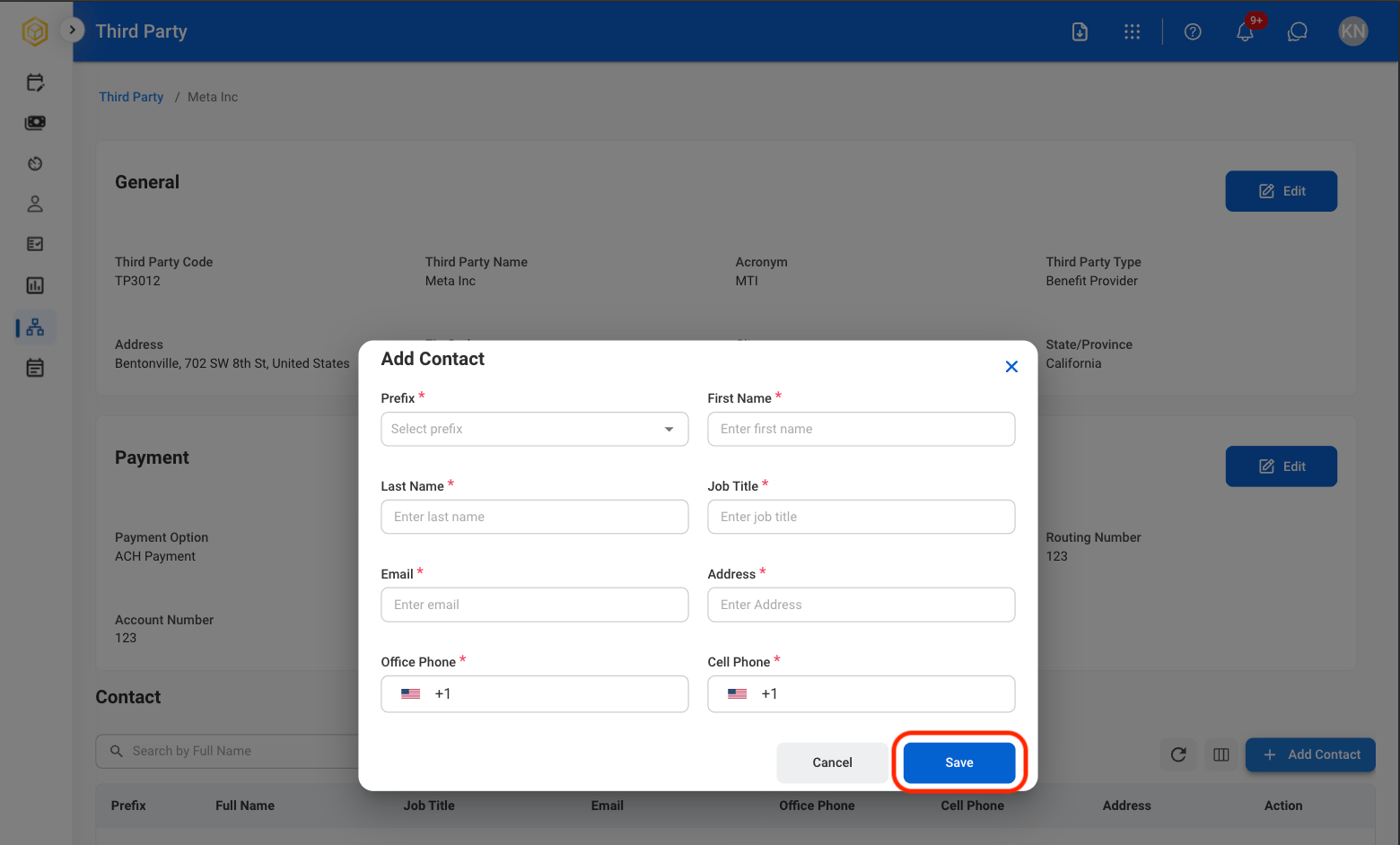
Fill in the required information
Delete a Third Party
1
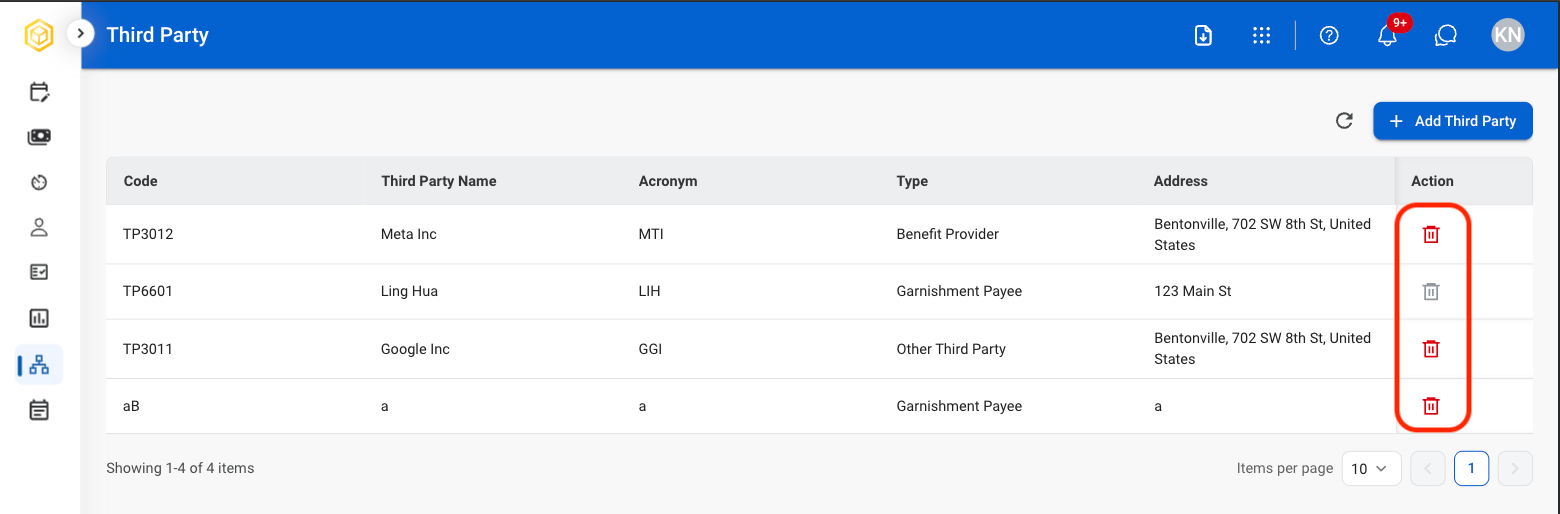
Select the delete icon
2
Confirm selection

This action cannot be undone.