Add a Folder or Document
1
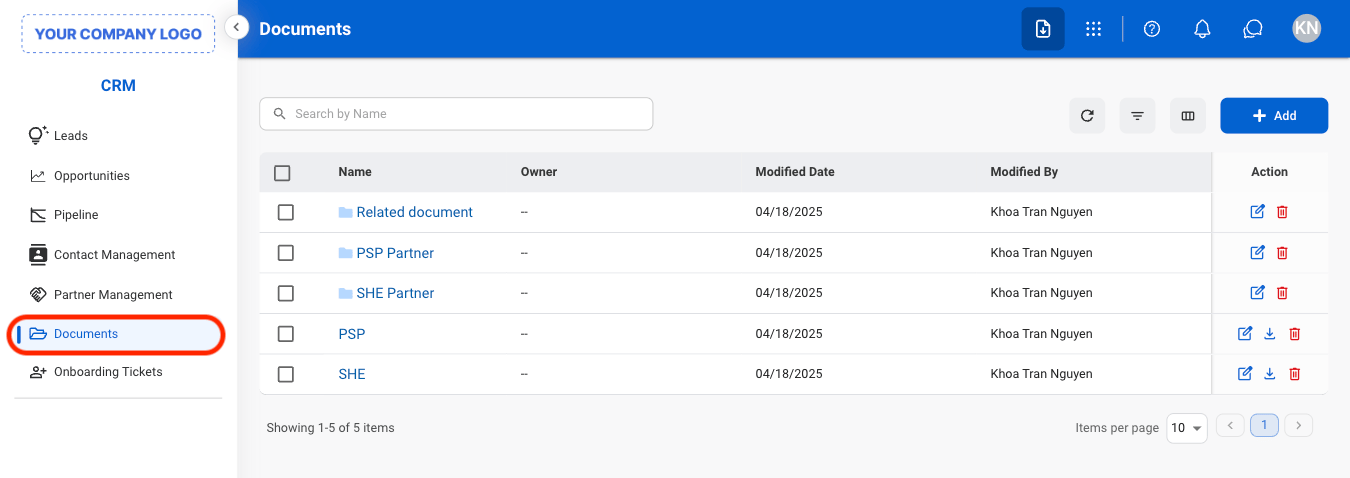
Navigate to Documents
2
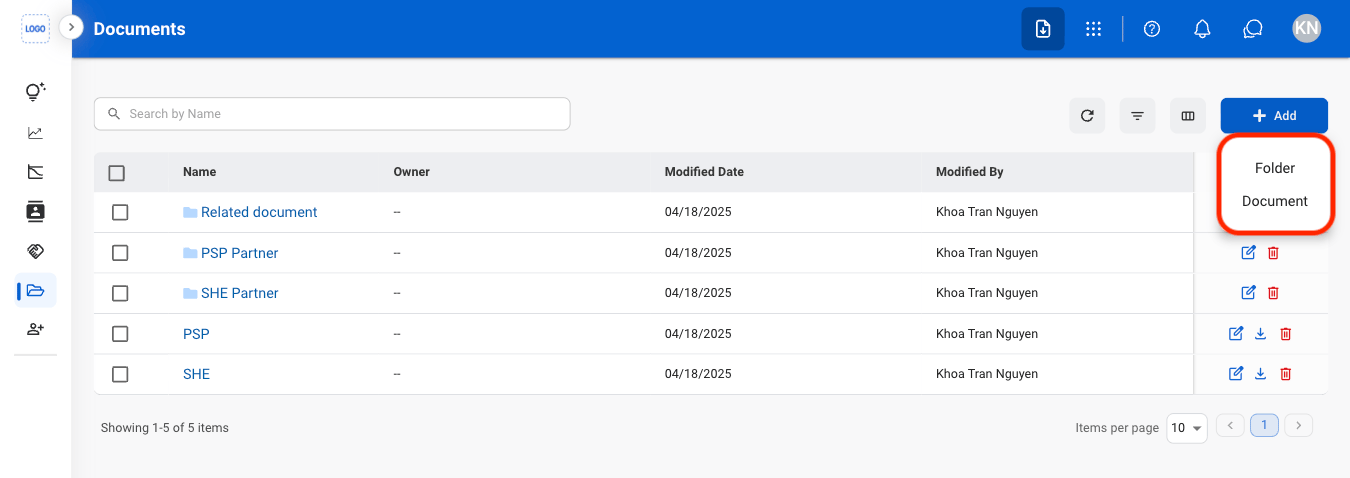
Select Add

3
Select a document type
4
Fill in the required information
Select Save to complete or Cancel to exit without saving changes.
Edit, Download, or Delete a Document
1
Select an action
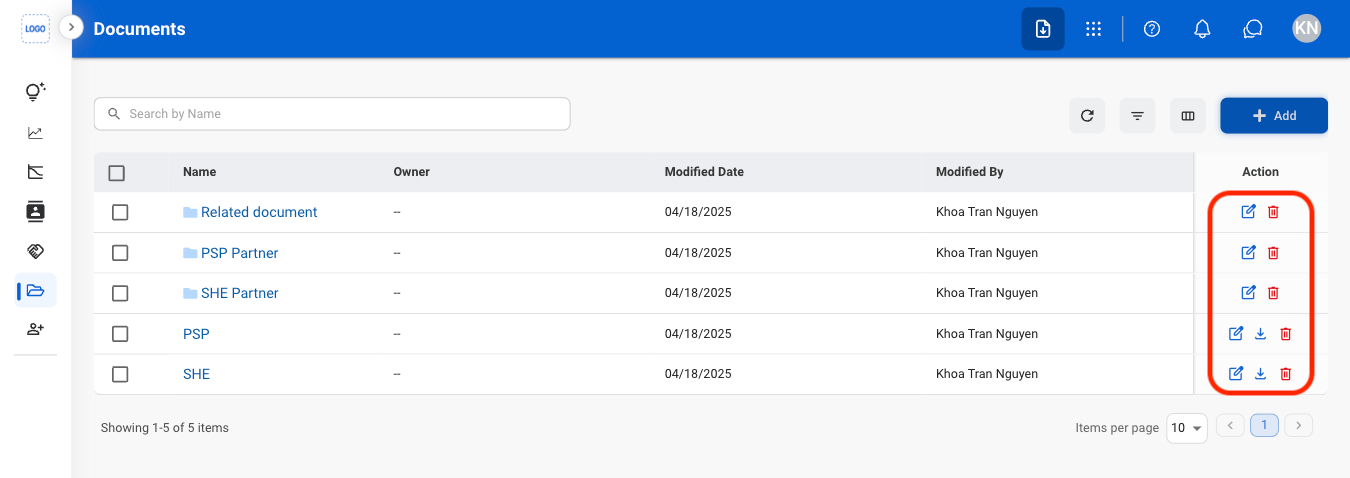
Only document downloads are supported. To download a file within a folder, open the folder and download the file individually.
2
Confirm the action
- Edit: Select Save to complete or Cancel to exit without saving changes.
- Download: Download will start automatically after selection.
- Delete: Select Delete to complete or Cancel to exit without saving changes.
Move a Document or Folder
1
Select the document(s) or folder(s)
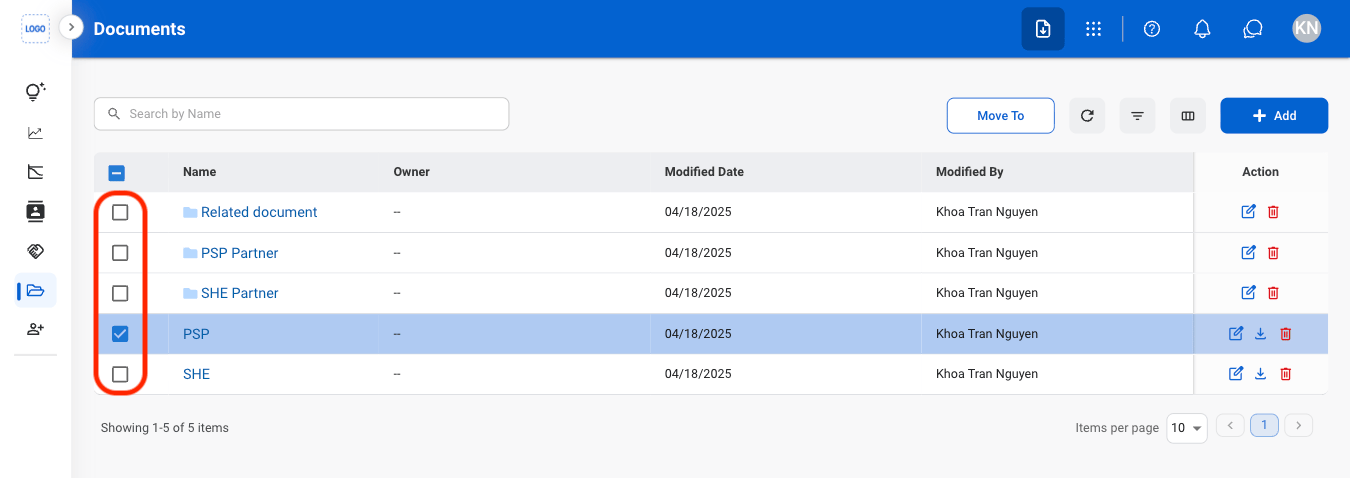
2
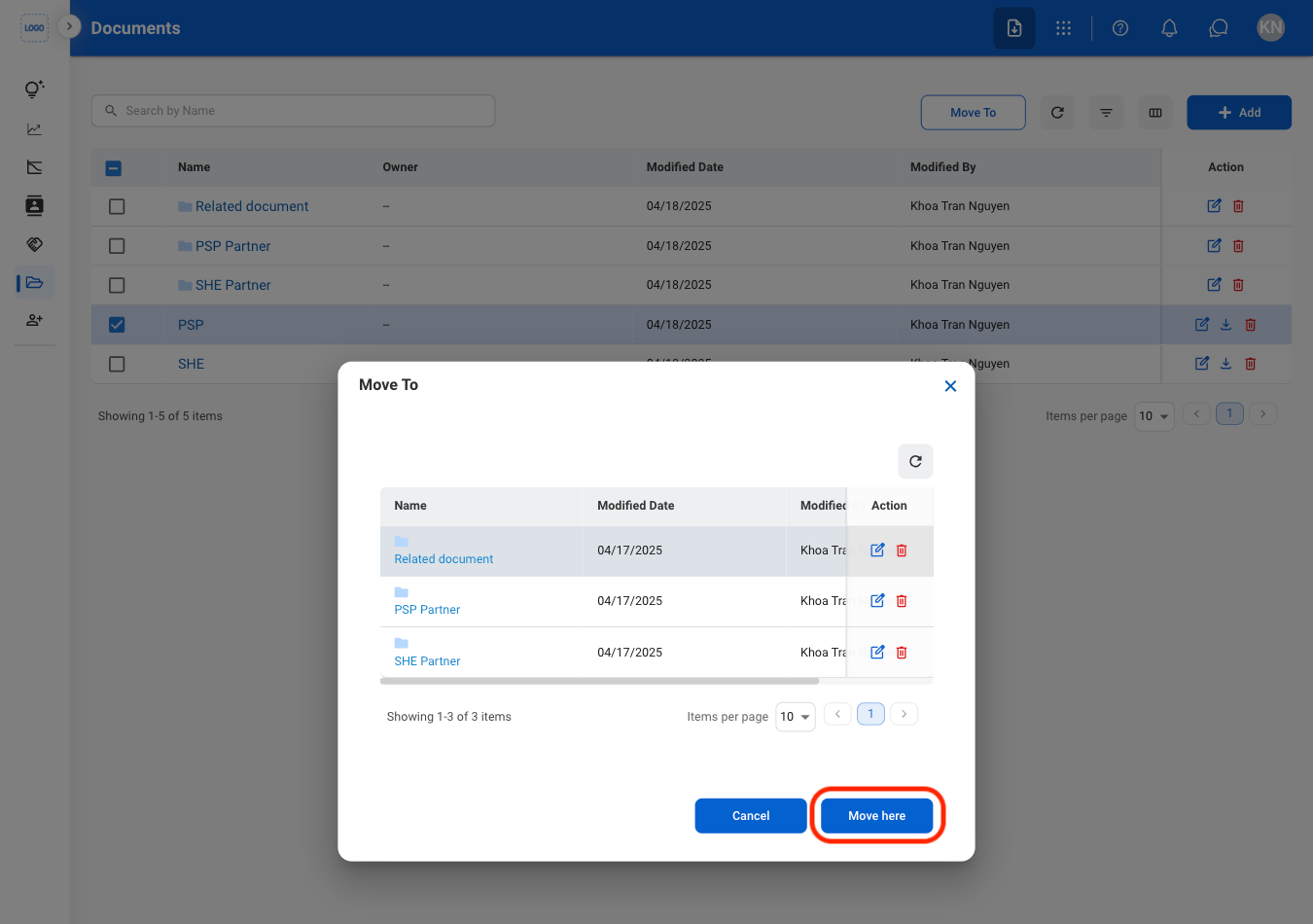
Select Move To

3
Select a destination
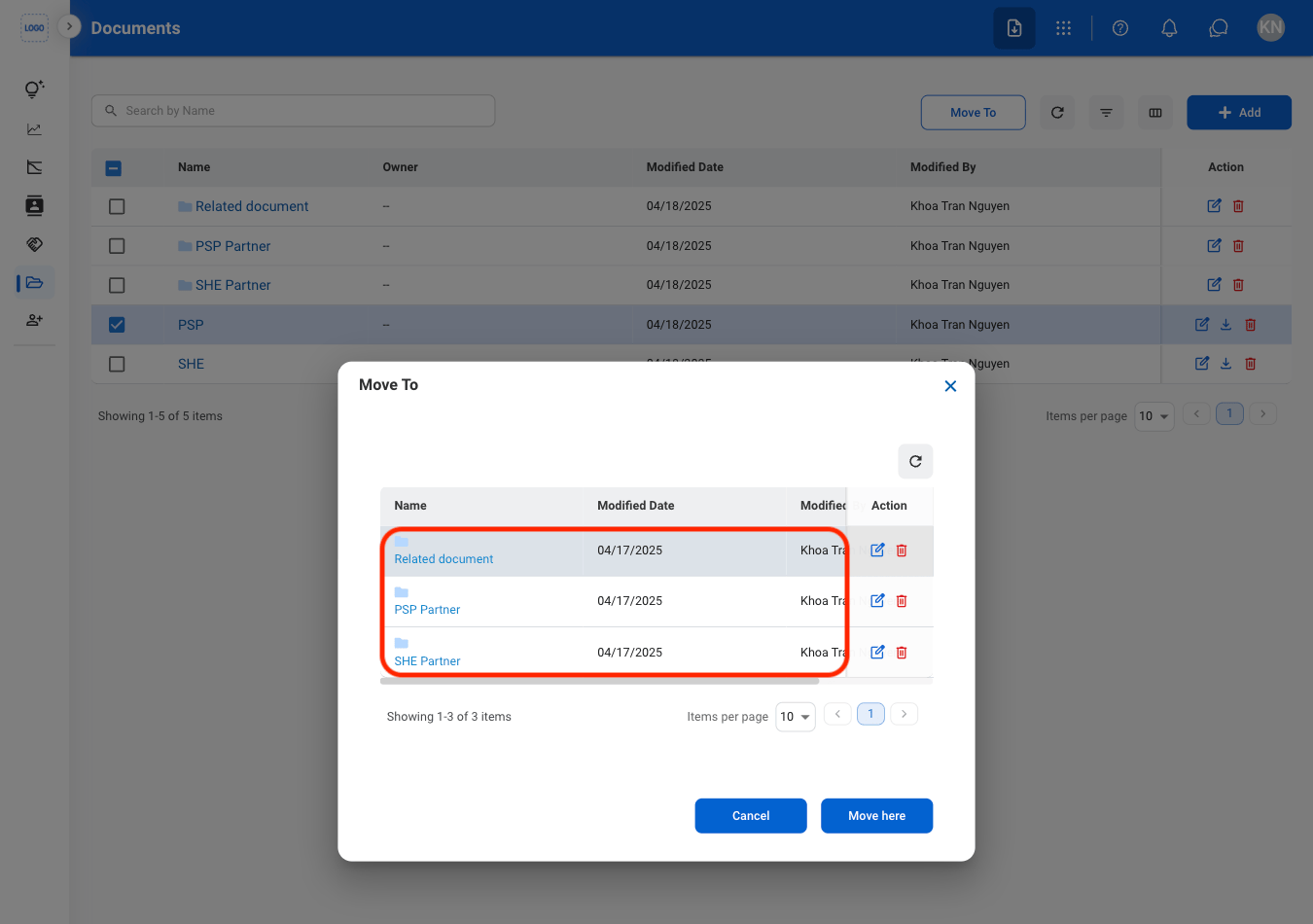
4
Confirm the action