
Add a New Contact
1
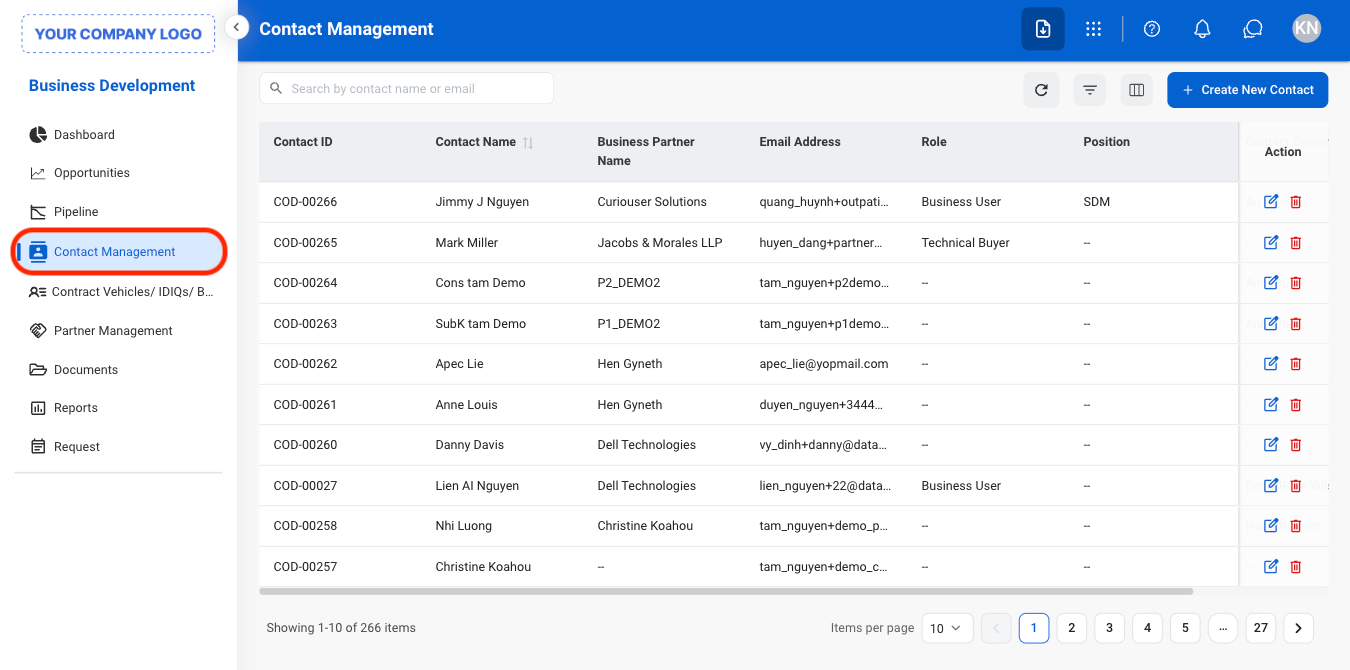
Navigate to Contact Management
2
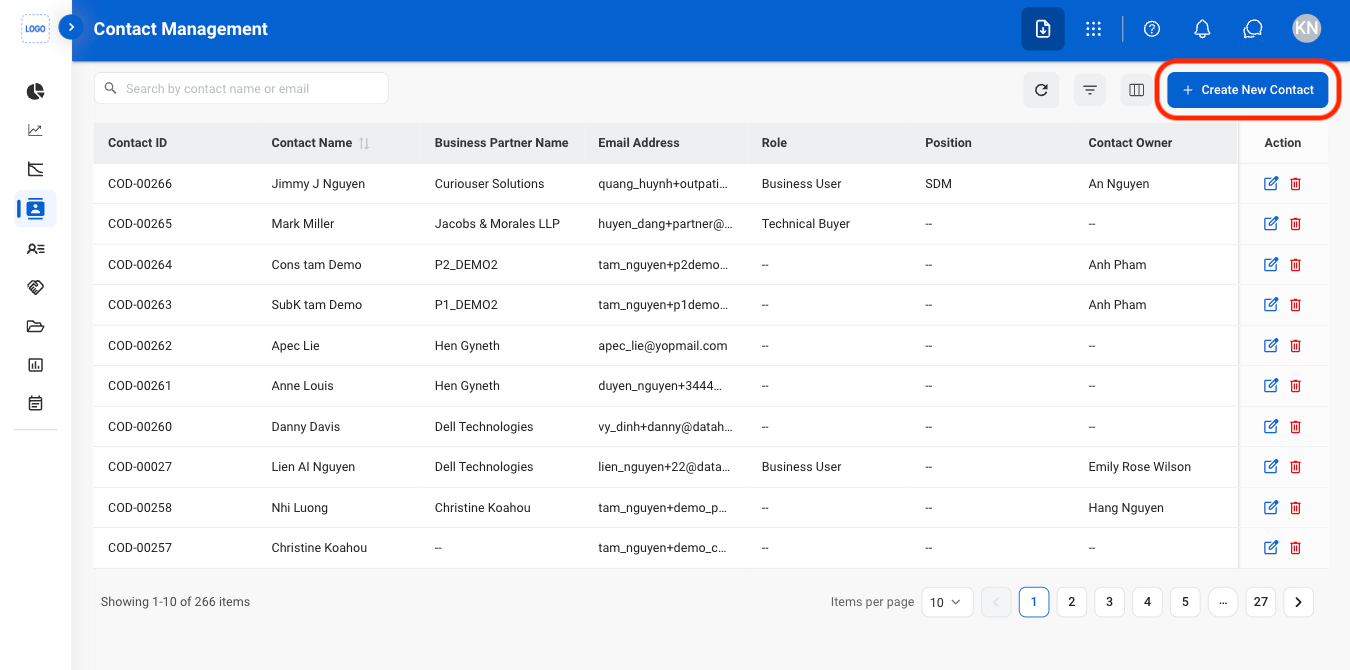
Select Create New Contact
3
Fill in the required information
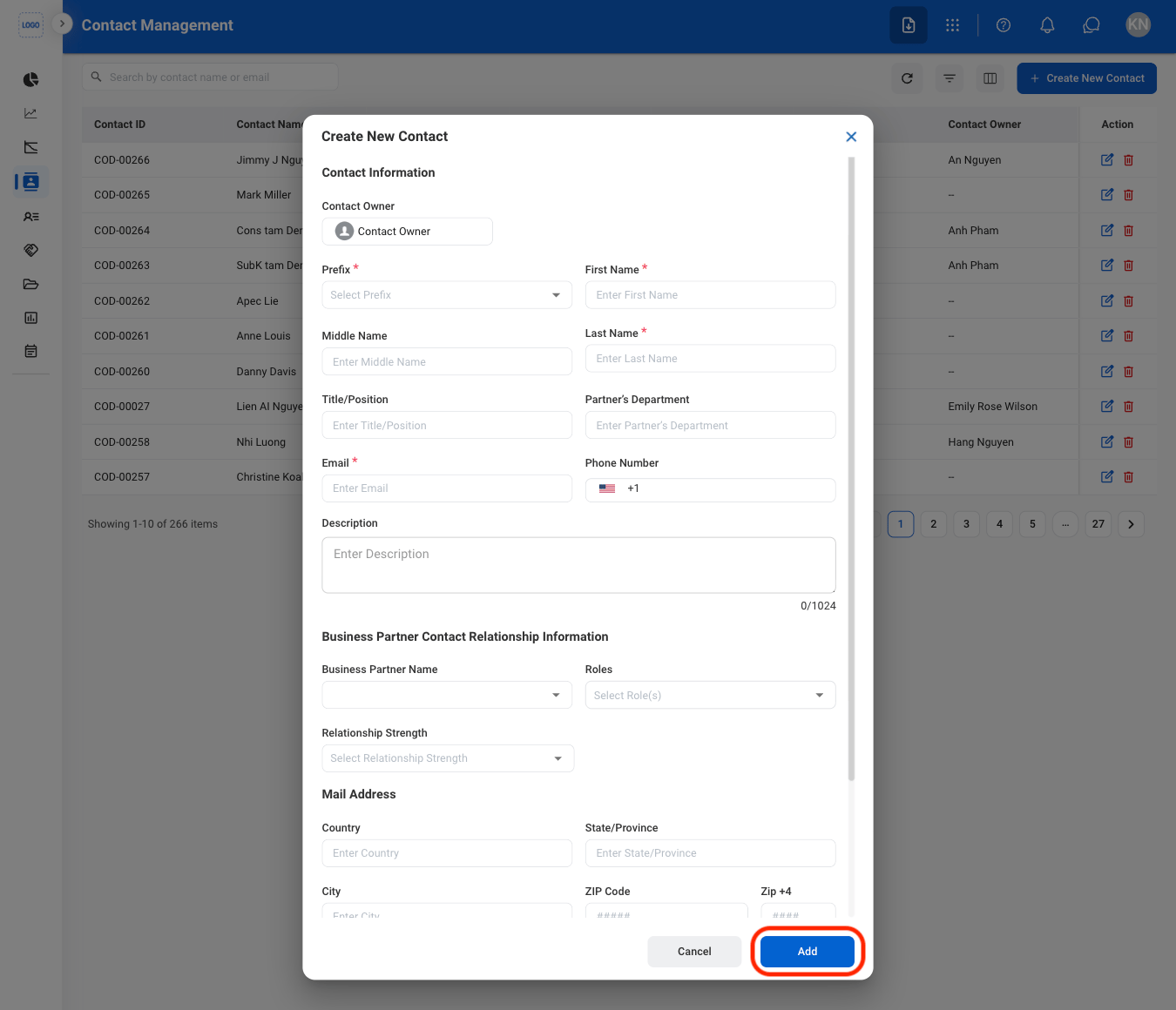
The system checks for duplicate contacts using the email address. If a matching contact already exists, an alert will appear and a new contact will not be created.
Add a Related Document
1
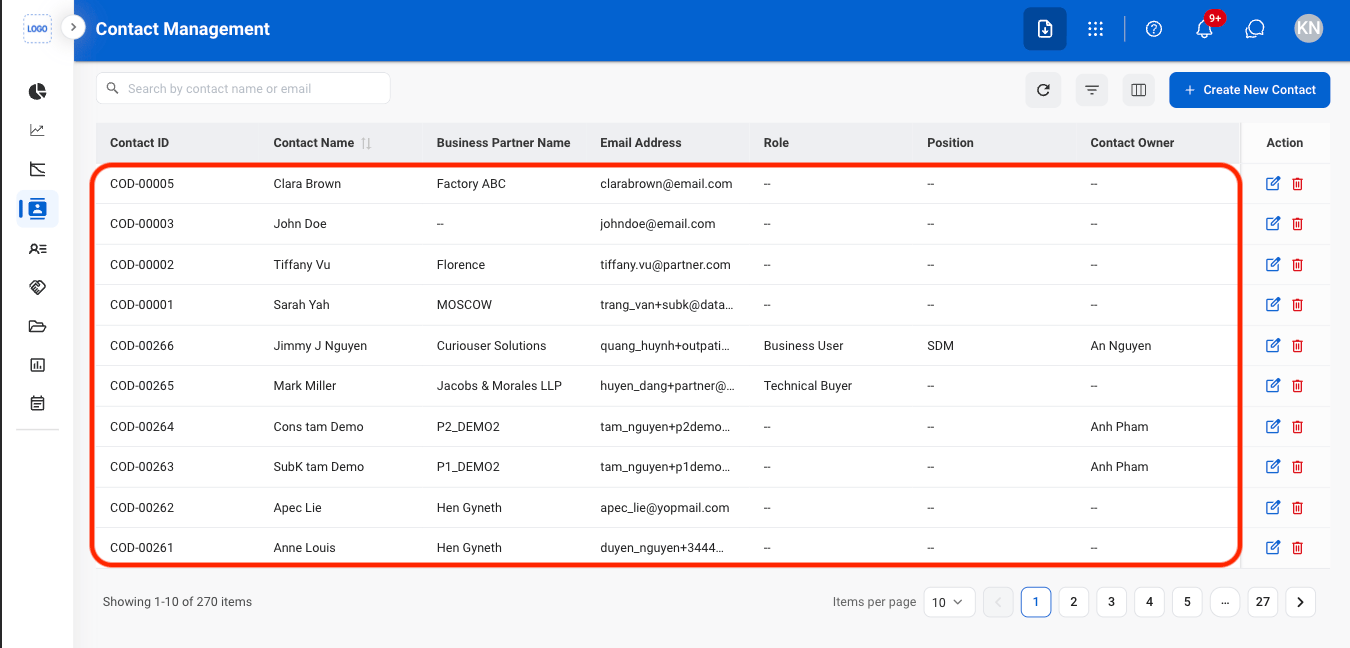
Select a contact
2
Navigate to Document
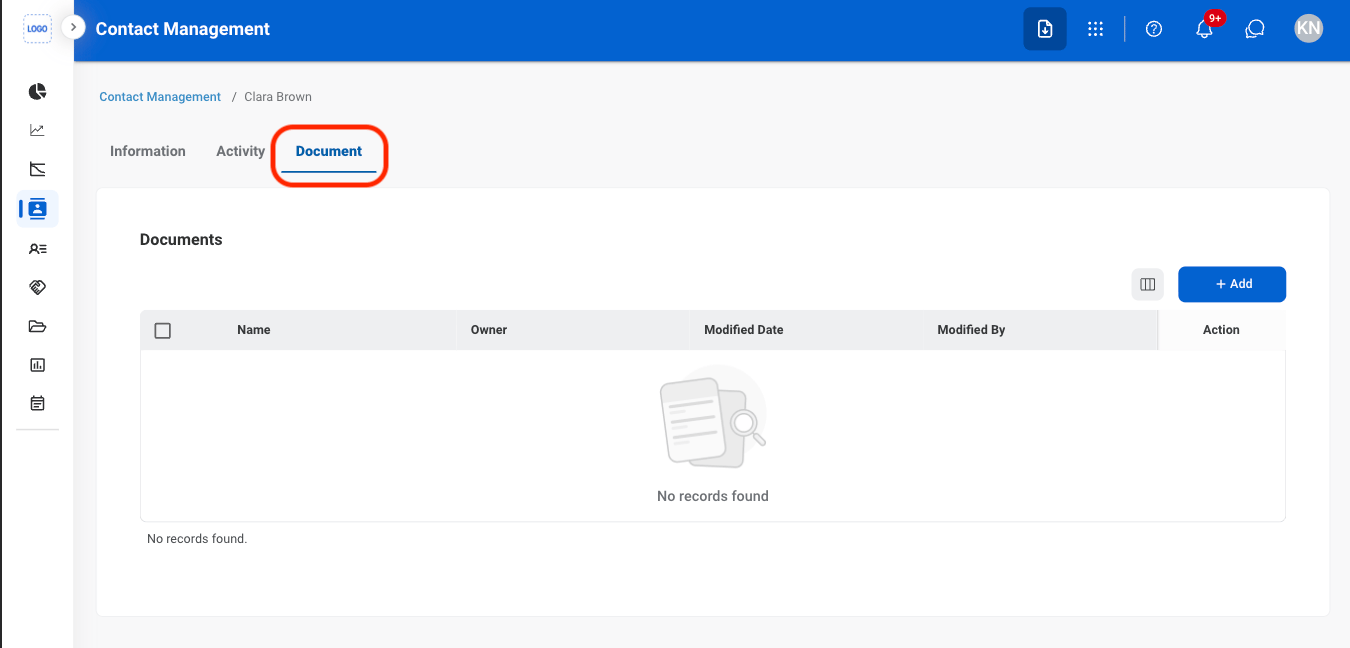
3
Select Add
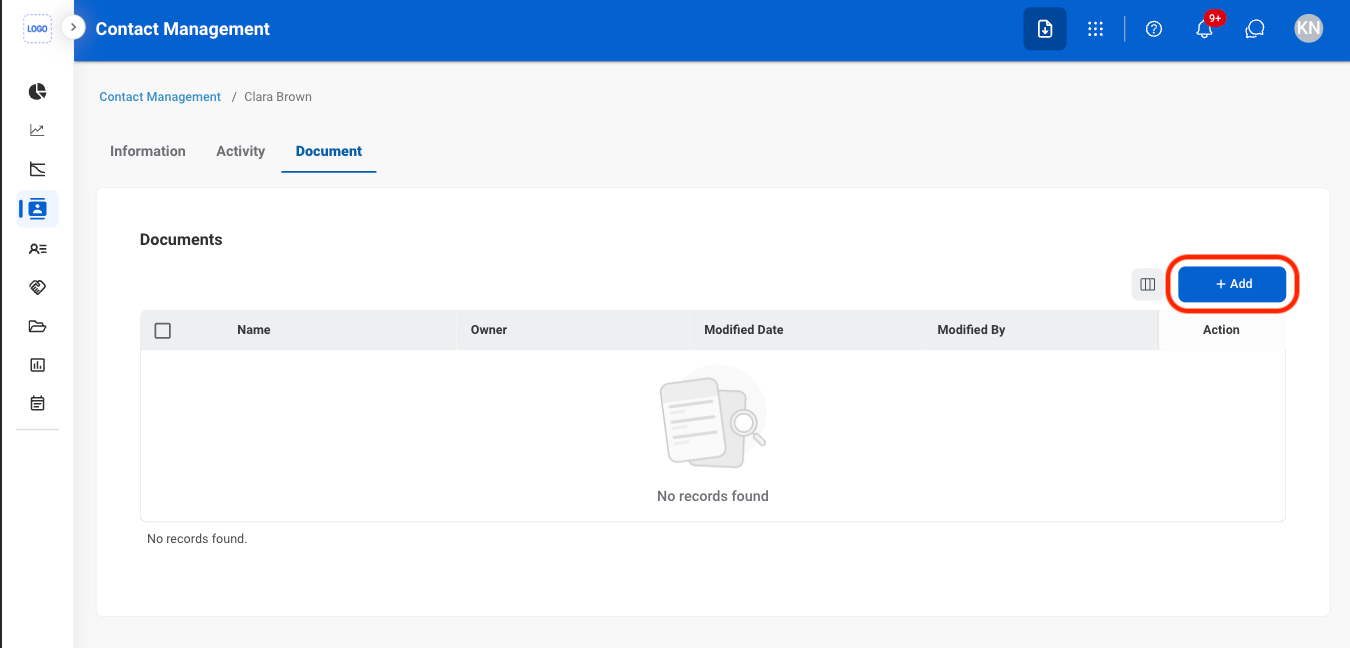
4
Select a document type
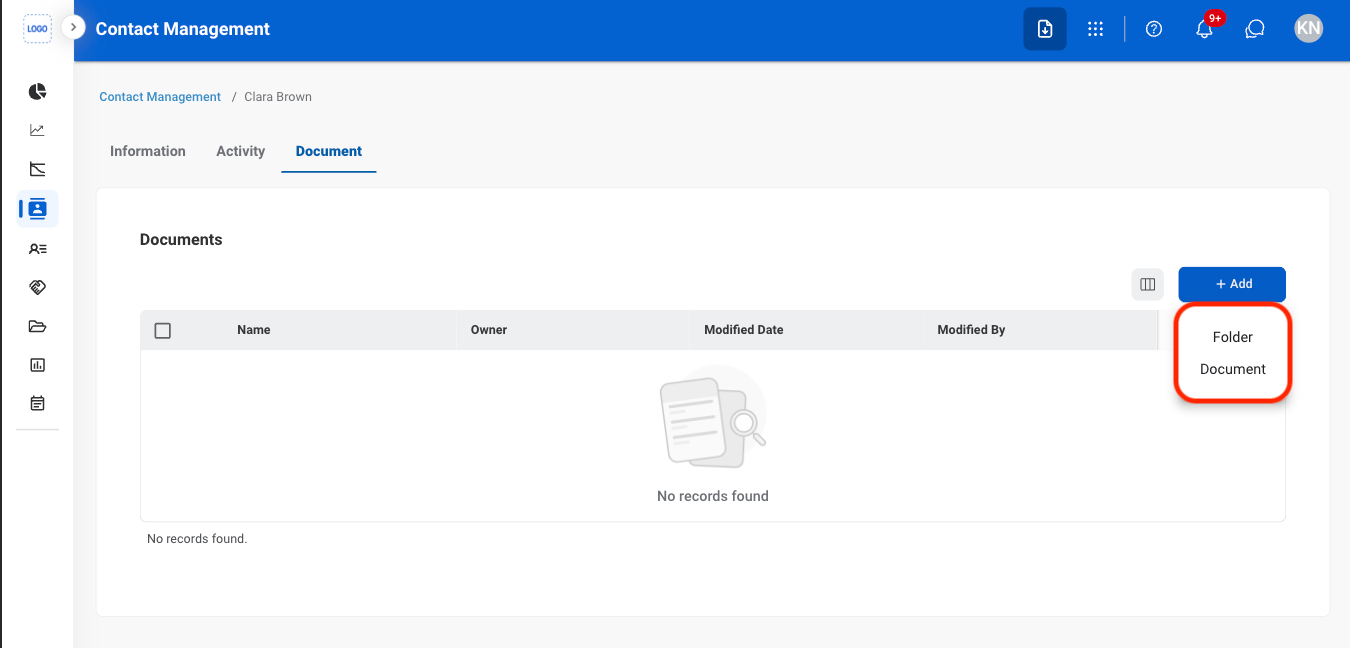
5
Fill in the required information
Select Save to complete or Cancel to exit without saving changes.
Modify a Contact
1
Select an action
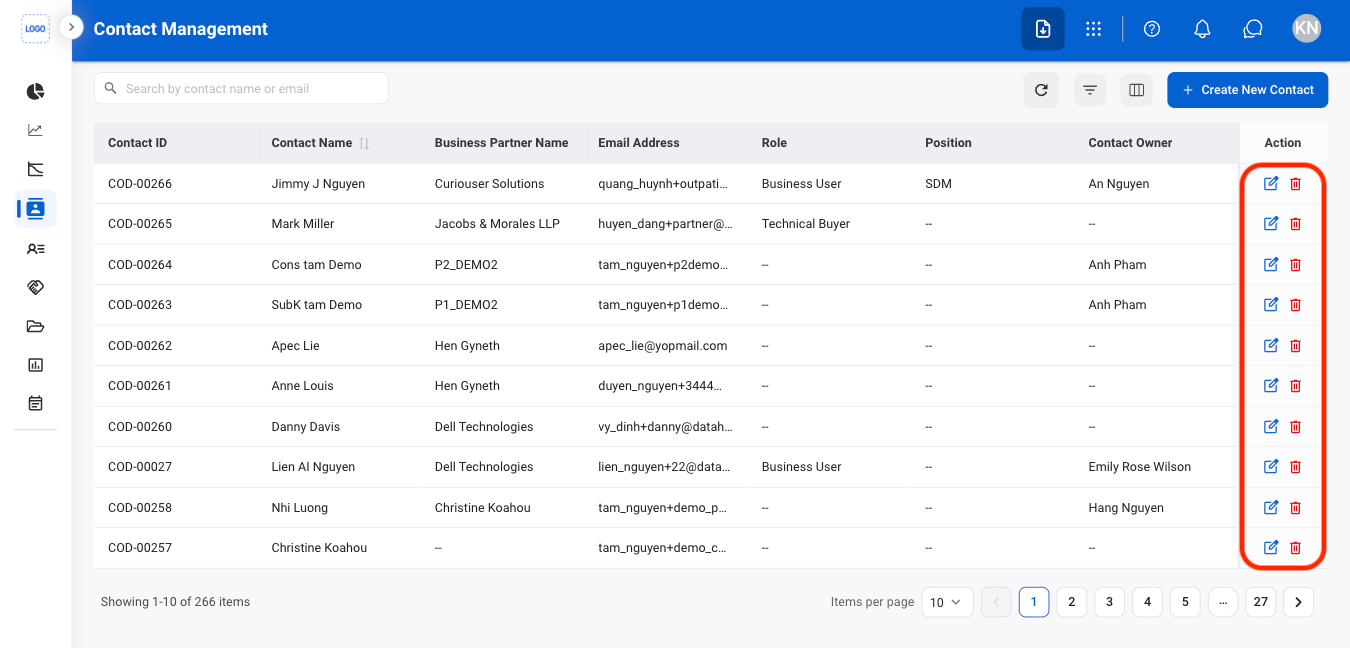
2
Confirm the action
- Edit: Fill in the required information. Select Save to complete or Cancel to exit without saving changes.
- Delete: Select Delete to complete or Cancel to exit without saving changes.