Only accounts with the appropriate permissions can create or modify contract vehicle records.
General Information
View General Information
1
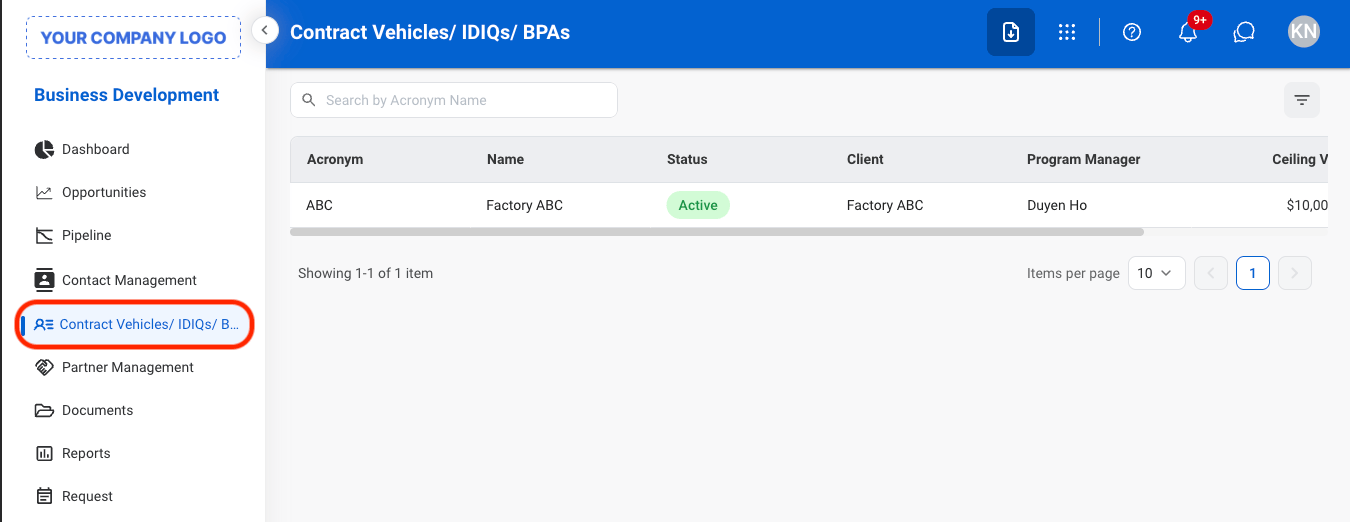
Navigate to Contract Vehicles
2
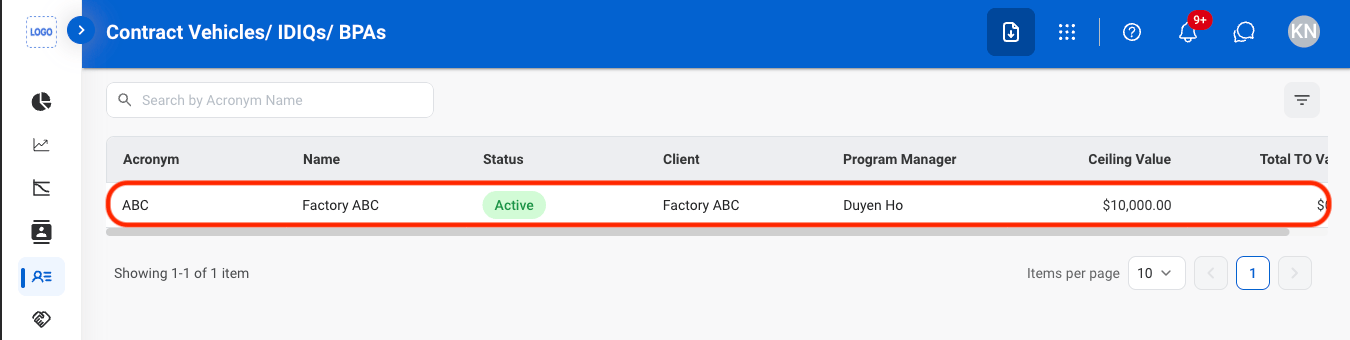
Select a Contract Vehicle
3
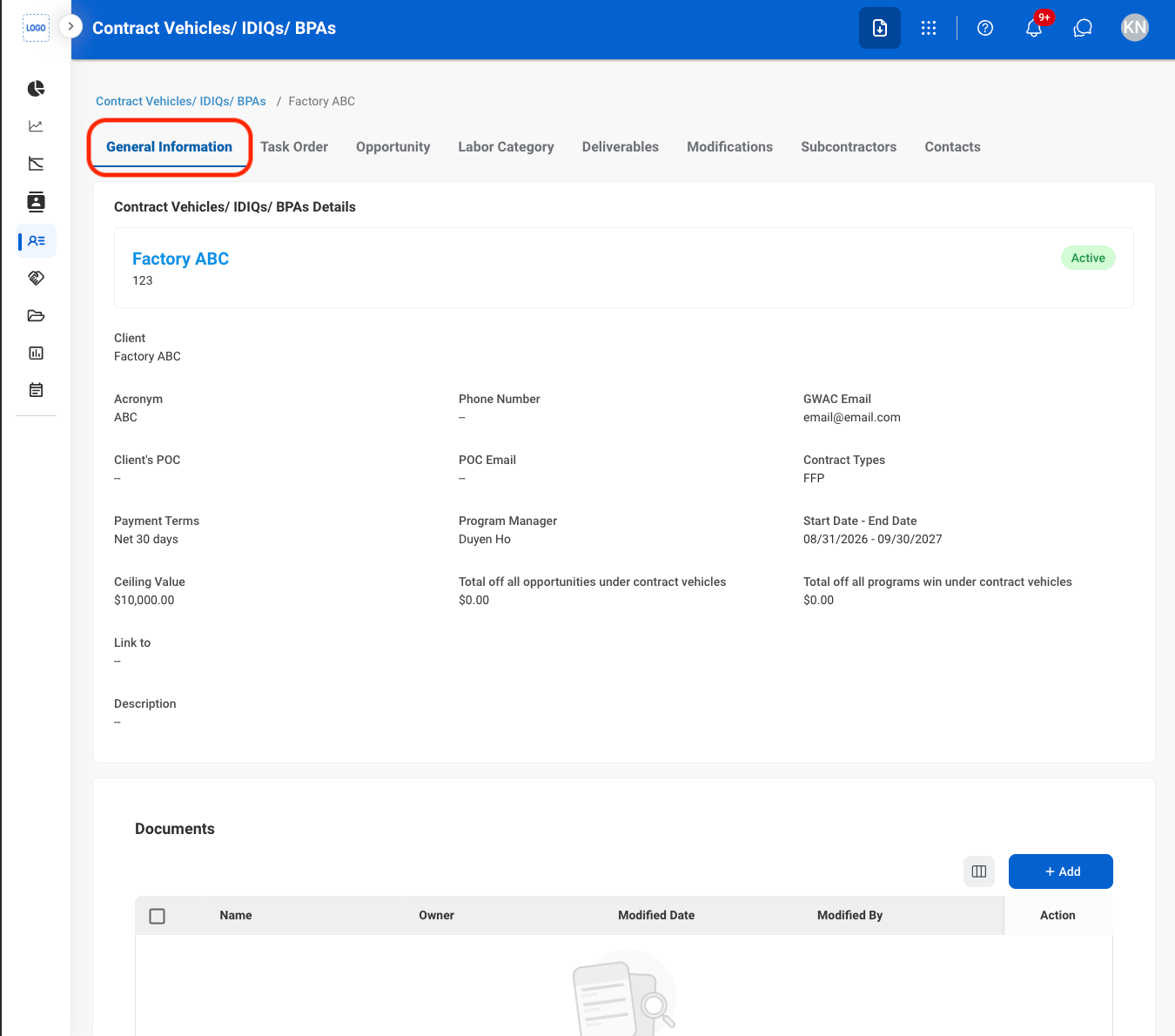
Navigate to General Information
Add Contract Vehicle Documents
1
Navigate to General Information
2
Select Add
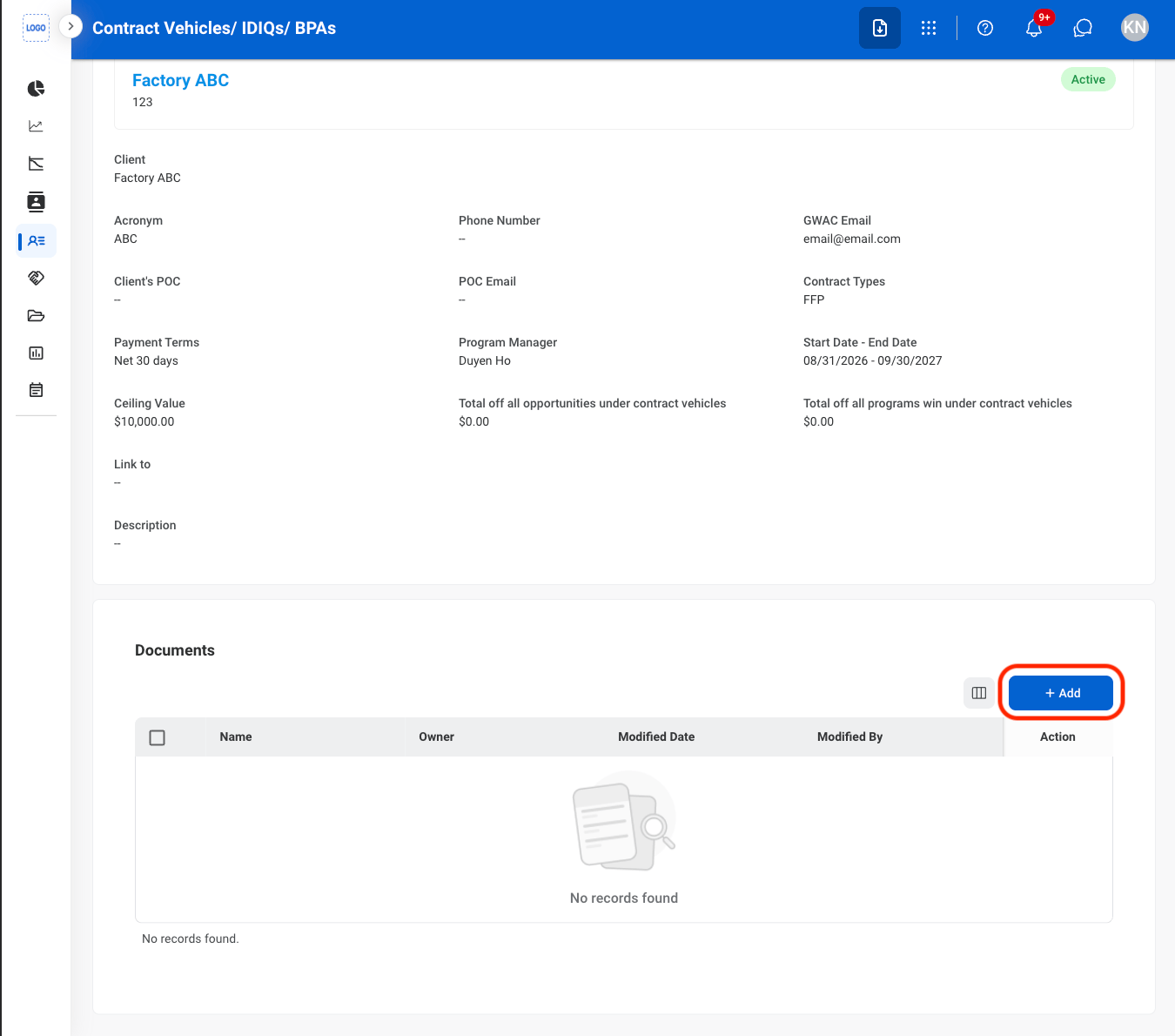
3
Select a document type
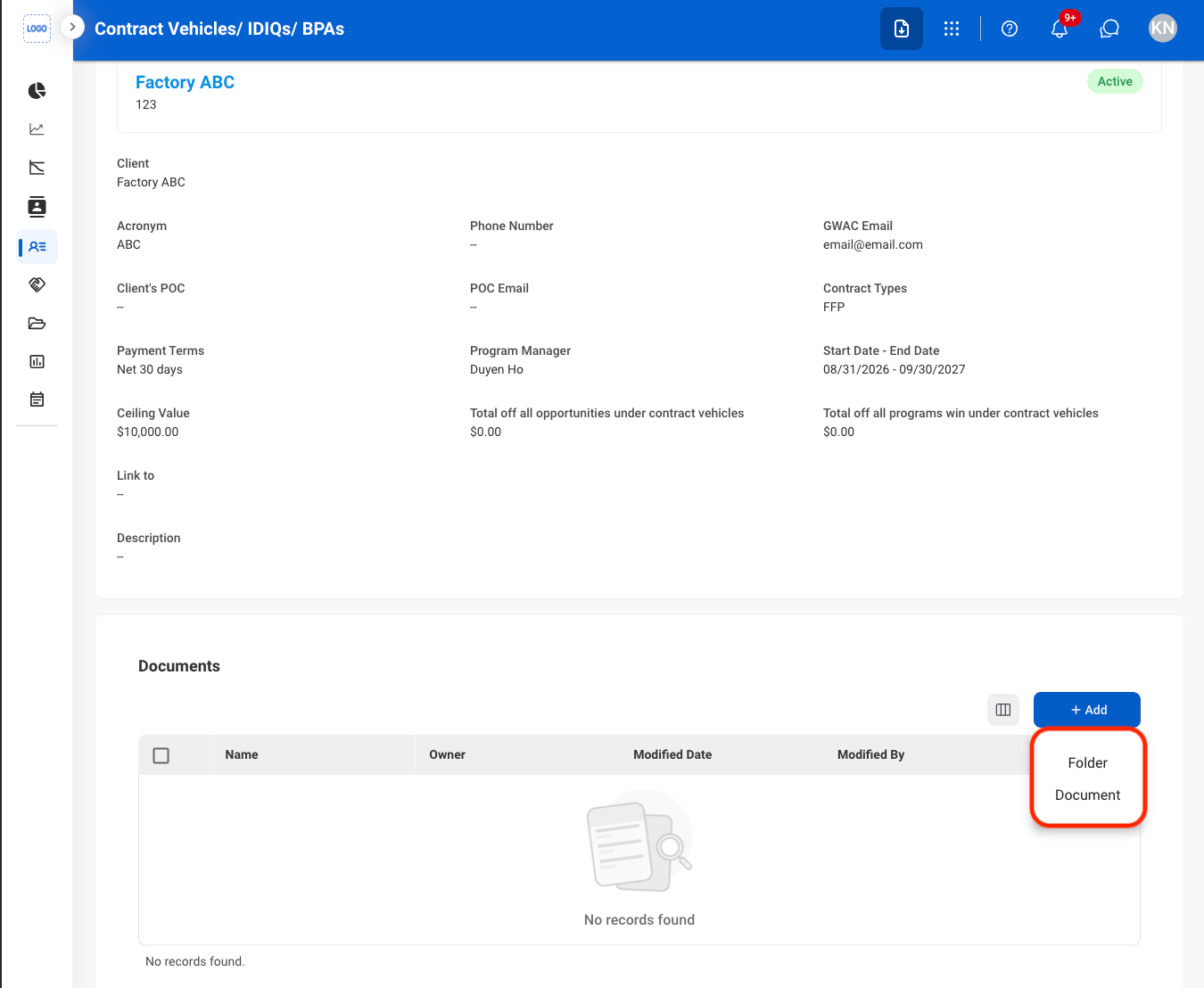
4
Fill in the required information
Select Save to complete or Cancel to exit without saving changes.
Task Order
Add a Task Order Document
1
Navigate to Task Order
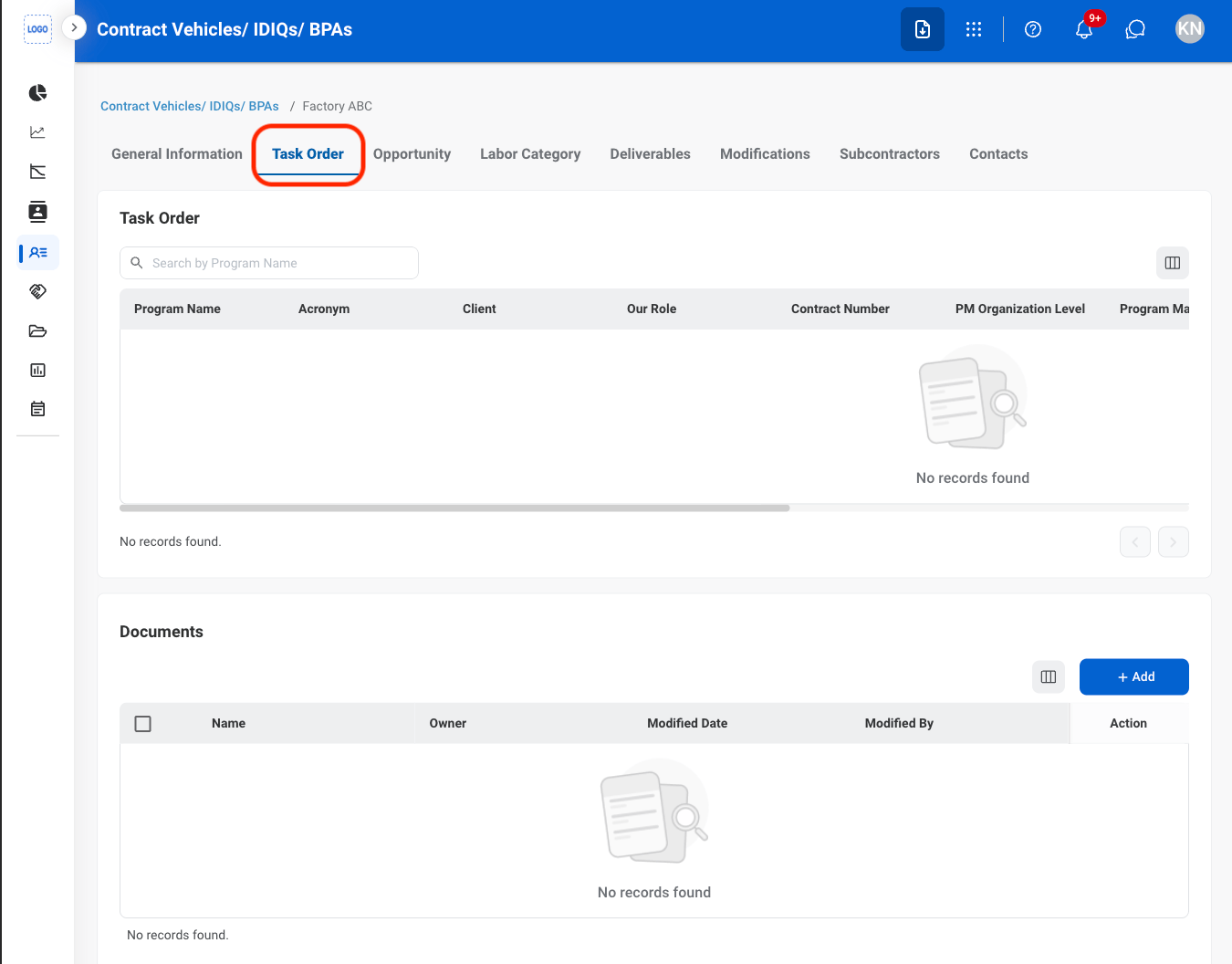
2
Select Add
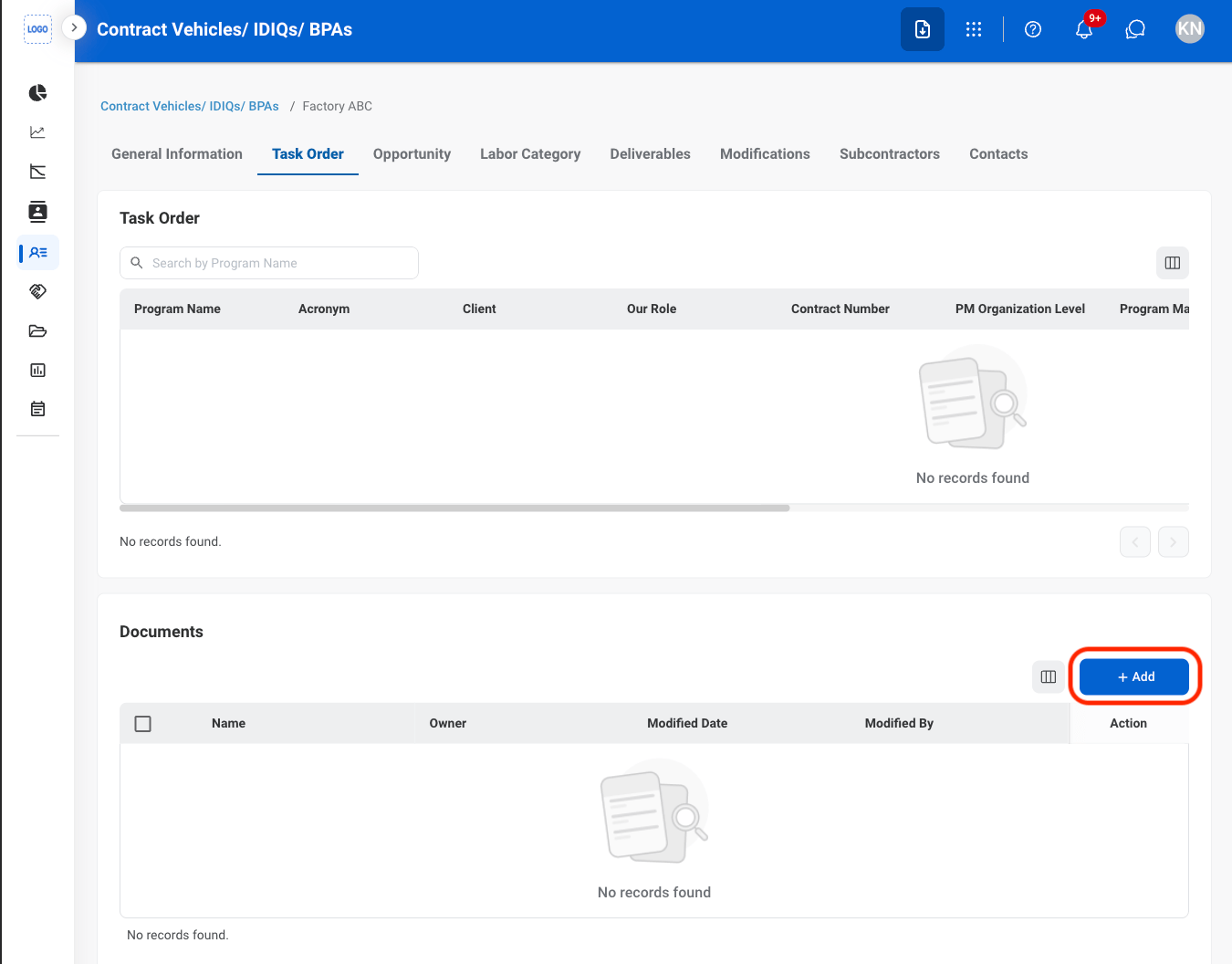
3
Select a document type
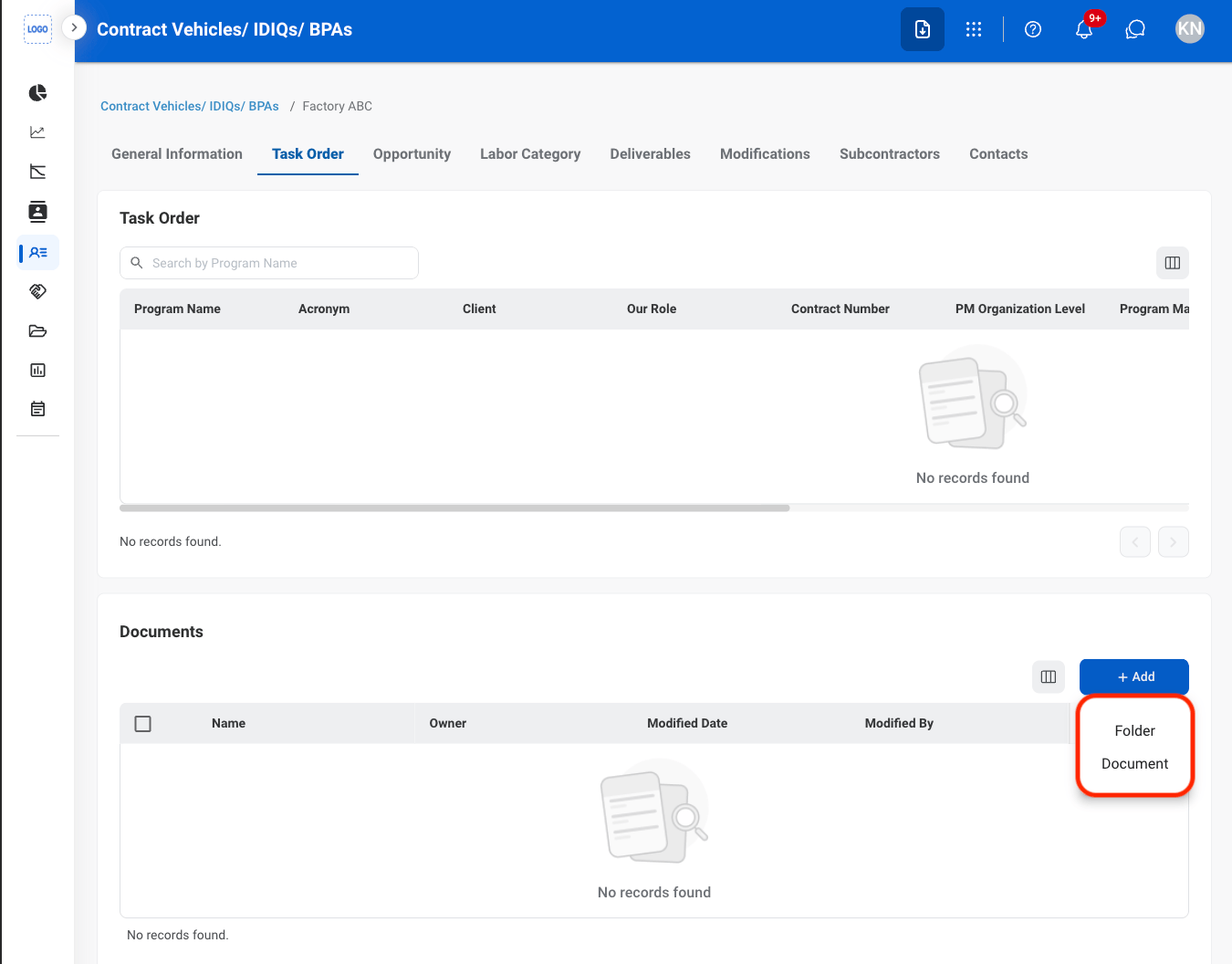
4
Fill in the required information
Select Save to complete or Cancel to exit without saving changes.
Labor Category
View a Labor Category
1
Navigate to Labor Category
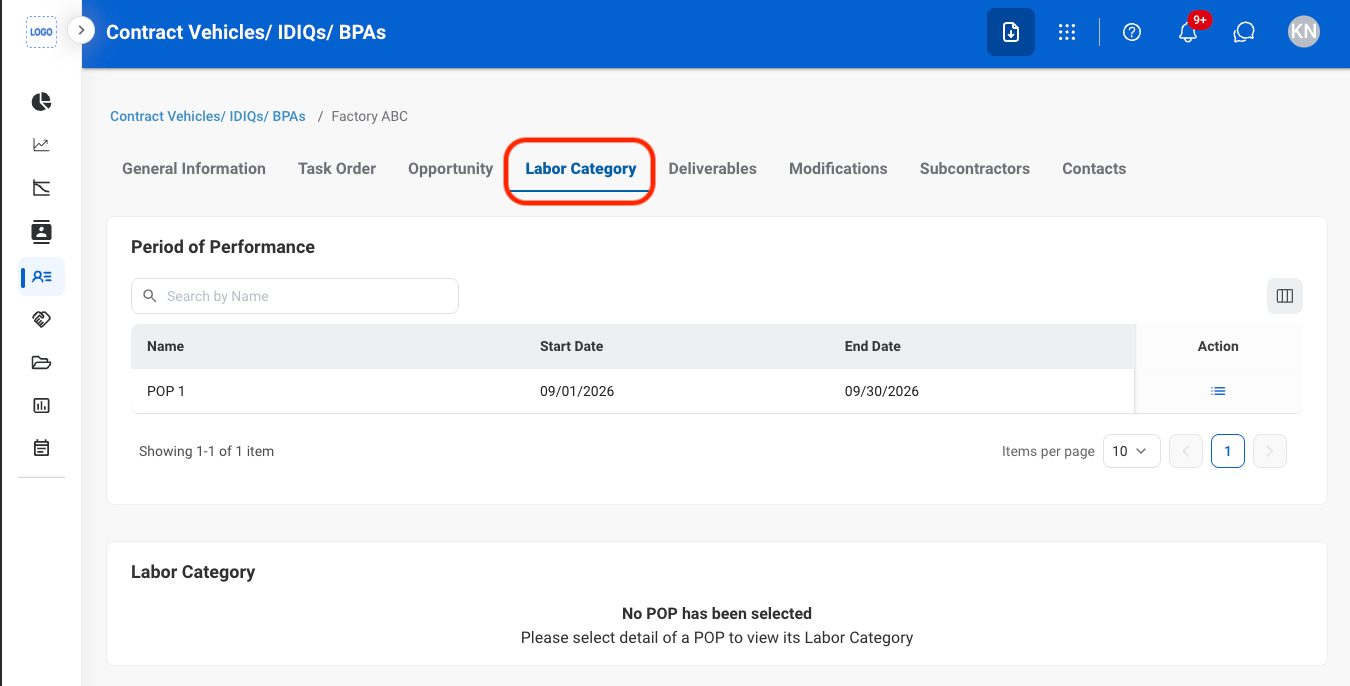
2
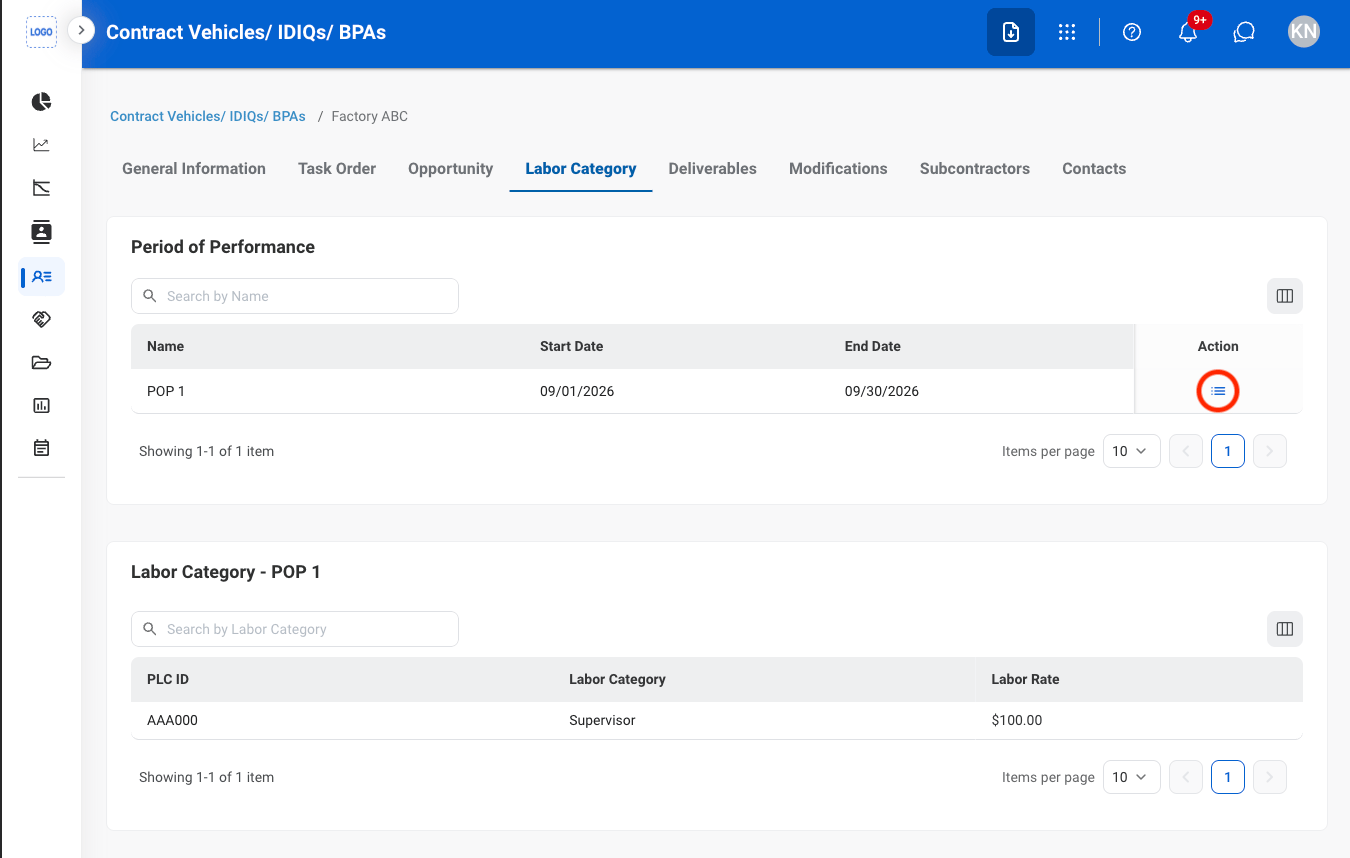
Select the details icon
Deliverables
View Deliverables
1
Navigate to Deliverables
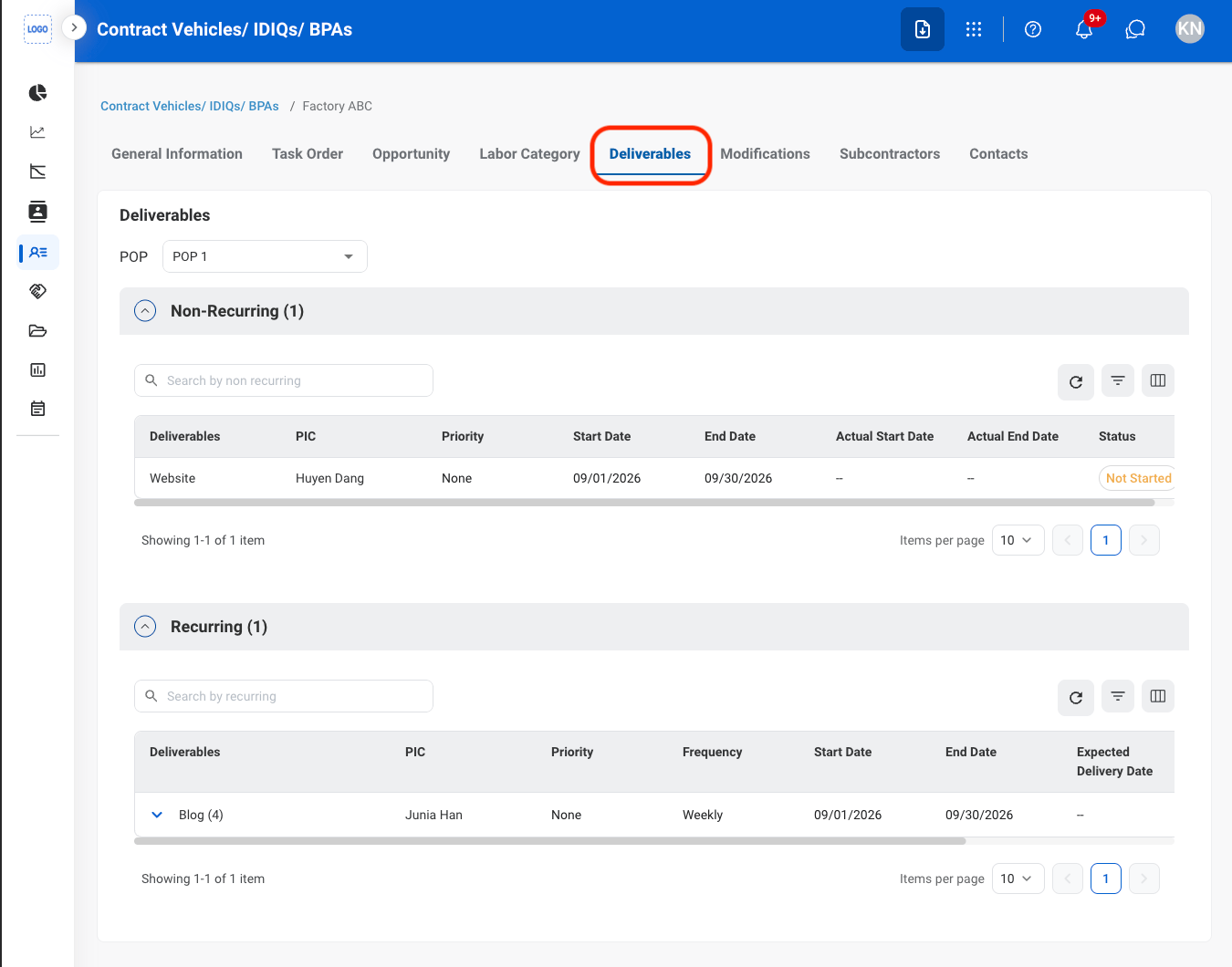
2
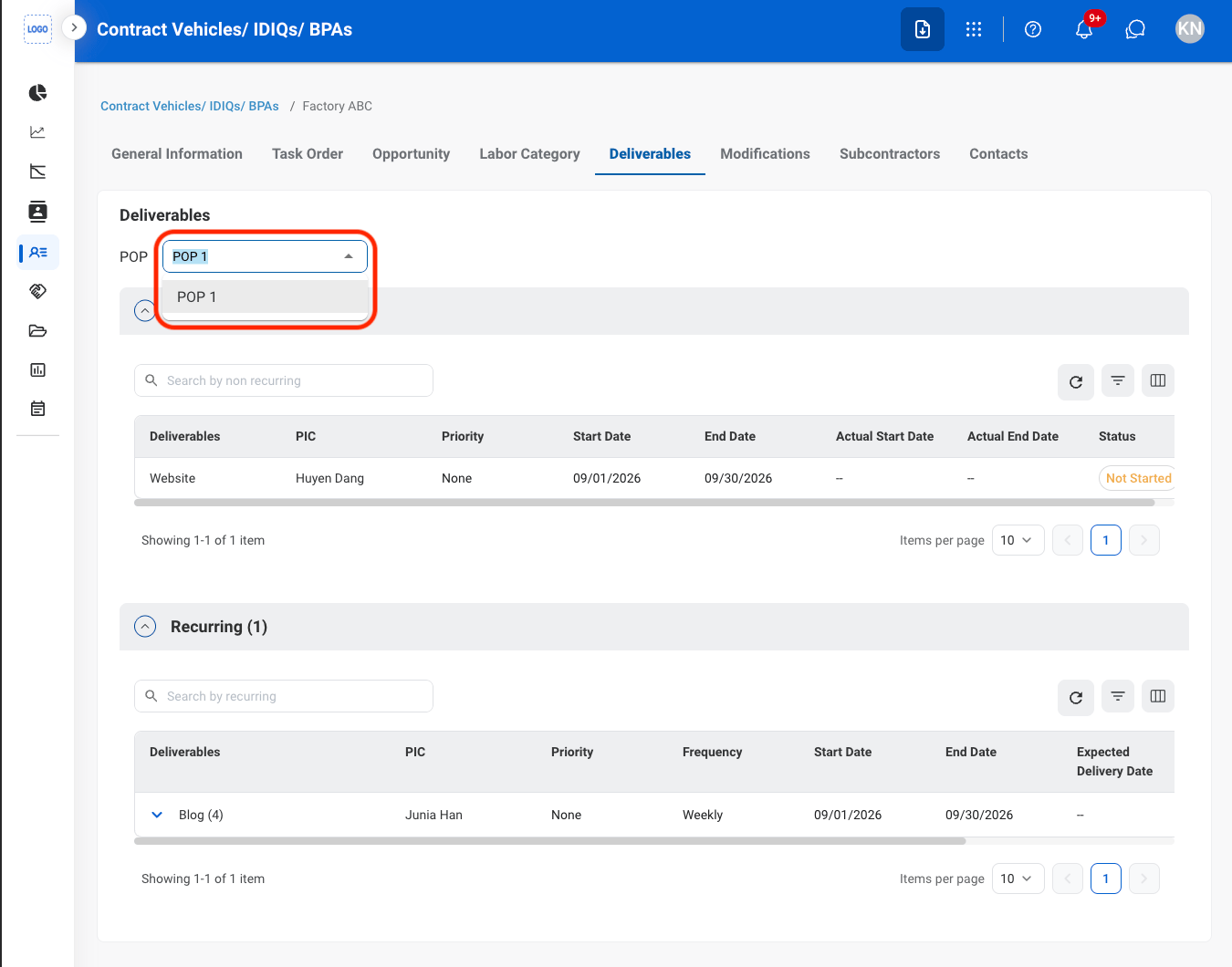
Non-recurring Deliverables only: Select a POP
Modifications
Edit a Modification
1
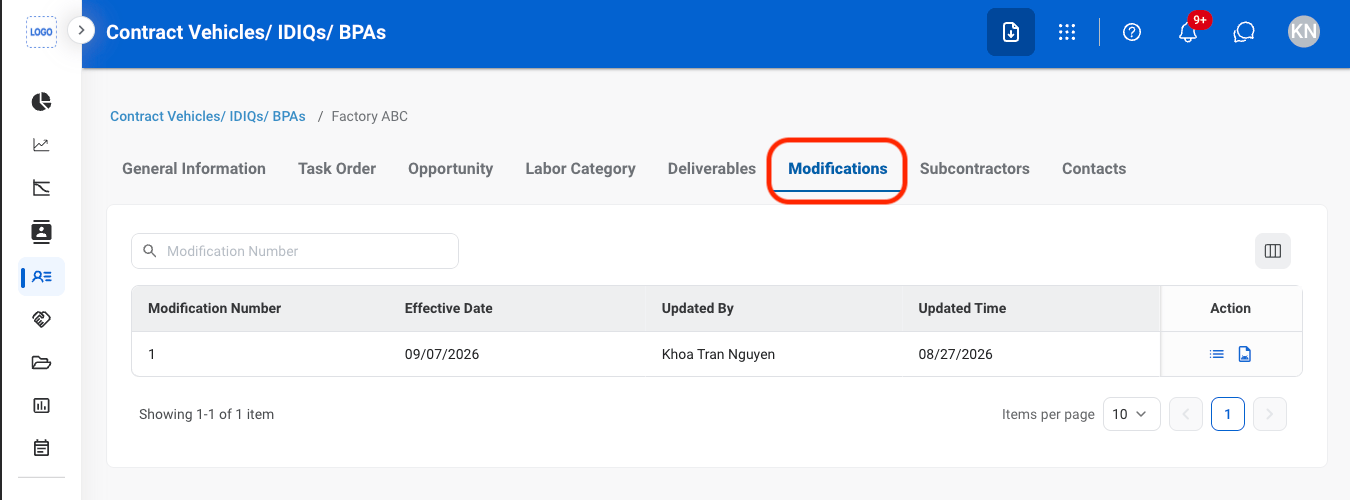
Navigate to Modifications
2
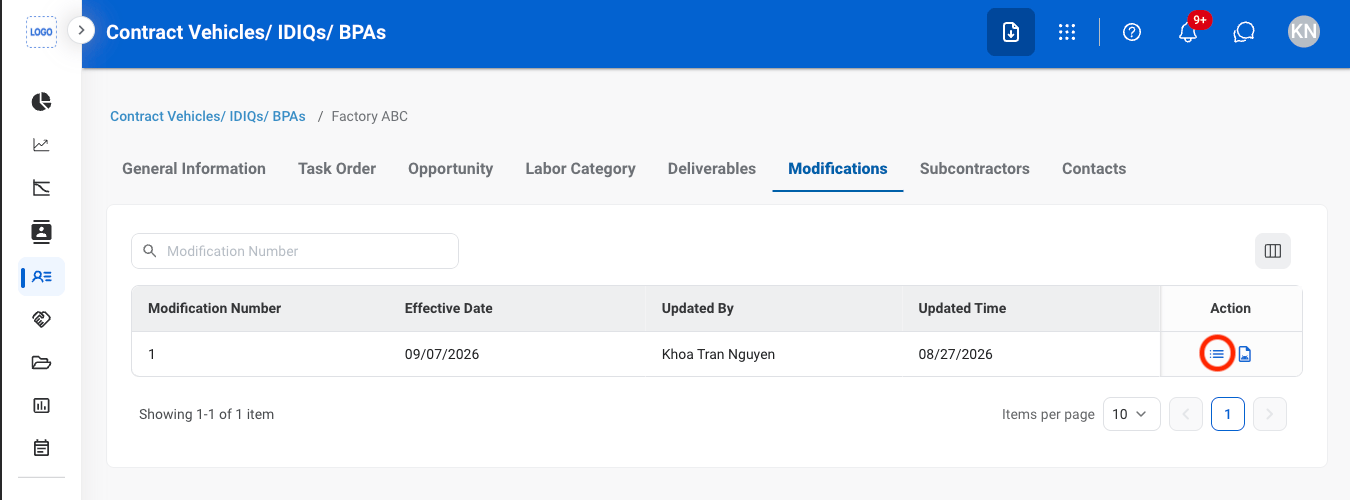
Select the details icon
3
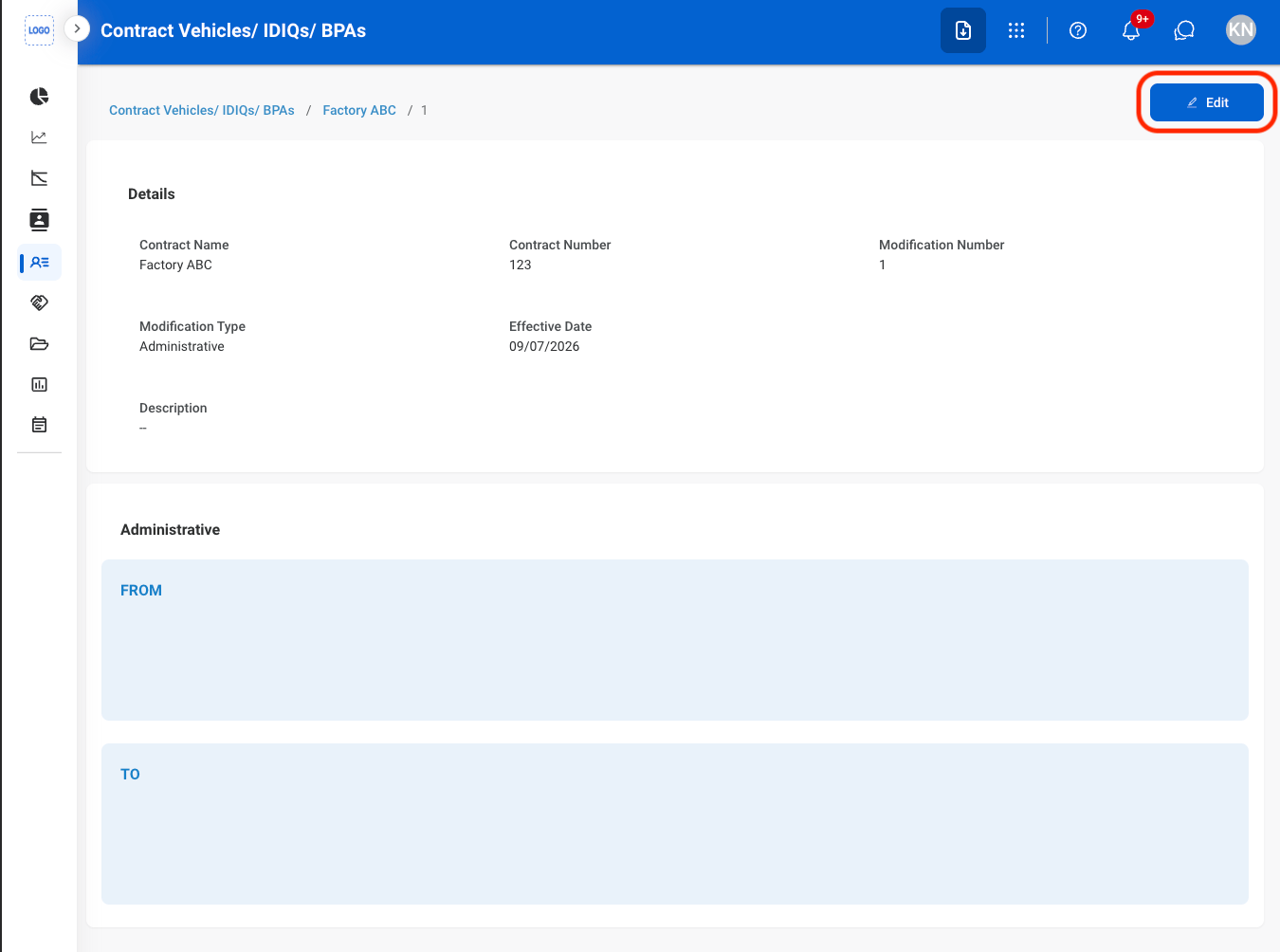
Select Edit
4
Fill in the required information
Select Update to complete or Cancel to exit without saving changes.
Add a Contract Modification Document
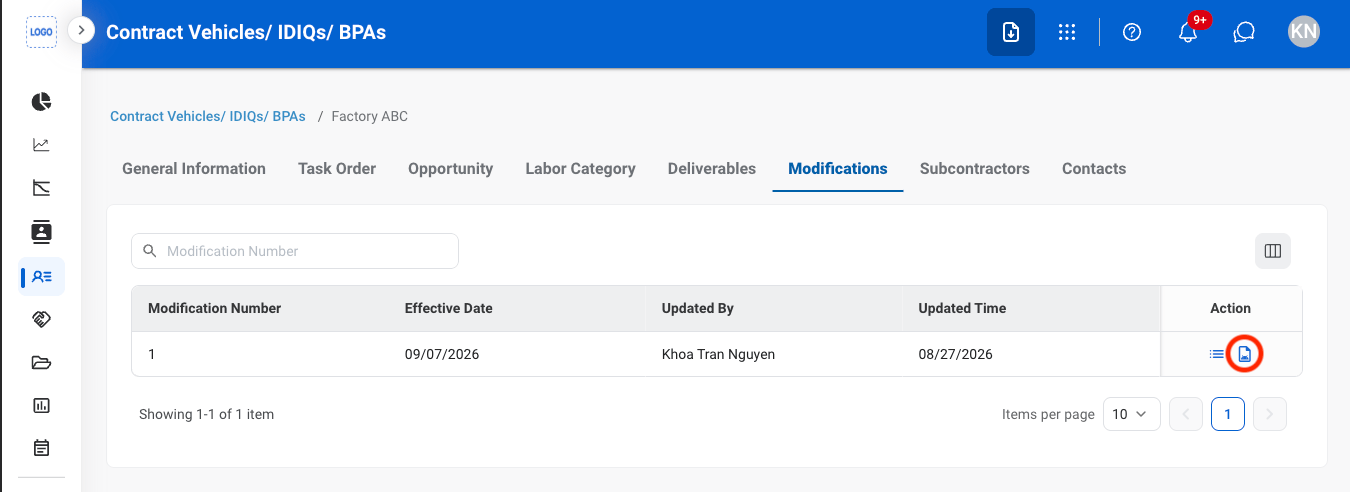
1
Select the document icon
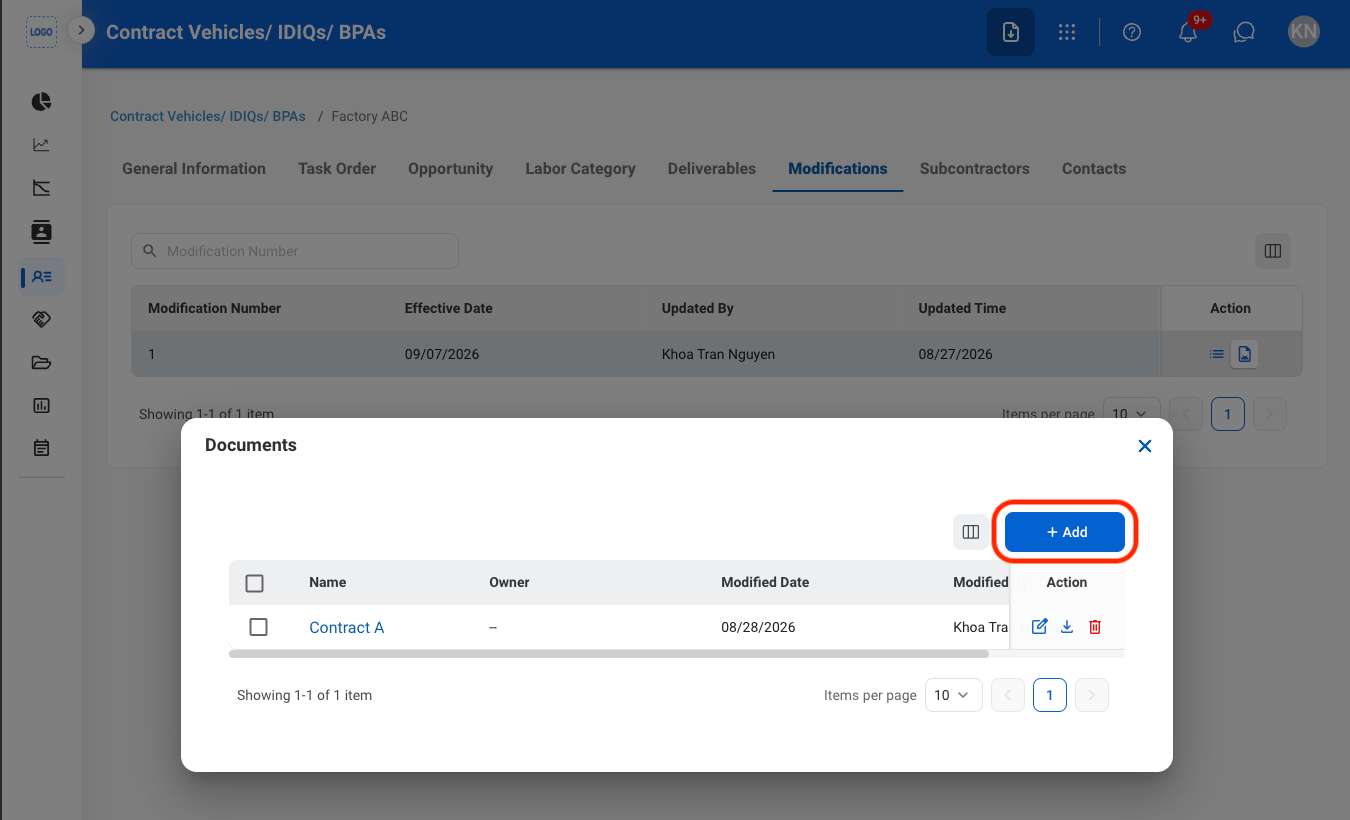
2
Select Add
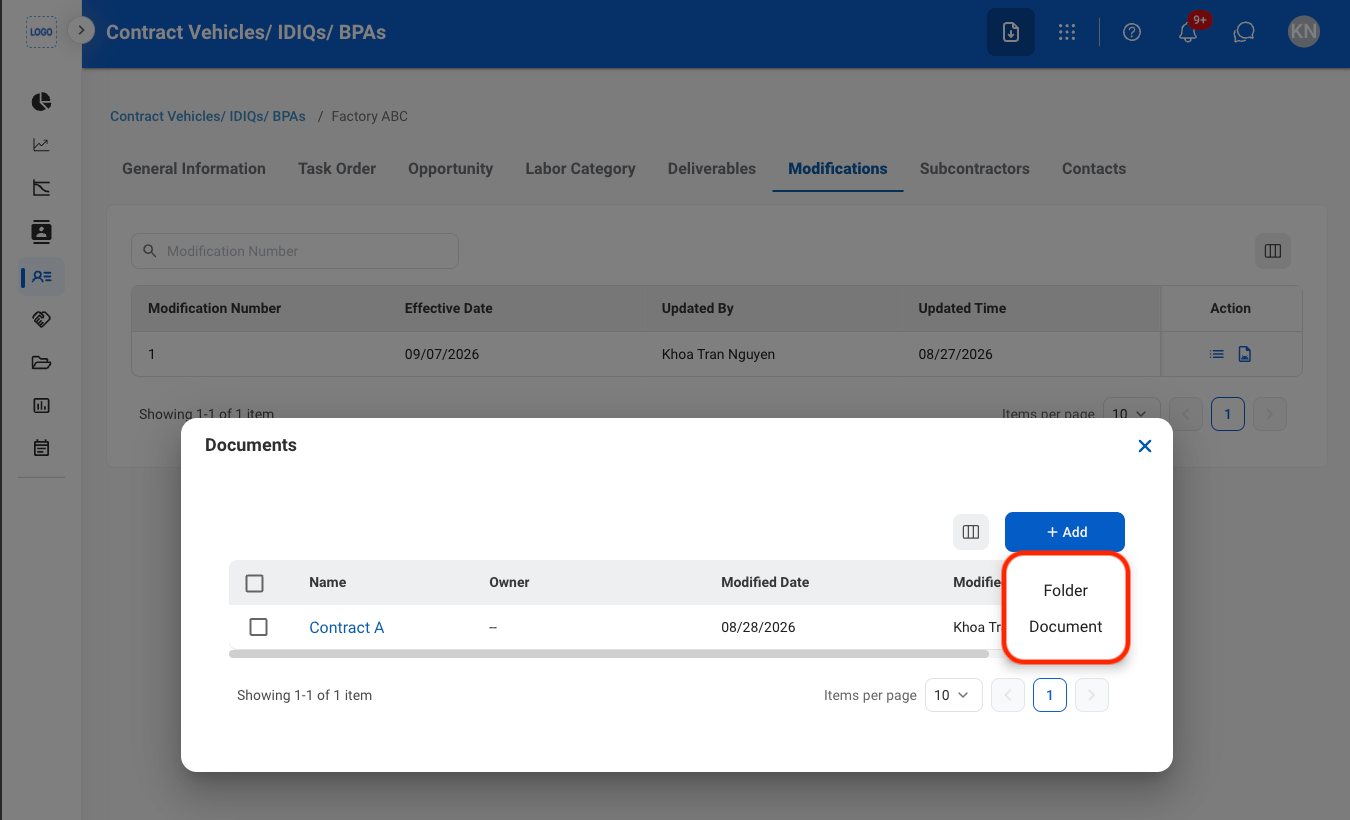
3
Select a document type
4
Fill in the required information
Select Save to complete or Cancel to exit without saving changes.
Modify a Contract Modification Document
1
Select an action
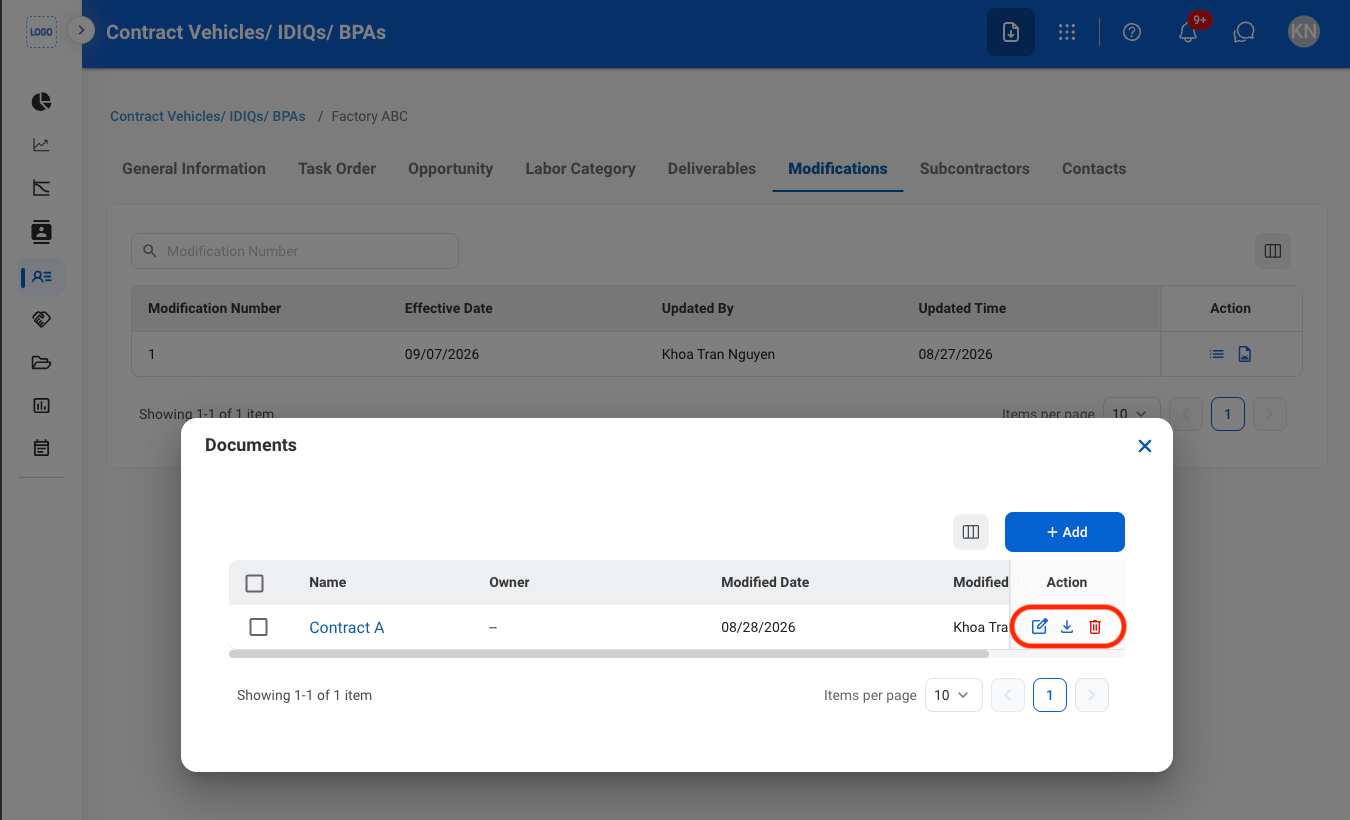
- Edit: Select the edit icon to update an existing entry
- Delete: Select the trash icon to delete an existing entry.
2
Confirm the action
- Edit: Fill in the required information. Select Save to complete or Cancel to exit without saving changes.
- Delete: Select Delete to complete or Cancel to exit without saving changes.
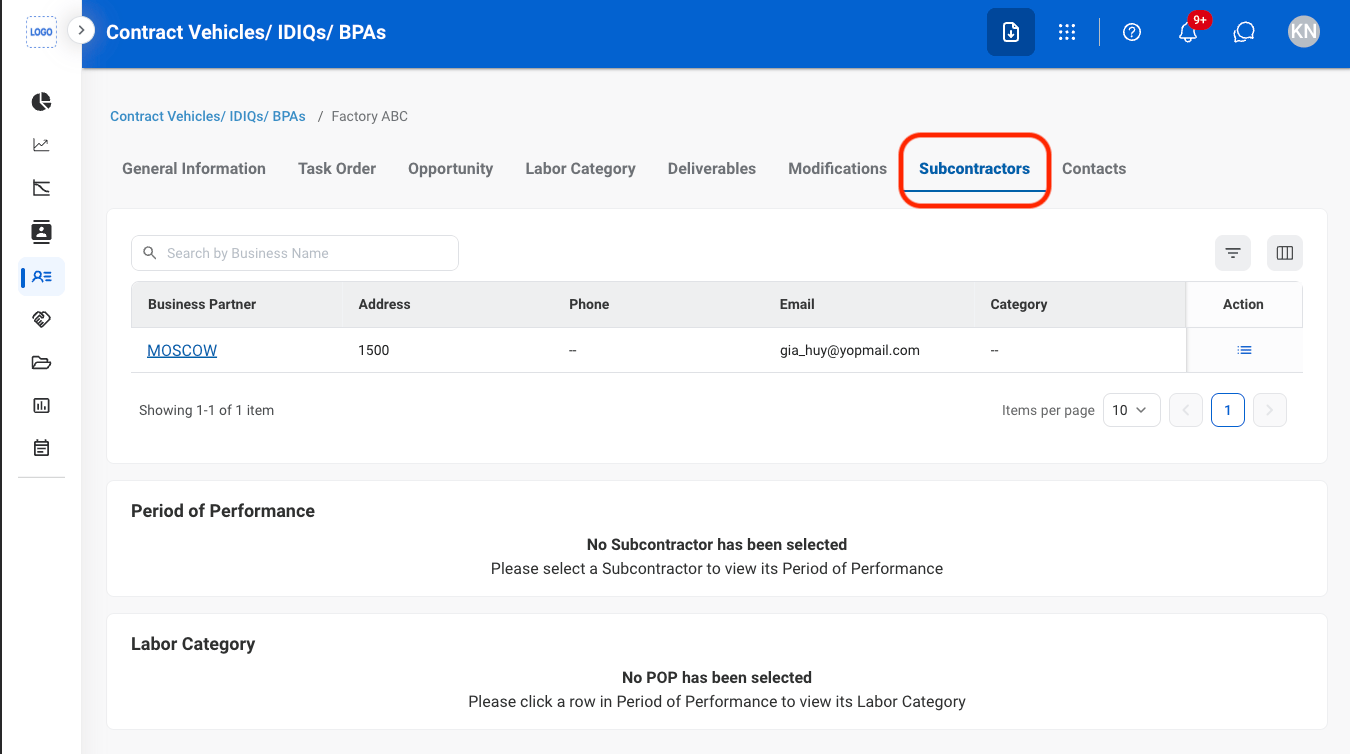
Subcontractors
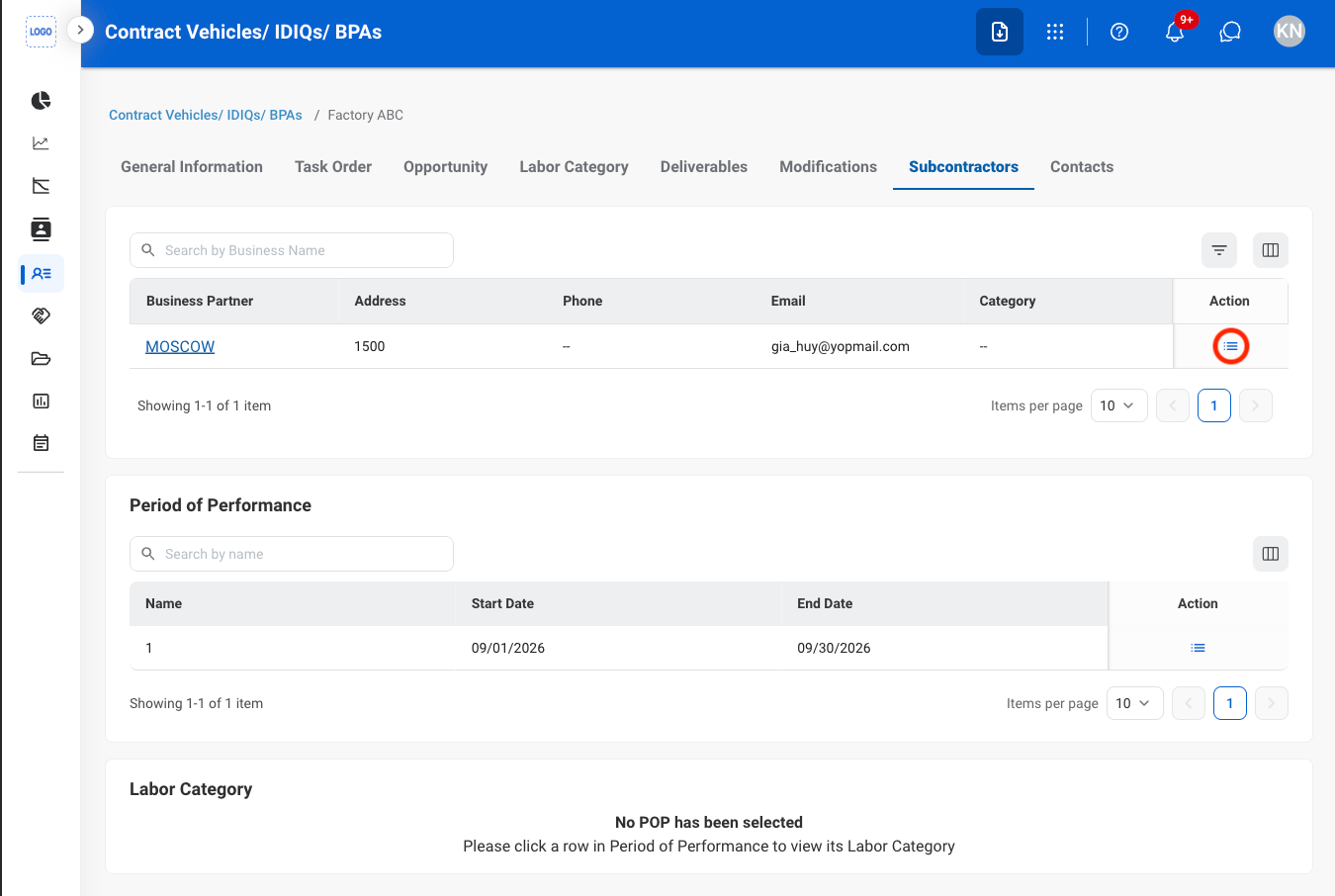
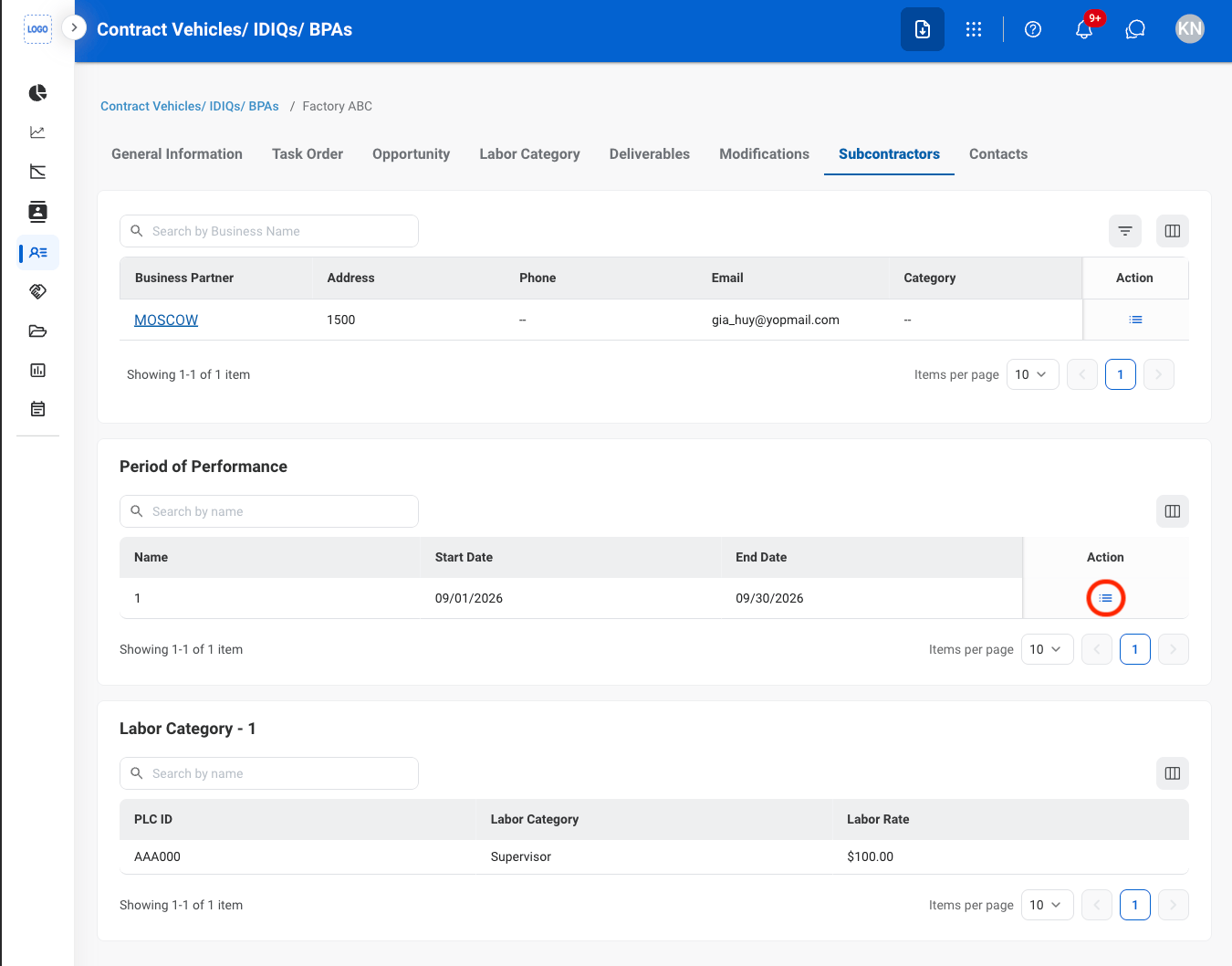
View Subcontractor POP & LCAT
1
Navigate to Subcontractors
2
Select the detail icon
3
Under POP, select the detail icon
Contacts
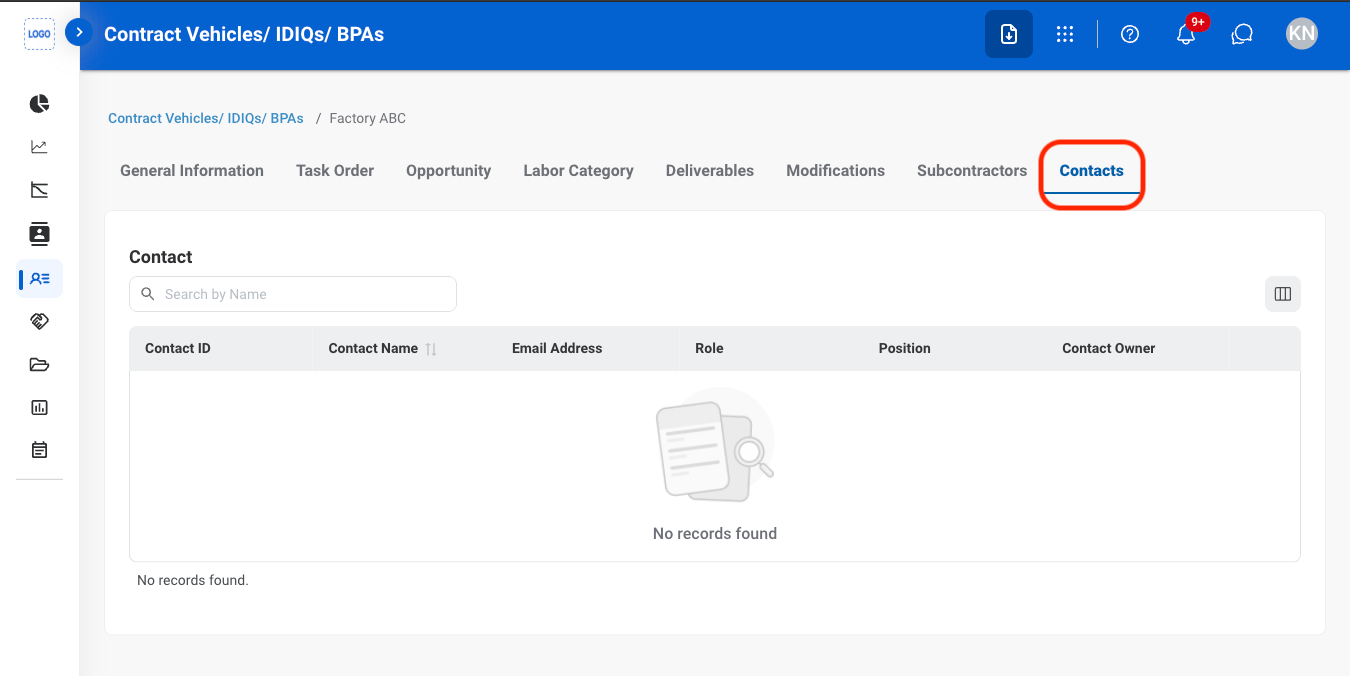
View Contacts
1
Navigate to Contacts