
Write a Post
1
Navigate to My Posts
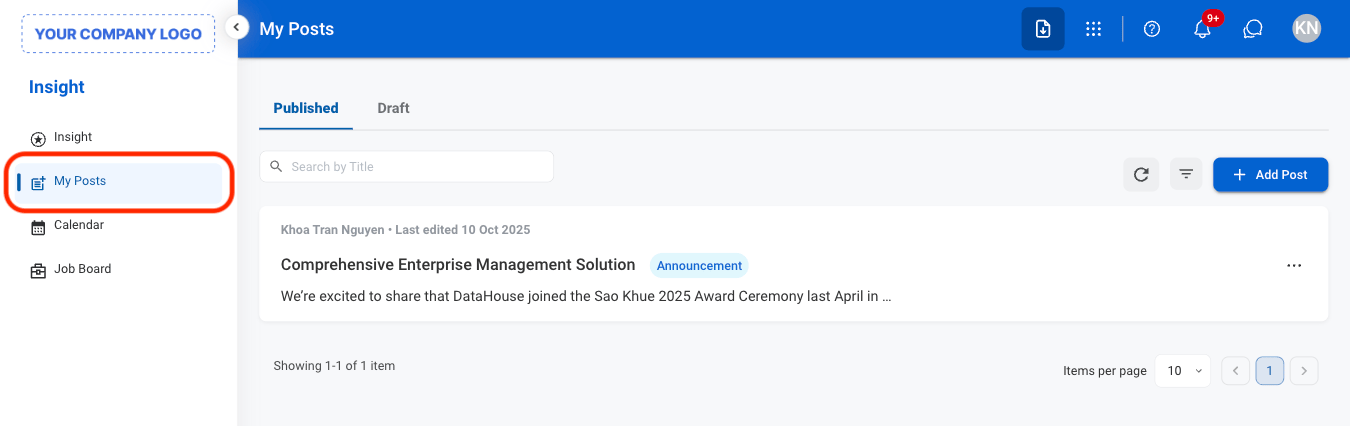
2
Select Add Post
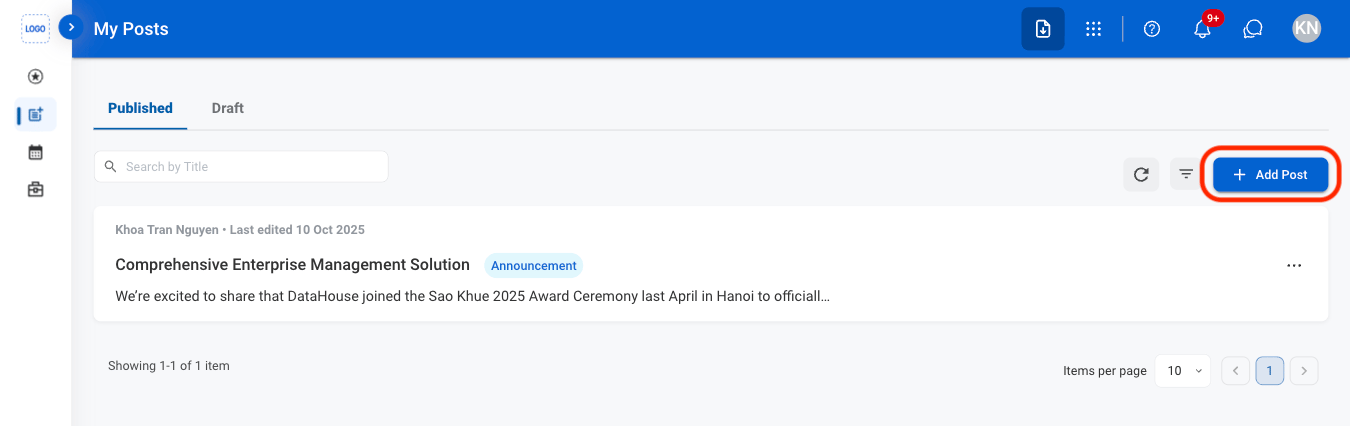
3
Fill in the required information
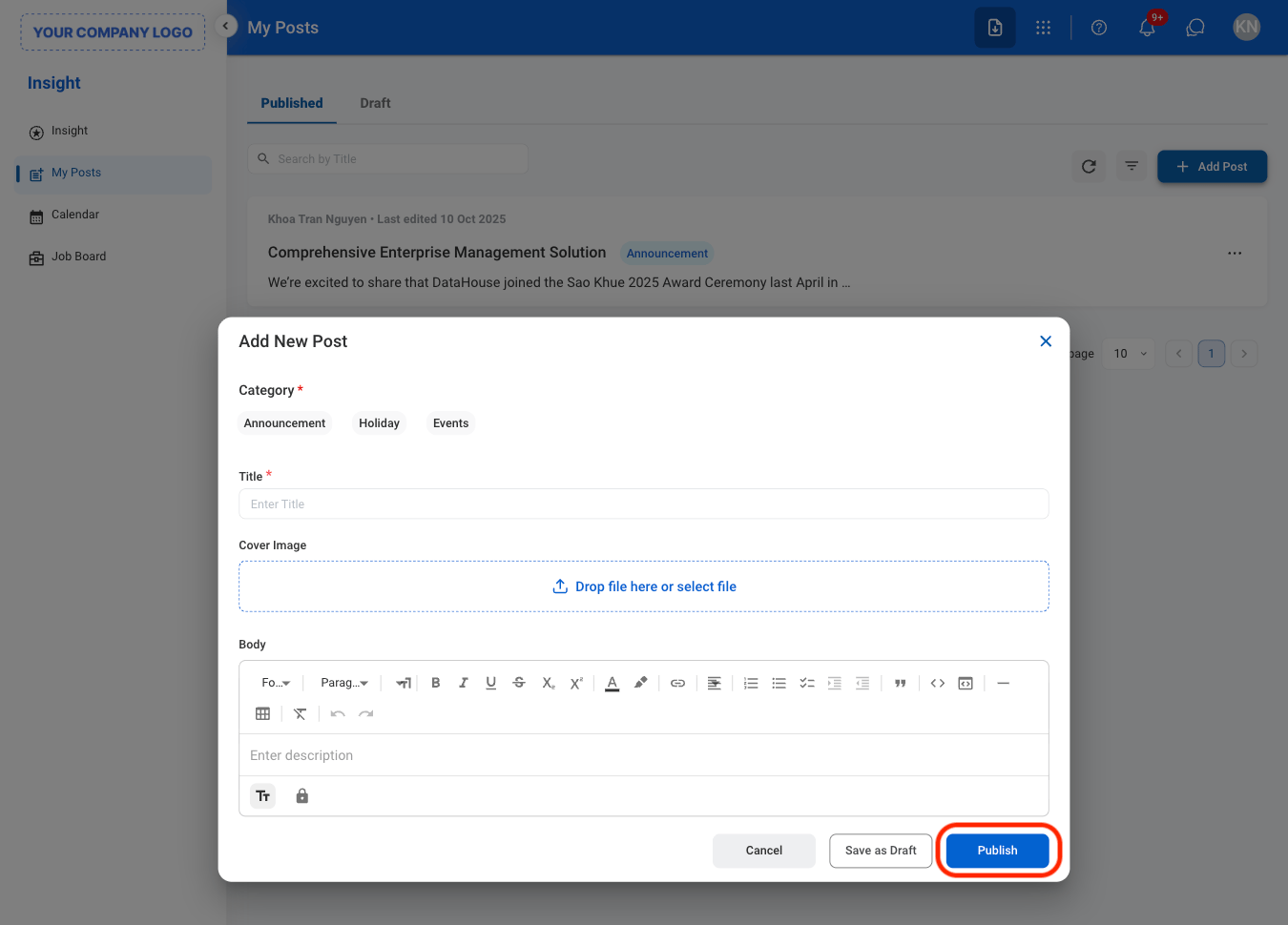
Modify a Post
1
Select a tab
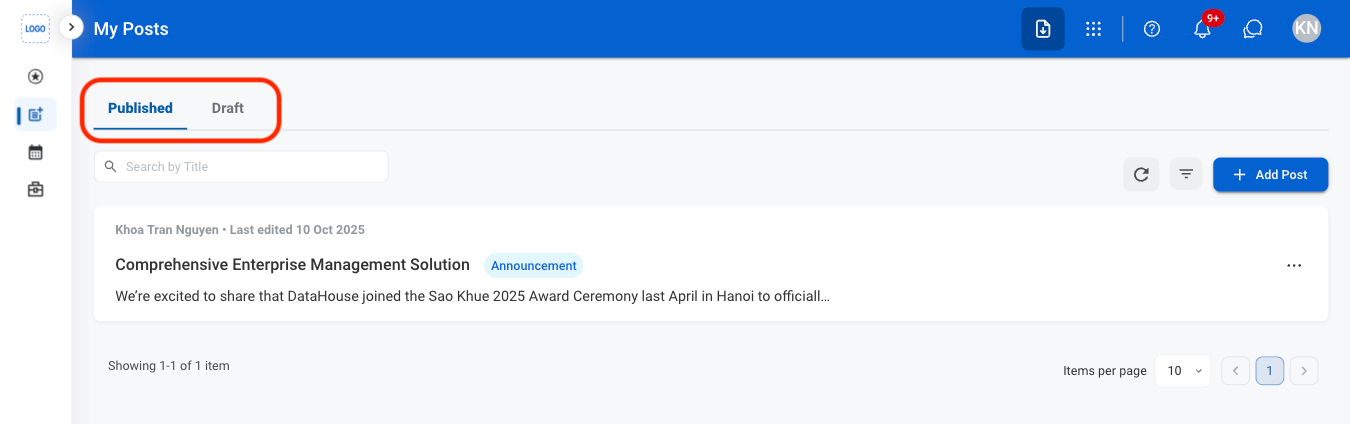
- Published: Posts that have been published and are available as company insights.
- Draft: Posts that have been saved but not yet published.
2
Select the ellipsis icon

3
Select an action
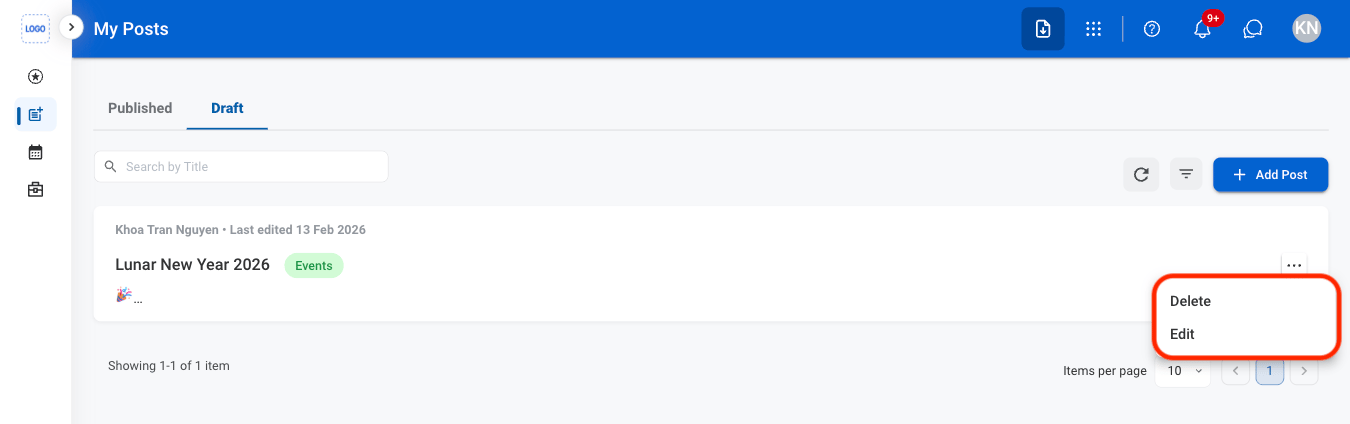
- Edit: Update an existing entry (only available in Draft tab.)
- Delete: Delete an existing entry.
4
Confirm the action
- Edit: Fill in the required information. Select Publish to complete, Save as Draft to exit and save changes, or Cancel to exit without saving changes.
- Delete: Select Delete to complete or Cancel to exit without saving changes.