> ## Documentation Index
> Fetch the complete documentation index at: https://docs.bizbone.com/llms.txt
> Use this file to discover all available pages before exploring further.
# Labor Category
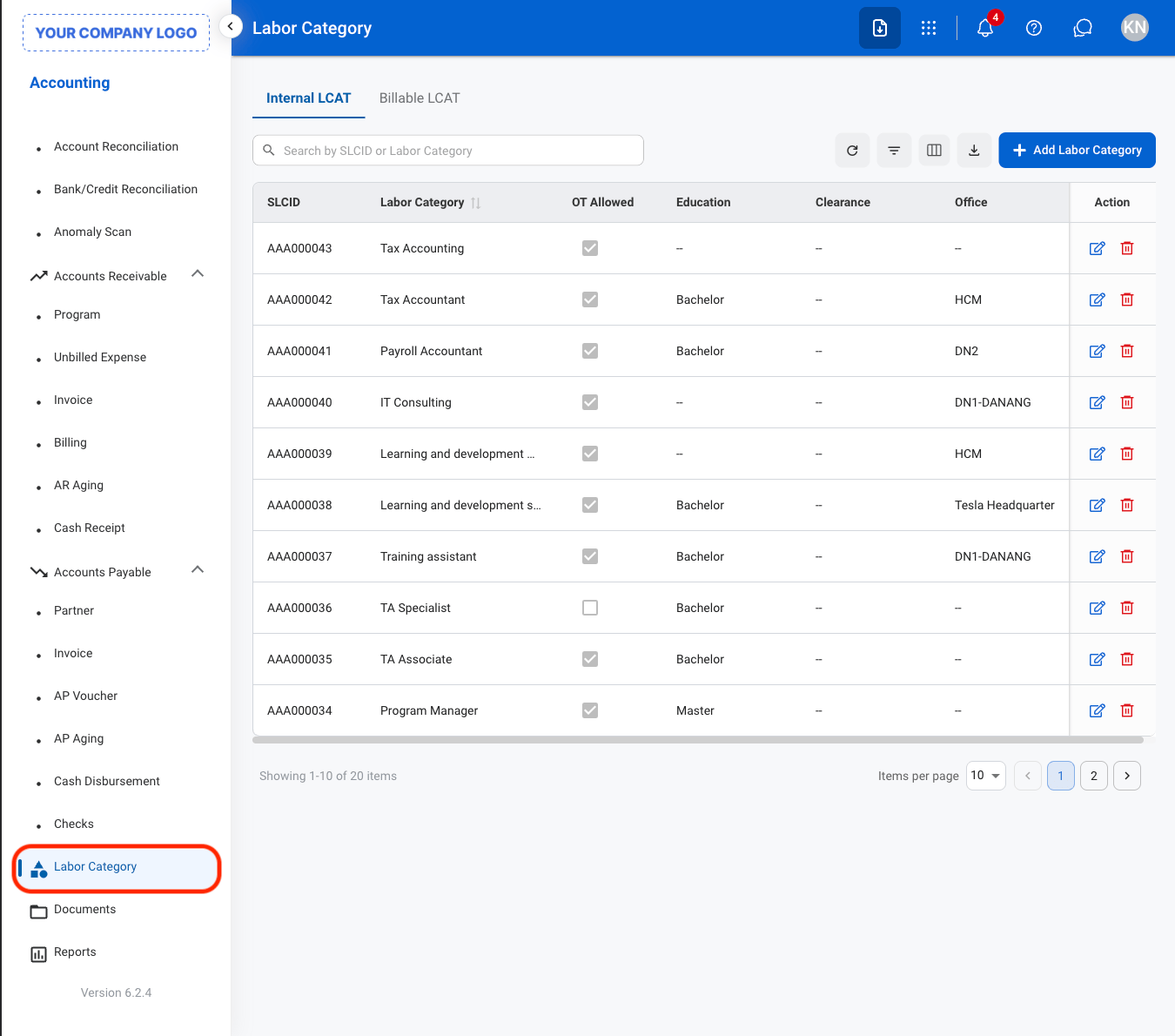
> View labor categories used to classify organizational roles across departments, centers, and programs. Displays internal and billable LCAT information to support workforce planning, timekeeping, and program-related labor tracking.
## View a Labor Category
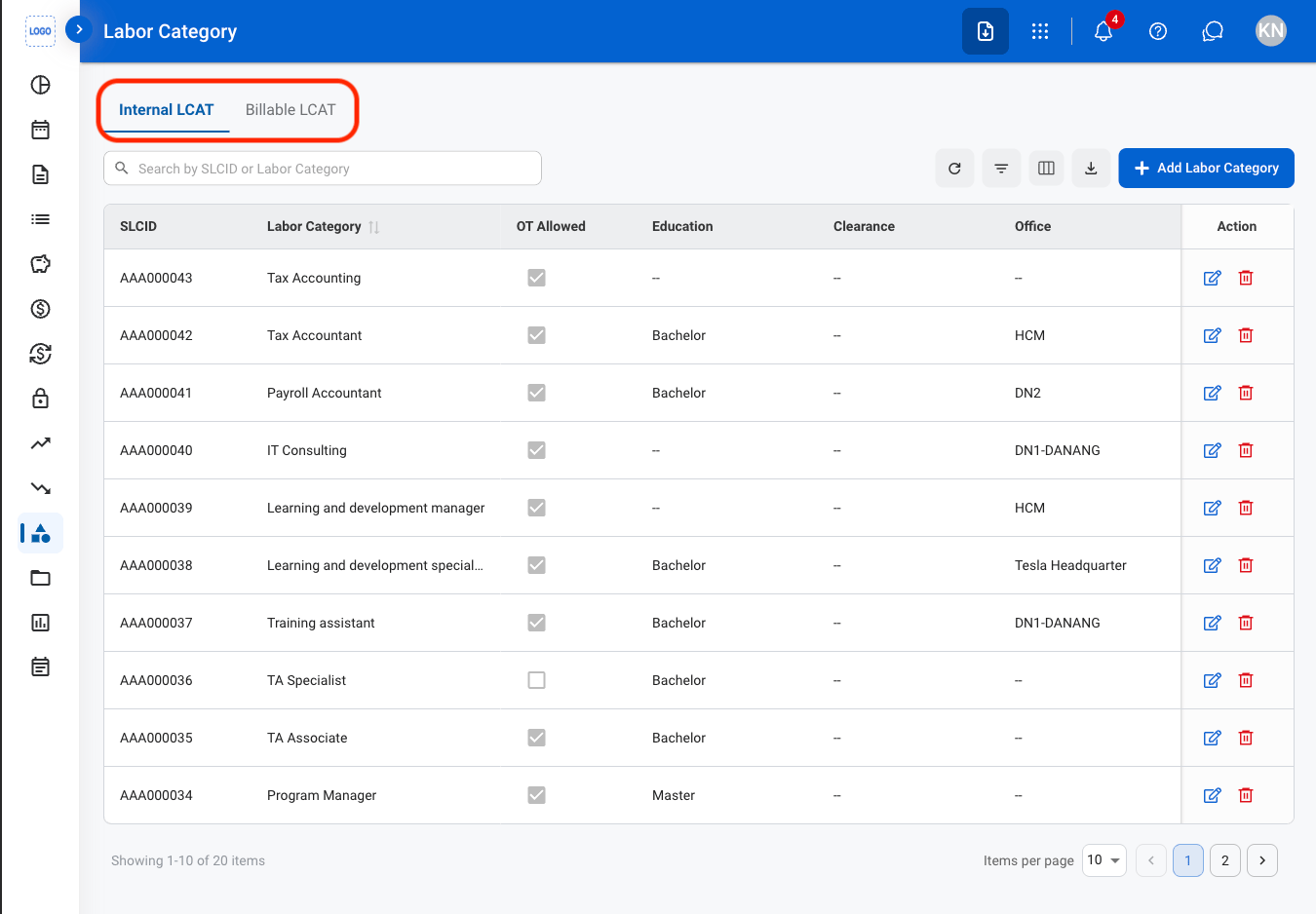 * **Internal LCAT:** Classifies employees for internal labor and timekeeping purposes.
* **Billable LCAT:** Defines billable labor categories associated with a program.
* **Internal LCAT:** Classifies employees for internal labor and timekeeping purposes.
* **Billable LCAT:** Defines billable labor categories associated with a program.
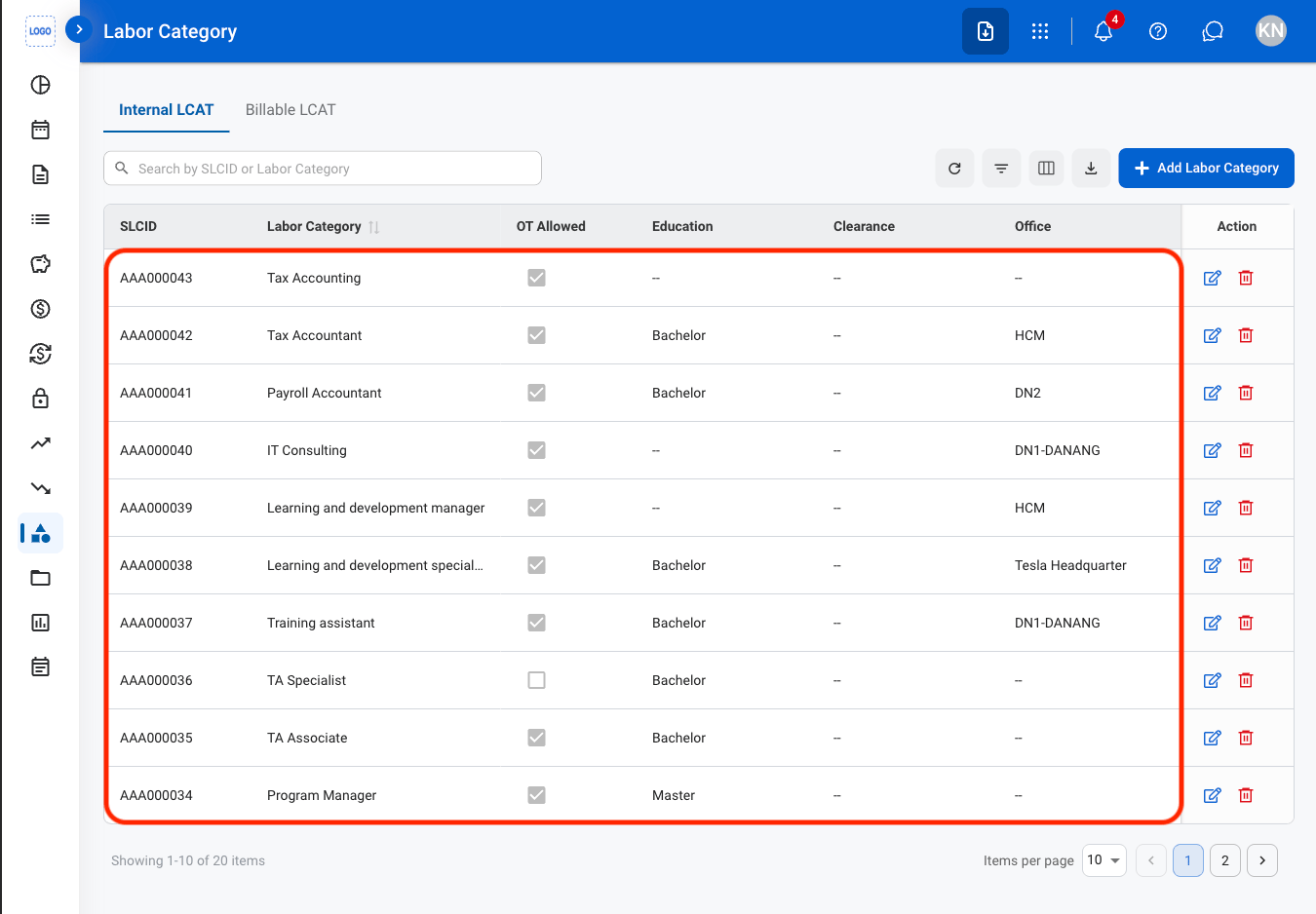 ## Internal LCAT
### Add an LCAT
## Internal LCAT
### Add an LCAT
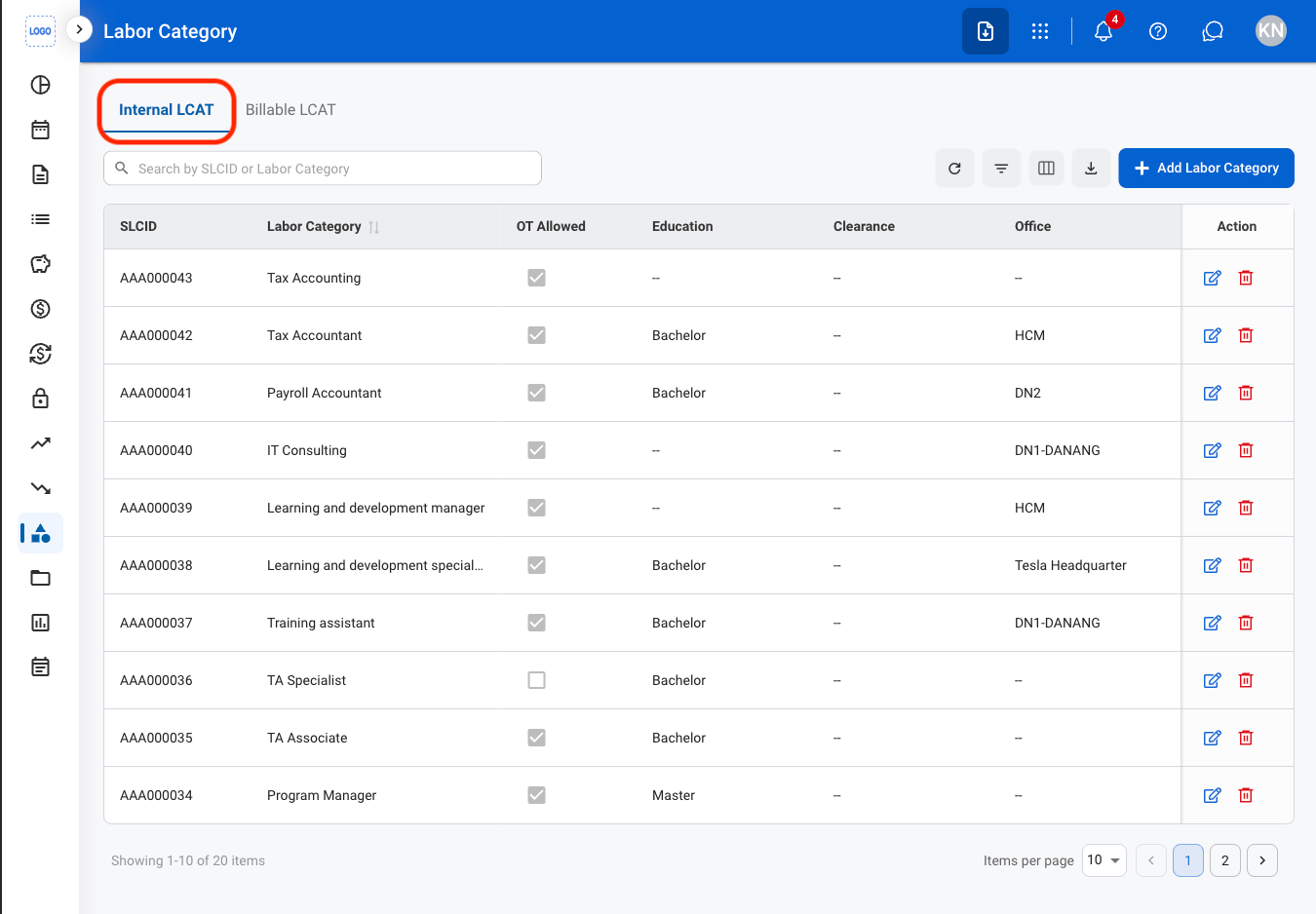
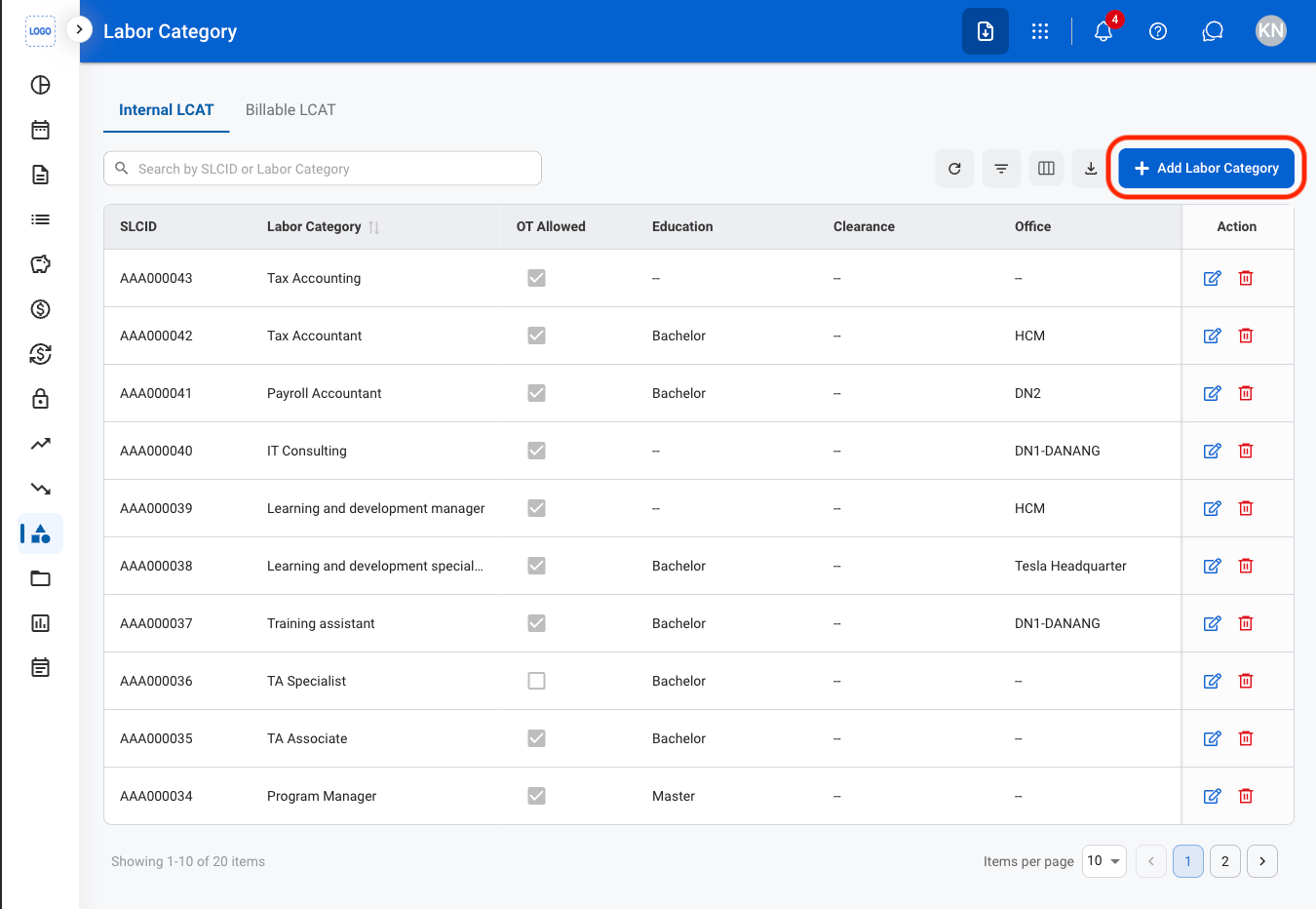
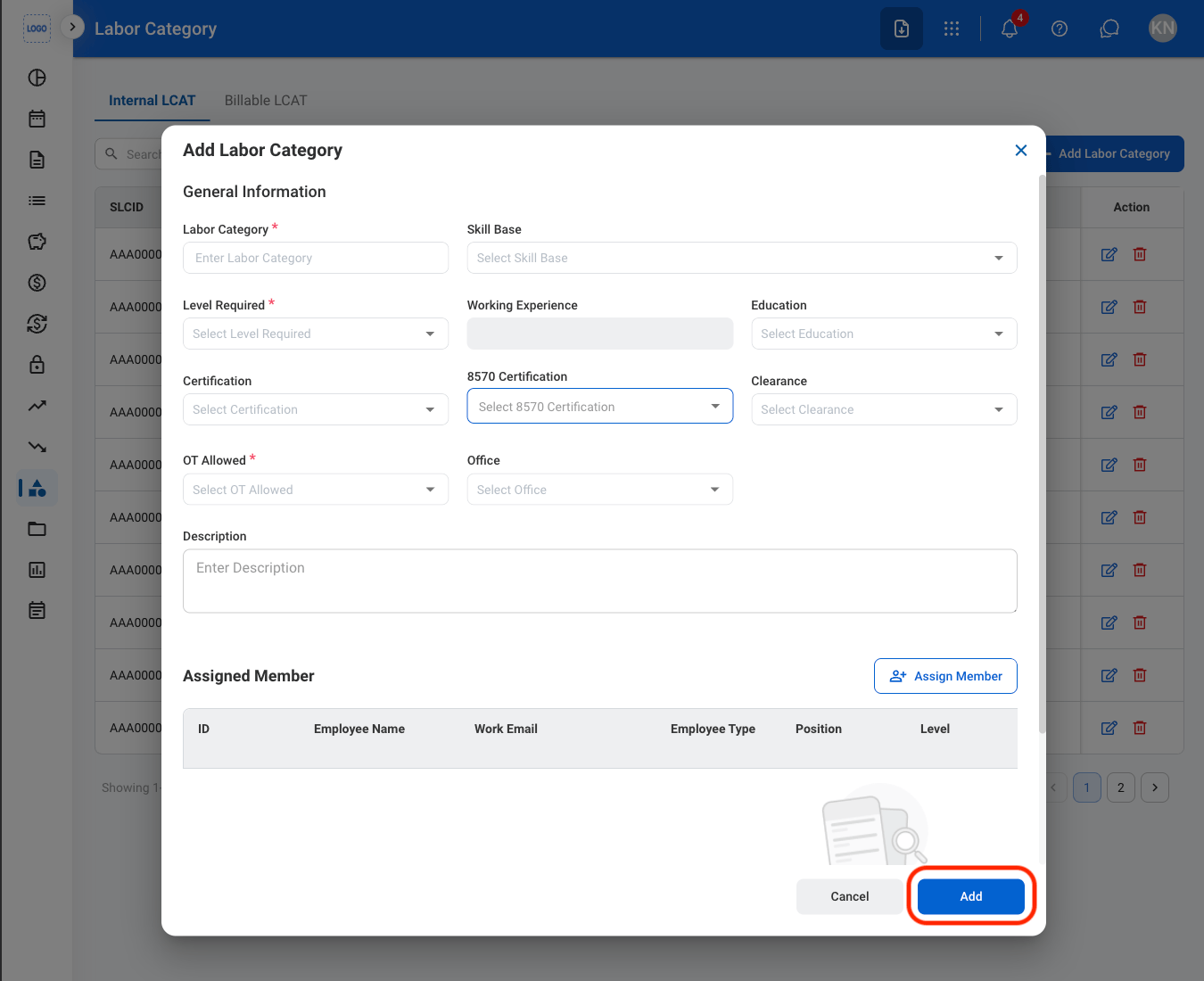 Select **Add** to complete or **Cancel** to exit without saving changes.
### Modify an LCAT
Select **Add** to complete or **Cancel** to exit without saving changes.
### Modify an LCAT
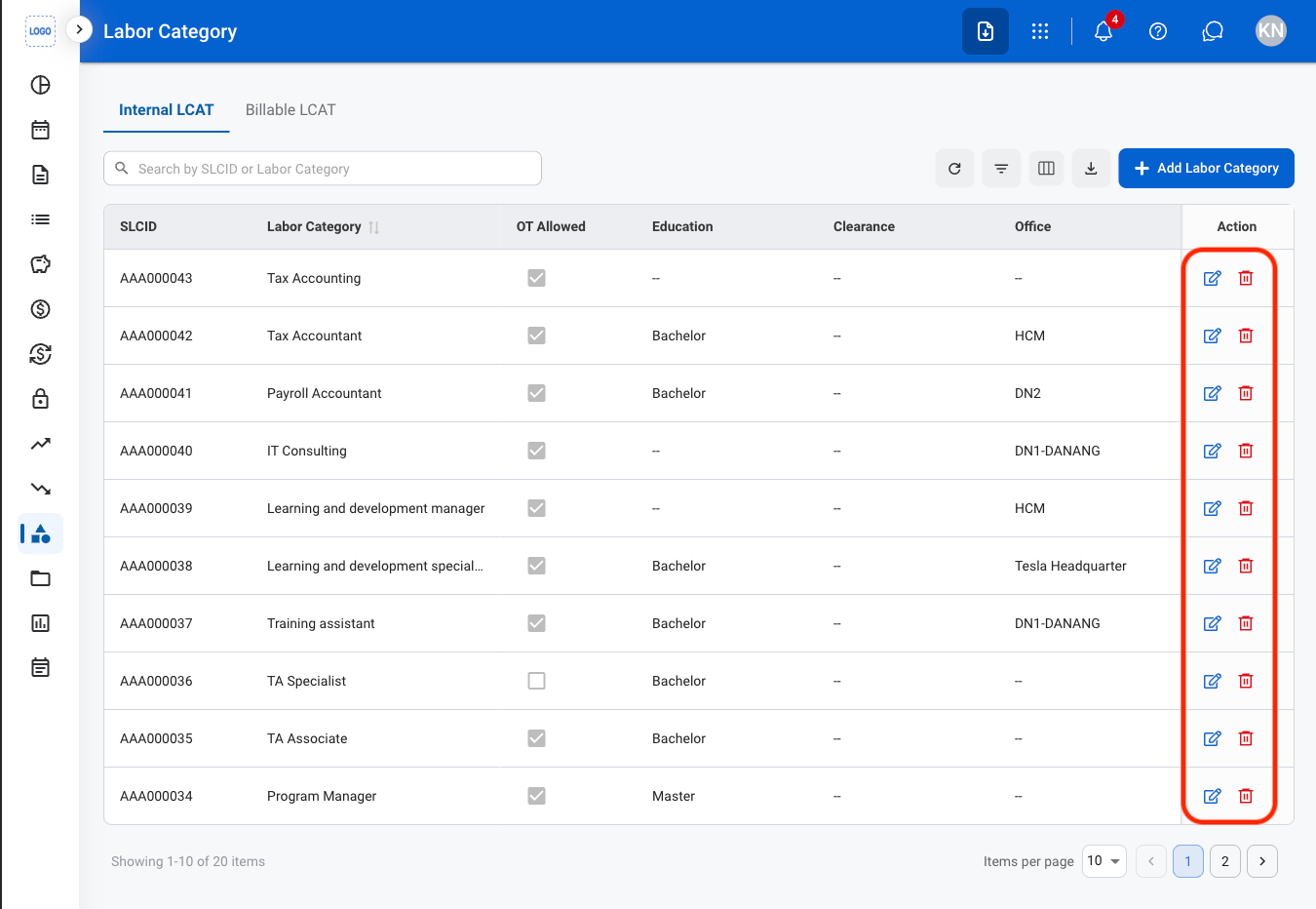 * **Edit**: Select the **edit icon** to update an existing entry
* **Delete**: Select the **trash icon** to delete an existing entry
* **Edit:** Fill in the required information. Select **Save** to complete or **Cancel** to exit without saving changes
* **Delete:** Select **Delete** to complete or **Cancel** to exit without saving changes.
* **Edit**: Select the **edit icon** to update an existing entry
* **Delete**: Select the **trash icon** to delete an existing entry
* **Edit:** Fill in the required information. Select **Save** to complete or **Cancel** to exit without saving changes
* **Delete:** Select **Delete** to complete or **Cancel** to exit without saving changes.