> ## Documentation Index
> Fetch the complete documentation index at: https://docs.bizbone.com/llms.txt
> Use this file to discover all available pages before exploring further.

# Personal Timesheet

> View, create, and manage personal timesheets, including recorded work hours, leave, and attendance entries.

## View Timesheet
<Steps>
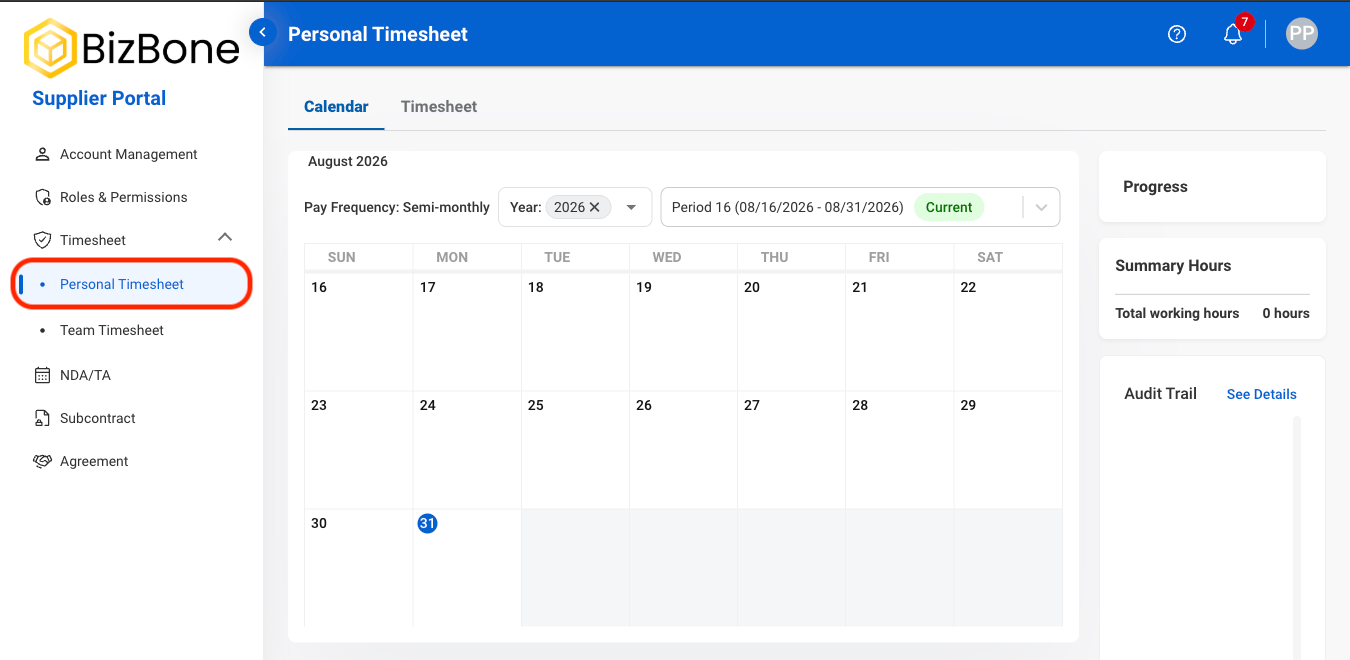
  <Step title="Navigate to Personal Timesheet">
    <Frame>
      <img src="https://mintcdn.com/bizbone/RE66ydF06Ixo6Fum/images/S-PT-Nav.png?fit=max&auto=format&n=RE66ydF06Ixo6Fum&q=85&s=9a15bf6fd95fe53ce7794d976340248a" alt="S PT Nav" width="1350" height="660" data-path="images/S-PT-Nav.png" />
    </Frame>
  </Step>

  <Step title="Select a tab">
    <Frame>
      <img src="https://mintcdn.com/bizbone/RE66ydF06Ixo6Fum/images/S-PT-Tab.png?fit=max&auto=format&n=RE66ydF06Ixo6Fum&q=85&s=c96b0048dacced0ccbf9078837d9cca9" alt="S PT Tab" width="1350" height="660" data-path="images/S-PT-Tab.png" />
    </Frame>

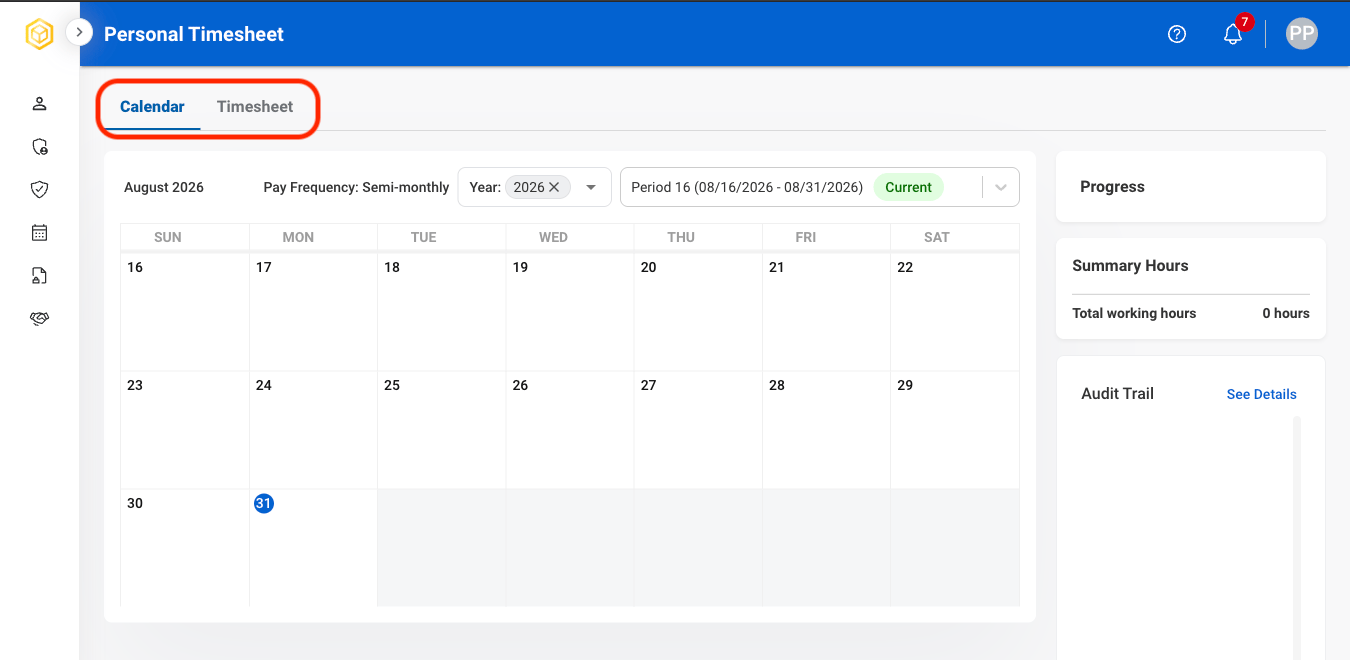
    * **Calendar:** Displays time entries in a date-based calendar format for easier visualization of daily or weekly activity.
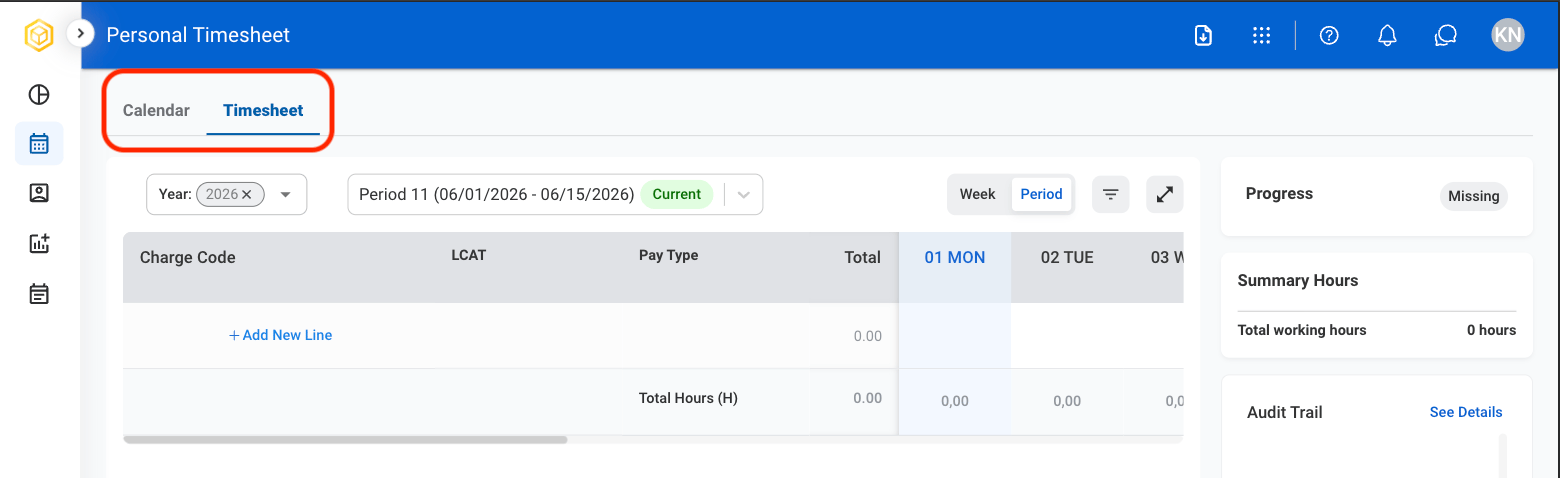
    * **Timesheet:** Displays time entries in a structured list format for detailed review and editing of recorded hours.
  </Step>

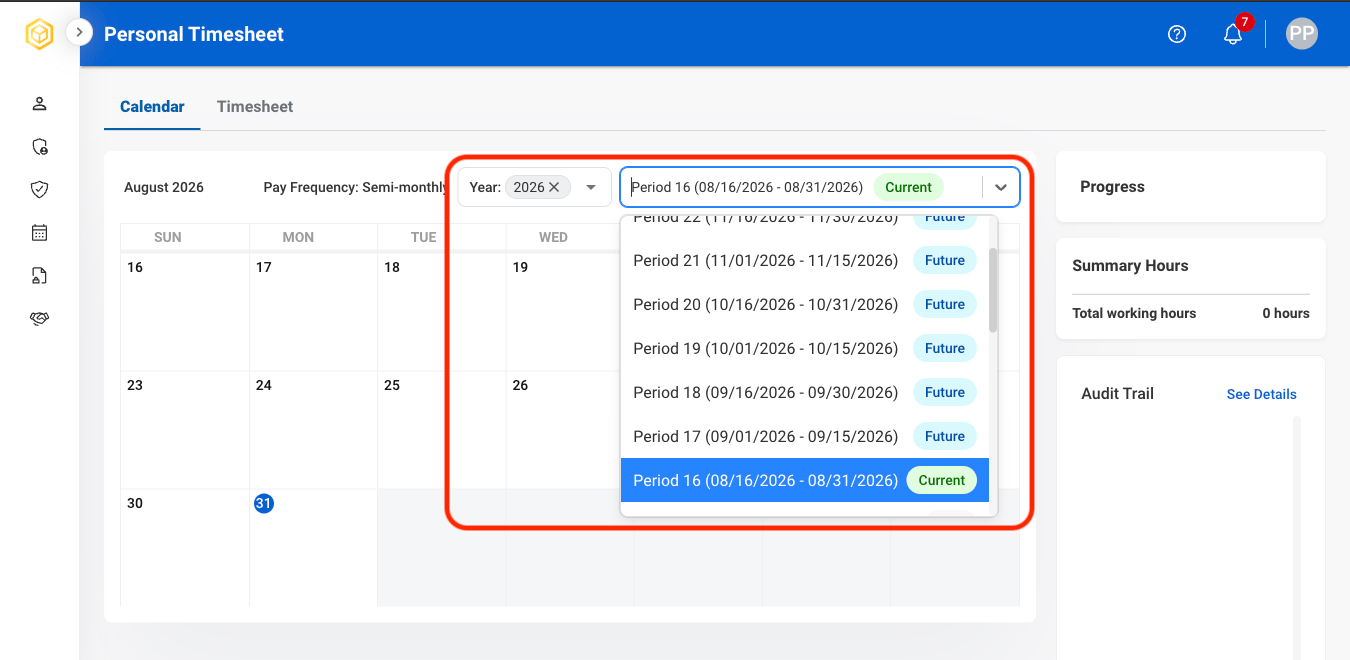
  <Step title="Select a time period">
    <Frame>
      <img src="https://mintcdn.com/bizbone/RE66ydF06Ixo6Fum/images/S-PT-Time-Period.png?fit=max&auto=format&n=RE66ydF06Ixo6Fum&q=85&s=7b3d29e45db046a5a206e9eedbe6a9dd" alt="S PT Time Period" width="1350" height="660" data-path="images/S-PT-Time-Period.png" />
    </Frame>
  </Step>
</Steps>

## Submit a Timesheet

<Steps>
  <Step title="Navigate to Timesheet">
    <Frame>
      <img src="https://mintcdn.com/bizbone/_k3erF2n8rcHBsQu/images/T-T-View.png?fit=max&auto=format&n=_k3erF2n8rcHBsQu&q=85&s=852794ba2e69cb7bef9c9e5914cb7492" alt="T T View" width="1560" height="478" data-path="images/T-T-View.png" />
    </Frame>
  </Step>

  <Step title="Select Add New Line">
    <Frame>
      <img src="https://mintcdn.com/bizbone/GWQ1l3p7pywsLplB/images/T-T-Add-New-Line.png?fit=max&auto=format&n=GWQ1l3p7pywsLplB&q=85&s=d71b363843ed304361d1955d051101f4" alt="T T Add New Line" width="1560" height="482" data-path="images/T-T-Add-New-Line.png" />
    </Frame>
  </Step>

  <Step title="Select time entry classifications">
    <Frame>
      <img src="https://mintcdn.com/bizbone/GWQ1l3p7pywsLplB/images/T-T-Fill-Req.png?fit=max&auto=format&n=GWQ1l3p7pywsLplB&q=85&s=bbe97752620d728e46c4363e77f2b397" alt="T T Fill Req" width="1560" height="886" data-path="images/T-T-Fill-Req.png" />
    </Frame>

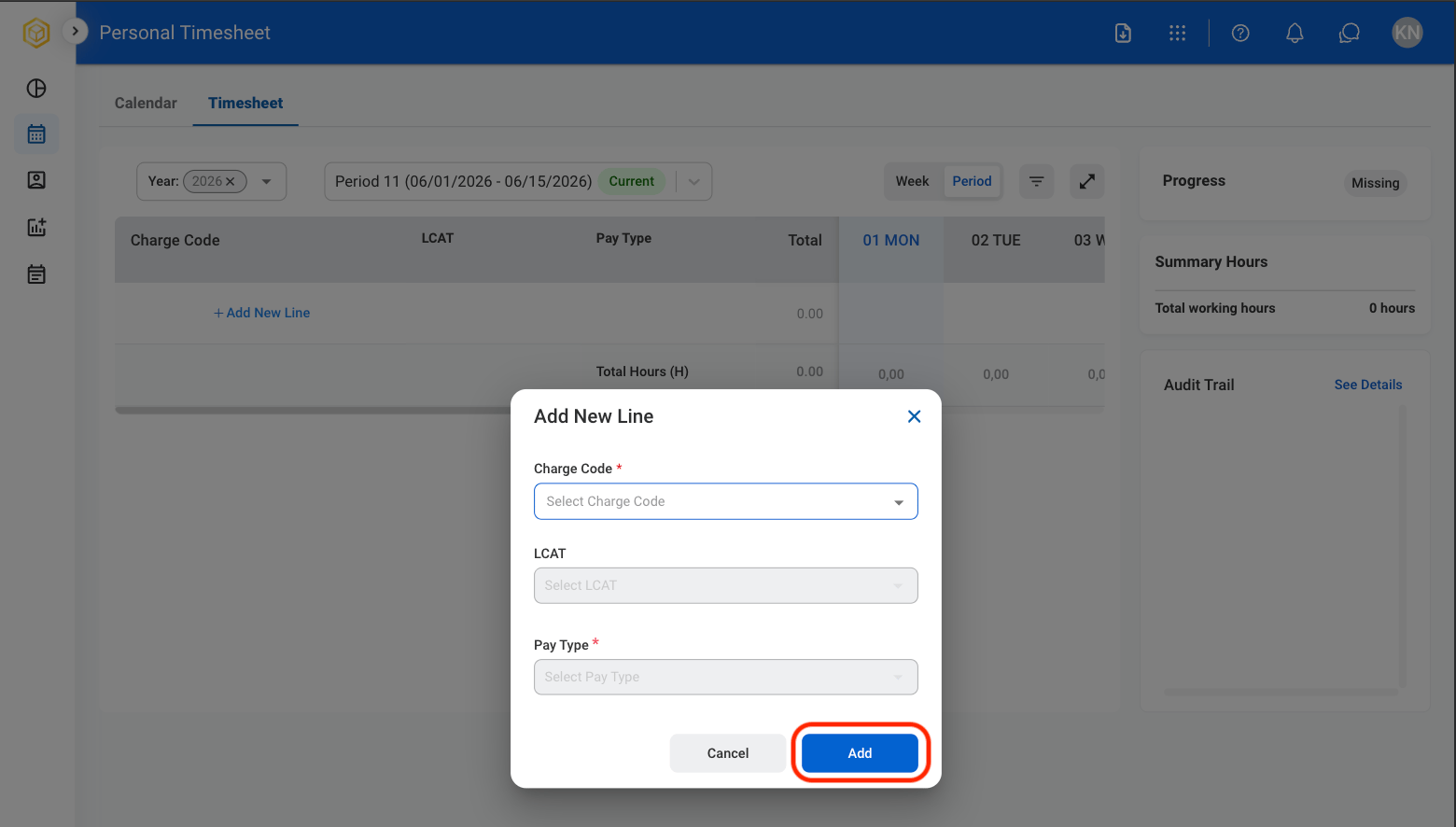
    * **Charge Code:** Identifier used to track and categorize work performed for billing or reporting purposes.
    * **LCAT:** Labor category that defines the type of work performed and the associated role classification.
    * **Pay Type:** Classification of time entry indicating how hours are compensated. Select **Add** to complete or C**a**ncel to exit without saving changes. 
  </Step>

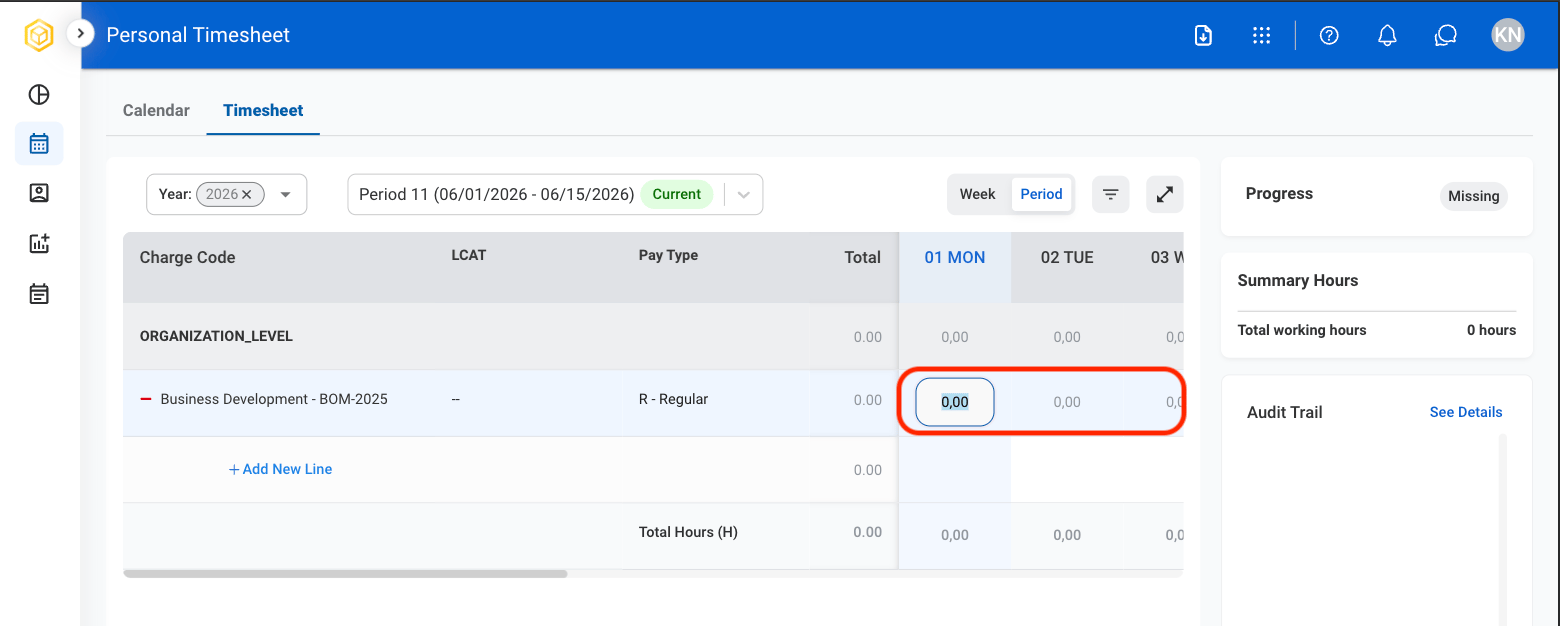
  <Step title="Select a cell to enter hours worked">
    <Frame>
      <img src="https://mintcdn.com/bizbone/GWQ1l3p7pywsLplB/images/T-T-Enter-Hours.png?fit=max&auto=format&n=GWQ1l3p7pywsLplB&q=85&s=7e62a4bd682059057994989fe6f7a68a" alt="T T Enter Hours" width="1560" height="626" data-path="images/T-T-Enter-Hours.png" />
    </Frame>

    After entry, hours will populate in Summary Hours and Audit Trail.

    * **Summary Hours**: Displays total hours entered in a given period.   
    * **Audit Trail**: Displays all time entries and changes in a given period. 
  </Step>

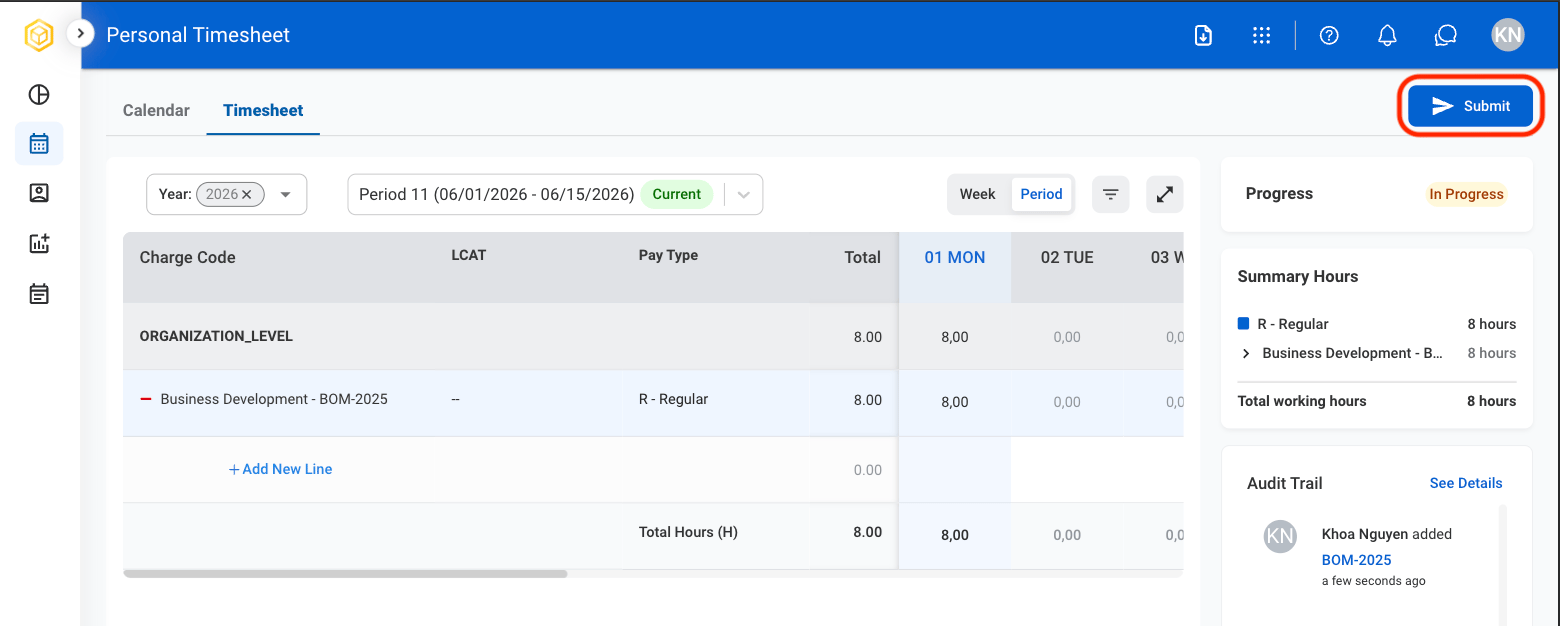
  <Step title="Select Submit">
    <Frame>
      <img src="https://mintcdn.com/bizbone/_k3erF2n8rcHBsQu/images/T-T-Submit.png?fit=max&auto=format&n=_k3erF2n8rcHBsQu&q=85&s=a9aab0addcb3c8ad0e26390af1d52707" alt="T T Submit" width="1560" height="626" data-path="images/T-T-Submit.png" />
    </Frame>
  </Step>

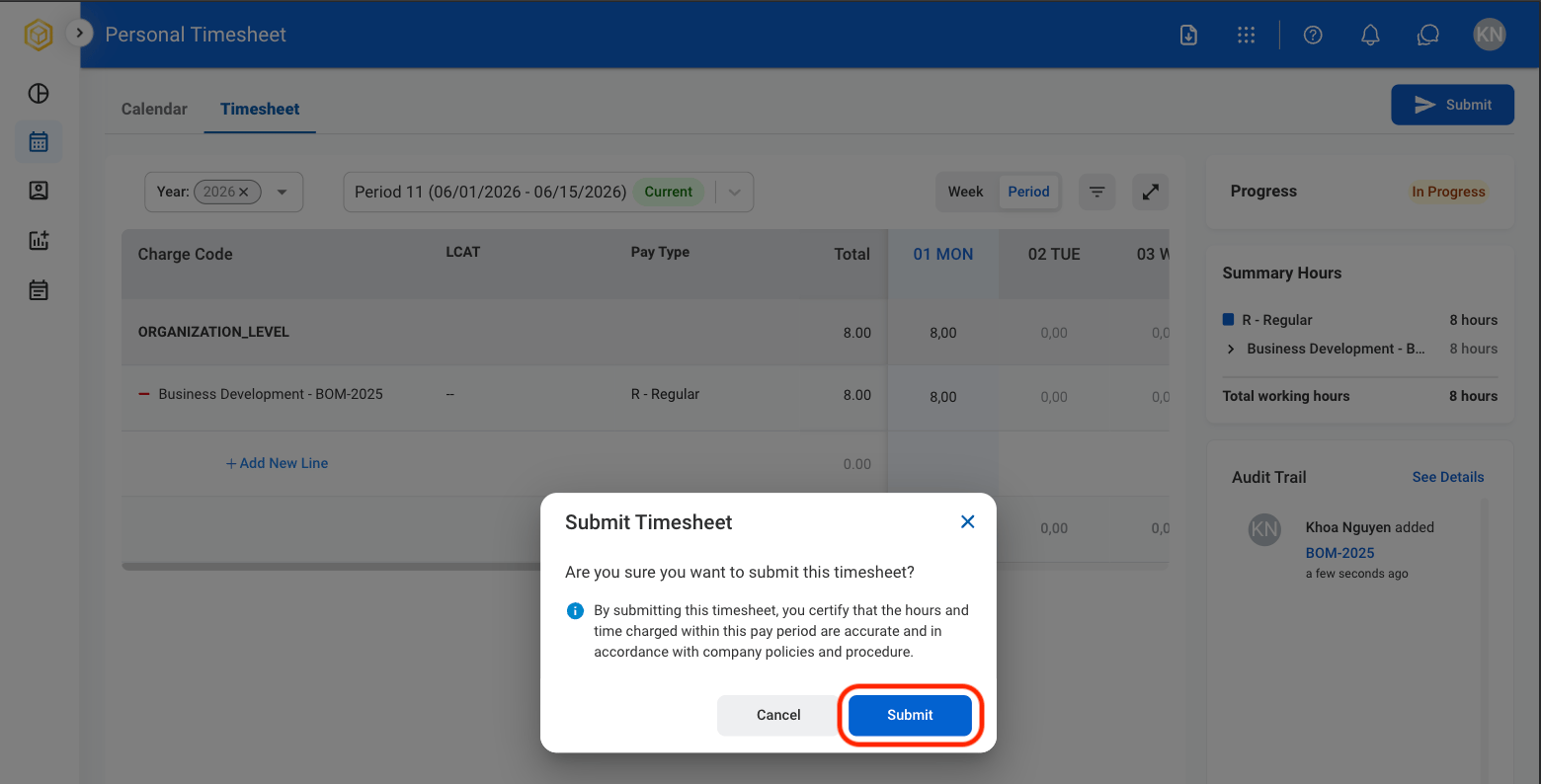
  <Step title="Confirm the action">
    <Frame>
      <img src="https://mintcdn.com/bizbone/GWQ1l3p7pywsLplB/images/T-T-Confirm-Submit.png?fit=max&auto=format&n=GWQ1l3p7pywsLplB&q=85&s=72b63193c7c4a8aa4f2b47f863fd28e4" alt="T T Confirm Submit" width="1560" height="794" data-path="images/T-T-Confirm-Submit.png" />
    </Frame>

    Select **Submit** to complete or **Cancel** to exit without saving changes. 
  </Step>
</Steps>

## Remove a Charge Code

<Steps>
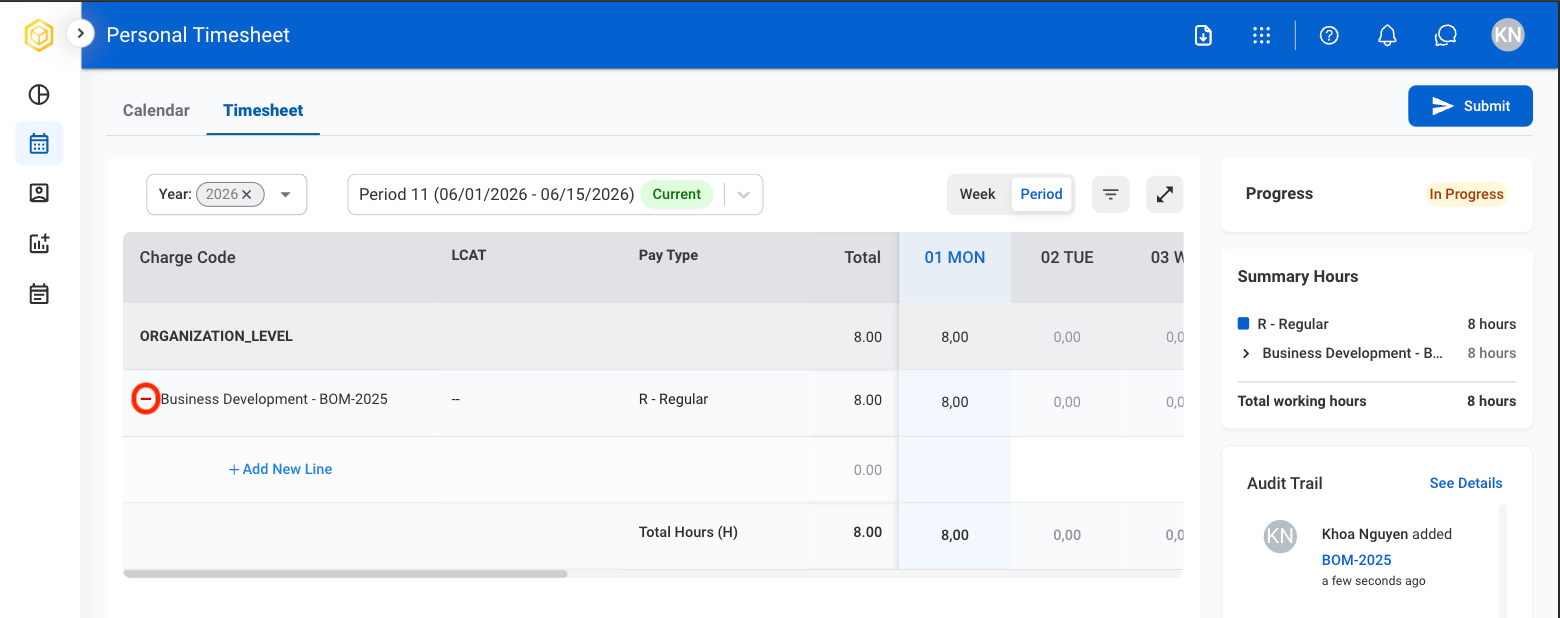
  <Step title="Select the minus icon">
    <Frame>
      <img src="https://mintcdn.com/bizbone/GWQ1l3p7pywsLplB/images/T-T-Remove-CC.png?fit=max&auto=format&n=GWQ1l3p7pywsLplB&q=85&s=a129c89a97704d9258a919f8295093a8" alt="T T Remove CC" width="1560" height="618" data-path="images/T-T-Remove-CC.png" />
    </Frame>
  </Step>

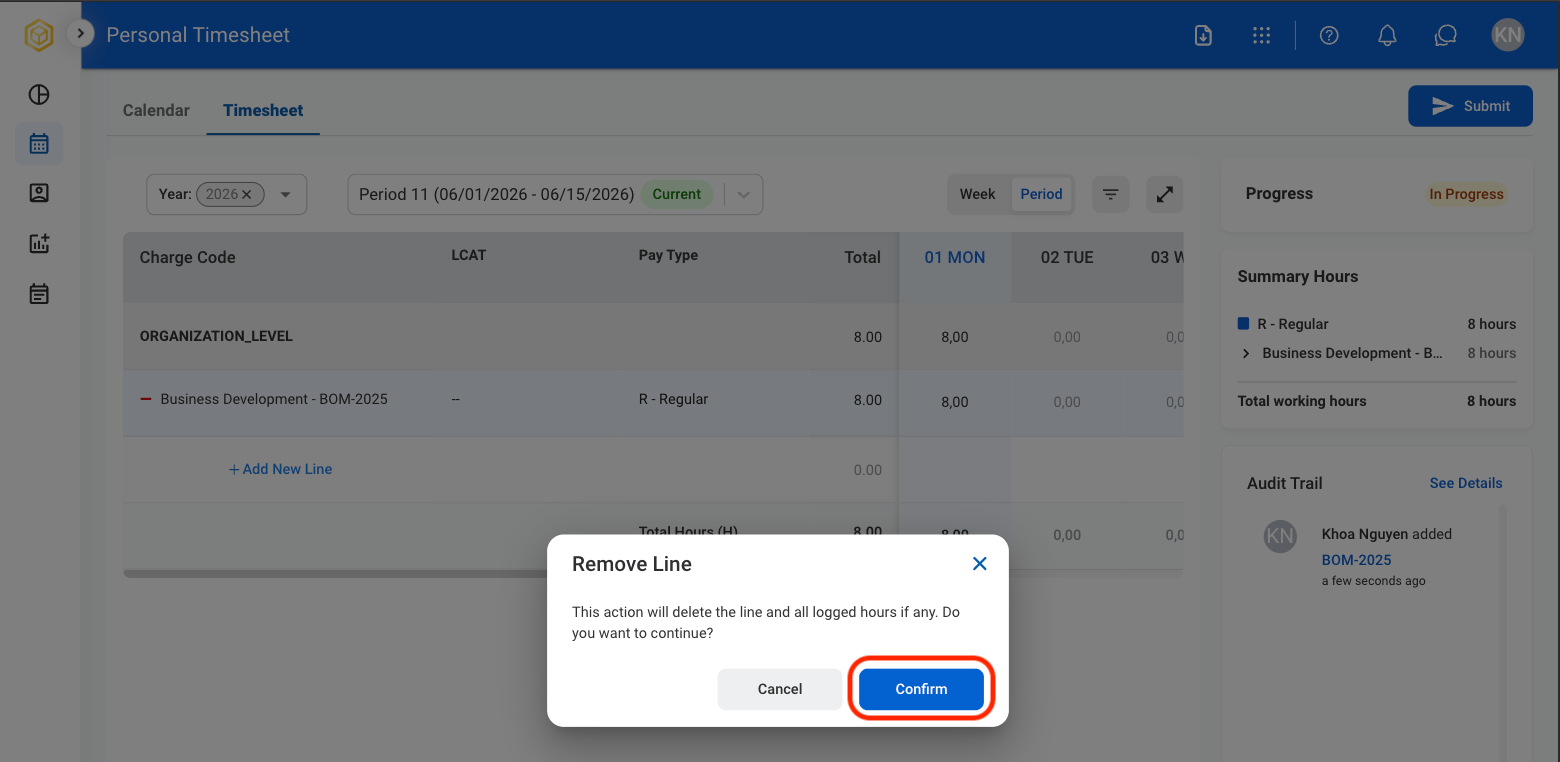
  <Step title="Confirm the action">
    <Frame>
      <img src="https://mintcdn.com/bizbone/GWQ1l3p7pywsLplB/images/T-T-Confirm-Remove-CC.png?fit=max&auto=format&n=GWQ1l3p7pywsLplB&q=85&s=efd0e34c1956340b6962220ea2064876" alt="T T Confirm Remove CC" width="1560" height="762" data-path="images/T-T-Confirm-Remove-CC.png" />
    </Frame>

    Select **Confirm** to complete or **Cancel** to exit without saving changes. 
  </Step>
</Steps>