> ## Documentation Index
> Fetch the complete documentation index at: https://docs.bizbone.com/llms.txt
> Use this file to discover all available pages before exploring further.
# User Interface Overview
The system follows a standardized layout to help users seamlessly navigate between different business functions.
## Screen Layout & Navigation
### Header
Located at the top page, includes the company logo, title of the current page, and various user-related icons.
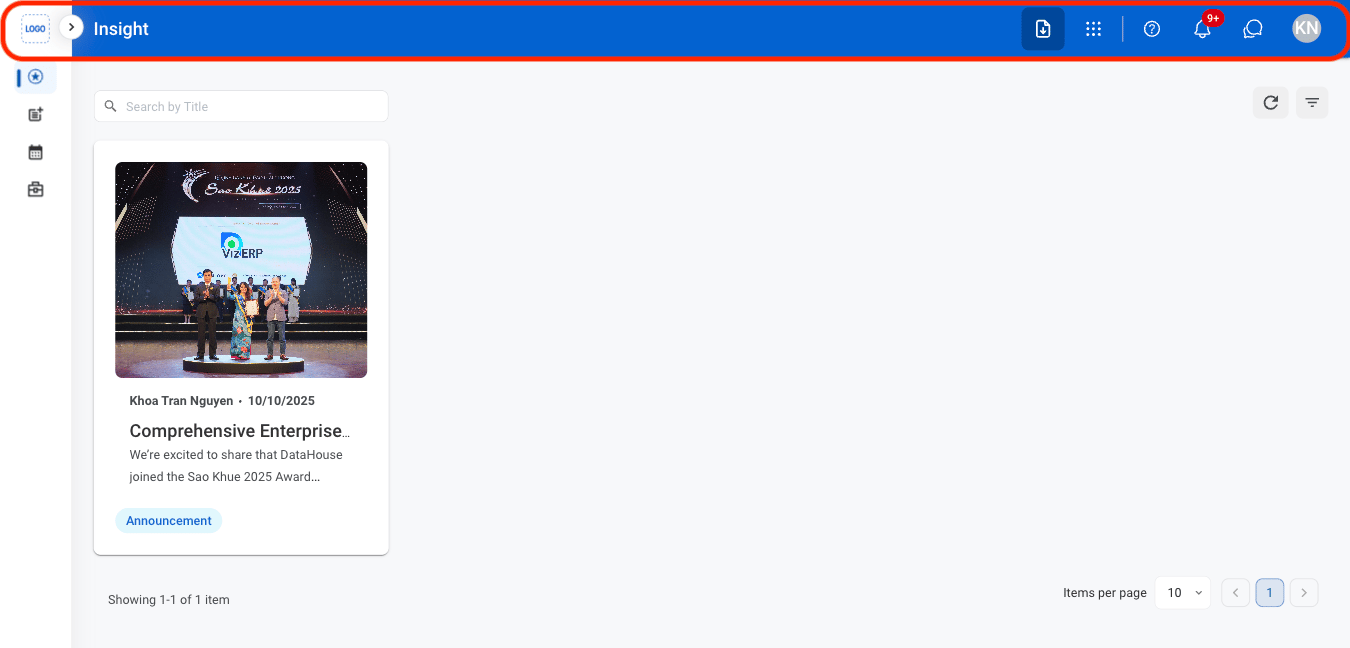 * **Module menu**: Displayed as a dotted grid, select to access various modules within the system, enhancing workflow efficiency.
* **Help & Support**: Displayed as a question mark, select to access to system support and resources such as guides, FAQs, or troubleshooting tools.
* **Notification**: Displayed as a bell symbol, alerts users to important updates or reminders such as system activities, pending tasks, or messages.
* **Chat**: Displayed as a speech bubble, enables real-time communication with other users or support teams. Select to ask questions, exchange information, or collaborate within the system.
* **Profile**: Displayed as user’s initials in the top right corner, provides access to personal settings and account management. Select to customize preferences, log out, or view and manage profile details.
### Module Menu
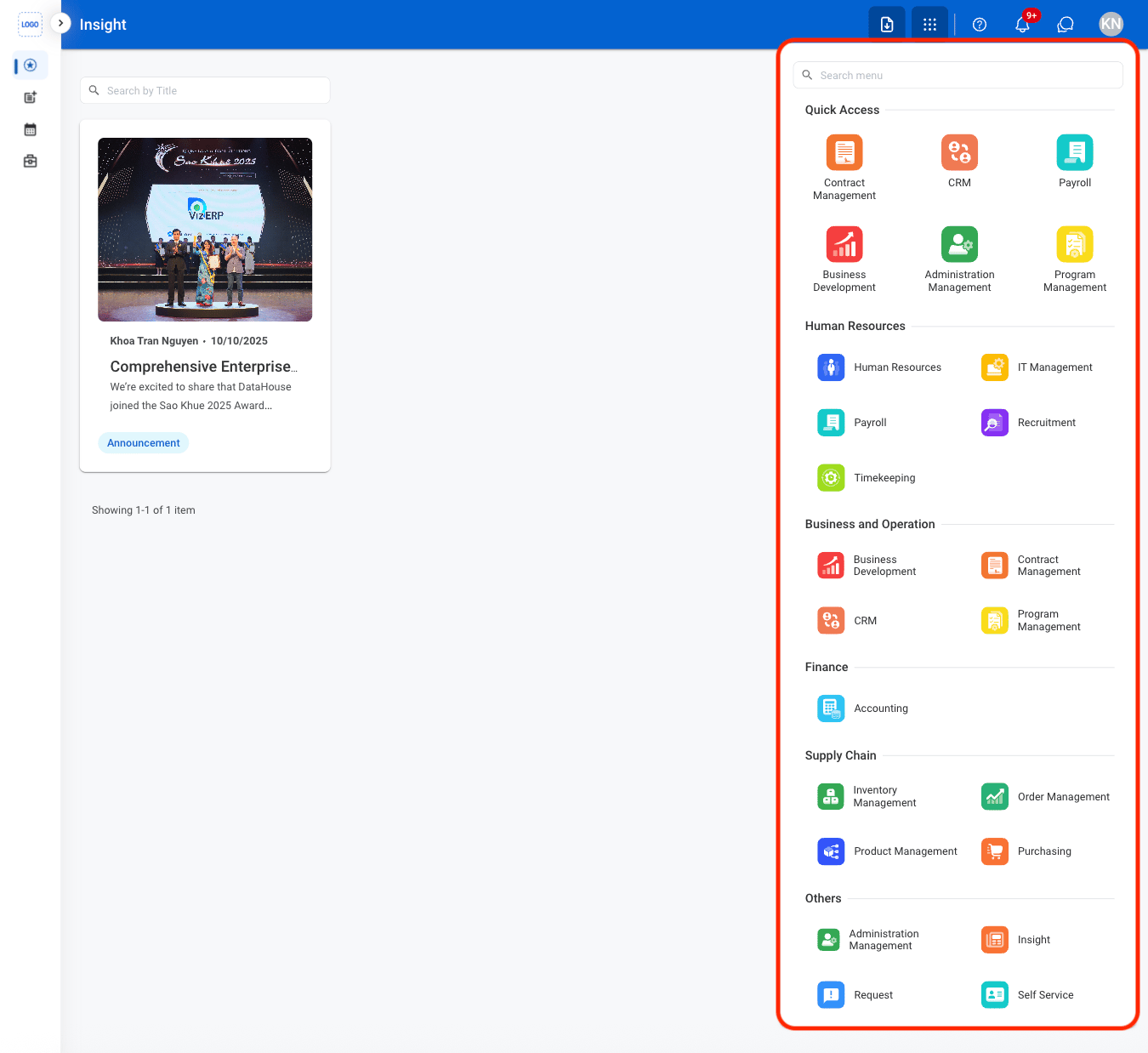
Provides access to application modules for managing tasks and business processes such as recruitment, timekeeping, and payroll.
* **Module menu**: Displayed as a dotted grid, select to access various modules within the system, enhancing workflow efficiency.
* **Help & Support**: Displayed as a question mark, select to access to system support and resources such as guides, FAQs, or troubleshooting tools.
* **Notification**: Displayed as a bell symbol, alerts users to important updates or reminders such as system activities, pending tasks, or messages.
* **Chat**: Displayed as a speech bubble, enables real-time communication with other users or support teams. Select to ask questions, exchange information, or collaborate within the system.
* **Profile**: Displayed as user’s initials in the top right corner, provides access to personal settings and account management. Select to customize preferences, log out, or view and manage profile details.
### Module Menu
Provides access to application modules for managing tasks and business processes such as recruitment, timekeeping, and payroll.
 ### Main Content Area
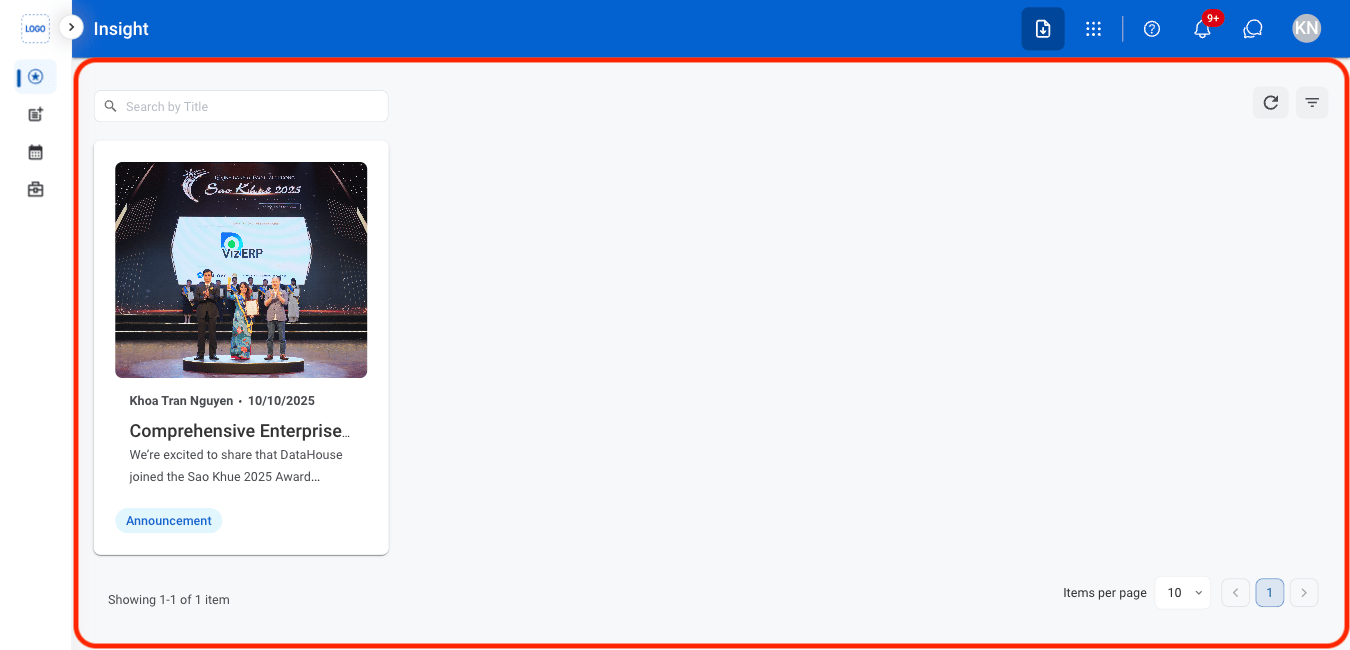
Displays the primary content for the selected module section, such as dashboards, records, and tasks.
### Main Content Area
Displays the primary content for the selected module section, such as dashboards, records, and tasks.
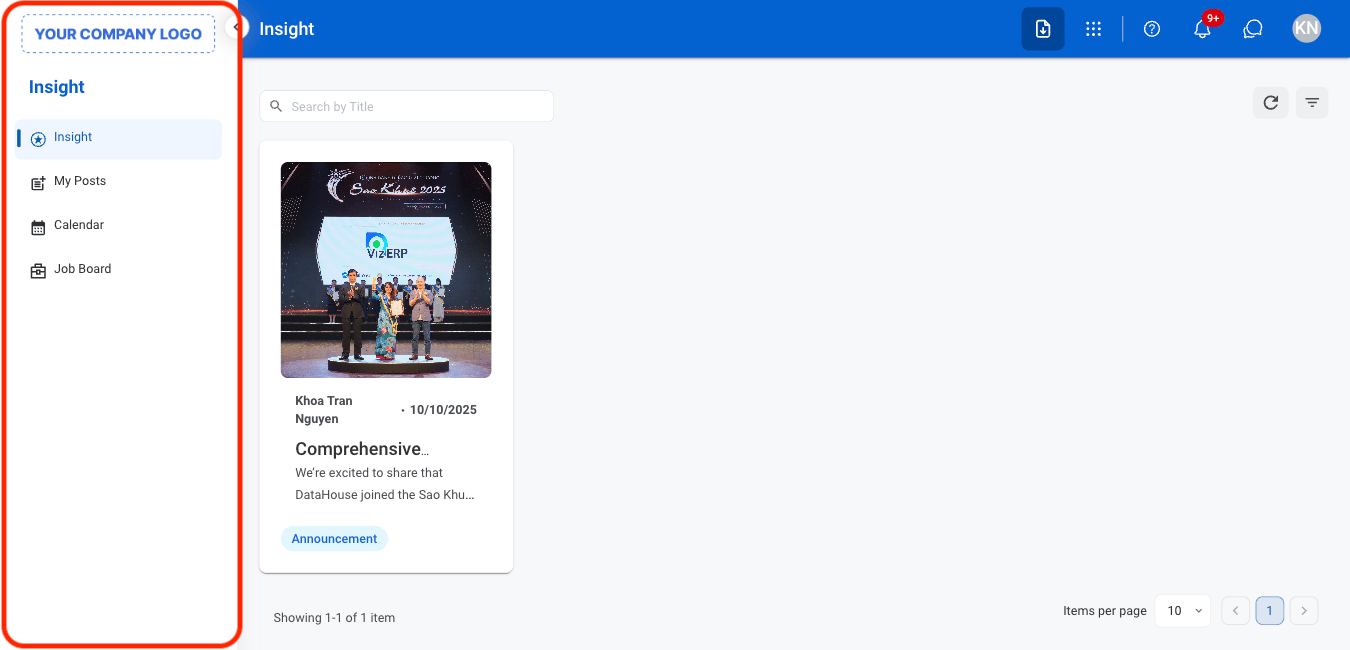
 ### Navigation Panel
Located on the left sidebar, used to navigate between sections within a module.
### Navigation Panel
Located on the left sidebar, used to navigate between sections within a module.