> ## Documentation Index
> Fetch the complete documentation index at: https://docs.bizbone.com/llms.txt
> Use this file to discover all available pages before exploring further.

# Getting Started

## System Requirements

<Card title="System Requirements" icon="plug">
  * **Operating System:** Windows 7 SP1 (64‑bit) or newer, or macOS / modern OS (for browser-based use)
  * **Processor:** Intel Core i3 (or equivalent) at least
  * **Memory:** 8 GB RAM (minimum for stable use)
  * **Storage:** Enough disk space for OS + browser; if you store exports or local data, use SSD for faster performance.
  * **Browser:** Version web browser (Chrome, Firefox, Edge, Safari, etc.)\*\* \*\* 
  * **Internet connection:** Stable internet access - recommended good bandwidth for smooth data loading (especially if multiple users).
</Card>

## Log In

<Steps>
  <Step title="Access the login page in browser">
    [https://identity.uat.bizbone.com](https://identity.uat.bizbone.com)
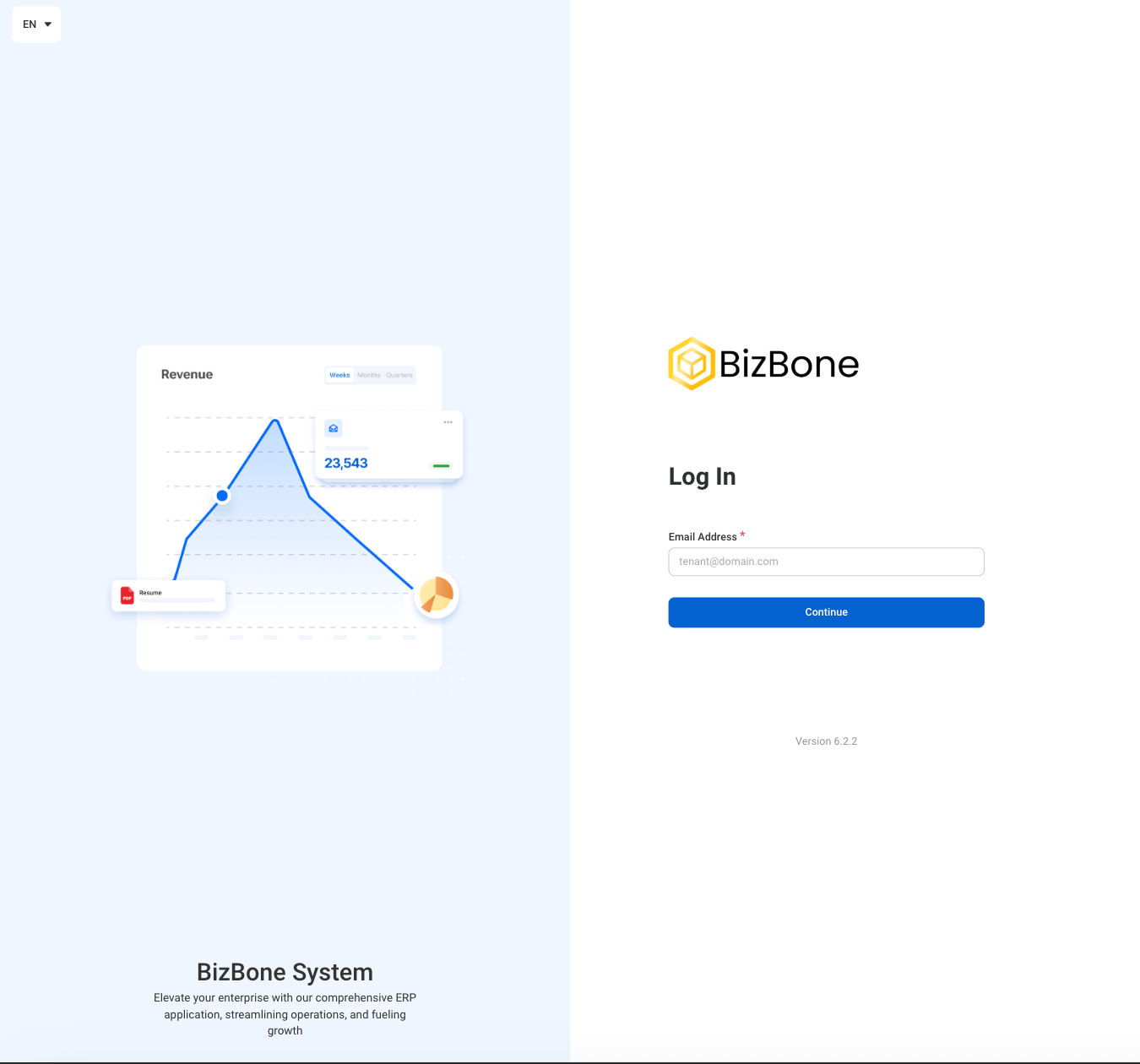
    <Frame>
      <img src="https://mintcdn.com/bizbone/fSdPruIvoypXzZJU/images/W-GS-Login.png?fit=max&auto=format&n=fSdPruIvoypXzZJU&q=85&s=aa2f5e51a18f7265d8a2f2f6723f7332" alt="W GS Login" width="1350" height="1260" data-path="images/W-GS-Login.png" />
    </Frame>
  </Step>

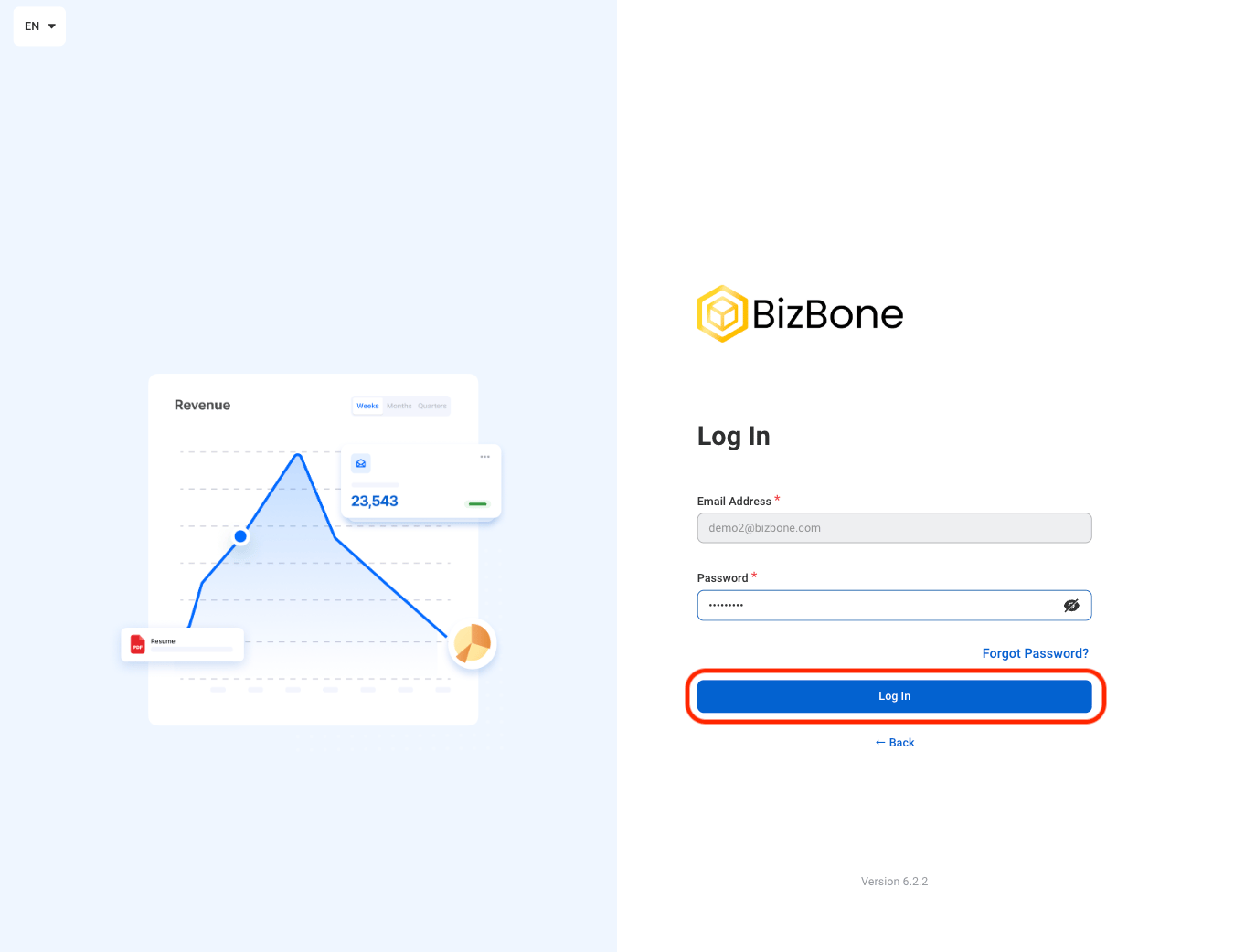
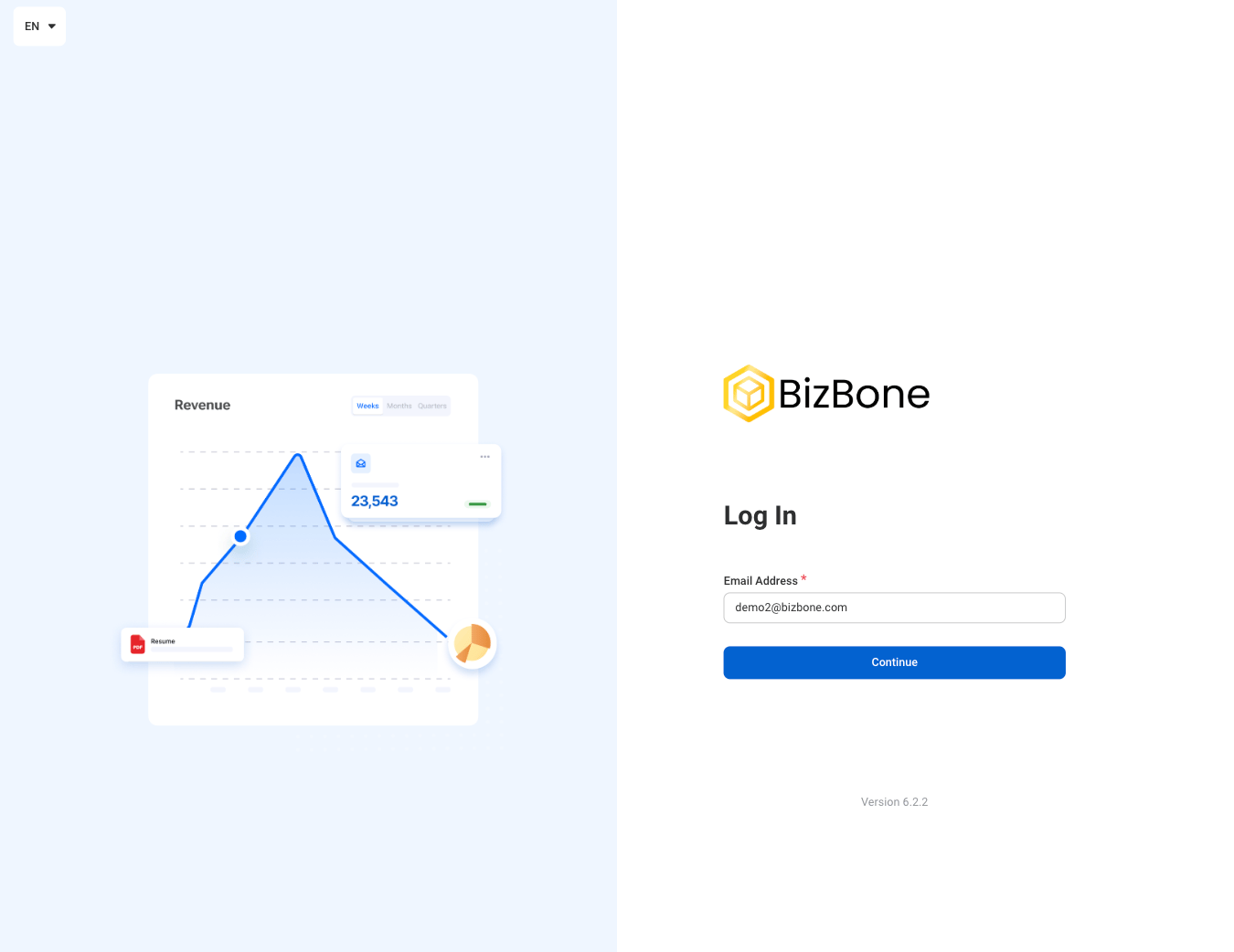
  <Step title="Enter your registered email address and password">
    <Frame>
      <img src="https://mintcdn.com/bizbone/OBCNRGQL3bnk2CCl/images/W-GS-Login-Pass.png?fit=max&auto=format&n=OBCNRGQL3bnk2CCl&q=85&s=9ad88df34d75eb0c674f0e47bfa20162" alt="W GS Login Pass" width="1350" height="1042" data-path="images/W-GS-Login-Pass.png" />
    </Frame>

    Select **Log In** to complete or **Back** to return to the email entry screen.
    <Accordion title="Forgot password? ">
      <Steps>
        <Step title="Enter the login email">
          <Frame>
            <img src="https://mintcdn.com/bizbone/OBCNRGQL3bnk2CCl/images/W-GS-Login-Email.png?fit=max&auto=format&n=OBCNRGQL3bnk2CCl&q=85&s=079dba9c40a84de911e6a3e118ead9fc" alt="W GS Login Email" width="1350" height="1042" data-path="images/W-GS-Login-Email.png" />
          </Frame>

          Select **Continue**
        </Step>

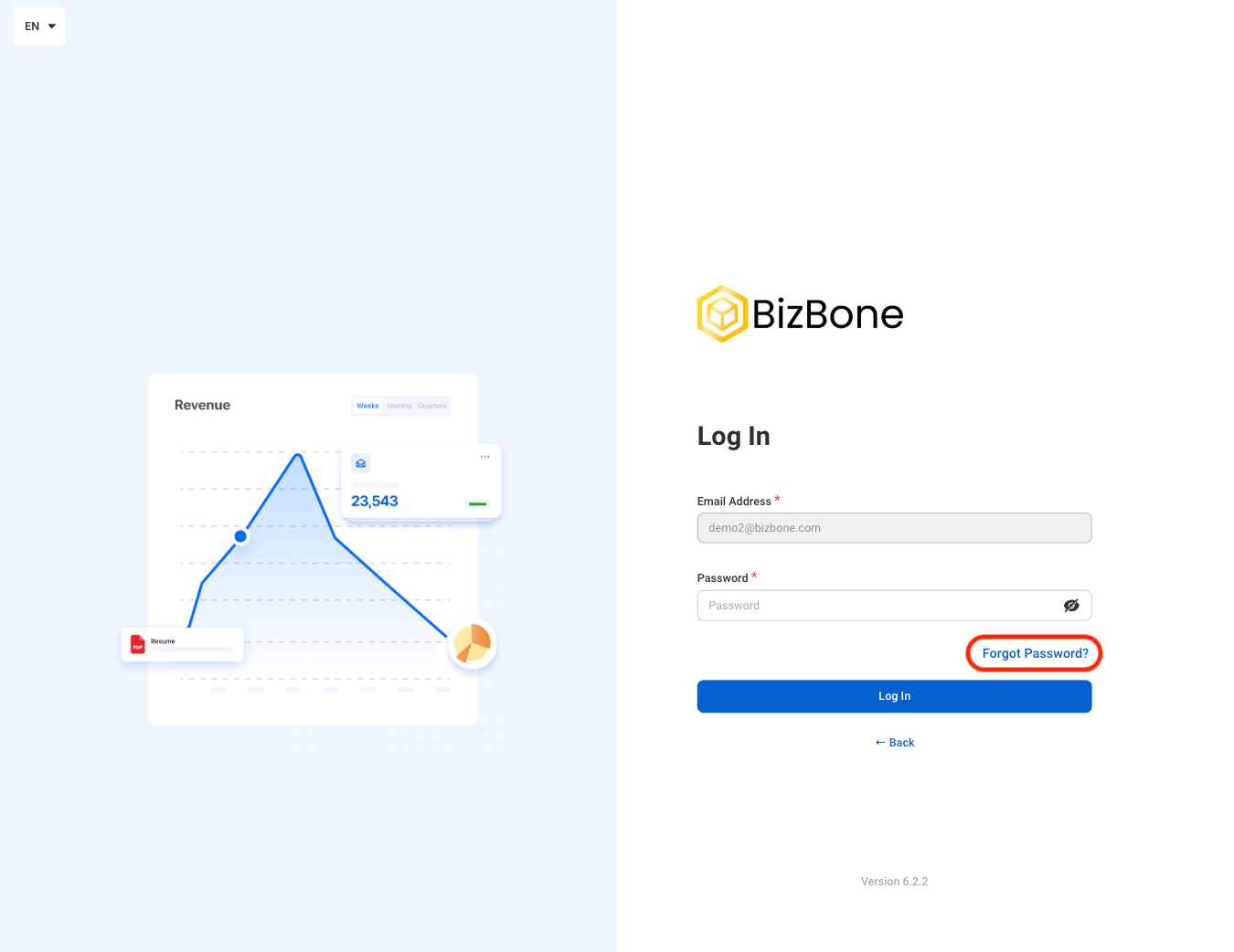
        <Step title="Select Forgot Password?">
          <Frame>
            <img src="https://mintcdn.com/bizbone/OBCNRGQL3bnk2CCl/images/W-GS-Forgot-Pass.png?fit=max&auto=format&n=OBCNRGQL3bnk2CCl&q=85&s=62385ce4df9ffa91e139e637353238fc" alt="W GS Forgot Pass" width="1350" height="1042" data-path="images/W-GS-Forgot-Pass.png" />
          </Frame>
        </Step>

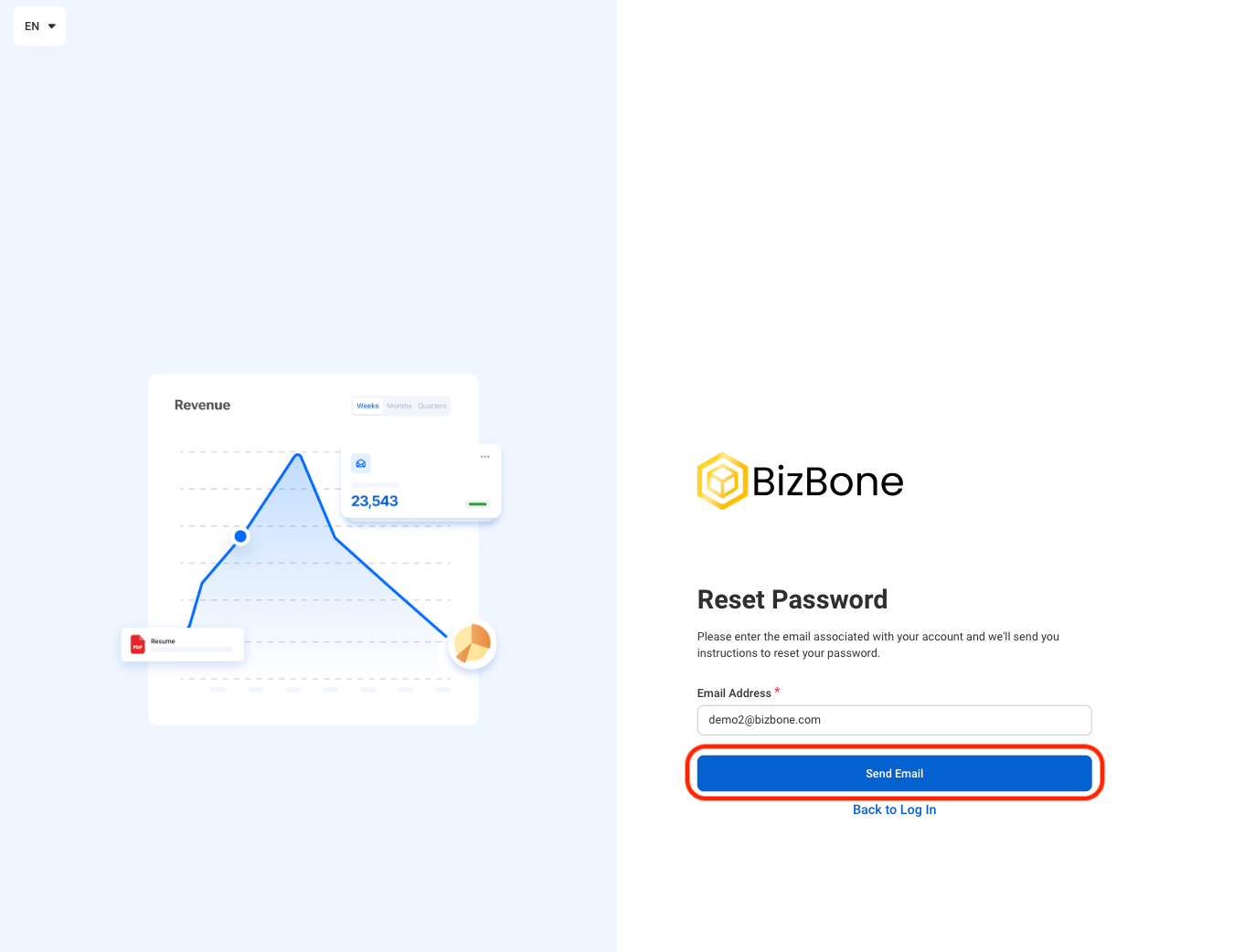
        <Step title="Select &#x22;Send Email&#x22;">
          <Frame>
            <img src="https://mintcdn.com/bizbone/OBCNRGQL3bnk2CCl/images/W-GS-Send-Email.png?fit=max&auto=format&n=OBCNRGQL3bnk2CCl&q=85&s=6c75ef5de4e5508745a71bb7d8a0ebb8" alt="W GS Send Email" width="1350" height="1042" data-path="images/W-GS-Send-Email.png" />
          </Frame>

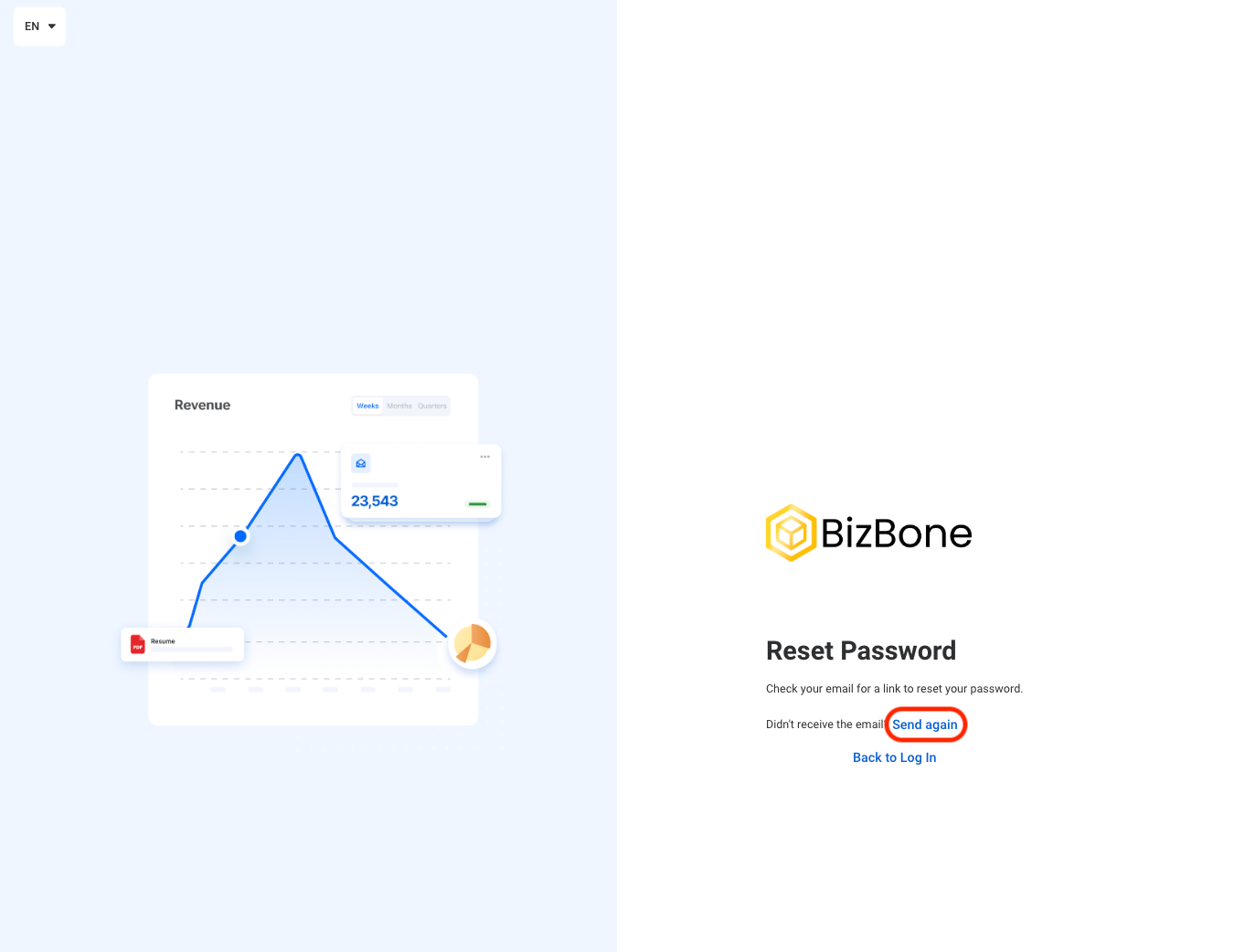
          Follow the instructions in email to recover your account.
        </Step>

        <Step title="If needed, select Send again to send an additional recovery email ">
          <Frame>
            <img src="https://mintcdn.com/bizbone/OBCNRGQL3bnk2CCl/images/W-GS-Send-Again.png?fit=max&auto=format&n=OBCNRGQL3bnk2CCl&q=85&s=0f1bc3eb780398b3708f2ef399934dec" alt="W GS Send Again" width="1350" height="1042" data-path="images/W-GS-Send-Again.png" />
          </Frame>
        </Step>
      </Steps>
    </Accordion>
  </Step>
</Steps>

## Account Set Up

### Navigate to Account Set Up
<Steps>
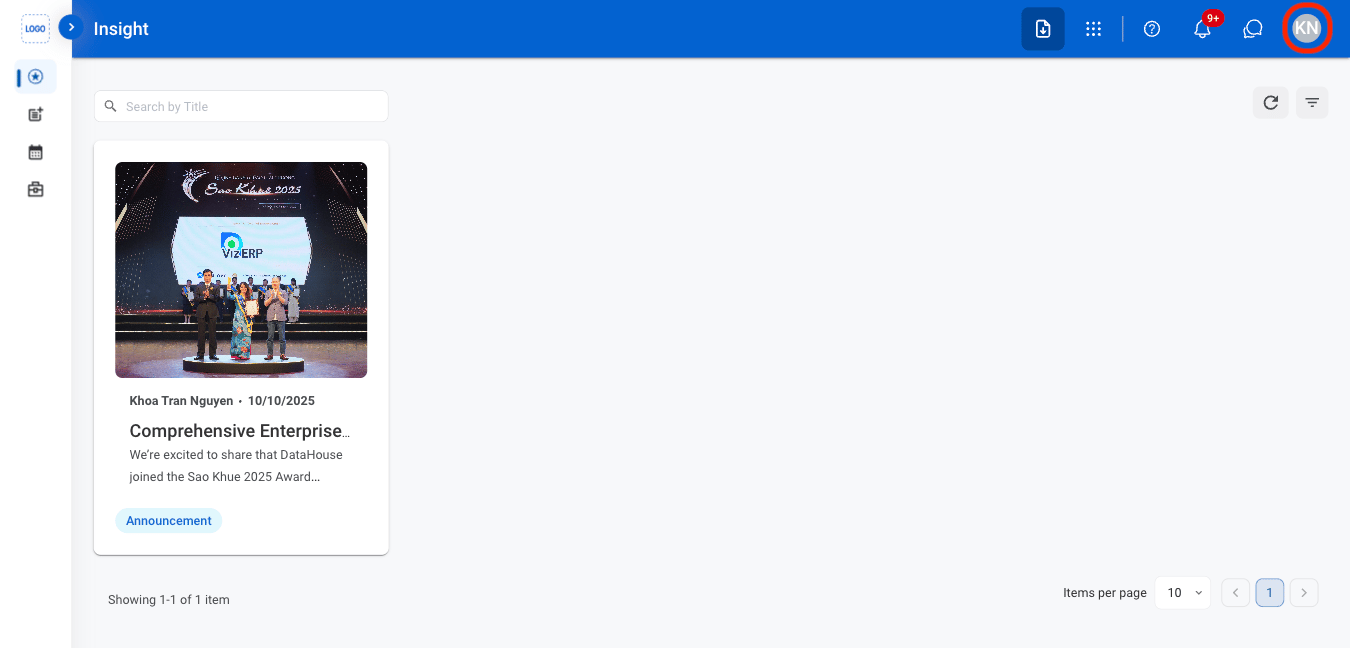
  <Step title="Select the Avatar icon">
    <Frame>
      <img src="https://mintcdn.com/bizbone/OBCNRGQL3bnk2CCl/images/W-GS-Avatar-Icon.png?fit=max&auto=format&n=OBCNRGQL3bnk2CCl&q=85&s=0c801d8414f3b1df93879750e02704c7" alt="W GS Avatar Icon" width="1350" height="648" data-path="images/W-GS-Avatar-Icon.png" />
    </Frame>
  </Step>

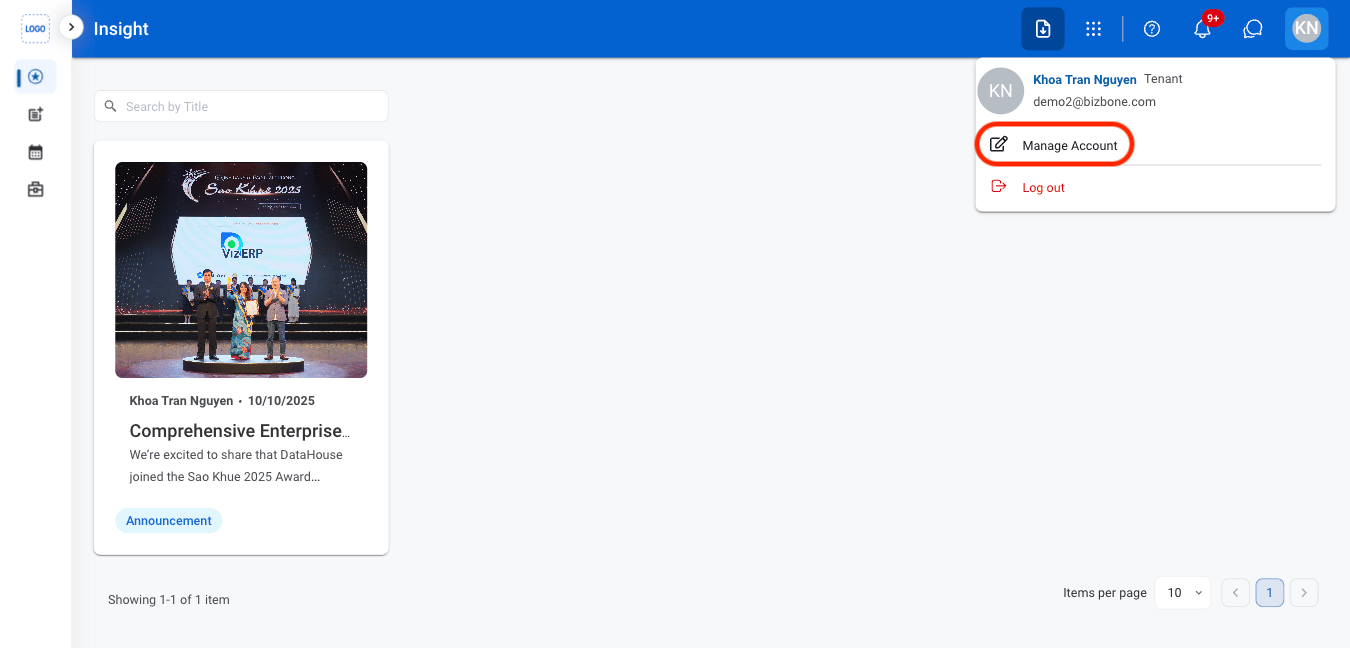
  <Step title="Select Manage Account">
    <Frame>
      <img src="https://mintcdn.com/bizbone/OBCNRGQL3bnk2CCl/images/W-GS-Manage-Acct.png?fit=max&auto=format&n=OBCNRGQL3bnk2CCl&q=85&s=2eb88dfa8f521cd111d489aa04923310" alt="W GS Manage Acct" width="1350" height="648" data-path="images/W-GS-Manage-Acct.png" />
    </Frame>
  </Step>
</Steps>

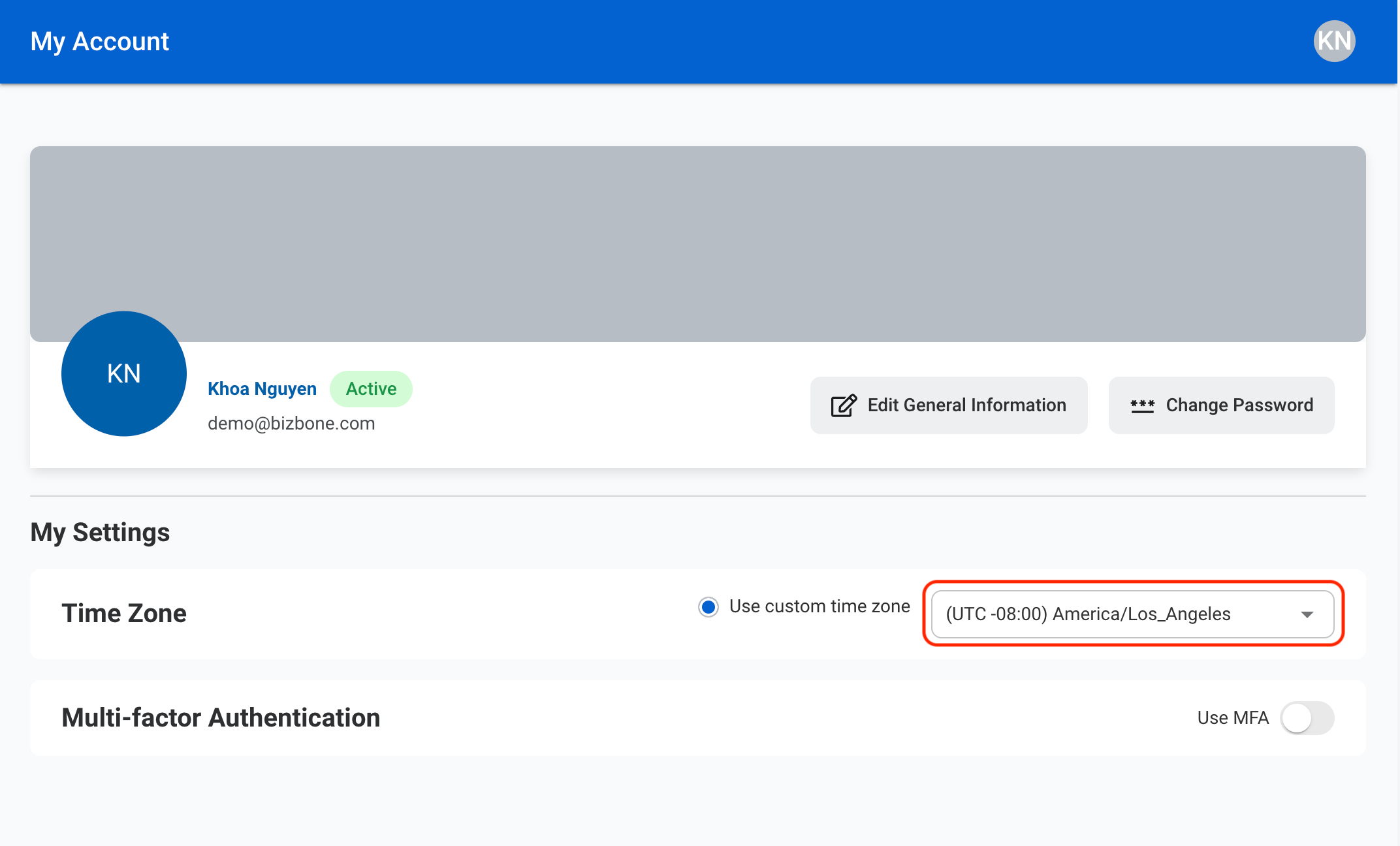
### Adjust Time Zone

<Steps>
  <Step title="Select the preferred time zone from the drop down menu. ">
    <Frame>
      <img src="https://mintcdn.com/bizbone/sD82FqfbJmIgavRP/images/W-GS-Time-Zone.png?fit=max&auto=format&n=sD82FqfbJmIgavRP&q=85&s=92a3ffb98fc0c1f0922a4ddbcf3a89be" alt="W GS Time Zone" width="2144" height="1296" data-path="images/W-GS-Time-Zone.png" />
    </Frame>
  </Step>
</Steps>

### Enable Multi-factor Authentication
<Steps>
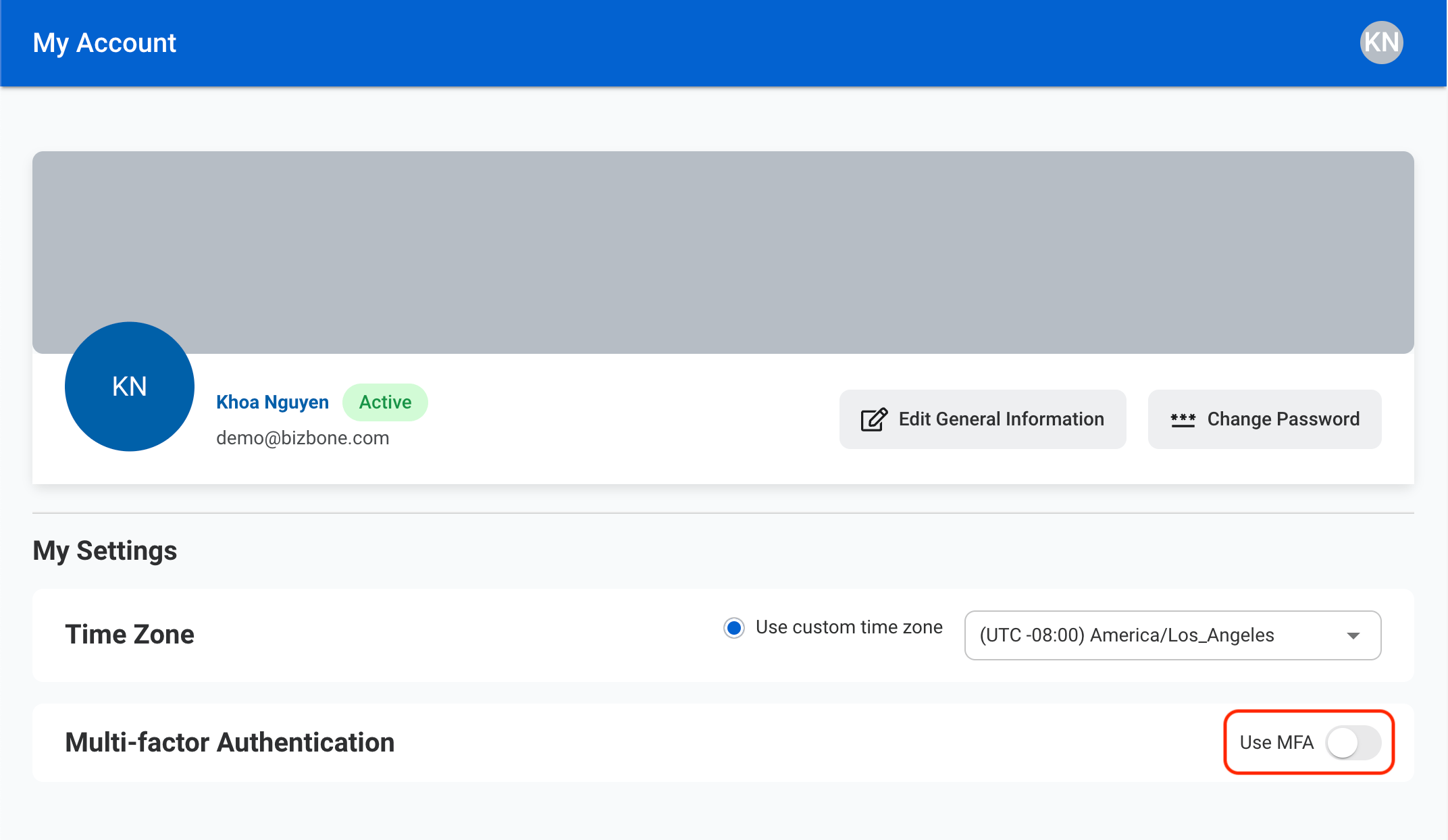
  <Step title="Toggle Use MFA">
    <Frame>
      <img src="https://mintcdn.com/bizbone/sD82FqfbJmIgavRP/images/W-GS-MFA.png?fit=max&auto=format&n=sD82FqfbJmIgavRP&q=85&s=2ad831156cb1dcf10a20d1f0fc233185" alt="W GS MFA" width="2144" height="1244" data-path="images/W-GS-MFA.png" />
    </Frame>
  </Step>

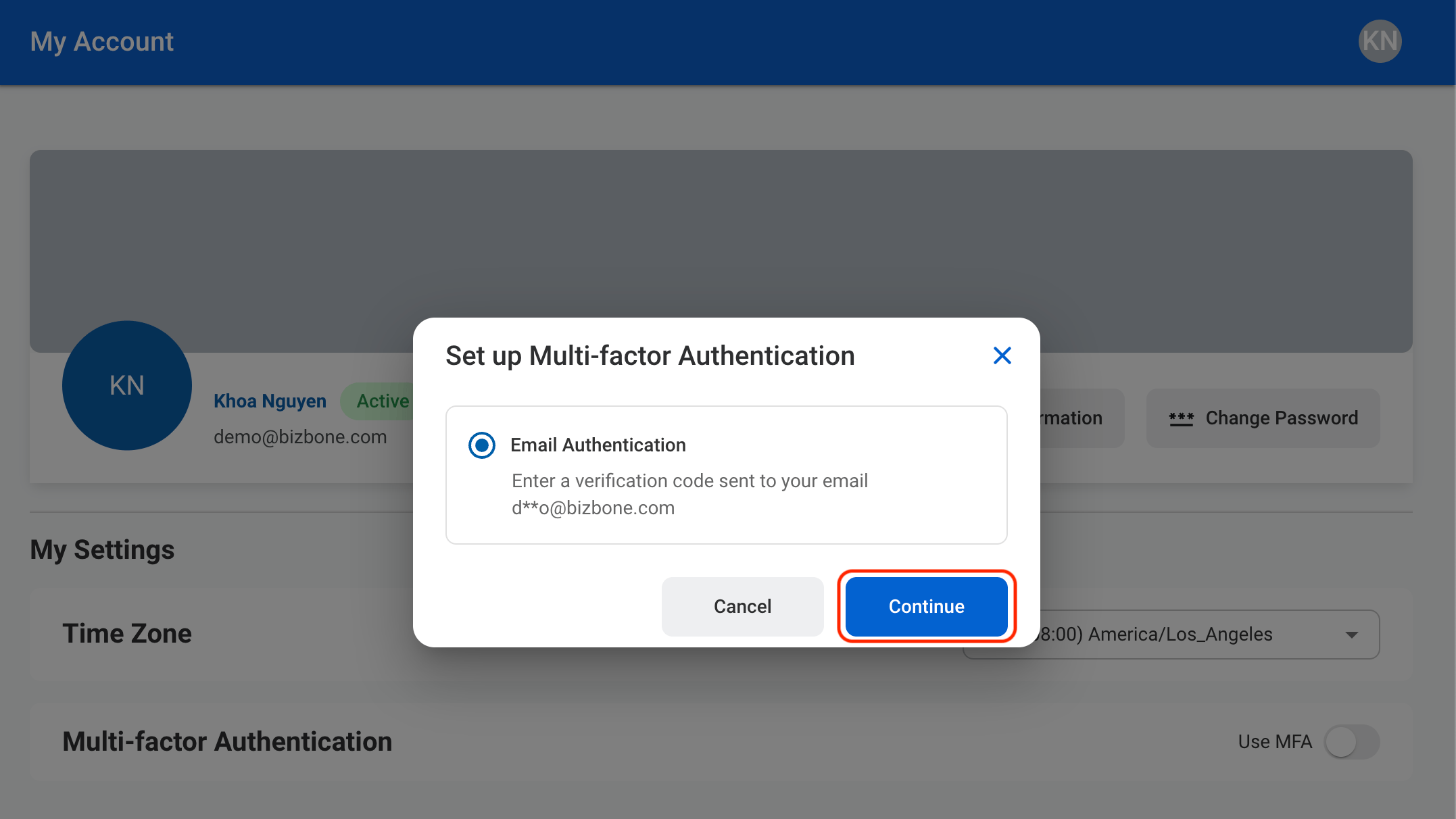
  <Step title="Allow email authentication ">
    <Frame>
      <img src="https://mintcdn.com/bizbone/sD82FqfbJmIgavRP/images/W-GS-MFA-C.png?fit=max&auto=format&n=sD82FqfbJmIgavRP&q=85&s=665ef101281b7dcd015d6d07873189a2" alt="W GS MFA C" width="2154" height="1212" data-path="images/W-GS-MFA-C.png" />
    </Frame>

    Select **Continue** to continue or **Cancel** to exit without saving changes. 
  </Step>

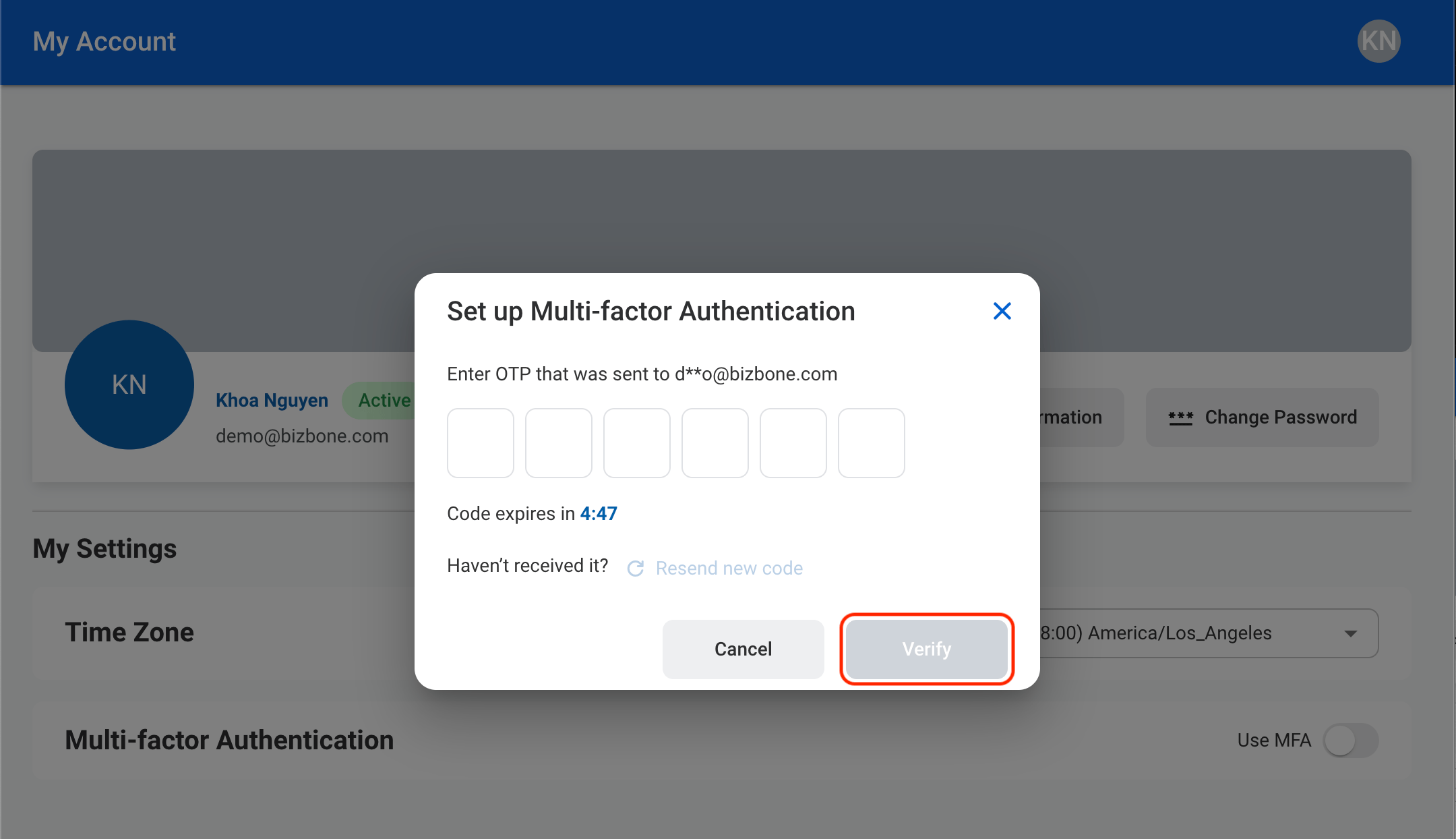
  <Step title="Verify the email address ">
    <Frame>
      <img src="https://mintcdn.com/bizbone/sD82FqfbJmIgavRP/images/W-GS-MFA-V.png?fit=max&auto=format&n=sD82FqfbJmIgavRP&q=85&s=119dda4850c12414105444722e51c70a" alt="W GS MFA V" width="2160" height="1244" data-path="images/W-GS-MFA-V.png" />
    </Frame>

    Enter the one time password sent to the listed email. If needed, send another code by selecting Resend new code. Select **Verify** to confirm or **Cancel** to exit without saving changes. 
  </Step>
</Steps>

### Edit General Information

<Steps>
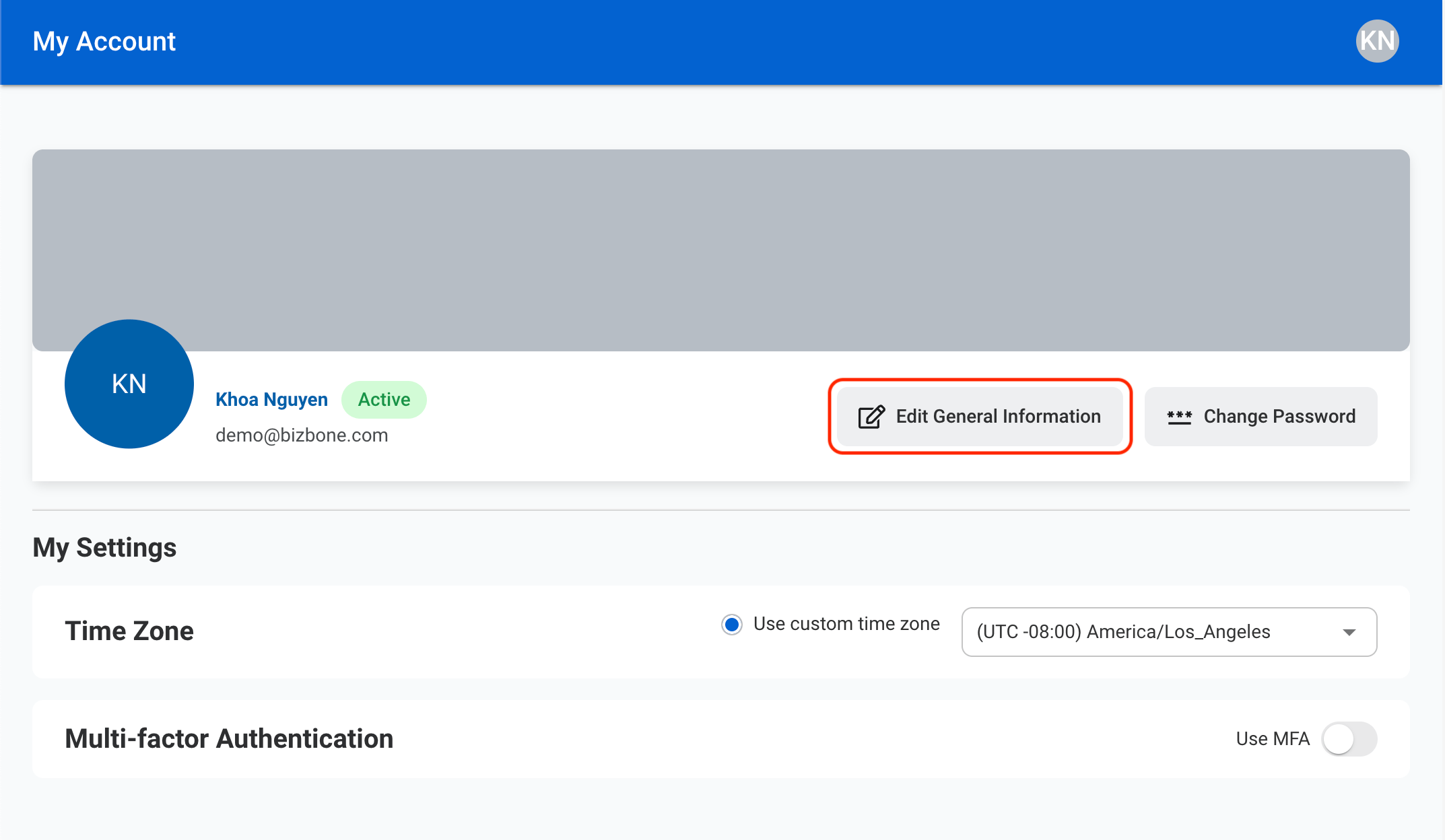
  <Step title="Select Edit General Information">
    <Frame>
      <img src="https://mintcdn.com/bizbone/o2a6dJ76DufjJNRT/images/W-GS-Gen-Info.png?fit=max&auto=format&n=o2a6dJ76DufjJNRT&q=85&s=c3d2533939ca4570a18a2fe57ec62e90" alt="W GS Gen Info" width="2146" height="1248" data-path="images/W-GS-Gen-Info.png" />
    </Frame>
  </Step>

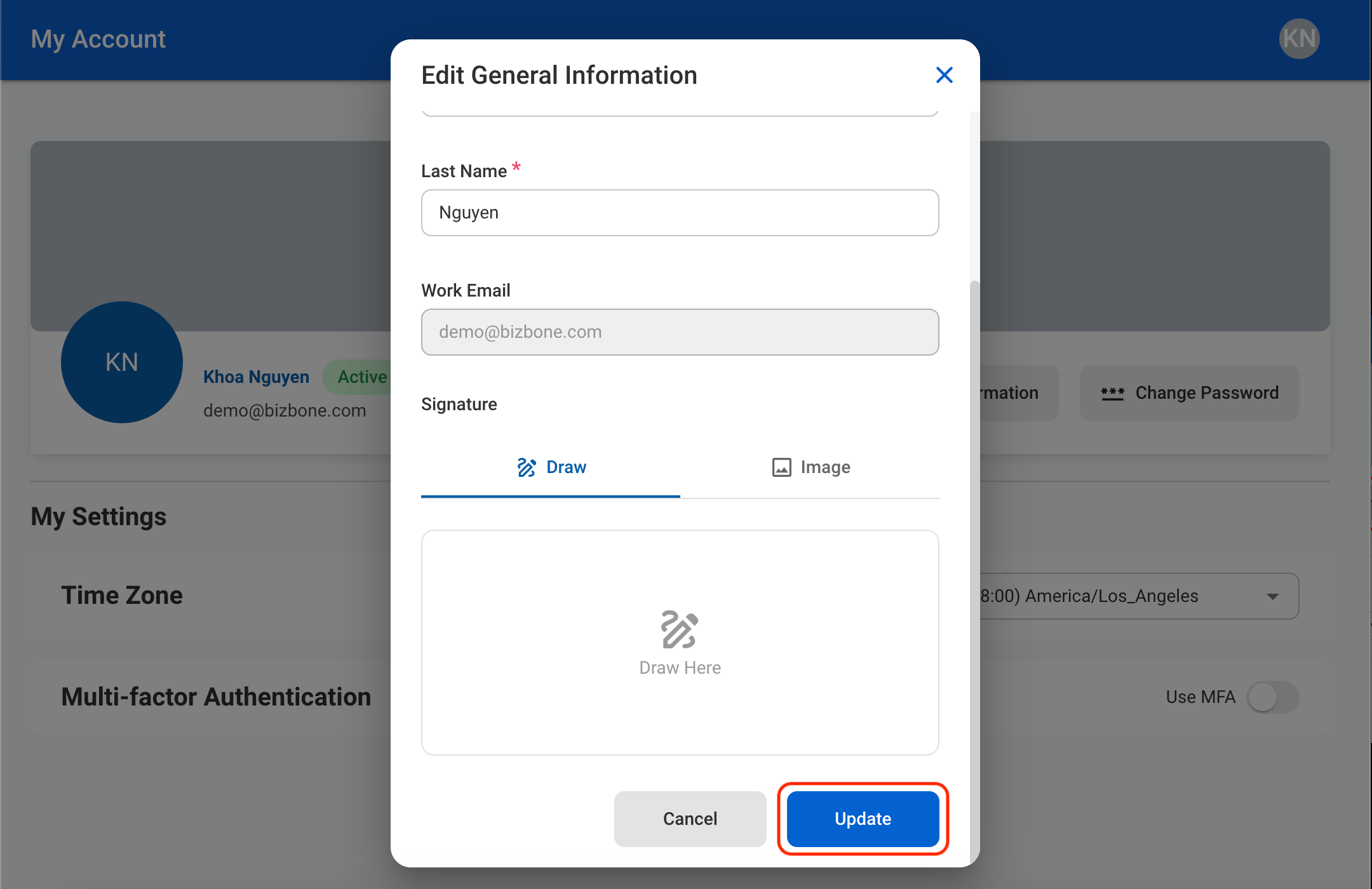
  <Step title="Update the required information">
    <Frame>
      <img src="https://mintcdn.com/bizbone/ZxdR6wQLh7iPCc3b/images/W-GS-Gen-C.png?fit=max&auto=format&n=ZxdR6wQLh7iPCc3b&q=85&s=516b31f8201c0fb1971f4f4e2b2ff1c6" alt="W GS Gen C" width="2160" height="1400" data-path="images/W-GS-Gen-C.png" />
    </Frame>

    Select **Update** to complete or **Cancel** to exit without saving changes. 
  </Step>
</Steps>

### Change Password

<Steps>
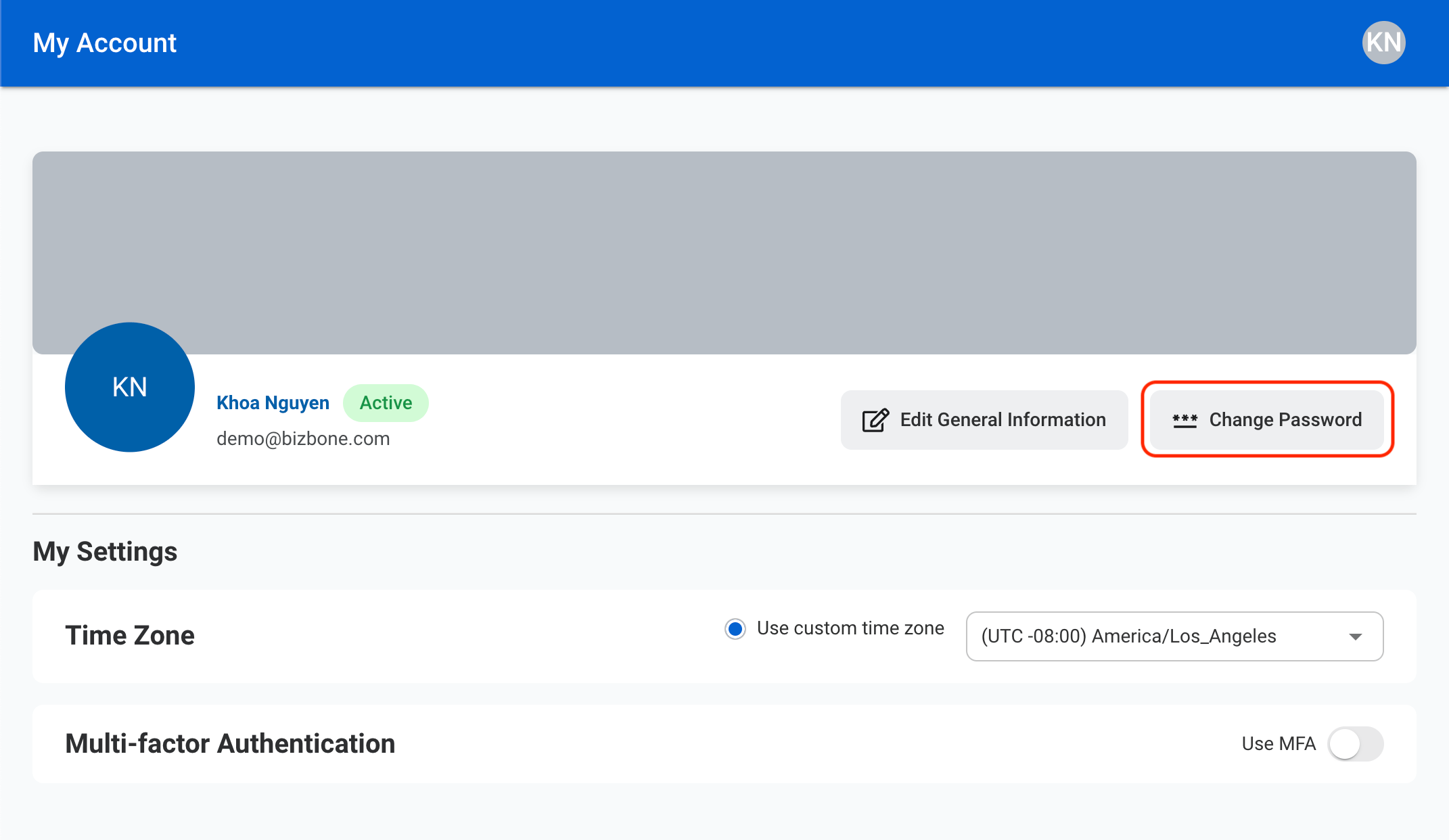
  <Step title="Select Change Password">
    <Frame>
      <img src="https://mintcdn.com/bizbone/OBCNRGQL3bnk2CCl/images/W-GS-Pass.png?fit=max&auto=format&n=OBCNRGQL3bnk2CCl&q=85&s=6051271b80bcc11ce124f50b1d08a361" alt="W GS Pass" width="2142" height="1242" data-path="images/W-GS-Pass.png" />
    </Frame>
  </Step>

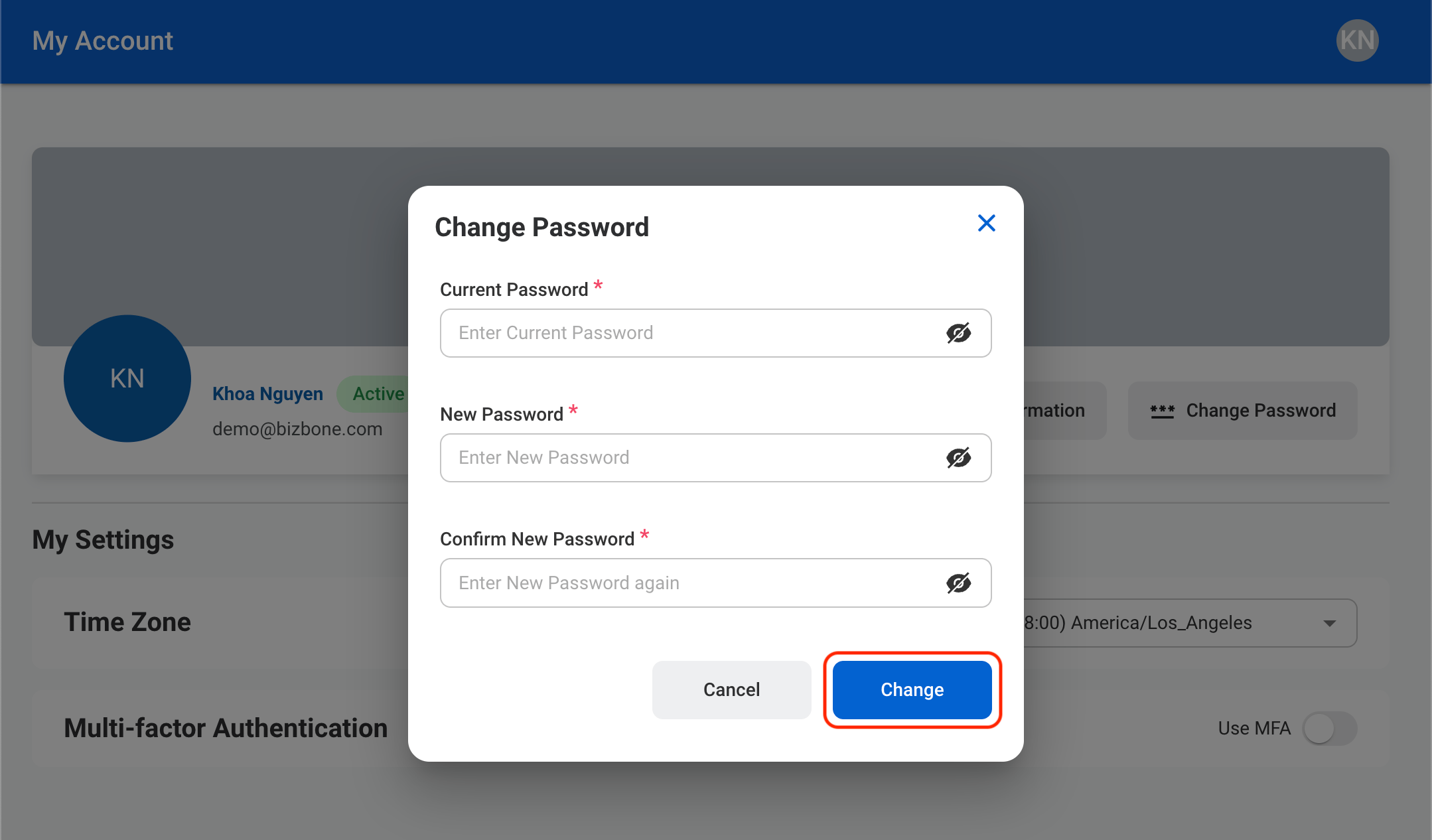
  <Step title="Fill in the required information">
    <Frame>
      <img src="https://mintcdn.com/bizbone/OBCNRGQL3bnk2CCl/images/W-GS-Pass-C.png?fit=max&auto=format&n=OBCNRGQL3bnk2CCl&q=85&s=8bb6d266e7b62ca05bed0532a10b9aee" alt="W GS Pass C" width="2158" height="1266" data-path="images/W-GS-Pass-C.png" />
    </Frame>

    Select **Change** to complete or **Cancel** to exit without saving changes.
  </Step>
</Steps>