> ## Documentation Index
> Fetch the complete documentation index at: https://docs.bizbone.com/llms.txt
> Use this file to discover all available pages before exploring further.

# Reports

Generate reports to analyze timekeeping data, track employee activity, and review operational trends across timekeeping processes.

## Add Report
<Steps>
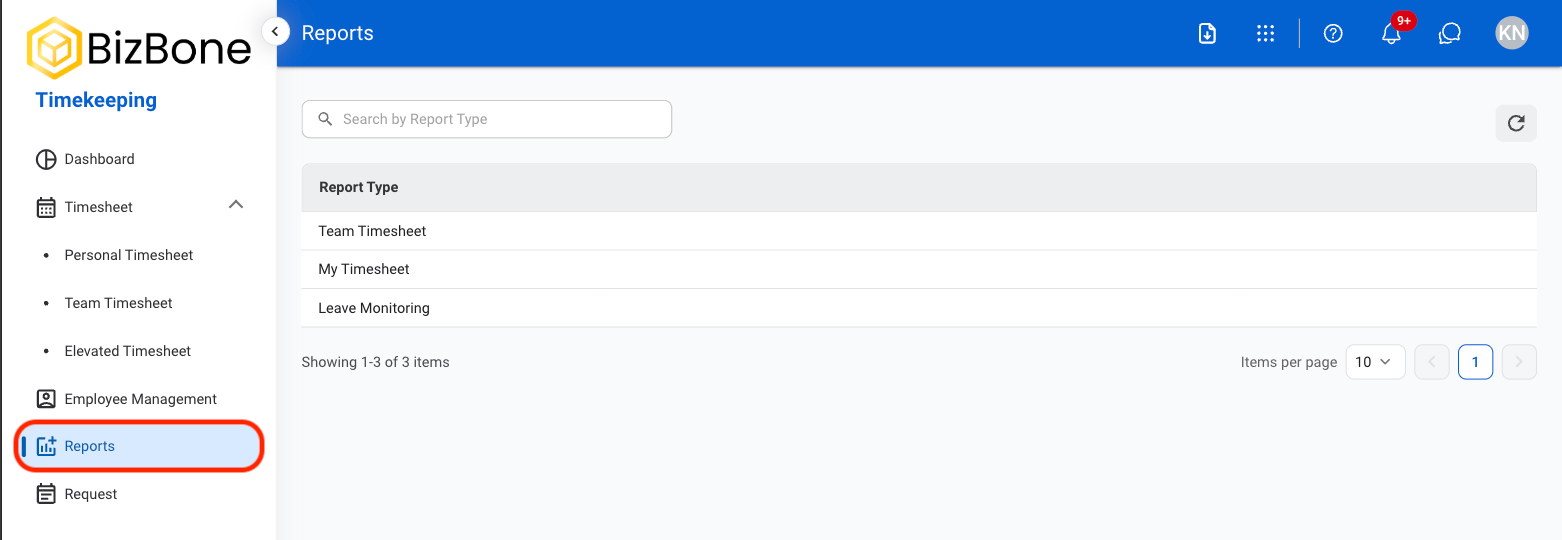
  <Step title="Navigate to Reports">
    <Frame>
      <img src="https://mintcdn.com/bizbone/GWQ1l3p7pywsLplB/images/T-R-Nav.png?fit=max&auto=format&n=GWQ1l3p7pywsLplB&q=85&s=cfdc5f9e8a18fe09176758f9d29a5f2f" alt="T R Nav" width="1562" height="540" data-path="images/T-R-Nav.png" />
    </Frame>
  </Step>

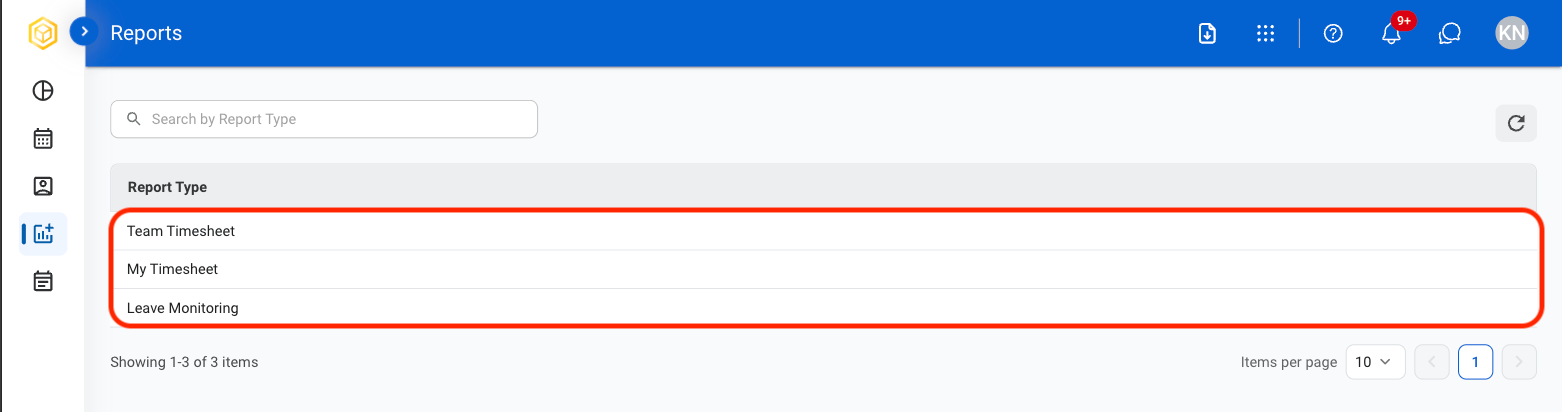
  <Step title="Select a Report Type">
    <Frame>
      <img src="https://mintcdn.com/bizbone/GWQ1l3p7pywsLplB/images/T-R-RepType.png?fit=max&auto=format&n=GWQ1l3p7pywsLplB&q=85&s=c290844b0a6747e03ddd87dcd1eb2484" alt="T R Rep Type" width="1562" height="412" data-path="images/T-R-RepType.png" />
    </Frame>
  </Step>

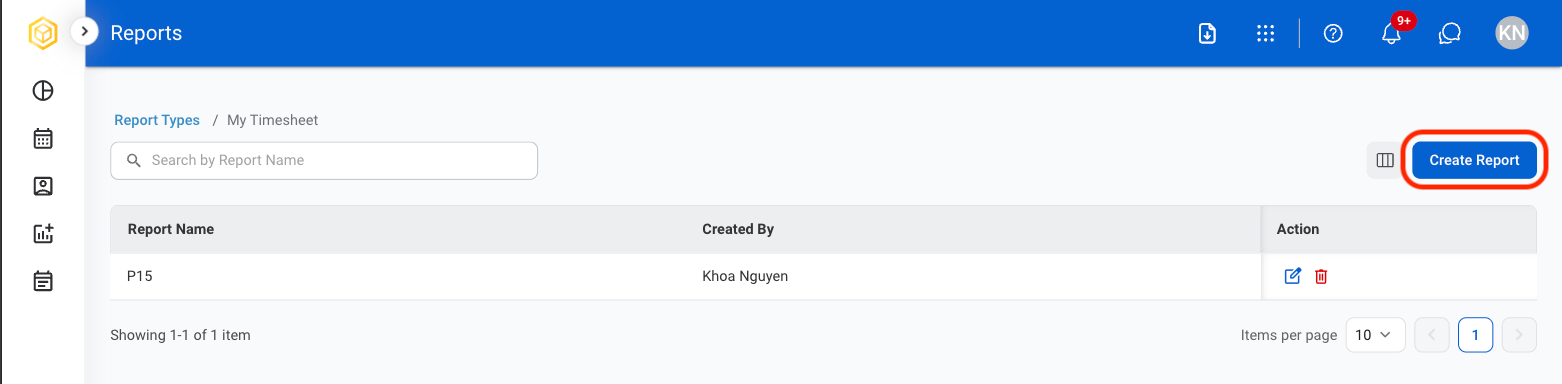
  <Step title="Select Create Report">
    <Frame>
      <img src="https://mintcdn.com/bizbone/GWQ1l3p7pywsLplB/images/T-R-Create-Rep.png?fit=max&auto=format&n=GWQ1l3p7pywsLplB&q=85&s=77612b81854298d79f3dcb0f35256b49" alt="T R Create Rep" width="1562" height="384" data-path="images/T-R-Create-Rep.png" />
    </Frame>
  </Step>

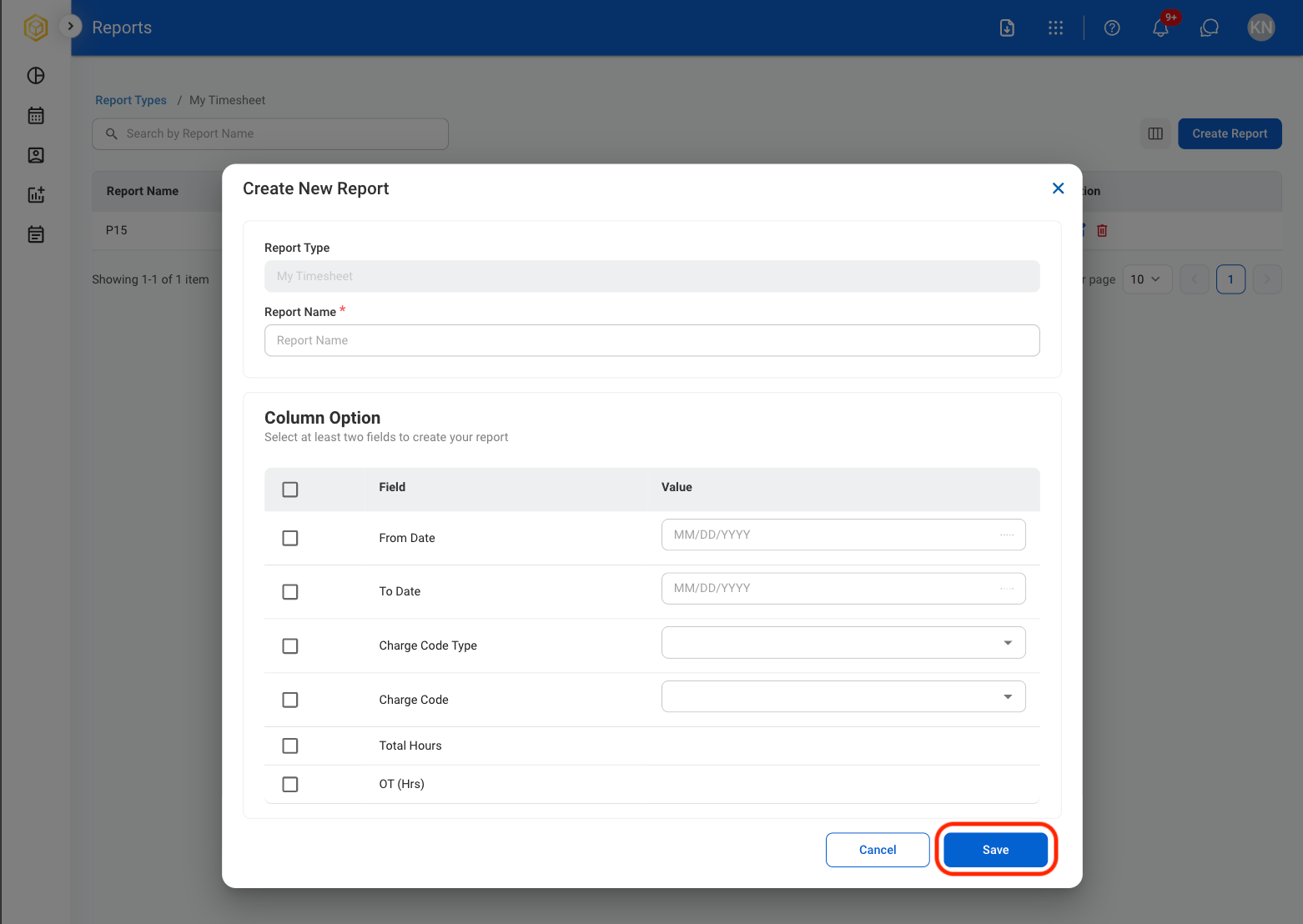
  <Step title="Fill in the required information">
    <Frame>
      <img src="https://mintcdn.com/bizbone/GWQ1l3p7pywsLplB/images/T-R-Save-Rep.png?fit=max&auto=format&n=GWQ1l3p7pywsLplB&q=85&s=5d038f270f89d3d8db7f6c176bec4640" alt="T R Save Rep" width="1562" height="1108" data-path="images/T-R-Save-Rep.png" />
    </Frame>

    Select **Save** to complete or **Cancel** to exit without saving changes. 
  </Step>
</Steps>

## Edit Report

<Steps>
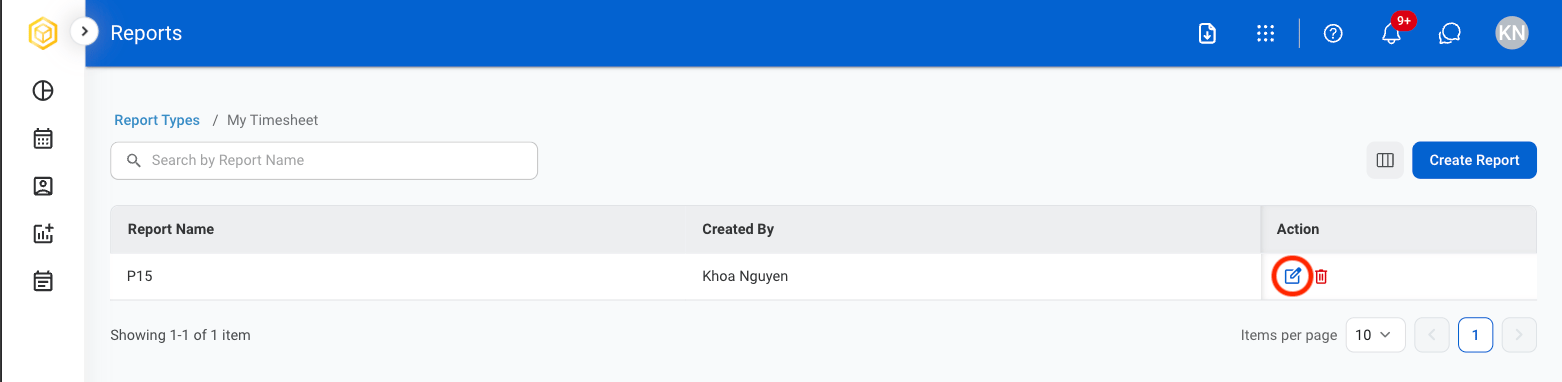
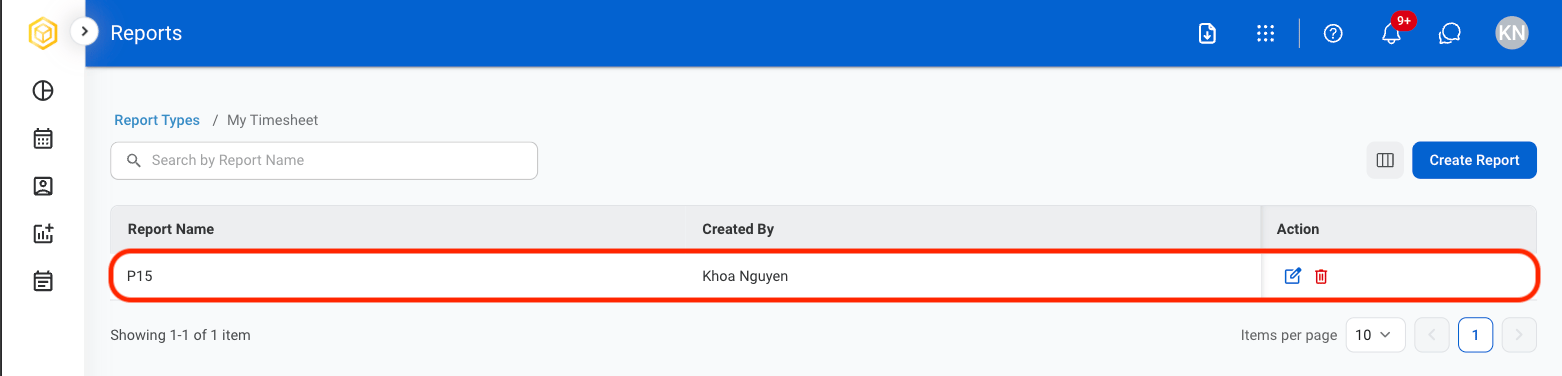
  <Step title="Select the edit icon">
    <Frame>
      <img src="https://mintcdn.com/bizbone/GWQ1l3p7pywsLplB/images/T-R-Edit-Rep.png?fit=max&auto=format&n=GWQ1l3p7pywsLplB&q=85&s=a60b65ef0479f6d940b08d852e004d14" alt="T R Edit Rep" width="1562" height="382" data-path="images/T-R-Edit-Rep.png" />
    </Frame>
  </Step>

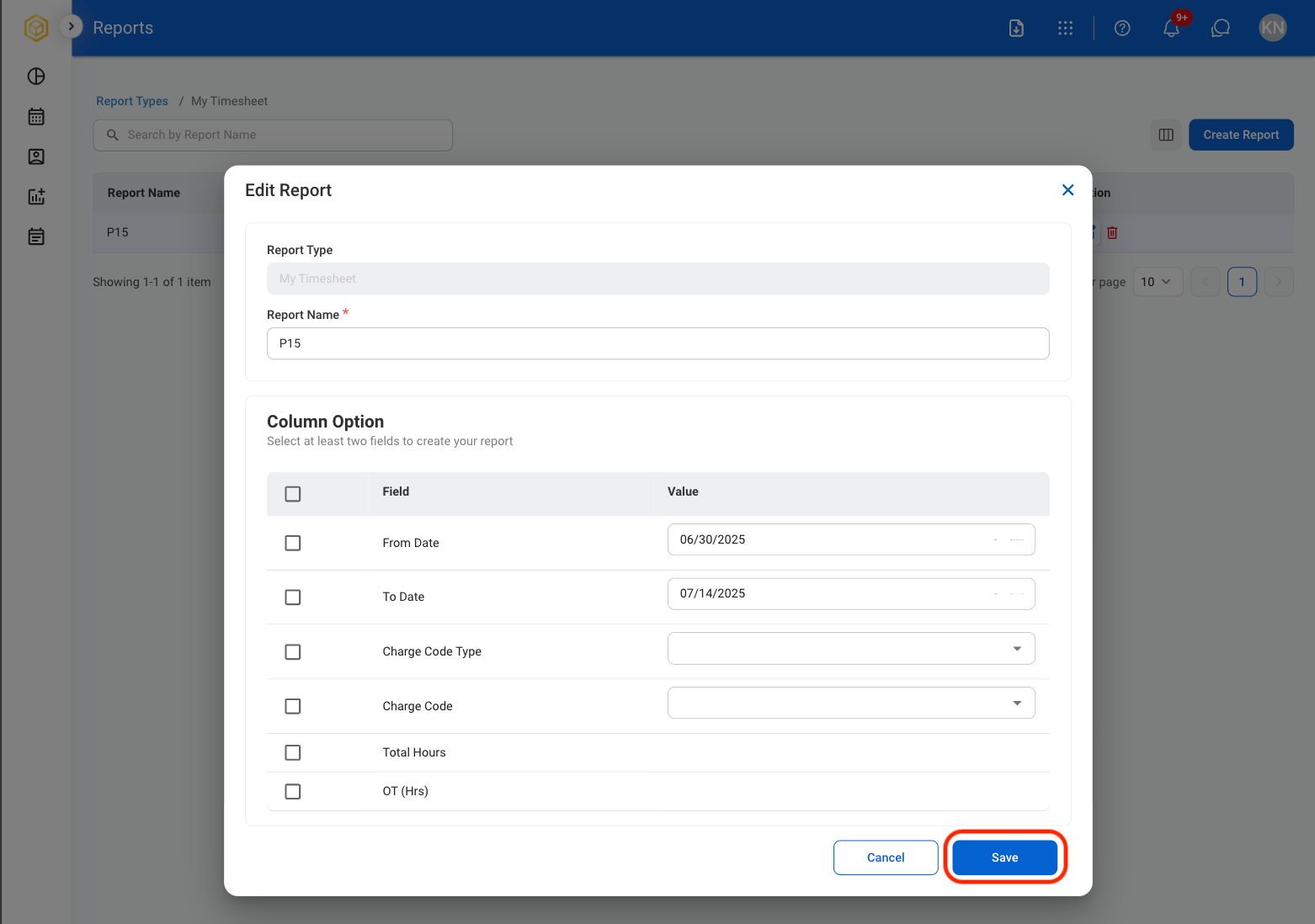
  <Step title="Fill in the required information">
    <Frame>
      <img src="https://mintcdn.com/bizbone/GWQ1l3p7pywsLplB/images/T-R-Save-Changes.png?fit=max&auto=format&n=GWQ1l3p7pywsLplB&q=85&s=0466987a3bfd79534439bc83ca936b01" alt="T R Save Changes" width="1562" height="1098" data-path="images/T-R-Save-Changes.png" />
    </Frame>

    Select **Save** to complete or **Cancel** to exit without saving changes. 
  </Step>
</Steps>

## Print or Export a Report

<Steps>
  <Step title="Select a report">
    <Frame>
      <img src="https://mintcdn.com/bizbone/GWQ1l3p7pywsLplB/images/T-R-Select-Rep.png?fit=max&auto=format&n=GWQ1l3p7pywsLplB&q=85&s=cf1d7513b1173356c975dee2ce1bf70e" alt="T R Select Rep" width="1562" height="376" data-path="images/T-R-Select-Rep.png" />
    </Frame>
  </Step>

  <Step title="Select Print or Export Data">
    <Frame>
      <img src="https://mintcdn.com/bizbone/GWQ1l3p7pywsLplB/images/T-R-PrintExp.png?fit=max&auto=format&n=GWQ1l3p7pywsLplB&q=85&s=154858eeb7c00d990cc321d1660690b5" alt="T R Print Exp" width="1562" height="376" data-path="images/T-R-PrintExp.png" />
    </Frame>

    * Select **Print** to open system print settings. 
    * Select **Export Data** to export in xlsx.
  </Step>
</Steps>

## Delete Report

<Steps>
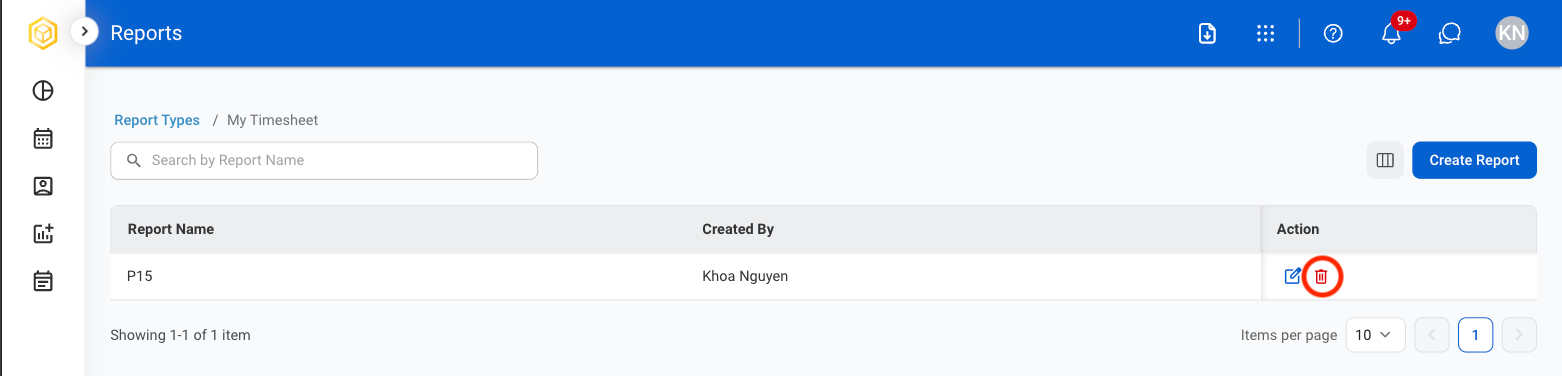
  <Step title="Select the Delete icon">
    <Frame>
      <img src="https://mintcdn.com/bizbone/GWQ1l3p7pywsLplB/images/T-R-Delete.png?fit=max&auto=format&n=GWQ1l3p7pywsLplB&q=85&s=d683ccfb4726a13afc1a34e7492f50dc" alt="T R Delete" width="1562" height="376" data-path="images/T-R-Delete.png" />
    </Frame>
  </Step>

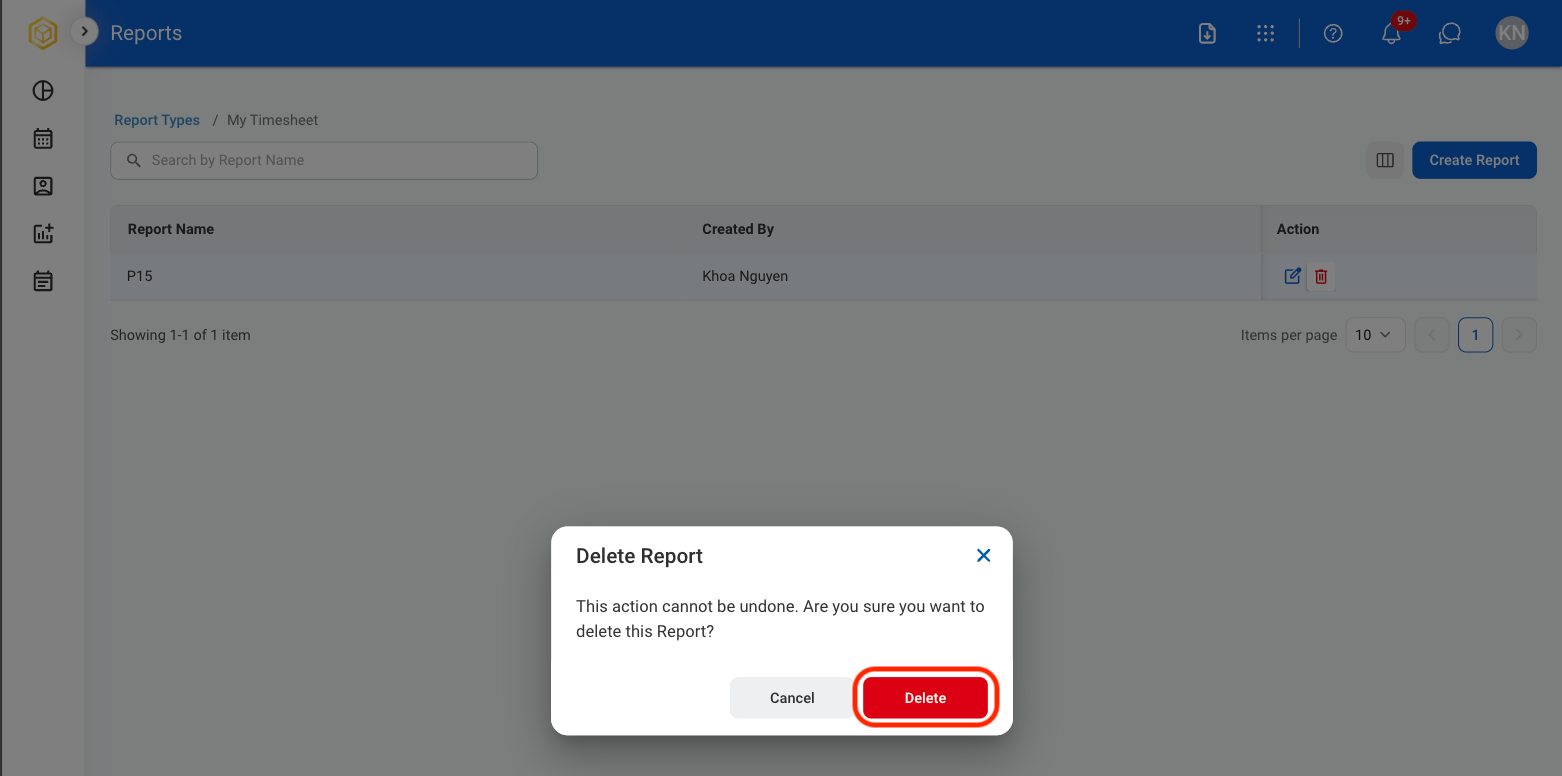
  <Step title="Confirm action">
    <Frame>
      <img src="https://mintcdn.com/bizbone/GWQ1l3p7pywsLplB/images/T-R-CDelete.png?fit=max&auto=format&n=GWQ1l3p7pywsLplB&q=85&s=0caa236e5642e4165cb5dd3a538eb8ef" alt="T R C Delete" width="1562" height="776" data-path="images/T-R-CDelete.png" />
    </Frame>
  </Step>
</Steps>