> ## Documentation Index
> Fetch the complete documentation index at: https://docs.bizbone.com/llms.txt
> Use this file to discover all available pages before exploring further.
# Leave Request
## Create a Leave Request
To create a leave request, see **Requests Module >** [Leave Request](/erp/requests/leave-request).
## Review and Process Leave Requests

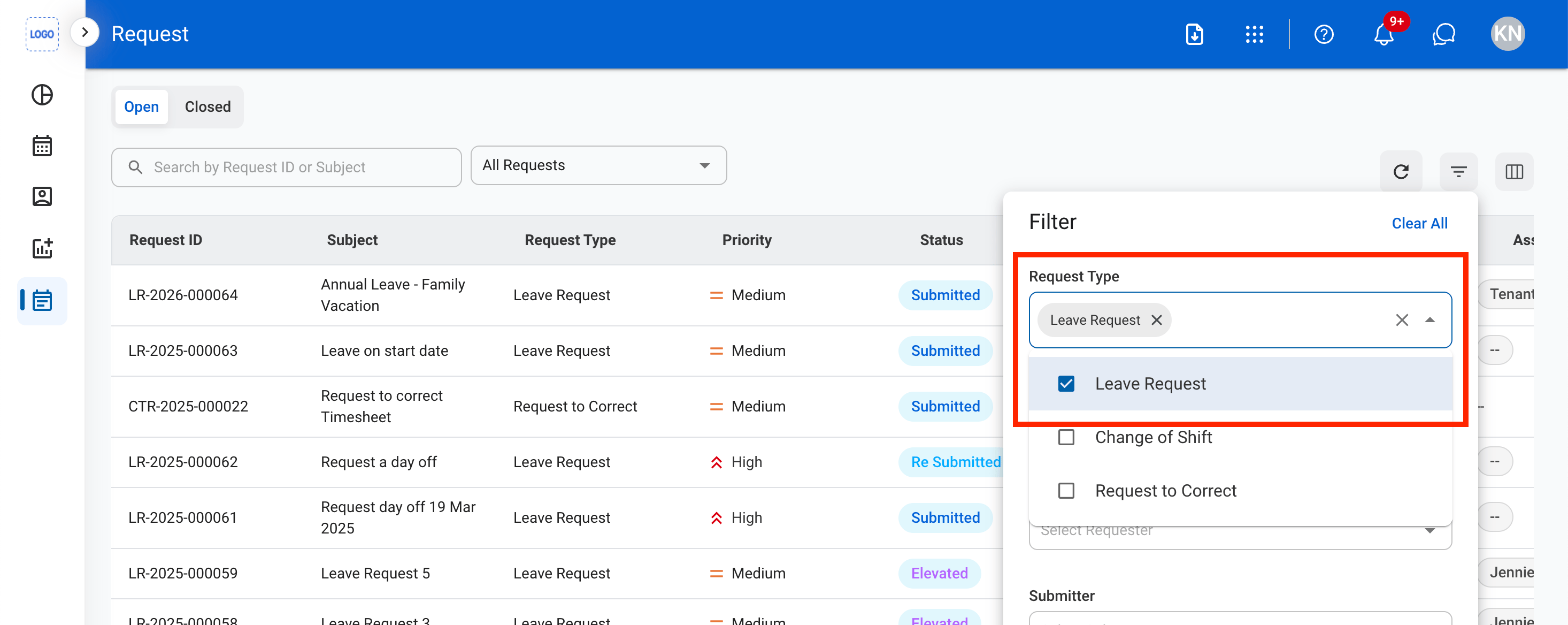
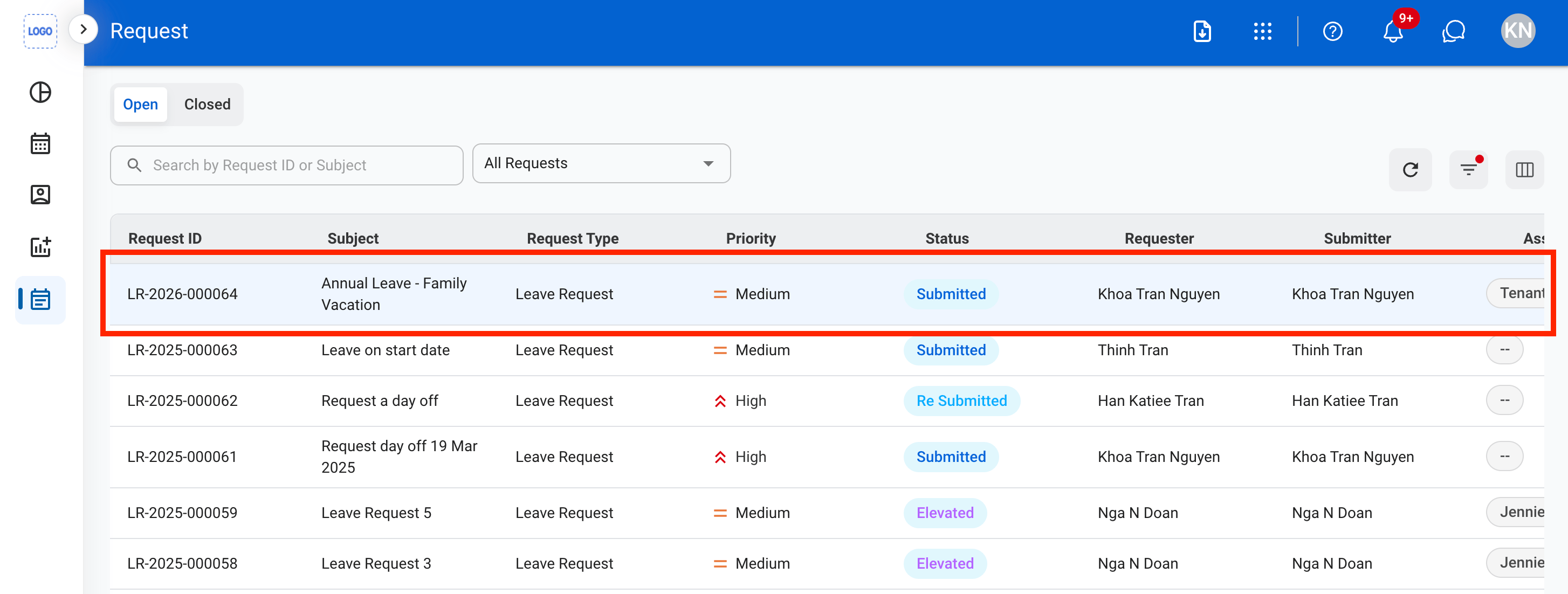

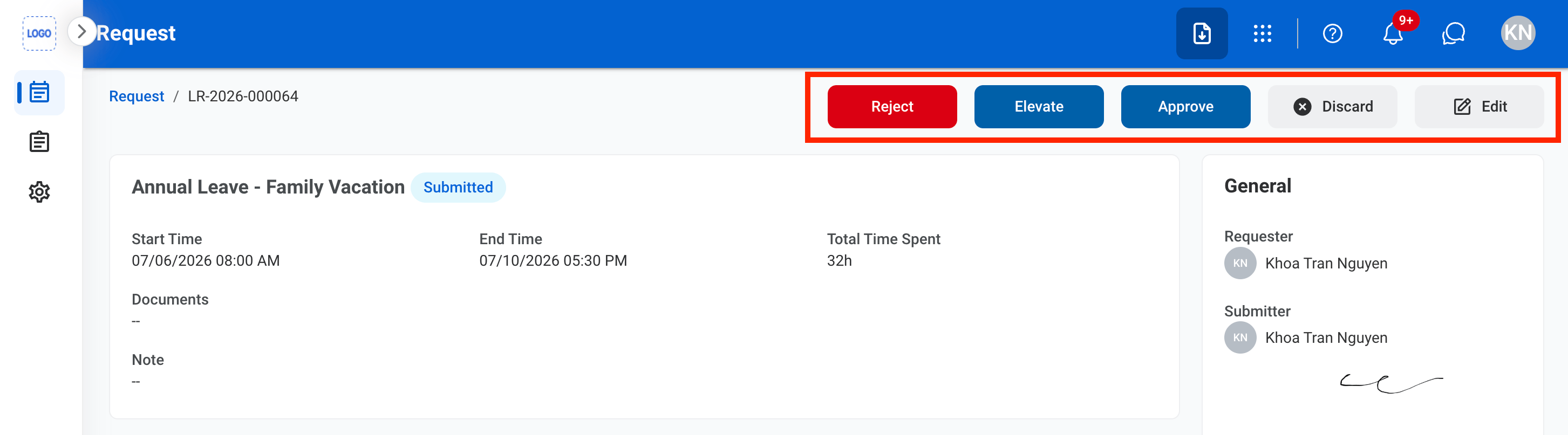 * **Approve:** Select **Approve** to complete or **Cancel** to exit without saving changes.
* **Reject:** Provide a reason for the decision and select **Reject** to complete or **Cancel** to exit without saving changes.
* **Elevate**: Elevate the request.
* **Discard:** Select **Discard** to complete or **Cancel** to exit without saving changes.
#### Approve the Request
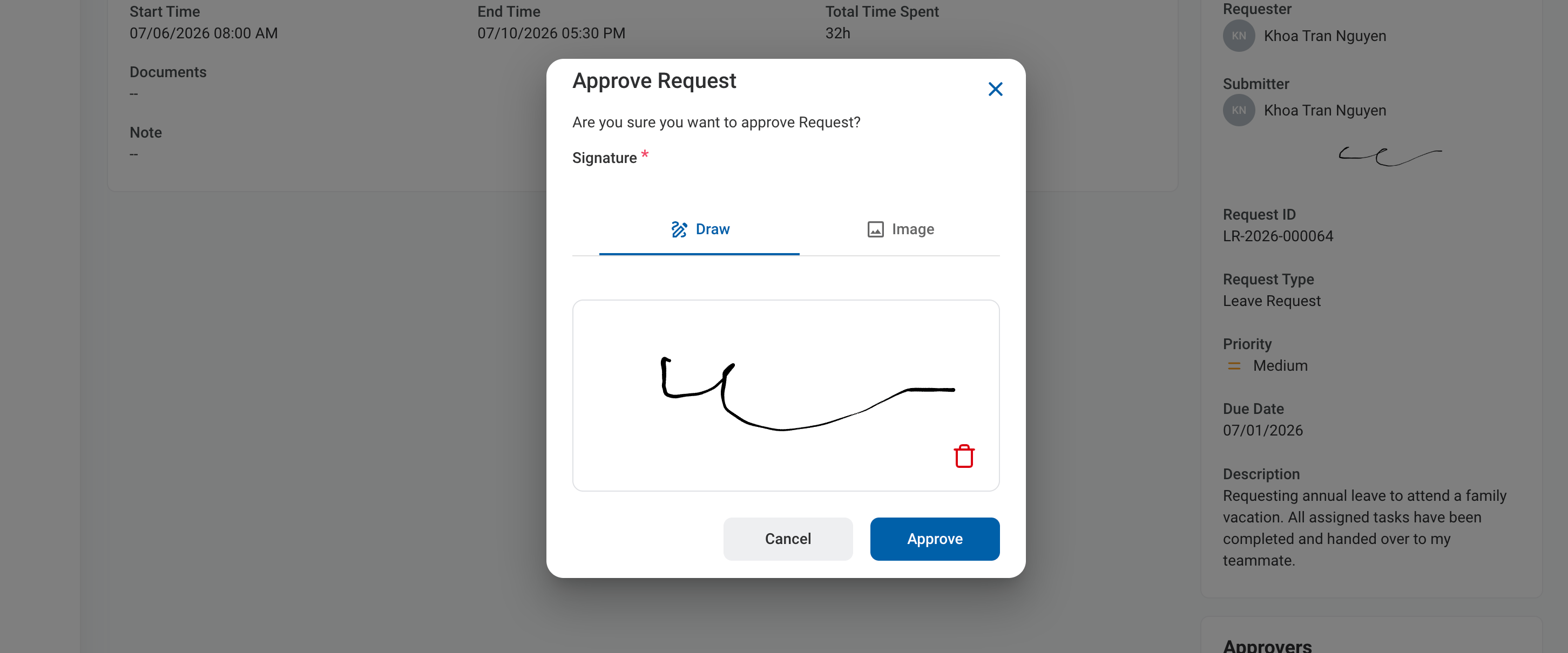
* **Approve:** Select **Approve** to complete or **Cancel** to exit without saving changes.
* **Reject:** Provide a reason for the decision and select **Reject** to complete or **Cancel** to exit without saving changes.
* **Elevate**: Elevate the request.
* **Discard:** Select **Discard** to complete or **Cancel** to exit without saving changes.
#### Approve the Request
 #### Reject the Request
 Reject the request when it cannot be approved. Include a clear, actionable reason so the requester knows how to resolve the issue before submitting a new request.
**Common Rejection Reasons**:
| Rejection Reason | Description |
| :-------------------------------------- | :---------------------------------------------------------------------------------------------------------------------------------------------------------------------------------- |
| **Incomplete information** | The request is missing required information needed for review. |
| **Insufficient justification** | The request does not include enough detail or business justification. |
| **Policy violation** | The request does not comply with the organization's policies or procedures. |
| **Insufficient entitlement or balance** | The requester does not meet the eligibility requirements or has insufficient balance (e.g., leave balance, budget). See [Employee Management](/erp/timekeeping/employee-management) |
| **Approval prerequisites not met** | Required approvals or prerequisites have not been completed. |
#### Edit the Request
Reject the request when it cannot be approved. Include a clear, actionable reason so the requester knows how to resolve the issue before submitting a new request.
**Common Rejection Reasons**:
| Rejection Reason | Description |
| :-------------------------------------- | :---------------------------------------------------------------------------------------------------------------------------------------------------------------------------------- |
| **Incomplete information** | The request is missing required information needed for review. |
| **Insufficient justification** | The request does not include enough detail or business justification. |
| **Policy violation** | The request does not comply with the organization's policies or procedures. |
| **Insufficient entitlement or balance** | The requester does not meet the eligibility requirements or has insufficient balance (e.g., leave balance, budget). See [Employee Management](/erp/timekeeping/employee-management) |
| **Approval prerequisites not met** | Required approvals or prerequisites have not been completed. |
#### Edit the Request
 ## Related Documentation
* [Leave Request Business Process](/erp/admin/leave-requests)
* [Create Leave Request](/erp/requests/leave-request)
## Related Documentation
* [Leave Request Business Process](/erp/admin/leave-requests)
* [Create Leave Request](/erp/requests/leave-request)